
Tag Archives for " your "

4 Spectacular Site Traffic Sources That’ll Help You Move Beyond Google
Until a few years ago, every online business owner used to start their media marketing campaign solely by keeping the ‘big daddy’ in mind.
It was the chief source of exposure – the number one search engine traffic source that helped websites get visitors.
It was the most visited website on the internet, dwarfing every other site.
A whole new industry was created to optimize business websites as per this big daddy’s requirements.
Until one day when a new media marketing era started that made people socialize online.
These new social media platforms also became a breeding ground for publishers to attract eyeballs to their content and to try and attract direct traffic from those sources.
The ‘big daddy’ is Google.

If you’ve started a website to get online exposure, then you must have read a couple of articles on search engine optimization (SEO).
You might have achieved great search engine traffic results from Google.
However, you shouldn’t put all your eggs in one basket.

Diversifying your website traffic sources will ensure that your business does not tank in the wake of a single Google algorithmic update.
Algorithm Impacts
Consider Andrew, who lost 80 percent of his website traffic to Trollingmotors.net with the release of the Penguin update.
It was after this loss of direct traffic he realized the risk of relying solely on Google for customers.

Don’t you dread being in a similar situation, losing all your web traffic because Google decides to change the game?
SEO Game

Building traffic from Google requires consistent effort for 3 months or more.
You need to target long-tail keywords, build authoritative backlinks and optimize your website pages for Google.
Not to mention the dominance of the click-throughs received by the top 3 spots in Google.
If you aren’t in the top 6, don’t expect more than 4 percent of clicks to your website.
And if you aren’t on the first page, you can almost abandon thinking about organic traffic, direct traffic and any other kind of web traffic from Google.
If you’re not on the first two pages,
you aren’t getting any visibility.
I don’t think I need to tell you the difficulty in ranking in the top 3 spots for keywords that have good search volume.
The hard-hitting reality is most businesses fail to rank for their targeted commercial keywords and don’t get intended results from SEO.
Are you willing to build a more sustainable and robust source of organic traffic for your website?
Then let’s roll with five alternative search engines besides Googles that drive traffic your way.

5 Alternatives that Drive Traffic Your Way
1. Capture Emails of Those Cold First-time Visitors
Email is the first and probably the best social channel for conversing with your audience.
It commands the daily attention of most people, drives engagement and accelerates business results.

The email has a high conversion rate and that outperforms search and social media by far.
But effective email return traffic rise does not happen overnight. It starts from your previous efforts and snowballs.
I’ve been able to increase my email traffic consistently since I’ve prepared my blog to capture new leads as part of my marketing campaign.
How to Increase Direct Traffic from Email Campaigns?
Would you like to know the 3 basic steps to increase direct traffic from your email campaigns?
Prepare a lead magnet like a free eBook or an email course that interests your visitors.
As an example, I offer free courses to learn SEO, CRO, and more.
You can also offer a swipe file like Digital Marketer.
It generated 28,507 subscribers in 45 days.
If you want to considerably boost your conversions and reduce your bounce rate, then you’ll need to put in extra effort and prepare a content upgrade for at least your most popular posts.
It can lift your conversions by a whopping 785 percent in one day.
So what are content upgrades?
They’re generally bonus resources.
If you don’t have the time to create more content, a simple checklist will do. The idea is to help the visitor take the first step after reading your article.
Setup lead capturing tools on your website
Marketing technology has come a long way.
You can do much more than simply adding an opt-in form in the right sidebar of your blog (that typically has less than a 1 percent conversion rate).
I would recommend that you experiment with slide-up, left sidebar sign-up forums, hello bars, and other tools.
A controversial, but extremely effective tool that deserves special mention is the popup or banner ad.
Popups can literally take your sign-ups through the roof.
But, if they’re so effective, then what’s the roadblock that may prevent you from using them?
They’re annoying and equate to a bad user experience which will contribute to a higher bounce rate.
You need to test triggering them at the appropriate time.
Your audience might like to spend 30 seconds on your website before they give you their email.
Your visitors should not feel intruded on or tricked into giving their email.
Don’t show the popups and banner ads repeatedly to a visitor after he has shown disinterest in giving you his email.
I would advise you to use an improved pop-up technology that decreases pop-up annoyance.
Properly onboard your new subscribers
The welcome email is your first point of contact with the subscriber.
Don’t waste the opportunity to add value and impress them early in your relationship with them.
So what can you deliver in your first email?
Ask the ‘number one’ problem that your subscriber is facing.
This encourages interaction and lays a strong foundation for your association with them.
(Optional but recommended) – Test your email subject lines
Only after they open your emails will you get the chance to engage with your audience.
Churning of readers is fairly common.
MailChimp found that average click-throughs last only 3.5 percent after the 100th email campaign for the users that last (as compared with 5 percent open rate for the first campaign).
Tweaking your subject lines can make all the difference in increasing your open rates and getting more engagement.
2. Write High-quality Guest Posts for Authority Blogs
Guest Posting has already been written off by Google.
I’ve seen bloggers derive tremendous referral traffic and build complete businesses from guest posting referral traffic.
It’s awesome to get organic traffic this way.
It’s such great exposure that I’ve guest posted regularly at likes of Entrepreneur, Search Engine Journal, HubSpot and Forbes.
Here are five tips to get good results and potential direct traffic from guest posting.
1. Understand the publication
Before sending a guest post pitch, get a feel for the type of content published in the publication.
Only then will you be able to think of post ideas that add value to their audience.
All bloggers are seeking valuable content to be shared on social media and to improve their own search engine traffic – you need to be able to add to this.
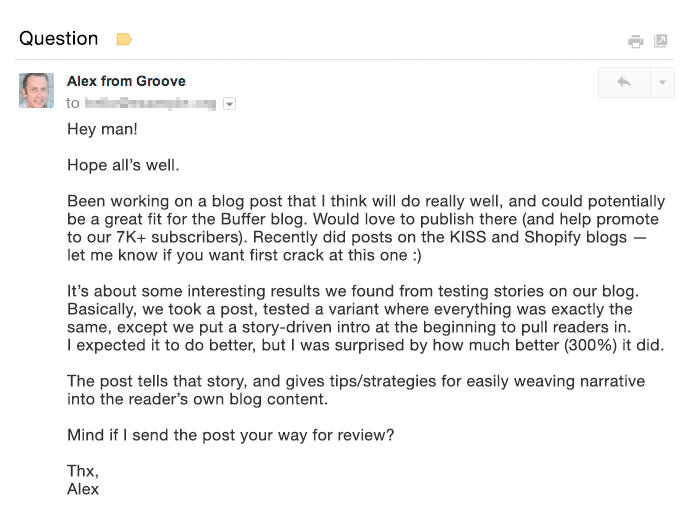
A great pitch puts the target blog’s audience first and proves why you’re the right fit for guest posting on their blog.
Want an example?
Then look at the email by Alex from GrooveHQ below.
2. Aim to get published on the biggest blogs where your target audience hangs around (not necessarily in your industry).
I received 0 conversions from some industry blogs (although they drive considerable organic traffic).
Yet I received a total of 16 conversions (lower visitor volume but high-converting direct traffic) from Entrepreneur Magazine and Inc.
3. If you’re short on time, rely on quality rather than quantity.
By putting in 18 hours to write an awesomely detailed guest post at HuffPo, Ramit Sethi was able to drive 100,000 visitors to his website. This would have had exceptional results not only for his search engine traffic but also for his social media traffic.
Compare that with a quickly written guest post that brought just a few hundred visitors for 1.5 hours of Ramit’s time.
4. Try to squeeze as many quality guest posts into your content production time as possible.
I’ve personally found that organic traffic is spread out from guest posts and adds up only over time.
5. Finally, spend extra time to create a content upgrade for your guest posts.
A content upgrade can have a tremendous impact on the number of emails you’ll collect.
Giles Thomas earned 408 subscribers from a single guest post by offering an upgrade.
3. Interview an Influencer or Get Interviewed by a High-traffic Website
Have you heard of the Four Hour Work Week author Tim Ferriss?
Right now, a staple content type that he serves his audience is his podcast.
He interviews world-class performers who share their wisdom on a plethora of subjects on Tim’s show and he is loved across social media.
Do Tim’s followers like the show?
Well, the show has surpassed 50,000,000 downloads.
And is the #1 business podcast on all of iTunes on most days.
Be it video or audio, interviews are inherently conversational, dynamic, and engaging.
The best part:t’s a win-win for both parties.
The interviewer gets exposure to the new audience while the interviewee gets to serve new engaging and authoritative content to his website visitors.
If you interview an industry influencer, you can request that they share the interview with their followers on social media.
Think of the organic traffic you will drive from hundreds of thousands of their social media followers.
As an example look at the engagement received by a past interview of Derek Sivers on the Tim Ferriss Show. Derek tweeted the show’s link to his 283K followers.

It won’t hurt that you’ll also start a relationship with the influencer through such an interview.
Similarly getting interviewed by a high-authority website can bring you a huge amount of search engine traffic.
Getting interviewed by YourStory brought Harsh Agrawal 35,000+ views on his blog, Shoutmeloud, in a single day.
That was his highest search engine traffic source for the blog (having 600,000+ visitors/month).
Since interviews offer consolidated value, they serve as a lead generation source for your brand for a long period.
Just think of the number of bloggers you discovered through their interviews on YouTube and other high authority websites.
If you’ve got a really interesting story to share, you can also consider doing a Reddit AMA.
Mateen got 2000 pageviews from doing this AMA on earning $85,000 in profit by selling TeeSpring shirts/hoodies. He also increased his average daily visitors.
You can also answer questions from journalists at HARO by signing up as a source.
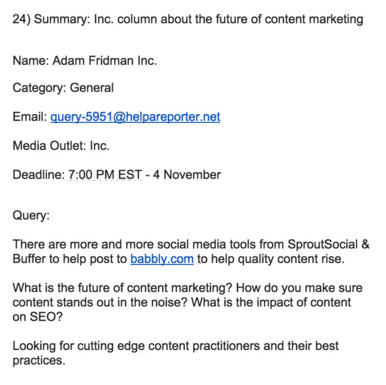
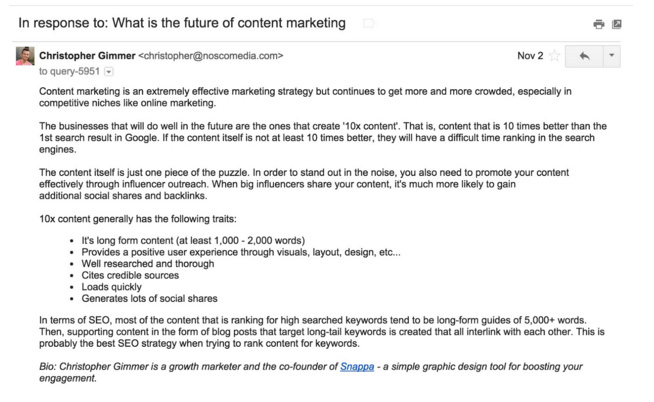
Christopher from Snappa saw this query on the future of content marketing from Inc Magazine on HARO.
He quickly sent a detailed reply.
This earned him a mention in Inc a few weeks later.
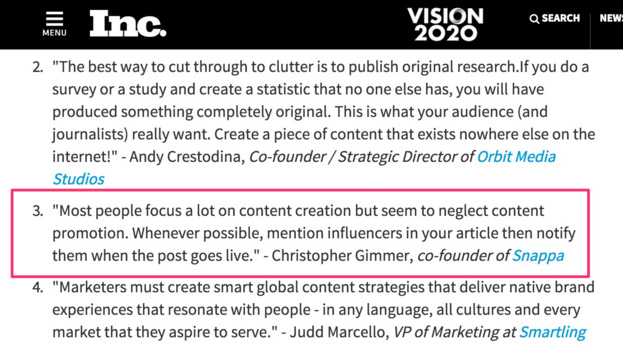
HARO is a great strategy to get a brand mention on authority news websites like Entrepreneur and Inc.
Those backlinks will sweetly lift your reputation in the eyes of Google, driving your search engine traffic up, and boosting your marketing campaign.
4. Invest in Facebook Ads
I know a paid strategy might raise a few eyebrows when it comes to the idea of organic traffic.
Inbound marketers generally don’t like to pay for play in the form of banner ads or other pricey methods.
If you’re one of those, you might be frustrated with the declining organic Facebook reach.
If you’re having only a handful of fans on your Facebook page, then you will not get good results from your organic traffic reach.
So you’ll need to invest in Facebook Ads.
A US accounting firm (having 156 likes) didn’t get good engagement on their posts. Just a couple of likes.

After spending $20 on Facebook Ads they started getting great interaction. Look at the interaction on the post in two months.

Sparing some cash for running Facebook Ads can tremendously accelerate your email list growth (one of the best repeat traffic sources for your website).
Because there are very specific demographic targeting options available. You can also A/B test various images and text in your banner ads.
Let me share another case study to show you the kind of results you can achieve.
Matthew Woodward spent around $600 on Facebook Ads running two campaigns.
His cost per lead in running both campaigns was under 80 cents.
The ROI from running the campaign was over 2500 percent.
Aren’t the results incredible?
If you don’t want to splurge and spend $500, then even $5 a day can get you great results.
Mary earned 532 new subscribers in 43 days of running Facebook Ads.
The total amount she paid was just $227.05.
If you want to drive more traffic to your blog, then you can choose your most engaged Facebook posts and boost them to extend your reach.
You can even use Facebook Video Ads and add a CTA to drive traffic back to your website.
For native videos on Facebook, Mike Gingerich found anywhere between a 30 percent to 200 percent increase in engagement and reach compared with other types of posts.
Conclusion
Google’s algorithmic updates are unpredictable.
Relying solely on SEO to rope in traffic and customers can kill your business.
So experiment with traffic sources other than Google.
If you put in the necessary steps, you can also reap the benefits like others whose case studies I shared with you in this article.
Have you experimented with any of the above traffic sources and achieved good business growth?
How did you boost your direct traffic? I would love to hear your insights in the comments.
Source: neilpatel.com

How to Create a Lead Generation Minisite in 3 Steps – Tips & Tools
Do you have a long list of domains you never had time to create a website for?
Who doesn’t, right?
Here’s an idea for at least one or two of those: set up a lead generation website.

I have an SEO background, so in most cases, my advice would be: keep everything on your main site.
Don’t dilute the brand.
Why Do You Need a Separate Minisite for Your Brand?
Yet, there are several reasons why you may want to set up a separate minisite for your brand.
These reasons include:
For personal branding reasons.
Ok, I have my business and my main site, but what do I do with myname.com domains which I rightfully registered so no one else would?
Should I just keep it empty?
I don’t have time to maintain another site!
That’s when a one-page “portfolio” style website makes total sense.

When you need to take an extra position in SERPs.
This makes sense for brand-driven search results.
Google will usually grant you one — maximum of two — positions when people search for your name in combination with another term, but, obviously, you’d want to control more of those search engine result pages.
Let’s say people are searching for something like [your-name coupons], there will be lots of third-party (affiliate) sites that will potentially drive those customers away by showing your competitors or showing ads.
So grabbing a separate domain, like your-name-coupons.online and curating the most recent special deals of yours would give you more control of that search.

When you are launching a completely different project.
I am an SEO and suddenly decide to write a book on being a mom.
It is a good idea for me to register a domain (which would match my book title) to start collecting leads for my future book independently of my main business.
In all the above cases, getting those sites to rank and drive some organic visibility will be quite doable.
When it comes to personal brand or brand-driven queries, all it takes is to set up a minisite and link to it from your main site.
That being said, keeping all links and brand exposure consolidated around your main site is obviously smart, yet there are many cases when you need a separate entity.
On top of that, you are likely to be busy and cannot spare much time for your new site, so let’s keep things easy.

How to Set Up a Mini Lead Generation Site
Here’s how to set up a mini lead generation site:
1. Pick a Domain
This step is getting harder and harder now that it is becoming next to impossible to find an available .com domain that wouldn’t be all dashes.
I’ve got good news for you:
There are lots of options beyond .com domains, and all of them are equally effective.
There’s a cool tool that will help you pick a great domain and even help with branding.
Namify is what that tool is called, and it’s a time saver!
The tool allows you to find a cool brandable name in minutes. Unlike other domain name generators, it focuses on short names that create niche associations and are easy to remember.
You’ll love those ideas.
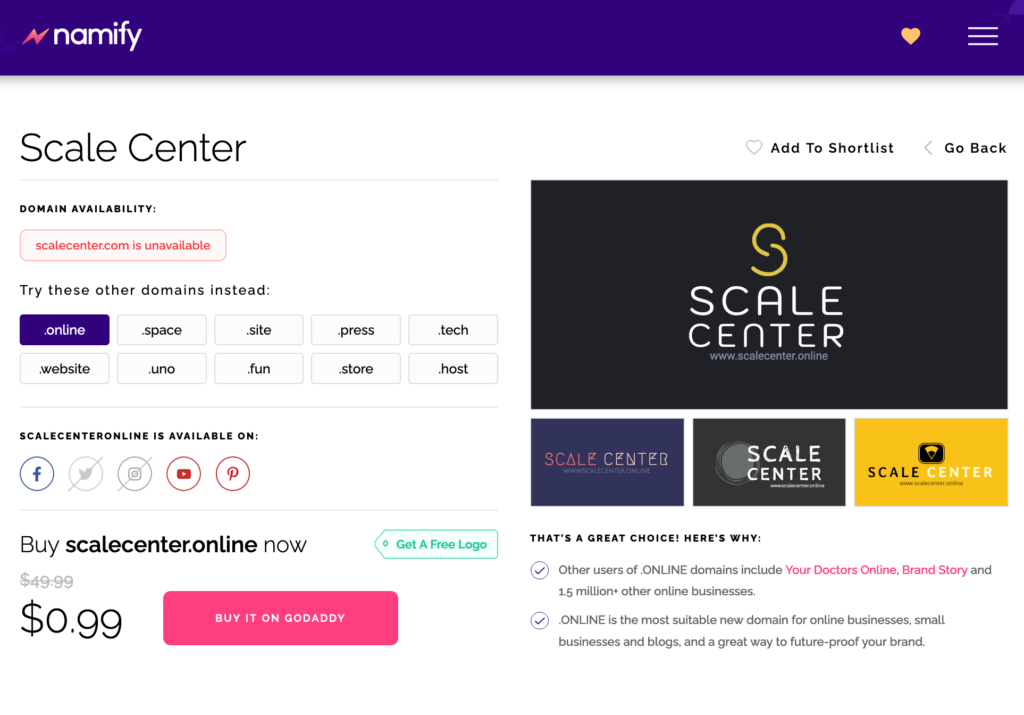
On top of that, Namify will draft your visual brand identity (logo and color scheme) for you to use right away:
2. Set Up Your Site
When dealing with a secondary asset (which is not your main site), the easier the setup, the better.
With that in mind, I suggest using WordPress, which makes it incredibly easy to create a website.
Here’s a detailed beginner-friendly guide on making a WordPress site.
All you need is to follow the steps.
And here’s a huge collection of one-page WordPress themes (both free and paid) which are easy to customize to match your chosen color scheme, logo, or your main brand.
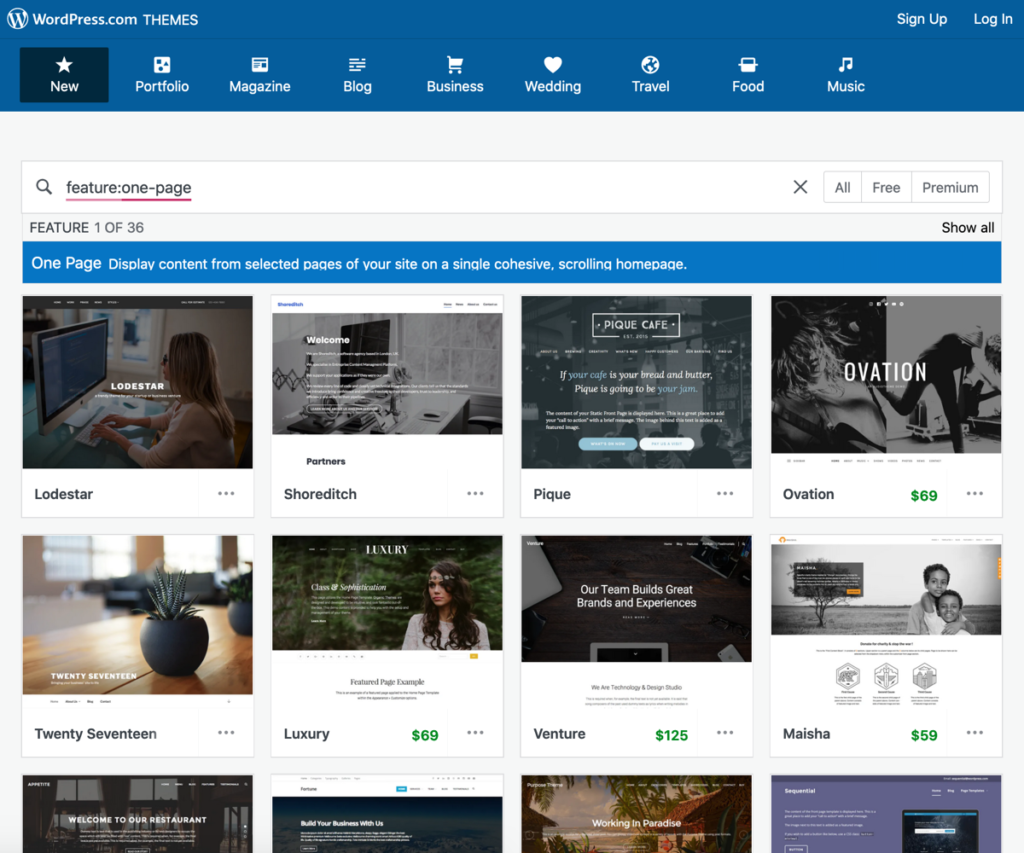
There are tons of one-page WordPress themes to choose from.
Once the basic setup is done, it is time to create your content.
To make it easier, try running Text Optimizer for your core search query — it basically writes content for you.
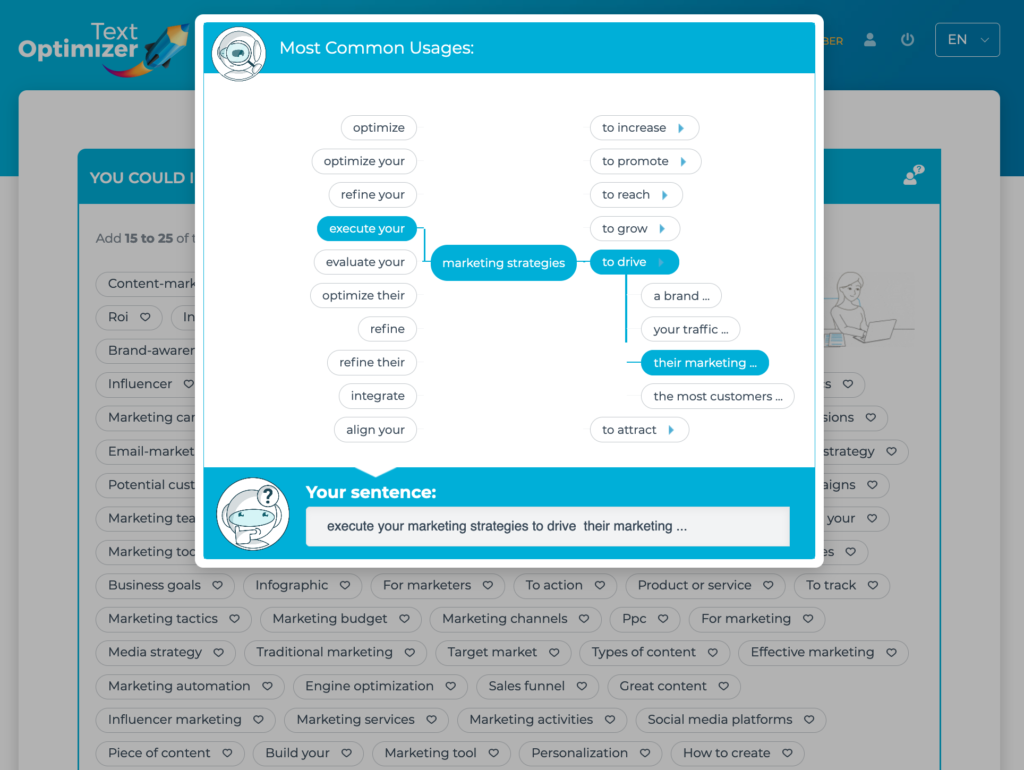
I use Text Optimizer to create the core structure of my page: the subheadings, introduction and key points to be covered.
After that, I write my text.
This has been the biggest writing productivity booster I’ve ever tried.
Since this is going to be a website focusing on collecting leads, using Text Optimizer is a great idea because it is also an intent optimization tool that makes sure your copy meets your site visitors’ expectations and hence increases the conversions.
3. Set up Your Lead Generation Funnel
Finally, setting up a clear lead generation funnel is something you will be focusing on.
Obviously, you will need to keep experimenting with your CTA wording and placement, here but here are a few ideas for you to get started:
3.1 Set up your lead generation forms
Setting up a lead generation form doesn’t require any technical skills these days.
Here are a few easy-to-use online form builders you can use to create a form to collect leads from your site visitors:

Don’t be afraid to gamify your lead generation web forms and make them fun!
3.2 Implement secondary engagement triggers
No matter how cool your web forms are going to be, the majority of your site visitors may feel wary of giving you their email addresses.
Some people may be in a hurry; others may not have enough trust in your brand.
Regardless of the reason, these people may be willing to convert a bit later.
So coming up with additional engagement triggers is helpful:
- Install Facebook pixel to be able to reach out to those visitors through Facebook ads
- Try using a smart chatbot or feedback widgets to get those people to talk to you without sharing their personal details. This may encourage them to follow your conversion funnel on a later basis.
- Use more traffic-driving conversion optimization tactics to engage more of your site visitors. Remember that certain conversion optimization tactics will also improve your rankings, so it is well worth the effort.
3.3 A/B test often
Again, this is going to be an ongoing process: When it comes to generating leads, there’s never “good enough.”
You need to experiment with new engagement triggers and change your forms on a regular basis.
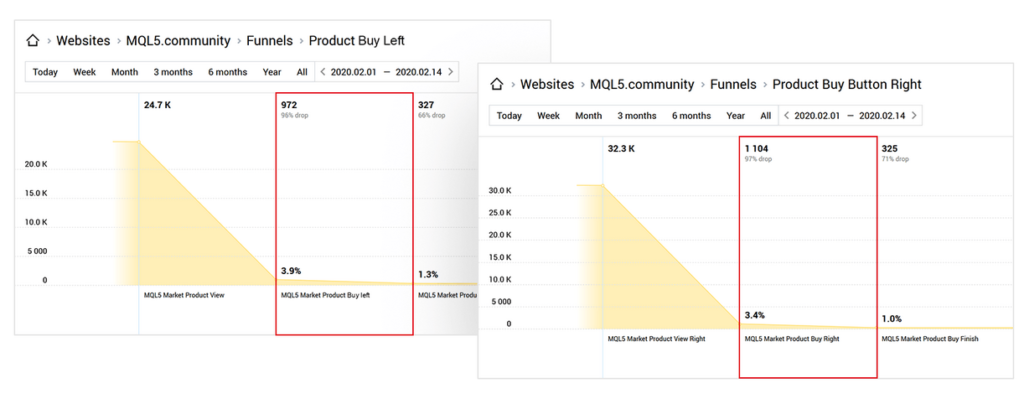
This is where A/B testing to identify your better-working tactic is always a good idea.
I know lots of marketers who shy away from A/B testing because it is deemed too technical.
Finteza is a web analytics tool that makes A/B testing easy and available to anyone. Here’s how to run A/B tests using Finteza.
Conclusion
If setting up a minisite to claim your old but neglected domains have been on your mind for quite some time, I hope this guide will finally get you up and running.
I did my best to make it as easy to follow and implement as possible.
When it comes to lead generation, every bit helps, and who knows, maybe this site will drive some great leads.
The post How to Create a Lead Generation Minisite in 3 Steps – Tips & Tools appeared first on Content Marketing Consulting and Social Media Strategy.
Source: convinceandconvert.com

Best WordPress Backup Plugins
If you get hacked or accidentally lose your password, you’ll save yourself the massive headache of losing everything on your site. But only if you have a backup plugin installed.

Disclosure: This content is reader-supported, which means if you click on some of our links that we may earn a commission.
What would happen to your WordPress site if all your data was wiped out?
If you don’t have a clear answer to this question, then you’ve landed in the right place.
Using a WordPress backup plugin is one of the smartest things you can do to ensure your site is protected from disaster.
If you get hacked or accidentally lose your password, you’ll save yourself the massive headache of losing everything on your site. But only if you have a backup plugin installed.
Without one, you’d be back to square one.
But which WordPress backup plugin should you use?
You’ve got options.
In this post, I’ve reviewed my top five recommendations and included a short buyer’s guide to help you figure out which one fits your needs.
Ready?
Let’s make sure your site’s backed up.
Top WordPress Backup Plugins
#1 – Backup Buddy Review — The Best For Efficiently Restoring Your Site
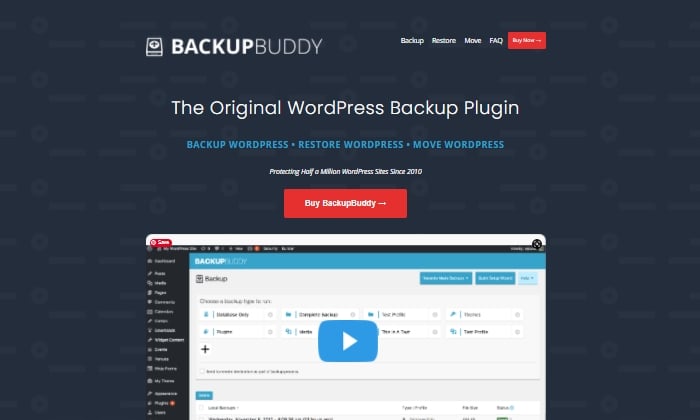
Like Backup Buddy rhetorically asks on their site, “What good is a backup if you don’t also have a way to restore your site properly?”
And they couldn’t be more right.
Backup Buddy ensures you always have the latest backup of your site by providing you with a zip file you can use to upload and restore a broken site.
Once uploaded, Backup Buddy seamlessly walks you through the steps to get your media files, text, plugins, and more back up and running.
Additionally, you can choose to restore individual files instead of restoring the whole site if that’s what you want to do.
You can even schedule automated backups at intervals you customize.
Some top features of Backup Buddy include:
- Backs up your entire WordPress installation
- Customizable backup content that you can pick and choose to restore
- Offers hourly, twice daily, daily, biweekly, weekly or monthly backups
- Automatically sends your backup files to access remote storage locations like Dropbox or Google Drive
Backup Buddy has three pricing options, all with one-time fees:
- Blogger — $80 for one site
- Freelancer — $127 for up to 10 sites
- Gold — $199 for backing up unlimited sites
You can quickly sign up and get started with BackUp Buddy here.
#2 – WPvivid Backup Pro Review — The Best For Migrations
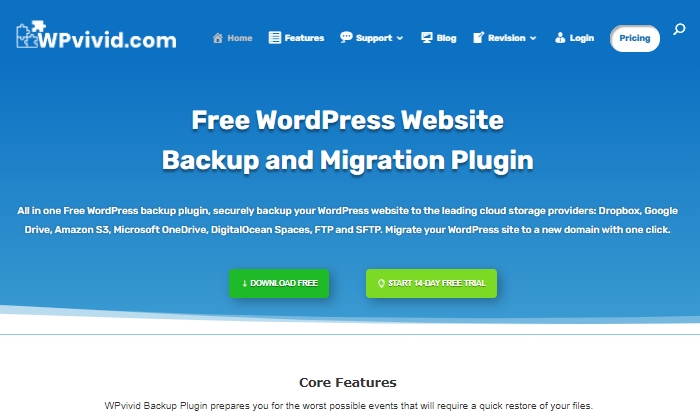
WPvivid Backup Pro is a great backup plugin you can safely set up and start using to migrate your site.
They’ve been used on more than 90,000 websites to do more than just back up and safely migrate data files.
WPvivid Backup Pro offers incremental backups to ensure it isn’t slowing down your site as it works in the background to backup all your data once it’s been configured to your needs.
As far as its backup migration capabilities, WPvivid Backup Pro supports manual migration methods, as well as auto migration and migration via remote storage (as a premium feature).
Some of WPvivid’s best features include:
- Create either manual or scheduled backups
- Advanced migration features in case you want to migrate your site quickly
- The ability to create a staging site
- It backs up all your core WordPress files
- 24/7 ticket support
- Set a size limit for files that you’re not interested in backing up
Here’s a quick look at their pricing packages:
- Basic — $49 per year for up to three websites
- Freelancer — $99 per year for up to 100 websites
- If you get hacked or accidentally lose your password, you’ll save yourself the massive headache of losing everything on your site. But only if you have a backup plugin installed. — $149 per year for unlimited websites
All three plans are annual subscriptions, unlike other backup plugins, many of which are a one-time licensing fee.
WPvivid also offers a 14-day free trial, visiting so you can test it out before you purchase a plan.
#3 – JetPack Review — The Best For Making Site Changes Safely
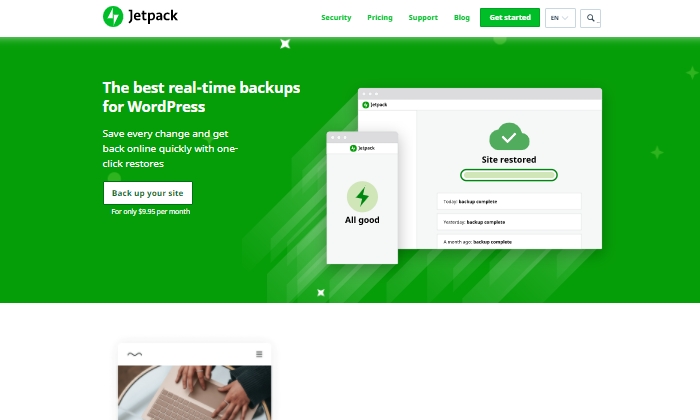
Jetpack is a strong contender for a reliable backup plugin that works great for making site changes safely.
Picture this:
You’re making exciting new changes to your site, whether that’s CSS customization, adding new plugins, or altering your core site files.
Then suddenly, something breaks.
With Jetpack, you can quickly restore your site to how it was before you made that crucial mistake with just a few clicks.
This makes it an easy and reliable plugin to work with if you’re constantly updating your website.
The Jetpack plugin even comes complete with a mobile app so that you can virtually restore your website right from your phone no matter where you are.
Plus, Jetpack offers plenty of security features, too.
This can only be a plus for a backup plugin and makes it worth keeping in your corner.
Some top features of Jetpack include:
- Provides malware scanning and protects your site from spam
- Downtime monitoring lets you know if your site is down immediately
- Malicious hacking and attack protection
- The mobile app you can take and use with you everywhere
- Automatically cleans up spam comments off your site
If you choose to go with JetPack, the question becomes what kind of pricing package you’ll feel comfortable going with, as there are many options.
The three main packages are:
- Backup Daily — $7.95 per month billed yearly
- Security Daily — $19.95 per month billed yearly
- Complete — $79.95 per month billed yearly
The Backup Daily tier offers automated backups, one-click restores, and unlimited site storage.
On the other end, Complete provides the full Jetpack suite, including real-time security, enhanced search, CRM features, and even design tools.
Jetpack also offers a limited free forever plan that includes basic site protection, downtime monitoring, and changelogs.
Additional product bundles you can purchase separately on a per month basis include a Security Real-Time plan, a Real-Time Backup plan, a Scan package, an Anti-spam bundle, a Site Search plan, and the CRM Entrepreneur add-on.
Jetpack offers peace of mind by providing one-click restore options and monitoring your website’s security at pretty affordable rates.
Still, I recommend you visit their comparison page to ensure you’re deciding on the right backup bundle.
Start using Jetpack’s powerful backup features here.
#4 – BlogVault Review — The Best All-In-One Backup Solution
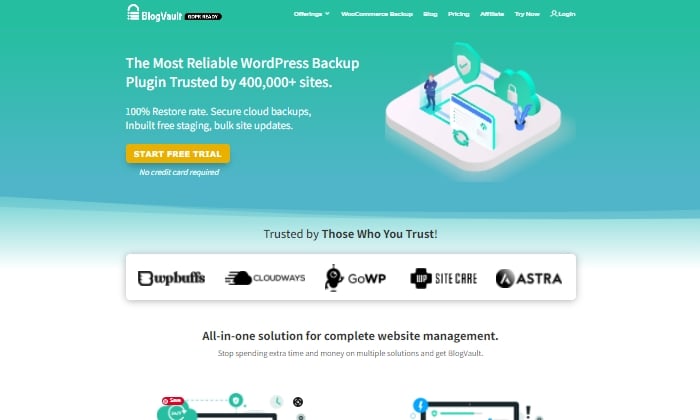
BlogVault makes for a reliable all-in-one backup plugin that ensures your site’s backup is stored securely in the cloud.
It’s used by over 4,000,000 websites and trusted by businesses like Astra, Cloudways, and GoWP.
BlogVault’s plugin offers key storage features like changelogs that can help you identify problematic modifications to your website.
They go as far as providing 90-day archives to ensure you recover from any site mistakes, which are bound to happen at some point in your site’s lifetime.
If your site experiences downtime, with BlogVault, you can make it so that your site’s backup still shows up to users. What exactly does BlogVault backup?
Everything from the basics like blog posts, your media library, and media files to blog comments, plugin files, WordPress settings, categories and tags, theme settings, WordPress core files, and even user details.
Because of how complete and robust BlogVault is as a plugin, it’s one of my favorite backup plugin recommendations to make.
Some of BlogVault’s best features are:
- Provides centralized dashboard where you can manage multiple sites
- Provides custom WooCommerce table backups
- Performance checks that inform you about site speed and ways to improve your site
- Get uptime and downtime status checks
- Handy customer support that gets in contact with you in less than 24 hours
- Incremental backup option available so the plugin doesn’t slow down your site
If you’re not in love with everything BlogVault offers yet, take a look at their affordable pricing tiers:
- Personal — $7.40 per month for daily backups
- Plus — $12.40 per month for daily backups
- Advanced — $20.75 per month for real-time backups
You can definitely take them for a test drive with their free trial.
Otherwise, get started using BlogVault here.
#5 – UpdraftPlus Review — The Best Free Backup Plugin
If you’re looking for a free backup plugin, look no further than UpdraftPlus.
It makes restoring all your site files hassle-free and straightforward.
It has over 3,000,000 active installations and is a reliable backup option if you are running your site on a shoestring budget.
UpdraftPlus has a paid version you can upgrade to with a lot more features and capabilities.
But for now, we’ll focus on what the free version can do for your site.
UpdraftPlus is a cloud-based plugin that ensures you have access to your site’s files and data in case of cyberattacks, server crashes, conflicting plugins, or anything else that would bring your site down.
Once you upload the UdraftPlus plugin, you can set it up, forget it, and let it run in the background while you work on more important tasks for your business.
Best features of UpdraftPlus:
- Backup to an exhaustive list of cloud options
- Lets you set up automated backup schedules for convenience
- Uses fewer server resources than other free backup plugins
- Has the ability to restore your site
Updraft Plus is free, and you can read reviews and download it here.
What I Looked At To Find The Best WordPress Backup Plugins
The most basic use of a backup plugin is to keep updated backups of your site continuously.
There are plenty of plugins on the market that will do just that.
Here are some of the criteria I looked at to find the best plugin options for your WordPress site.
These will be helpful factors for you to think about as you choose which plugin to invest in.
Restoring Options and Complete Backups
If you’re frantically trying to get your site back up and running and want to restore it to how it was before it crashed, you’ll be thankful for a restoring option you can upload in minutes.
This way, you’re enabled to troubleshoot fast, save your rankings in search engines, and have a contingency plan for when things go south.
It’s a great feature to look for in any backup plugin you decide to use. Especially if their pricing features hook you into yearly subscriptions.
Along with quick restoring options, it’s a good idea to ensure your backup plugin does complete backups, meaning it backs up everything on your site from images to texts, themes, media files, and your whole database.
If your entire site goes down, a partial backup will be less useful.
Full backups are worth any extra cost.
Preventative Overload Configuration
It’s always a plus to know that a plugin was built to work with your site and not against it.
This means it was designed with every aspect of your site in mind.
This includes not overloading your site so that it slows down or has trouble loading.
Some of the best backup plugins allow for interval backups, configured so that your site doesn’t suffer from slow loading times.
As you probably know, load time is a crucial SEO factor that Google takes seriously as it decides where to place you in SERPs.
The fewer resources your backup plugin takes up, the better your chances of ranking on search engines.
Cloud Storage
This brings me to cloud storage as a desirable feature in a backup plugin.
It can be both a cost-effective and scalable option to give you peace of mind.
With cloud storage, you can store all your site information safely with your backup provider, where you’ll always have access to your data within minutes.
This also helps you minimize storage overhead and have easy access.
Bringing It All Together
Using a reliable WordPress backup plugin is one of the best ways to keep your site safe while you sleep soundly at night.
In the scenario that you lose everything on your site, meaning your files, images, blog posts, guides, PDFs, and more, you’ll want to be able to bring all of it back with a few clicks.
That’s where backup plugins come in.
To summarize the plugins I reviewed in this guide, take a quick look at the list below:
- Backup Buddy — The best for efficiently restoring your site
- WPvivid Backup — The best for migrations
- JetPack — The best for making site changes safely
- BlogVault — The best all-in-one backup solution
- UpdraftPlus — The best free backup plugin
Take a moment to check out each one so that you’re comfortable with your final plugin choice.
If you’re unsure, make sure to revisit this guide whenever you need it.
Now it’s your turn.
Which plugin do you use to backup your sites?
Comment below!
Source: feedproxy.google.com

Customer Journey Mapping for Audience-Centric Content
One of the questions we hear from our clients most often is, “How do we get from ‘one-size-fits-all’ to personalized content?” And we have a clear answer: Customer Journey Mapping.

What Is Customer Journey Mapping?
Customer Journey Mapping (also known as Journey Mapping or Audience Journeys, or a dozen other variations) is simply the process of understanding the path your specific target audience segments take, from the moment they become aware of their problem until they (ideally) know and love your brand.
More specifically, customer journey maps clearly outline how each of your target audience’s needs, actions, and mindsets evolve through critical make-or-break decision points along their path.
Journey mapping works for both B2B and B2C scenarios, but it important to note that they are most valuable when evaluating longer-term purchases or relationship-building marketing strategies.
It is less useful to build journey maps for quick one-off purchases where customers are unlikely to build brand loyalty.
So, where to begin?
Why Is Customer Journey Mapping Important?
Your prospective customers are faced with a mountain of choices and content.
When they’re making a decision about whether to engage with a brand, customers—in every demographic, B2B, B2C, and across industries—are overwhelmingly signaling that they prefer personalized messaging that is relevant to their needs.
As Convince & Convert founder Jay Baer says, “To be someone’s favorite, you need to be hyper-relevant.”
One of the easiest ways to boost content marketing relevancy is through personalization. If you’re not already personalizing, you’re probably falling behind.
With the increasing demand for contextual, personalized content as well as the new opportunities for delivering that content using ABM and targeted social advertising, understanding the specific needs and concerns of each audience segment has never been more important.
You can’t personalize for a group you haven’t defined.
Journey maps help improve the customer experience by ensuring you’re considering their full experience as you design the interaction, and they help drive customer-centered decisions, as your team aligns business goals with the customer’s goals, and measures marketing performance based on the ease and effectiveness the customer experiences.
How to Create a Customer Journey Map
Building a Customer Journey Map involves defining five key elements:
- Audience Personas
- Decision Journey Stages
- Audience Mindset (thoughts, feelings, and top questions)
- Touchpoints & Key Actions
- Ideal Response & Content Opportunities
1. Audience Personas
Though creating audience personas are a separate task and not specifically part of the customer journey process, it’s essential to ensure you truly understand your audience before you begin.
Audience Personas should be based on research (even just talking with your customer service team is a great start), and they should group clusters of individuals together based on their needs and attitudes, not demographics.
Here’s more on How to Build Attitudinal Personas for Effective Audience Segmentation.
2. Decision Journey
The decision journey identifies the key steps an individual takes to reach their goal; this is often referenced by marketing teams to outline useful touchpoints at each stage of the decision. Typical stages of the decision journey include:
- Trigger/Desire: realizing they have a problem to solve
- Awareness: becoming aware of your type of solution
- Consideration: adding your brand to the list of possible solutions to evaluate
- Evaluation: comparing the possible solutions
- Purchase: committing to your product or services
- Loyalty: purchasing again and/or telling others about their positive experience.
Customize these stages for your own efforts. For example, a higher ed marketing team might choose to rename these stages:
- Desire
- Awareness
- Consideration
- Application
- Enrollment
- Ambassador
3. Persona Mindset & Top Questions
Next, it’s important to layer on the emotional mindset of this persona at each stage, and then define the questions or objections keeping them from taking that action.
However, almost none of the decisions customers make fit perfectly into a linear decision journey.
There are always emotions that affect a customer’s ability to reach their goal and speed up or slow down their progress.
Identifying the mindset of the audience at each step helps us consider the types of content and level of reassurance they need from us at any given moment.
Make sure that your decision journey includes not just rational steps, but also what they’re thinking, feeling, and needing at each stage.
The mindset analysis takes into account elements like their mood at this stage, how their feeling about the problem and our brand or brand category, trusted advisors they might look to for advice or inspiration, their experience or confidence level, and sense of urgency to solve the problem.
This is also a great place to document their questions and objections:
- What is keeping them from taking the next step in solving this problem?
- Which of your web pages is most visited?
- Which content assets get the most engagement?
- What frequently asked questions does your sales or support team find themselves fielding over and over?
A great tool to brainstorm these is an empathy map, developed as part of the Gamestorming human-centered design kit from XPLANE.
This is a useful exercise to solicit input from across your sales, customer support, and marketing teams to help identify the key identifiers along the journey.
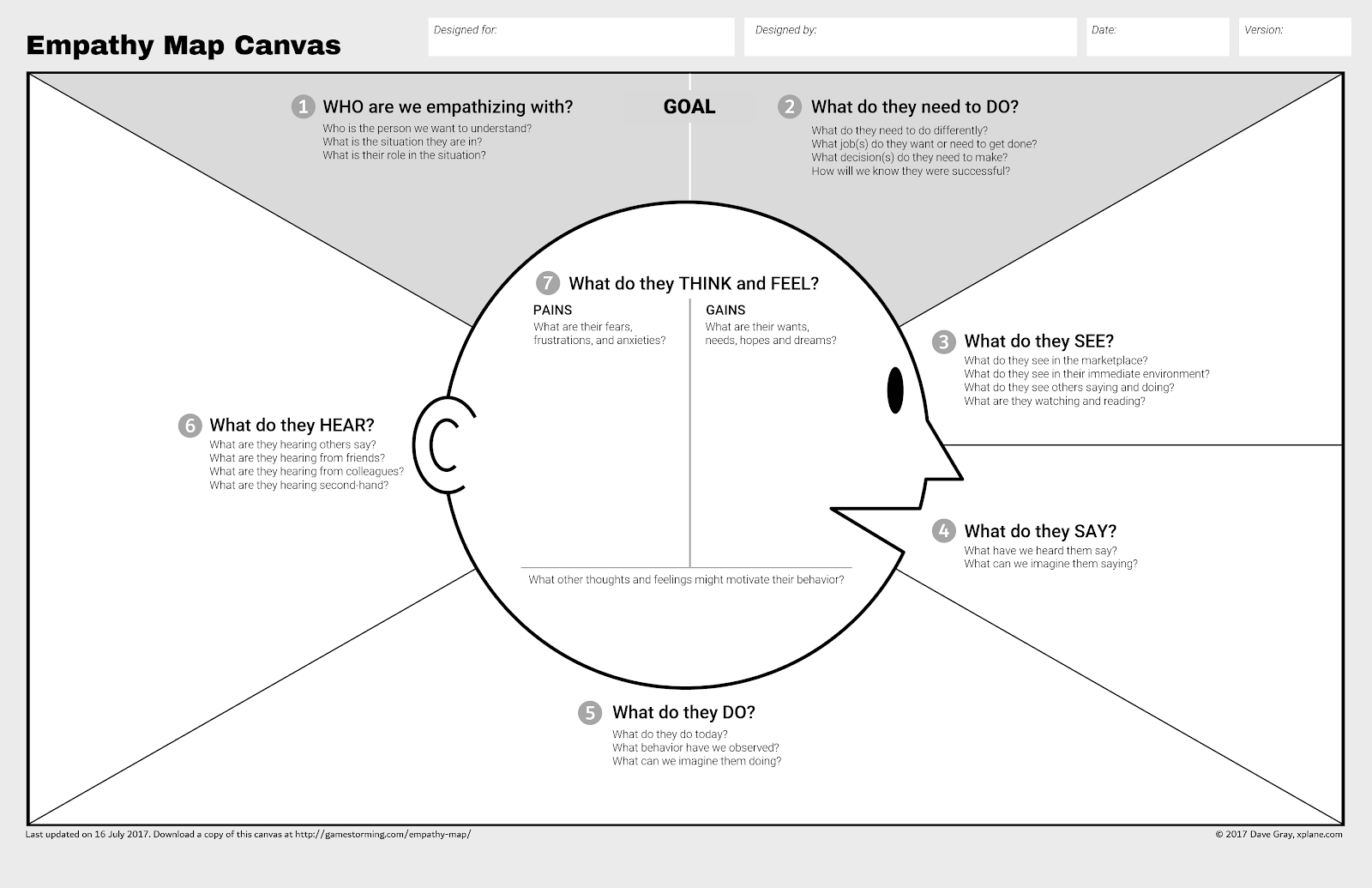
The empathy map canvas is a great tool to brainstorm the mindset of your audience.
It was developed as part of the Gamestorming human-centered design kit from XPLANE.
This is a useful exercise to solicit input from across your sales, customer support, and marketing teams to help identify the key identifiers along the journey.
3. Key Actions & Touchpoints
Ok, we know who we’re talking to, and what they’re going through as they try and solve this challenge.
The next question is what do we want them to DO and HOW are we going to encourage them to take that action. What is the most useful step they can take, and what opportunities will we have to interact with them?
Thinking about what they most need to do next at the same moment that we consider questions like, “will they are on our email list at this point?
What search terms will they be using at this stage? Is the sales team already reaching out to them at this point?
It’s important to document all the touchpoints they might get from your company all in one place to build sales and marketing alignment and ensure we’re working toward the same goals.
Understanding what actions to watch for help keep the focus on the right call to action at each step of the funnel.
4. Ideal Response and Content Opportunities
This is all about finding the most important message: what is the one thing we can say to help them get over the objection and take the next key action?
Specify an ideal response to them at each of these steps and list content you already have or plan to create to meet those needs.
From there, defining our ideal response and most important message to encourage that key action leads to clear content opportunities.
At this point, you have a really useful journey map to begin evaluating your content marketing strategy.
- Do we have most of these questions covered?
- Are these key actions from the journey map aligned with the calls to action on our website?
- What stages of the journey have we done a great job with, and where are the gaps?
Some teams use their personas, journey stages, and key action goals as a way to tag content assets, and then run reports to identify which stages are underserved.
The post Customer Journey Mapping for Audience-Centric Content appeared first on Content Marketing Consulting and Social Media Strategy.
Source: convinceandconvert.com

Squarespace Vs. WordPress
If you’re looking to build a new website and are not sure which platform is best, check out my comparison of WordPress vs. Squarespace.

Disclosure: This content is reader-supported, which means if you click on some of our links that we may earn a commission.
WordPress is the most widely-used CMS platform, and according to a web survey, 39.6% of the world uses WordPress to manage their content.
I am part of that nearly 40%. WordPress is my go-to for managing my NeilPatel.com blog as well as my other websites.
However, several other options are growing in popularity that prove to be worthy opponents for WordPress. One such competitor is Squarespace. This beginner-friendly content management system is a favorite amongst many, but how does it hold up against the trusted WordPress?
I’ve been building websites for years, so I have gathered knowledge and experience in both WordPress and Squarespace.
If you’re looking to build a new website and are not sure which platform is best, check out my comparison of WordPress vs. Squarespace.
WordPress or Squarespace: Which is Better?

WordPress is best for customization. With this platform, the options seem unlimited. WordPress offers thousands of templates that serve as a starting point for your website.
These templates can be greatly modified to best fit your needs. WordPress also offers tens of thousands of plugins to add to your site to further improve its design and function.

Squarespace is best for beginners. The steps to creating a website on this platform are simple and easy for people just starting out.
Squarespace does not require signing up for hosting or purchasing a domain separately, and the templates give you options for customization that don’t feel overwhelming.
A Review of The Best Website Builders
We reviewed dozens of website builders and narrowed them down to the four best options. Check out our top picks and get the information you need to pick the best builder for you.
With my years of experience building websites, I have done extensive research on which ones work best in specific situations and specific people. My list of top picks reflects this work and the ones that shine the brightest for those looking to build a website.
Though Squarespace did not make the Best Website Builders list, it is still very popular and, as you’ll see in this review, has some great qualities.
WordPress made our top list for several different reasons that we cover in the article, including its thousands of template options, the plethora of extensions/plugins, the amount of control you have over your website, and more.
With the right website builder, it won’t take a great deal of technical experience to get a website up and running that looks professional and has excellent functionality.
WordPress Wins
WordPress is the chosen winner. This website builder offers several different benefits that other platforms do not.
Control:
WordPress allows for a great deal of control over how your website looks and works. With thousands of different templates to choose from, you have more options than necessary to get your website’s basic outline up and running.
Add to that the tens of thousands of plugins available, and you can personalize your WordPress website in nearly every way imaginable.
Templates:
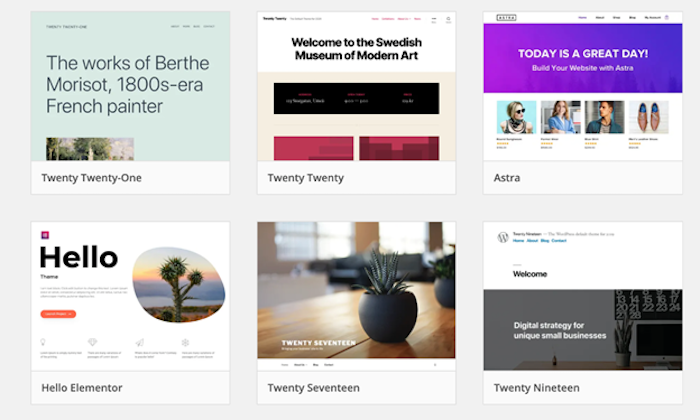
While Squarespace offers templates, WordPress offers many more. On top of that, WordPress templates are easier for the average person to personalize even more. Many websites use WordPress templates without anyone ever knowing.
Added Functionality.
WordPress is known for its plugins. Need something on your website? It’s almost a guarantee that there is a plugin for that. WordPress currently offers nearly 60,000 different plugins, some of which are free.
Plugins have the power to do a variety of things, including help you with your website’s SEO, set up a contact form, track your site’s analytics, and much more.
Built-In Blog.
WordPress was created as a software for content management, so all of its sites have a built-in blog feature that makes adding a blog to your website easy.
There is no need to create a separate blog for your WordPress site. Simply add blog content to your existing website to share information and updates with your readers.
Community Support.
WordPress is open-source and free, so people who contribute to the platform have built a great community to support each other.
Though WordPress itself doesn’t offer a great deal of online or phone support, the forums created by the community of users has answers to all kinds of WordPress questions.
There are also events called WordCamps that exist all over the world put on by WordPress to help people learn how to better use and develop the platform.
Ticket prices are affordable and open to all WordPress users, developers, designers, and fans.
Cost.
Because WordPress is open-source, it is free to download. Templates and plugins are not always free, but the ability to download and use the platform is.
Hosting as well is something that does not come free, but that is typically done through an external site such as Bluehost.
Easy to Manage.
While many companies offer expensive packages to manage WordPress sites, it can be done easily on your own. Updating plugins is a regular occurrence but requires minimal effort.
And you get reminders when updates are available. Management also includes ensuring backups are in place (which happens through plugins or your hosting plan).
SEO Help.
Since SEO is a must for your website, it’s great to have tools to help you get there. WordPress has SEO built into it via its automatic generation of both meta descriptions and title tags.
The popular Yoast SEO plugin on WordPress is free and a must-have tool for your website.
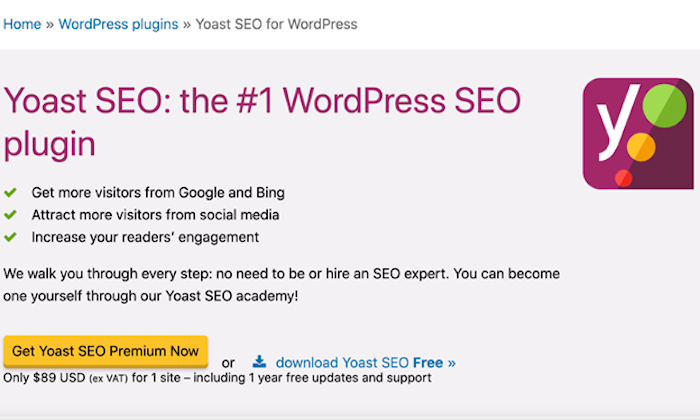
Every page and blog post you create can utilize SEO to boost it and let search engines know what you’re doing. Yoast SEO has you do things such as:
- Create a focus keyphrase
- Write a more detailed meta description
- Create an SEO title
- Create a slug
Yoast also features a readability analysis area where it determines how easily people will be able to read your content and provide suggestions on making it better.
WordPress Losses
Steep Learning Curve.
WordPress is not an intuitive platform. There is information to help you learn it, but you have to be willing to put in the time to do so. The layout of the dashboard is something that takes getting used to and learning how to navigate the editing. Since templates on WordPress are created by users, they work differently, and that means adjusting each time you use a new template.
Lack of Hosting.
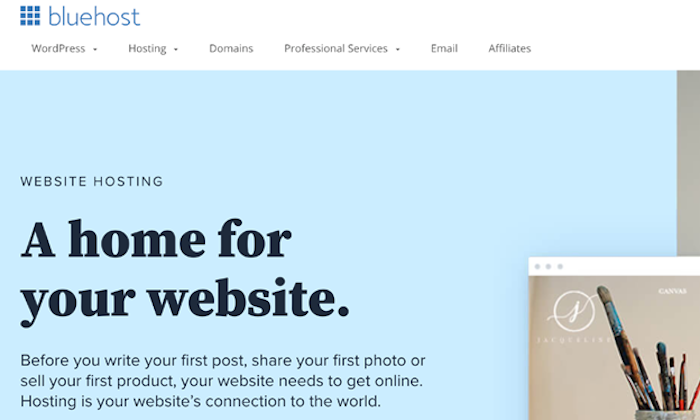
To run your WordPress site, you need to purchase hosting through a third-party such as Bluehost. This adds an extra step to the building of your website and is a step that can be confusing to people new to website building.
Speed Issues.
Some of the WordPress themes are built with a lot of code, which can cause the load time of the site to slow down. If you are new to WordPress, you likely won’t know that some of the code is unnecessary and can be erased. Ridding of the excess code helps speed the site up but shouldn’t be done unless you know what you’re doing.
Hidden Costs.
Though the platform itself is free, a WordPress web site’s functionality and success depend on customizable themes and plugins. And most of these come at a price. Though it may not seem like much at first, each new paid plugin adds to the site’s overall cost.
Site Vulnerability.
Because WordPress is open-source, it is at higher risk for hackers. It is also the most widely-used content management system, so the volume of hackers increases with the platform’s increased use. WordPress plugins are also developed by different people not affiliated with the WordPress company itself, so it is possible that bad code could get into your site.
Squarespace Wins
Though not as strong of a contender as WordPress, Squarespace does still offer some great things.
Ease of Use.
It doesn’t get more straightforward than drag-and-drop, and Squarespace allows you to do just that. Squarespace templates are ready for you to use with little to no previous experience and almost no learning curve.

Simple Editing.
Changing your Squarespace website is a zero-stress task thanks to its user-friendly backend. It does not require knowledge of web design or development.
Marketing Tools Included.
While you have to pay for and individually download and install every plugin with WordPress, the marketing tools you need are included with Squarespace. This means things such as analytics, contact forms, SEO, and more.
All-in-One.
Squarespace is everything. It is your website builder, your design hub, and your host. You don’t have to hop to other sites to get what you need and then figure out how to connect it to your Squarespace site. It’s a one-stop-shop for all you need to get your website up and running.
Very Responsive.
All templates on Squarespace are responsive and built to work on all computers, phones, and tablets. You can even see while building your website how it looks on each of the different devices, as they can vary greatly.
Excellent Support.
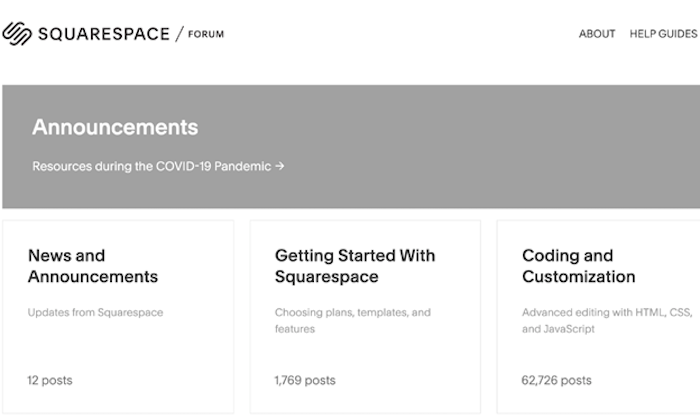
The customer care team at Squarespace is available 24/7 to troubleshoot any issues you may be having. The platform also has community forums that connect you with other Squarespace users to answer questions and get information.
Social Integration.
Squarespace offers customized widgets that allow you to integrate your social media handles easily. And they can look like they were part of the original design.
Automatic Updates.
Any new features rolled out by Squarespace automatically show up on your page or allow you to simply opt-in on them.
Squarespace Losses
Lack of Customization Options.
While I love how user-friendly Squarespace is, there is not nearly the level of customization as WordPress offers. And changes to the coding of your Squarespace website is not as easy as WordPress.
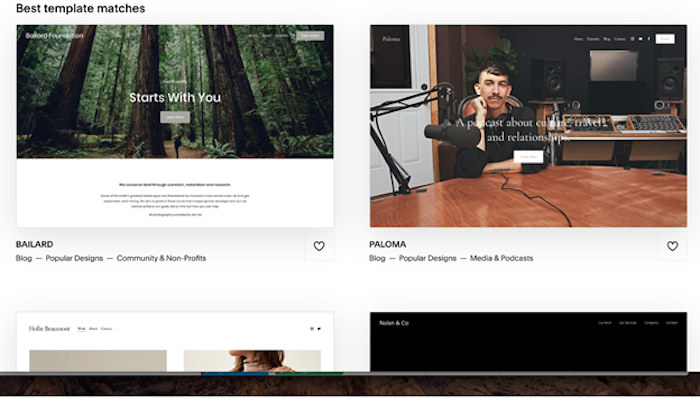
Fewer Templates.
The number of templates available on Squarespace is merely a fraction of what’s available on WordPress. If you’re looking to build an ecommerce site, Squarespace only has 14 to choose from.
Basic SEO.
Squarespace offers some basic SEO tools such as HTML markup and automatic sitemaps but does not allow for the level of SEO optimization that WordPress does.
Lack of Ownership.
When you purchase a domain through Squarespace, you don’t legally own it. When you get a free domain through Squarespace, it applies WHOIS privacy, which means it is owned by Tucows Inc.
Tucows is the primary contact of the registered domain, and since WHOIS privacy is applied to all Squarespace domains, you technically don’t own it.
Limited Number of Sites.
With one Squarespace subscription plan, you are only able to have one website. Adding another one necessitates an additional subscription.
Limited Number of Contributors.
Squarespace limits you to two contributors with its personal plan. To add more, you must upgrade. WordPress allows for an unlimited number of contributors.
Comparing The Top Website Builders
Finding the best website builder is a challenge. There are great options out there for platforms to build your website, and it is not a decision to be taken lightly.
Whether it is for your small business, a personal blog, or a life-changing non-profit, your website plays a major role in your business’s success.
That’s why you need to take the time and read up on the top website builders. Here are my top picks from my research and experience:
- Wix — Best for general use
- Weebly — Best for beginners
- Shopify — Best for e-commerce
- WordPress — Best for content management
After reviewing the numerous website builders out there, I have found different options work best for different people.
If you are choosing between WordPress and Squarespace to build a great website, WordPress is our top pick.
The post, Squarespace Vs. WordPress appeared first on Neil Patel.
Source: feedproxy.google.com

12 Marketing Tools We Are Thankful for This Year
At Convince & Convert, we are thankful to have so many awesome marketing tools at our disposal. Let’s dive in now to our list of 12 marketing tools we are thankful for this year.

Back in the early-ish days of marketing technology in 2011, there were about 150 martech solutions available.
But now, there are a seemingly endless number of marketing tools. In fact, according to Scott Brinker’s most recent Marketing Technology Supergraphic, there are around 8,000 martech solutions, up from about 7,000 in 2019. Incredible!
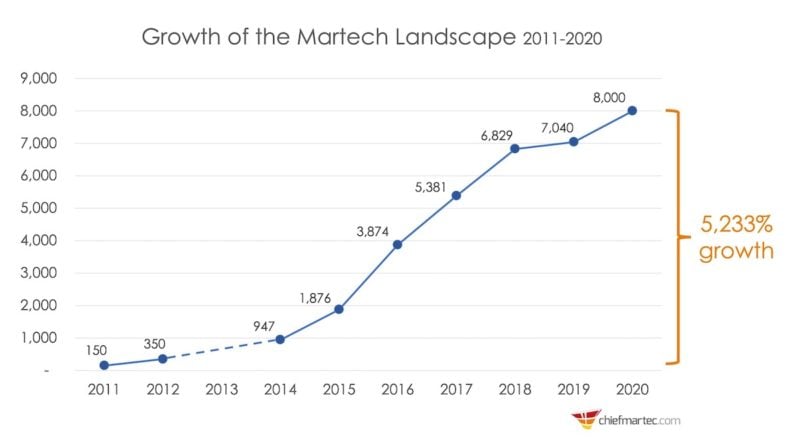
Image courtesy of ChiefMarTech.com
At Convince & Convert, we are thankful to have so many awesome marketing tools at our disposal and to work with so many amazing marketing technology companies (check out our content marketing creation services when you have a sec).
In the spirit of Thanksgiving, we asked our team to share some of their favorite marketing tools this year. This list is in no way conclusive — if it were, we would be writing a book and not a blog post. A few of the tools are from C&C clients (accessiBe and SharpSpring), most are tools we use daily, and all are tools we love!
Let’s dive in now to our list of 12 marketing tools we are thankful for this year, plus a few additional shoutouts for marketing solutions we love but just didn’t have the bandwidth to cover in this blog post.
List of 12 Marketing Tools We Are Thankful for This Year
#1: SparkToro
Audience intelligence platform
“This is a relatively new tool from Rand Fishkin and his associates that is an easy and illuminating way to find circles of influence online. I use it to find possible collaborators, websites to sponsors, podcasts to sponsor, and even search terms and hashtags of interest. It’s a flexible tool that should be part of every project and program.”

Jay Baer, Founder, Convince & Convert
#2: Miro
Visual collaboration software
“Miro is my favorite new tool for visualizing content like org charts, content workflows, brainstorming, user stories, whatever. It’s basically an online whiteboard for collaborating visually, which is so helpful now that the entire world is remote.”
Fun Fact: The Miro template library has hundreds of layouts just waiting for you to try them out!

Jenny Magic, Strategist
….and Anna Hrach loves Miro too!
“I’m with Jenny on this, and she was the one that brought it to my attention. I love Miro for visualizing information and content and remote/virtual collaboration. Plus, they have a ton of existing templates (over 150+) to work from that are all easily customizable.
The free version of Miro is also fantastic, so it’s easy to try out and see if the tool is a good fit for any organization. Miro also has over 70+ integrations, including Slack and Google Drive, so it fits into a lot of existing virtual workflows.”

Anna Hrach, Strategist
#3: accessiBe
Automated web accessibility
“Over my twenty-year career in digital, I have learned A LOT from web development teams and website requirement documents. What I love about the approach accessiBe has developed is there is virtually ZERO code changes needed to ensure your site is not only ADA compliant but also a positive experience for visitors.
The dashboard is simple to configure, allows for your branding to be matched, and adjusts to the needs of each site visitor without sweeping code changes. At an affordable price, this tool is a win for site visitors, a win for site developers, and a win for marketers. The legal team will likely find it a win as well!”
Fun Fact: accessiBe estimates that “the disabled population in almost every society is about 20% of the residents.” This has a huge impact on the function and services your website can (and should) be offering the entirety of your audience.
In addition, check out our recent technology tour of accessiBe, with special guest Rafi Glantz.

Kelly Santina, Director of Operations
#4: RivalIQ
Social media analytics
“It’s vital to be able to monitor your social media performance and compare it to your peers or competitors, so you can continue to learn, iterate, and improve performance. RivalIQ is one of our go-to tools to benchmark our clients’ competitors on social media.
Not only can we monitor growth rate, breakout posts, and look for boosted posts, we can also use RivalIQ’s ability to tag content to analyze the best performing types of content by medium and content.
RivalIQ also makes it easy to bring data from Facebook, Instagram, LinkedIn, and other platforms into one place to create attractive, easy to use dashboards to share with clients and internal teams.”
Fun Fact: Highly data-driven organizations are 3X more likely to report significant improvements in decision-making, according to PwC research.
Side note: Our founder Jay Baer is an investor in RivalIQ, but our team would still use the solution, even if he weren’t.

Zontee Hou, Director of Strategy
#5: ScreamingFrog
SEO spider tool and crawler software
“Despite the odd name, this SEO spider is a powerful and flexible site crawler, able to crawl both small and very large websites efficiently while allowing the user to analyze the results in real-time. It gathers key onsite data to allow SEOs to make informed assessments, both on your own internal site or a competitors’ site.
This is primarily used to identify SEO best-practices and shortcomings (there are always more than one would think), but also helps in content identification that may be difficult to find via main navigation options.
They offer a free version (limited to 500 URLs) and a paid license option.”

Anthony Helmstetter, Strategist
#6: Airtable
Cloud collaboration
‘” As the resident Airtable queen at C&C, I have both convinced and converted the consulting team of the power of Airtable. A cloud-based DIY software solution uses tools we’re familiar with, like databases, spreadsheet grids, and calendars, to create unique ways to get work done.
Airtable offers flexibility and an ecosystem for pulling together any project. In the past year, Airtable has super-powered the product with pro-level automation, apps, collaboration, and integrations.
At C&C, we use Airtable for a range of client and internal tasks and project management. My favorite use cases bring together audience journey maps, content gap analysis, and content marketing production into a single (massive) tool, as we did for clients like Oregon State Ecampus.
Tracking the team submissions for our ‘People We Love’ series is emotionally rewarding and brings our team closer together.
To get started, check out the numerous base templates Airtable gives away for free. Then go deeper into the Universe to see how others use this powerful tool to manage their professional and personal lives.”
Fun Fact: Over 15 million bases have been created on Airtable. And their content is also awesome.

Lauren Teague, Strategist
#7: SharpSpring
Marketing automation and CRM
“When I joined Convince & Convert, we were using a simple email solution to deploy blast-style emails. No lead scoring. No drip campaigns. No automation. No A/B testing.
As we ramped up our efforts, we quickly reached the limits of our previous solution (we were actually A/B testing emails by uploading our email list to Google Sheets and random sorting—not good!), we evaluated a few marketing automation solutions and finally selected SharpSpring.
Like all marketing technology transitions, there were a few bumps along the way, but within a few months, we got into a good rhythm and really ramped up our efforts.
The automation is really easy to set up, and unlike most of the solutions we evaluated, SharpSpring has a built-in CRM, which was key for us. We are a lean sales & marketing team, so we don’t have the resources to manage a standalone CRM.
We’re now 18 months into our initial setup, and we continue to grow and optimize our efforts. Plus, the support team is only an email, phone call, or chat away. Big fans!”

Megan Leap, Director of Content
#8: SEMrush
SEO and content marketing
“The other tool I love geeking out in is SEMrush. There’s nothing more exciting than seeing our rankings improve for key terms! The Keyword Magic Tool is ridiculously useful — especially the ‘Questions’ tab. I get a ton of inspiration for our content in SEMrush, and it’s helped us achieve big gains in our SEO.”
– Megan Leap
#9: Litmus
Email testing & analysis
“I first was introduced to Litmus over 12 years ago when the web developer I worked with used it to test and check the rendering of HTML on emails. Since then, I’ve signed up for it in every single digital marketing position I’ve had.
It’s easy to sell a solution to your boss when it makes your job easier, your marketing more effective and keeps your brand on-point. I even used it for browser testing, but Litmus has since retired that feature in order to focus on email. If you’re sending emails, you need to make sure they render correctly on all browsers and in all email clients.”
– Megan Leap
#10: AgoraPulse
Social media management
“AgoraPulse is our go-to tool for social listening and engagement. We use this tool daily to monitor brand/name mentions and to engage with our community. We use the browser-based dashboard during normal business hours and the mobile app when on the go.
Three standout features of AgoraPulse are its ability to gather comments and activity on Facebook and Instagram ads, its ability to monitor YouTube comments, and its insights on Instagram Stories.”

Christin Kardos, Community Manager
#11: CoSchedule
Content marketing management
“I probably use CoSchedule more than anyone on our team. We use it for planning social media content, sponsored content, podcasts, and more. There’s no better way to manage and plan multiple types of content across business units and virtual teams (both internal and external). I love it. It keeps me sane.”
Side note: Our founder, Jay Baer, is an investor in CoSchedule, but we’d still use it regardless.
– Christin Kardos, Community Manager
#12: BuzzSumo
“BuzzSumo offers a great place to start when thinking about content planning. It offers effective ways to stay on the pulse of what is trending in traditional media and in social. It also provides a great place to identify influencers and get new ideas for different topics within your planned content pillars.”

Mary Nice, Strategist
Notable Mentions
This wouldn’t be a “marketing tools we are thankful for” post without a few other shout outs. In no particular order, here are a few more martech solutions we love that you should check out too:
- Ceralytics (content intelligence platform)
- NetLine (B2B content syndication)
- Oracle Marketing Cloud (integrated digital marketing solutions)
- Cisco WebEx (video conferencing and online meetings)
- Podium (messaging tools for local business)
- Calabrio (workforce optimization)
- Cision (cloud-based communications/PR)
The post 12 Marketing Tools We Are Thankful for This Year appeared first on Content Marketing Consulting and Social Media Strategy.
Source: convinceandconvert.com

Best HTML Editors
Coding becomes faster and easier thanks to HTML editors’ spell-checking, syntax highlighting, and auto-completion features, among others.
Disclosure: This content is reader-supported, which means if you click on some of our links that we may earn a commission.
Everybody makes mistakes.
Some big, some small, but some of them are downright annoying.
And one of the most notorious headache-causing mistakes you make is messing up your code.
Coding is everything when it comes to web development. So you simply have to get it right for better security and to avoid glitches in the future.
Luckily, there’s a very effective solution to ensure this.
Just like how Grammarly and Hemingway can improve your text by checking them for spelling errors and improving readability, web developers can use HTML editors to write and improve their code.
Even those who don’t have any coding knowledge can create websites and put them online.
Coding becomes faster and easier thanks to HTML editors’ spell-checking, syntax highlighting, and auto-completion features, among others.
In this guide, we’ll look at the best HTML editors available to take your websites to the next level without much effort and time on your part.
Excited? Let’s dig right in!
The Top 5 Options for Best HTML Editors:
- Atom – The Best for Advanced Customization
- Notepad + + – The Best for Front-End Developers and Web Designers
- Brackets – The Best for Beginners
- Sublime Text – The Best for Multi-Language Support
- Adobe Dreamweaver CC – The Best for Web Developers
How to Choose the Best HTML Editor for You
HTML editors–both free and paid–come with several cosmetic features. Based on your business needs, you’ll find some to be absolutely necessary, while others you may not need at all.
We’ve compiled a list of features that we think a good HTML editor should have. You may not need all of them, but here is what you should be looking for when choosing an HTML editor.
Color-Coding or Syntax Highlighting
HTML has a tag-based markup language. You need an HTML editor with syntax highlighting or color-coding features to light up these tags. Doing this will help you identify the tags quickly, which, in turn, will make working with blocks of code easier.
Autocomplete and Suggestions
The autocomplete and suggestions feature helps to quickly fill in longer code at the press of a button.
The editor gives you pop up suggestions based on your work–all you have to do is click on it, and the code will autocomplete. Think of how you type text messages on your phone or when you do a quick Google search.
You can also automate creating closing tabs through this feature.
Find and Replace
We highly recommend looking for code editors with the find and replace feature, as it allows you to locate certain strings and replace them with something else very quickly.
Plus, HTML is constantly changing and updating standards and deprecation of inefficient tags. So, you’ll definitely find yourself wanting this feature sometime in the future to update your website.
Version Control
Editors with version control enable you to see the previous versions of your code and rollback when needed. As a result, you can store all the copies without making separate documents, and we know how crucial this is when you’re working with other developers.
Multi-Cursor Functionality
The role of multi-cursors is simple: It allows you to write code in multiple places at once. In other words, you can edit code simultaneously. This is especially useful when you want to add duplicates of the same tag.
FTP Support and Error Detection
Getting HTML editors with FTP support lets you connect to WordPress and upload changes you want to make without any hassle. As a result, you won’t find yourself logging into FileZilla or your preferred FTP client every time we want to update anything.
Live error detection is equally important.
HTML is a markup language and not a programming language, which is why it doesn’t compile. It also means you can’t test your code. With live error detection, though, you’ll know immediately whenever you write something incorrectly.
In addition to these, there are several other features like code folding and autosave. We mentioned what we think is vital and can help increase productivity and accuracy. However, you have the flexibility to choose, depending on your requirements and preferences.
Note: If you’re looking for a code editor with advanced features and platform integration, you‘ll need an integrated development environment or IDE rather than a text editor. While IDEs are similar to HTML editors, they are more beefed up designed for advanced developers.
The Different Types of HTML Editors
HTML editors are of two types. Although the core values of both are kind of similar, they have different features. It’s why the target clientele for each category is slightly different.
Let’s discuss this in more detail.
HTML Text Editors
HTML text editors are basic programs. You can use it to write basic coding projects, do simple HTML editing, and check for errors on the go.
You’ll find several free versions of text editors available online that are downloadable on all major operating systems. What’s more, these programs are general-purpose and can be used for multiple computing languages.
Keep in mind that basic text editors require you to write all HTML code by hand. You have to perfect every piece of syntax manually, so be prepared for a bit of trial and error.
HTML text editors are great for learning HTML. But if saving time is a priority, the next editor type would be more suitable for you.
WYSIWYG
No, this isn’t gibberish or a typo.
WYSIWYG is an acronym for “What You See Is What You Get.” Developers pronounce it as “wis-ee-wig.”
It’s a type of HTML editor that views content in the live product exactly like the preview. This helps enhance accuracy when you’re building or making changes to a website.
Think of WYSIWYG as the halfway point between coding from scratch and an instant template builder like WordPress.
Being more advanced than standard text editors, WYSIWYG editors allow users to write code, edit directly from the page and insert paragraphs and headings–all the while generating HTML code automatically. Creating or updating the layout of a site is possible within seconds as well with this editor.
#1 – Atom – The Best for Advanced Customization

Atom is a free, open-source code editor developed by the GitHub team and maintained by the GitHub community. It comes with enough packages and theme collections, runs light, and loads super fast, making this HTML editor one of the best you can find.
It’s a modernized WYSIWYG HTML editor available for Windows, Mac, and Linux and is built for collaboration. Whether you’re a newbie or an experienced professional, Atom is everyone’s favorite with its premium feel and customization flexibility.
Think of it as an advanced text editor that has several features commonly limited to high-level coding programs.

It also comes with a hackable text editor! It’s a feature that enables developers to edit, extend, change, and share the program source code and design their own packages to improve Atom.
Multiple pane support is another feature we like. You can split the interface into as many windows as you need to compare and write code side-by-side.
Other features include syntax correction and highlighting, autocompletion, project management, and Teletype (users can collaborate with other developers in real-time).
Atom is entirely free of charge! So you don’t have to shell out any money to use this excellent editor.
#2 – Notepad + + – The Best for Front-End Developers and Web Designers
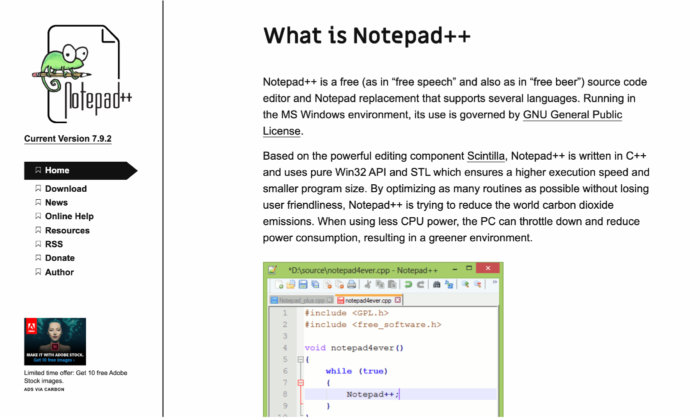
Fast working, time-tested, and foolproof, Notepad + + is one of the most popular HTML editors used by millions worldwide. It’s an open-code editor that offers multi-language support, which isn’t restricted to only HTML and CSS.
One of the primary reasons for Notepad + +‘s popularity is its feature-rich interface.
You get syntax folding, syntax highlighting, multi-view, document map, multi-document interface, auto-completion, bookmarks, and a fully customizable GUI. And even after this long list, there’s still more.

Notepad + + was developed for Windows-based machines, but Linux users can use it via Wine. As the name suggests, this editor is like an upgraded version of the Notepad software, which is already available in Windows by default. You also get its repository on GitHub.
A mobile version is also available if you fancy that.
Environmentalists would love Notepad + + as well. It has programs that run on less CPU power in a bid to reduce carbon emissions.
Notepad + + is free for all! So no extra money or hidden costs for you to worry about.
#3 – Brackets – The Best for Beginners
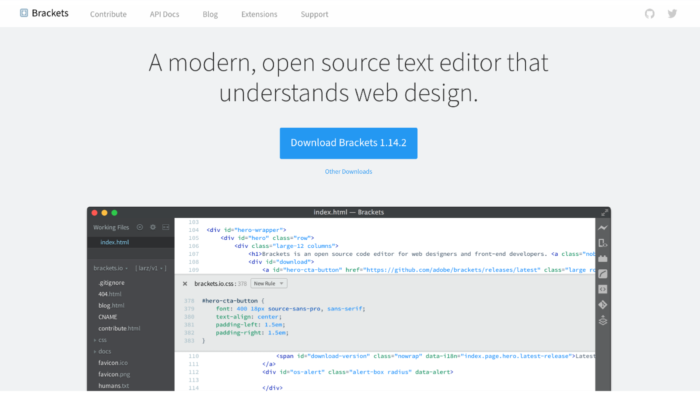
Brackets is another widely popular HTML editor for programmers compatible with different operating systems like Windows, Mac, and Linux. It comes with a built-in package manager that allows users to search and install any supported package they like.
We would highly recommend this open-source HTML editor for beginners due to its smart auto-completion feature that makes coding incredibly fast and accurate.
Bracket’s coding UI can be split into multiple panes, making writing and comparing codes between different files easy and precise. Its integrated file system browser enables you to access files within your PC.
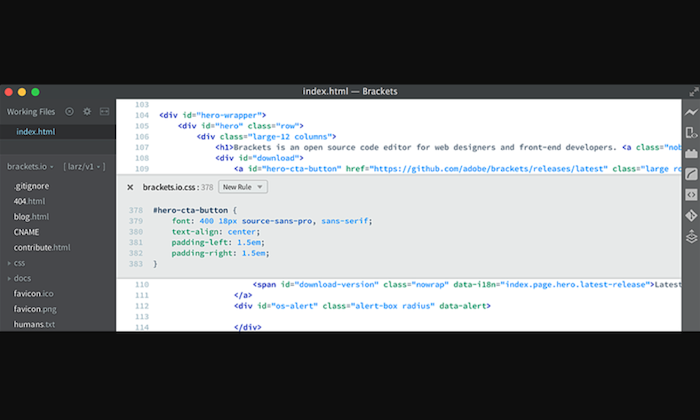
Plus, it has a find and replaces feature that allows developers to fine-tune the code when appropriate. This can be useful for novices and experienced professionals to ensure their website stays up-to-date.
Styling and customization are super easy and simple, so coding won’t ever get boring with Brackets.
The pre-installed syntax themes feature dark and flashy bright colors. With no shortage of packages on the platform, you can add as many features as you want, based on your use-case and preference.
Brackets is completely free! You can download it directly from the official website.
#4 – Sublime Text – The Best for Multi-Language Support
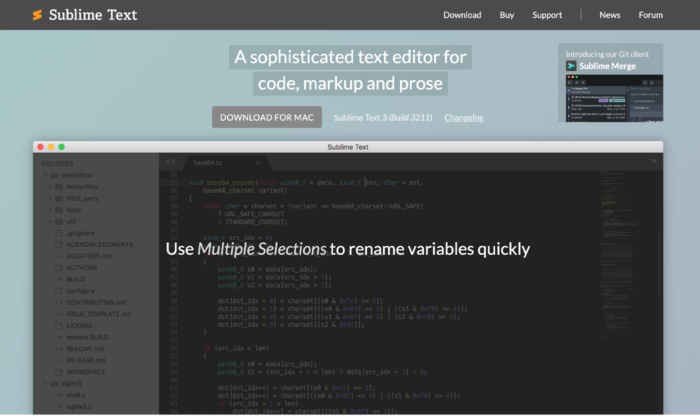
Sublime Text is the advanced version of Notepad + +. It comes with the standard features of Notepad + +, along with more modern ones to suit the sophisticated needs of the more experienced users.
You get cross-platform support, split editing, multiple-selection editing, proprietary command palette, and syntax editing to make web development simpler. The editor is incredibly powerful and promises high performance. However, you have a steeper learning curve ahead of you in exchange for this flexibility and power.
One of the more advanced features of Sublime Text is “Goto Anything.” Using this, you can find and replace the code within a considerably shorter period. The distraction-free mode is another great feature that displays only the code by hiding other elements.

You can use keyboard shortcuts to execute tasks quickly–provided you can remember them. Everything is easily customizable in the editor as well, whether you want to personalize key bindings to snippets to menus.
Accessible on Windows, Mac, and Linux, Sublime Text also supports different languages like C, HTML, C++, C#, Java, CSS, JavaScript, PHP, Python, Ruby, and many more.
Sublime Text has a free version available that’s enough for beginners, but if you want access to all its features, you have to pay a one-time cost of $80.
#5 – Adobe Dreamweaver CC – The Best for Web Developers
Most of our other options work great for front-end development, but having an HTML editor that facilitates back-end development is also necessary, which is where Adobe Dreamweaver CC comes in.
Made by renowned company Adobe, this editor is hands down one of the most famous and influential options on the market. You get all sorts of plugins and premium features that you wouldn’t normally have access to with other HTML editors.
Whether it’s creating more responsive sites or editing the website code, Dreamweaver makes everything possible.
This editor is a closed source software, designed to work within the Adobe ecosystem. It supports both the textual and WYSIWYG methods, allowing you to choose between coding with a live visual presentation or take the traditional route. You can write code in any major programming language and enjoy access to creative cloud libraries.
Web developers would particularly love Adobe Dreamweaver CC. It automatically confirms the code and page accessibility, making it easier for developers to follow Web Content Accessibility Guidelines (WCAG), and even reviews the end product.
Plus, the direct access to an abundant supply of assets in the Adobe ecosystem like graphics, layers, colors, words, characters, and much more, is another advantage.
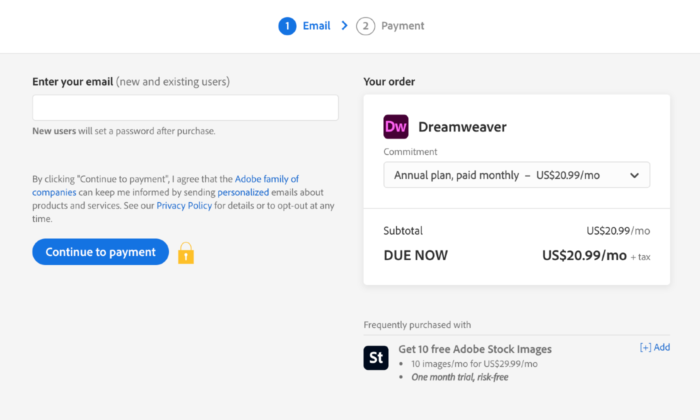
Dreamweaver has a free version, but you can opt for premium plans as well. You have three options:
- Annual Plan, Payable Monthly – $25.99 per month
- Monthly Plan – $31.49 per month
- Annual Plan, Prepaid – $239.88 per year
Final Thoughts
HTML editors are a must for any web development and design toolkit. Not only can you create code faster, but it also simplifies the whole process by helping you avoid errors.
The only catch is to select an option that aligns with your needs.
You can select an option from our top picks or look for other alternatives in the market. Try to look for prospective editors that include syntax highlighting and live preview. If you want something more sophisticated, a find and replace feature will be a great asset.
The post Best HTML Editors appeared first on Neil Patel.
Source: neilpatel.com

How to Develop a Positive ”Money Mindset”

When it comes to achieving your personal and business goals, coin tends to be a great focus on measuring success. The fund mindset is virtually your attitude to money, so developing a positive mindset about money is crucial for overall success and well being.
When it comes to achieving your personal and business goals, money tends to be a great focus on measuring success. The money mindset is essentially your posture to cash, so developing a positive mindset about money was essential that overall success and well being.
To create a positive mindset around the coin, you want to rid your head of all restriction ideas frustrating you from taking action, then start looking at the world through an opportunistic lens to achieve abundance in your life amply.
If you want to discover a positive mindset about money, here are a few actionable steps to getting there.
Get on the fast track to success. Learn how to implement SMART goals today!
What is a Positive Money Mindset?

If changing your mindset about money is a priority, you will first want to understand what a money mindset is. A money mindset is an overriding attitude that you have about your finances.
Your mindset around fund drives your financial decisions every day. This can have a huge impact on your ability to achieve your goals. Success needs to focus on having a positive fund mindset.
While money can be a traumatic topic for many, if you change your mindset about money, you tend to make better selects about how to overcome challenges.
The 4 Steps to Develop a Positive Money Mindset
Money and mindset go hand and side, so understanding it and focusing on ways to view it positively, is crucial for lifelong success.
But, here’s the secret: When you cook your relationship with the fund, you will transform so many other areas of your life.
Here are four steps that will help you develop a positive money mindset 😛 TAGEND
Step 1 – Forgive your Financial Mistakes

If you have never missed a credit card payment or legislation, you might as well be a financial leader. However, for the vast majority of it is important to forgive your fiscal mistakes.
The goal is to shift your focus away from shame and make room for better practices and a more positive attitude towards money in the future.
To forgive your fiscal mistakes, first declare what happened, apologize to yourself, then focus on moving forward. If you start to develop a negative mindset towards money, precisely remember, your financial mistakes are not you. You are independent of your financial mistakes in the past.

Step 2 – Initiate Financial Purpose
Once you have forgiven past financial mistakes, adjusting fiscal purposes can be a great next step to money mindset proficiency. When preparing destinations, figure out what matters most to you, and employ everything on the table.
You will want to dive into what goals are within reach, what will take a bit off season, and which ones will need to be a part of your long-term strategy.
Once you have identified these financial aims, apply a SMART goal strategy to ensure the goals are Specific, Measurable, Achievable, Relevant, and Timely.
My SMART Goals Template will help you clarify your goals, sharpens your efforts, and use your time and resources productively.

Step 3 – Optimize Your Budget for Happiness
Achieving money mindset familiarity is no easy achievement. But optimizing your budget to include things that realize you happy will make it a lot easier. If a gym membership or going out to dinner realizes you happy, strategy your budget accordingly to include these things. If you do not feel robbed, budgeting will feel a little like a chore.
When budgeting, a good rule of thumb is
- 50% of your earnings should go towards needs like dwelling, meat, gas, and drugs,
- 30% to wants like vacations, and finally learning how to play an instrument, and
- 20% should be saved. If you’re carrying an obligation, the 20% may be directed to paying that off first.

Step 4 – Inform Yourself about Money
Finally, if you want to have a positive mindset around funds, inform yourself about coins. Surround yourself with people who live by those significances, read books promoting positive mindsets, and make sure your social media feeds do not promote negativity around coin and spending.
Speak Journals

Your feelings about money instantly affect your financial reality. While your parents and other outsiders affect ingrained various money beliefs into your head, the good thing is your thoughts around funds can change.
The key is to constantly feed your imagination with new and positive content that will teach you how to think of money in a whole new way.
Money mindset books promote positive coin spending attires and budgeting, which are imperative to your money mindset training.
Income Inspiration from Quote
Surrounding yourself with motivating and instructive mentions will help you go into the right money mindset. Search for mentions that constitute you feel good about yourself and spending and either save them to your phone or computer or etch them out to keep around the house.
Follow Successful People
Keep up to date with successful parties. Whether this is on social media, through a blog, or relied word shops, following successful beings will inspire you to greatness.
These mortals do not all need to be public figures either. Challenge yourself to only seek advice from those who have already achieved what you want to achieve.

These people could be family members, coworkers, mentors, or fiscal influencers. Whatever the event, it’s much easier to follow in the steps of someone who’s already successful and imitates a positive money mindset.
Change Objectives for a Financially Successful Future
Now that you know how to develop a positive” fund mindset,” start implementing these tips for a more successful future. Setting destinations now can define you up for financial success in the future. To ensure you set and achieve all your goals effectively, get my SMART points template. Download my cheat sheet now, and you will be on the fast track to success.

Source: briantracy.com

3 Key Reasons to Use Augmented Intelligence Tools in Digital Marketing

Reasons to use AI
Do terms like “AI” and “machine learning” make you think of robots and science fiction?
These technologies are being used everywhere, and the age of AI is already in full swing.
AI and technology offer a solution to inefficiency. Deloitte has shown that 83 percent of early adopters of AI and cognitive technologies achieved either “moderate” or “substantial” benefits.
AI vs. traditional comparison
AI is somewhat part of augmented intelligence tools’ technology, but how is it used in marketing right now?
What is Augmented Intelligence?
Gartner defines “augmented intelligence” as “a human-centric partnership model of people and artificial intelligence working together to enhance cognitive performance.”
What that means is that augmented intelligence isn’t just about creating super-smart machines. It’s about creating technology that can help you and your brain do things better.
Augmented intelligence is sometimes also called intelligence automation (IA).
How is Augmented Intelligence Different From Artificial Intelligence (AI)?
Artificial intelligence is all about computers making decisions. But augmented intelligence is about you making better decisions, with the help of a computer.
Let’s dive into some specific examples so we can see how this works:
Artificial Intelligence Examples
Artificial intelligence operates on its own, without help from humans.
That might make you think of autonomous killer robots, but the reality is usually a little less exciting.
Ever used a grammar checker tool? Lots of those use AI to give you more sophisticated grammar recommendations.
Even Google Docs uses an AI grammar checker. Google’s engineers train the model using correct sentences. It’s then able to predict whether sentences are correct or incorrect on their own, without needing to be programmed with every single grammar rule.
Know where else Google uses AI? In its search engine algorithms.
Updates like RankBrain and BERT have brought AI to the search engine, and SEOs have needed to update their strategies accordingly with AI SEO.
Augmented Intelligence Examples
Now that we’ve seen how AI is used, how is augmented intelligence used? How are its applications different from AI?
Augmented intelligence is a pretty general term. You can use it to talk about basically any machine that helps humans enhance their capabilities and make better decisions, even something as simple as a compass or telescope.
But in practice, augmented intelligence is usually used to talk about automated systems that need direction or input from humans to function. Augmented reality tools, like Google Glass, are just one example.

Virtual Try on glasses
Augmented intelligence can be used in a bunch of different fields. It can support financial professionals in making regulatory decisions, or help health care professionals make medical decisions.
The augmented intelligence tool gives recommendations, and then the human makes the final call. Feedback from humans helps the tool to learn and grow continuously.
Why would you want to use augmented intelligence when you could use “true AI?” Well, augmented intelligence allows us to do more with the technology we currently have, without needing to wait for AI to advance.
It also adds a human element to the decision-making process, which can be helpful for complying with regulation in some industries. Plus, with augmented intelligence, we can take advantage of new technologies while also continuing to use human talent.
But the best thing about augmented intelligence? When humans and machines work together, they can achieve better results than one or the other working alone.

Wayfair Furniture AR
For example, an experiment by a team from a Harvard Medical School hospital at the Camelyon Grand Challenge showed that an algorithm could accurately detect breast cancer 92% of the time, while a human pathologist accurately detected it 96% of the time. When the pathologist worked together with the algorithm, the results were accurate 99% of the time.
Overall, augmented intelligence is just a different philosophy that can help us get the most from AI, without needing really sophisticated capabilities.
How Can Augmented Intelligence Help Your Business?
The truth is, augmented intelligence can do huge things for your company.
Benefits of AI to companies
There are tons of different ways to use augmented intelligence. There’s probably an IA application out there that can help you streamline and improve every single area of your business.
Here’s an example: Augmented intelligence can help you sell things online.
Think about the last time you thought about buying something online. What were some reasons you might have hesitated before making a purchase?
You might not want to lay out money for certain items before trying them out in person. Furniture, glasses, clothes are examples of products users want to see how they look up close before you buy.
Enter augmented intelligence. With augmented reality (AR) applications, your customers can “try on” things virtually. Even if they’d prefer to shop from home, they can still get a feel for your merchandise.
Want to know how this works in practice?
Check out some of the companies using augmented reality to sell furniture (Wayfair), glasses (EyeBuyDirect), and makeup (MAC Cosmetics).

MAC-cosmetics
To use the virtual try-on tools, you can upload a photo or open your webcam, and the tool will show you what the product looks like in real life.
But sales aren’t the only area where augmented intelligence can help your business.
Want to make your product safer? Car companies are already using augmented reality to help drivers spot dangers on the road and avoid looking down at their phones.
Want to thrill your customers with a cool new feature? Google did that when they introduced internet searchers to AR animals.
You can improve your customer service with augmented intelligence, too. Chatbots can help answer some more straightforward customer questions, freeing up more time for your human staff. IA can also help support your customer service reps when they need more information to help customers.
Finally, just like with sales, product, and customer service, augmented intelligence tools can take your marketing efforts to the next level.

AR in action
Here are three crucial reasons why you should use augmented intelligence tools to supercharge your marketing.
#1 – Augmented Intelligence Creates Positive Customer Experiences
If you use augmented intelligence to create an extra cool or innovative product, your marketing will basically be halfway done for you. An awesome customer experience pretty much markets itself. Just look at all the videos people have made about Google’s AR animals:

Check out all these articles people have written about Wayfair’s augmented reality feature for furniture:

If you make something interesting enough, you might end up getting lots of new backlinks and traffic without even trying.
Besides creating new product features, you can also improve your customer experience with augmented intelligence in other ways.
For instance, customers are more likely to be satisfied if they can get their questions answered faster with technology like automated chatbots, as mentioned above.
You can also use augmented intelligence to help personalize the customer experience. An example of this would be user recommendations. You’ve probably seen these on YouTube on the right-hand side:

And on Amazon as suggested product examples:
These websites use algorithms to make recommendations based on the videos you’ve already watched or products you’ve already shown interest in. When you click on a recommendation, you’re sending a signal to the algorithm that the recommendation was relevant.
Recommendations help you offer a better experience by helping your customers find things they might be interested in. They are also a way to convince customers to stay on your website for longer.
#2 – Augmented Intelligence Can Reduce Busywork
Another major reason why companies are interested in automation is that it saves time. According to WorkMarket’s 2020 In(Sight) Report, over half of employees think they could save 240 hours every year through automation.
IA can help your marketing department save time in lots of different ways. If you’re currently using data for strategic planning, augmented intelligence tools can help.
You can use these tools to help clean data sets, forecast future trends with predictive modeling, or even keep an eye on competitors, social trends, and customer feedback. This can help you create more effective marketing plans more quickly.
If you decide to use augmented intelligence in your marketing, you won’t be alone. According to a Forrester report, 46% of respondents say that marketing and sales teams are leading AI adoption.
It’s no wonder marketers are excited to adopt this technology. Hubspot found that using AI software cut the time one agency spent on reporting by 97 percent.
#3 – Augmented Intelligence Can Help Write Content
Here’s another way that augmented intelligence can help with your marketing: It can help you write better content, faster.
If you’re a marketer, you know that writing quality content takes serious time and effort.
A survey by Orbit Media Studios states that the average blog post takes almost four hours to write. That’s actually a 63% increase over 2014 when the average blog post took just under 2.5 hours.
If you’re wondering why the writing time has gone up so much, it’s because Google’s algorithm updates have started to favor long-form content.
Besides the actual writing, researching, adding photos, and publishing also take up lots of time, not to mention content planning and SEO.
Augmented intelligence can helpfully write text, but it can’t add much research, facts, or emotions to it.
AI’s writing style can be a little different from what we’re used to, so it needs human polishing.

That’s an excerpt from an article written by an AI, published in The Guardian.
As you can see, AI can write sentences, but you might need to edit or adjust them to fit your content needs.
Even if you don’t want a robot to write your articles, you can still use augmented intelligence tools to help you in your writing. Spelling and grammar checkers, like Grammarly, are a good example of this.
Augmented intelligence can also help you create better content by coming up with more relevant topics for your audience.
If you’re using augmented intelligence for data collection and analytics, you can use the knowledge you gain from that to help you write more data-driven, personalized content.
If you want to do a content audit to review the content that’s already on your website, augmented intelligence can help with that, too.
Augmented Intelligence is Becoming the Norm
It looks like AI, and automation in general, are here to stay. McKinsey predicts that “half of today’s work activities could be automated by 2055.”
With “AI’s adoption increasing year-on-year,” marketing departments are leading the charge.
Augmented intelligence offers the perfect approach to AI, because it’s all about pairing AI’s strengths with human strengths.
Conclusion
As a marketer, you’re all about staying ahead of the competition.
To do that, you’ll need to have the best tools, including artificial intelligence.
However, a lot of people are skeptical about AI. In fact, research by PwC shows that 67% of CEOs think AI and automation will have a negative impact on trust in their industry over the next five years.
With augmented intelligence tools, you don’t have to rely on AI alone. Instead, you can use AI’s strengths and human strengths together to get better results.
If you’ve already started using augmented intelligence in your marketing, or if you’re thinking about using it soon, tell us about your experience in the comments.
The post 3 Key Reasons to Use Augmented Intelligence Tools in Digital Marketing appeared first on Neil Patel.
Source: feedproxy.google.com

Marketing Automation Consulting
Marketing automation is often viewed as a nice-to-have option, something that could be helpful. Marketing automation isn’t an extra; it’s a component that’s an essential part of your marketing.

Why aren’t more companies using marketing automation?
A recent survey from Liana Technologies found that 60 percent of respondents said they didn’t know how to use marketing automation. They listed a lack of know-how as the main reason they weren’t adopting marketing automation campaigns.
Half of those surveyed also listed a lack of strategy or personnel as yet another reason they weren’t moving forward with marketing automation.
As you can see from the research, these companies need marketing automation consulting.
10 Ways a Marketing Automation Consultant Can Help Grow Your Business
Marketing automation is often viewed as a nice-to-have option, something that could be helpful but really isn’t all that necessary for companies looking to grow. Marketing automation isn’t an extra; it’s a component that’s an essential part of your marketing.
This isn’t always as clear until you breakdown the benefits that come with marketing automation.
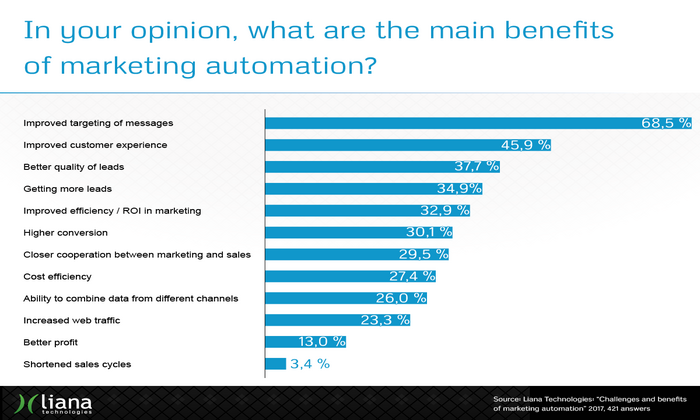
Here are ten ways a marketing automation consultant can help you grow your business.
1 – More targeted marketing:
Many companies force their customers into the same marketing funnel. They’re not focused on optimizing their funnel based on the buyer’s journey, so most of their prospects fall out of their marketing funnel. A marketing automation consultant helps you segment and target your customers properly.
A good consultant will help you identify customers who are ready to buy, leads that need to be nurtured, and leads you can disqualify.
2 – Improve customer experiences:
According to Salesforce, 76 percent of consumers expect you to understand their needs and expectations. Another 84 percent said, “being treated like a person, not a number” is essential to earning their business. Marketing automation helps you achieve this at scale, so you’re able to provide the one-on-one attention and personalization customers expect.
3 – Increased traffic:
Big companies have embraced analytics, but most don’t know how to use their data. Most don’t have a data-driven culture, so it’s difficult for many organizations to have confidence in their marketing decisions. This isn’t just big companies, though; it’s most companies in general.
This means it’s harder for companies to identify the traffic sources working well versus those that aren’t. With marketing automation tools like lead scoring and lead nurturing, you can identify your best performing traffic sources.
4 – Higher quality leads:
When customers go through the same funnels, without segmentation, lead quality suffers. Your marketing automation consultant should help you outline the buyer’s journey and segment customers based on their place in the funnel. Doing this increases lead quality as customers are pre-qualified before and after they convert. This keeps the quality of the leads sent to sales high.
5 – More leads:
Once you’ve identified the list of marketing automation tools and workflows you need to generate high-quality leads, you can use those same automation tools to scale your lead generation campaigns. Your marketing automation consultant will help you increase lead production, using the lessons learned from your smaller campaigns. You’ll know which traffic sources perform best, how to improve lead quality.
6 – Increased conversion rates:
One of the hidden benefits of marketing automation is that the benefits are cumulative. Your marketing automation consultant will show you how to combine the strategy, tactics, workflows, and tools you’ve put together into a single system. Each component, when optimized, should produce increased conversion rates consistently in your campaigns over time.
7 – Increased ROI:
As your conversion rates increase, your ROI will continue to grow. A great marketing automation consultant will show you how to maintain your ROI as you continue to scale. You should see more revenue with less spend consistently over time.
8 – Reduced expenses:
As metrics like your return on ad spend (ROAS) and your conversion rate improves, you should see a decrease in costs (e.g., cost per lead, cost per action, customer acquisition costs). Your marketing automation consultant should monitor your returns and expenses, ensuring that both are moving in the right direction.
9 – Data sharing between marketing channels:
Your marketing automation stack should provide your team with the right data analysis tools. If you use analysis tools like Cyfe or Power BI, you’ll want to make sure that your team has access to data across marketing channels; your consultant should help you set this up, so your team has need-to-know access to data.
Doing this will reduce operational silos, keeping everyone in your team on the same page; no more fights between sales and marketing for control.
10 – Shorter sales cycles:
Let’s say you’ve received two sets of leads. Set A has customers who are ready to buy now. They’ve done their homework, and they’ve decided your company is the best fit.
Set B has interested customers; they won’t be ready to decide for another three to six months. Set A has a shorter sales cycle — your consultant helps you find and segment these customers as they come into your funnel.
These benefits aren’t random one-offs; they’re outcomes your business needs to grow. The problem with growth is scaling. As you grow, it gets harder to manage all of this manually.
How to Get Started With a Marketing Automation Consultant
Your marketing automation consultant should be a specialist with deep expertise in automation. They should also have experience across a broad range of marketing disciplines and channels, including:
- Advertising (display, content, etc.)
- Analytics
- Branding
- Content
- Direct response
- Market research
- Mobile
- Sales
- Search (organic and paid)
Websites (e.g., conversion rate optimization, usability, etc.)
If you’re ready to get started with a marketing automation consultant, there are a few things you’ll need to prepare ahead of time.
Upfront preparation makes it easier to get started; your consultant doesn’t have to waste a lot of time (and your money) getting you up to speed.
Both of you will be able to jump in right away.
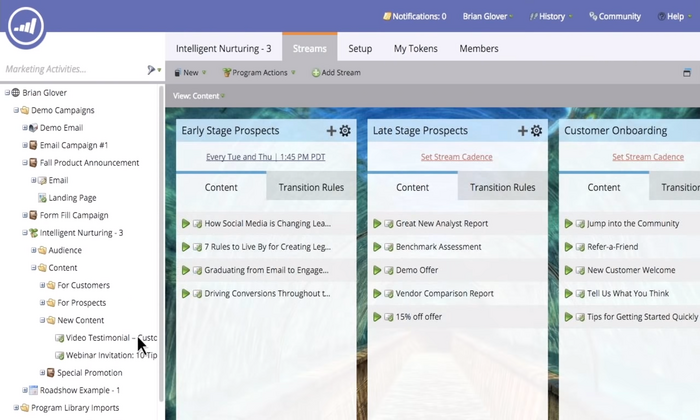
You’ll want to make sure that you have a list of:
Goals, KPIs, and objectives:
For example, this could include a list of tools you’d like to integrate into your technology stack, as well as how you’d like these tools to perform.
This could also provide your consultant with information on the specific outcomes you’d like to see due to automation (e.g., a 7 percent increase in productivity, shorter sales cycles, less double entry, improved utilization rates, etc.).
The tools and resources you’re using:
You’ll want to make a list of the tools and resources you’re already using. Collect additional information on the number of users for each software, tool, or subscription. Make note of any API keys and special instructions. Also include a list of the software, tools, and resources you’d like to use.
Decision-makers and influencers:
If you’re part of a team, you may find that some people aren’t all that excited to share their data. Others are interested in working with your consultant to automate essential marketing tasks.
Sharing a list of decision-makers and influencers with your consultant makes their job easier. Right from the beginning, they know where everyone stands and who to talk to if they need help getting everyone on the same page.
Obstacles and challenges:
You’ll want to outline the list of barriers and challenges that may prevent you from achieving the goals and objectives you’ve listed above. Maybe some of the services you use don’t offer an API or integrate with third-party services like Zapier. Maybe some of the tools in your list are outdated, or they’re unsupported legacy options (i.e., legacy software running on Windows XP).
Policies and procedures:
If your company has specific policies, procedures, or guidelines for software purchases, you’ll want to share that with your consultant as well. You want to let your consultant know what’s allowed, required, forbidden, and unacceptable. You want to set your consultant up for success by giving them a clear set of guidelines to follow; this helps your company grow.
Strengths and weaknesses:
This step is uncomfortable but it’s also important; if your team, division, or company has problems in a specific area, spell that out for your consultant as clearly as possible.
Does it take your company a long time to make important decisions? Is your organization good at finding great employees and contractors?
Give your consultant a brief overview of your strengths and weaknesses. Getting people on board is easier when you know what you’re working with.
Sharing this information upfront makes automation smooth and efficient.
If you’ve already answered these questions for your consultant, they’re able to focus their attention on helping you automate your marketing campaigns, projects, and tasks.

Measuring the ROI of Marketing Automation Consulting Services
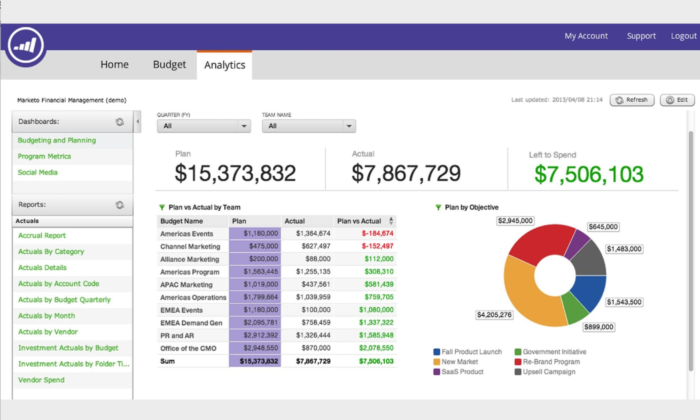
In general, consultants aren’t big on measuring ROI, but they should be. It’s reasonable to expect the same from your marketing automation consultant. If you’ve done the upfront work I’ve mentioned already, you should have everything you need to measure the ROI ahead of time.
Remember the list of goals, KPIs, and objectives you wrote down earlier?
Your consultant should be able to help you refine your goals and objectives. If you haven’t already, you want to add some specificity to these goals. You’ll want to add specific numbers, facts. or figures to these goals. Use these figures as a general guide — you want to discuss these with your consultant making sure they’re realistic and achievable.
Here are a few examples you can use:
- Increase productivity becomes — Increase our marketing team’s productivity by 16 percent
- Improve lead quality becomes — Use lead scoring to achieve a 6 percent lift in marketing qualified lead volume
- Identify top-performing marketing channels becomes — Identify top-performing marketing channels by automating URL tagging for all current and future marketing campaigns
- Decrease customer acquisition costs become — Reduce customer acquisition costs on Google ads by a minimum of 11 percent
Measuring your ROI is pretty straightforward if you have a clear idea of your campaign goals and objectives. The easier it is for you to list a starting point, the easier it will be for your consultant to help you reach your goals and objectives.
4 Point Checklist For Finding the Right Marketing Automation Consultant
Choosing the right marketing automation consultant is simple if you’ve prepared ahead of time. From there, you can screen consultants the same way you would for any other consultant or professional.
First, you outline your process, listing your goals and objectives, your current technology stack, decision-makers, influencers, etc. Second, you filter your providers through your process, ensuring each candidate meets the criteria you’ve set.
Here’s a shortlist of the criteria you can use to evaluate your consultants.
They understand digital marketing.
The best marketing automation consultants are marketers themselves. The ideal candidate is a marketing veteran who’s managed marketing campaigns from beginning to end throughout their career. You’re looking for someone who got their start as a marketer.
They understand your business.
Your marketing automation consultant should have an in-depth knowledge of your business — how it works, what you need, mistakes to avoid, etc. If you’re managing a retail or ecommerce company, your consultant should have experience managing marketing campaigns for retail or e-commerce companies. You’re looking for someone who has a native understanding of your business.
They’re data-driven.
Marketing automation requires a mix of art and science. You’ll need someone who loves to read through data but is skilled enough to explain it to the people on your team who aren’t data-driven. The ideal consultant can tell stories with data and helping your team make important decisions.
They’re proactive and knowledgeable.
When it comes to automation, you shouldn’t be as knowledgeable as your consultant. They should be able to make recommendations and connections you weren’t even thinking of. They should be able to help you automate your campaigns in new ways; to increase your productivity by customizing your marketing stack.
This checklist is pretty simple.
A great marketing automation consultant should be able to handle everything we’ve covered so far comfortably. They should be able to break things down for you, showing you how to improve your plan, refine your goals and objectives, and add to your technology stack.
They should be asking questions.
If they’re good at what they do, they’ll have some questions and requirements of their own.
Conclusion
While many organizations are switching to marketing automation, most don’t have a clear plan they can follow. Companies list a lack of know-how, strategy, or personnel as the reasons why they weren’t completely on board with marketing automation.
That’s changing fast, though.
More companies are investing in marketing automation. They’re taking the time to implement a strategy for their business. Marketing automation isn’t an extra; it’s a component that’s an essential part of your marketing, especially as your company grows.
With the right consultant and a clear strategy, you’ll have the people, process, and technology you need to grow your business quickly.
The post Marketing Automation Consulting appeared first on Neil Patel.
Source: feedproxy.google.com