
Tag Archives for " website "

The Ultimate Guide to Improving Your Website Performance
SEO is one of the most-used (and most important) website optimization strategies. However, great content, backlinks, and meta descriptions won’t help much if you don’t optimize your website performance.
If visitors land on your site and find it takes too long to load, or images don’t display correctly, they’re likely to choose a competitor.
That’s why improving your website performance is crucial.
What does optimizing your site look like and how do you go about it?
Here’s a step-by-step guide to getting you started.
What Is Website Performance?
In digital marketing, website performance generally refers to how fast a web page loads and displays content. It’s all part of visitors’ experience and it’s key to online success.
Website performance can also be used more generally, to refer to the overall impact a website has on a business. However, when digital marketers talk about website performance, we’re usually talking about how fast a site loads.

Website performance can be measured by the number of server errors and the size of downloaded web pages. It might also be called page load time.
Website performance and page speed are imperative for any online business. A slow website can lead to:
- shopping cart abandonment
- lost conversions
- dissatisfied customers
- damage to your brand’s reputation
- lower ranking in the SERPs
No one wants any of that for their business.
Just how long does the average customer wait for a page to load? Not long.
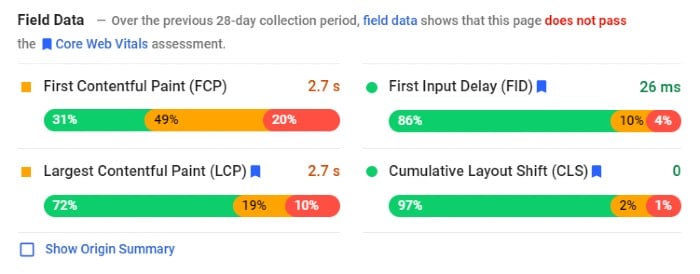
Most sources say a website should load within two seconds. Anything longer and you risk losing not just traffic but customers.
Before you get started, it’s probably a good idea to know where you’re starting from. Google has a tool to help you out, while Uptrends also has a free speed test.
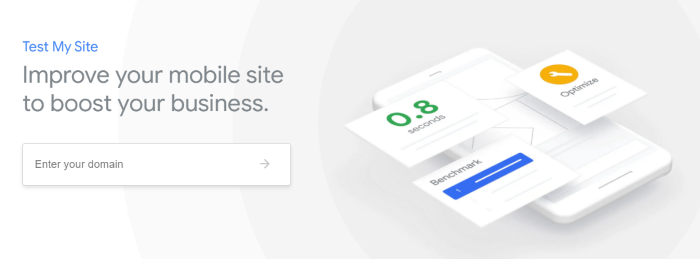
These are easy to use and provide a list of steps you can take to improve your website performance. But why should you care?
Why Is Website Performance Important?
I’ve touched on the importance of website performance in the intro, but let’s delve further. A fast responding site has many advantages, such as:
- Better user experience: Your website needs to be fast if you don’t want frustrated customers to leave.
- Higher rankings: Google PageSpeed Index rewards faster websites by ranking them higher in search results.
- Customer loyalty: The easier it is for customers to buy, the more likely they are to stay loyal.
- Improved conversion rates: Website performance can impact conversion rates because slower load times result in higher abandonment rates.
- Better mobile traffic: Your mobile visitor wants rapid results. If the mobile website performance is poor, there’s a good chance you won’t see them again.
What Affects Website Performance and How to Improve It
Several factors can affect website performance. For example, image sizes and page weight can impact speed.
Then there are some of the less obvious issues, like geographical areas.
Some of these problems might sound like huge issues, but they’re not. Most have easy fixes and I’ll walk you through the steps.
1. How Image Sizes Affect Website Performance

Images are one of the most important factors for website performance.
The reason is pretty simple: the larger your images are, the heavier your page weight is, and the longer your site takes to load.
When you optimize your website images, significant areas of your site’s performance like loading times and user experience can improve, too.
As for optimal image sizes, this varies, from picture to picture. For some guidance, try this website image size cheat sheet from Strikingly.
Here are image guidelines to help improve your website performance.
- Crop images so they don’t exceed the boundaries of the screen. Use images sparingly. The fewer images on a page, the quicker it loads.
- Download a page ruler to get precise dimensions.
- Use image compressions tools and plugins.
However, don’t just focus on image size, look at areas like:
- formatting
- resolution
- dimension quality
It sounds like a lot to consider, but it just means minimizing pictures while ensuring image size doesn’t negatively affect UI.
2. How Website Performance Is Affected by the Web Page Weight/Size
Page weight refers to page size. This covers aspects like style sheets, documents, images.
Page weight is vital for website performance because it can affect how quickly web pages load on a user’s screen. The more content included on a page, the larger it is in terms of bytes.
Stats show page weight is increasing, which can make it hard to have a fast-loading website.
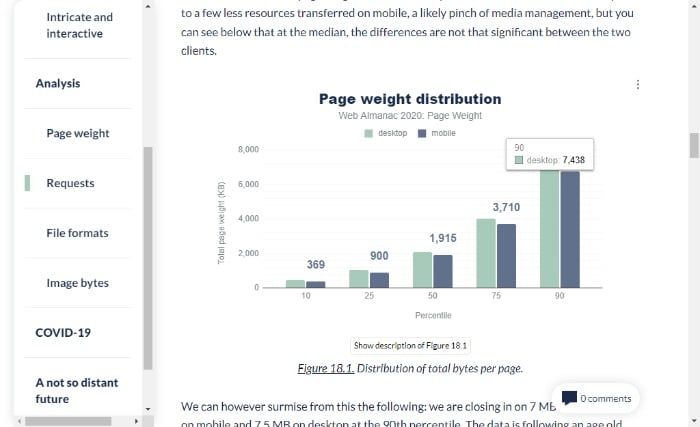
If you’re wondering what the ideal page size is, website performance expert, Tammy Everts, suggests 1MB.
Not sure of your page weight? Try searchenginereport.net’s page size checker.
Now it’s time to start working on reducing your page weight.
Many of the tips in this article, like optimizing images and limiting HTTP requests, will lower your page weight. To further improve website performance, you can:
- check for any unnecessary plugins on your site
- analyze which assets are weighing down your pages
- use offsite video hosting
- combine CSS and JavaScript
- reduce the number of requests from your browser by combining multiple assets into one file
3. Reduce Redirects and HTTP Requests to Improve Website Performance
HTTP requests are a fundamental building block of the web. They allow a web browser to request information from a server and display it on a webpage.
They work like this:
When you visit a website, your browser sends an HTTP request to the site’s server, asking for data. The server sends back the information your browser needs to display the page, including HTML, CSS, JavaScript, and images.
For your page to load quickly, there should be as few HTTP requests as possible from the server to the browser.
There are several ways to reduce HTTP requests on your site, including:
- reducing image size by optimizing images with tools like TinyPNG
- optimizing JavaScript and CSS files
- merging multiple JS files
- using a Content Distribution Network (CDN)
Redirects are another issue that can slow website performance.
These redirects take users from one page to another. If a website has too many redirects or some of them point to pages that don’t exist, the website can rank lower and it may also be slower.

There are a few ways to reduce redirects on a website:
- Implement a 301 permanent redirect. A 301 permanent redirect is when you tell Google that you want this new page to replace the old one and direct traffic there.
- Add canonical tags to manage duplicate content.
- Remove old redirects.
- Use tools like Gifts of Speed to check broken links.
4. Overcome Geographical Location Limitations
You may not consider geographical location as an issue. However, the closer the two parties are, the faster the loading time.
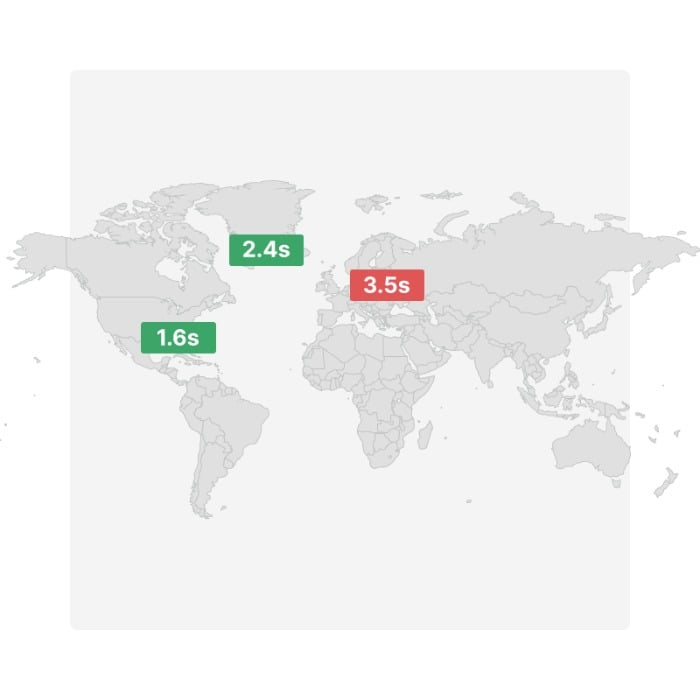
While you can’t do much about the distance between visitors to your website, you may be able to speed things up by introducing a CDN.
A CDN is a geographically distributed group of servers deployed in multiple data centers, providing content for one or more websites or web applications.
Popular CDN’s include: Rackspace, Amazon CloudFront, and Microsoft Azure.
By storing your files closer to your audience, you can reduce load time.
5. Look at Your Hosting Plan
The website hosting plan you chose years ago may have been the perfect fit, but as your site gains attention and traffic increases, it might not serve you so well anymore.
The result? A lot of downtimes, a decline in website performance, and frustration for you and your visitors.
What do you do? Upgrade to a plan that suits your growing audience. If you’re using a shared hosting plan, look at some alternatives like:
- Dedicated website servers: These provide a fast and reliable connection to the web and can be scalable to meet high traffic and bandwidth needs. They’re more expensive than shared hosting, but they offer better performance for your site. This is because you get an entire server of resources dedicated to one website.
- VPS Hosting: In a nutshell, a VPS hosting solution is an affordable and scalable way to host a website. It’s a practical way for small businesses or startups with the flexibility of scaling with them as you grow.
- Serverless websites: Or a static website. These reduce load times and increase security. There are some drawbacks, so make sure to research this option before diving in.
6. Use Browser Caching
The browser cache is a temporary storage area that allows the browser to reuse content files, such as images and scripts, to reduce network traffic.
Using browser cache has a huge impact on website performance because it can save time and bandwidth, enhance the user experience, and increase loading times.
You can use some plugins to create a cache using WordPress. For non-WordPress users, here’s Google’s tutorial.
7. Render Blocking Your CSS and JavaScript.
Render blocking causes a significant slowdown in page loading time.
This is because the browser has to wait for the page to finish rendering before downloading and executing any scripts included on the page, such as JavaScript and CSS files.
Naturally, the more render-blocking elements a webpage has, the longer it takes for a web browser to load.
Don’t panic. It’s not nearly as complicated as it sounds.
You can find some easy fixes for WordPress render-blocking and Google also has some advice.
0. Other Steps to Improve Website Performance
The above sections cover the main issues that impact website performance, but there are other areas to consider, such as:
- cleaning up unclean code
- reducing excessive Flash content
- minifying your HTML
- choosing mobile-friendly, fast-loading themes
- using Accelerated Mobile Pages (AMP) to reduce bounce rates and increase page ranking
- fixing broken links
- compressing your files with gzip
Frequently Asked Questions About Website Performance
How do you measure the performance of a website?
There are plenty of free tools to measure your page loading times, such as Google’s PageSpeed Insights. However, if you want to measure overall performance, pay attention to KPIs like customer satisfaction and conversion rates.
What tools do you need to measure website performance?
Google Analytics provides a set of tools to monitor website performance, including Site Speed, Pages per visit, Bounce Rate, and Conversion Rate.
Pingdom and GTmetrix measure your site speed, and Uptrends provides a comprehensive set of testing tools and a free speed test.
How long does it take to analyze website performance?
You can complete loading time tests in seconds, and you should analyze them at regular periods throughout the year. In addition to speed, other areas of website performance to measure are your content, on-site behavior, and user acquisition metrics.
What is a good website performance?
The best-performing sites load within two seconds, and that’s what you should aim for.
Conclusion: Website Performance
There is more to a website than SEO, great content, and good-looking images. Whether you’re an ecommerce site, blog, or website owner, website performance is crucial to online success.
Great website performance makes it easier to rank and helps keep traffic on your website.
It also enhances SEO, helping to keep your website at the top of rankings and potentially increasing your overall conversions.
Enhancing your website performance might sound complex, but it’s pretty simple. Start by reducing your image sizes, limiting page weight, and upgrading your web host package.
Do you have tips to improve website performance? Share them below.
Source: neilpatel.com

How to Protect Your Website from Hackers and Data Breaches
The number of website data breaches is steadily growing. Statista data shows the number of U.S. breaches rose from 662 to more than a thousand in recent years.
Some industries like government and healthcare have been particularly affected. For instance, recent data by Verizon shows data breaches in the healthcare industry increased by 58 percent.

You may be thinking, “What is a website data breach exactly, and should I be worried?”
Like most things in technology, there are no one-size-fits-all warning signs and solutions for website data breaches. However, understanding what these threats entail and learning effective ways to prevent and deal with them can make a huge difference to your business.
What Is a Website Data-Breach?
A data breach occurs when information is taken from a system without the owner’s knowledge or authorization. This stolen data may include confidential details, personal data, trade secrets, and even sensitive information that could majorly threaten the organization’s security.

Some common examples of data stolen during a website data breach include:
- stolen passwords
- identity information (date of birth, email ID, location, etc.)
- credit card information
- banking details
- medical history
If a data breach occurs and this information is stolen for misuse, it could mean harm for both the business and the person whose information is being taken.
Think about it: If you’re a business owner handling sensitive customer information such as their financial history, you must protect this data. When a website data breach occurs, these personal details can be misused, leading to identity theft, empty bank accounts, and unauthorized transfers among other types of fraud.
Ecommerce businesses need to be particularly careful about website data breaches as most of their dealings happen online, so nearly all the information is at risk.
This is important because you’re not just losing data but also money. Consider this: Data by RiskIQ suggests cybercrime costs organizations $2.9 million every minute, and major businesses lose $25 per minute as a result of data breaches.

Do you still want to risk a data breach?
What Causes Data Breaches?
A data breach doesn’t need a trained hacker. Something as simple as losing your device can be enough for a website data breach to occur. Some other causes of website breaches include:
Hacking:

Various types of hackers work alone or in teams to compromise and sell sensitive data. This is one of the leading causes of data breaches and tends to cause the most damage as not only could you lose the data, but your entire system could be compromised.
Accidental access:

If you’ve ever logged in to a coworker’s computer for a minute and got access to sensitive information you weren’t supposed to see, it’s a data breach. This happens more often than you’d think, as many colleagues sometimes share a device to work on a common project.
Internal spy:
If an employee inside the company shares information to outsiders for money or other gains, the data is breached by an “internal spy.”
While these causes can be dangerous for businesses dealing with sensitive data (think payment processing apps), most of them can be prevented. To help you bolster your security, below we’ll talk more about common data breach strategies and how to protect your business against them.
What Strategies Do People Use to Cause Data Breaches?
There are various strategies people use to cause website data breaches. These can be spontaneous or well-planned depending on the type of data being breached, whether it’s a solo or a team venture, and the purpose of the breach.
Here are some of the most common strategies cybersecurity experts recommend watching out for:
Phishing
Phishing attacks are designed to fool users into giving up their information. These look like genuine messages from trusted institutions but actually are clever traps designed by hackers to get access to your data.
Users who are not tech-savvy or those in a hurry may accidentally click on the false links and give away important information straight to the fraudsters.
Here’s an example of a phishing email impersonating Netflix:

Brute Force
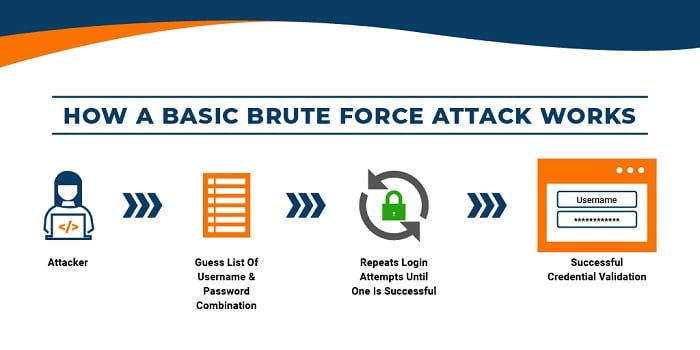
Brute force attacks cause website data breaches by working through all possible combinations to crack your passwords. This used to take a long time as there could be endless variations of letters, numbers, and symbols to try, but nowadays the use of sophisticated software makes this process much easier. In fact, some hackers use fully automated brute force attacks.
This graphic explains how a brute force attack works to cause website data breaches:
Malware
Malware attacks capitalize on your device’s security flaws to gain access to your system. Hackers shove viruses and spyware into your system to view, access, lock or change your files, which causes a massive data breach.
In fact, data shows nearly half of the security professionals surveyed say ransomware and malware pose the biggest IT risks, so businesses should be extra careful to protect themselves against such cyber threats.
How to Prevent Data Breaches
While every business that operates online faces some cyber threats, there are many ways to prevent data breaches or at least minimize their impact. Let’s take a look at some of them below.
Look for Vulnerabilities
No system is perfect. Every system, network, server, and the device has a flaw that hackers use to grab access. The sooner you identify these flaws, the better you can protect your business from website data breaches.
One way to do this is to proactively look for vulnerabilities in your security system. You can do this by using security software specifically designed to test your system for such vulnerabilities.

If you don’t want to rely on software, there’s another option for you. Many companies hire trained white-hat hackers to spot system vulnerabilities and patch them before other hackers can get a chance. This is more time-consuming but can also offer more reliable results, especially when it comes to larger organizations handling a lot of data.
Human testers are also better at recognizing patterns, so if there’s a recurring issue, paid white-hat hackers might be able to identify the problem before it’s too late.
Train Your Employees
While human testers can be a great benefit to your organization, sometimes it’s your very own employees causing the very breaches you are trying to prevent.
Many incidents of website data breaches occur when employees accidentally leak information to people who do not have authorized access to this data.

For instance, if an employee accidentally emails private information to a third-party client, or if sensitive information is leaked through a shared device in the office, this data is considered to be “accidentally” breached.
It’s still harmful to the company, but it’s caused by human error, often due to the employee’s negligence, lack of technical knowledge, or skills in handling data.
Accidental website data breaches like these are easy to prevent through appropriate employee training to improve their understanding of data management. Organizations can use various programs like the Polymer DLP Behavioral Approach to training up their employees on cybersecurity.
If a complete program is too big of a time or budget commitment, consider hosting small webinars. Invite a guest speaker or show a documentary that highlights the impact accidental website data breaches can have on a company, and how to prevent them.
These might sound like small steps offering minimal results, but training your employees early on can go a long way in securing your organization and minimizing the chance of accidental data breaches down the road.
Have Backups for Your Data
In some cases, despite your best attempts at preventing them, a website data breach can wipe out important information from your system. While it may or may not be able to be recovered, it’s always a good idea to backup any and all information that might be important.
This way, if data is stolen, you’re not completely lost. You still have something to fall back on. For this, you can invest in a cloud backup solution or use a third-party service depends on your company’s needs.
Install a Firewall
Firewalls are one of the most basic yet secure ways to defend yourself against website data breaches. By installing a firewall, you will prevent unauthorized traffic and malicious software from entering your network.
This can act as the first line of defense and work well with other security measures to minimize the threat of hackers and other cybercrime.
Encrypt Sensitive Data
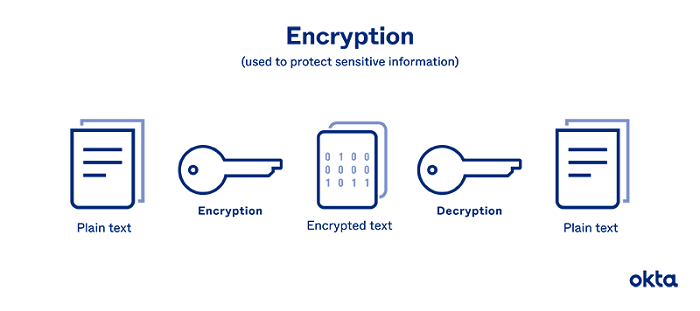
The process of encryption involves encoding data in a way that only authorized parties can read it. This is another basic but effective strategy to protect your business against website data breaches.
Different types of encryption processes can safeguard confidential data that is only meant to be shared with specific people in an organization. Only these people will be able to access and share it, keeping it in tight circles.
Online payment apps, email service providers, and messaging apps like WhatsApp use encryption to protect user privacy and boost security around sharing personal information on these platforms.
This graphic by Okta, explains encryption in simple terms:
Monitor Database Activity
Want something that gives you a high-level view of your security system? Consider monitoring database activity. This might be a new concept for many teams who are still in the early stages of adopting data security tech, but it’s worth taking a look at and can be effective for organizations of all sizes.
A database activity monitor (DAM) observes, identifies, and reports on database activities. These monitoring tools use real-time security technology to monitor all actions across the database. Additionally, they can detect abnormal and unauthorized activity, internally and externally, while gauging the effectiveness of your existing security protocols.
Like most other measures, this has multiple layers, and it’s important to consider your security needs before implementing any complex programs.
Website Data Breaches: Frequently Asked Questions
How common are website data breaches?
The number of data breaches happening in the United States is growing. For instance, Statista data shows the number of data breaches in the U.S. has drastically increased in recent years, from 662 breaches in 2010 to over a thousand breaches in 2020.
Which industries are the most affected by website data breaches?
Data from TechRepublic shows 95 percent of data breaches occurred in the government, retail, and technology sectors. Healthcare and finance industries are also particularly affected by such cyber threats. Researchers at IBM found that the healthcare and financial industries spent the most time in the data breach lifecycle, which is 329 days and 233 days, respectively.
What is the most common cause of website data breaches?
Hacking has consistently been one of the most common causes of website data breaches. Human error is also a common cause, as a lot of confidential data is accidentally leaked by employees in the organization. Losing, sharing, and leaking passwords is also a type of human error that can lead to accidental website data breaches.
What is the best way to prevent website data breaches?
Some of the best ways to protect your business from data breaches include: looking for vulnerabilities within your security system, training your employees to reduce the chance of accidental breaches, having a backup of important data, using a firewall, encrypting confidential information, and monitoring database activity.
Conclusion: Website Data Breaches
In the age of the internet, cyber threats are expected—which means you need to be prepared. Learning more about what causes breaches and finding personalized solutions to prevent those attacks can go a long way in keeping your business—and customer information—safe.
If you’d like to take this a step further, learn how to effectively manage your website, get an SSL certificate, or focus on security and trust throughout your website.
Which cybersecurity technique will you use to protect your website from hackers and data breaches?
Source: neilpatel.com

How Backlinks from Different Page Locations Are Worth More (Or Less): Not All Backlinks Are Created Equal
If you want to get found online, you need a strong backlink profile.
The problem? Not all backlinks are created equal.
Links from high-quality, relevant sites are far more valuable than links from random sites in another industry. Links from spam sites can actually hurt your website.
How do you make the most of your backlinks? You need to pay close attention to the factors that impact backlink value.
Here is what you need to know to make the most of backlinks.
What Are Backlinks?
Backlinks are links from an external site to your website. For example, if I link to a source about how to protect your app from security issues, that creates a backlink to that website.
If another site links to your site, you receive a backlink.
For a long time, getting as many backlinks as possible was a core component of SEO. Google viewed backlinks as “votes” and rewarded sites with lots of backlinks with higher rankings.
Eventually, however, businesses began to use black-hat strategies to build backlinks. For example, paying sites to add links, buying links from shady sites, adding comments to other blogs with links to own site, or building networks of sites that are all linked to each other.
Google got wise to these strategies and issued an update that made it much harder to get away with building poor-quality backlinks. It released a number of backlink guidelines that marketers should follow and also released another update targeting spammy links in June of 2021.

How Do Backlinks Affect SEO?
As mentioned above, Google views links as votes. The more sites that “vote” for your site (meaning link to pages on your site), the more valuable and relevant Google assumes your pages and site are.
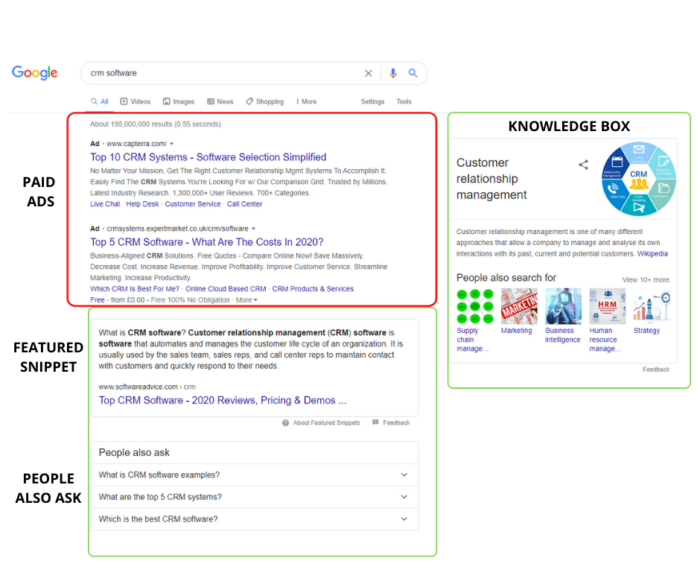
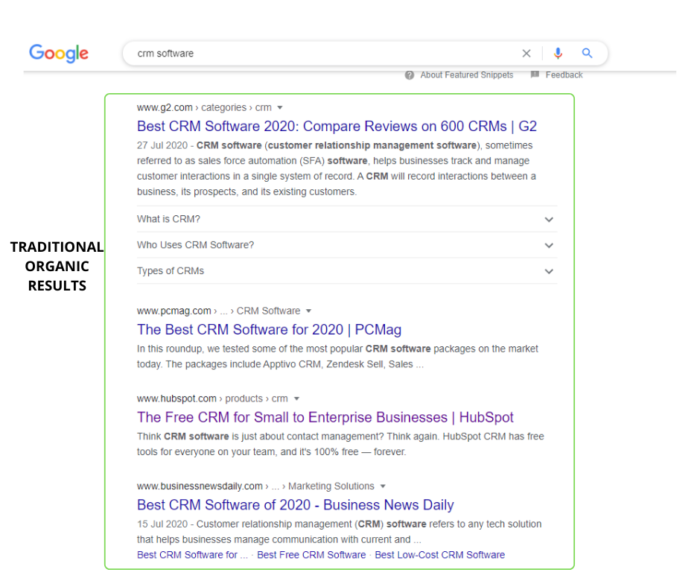
In fact, backlinks are one of several hundred factors Google considers when deciding where to rank a website in its search results.
Here’s why: A backlink to your website means another site found your content engaging, interesting, or educational. So much so that they decided to share it with their audience. Google assumes that means your content is valuable to users, and is more likely to share your content with searchers.
However, there isn’t much you can do to impact how many links another site puts on its pages. Just keep it in mind when considering which links are most valuable for your website’s SEO.
If many trusted sites link to yours, Google knows your site has great content that users will want to read. As a result, you’re more likely to rank high in the SERPs.
What Makes a Backlink Valuable?
More backlinks isn’t always better.
If you use link schemes or other black or gray hat SEO practices, Google will punish you with lower rankings or even manual action. What makes a backlink more valuable than another?
1. Location and Number of Links on a Page
Did you know that where a link is located on a page can impact backlink value? Sounds weird, right?
Well, Google considers the first link on a page to be the most valuable, which means it gets more of the benefits of having a backlink. In addition, the more links on a page, the less link value each link has.
In practice, this means that if your link is the only backlink on a page, you’ll see more SEO benefits than if your link is at the bottom of a page and is one of twenty other links.

2. Dofollow Vs. Nofollow Backlinks
Dofollow links are your basic backlinks. When the website owners don’t fiddle with the HTML surrounding the link, the link will always be a dofollow.
Dofollow links tell Google the linking website trusts your domain, which can help your rankings.
Nofollow links, on the other hand, look like this in HTML:

Nofollow links tell Google that this link should not pass on value (sometimes called link juice).
In other words, nofollow links still take someone from Website A to Website B, but they won’t help Website B’s rankings.

Why do sites use nofollow links? Because linking to low-quality or low-domain authority websites can hurt the link-hosting website’s rankings. Also, Google doesn’t allow you to pay for links, so some sites use nofollow links on sponsored posts.
Don’t assume nofollow links are a complete waste of time. In fact, they really help generate traffic to your website and increase the visibility of your business despite their unhelpful SEO influence.
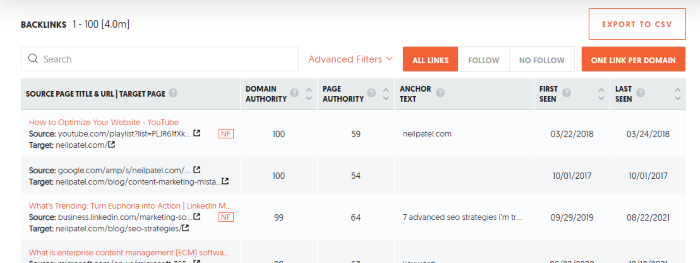
3. Domain Authority and Page Authority
DA, or domain authority, is a metric created by Moz that predicts how likely a website is to rank well in the search engines. Scores range from one to 100, with higher numbers meaning the site is more valuable and more trusted.

Page authority is the same metric, but for a specific page on a website.
It isn’t an exact science, and it isn’t a metric Google came up with—Moz did. However, it does use machine learning to get a pretty decent idea of how well a site will rank.
What does this mean for your backlinks? If a site with a higher domain authority or page authority links to your site, Google will assume your site is more trustworthy, too. That’s a good thing!
Think of it like vouching for a friend to get a job. If you are a dedicated worker and recommend someone else, your boss is likely to assume they can be trusted to work hard, too.
TL;DR: Links from high-domain authority pages are more valuable.
You can find the domain authority of sites using Moz’s domain analysis tool.
Or, you can use Ubersuggest to run a backlink analysis on your site, and we’ll share all the domain authority and page authority metrics in one place.
4. Relevant Sites and Pages
Relevancy matters when it comes to recommendations. Let’s say you wanted to buy a new snowblower. You look around the internet and find two articles that review the top snow blowers—one is from a hardware store, and the other is from a food blogger.
Which one would you trust? You’re likely wondering what a food blogger really knows about snow blowers, right? The hardware store, on the other hand, probably sells snowblowers and talks about them to customers on a regular basis. There is a good chance they know what they’re talking about.
Google also considers relevancy when deciding how valuable a backlink is. For example, a link from a digital marketing publication or a publisher like Forbes to my site is worth more than a link from a plumber.
In general, links from irrelevant sites won’t hurt your website (unless they are spam sites!), but links from other industry websites do carry more value.
5. Quality of Other Links on the Website
It’s not just the domain authority that impacts backlink value. The quality of every other backlink on the referring domain can impact the value of a link too.
It doesn’t sound fair, does it? You can’t control what someone else does on their site. While that is true, there is a reason for this.
Let’s pretend that you receive a backlink from a website with high domain authority. Your ranking goes up, traffic is pouring in, and you feel like the SEO pro you are.

Then one day, the website that gave you that precious backlink becomes a spam site. They publish low-quality content and link to a bunch of spam sites.
It’s no longer a high-quality site in Google’s eyes, which means that link has lost its value. In other words, pages that link to spam websites devalue all other links that they host.
It’s important to evaluate the websites you get backlinks from. That will help you avoid harmful URL relationships. Make sure they are trustworthy and do their own link evaluating when choosing which links to include so that your website won’t be at risk.
Also, never buy links from websites. Even sites that seem legitimate will likely get caught by Google at some point, and your site may suffer the consequences.
6. Anchor Text
Anchor text is the text that is highlighted and often underlined that you click on to follow a link, like this.
If the site that links to your website uses anchor text that is closely related to the content on that page, Google will assume the link is more useful to users and, therefore, assigns it more value. As a result, Google made anchor text a ranking factor.
Let’s look at an example from Yoast’s website. I’ve highlighted the anchor text:
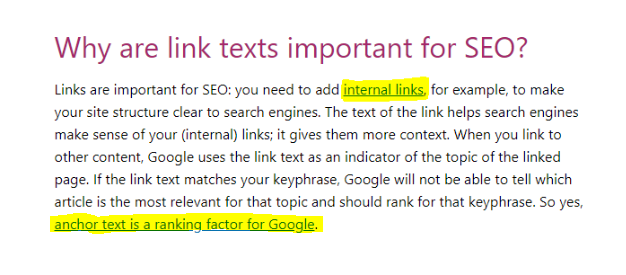
The anchor text for internal links goes to a page about, as you might expect, internal links. Because the anchor text uses the keyword the linked page targets, that link is more valuable than if they used anchor text like “click here.”
Pro tip: This applies to internal links, too. Make sure to use relevant anchor text when linking to other pages on your own website.
Frequently Asked Questions About Backlink Value
How do I identify valuable backlinks?
Backlinks that come from high-quality, relevant sites are the most valuable. Look for the following links and pay attention to other sites they link to. All of these factors impact backlink value.
What’s the easiest way to get valuable backlinks?
The easiest way to build backlinks is to create highly-valuable content that other sites will want to link to. This is often called link attracting, versus link building. Other strategies include looking for broken links on sites and asking them to replace them with yours, guest posting, creating infographics, and creating new data.
What types of backlinks are valuable?
The most valuable backlinks are dofollow links from trusted sites related to your industry with high domain authority.
How much are backlinks worth?
You can’t put a dollar amount on backlinks. However, a solid backlink profile can improve your search engine ranking, drive traffic, and increase your revenue. In that sense, they are priceless.
What is the difference between backlinks and internal links?
Backlinks are links from other websites that point to your site. Internal links are links that point from one page on your site to another. Both have SEO value, but backlinks are usually harder to get and, therefore, considered more valuable.
What do I do if I have a bunch of low-quality backlinks pointing to my site?
In most cases, Google can spot poor-quality backlinks and will ignore them. If you think they are impacting your site (or if you get a manual penalty), you can use Google’s Disavow tool to tell them to ignore those links.
Backlink Value Conclusion
Backlinks are a cornerstone of SEO. However, not all backlinks deliver the same value. Links that are higher on a page or from pages with a higher DA will help your website rank better in Google’s search results.
You can use this information to build higher-quality backlinks. Get it right, and your site can see a flood of traffic and conversions.
Do you consider backlink value when building links? Why or why not?
Source: neilpatel.com

Headless CMS: What it is and How it Helps Websites Scale
Using a traditional content management system (CMS) architecture has been the standard for front-end web management.
When you use a traditional CMS architecture, your content is stored in a single system or database. Unfortunately, this means everything from the front-end website to backend administration tools relies on one system, making scaling difficult.

As enterprises strive for increased flexibility and scalability, they’re turning to headless CMS solutions.
Headless CMS can provide greater control over data access while speeding up development cycles between front-end and back-end systems.
Not to mention, the headless CMS market is expected to grow to $1,628.6 million by 2027.
If you’re ready to scale your website but aren’t sure where to start, adopting a headless CMS could be your ticket to increased traffic.
What Is a Headless CMS?
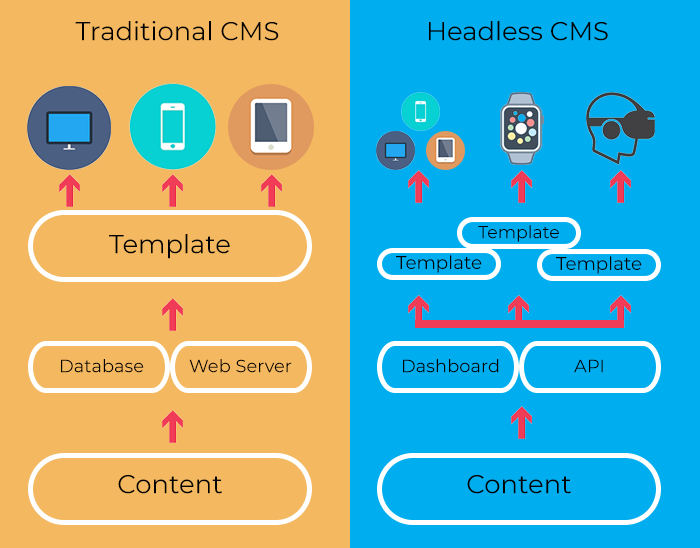
A headless CMS is a back-end-only content management system that works as a content bucket. Content is accessible from an API and can be readily displayed on any device without the need for a presentation layer or built-in front-end.
In a headless CMS system, content is stored in a repository “body” that can easily be separated from the presentation layer, or “head.” This is called “decoupled architecture” or a “decoupled CMS.”

Without using decoupled architecture, companies would have to scale their servers to manage large amounts of data.
Headless CMS architecture removes the presentation layer from your website and enables content to be consumed by APIs. The heads can then communicate, allowing for increased functionality such as real-time updates or multi-organization collaboration.
Because of APIs, headless CMS platforms provide better scalability for websites hosting unstructured data such as images or videos.
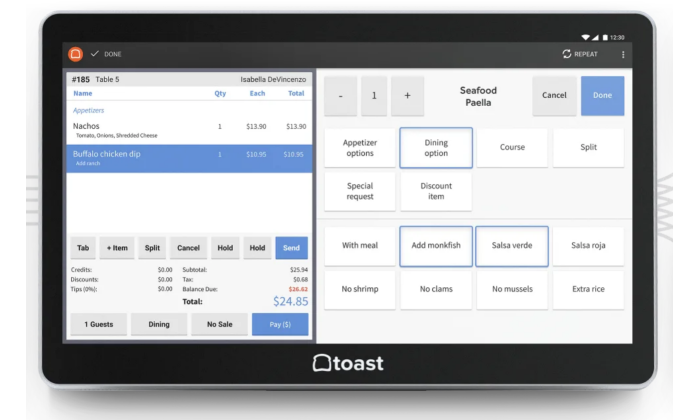
Using a headless CMS, you can extend your content management beyond your website and into other platforms such as point of sale systems or online marketplaces.
Additionally, headless CMS enables developers and content managers to work independently of one another. It also allows developers to create custom integrations enabling different devices to interact with the database containing the business’s content.
What Is the Difference Between a Traditional CMS and a Headless CMS?
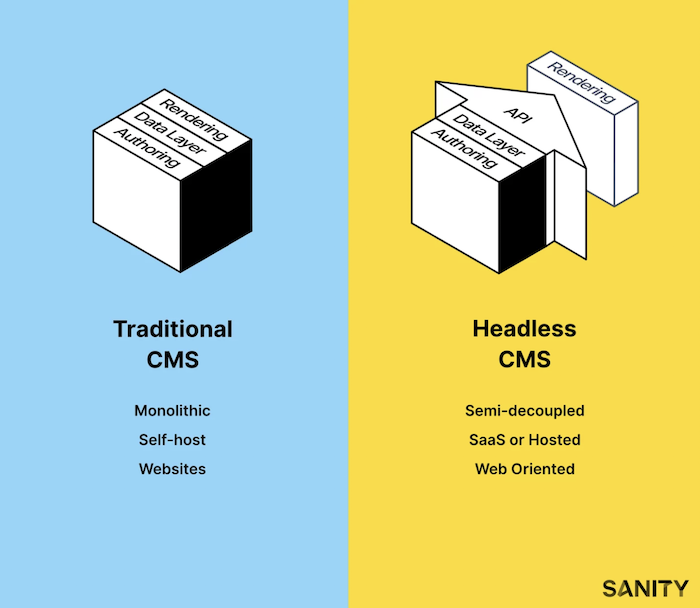
Traditional CMS
–Traditional CMS is software that needs to be installed or managed by an individual or server environment. All functionality is included in a single system, giving only one context for presenting content. Usually, this comes in the form of a webpage.
–Unlike headless CMS, traditional CMS relied on content buckets to manage images, HTML, CSS, and other website content. This system made it difficult to reuse past content because it was mixed up in code and led to a high risk of content duplication.
–Traditional CMS platforms were only accessible through a webpage, making it difficult for companies to create different experiences on apps and other digital platforms.
–Examples of traditional CMS programs include:
- WordPress,
- Sitecore,
- and Drupal.
–As more content is coming online, managing this data in one place has become crucial. Businesses that want to stay competitive have been searching for a more flexible solution to their content management needs.
–That’s where headless CMS comes in.
Headless CMS
–Using headless CMS allows users to organize and manage all website content from one place while decoupling it from the presentation layer. This ensures content is reusable and easier to scale.
–It also eliminates the risk of content duplication across multiple pages because it saves everything as a single piece of content. For example, you can have an article saved once but displayed on every webpage using different layouts for each page type.
–Headless content management systems also allow clients to customize and edit content without extensive knowledge or training, which is beneficial for businesses looking to scale their websites internally.
–These programs are changing how businesses think about managing website content because they do not require installation or complex management of the backend.
–Examples of headless CMS options include:
- Contentful,
- Agility CMS,
- Sanity.io,
- and Magnolia.
Pros and Cons of Headless CMS for Marketing
While headless CMS offers many benefits to web developers and designers, they have different features for marketers.
Those looking to migrate to a headless CMS system should consider the pros and cons before jumping in.
Headless CMS Pro: Faster Content Delivery
Content delivery is extremely fast using headless CMS, which can be done in real-time through APIs and webhooks.
Marketers can easily store, edit, and publish content within a headless CMS platform without the need for content rendering.
Faster content delivery means marketers can respond to changing needs of their audience faster, which is crucial in today’s ever-changing digital landscape.
Headless CMS Pro: Often Cheaper
Headless CMS systems are generally cheaper because they don’t require expensive hosting.
By not requiring a server or database, headless CMS solutions are much more affordable than traditional systems.
This is crucial for small businesses with limited budgets that want to implement content management systems but can’t afford the associated costs of traditional platforms.
Further, marketers looking to make the most out of their annual budgets can benefit from eliminating the need for additional hosting fees.

Headless CMS Pro: No Coding Knowledge Required
Headless CMS solutions require far less coding knowledge than traditional systems, allowing marketers and content producers to manage their site rather than working with developers.
Using headless CMS, marketers can add new pages and images without waiting for developer responses or changes. This enables companies of all sizes to benefit from the scalability headless CMS provides, regardless of coding proficiency.
Headless CMS Pro: Easier to Scale
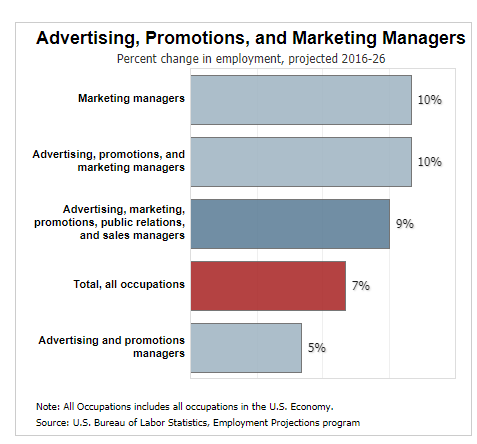
As a site’s traffic scales, its content management system has to keep up with demand and deliver web pages in a timely fashion. All this needs to happen without compromising on performance or uptime.
Headless CMS is optimized for scaling, as it can handle big data and deliver web pages faster. This can be beneficial to a website’s traffic and SEO, which contributes to important marketing KPIs.
Headless CMS Pro: Supports Omnichannel Marketing
Omnichannel marketing is essential in today’s competitive environment, and a headless CMS can help companies deliver personalized content across different channels.
For example, a headless CMS can adapt to fit the different screen sizes of mobile devices and desktops while minimizing data consumption. This allows companies to deliver a better user experience.
Headless CMS also makes it easier to deliver content across multiple platforms, such as websites and social media. As a result, marketers using this tactic can engage audiences more effectively, which is especially important for businesses with multiple brands.
The more omnichannel marketing you can do, the better you can engage a wide variety of customers. If you’re looking to expand your reach across platforms, headless CMS can help you get there.

Headless CMS Con: Less Flexibility
Headless CMS systems are less flexible than traditional CMS systems because there is a clear separation between content and design.
Changes to the headless system must be managed by developers, which adds an extra step in the update process. This can make it difficult for non-technical personnel to implement updates if required, creating a bottleneck in workflows.

Headless CMS Con: Limited Access to Content Management Interfaces
While plugins and integrations can be used, companies using headless CMS systems have limited access to backend interfaces that control how the website functions.
This is especially problematic if marketers don’t have the skills and knowledge to work with APIs, limiting functionality.
Marketers who cannot manage API on their own may need to hire developers to create custom integrations and handle future updates, which can be costly and time-consuming.

Headless CMS Con: Slight Learning Curve
Marketers used to use traditional CMS systems may find it difficult to move over to headless CMS.
Some of the difficulties of learning a headless CMS system include understanding how the content is stored, implementing changes to your website, and determining what type of CMS should be used.
However, any marketer who wants to move up in the company or improve their skill set can easily overcome these difficulties.
Headless CMS Con: Relies on Other Technology
Headless CMS solutions do not have built-in integrations, so users must rely on third-party apps for their website’s SEO needs.
Similarly, headless CMS lacks the marketing analytics that traditional content management systems provide, such as Google Analytics or Adobe Omniture SiteCatalyst.
This lack of integrations can make it difficult for marketers to determine what type of content is most effective for their users.
It also requires marketers to manage more tools, leading to a lack of efficiency and miscommunications.

Headless CMS Platforms to Try
If you’re looking for a headless CMS to try out, it’s a good idea to shop around and see what fits your needs.
It can be challenging to determine the exact features and functionalities you’ll need for your headless CMS, so it’s generally recommended that companies test each solution before deciding.
This way, they will know precisely how to scale their website using headless CMS infrastructure.
Contentful
Contentful is a headless CMS management and delivery solution for digital content.
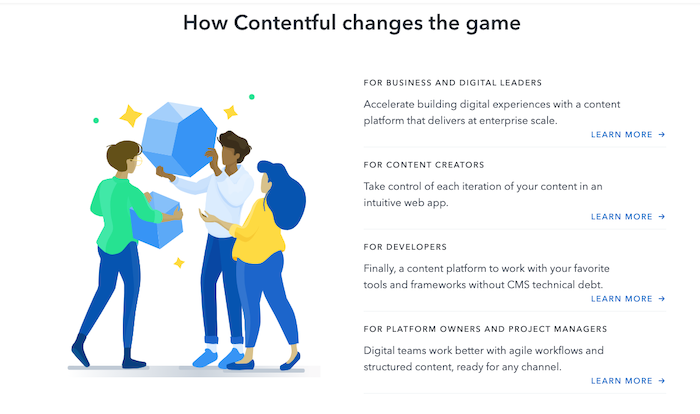
Contentful provides UI, SDKs, and APIs and makes publishing content across channels with a simple app framework more efficient.
The service is free with limited features, and plans start at $489/month.
Agility CMS
Agility CMS offers the features of a headless CMS and the authoring tools of a traditional CMS.
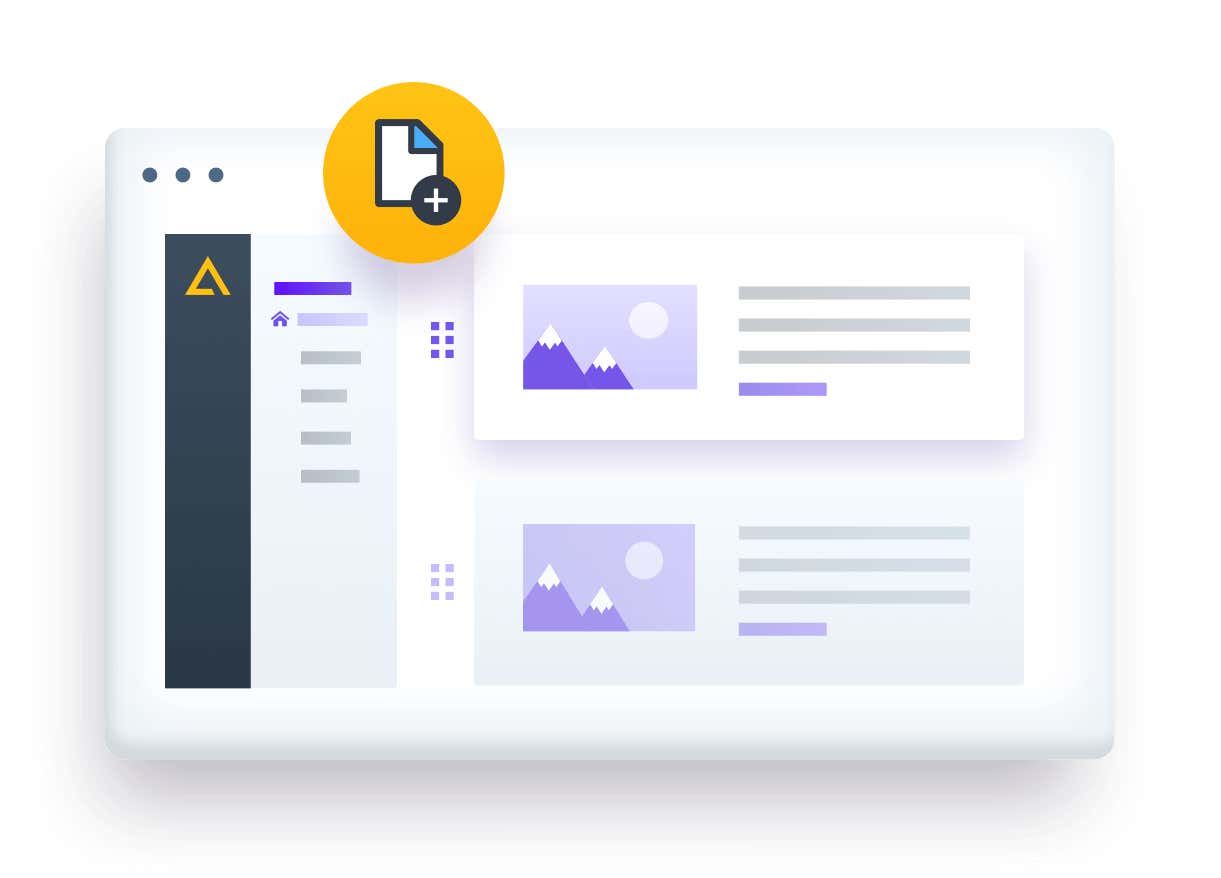
Trusted by companies such as PepsiCo, Oxford, Mitsubishi, and more, Agility CMS is a comprehensive CMS solution.
Agility CMS offers a free trial and business plans start at $900 per month.
Magnolia
Magnolia is an API-first headless CMS offering full functionality for enterprise suites.
Magnolia allows users to edit raw content and see live previews of content.
Additionally, it offers personalization features and unlimited integrations to connect to your other important marketing tools.
Contact their sales team to learn more about Magnolia pricing.
Sanity.io
Sanity.io was built to unify content and make collaboration easy for large teams.
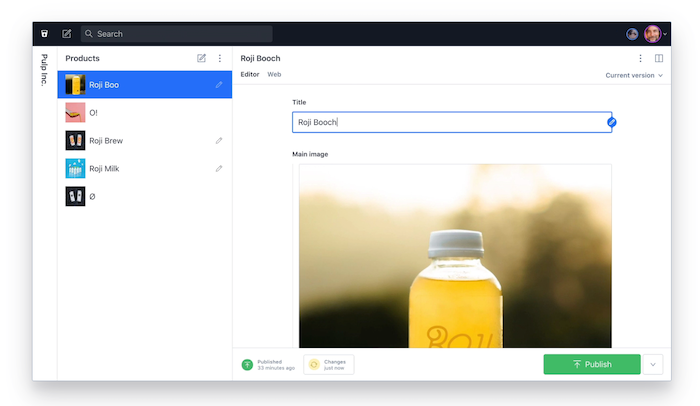
Sanity uses structured content to create an optimized infrastructure using your best content components.
What’s more, all content is data-driven and can easily be customized by individuals or teams.
Sanity.io pricing starts at $99 per month and can be scaled up to the enterprise level.
Headless CMS Frequently Asked Questions
FAQ: 1
What Are the Benefits of Using Headless CMS for Marketing?
Headless CMS creates fully responsive websites that load faster and are more secure. This can help improve SEO and user experiences.
FAQ: 2
What Is the Difference Between a CMS and a Headless CMS?
Traditional CMS systems manage content and front-end on a website, whereas headless CMS deals only with content.
FAQ: 3
What Does Headless CMS Mean?
Headless CMS is a back-end-only content management system that works as a content repository. This allows content to be accessible from an API without needing a front-end presentation layer.
FAQ: 4
What Are the Top Headless CMS Platforms?
Some of the most popular headless CMS platforms are Contentful, Agility CMS, Magnolia, and Sanity.io.
Headless CMS Conclusion
Headless CMS solutions are becoming more common as companies seek ways to increase their digital presence and provide a richer user experience.

These platforms offer the flexibility of decoupled CMS architecture, which allows for site content to be accessible by any front-end system.
Further, headless CMS platforms benefit marketers by offering faster content delivery that improves SEO, supports omnichannel marketing, and helps improve conversion rates.
If you’re looking to improve marketing efforts for your website, headless content management systems can provide the scalability needed for increased traffic and user engagement.
How have you found success using a headless CMS?
Source: neilpatel.com

The Best Website Builders (In-Depth Review)
I’ve been building websites for years. It’s way easier now than it used to be. You can go simple or take your site to the next level–no programming or design experience is necessary.
There are a handful of popular options that will get you to where you want to go. However, the best website builders have different strengths and limitations.

Disclosure: This content is reader-supported, which means if you click on some of our links that we may earn a commission.
I use WordPress because I can do exactly what I want and support millions of visitors to my blog each month.
It might work for you, but some of my other top picks could work better, depending on what you are trying to do.
5 Best Website Builders
Here are the five best website builders you can start using today.
I’ve included in-depth reviews to help you get a sense of why each product is so good.
Take control and manage every detail of your site.
Or, use my number one pick to have the website build itself.
Your call.
#1 – Wix Review — The Best for General Use
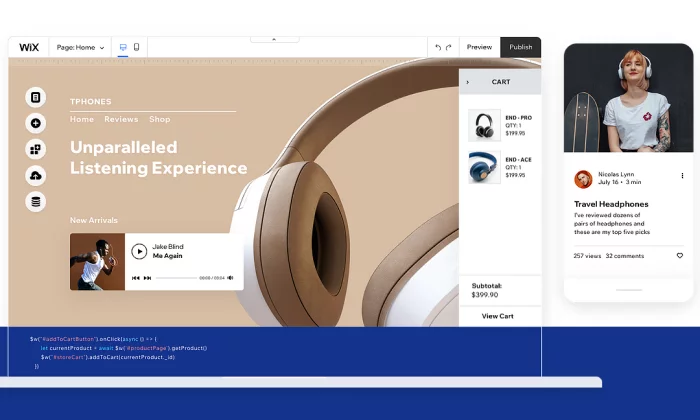
Wix is a really easy website builder that can help you create what you want.
Start with a template and customize from there.
You do not have to know anything about design to put together a really sharp-looking website.
And you’re not stuck going one way or the other.
Make a blog, online store, whatever you want.
And if you don’t feel like dragging and dropping the different site elements into place, simply answer a few questions, and Wix Artificial Design Intelligence (ADI) will build a site for you.
Wix is truly the “jack of all trades” in the sense that it does everything well, but nothing is truly exceptional.
However, it serves its purpose for the average person looking to set up a website, and the price is extremely competitive.
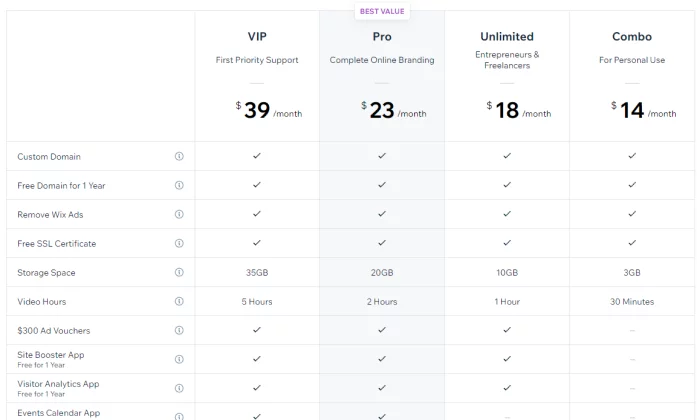
Pros of Wix
Here are the best things about Wix:
Powerful app market –
Wix has an enormous amount of add-on features that you can access through their app market.
Want to book meetings directly on your site?
They have got you covered.
Want a live chat pop-up box?
Simply click and install it on your site.
Covers every need –
Wix covers most of the needs of people looking to set up a website.
This includes setting up an ecommerce store, blog, or even just a simple information website.
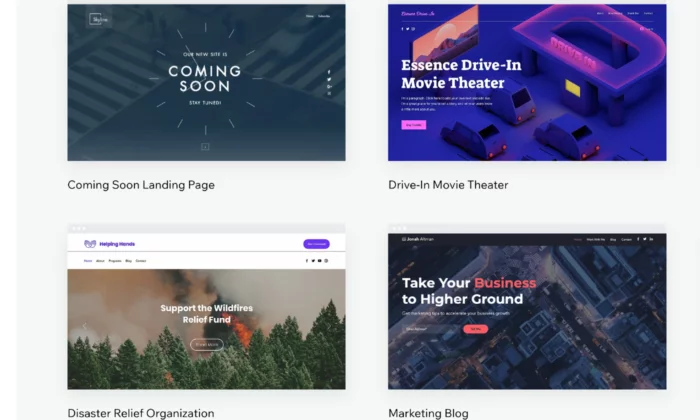
Lots of templates –
Wix has a wide variety of templates that you can choose from to get your website up and running quickly.
Their templates are well designed and take the user experience into consideration.
Cons of Wix
Here are the weaker parts about Wix:
No migration –
A huge downside with Wix is that you’re locked in, so you cannot take the code of your website somewhere else later on. This can cause problems if you quickly need to scale your business.
Jack of all trades, master of none –
Wix’s main strength is also its weakness.
Although it has many features, it cannot compete with the quality of niche website builders.
Who should use Wix?
Small businesses –
If you are offering a service such as legal advice or marketing,
Wix is a solid website builder that will handle all of your needs.
If your focus is selling products online, avoid Wix.
Freelancers and professionals –
In a similar manner, Wix is great for professionals who want to showcase their personal brand. It will allow you to cover all the potential bases of highlighting your portfolio, such as taking meetings and even blogging.
#2 – Weebly Review — The Best for Beginners
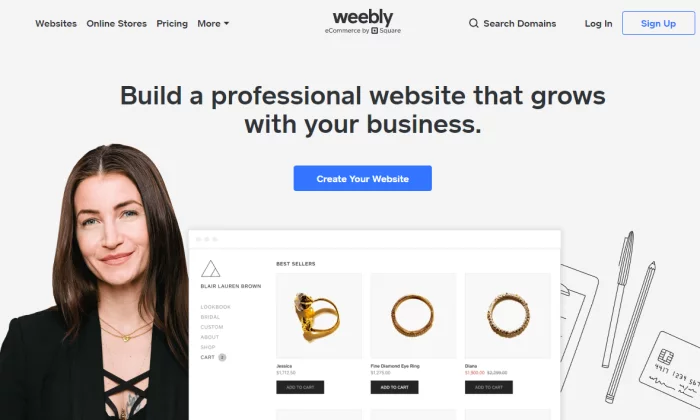
Next, we have Weebly, which is a drag-and-drop site builder that prides itself on its ease of use.
Weebly currently powers over 50 million websites and has been around since 2006, which is a huge achievement and testament to how effective the platform is.
So, what has caused Weebly to be consistently favored among users?
It comes down to the simple user experience and short learning curve.
Weebly does not bombard you with features or a complicated interface.
Instead, it allows you to get straight to the point of setting up your website.
Pros of Weebly
Here are the best things about Weebly:
- Simple and easy to use – Weebly has a simple interface with drag and drop mechanics that just work. Everything feels natural and intuitive. It also helps that they have an onboarding mechanic with email and popup explanations when you get started.
- Migration – If you decide you want to host your own website, Weebly makes it easy for you to take your site off their platform.
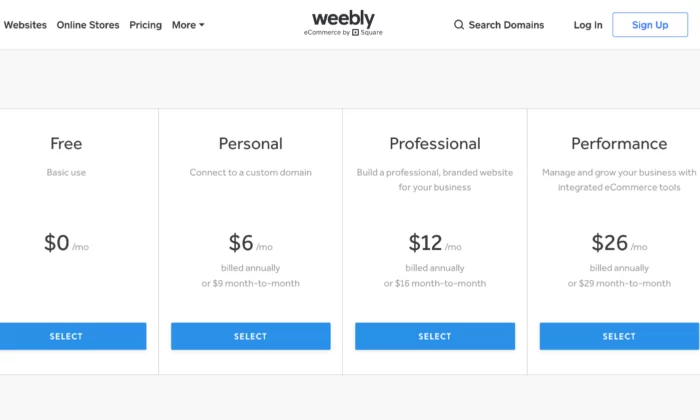
- Affordable – Compared to other generalist website builders, Weebly has one of the most affordable pricing structures.
- Great customer support – Weebly has a powerful customer support team who are active every day of the week. They typically reply within 1 day by email or even quicker via their live chat or phone lines.
- Online store capability – While limited on its free and lower-tier plans, Weebly allows you to set up a web store powered by Square. If you’re already using Square as a payment processor, Weebly allows a cheap and easy way to start selling products online.
Cons of Weebly
Here are the weaker parts about Weebly
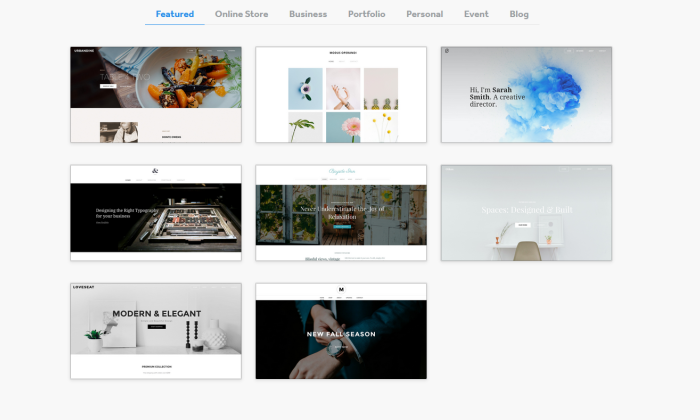
- Lacks diversity of function – The tradeoff of using Weebly is that it is not as powerful as Wix. For example, there are fewer features. In addition, some features such as their content management system and analytic tools are much weaker than competitors.
- Limited customization – As Weebly uses a drop and drop interface and themes, the customization can be quite limited. Wix also has this problem, but they have more tools at their disposal to solve this issue.
- Scaling problems – Weebly is simply not a great platform if you have plans to grow your website in a significant way: it is just a simple website builder for day-to-day users.
Who should use Weebly?
People who need simple websites – As a rule, you should use Weebly if you are not very tech-savvy and want to set up a simple website quickly. One category of users would be associations or clubs who want to set up an information site about their group.
#3 – Web.com Review — The Best for Building Landing Pages
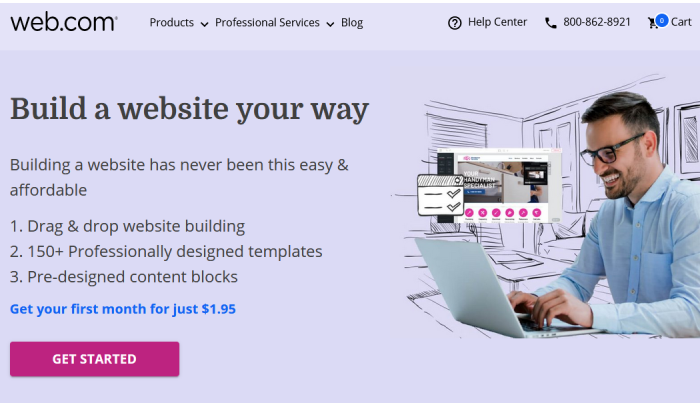
Web.com is a lot like Weebly—it’s fantastically easy to use, with an intuitive drag-and-drop editor that lets you mold any available template to your needs.
And it comes at a great price and with great support.
But I think Web.com’s website builder shines brightest for a particular need: setting up landing pages and single-page sites in a snap.
Seriously, it’s so easy with Web.com—start from one of their 126 templates, then just tweak the colors, swap out some imagery, replace the copy, and add a custom form.
Voila, you have a gorgeous landing page, done in about 15 to 20 minutes.
You can build a ton of unique landing pages in one sitting or make simple or temporary websites with ease.
And at a competitive price, too.
Pros of Web.com
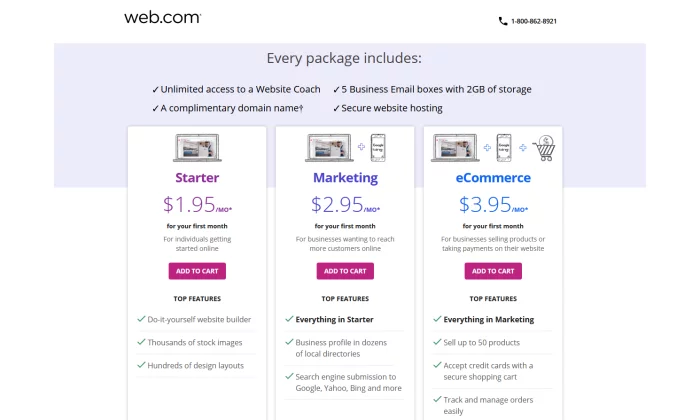
- Email accounts – Web.com gives you five email accounts to match your domain. That’s a boon for folks building landing pages with Web.com—not only can you get multiple sites up in a flash, but each can have separate associated email addresses for doing split testing or for collecting contest entries in a place where they won’t overwhelm someone else’s inbox.
- Free domain for one year – Web.com will throw in one year of an available domain for free when your purchase one of their website builder plans.
- Very affordable – Everything I mentioned above is in the Starter plan, which starts at $1.95 for your first month and then is $10 per month after that. You can save big, though, if just go for a full year at checkout—that’s just $50 for the whole 12 months, a savings of over $60.
Cons of Web.com
- No building from scratch – You are somewhat penned in by the templates available to start from. It’s easy enough to customize them far away from the original look, but some elements are permanent or at least inflexible, which can make it harder to quickly build the exact site you had in your mind.
- Limited eCommerce features – Web.com also has Marketing and eCommerce plans for their website building service. They’re a little more expensive and more appropriate for standalone business sites, especially for local and small businesses. But more advanced selling features are missing overall.
Who should use Web.com?
Salespeople and marketers working on multiple campaigns – If you want to knock out landing pages in no time flat and get the useful benefits of email and domain included, go with Web.com and enjoy every bit of value you get from their Starter package.
Get started with Web.com today.
#4 – Shopify Review — The Best for Ecommerce
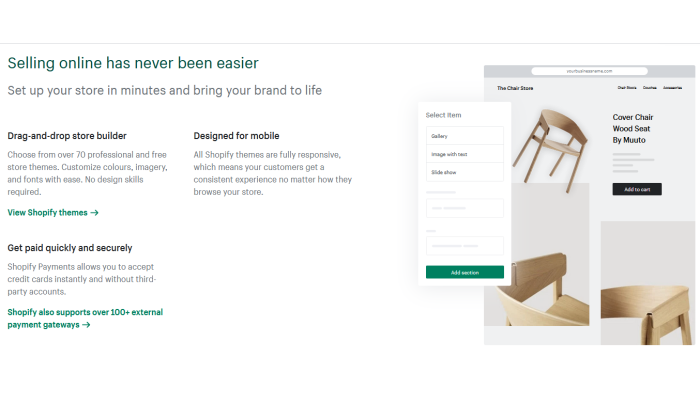
If you plan on selling any type of product online – from jewelry to electric scooters – then your best bet will be to use a dedicated ecommerce platform and website builder.
Without a doubt, the number one in this category is Shopify.
The platform powers over 1 million merchants in 175 different countries, and is the third-largest online retailer in the US, trailing behind only Amazon and eBay.
The Shopify software represents a complete end-to-end platform that allows you to set up, manage, and promote a store online. You can easily list your goods for sale, take payments, and fulfill orders – all under one roof.
Pros of Shopify
Here are the best things about Shopify:
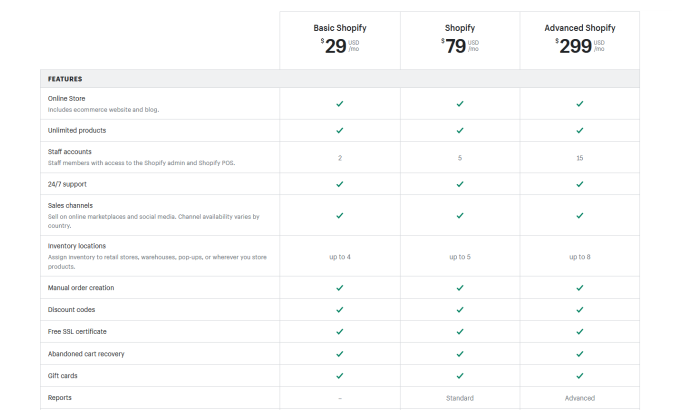
- Ecommerce specialty – The main draw of Shopify is that it is a niche website builder focused on setting up an ecommerce store. This means that all their features and processes are geared toward that end, resulting in a powerful platform that can help maximize sales.
- Security – If you are going to be handling transactions, you need ways to keep your site safe and customer data secure. Shopify stores have strong cybersecurity measures in place which a self-hosted website would typically lack.
- Integrated sales channels – Shopify has strong integrations with other platforms, such as Facebook and Amazon. This allows you to streamline your sales by managing your catalog on each platform under one roof.
Cons of Shopify
Here are the weaker aspects of Shopify:
- Niche focus on ecommerce – Because the focus is on ecommerce, Shopify lacks some of the features and finesse of other website builders. For instance, their content management system is very limited compared to WordPress.
- Transaction fees + monthly fees – With each sale, you make on Shopify, there is a transaction fee that ranges from 2.4% – 2.6%. Combined with payment provider fees, this can eat into your margin.
Who should use Shopify?
- Brick and mortar stores – If you have an in-person store and are looking to sell your products online, Shopify will offer you a solid footing into the digital world.
- Ecommerce startups – Entrepreneurs that are starting new brands or drop shipping will also benefit from the quick end-to-end setup that Shopify offers.
#5 – WordPress Review — The Best for Content Management
One of the oldest and most reliable website builders is WordPress.
The platform has come a long way since it launched in 2003 and is the most popular content management system on the web today.
In fact, WordPress powers a whopping 37.6% of all websites.
As WordPress was around during the earlier days of the web, its focus revolved around content, which was the most prominent form of the website at the time.
It maintains that focus to this day, with WordPress having arguably the best content management system out of all the different website builders.
An important caveat is that WordPress is divided into platforms:
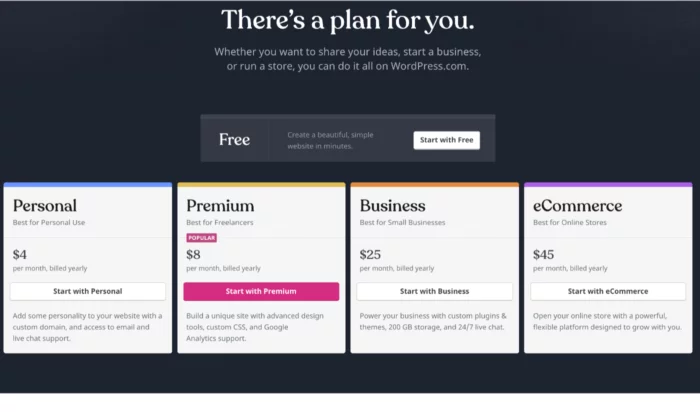
- WordPress.org – This is the open-source (free version) of WordPress that comes with greater flexibility, but is harder for non-technical users.
- WordPress.com – This is the paid version. You can get help with the installation of themes and management but is generally less customizable.
Pros of WordPress
Here are the best things about WordPress:
- You have full control – Unlike other website builders, WordPress is fully customizable as the site is developed directly with code, as opposed to drag and drop interfaces. This means that you have much more flexibility in terms of design and function.
- Robust blogging and CMS – WordPress is built front the ground up with content in mind. It has some of the best tools for publishing and managing content including team management, advanced scheduling, and categorizations.
- Lots of plugins – There are over 52,000 plugins available for WordPress. You can measure and boost your SEO with plugins such as YoastSEO, or you could even add a new function such as a shopping cart.
Cons of WordPress
Here are the weaker aspects of WordPress:
You may need help – As your WordPress site is developed with code, you will likely need help to install and update your WordPress theme. This can come with a hefty cost, particularly if you want ongoing changes.
Learning curve – If you want to manage and update your site yourself, it can take some time to learn how to do so. Managing and scheduling posts are relatively easy, but updating how your site looks or installing a plugin is much more difficult.
Security issues – As your WordPress site is self-hosted, you are more vulnerable to cybersecurity issues. Some of the plugins for WordPress also can act as a risk as well.
Who should use it?
- Bloggers – If writing is your main focus, then WordPress is a great choice. The platform is designed for bloggers, optimizing content management, and SEO. WordPress will allow you to scale and get the most out of your content.
- Content-centric businesses – Likewise, if you are building a business that is content-heavy, such as a new website, WordPress will help you to manage the operational side of content production much easier.
What I Looked at to Find the Best Website Builder
Now it is time to take a closer look at some of the specific features to consider when evaluating a website builder.
Remember that although some website builders may fall into the same category, each may suit your needs differently.
For instance, you may be setting up an online shop and your primary consideration may be a low learning curve, whereas somebody else may be thinking about a platform that can allow them to scale easily.
Here are some features you should consider.
Ease of use
Things to consider:
- Intuitiveness – Some website builders are easy to use and have simple interfaces with drag and drop functionality. This is useful as you won’t have to Google the change you want to make with the tool.
- Learning curve – If you are not great with technology, it is unlikely you will want to spend hours learning how to set up a website. Some website builders are much easier than others.
- Setup time – Similarly, you may want to get your site up and running immediately, particularly if it is an event you want to promote.
- Ongoing management – Needing external help to manage your site defeats the purpose of a website builder. It must be easy to manage in terms of updates.
If you are new to setting up online or are time-constrained, how easy it is to get started will likely be your primary concern.
Scalability
Things to consider:
- Custom code – Website builders use standardized code, which is the building block of a website. These allow you to easily create a site with various features. In some cases, however, you may need your own custom features and the ability to write your own code.
- Migration – At some point, you may want to host your website yourself. However, not all website builders allow you to easily make this move. In some cases, you may have to redevelop your site from scratch.
- Integrations – You will probably create new goals as your website grows, such as running ads or embedding social feeds. Some website builders are more compatible with other platforms and are easier to integrate.
You should think strongly about scalability if you are already an established business looking to create an online presence. This is particularly true if you are already selling products at scale in the real world.
Startups in the fundraising process and are looking to scale fast or even change the core features of their product should also take caution here.
Support
Things to consider:
- Support channels – You will need to consider the different ways you can get in touch with support teams such as live chat, email, and phone. In-depth FAQs (frequently asked questions) are also important.
- Responsiveness – If your site breaks at 5 PM eastern time, but their support only works European hours, then you are in trouble. Some teams may also respond much quicker than others.
- Engagement – Unfortunately, some support teams are useless. Maybe they are being paid very little so they do not care, or they are overworked. Either way, you need support that can actually solve your problems.
If you plan on running a site with a lot of visitors and it happens to go down, the last thing you want is an unresponsive support team. This is especially true if you plan on driving a lot of traffic at a given time.
A website builder with a strong support team is also useful if you are just getting started online, considering you may still get stuck, even with simple interfaces.
Price
Things to consider:
- Cost – Some website builders can be more costly, with some reaching upwards of $299 a month (for landing pages, for instance). Others are permanently free with the option to upgrade for a small monthly fee.
- Trial – Before you commit, it can be useful to take advantage of a trial offer to play around with the tools. You will likely find that some are a better fit than others.
- Hosting & domain – Most website builders will host your website on the web, which is typically included in the price. Some may also offer a domain as part of the package. Otherwise, you would have to purchase these yourself.
If you plan on making money from your website, either by selling products directly or capturing leads, then price should not be a key consideration for you. Make an investment in the best service for your needs.
However, if you just want to set up a small information site, then you could do with the cheapest options.
Generally, website builders that have feature depth are typically more expensive as they solve more specific problems.
Features
Things to consider:
- Ecommerce shop – If you plan to sell things online, you need a website builder that allows you to do so. Consider sub-features such as payment processing and product catalogs.
- SEO – Some website builders have tools that allow you to rank better in Google searches.
- Marketing tools – You may also need other marketing tools, such as forms, pop-ups, and chat boxes.
- Community – In some cases, you may want to expand your website into a community where people can communicate and network (otherwise known as a forum).
- Analytic tools – Website builders may also offer analytic tools that help track traffic on your website or at least integrate with other tools that do.
- Niche features – Perhaps there are some special features you are looking for such as the ability to set up a crowdfunding campaign in addition to having a standard website.
The features of a website builder are the main thing to consider when deciding which route to follow.
This is because they will have the most impact on your specific goals.
For instance, if you want to set up a landing page for a specific product, trying to optimize with a generic site builder will be a pain.
It will probably lack the in-depth analytic tools that a dedicated landing page builder would have.
Also keep in mind that there are some features that you may not need now, but you could need in the future, such as if you plan on running paid ads to your blog posts.
Design
Things to consider:
- Themes and templates – Website builders allow you to start with a predesigned website that is customizable to various extents. Some themes serve different purposes in terms of branding and utility.
- Mobile-friendliness – You will need to ensure that your website builder automatically makes your website easy for mobile users, typically with responsive design.
- Customization – It is likely you will want to make some changes to your template. You will need to consider the various customization tools available.
Regardless of your goal, you should always be concerned with providing a great user experience to the people who are visiting your site.
It simply makes logical sense – if your site is hard to navigate, people won’t get the most out of it.
The actual design and branding are important too.
For instance, some designs are more corporate while others are more welcoming.
There may be a design template that really suits your particular brand.
And if you are selling something, you need to ensure that the design is optimized to increase conversions.
Now that you have a good understanding of the types of website builders and the features to look out for, it is time to take a look at some of the best website builders on the market.
Conclusion
An important thing to keep in mind is that the website builders listed above can serve multiple functions. Now that you have a solid overview, it’s time to look into the details of each platform.
Use my recommendations as a guide to get started:
Follow the links to further explore each option. The best choice for you will come down to both your needs at the moment and where you plan on taking your website in the future.
After reading reviews like this one, make sure you take a step back and put your particular needs at the forefront of the decision before you commit.
Source: feedproxy.google.com

12 Best Landing Page Examples
Would you rather have a beautiful website or a website your customers love?
From a business perspective, you shouldn’t go for either.
Your answer must be 100% I want a high-converting website.
Because if people buy, then they both like it and you can safely and predictably scale your business.

Disclosure: This content is reader-supported, which means if you click on some of our links that we may earn a commission.
Many people get in the trap of creating designs they like while their perfect client avatar is so much different than what they would imagine.
And that can be easily noticed when you click on ads you see on social media.
You might like the ad itself but most times the landing page on the other side is not what you want to see.
The connection between your traffic and your landing page is called an accurate message to market fit.
You want your message to perfectly fit your market so you can start with a winning funnel that’s only bound to go up from there.
Because if you mess up there, you would be optimizing and tweaking little components that will barely get you to break even.
But if you nail your message you would be getting customers left and right without even knowing why or how they came to you.
It’s your most powerful weapon and most businesses do it completely wrong.
So to help you out and guarantee your immediate success, we’ll be going over the best 12 landing page examples that you should use to scale your business.
We’ll go over each one’s strengths and weaknesses while making sure you find one that fits your exact business.
After this post, you’ll be able to come up with high-converting landing pages like magic.
But before we do that, we must go over…
What Makes a Great Landing Page?
In general, a great landing page includes:
- a strong heading that includes your main keyword
- a subheading that clarifies the heading
- a copy that explains the offer
- an image, video, or illustration that supports the offer
- a form or CTA button where the user can convert
You might also include social proof or trust symbols, such as reviews, testimonials, or logos of your past customers.
The exact design, however, will depend on your goals, your business, and your industry.
Let me ask you a couple of questions that will guide you in the right direction.
What do you want to accomplish with your landing page?
Your most common options are:
- Getting people to opt-in in exchange for free value on a subject.
- Directly selling a low-ticket product like a book or a mini-course.
- Free Trial offer for a monthly service or software,
- Free + Shipping offer where you count on upsells to make a profit.
You’ve got to know exactly what offer you want to present on your landing page before creating it.
Of course, there are other offers you can make but the idea here is to clarify what is the one that you want to use for your business.
If you’re not sure, there are multiple examples further down the post.
Are you committed to this project or are you just trying out an offer?
Building a high-converting landing page is not an overnight hustle.
You might find yourself optimizing a non-profitable landing page for months before it starts generating real returns.
If you’re not ready for that, then I recommend you quit before you even start.
Yes, you can get a lucky shot and hit a homerun from your first try, but don’t count on it.
Be ready for the long game so you catch the long-term gains that are so much sweeter than the momentary satisfaction.
What’s your budget?
Before you begin designing your high-converting landing page, you need to prepare a solid budget.
You can’t expect everything to go smoothly throughout the process.
Problems are going to occur and most times the easiest and fastest way to solve them is to pay someone who is an expert in the field.
That can be a developer, a funnel designer/builder, an Ad specialist, or a CRO consultant.
Either way, you should be ready to pay someone to do it right so you don’t face the same problems over and over.
In marketing and life, there’s a rule of thumb that suggests you should finish your work and then let someone else judge it.
Obviously, for landing pages, the way is to run some ads and see if the traffic converts.
If it does, you raise your ad budget and try to scale.
If it doesn’t convert initially then you should let a professional take a look at it.
Even if you already hired someone to build it for you, don’t expect him to help you here.
Yes, they can optimize your page but you’ve got to keep in mind that people have an emotional attachment to their work.
That’s why you need a third party to help you out.
When it comes to optimizing a landing page for conversions, you must consider the idea of hiring an agency.
Big marketing agencies nowadays have had hundreds if not thousands of clients who had been in your exact situation.
That’s why hiring a marketing agency to help you increase your conversion is the best bet.
Talking about CRO (conversion rate optimization) there’s no better choice than NP Digital.
It is simply the best marketing agency for both SEO and CRO.
If you’re at the stage where you want to optimize your existing landing page but you don’t know exactly how to do it, then book a quick call with a professional where you’ll unravel the secret conversion optimization methods your business needs.

Now, let’s look at some landing page examples.
The Best 12 Landing Page Examples
These are the 12 Best Landing Page Examples we could find.
We’ll be judging them for conversions, offer, design, and customer experience.
1. Get Response
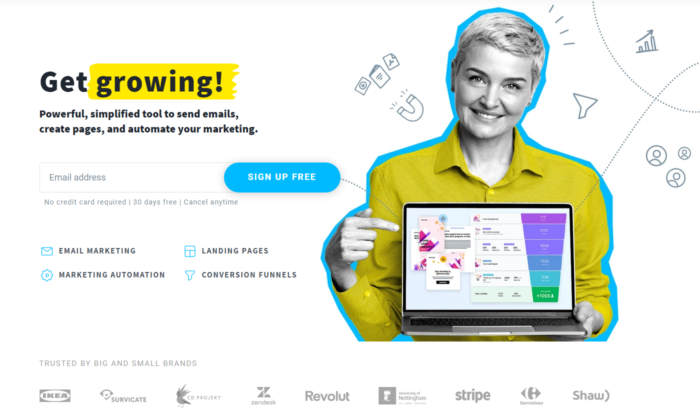
Get Response is a simple yet interactive landing page example.
You can see the Get Response team is bold as they’re the only software in the industry that uses an interactive headline.
The yellow sign you see on the image below changes between the words growing, leads, and sales.
That makes it for a great attention-grabbing headline that just makes you read on.
Also, they use a friendly, positive face which is something we don’t see very often in business that is not centered around a personal brand.
That of course is not a bad thing. It automatically builds trust and makes it easier for people to sign up for their software.
2. Slack
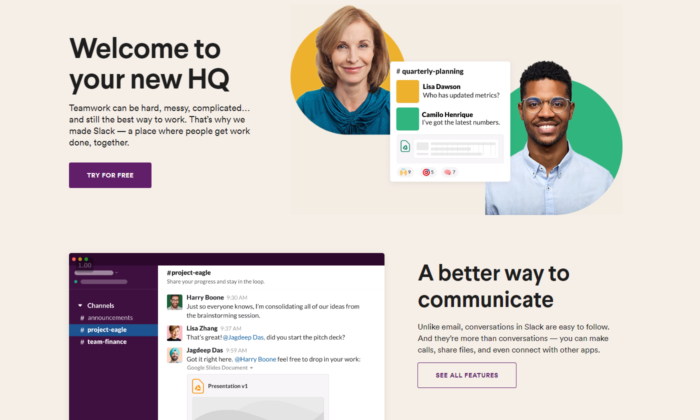
Slack is always on the top of its game when it comes to landing pages.
They are constantly optimizing for conversions and that’s the best way to find your winning landing page.
Their current one is extremely interactive, has a big eye-popping headline, and also shows how easy it is to use the software with a quick five-second gif.
Straight from the get-go, you can see they value customer satisfaction and if you’re still not sure, scrolling down will lead to non-stop credibility and results that prove their authority in the marketplace.
3. Intercom
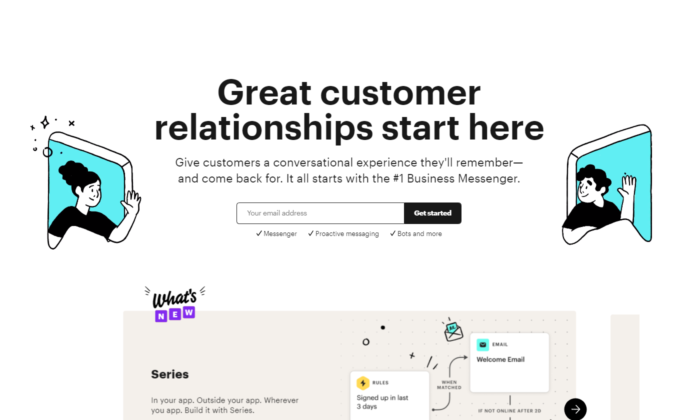
Intercom’s main objective on this landing page is to get you to sign up for their email list.
Keeping it to email is a great way to increase your opt-in rate.
A big, positive headline that puts you in the right state of mind to act now.
The images they use perfectly represent the headline’s main unique selling proposition.
You can see an overall friendly environment and you just have to opt-in if you got to this page.
4. Lyft
Lyft has been growing in the past years, and its website, landing page, and overall online funnel is a driving force.
They focus on attracting new drivers that want to control their own life.
Promising your workers’ freedom while working for you is the best way to snap the best candidates from your competitors.
Lyft has used multiple landing pages in the past, but their current one shows real professionalism.
Once again, we see a giant, attention-grabbing headline. This time with a question to anticipate curiosity and thought process in their prospects.
Check out the button “APPLY TO DRIVE”. It implies that it’s not 100 percent sure you’ll be able to get the position.
Making it so your clients have to compete to get a hold of your attention makes it so they try harder in the job itself.
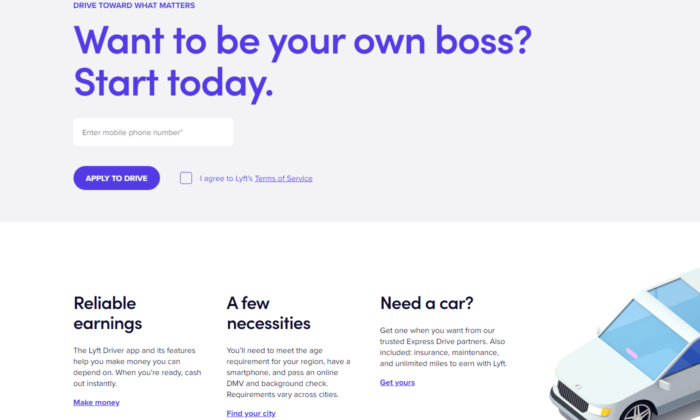
5. Zoho
Zoho’s landing page is a great example of a more complicated but still extremely powerful messaging.
They use more text than the average software in the industry but that’s not necessarily bad.
For their specific case, they need to convert the prospect to begin a free trial which automatically builds tension in a prospect because he knows it will come a time he’d have to pay.
Converting someone to pay is way harder than just getting their email.
That’s why using more text in their messaging makes it for a powerful copywriting punch that maximizes free-trial registrations.
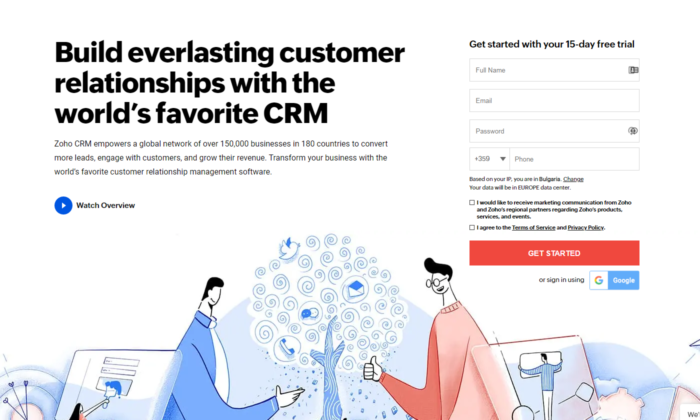
6. Squarespace
Squarespace tops the list for the least amount of text in their landing page design.
You might think that copy is not enough to convert someone.
However, once you see that they’re a website builder, you can see how the design and the quick and powerful messaging are all you need to sign-up.
They know their prospects mainly struggle with complicated codes and want to show a safe space where they can relax and drag and drop their winning website design.
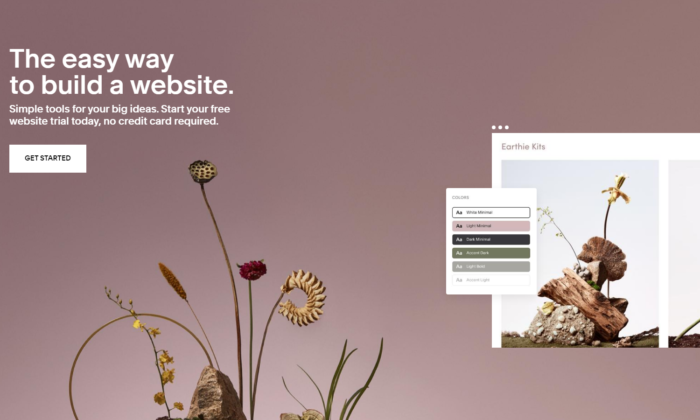
7. ActiveCampaign
ActiveCampaign solely focuses on showing you how their software brings the best customer experience possible.
If you’re a business owner, you both want to be treated well and want to help your customers in tough times.
Their headline hits two birds with one stone and, once again, there’s no useless text or design.
Everything leads to the big green button and you starting your free trial.
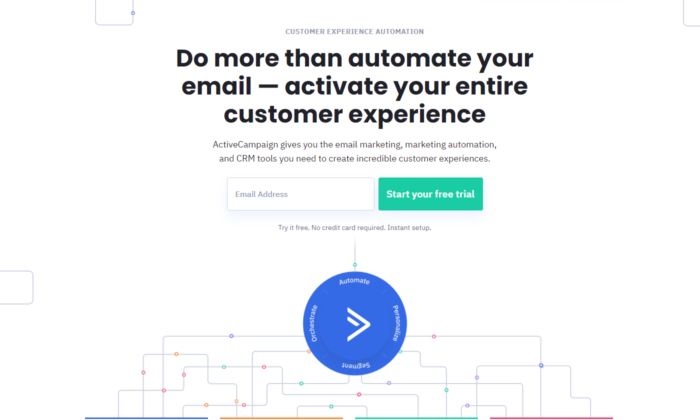
8. Hubspot
Hubspot is one more CRM that tops out the list today.
Just like ActiveCampaign, they show you that using their software will both help you and your customers feel better throughout the process.
Knowing that their ideal customer’s main objection is that learning a whole new CRM from scratch might be hard, tedious, and maybe even impossible, helps them narrow their message straight to the point.
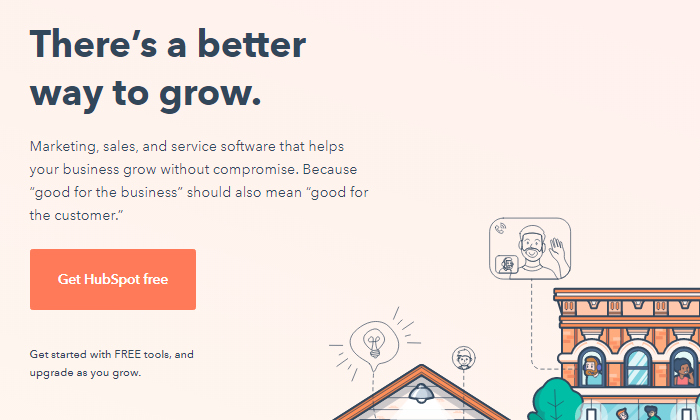
9. Shopify Plus
Shopify is one of the most well-known platforms in today’s online space and they know it.
As they’ve grown, they’ve been able to test out multiple landing page designs to find one that converts.
And Shopify Plus’s landing page shows for it.
Their main goal is to book a consultation call with their prospects, which takes more than just a couple of words.
They have the budget to shoot professional videos for all of their products and services which helps transfer valuable information to their prospects in the fastest possible way — video marketing.
Down below you see powerful credibility and if you take the time to watch the video, you’re most likely going to book a call with them.
Videos are a deadly weapon in the right business’s hands and Shopify proves that here and pretty much with anything they do.
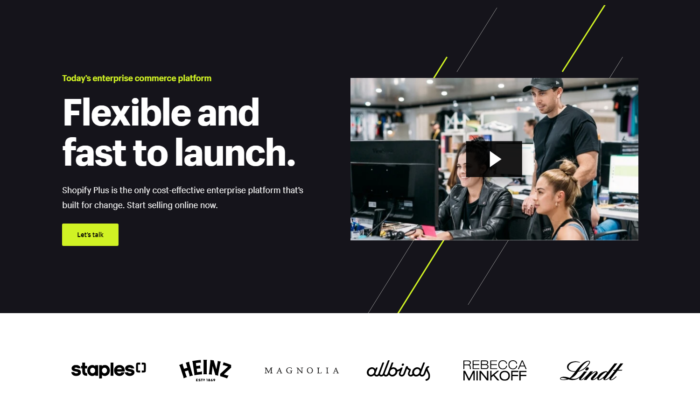
10. Webflow
Webflow shows the insights of the software immediately when you land on their landing page.
You can see instant credibility from big websites that have used their services and also you can begin for free.
That breaks any tension the prospect might have.
On top of that, you can see that their software is similar to Photoshop.
So if you’ve ever used Adobe’s products, you immediately know this work will be a piece of cake for you.
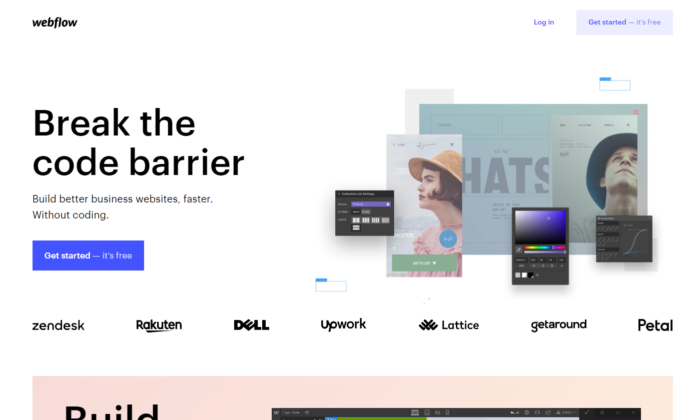
11. ClickFunnels
ClickFunnels uses its software to convert you for a free trial.
Even if you’re skeptical, you can play around with the funnel pages and buttons to see the responsiveness of their tool.
You can see that they use more text than the average website/funnel builder.
Once again they’re trying to convert people to start a 14-day free trial which is not an easy task.
They also use powerful videos that sell directly to their ideal customers.
The best part is the analytics they’ve added to their landing page.
It’s a bold and powerful move if done correctly.
The way these analytics are crafted makes it so they are constantly being updated and it’s not just 100K+ users as you might see on other platforms.
ClickFunnels values its customer’s success stories and is always there to record each result.
It’s one of the harder landing page designs to pull off but if you do it, your conversions will skyrocket.
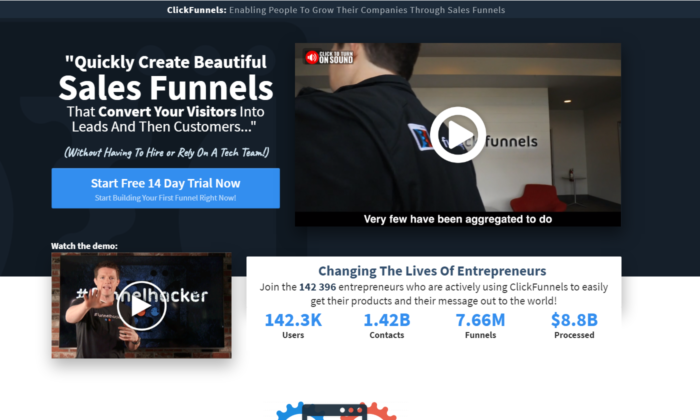
12. Conversion Lab
Conversion Lab has been using this landing page design for years now.
We’ve noticed they split test different button CTAs, like book a call, get a free consult, and many more.
Keeping their Founder on the main page of the website builds a long-term relationship many businesses nowadays miss out on.
They clearly state their services through their persuasive headline and, even if you’re not ready to book a consultation, a pop-up will appear collecting your email.
Email follow-up is a great way to ensure that a high percentage of prospects that land on your website will end up booking a call with you.
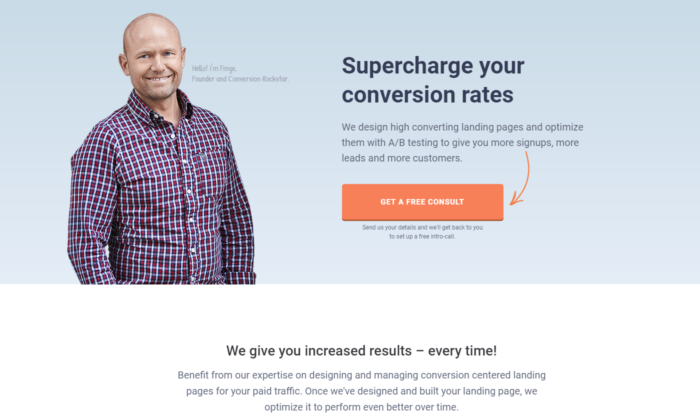
Landing Page Examples: Frequently Asked Questions
What is a landing page and how does it work?
A landing page is a specially designed page intended to encourage users to complete a specific task (i.e., convert.)
They work by highlighting key points, using social proof or case studies to build trust, and providing a CTA to encourage conversion.
What should a landing page include?
While the exact format may vary, landing pages should include:
- a headline that includes the main keyword
- subheading that clarifies the heading
- a description of the offer image, video, or illustration CTA button or form (optional) trust elements such as customer logos, reviews, or testimonials
Who needs a landing page?
Any business with a website should have a landing page of some sort to encourage users to take an action, such as book a demo, call for a quote, sign up for an email list, etc.
Do I need to A/B test my landing pages?
Absolutely. A/B testing should be an ongoing process to increase your landing page performance.
Landing Page Example Conclusion
These examples can serve as an inspiration to create a high-converting landing page.
To get the most out of your landing page, be sure to:
- Find what your best customers struggle the most with and then directly destroy this objection with a short and punchy headline.
- Use credibility and videos if possible.
- Know your goals — Is it to get their email, phone, ook a call, start a free/paid trial, or something else?
- Use clear and follow Call to Actions.
Finally: always, always, always optimize your landing pages.
You can NOT be perfect from day one.
Every business on this list tests their pages dozens if not hundreds of times before finding the winning landing page.
Even then, they still optimize.
Have you tried building a landing page before?
How’d it go — did it convert well and what were your biggest breakthroughs?
Source: feedproxy.google.com

WordPress.com Vs. WordPress.org
Trying to figure out whether you want to launch your site on WordPress.org or WordPress.com?

Disclosure: This content is reader-supported, which means if you click on some of our links that we may earn a commission.
With WordPress.org:
With WordPress.com:
You can download a free version of WordPress that will let you create a completely unique website. You have to pay for your own web hosting–but you can’t put a price on the ability to design, control, and monetize your site to your liking.
You can build a blog on their website. You don’t have to host anything, but you sacrifice a lot of the flexibility and design freedom that makes WordPress so popular.
While it takes the guesswork out of website building, WordPress.com has limitations that appeal more to beginners with limited technical knowledge.
WordPress.com or WordPress.org: Which is Better?
WordPress.com:
WordPress.com is a free platform perfect for beginners who want to play around with a basic website.
Its simplicity is second to none, so you can focus more on creating great content without worrying about technical stuff.

Create an account today and have your free website ready in minutes.
WordPress.org:
WordPress.org is best for bloggers and businesses who want to take full control of their websites.
You’re free to integrate it with custom themes, plug-ins, and tools, so your website looks, functions, and makes money exactly the way you want it.

Download WordPress now and build a website on your terms.
A Review of The Best Website Builders
If you’re looking for a website builder, this in-depth review of my picks should point you in the right direction.
A website builder should help you create a website in minutes without touching any codes.
I’ve built countless websites over the years, so I know firsthand what essential features to look for.
Spoiler alert: WordPress is one of the best, but you may find other alternatives that might better meet your requirements.
WordPress.com Wins
Easy to use:
WordPress.com is a free managed hosting platform, so starting your website is as easy as creating an account.
The team behind WordPress.com takes care of everything so that you won’t have to download any software, pay for a hosting plan, or manage a server.
This hands-off style of website creation is ideal for those who want to focus more on their content and launch as many free websites as they want.
100% free for basic users:
It’s free to start a website with WordPress.com.
Paid plans are also available if you want to remove ads, have a custom domain (such as neilpatel.com) instead of the default subdomain (neilpatel.wordpress.com), and get a larger storage space.
The cost of upgrading to paid plans can range from $48 per year for Personal to $540 per year for an Ecommerce plan.
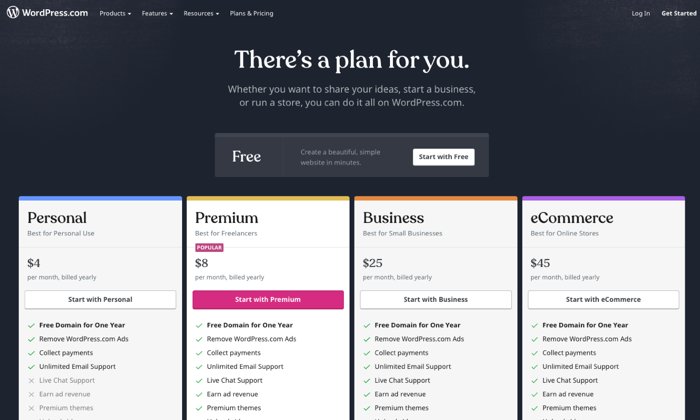
Hands-off maintenance:
Having a WordPress.com website is like renting an apartment minus the rental fee.
You get to enjoy the room while the landlord takes care of the maintenance.
You don’t need to worry about backups, updates, and other daunting technical stuff—all of that is handled by WordPress.com’s developers and support engineers.
Multiple customer support channels:
Support forums are available to answer any technical questions, whether you’re using a free plan or a premium one.
Depending on the paid plan you’re subscribed to, you can also access more personalized, round-the-clock support via live chat or email.
Basic customization options:
Even if it’s free, WordPress.com still gives you enough elbow room to personalize your website to your liking.
There are hundreds of free themes to choose from, so you can pick something that reflects your style and personality.
Free WordPress.com websites also come with built-in features like social sharing buttons, polls, comments, image galleries, SEO, and contact forms, so you don’t need to install any third-party plugins.
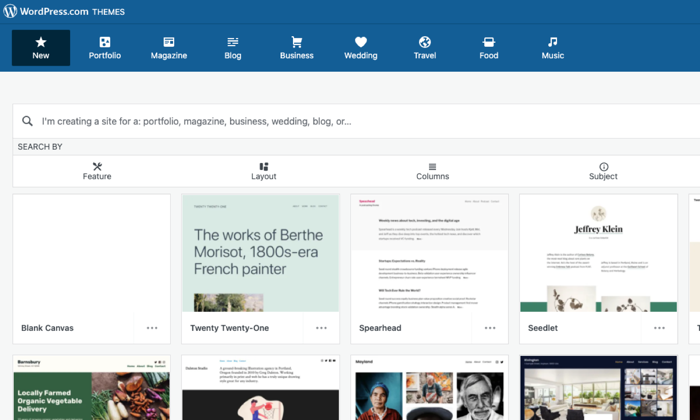
Built-in security features:
WordPress.com is a closed ecosystem that is already secured by default.
You won’t have to install security features or monitor your website 24/7 for possible malware attacks.
Everything is taken care of so you can focus your attention where it’s needed more–creating content.
Painless migration option:
Should you decide it’s time to let your website grow into a self-hosted platform, WordPress.com won’t stop you from doing so.
Free WordPress.com has a built-in export tool that will pack your entire website into a single downloadable file.
You can choose to do the transfer yourself for free or let WordPress.com hold your hand for a small fee.
Completing the transfer is as easy as clicking the import tool button in your new self-hosted WordPress dashboard to have your files moved into their new home.
WordPress.com Losses
Unreliable traffic monitoring tool:
All users can view a Stats page to see how much traffic their websites get at any given time and where their visitors come from.
However, it comes with many limitations, like new visitors not reflecting on the total view count until two hours later.
If the visitor views the homepage while reading a post, the view will be counted towards the total views but not towards the individual post.
Google Analytics presents more precise data, but you can’t integrate it with WordPress.com unless you’re on Premium or higher plans.
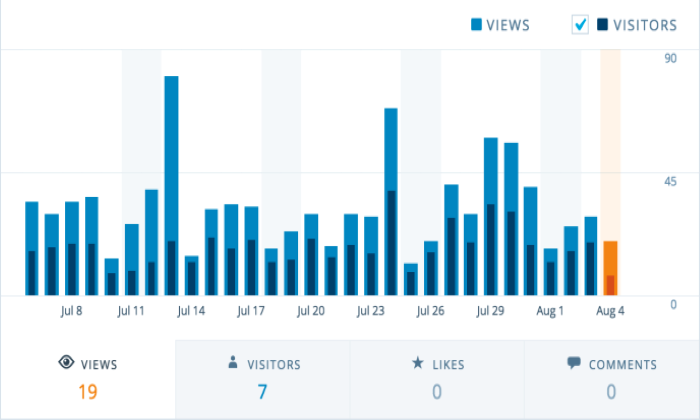
Limited ability to monetize:
The free WordPress.com is not designed nor allowed to make you money.
You can try your luck with WordAds, WordPress.com’s own advertising network, but you need a custom domain and thousands of traffic per month to be qualified.
And even if you get accepted, you’ll only be sharing your revenue with WordPress.com.
Google Adsense and ecommerce functionality are only available if you upgrade to Business or higher plans.
Not good for branding:
WordPress.com handles everything for free at the expense of flexibility.
Although the free themes and built-in features are enough if you only blog for fun, they leave a lot to be desired for most users.
Furthermore, the WordPress.com default subdomain and ads won’t help you establish a solid brand in the long term.
You have the option to customize your website with third-party themes and plug-ins, but this is a luxury only Business plan users can enjoy.
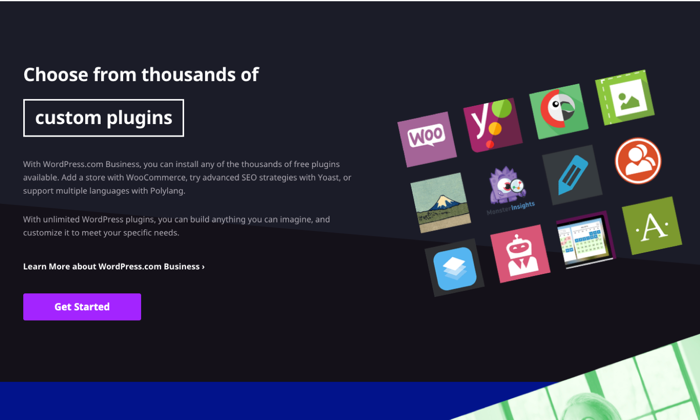
Restricted ownership:
Creating a free website with WordPress.com means you don’t have a say in the majority of things concerning your website.
Their platform, their rules. First, your website address will use a generic subdomain (i.e., yoursite.wordpress.com) instead of a custom domain name that looks more professional.
You also don’t have control over the number and types of ads your readers will see unless you decide to upgrade your plan.
Since your ownership is restricted, WordPress.com can delete your website if they discover it violates their terms and conditions.
Lackluster SEO:
WordPress.com has built-in SEO features, but they’re barely enough to ensure a good user experience and maximum search visibility.
Free accounts only have access to a limited number of free themes, so there’s no way to upload a custom theme that offers better site navigation.
You also can’t install popular SEO plug-ins like Yoast SEO or All-in-One SEO, so it’s impossible to add unique titles and meta descriptions to your articles unless you upgrade to a premium plan.
Lastly, free plan users can’t use a redirection plug-in, so pages that should have been redirected to another page will just stay and clutter the website.
WordPress.org Wins
A wealth of DIY troubleshooting resources:
WordPress.org is open-source software, so there’s an abundance of volunteers and experts who are willing to extend a helping hand.
Should you need to fix a technical issue affecting WordPress, assistance is a few searches away through the WordPress.org support forums.
Freel traffic reporting and tracking:
Get real-time traffic reports through Google Analytics, a free tool you can install in WordPress by pasting a few codes into your website back end or activating a plug-in that can do the same without all the hassle.
Regardless of your hosting plan, you can use Google Analytics to get valuable, granular insights about your visitors and then use the data to guide you in making important business decisions.
Unlimited money-making potential:
If you have a self-hosted website with WordPress.org software, the sky’s the limit when it comes to earning money.
You can run ads on your own without sharing the revenue with anyone.
You’re also free to explore other monetization methods like affiliate marketing, publishing sponsored content, or building membership sites that sell premium content or courses.
What’s more, if you want to build an online store, a WordPress.org website has the most robust ecommerce functionality.
Impressive flexibility:
Thanks to WordPress.org, you can have a self-hosted website and the freedom to do anything you want with it.
Do you want to change your theme?
You can install one of many custom themes online or build one from scratch with PHP and CSS.
There’s also an endless list of third-party plug-ins you can install to improve your website’s look and functionality.
From SEO tools to ecommerce extensions, there’s no restriction on how potent you want your website to become.
Uncomplicated security setup:
Keeping your site secure is as easy as installing a few plug-ins and letting your hosting provider do the rest.
It’s not totally hands-off, but ensuring your website is secure doesn’t require a steep learning curve either.
After all, you can easily reach out to your web host or one of WordPress.org support forums if you’re struggling to implement security measures on your own.
Full ownership and control:
Building a website with WordPress.org means you have full ownership of your web property.
There is no higher power breathing down your neck that can banish your website the first chance it gets.
As long as you’re not doing any shenanigans, you can rest well at night thinking you have full control of your website’s destiny.
Freedom to leverage SEO:
With full control also comes the power to directly influence how your content ranks on search engines.
A self-hosted website gives you all the freedom to tinker with different SEO tools that can optimize your images, titles, meta description, site maps, and internal links.
Google Analytics is also easy to install to quantify how effective your SEO strategies are and identify areas of improvement.
If the user experience is a priority, you can also install and tweak your preferred custom theme to help improve how your readers navigate your website.
WordPress.org Losses
Lacks simplicity for non-tech savvy users:
WordPress.org is an open-source content management system, not a full-blown website.
To launch your website, you first need to purchase a domain name and pay for a hosting plan.
After downloading the WordPress.org software, have it installed in your web host.
Some hosting providers have also made this step easier by offering “one-click” WordPress installation.
Although you don’t need to touch any codes, beginners may initially find the whole process intimidating.
Building and keeping a website are not totally free:
WordPress.org itself is free.
However, it can’t stand on its own unless you have a domain name and a web host.
A domain name is your website address (e.g., neilpatel.com) and will cost a minimum of $10 per year for a standard “.com” domain.
On the other hand, a web host is where you’ll store your website files—including WordPress.org—and should cost you a minimum of $3 to $10 per month.
And don’t forget the cost of premium themes and plug-ins that will further hurt your pocket unless you already have a site that pays for itself.
Routine maintenance:
Managing a self-hosted site is like having your own house.
You’re free to do anything with it, but you have to fix it yourself should things break.
As a website owner, you’re responsible for updating the WordPress software and all the plug-ins you have installed.
Even if web hosts offer backups, these are rarely comprehensive and guaranteed, so you also need to back up the files yourself.
Comparing The Top Website Builders
Whether you’re a clueless beginner or a tech-savvy webpreneur, my in-depth review of the best website builders will help you choose the platform that will best meet your goals.
- Wix — Best for general use
- Weebly — Best for beginnersWeb.com — Best for building landing pages
- Shopify — Best for e-commerce
- WordPress — Best for content management
Wix is the “jack of all trades” where you can build any website that doesn’t need bells and whistles.
If you’re looking for fewer features and a more beginner-friendly platform, this is it.
Weebly will not disappoint with its drag-and-drop interface.
Are you building an online store?
Look no further than Shopify that is made specifically for this purpose.
If you just need a landing page, Web.com has a ton of templates you can use.
It’s great if you have a lot of campaigns and don’t want to spend all your time designing.
However, if you want to put your content front and center, nothing compares to the functionality of WordPress.
As a content management system, it powers 39% of the Internet’s top 10 million websites.
And for a compelling reason: It has everything you need to scale, optimize, and get the most out of your content.
Source: feedproxy.google.com

SiteGround Review
SiteGround is one of the most popular web hosting providers out there.
Over two million website users trust SiteGround for their hosting needs.
They offer a wide range of hosting options, plans at different price points, and phenomenal customer support.
Whether you’re a small blog, medium-sized business, or large online store, SiteGround has an option for you.
In a nutshell, SiteGround is a host that your business can grow with, which is pretty darn important.
Disclosure: This content is reader-supported, which means if you click on some of our links that we may earn a commission.
SiteGround Compared to The Best WordPress Web Hosts
SiteGround fares exceptionally well against other products in its category.
It’s without a doubt a key contender for top web hosting for WordPress services.
But what I love most about it is that they’re both extremely scalable and dedicated to supporting your WordPress website.
They are actually one of only three web hosts that are officially recommended by WordPress.
Whether you’ve got 10,000, 25,000, or 100,000 visitors each month, there is a plan for you.
There is also room for exponential growth for websites starting out without committing to the highest available plan.
SiteGround also supports your WordPress website with their specifically designed features (which we’ll discuss below) and their 24/7 WordPress wizard customer support team.
But I appreciate that you may have different needs or wish to explore your hosting options a bit further before committing to one host.
That’s why we’ve taken the time to research and test some of the top web hosts for WordPress for you.
Be sure to see all of my top picks before making your decision.
Who is SiteGround Best For?
If I were extremely broad, I would say SiteGround is excellent for just about anyone who wants to host their website on WordPress.
But to get specific, I’d say SiteGround is best for a small website owner who has little to no experience running a website and expects their website to grow over time.
With flexible plans and excellent customer support, SiteGround is great for beginners and scaling over time.
SiteGround: The Pros and Cons
The Pros
Top-Notch Customer Support:
Ever had seemingly unresolvable issues with technology and tried everything under the sun to fix it to no avail? Yeah, me too.
Building a website doesn’t have to be scary or traumatic when you have SiteGround support on your side—your wish is their command.
The customer support team is phenomenal.
They receive almost a 100% satisfaction rating every year.
Their 24/7 support comes via a live chat channel, phone support, and a helpdesk ticketing system.
Even the most complex issues are resolved in an average time of 15 minutes, so you can get back to business asap.
These things are super important for a beginning website owner to combat the inevitable challenges they face.
WordPress Recommended:
SiteGround hosts over 80% of the two million domains on WordPress.
With this in mind, it’s no surprise that they are experts at managing WordPress.
Many of the support team are highly trained in WordPress and will happily assist you with WordPress-related troubleshooting, compared to other hosts, who will simply tell you it’s not their issue (which truthfully, it isn’t).
This is also why SiteGround has developed and implemented WordPress-specific features, such as the SG Optimizer, WP Auto Update, and Supercacher, in their plans.
Low Introductory Price & Money-Back Guarantee:
With a monthly hosting solution starting as low as $4.99 per month, SiteGround is a perfect option for even the most beginner website creators.
Furthermore, the lead-in hosting plan includes all of the key features a new website owner would want in a plan, rather than having the absolute bare-bones to get the user to commit to a higher plan immediately.
If something goes wrong, or your website doesn’t function the way you expect it to, you can get a full refund of your hosting fees within 30 days of signup.
Excellent Uptime & Site Speed:
Uptime and site speed go hand-in-hand. Uptime refers to the amount of time the server stays up and running, while site speed refers to how quickly your website loads.
You can see below that SiteGround’s average uptime over 12 months is 99.98%, with only 73 minutes of total downtime over the whole year. Reliable uptime means your website is virtually guaranteed to be running around the clock, keeping visitors happy.
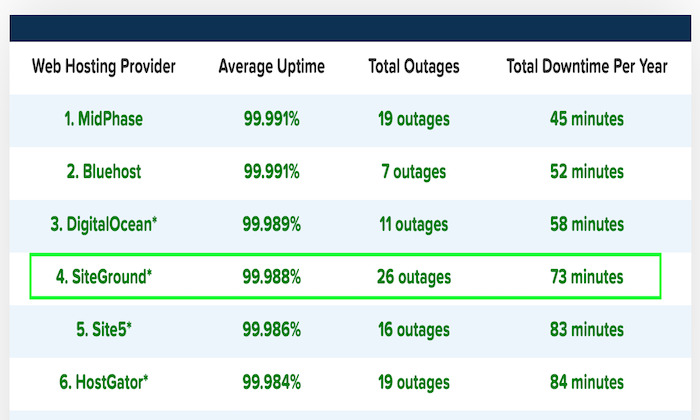
Have you ever heard the notion that if your page doesn’t load within three seconds tops, you’ll lose the visitor’s interest?
You won’t have to worry about that with SiteGround.
They claim that they load your website four times faster than other hosts, so you won’t have to worry about visitors losing interest while waiting for your graphics to load.
And, as you’ll see here, their slowest load time between 2019 to 2020 was 693 ms.
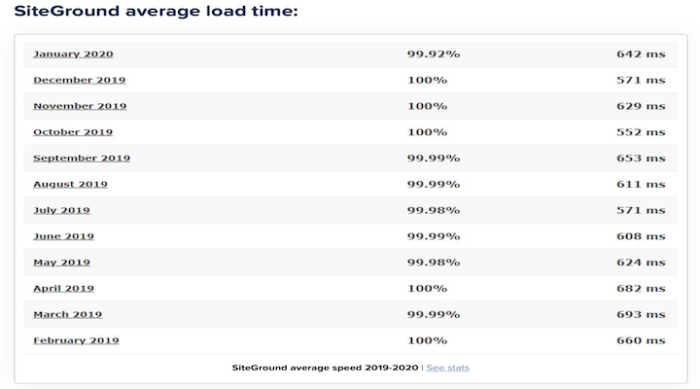
Free Website Transfer:
Many people are worried about making the switch to a new host. After all, it’s a scary process.
What if you lose your entire website or cause irreparable damage?
With SiteGround, you don’t need to worry.
They’ll do it for you.
Most hosts will just move the files over.
But SiteGround will also make the necessary tweaks to ensure everything is working smoothly for you after the transition.
No blood, sweat, tears, or big bucks required in switching to a new host.
SiteGround includes the WordPress migrator plugin in their plans, though if you prefer a professional to do it, it will cost you only $30 per website.
Free Daily Back-Up:
Most hosts will only back your website up every other day or even once a week.
So, if anything happens to your website that you can’t fix, you might be forced to go back an entire week, meaning you’ll lose everything you’ve done in the meantime.
But, with SiteGround, the worst-case scenario is that you’ll only lose the changes you’d made in the 24 hours since the last backup.
If that’s not the peace of mind for someone making constant changes to their website, I don’t know what is!
Great for Scalability:
When you’re just starting out in business, there is no way but up, right? With SiteGround’s flexible range of plans, you don’t have to worry about outgrowing your host. Simply upgrade your plan as your business grows.
The Cons
Renewal Price:
As dreamy as the promotional rates of SiteGround’s hosting plans are, once the honeymoon is over, it’s truly over.
When you renew, your rates will jump up quite high.
The cost of your plan will essentially triple across the board once your promotional period is over.
Ouch.
The best way to combat this is to sign up for the longest term available on the promotional period, which is either 24 or 36 months before you face the higher renewal rates.
No Monthly Billing Cycle:
The higher renewal rates might be easier to cop if you could pay month-to-month. But unfortunately, monthly billing is not something that SiteGround offers.
Personally, this is not a deal-breaker for me, but I can certainly appreciate how it may be restrictive and frustrating for some.
Storage Limitations:
The low amount of storage space available on the shared hosting plans is unlikely to bother most of you reading this post.
However, if your site does grow beyond 40 GB, you’ll have no choice but to switch to the more expensive cloud hosting plans.
The StartUp plan includes just 10,000 site visitors, so if your website traffic grows exponentially too quickly off the bat, you may find yourself needing to upgrade your plan sooner than you think.
SiteGround Pricing
SiteGround offers three tiers for their shared hosting options:
- StartUp
- GrowBig
- GoGeek
These tiers’ pricing remains the same across the board for web hosting, WordPress hosting, and WooCommerce hosting.
Cloud hosting has its own levels and pricing, which we’ll discuss.
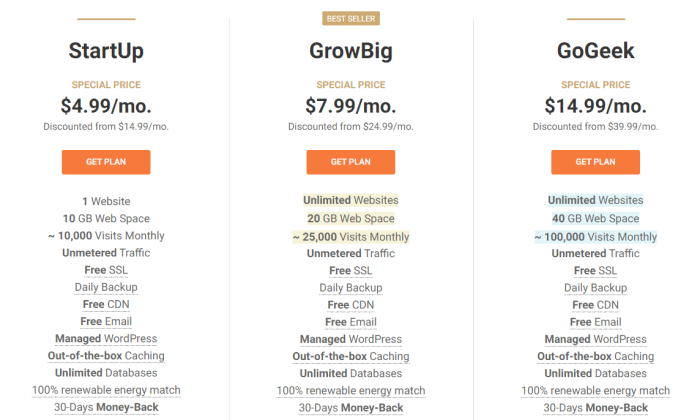
StartUp
As the name suggests, this plan is perfect for those new to business or looking for smaller websites.
The StartUp plan allows you one website, 10 GB of space, and up to 10,000 monthly visitors.
Pricing starts at $4.99 per month on the introductory offer.
Some other features included in this plan are:
- Free WordPress Installation
- Free SSL
- Daily Backup
- Free Cloudflare CDN
- Free Email
Overall, it’s a great plan for those who are just getting started.
The only thing to be wary of is outgrowing your monthly visitors limit.
If you think you’re going to scale quickly, it would be worth starting straight off with the GrowBig plan.
GrowBig
The GrowBig plan is perfect for medium-sized businesses or those who know they will be managing more than one website.
You’ll have access to unlimited websites, 20 GB of webspace, and up to 25,000 monthly visitors.
Pricing starts at $7.99 per month on the introductory offer.
Aside from the features included in the StartUp plan, this plan also includes:
- On-demand Backup copies
- Speed-boosting
- Caching
- Staging environment
- Add collaborators to your site
It’s easy to understand why GrowBig is SiteGround’s best-selling plan.
It includes a range of great features that are easy to use and will fit the brief most in need of a website out there that expects a steady traffic flow.
GoGeek
The GoGeek is the most extensive shared hosting plan SiteGround has to offer.
As the name suggests, it’s designed for ‘technology geeks’ who want lots of control over their website.
The GoGeek plan will give you unlimited websites, 40 GB of webspace, and up to 100,000 monthly visits. N
eedless to say, it’s truly designed for large businesses with a high volume of traffic.
Pricing starts at $14.99 per month on the introductory offer.
The GoGeek plan includes all the features mentioned above, as well as:
- Register your clients with white-label access to Site Tools
- Use more server resources for higher process execution time
- Ultrafast PHP for faster page loads
- Priority support from SiteGround’s most experienced customer support agents
In a nutshell, this plan is for those of you who know what you’re doing with websites.
If you don’t understand some of the plan’s technological features, it may not be the best plan for you.
Unless, of course, you have a specialist on your team to manage your website and need access to high volume traffic capabilities.
Cloud Hosting
We’ll touch on the cloud hosting product offerings shortly, but in terms of pricing, there are four plans for SiteGround’s cloud hosting:
- Jump Start
- Business
- Business Plus
- Super Power
As you can see in the screenshot below, the pricing ranges from $100 to $400 per month.
The major difference in the plans is CPU cores, memory, and SSD space.
Due to the easy scalability of the cloud hosting options (which you’ll learn about shortly), you can confidently start with the Entry plan if it’s your first time using cloud hosting.
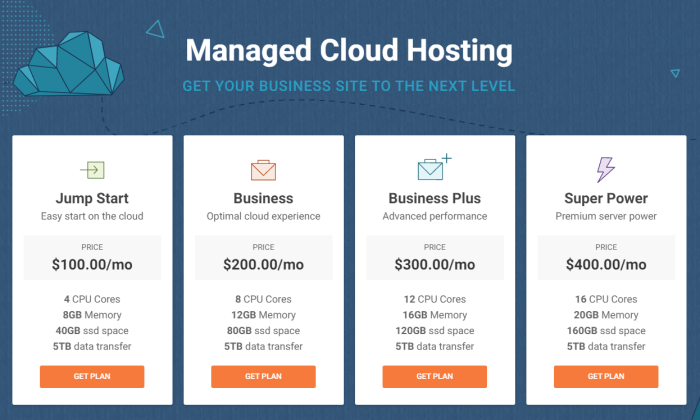
SiteGround Offerings
SiteGround Web Hosting
SiteGround offers fast and secure web hosting for websites of any kind.
Their general web hosting product is optimized for a range of Content Management Systems (CMS) such as WordPress, Drupal, Joomla, and more.
You’ll be able to build and launch your website quickly and easily with their full website solution, including your choice of site builder: WordPress or Weebly.
If you’re an online store, you’ll be able to install the shopping cart of your choice for free.
Domain registration is easy and affordable with SiteGround, so you’ll be able to enjoy the convenience of managing both your domain and your site in one place.
You’ll also have access to an unlimited number of email accounts when you create your domain, which is perfect for managing different areas of your business.
SiteGround WordPress Hosting
SiteGround is one of the few web hosting companies that offer hosting options specifically for WordPress.
As mentioned previously, they are even highly recommended directly by WordPress.
With SiteGround, you won’t need to download and install WordPress manually.
Instead, you’ll be able to automate the process with a simple click of a button using the WordPress Launch feature.
Upon login to your new website, you’ll be prompted to set your site up simply and easily with SiteGround’s WordPress Starter kit.
The whole process takes minutes from start to finish, even for a beginner!
One of the most popular features of SiteGround’s WordPress hosting is the free SiteGround Migrator plugin.
This feature is perfect for users who may hold their website with another host and wish to transfer over to SiteGround.
Better yet, if you’re not confident in your abilities to navigate the migrator plugin, you can have a WordPress whiz from SiteGround do it for you for an additional fee.
SiteGround WooCommerce Hosting
SiteGround also offers hosting options for users looking to build a powerful online shop using WooCommerce.
This plan comes with WooCommerce pre-installed, saving you time and hassle, allowing you to straightaway focus on uploading products to your online store.
With WooCommerce, you can sell any type of product or service online.
SiteGround will support your ecommerce growth by keeping your website safe with a unique AI anti-bot system, free pre-installed SSL, and custom Web Application Firewall (WAF).
If you choose the WooCommerce GrowBig or GoGeek plan, SiteGround will also include a convenient staging tool.
You’ll be able to develop your store safely, testing changes and updates made on the staging copy before going live.
SiteGround Cloud Hosting
Cloud hosting is a relatively new way to host websites.
It’s an ideal solution for businesses and websites of medium to larger sizes, which have the capacity to grow very quickly.
If you are starting to outgrow your shared hosting plan, cloud hosting is the next step.
SiteGround’s cloud hosting will provide you with guaranteed resources with your very own RAM and CPU.
You can also upgrade the RAM, CPU, and disk space of your cloud plan at any time.
Better yet, there is no downtime with this process—the resources are added immediately.
If you want to automate the scaling process, you can do that, too!
SiteGround’s unique auto-scale option will adjust your CPU and RAM to meet the needs of unexpected traffic surges, preventing any slowness or downtime.
The best part is that the scalable amount is pre-determined by you, so you’ll still have control over the scale’s parameters.
Finally, cloud hosting with SiteGround will also include a free dedicated IP.
This feature will give you peace of mind that your website is safe from IP blacklist due to other webmasters’ actions.
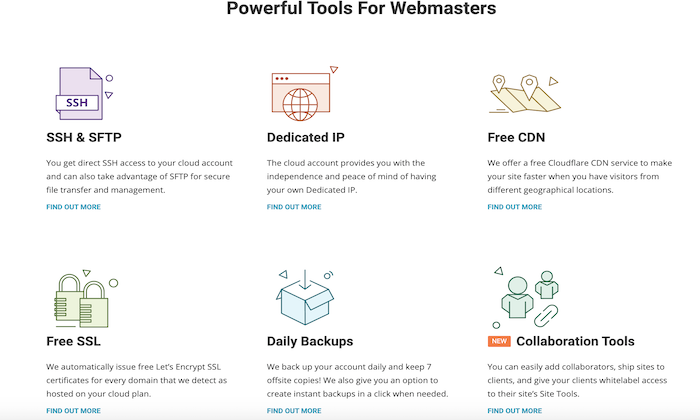
The Best WordPress Web Hosting Service
Not sold that SiteGround is the perfect match for you?
Or maybe you simply want to know what else is out there, so you can ensure you’ve chosen the best of the best. I get it.
That’s why we’ve written a whole post about the best WordPress web hosting services out there.
Here are the contenders I’ve reviewed:
- Bluehost — Best WordPress hosting for new websites
- WP Engine — The best for managed WordPress hosting
- Hostinger – The best for cheap WordPress hosting
- SiteGround — The best support for affordable WP hosting
- DreamHost — The lowest day one spends for WP hostin
- gNexcess — The Best For Customized Managed Hosting Solutions
- A2 Hosting — The best for moving an existing site to better WP hosting
The bottom line: Would I recommend SiteGround for your web hosting needs? Absolutely.
They have a range of plans to suit any business and budget, and they compete well with their competitors in terms of features.
They excel in site speed time and offer phenomenal customer service.
With all this in mind, they are a sound choice.
Source: feedproxy.google.com

4 Spectacular Site Traffic Sources That’ll Help You Move Beyond Google
Until a few years ago, every online business owner used to start their media marketing campaign solely by keeping the ‘big daddy’ in mind.
It was the chief source of exposure – the number one search engine traffic source that helped websites get visitors.
It was the most visited website on the internet, dwarfing every other site.
A whole new industry was created to optimize business websites as per this big daddy’s requirements.
Until one day when a new media marketing era started that made people socialize online.
These new social media platforms also became a breeding ground for publishers to attract eyeballs to their content and to try and attract direct traffic from those sources.
The ‘big daddy’ is Google.

If you’ve started a website to get online exposure, then you must have read a couple of articles on search engine optimization (SEO).
You might have achieved great search engine traffic results from Google.
However, you shouldn’t put all your eggs in one basket.

Diversifying your website traffic sources will ensure that your business does not tank in the wake of a single Google algorithmic update.
Algorithm Impacts
Consider Andrew, who lost 80 percent of his website traffic to Trollingmotors.net with the release of the Penguin update.
It was after this loss of direct traffic he realized the risk of relying solely on Google for customers.
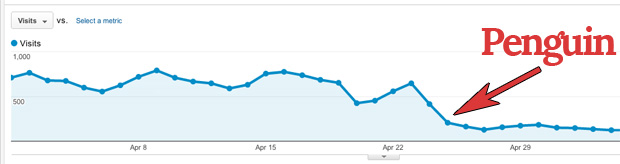
Don’t you dread being in a similar situation, losing all your web traffic because Google decides to change the game?
SEO Game

Building traffic from Google requires consistent effort for 3 months or more.
You need to target long-tail keywords, build authoritative backlinks and optimize your website pages for Google.
Not to mention the dominance of the click-throughs received by the top 3 spots in Google.
If you aren’t in the top 6, don’t expect more than 4 percent of clicks to your website.
And if you aren’t on the first page, you can almost abandon thinking about organic traffic, direct traffic and any other kind of web traffic from Google.
If you’re not on the first two pages,
you aren’t getting any visibility.
I don’t think I need to tell you the difficulty in ranking in the top 3 spots for keywords that have good search volume.
The hard-hitting reality is most businesses fail to rank for their targeted commercial keywords and don’t get intended results from SEO.
Are you willing to build a more sustainable and robust source of organic traffic for your website?
Then let’s roll with five alternative search engines besides Googles that drive traffic your way.

5 Alternatives that Drive Traffic Your Way
1. Capture Emails of Those Cold First-time Visitors
Email is the first and probably the best social channel for conversing with your audience.
It commands the daily attention of most people, drives engagement and accelerates business results.

The email has a high conversion rate and that outperforms search and social media by far.
But effective email return traffic rise does not happen overnight. It starts from your previous efforts and snowballs.
I’ve been able to increase my email traffic consistently since I’ve prepared my blog to capture new leads as part of my marketing campaign.
How to Increase Direct Traffic from Email Campaigns?
Would you like to know the 3 basic steps to increase direct traffic from your email campaigns?
Prepare a lead magnet like a free eBook or an email course that interests your visitors.
As an example, I offer free courses to learn SEO, CRO, and more.
You can also offer a swipe file like Digital Marketer.
It generated 28,507 subscribers in 45 days.
If you want to considerably boost your conversions and reduce your bounce rate, then you’ll need to put in extra effort and prepare a content upgrade for at least your most popular posts.
It can lift your conversions by a whopping 785 percent in one day.
So what are content upgrades?
They’re generally bonus resources.
If you don’t have the time to create more content, a simple checklist will do. The idea is to help the visitor take the first step after reading your article.
Setup lead capturing tools on your website
Marketing technology has come a long way.
You can do much more than simply adding an opt-in form in the right sidebar of your blog (that typically has less than a 1 percent conversion rate).
I would recommend that you experiment with slide-up, left sidebar sign-up forums, hello bars, and other tools.
A controversial, but extremely effective tool that deserves special mention is the popup or banner ad.
Popups can literally take your sign-ups through the roof.
But, if they’re so effective, then what’s the roadblock that may prevent you from using them?
They’re annoying and equate to a bad user experience which will contribute to a higher bounce rate.
You need to test triggering them at the appropriate time.
Your audience might like to spend 30 seconds on your website before they give you their email.
Your visitors should not feel intruded on or tricked into giving their email.
Don’t show the popups and banner ads repeatedly to a visitor after he has shown disinterest in giving you his email.
I would advise you to use an improved pop-up technology that decreases pop-up annoyance.
Properly onboard your new subscribers
The welcome email is your first point of contact with the subscriber.
Don’t waste the opportunity to add value and impress them early in your relationship with them.
So what can you deliver in your first email?
Ask the ‘number one’ problem that your subscriber is facing.
This encourages interaction and lays a strong foundation for your association with them.
(Optional but recommended) – Test your email subject lines
Only after they open your emails will you get the chance to engage with your audience.
Churning of readers is fairly common.
MailChimp found that average click-throughs last only 3.5 percent after the 100th email campaign for the users that last (as compared with 5 percent open rate for the first campaign).
Tweaking your subject lines can make all the difference in increasing your open rates and getting more engagement.
2. Write High-quality Guest Posts for Authority Blogs
Guest Posting has already been written off by Google.
I’ve seen bloggers derive tremendous referral traffic and build complete businesses from guest posting referral traffic.
It’s awesome to get organic traffic this way.
It’s such great exposure that I’ve guest posted regularly at likes of Entrepreneur, Search Engine Journal, HubSpot and Forbes.
Here are five tips to get good results and potential direct traffic from guest posting.
1. Understand the publication
Before sending a guest post pitch, get a feel for the type of content published in the publication.
Only then will you be able to think of post ideas that add value to their audience.
All bloggers are seeking valuable content to be shared on social media and to improve their own search engine traffic – you need to be able to add to this.
A great pitch puts the target blog’s audience first and proves why you’re the right fit for guest posting on their blog.
Want an example?
Then look at the email by Alex from GrooveHQ below.
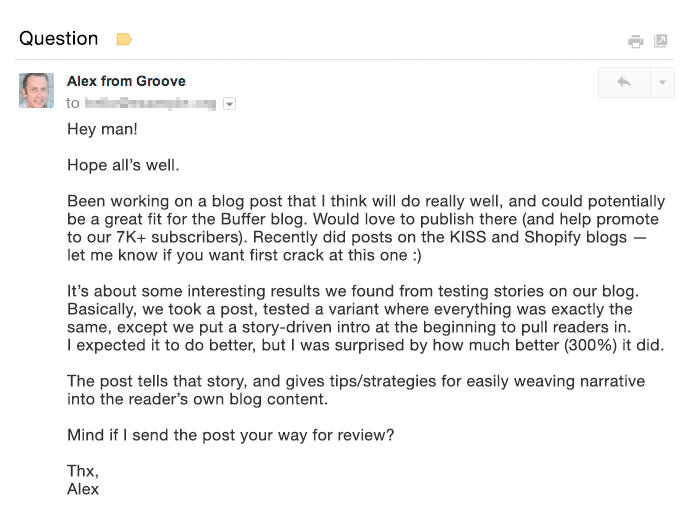
2. Aim to get published on the biggest blogs where your target audience hangs around (not necessarily in your industry).
I received 0 conversions from some industry blogs (although they drive considerable organic traffic).
Yet I received a total of 16 conversions (lower visitor volume but high-converting direct traffic) from Entrepreneur Magazine and Inc.
3. If you’re short on time, rely on quality rather than quantity.
By putting in 18 hours to write an awesomely detailed guest post at HuffPo, Ramit Sethi was able to drive 100,000 visitors to his website. This would have had exceptional results not only for his search engine traffic but also for his social media traffic.
Compare that with a quickly written guest post that brought just a few hundred visitors for 1.5 hours of Ramit’s time.
4. Try to squeeze as many quality guest posts into your content production time as possible.
I’ve personally found that organic traffic is spread out from guest posts and adds up only over time.
5. Finally, spend extra time to create a content upgrade for your guest posts.
A content upgrade can have a tremendous impact on the number of emails you’ll collect.
Giles Thomas earned 408 subscribers from a single guest post by offering an upgrade.
3. Interview an Influencer or Get Interviewed by a High-traffic Website
Have you heard of the Four Hour Work Week author Tim Ferriss?
Right now, a staple content type that he serves his audience is his podcast.
He interviews world-class performers who share their wisdom on a plethora of subjects on Tim’s show and he is loved across social media.
Do Tim’s followers like the show?
Well, the show has surpassed 50,000,000 downloads.
And is the #1 business podcast on all of iTunes on most days.
Be it video or audio, interviews are inherently conversational, dynamic, and engaging.
The best part:t’s a win-win for both parties.
The interviewer gets exposure to the new audience while the interviewee gets to serve new engaging and authoritative content to his website visitors.
If you interview an industry influencer, you can request that they share the interview with their followers on social media.
Think of the organic traffic you will drive from hundreds of thousands of their social media followers.
As an example look at the engagement received by a past interview of Derek Sivers on the Tim Ferriss Show. Derek tweeted the show’s link to his 283K followers.

It won’t hurt that you’ll also start a relationship with the influencer through such an interview.
Similarly getting interviewed by a high-authority website can bring you a huge amount of search engine traffic.
Getting interviewed by YourStory brought Harsh Agrawal 35,000+ views on his blog, Shoutmeloud, in a single day.
That was his highest search engine traffic source for the blog (having 600,000+ visitors/month).
Since interviews offer consolidated value, they serve as a lead generation source for your brand for a long period.
Just think of the number of bloggers you discovered through their interviews on YouTube and other high authority websites.
If you’ve got a really interesting story to share, you can also consider doing a Reddit AMA.
Mateen got 2000 pageviews from doing this AMA on earning $85,000 in profit by selling TeeSpring shirts/hoodies. He also increased his average daily visitors.
You can also answer questions from journalists at HARO by signing up as a source.
Christopher from Snappa saw this query on the future of content marketing from Inc Magazine on HARO.
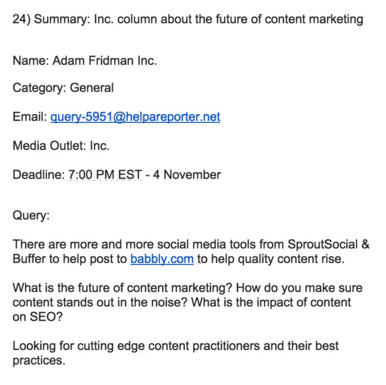
He quickly sent a detailed reply.
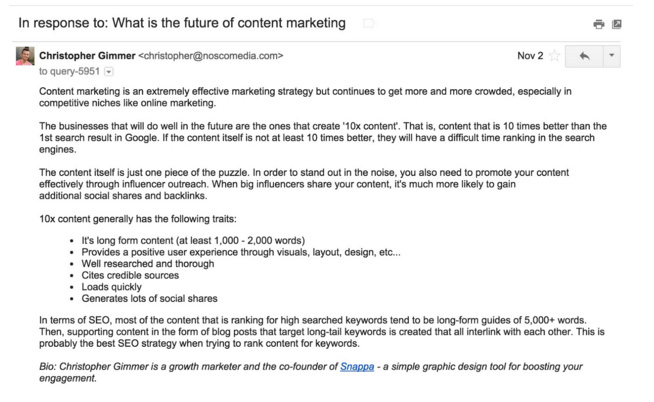
This earned him a mention in Inc a few weeks later.

HARO is a great strategy to get a brand mention on authority news websites like Entrepreneur and Inc.
Those backlinks will sweetly lift your reputation in the eyes of Google, driving your search engine traffic up, and boosting your marketing campaign.
4. Invest in Facebook Ads
I know a paid strategy might raise a few eyebrows when it comes to the idea of organic traffic.
Inbound marketers generally don’t like to pay for play in the form of banner ads or other pricey methods.
If you’re one of those, you might be frustrated with the declining organic Facebook reach.
If you’re having only a handful of fans on your Facebook page, then you will not get good results from your organic traffic reach.
So you’ll need to invest in Facebook Ads.
A US accounting firm (having 156 likes) didn’t get good engagement on their posts. Just a couple of likes.

After spending $20 on Facebook Ads they started getting great interaction. Look at the interaction on the post in two months.

Sparing some cash for running Facebook Ads can tremendously accelerate your email list growth (one of the best repeat traffic sources for your website).
Because there are very specific demographic targeting options available. You can also A/B test various images and text in your banner ads.
Let me share another case study to show you the kind of results you can achieve.
Matthew Woodward spent around $600 on Facebook Ads running two campaigns.
His cost per lead in running both campaigns was under 80 cents.
The ROI from running the campaign was over 2500 percent.
Aren’t the results incredible?
If you don’t want to splurge and spend $500, then even $5 a day can get you great results.
Mary earned 532 new subscribers in 43 days of running Facebook Ads.
The total amount she paid was just $227.05.
If you want to drive more traffic to your blog, then you can choose your most engaged Facebook posts and boost them to extend your reach.
You can even use Facebook Video Ads and add a CTA to drive traffic back to your website.
For native videos on Facebook, Mike Gingerich found anywhere between a 30 percent to 200 percent increase in engagement and reach compared with other types of posts.
Conclusion
Google’s algorithmic updates are unpredictable.
Relying solely on SEO to rope in traffic and customers can kill your business.
So experiment with traffic sources other than Google.
If you put in the necessary steps, you can also reap the benefits like others whose case studies I shared with you in this article.
Have you experimented with any of the above traffic sources and achieved good business growth?
How did you boost your direct traffic? I would love to hear your insights in the comments.
Source: neilpatel.com

How to Make a Website in 6 Easy Steps
Making a website has gotten much, much easier over the years. It’s cheaper, faster, and more straightforward than ever before.
But what do you really need to build a website?
A stable internet connection and just an hour or two of your time is plenty.
You don’t need any web development experience or tons of money, don’t worry.
In this step-by-step guide, I’ll teach you how to make a website from scratch in just one afternoon.
Just follow my tactics below to avoid making the same mistakes I made when starting at ground zero.

Disclosure: This content is reader-supported, which means if you click on some of our links that we may earn a commission.
Ready? Let’s dig right in!
Your 2-Minute Cheat Sheet
Here’s your quick-start guide to making a website.
Remember, this section doesn’t cover everything–just the crucial steps–everything is broken down in more detail below.
Start by choosing the right web host. We highly recommend Bluehost for speed and reliability.
Oh, and it’s a fantastic price.
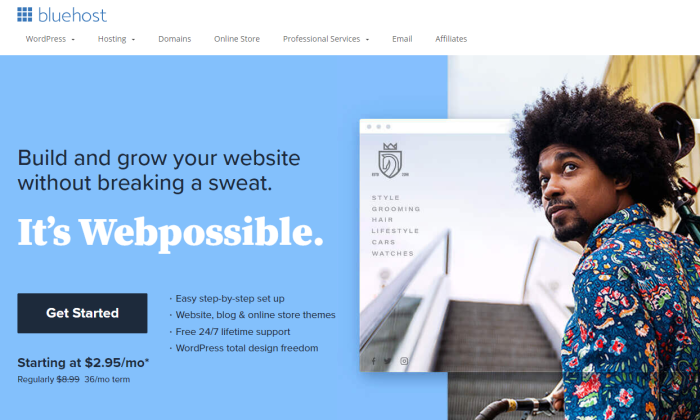
Then you’ll need a domain name that represents what your website is going to be all about.
A .com domain name is best because it helps you earn brownie points in the eyes of visitors.
One reason I like Bluehost so much is that they throw in a free domain name for the first year.
That saves you some cash and the extra step of having to go through a domain registrar.
Once you’ve registered your domain name, choose a content management system or CMS.
You can consider WordPress, Joomla, or Drupal, among others.
I like WordPress the best and it’s what I use for my site.
If you go with Bluehost, WordPress is a one-click install.
Boom, now you have a version of a website up and running. Congrats!
But you aren’t done yet.
Next on your list would be to market your business.
Since branding is crucial today, you need to consider a logo, write your website copy, plan your marketing strategy, and definitely install Google Analytics.
Basically, the exciting stuff that you may know all about already.
Now let’s discuss how to build a website in more detail.
Steps to Build A Website
Keep reading or jump right to the step you need help with:
- Choose Web Hosting
- Select a Unique and Relevant Domain Name
- Select a Good Website Building Platform or CMS
- Design Your Website to Make It Look Awesome
- Protect Your Website by Using a Child Theme
- Configure Your Website and Add Relevant Content
Step #1: Choose Web Hosting
Do you remember how your school library had those large categorized bookshelves?
A web hosting company is precisely like that bookshelf, while the library is the internet.
A hosting service provider or a web hosting company stores your website on a server, making everything you put up on your website visible on the internet and your visitors.
These companies offer monthly or annual plans on shared servers, dedicated servers, or virtual private servers, allowing you to choose a plan according to your security and support requirements.
If your website doesn’t collect or store personal or financial data, you can always select the basic plan.
So, you don’t have to shell out a lot of money.
But how do you know which web hosting company or service is right for you?
Site Speed
If you want to earn money from your website, you need to get a stable and fast web host.
Fast sites have many things going for them. They rank better, help with SEO, and maximize conversions.
I would 100% recommend Bluehost, as it keeps loading time minimal and short.
That said, we would also advise you to avoid shared hosting or overly cheap services.
Shared hosting means you’ll be sharing your web server with thousands of other sites.
In other words, hosting speed will be slow–plus, you may even end up sharing the server with spammy sites, which you may end up with you facing the brunt of Google.
As for skipping cheap hosting services, the rule here is simple: You get what you pay for.
The level of security, speed, and uptime wouldn’t be as great when you pay $5 per month, especially when you compare it to plans costing more than $120 per month.
I’m not telling you to buy the most expensive plan–just avoid the cheapest hosting.
Uptime Dependability
Your web hosting service should always operate properly.
Otherwise, no one can access your website.
A good hosting provider provides you an uptime guarantee–something like “We offer a 100% network uptime guarantee” or similar claims.
For instance, if a hosting provider tells you 99% uptime, your site can be down for 3.5 days a year.
But providers offering 99.99% or 99.999% will have about one hour and five minutes downtime, respectively.
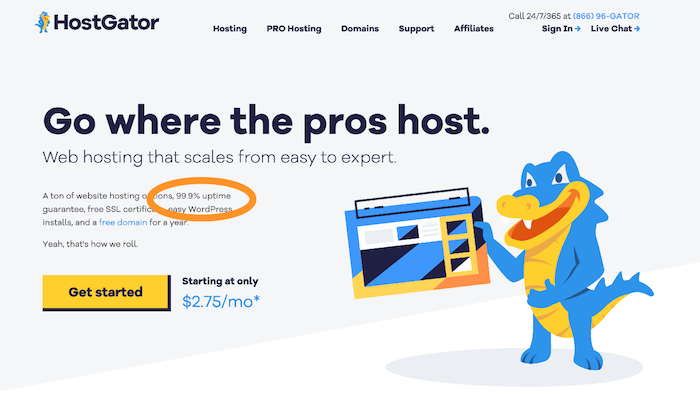
Look for a provider that offers a guarantee for insurance.
If your website goes down, you can be compensated with hosting credits.
Customer Support
You’ll need quick and efficient backup support when technical difficulties arise.
Chat, email, or telephone – there are various support methods.
In my experience, though, email is the absolute worst. It’s much better to receive support by phone or live chat.
Choose a hosting provider that offers 24/7 support.
This way, you’ll be able to get your business back online if something goes wrong within minutes.
You should also check your service level agreement (SLA) to get an idea of the kind of support you’ll receive.
Looking at the company’s website will give you an idea about their support team too.
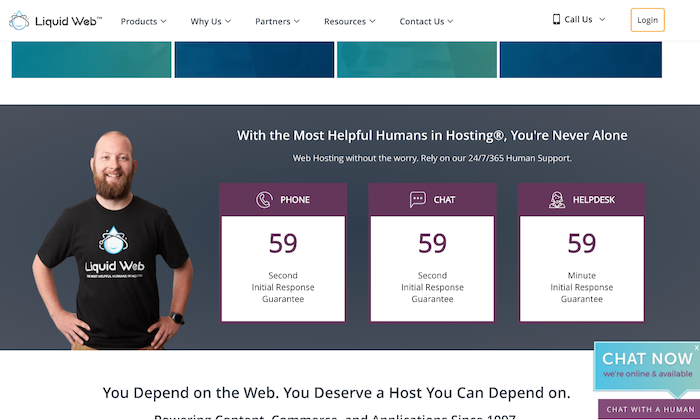
Scalability
Scalability is vital for two reasons. First, a hosting provider should grow organically with you, enabling you to upgrade when needed.
Second, your website should be able to handle massive spikes in visitor numbers.
Consider the following questions to understand whether your web host is flexible:
- Will the web host upgrade you from an entry-level shared hosting plan to an intermediate VPS when your visitor numbers reach a certain level without any downtime?
- How easy is this upgrade process?
- Can the web host support seasonal fluctuations in web traffic seamlessly?
You should aim to get a solution that checks all three boxes.
Visit web hosting forums to learn about other people’s experiences with providers.
Then compare services and prices to determine the right plan based on your needs and budget.
With a web host provider in place, you can move on to Step 2.
Step #2: Select a Unique and Relevant Domain Name
Don’t go looking for the perfect domain name–there isn’t one.
Some names better than others, but ultimately, it’s a small part of your business.
The content of your website remains most important.
A domain name is your website’s address on the internet.
Mine is NeilPatel.com, and it reflects my personal brand.
Yours can be anything you want it to be, provided it’s related to your business, topics that you want to write about, or your name.
The options are endless!
Following are a few rules of thumb to help you choose the right domain name:
- Keep it relevant
- Stick to short, memorable names
- Avoid numbers
- Choose a .com, .org, or .net
Make sure your chosen domain name is available
Find the perfect name is also possible using the following methods:
Method 1 – Brute Force Method
Many have the creativity to come up with the perfect domain name independently.
If that’s you, you’ll need a domain name registrar to purchase the domain, and then search the availability of your prospective domain name.
Bluehost is a great place to start, as it gives you a free domain for one year with their hosting plans, and you can search availability.
I’ll also advise you to avoid going for domain names that have hyphens (like neil-patel-marketing.com) even when you get it at a dirt-cheap price. It can get confusing.
Method 2 – Use a Tool
Some of us are not very creative, and that’s okay.
If you get stuck when coming up with a domain name, try using name generators.
Just enter one or two keywords, and the generator will look for ways to combine those words into a domain name.
In addition to speed and downtime reliability, Bluehost also allows you to check domain name availability.
Visit the sign up now page and enter your domain name in the box, and voila! You’ll have a name.
Bear in mind that your preferred domain name may be unavailable.
Try mixing up words, using a thesaurus, or adding a verb if it happens.
After you’ve chosen your domain name, you’ll next need a website building platform.
Step #3: Select a Good Website Building Platform or CMS
A quick Google search about website builders and CMS will leave you overwhelmed with the enormity of options.
CMS stands for Content Management System.
It allows you to edit your website within the domain itself, helping you save tons of time and make everything way simpler.
Customizing layouts, settings, content, creating new pages and posts, and so on, becomes easier thanks to ready-to-use website templates.
Here are a few options to consider:
WordPress.
WordPress is number one when it comes to CMSs.
It’s popular, user-friendly, and super easy to use.
Moreover, the platform has over 58,000 plugins that allow you to do almost anything you want on your site.
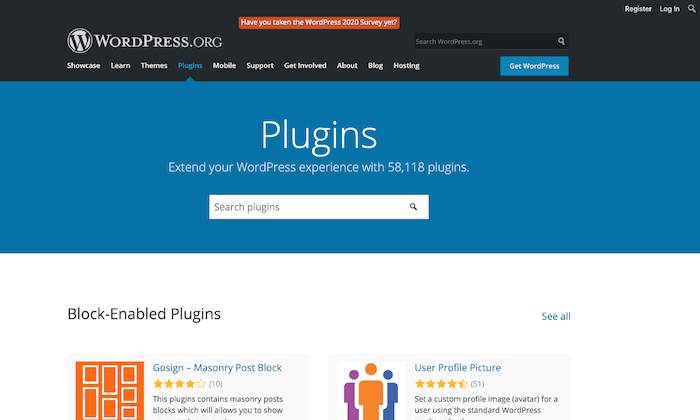
Keep in mind that WordPress.com and WordPress.org aren’t the same.
While the former is a third-party site that allows you to create free blogs, the latter enables you to download the WordPress software to install on a website.
Wix.
Wix is another website builder that makes things super easy.
If you need a site with just a few pages, like restaurants, local businesses, freelancers, or portfolio sites, this could be a great option.
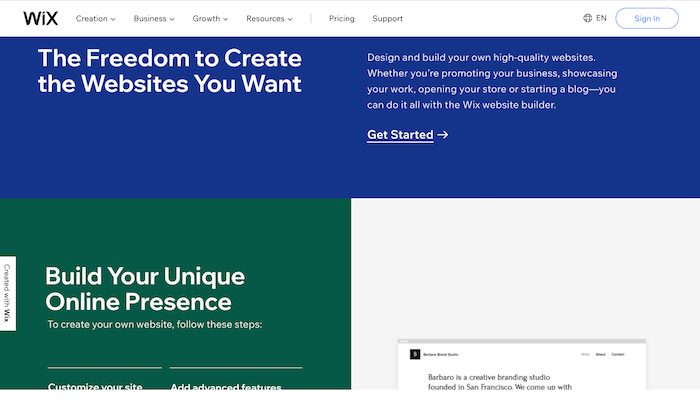
However, if you want to build a large site, Wix may lack the advanced features required for large amounts of traffic.
Drupal.
Drupal is the most advanced website building solution, which is why it has a steeper learning curve.
Though when you consider the level of customization it offers, the hard work seems worth it.
While I don’t recommend Drupal for beginners, if advance customization is a priority on your list, this is hands down the best option.
You can always hire an expert to learn the ropes of the platform.
You’ll now have a website up and running. All that is left to do is to make it look great.
Step #4: Design Your Website to Make It Look Awesome
For any website builder, you’ll have to install a theme.
Themes can be free and paid, but the latter is more professional-looking and gives you more flexibility when customizing your website.
They aren’t excessively expensive as well and can be bought for less than $100.
WordPress and Wix have some great free themes, but if you want to try out the premium variety, you can give StudioPress a shot.
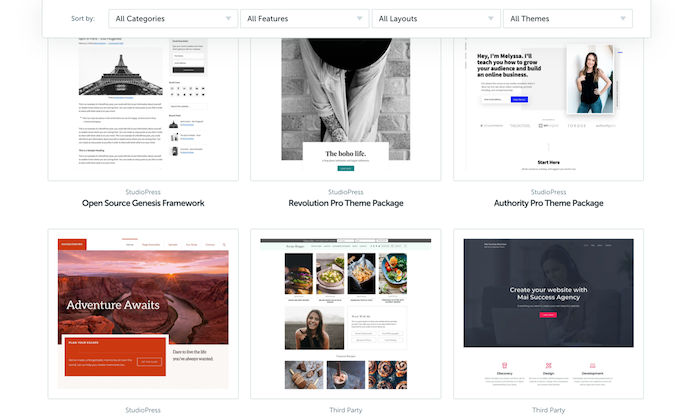
Themes are built on the basic CMS but are customizable to give your website a unique look and allow it to function differently.
After all, shouldn’t an artist’s website look different from a SaaS or a restaurant?
Visual representation is incredibly important as your visitors judge your website in a fraction of a second based on how it looks.
If your site looks obsolete, untrustworthy, or doesn’t match its expectations, your visitors will be gone in seconds.
Luckily, choosing a good theme is easy.
I recommend reading reviews about the themes before choosing and never prioritizing visual appeal over functionality.
Yes, you want your website to look good with all those fancy fonts and colors, but that shouldn’t be at the cost of functionality.
Additionally, you can always change the theme at a later date. Just don’t change it frequently, as it will harm SEO and branding.
Step #5: Protect Your Website by Using a Child Theme
The best way to protect your website is to use a child theme.
A child theme is a style sheet stored separately from the rest of your theme’s files on the webserver.
Not only will it make your site hard to break, but it even protects you from redoing changes whenever you update a theme.
Keep in mind that different website builders have different names for creating a child theme.
You build a “child theme” in WordPress, but you create a “sub-theme” in Drupal.
Also, some websites don’t allow you to create a child theme, but you can always make a duplicate theme to serve as a backup, as in Joomla.
Step #6: Configure Your Website and Add Relevant Content
At this point, you’re done with most of the technical part and can now finally focus on the more interesting things.
Start by setting up navigation to make it easier for visitors to know what your website is all about and grant them easy access to different parts of your website.
Choose a couple of colors to represent your site without going overboard.
For instance, I chose orange and white.
Organize, separate, and highlight the important areas of your website to make it eye-catching and clear.
You can also install plugins to help your website function smoothly.
Here is a quick checklist of things you need to start marketing your business, especially if you want to earn money from the website:
- Get a logo.
- This will represent your brand, so be very careful here.
- Write your website copy, including the home page, About Me page, and other basic pages.
- Install Google Analytics code to your website to keep track of visitors.
- Start planning your marketing strategy to figure out your visitor’s likes and dislikes.
As for the last pointer, you’ll have to understand online marketing, content marketing, and the often neglected link building to gain visibility, generate leads, and achieve your business goals from your website.
Conclusion
Making a website does have its fair share of struggles, but the more experience you gain, the better you’ll become, and the easier it’ll be.
While we’ve covered all the necessary details for building your first website, if you find yourself getting stuck anywhere, you can turn to Google or YouTube to solve your problem.
Trust me, there are tutorials for almost everything out there on the internet.
Choosing a web host and CMS, designing your website, and marketing is just the tip of the iceberg.
You can’t expect overnight success, but was just a bit of patience, you’ll see real progress.
Source: feedproxy.google.com