
Tag Archives for " website development "

The Best Website Builders (In-Depth Review)
I’ve been building websites for years. It’s way easier now than it used to be. You can go simple or take your site to the next level–no programming or design experience is necessary.
There are a handful of popular options that will get you to where you want to go. However, the best website builders have different strengths and limitations.

Disclosure: This content is reader-supported, which means if you click on some of our links that we may earn a commission.
I use WordPress because I can do exactly what I want and support millions of visitors to my blog each month.
It might work for you, but some of my other top picks could work better, depending on what you are trying to do.
5 Best Website Builders
Here are the five best website builders you can start using today.
I’ve included in-depth reviews to help you get a sense of why each product is so good.
Take control and manage every detail of your site.
Or, use my number one pick to have the website build itself.
Your call.
#1 – Wix Review — The Best for General Use
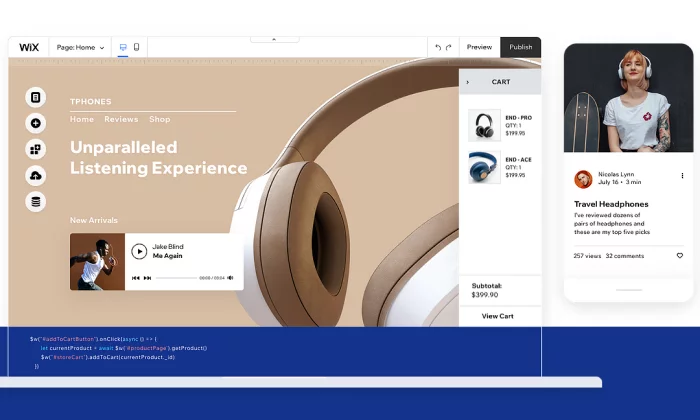
Wix is a really easy website builder that can help you create what you want.
Start with a template and customize from there.
You do not have to know anything about design to put together a really sharp-looking website.
And you’re not stuck going one way or the other.
Make a blog, online store, whatever you want.
And if you don’t feel like dragging and dropping the different site elements into place, simply answer a few questions, and Wix Artificial Design Intelligence (ADI) will build a site for you.
Wix is truly the “jack of all trades” in the sense that it does everything well, but nothing is truly exceptional.
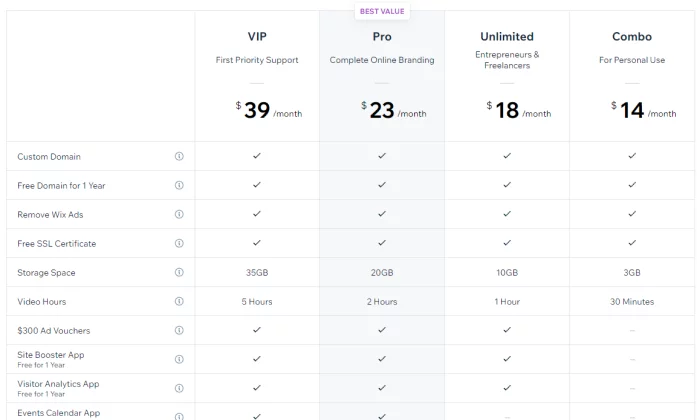
However, it serves its purpose for the average person looking to set up a website, and the price is extremely competitive.
Pros of Wix
Here are the best things about Wix:
Powerful app market –
Wix has an enormous amount of add-on features that you can access through their app market.
Want to book meetings directly on your site?
They have got you covered.
Want a live chat pop-up box?
Simply click and install it on your site.
Covers every need –
Wix covers most of the needs of people looking to set up a website.
This includes setting up an ecommerce store, blog, or even just a simple information website.
Lots of templates –
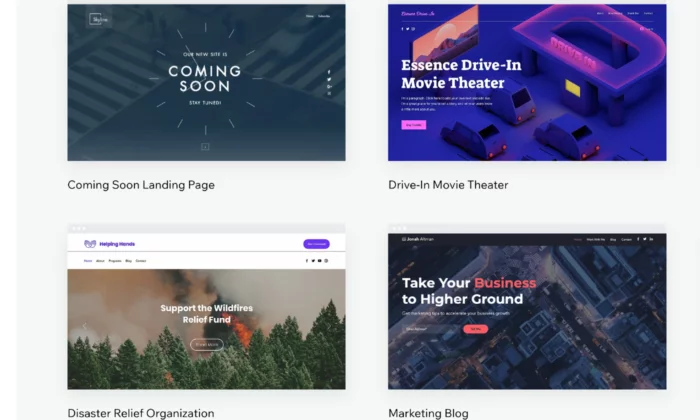
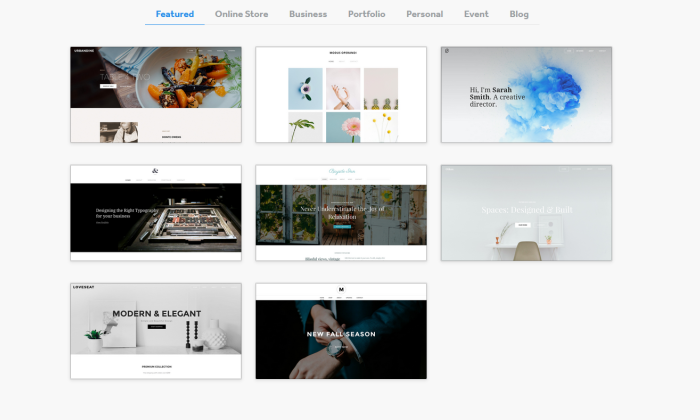
Wix has a wide variety of templates that you can choose from to get your website up and running quickly.
Their templates are well designed and take the user experience into consideration.
Cons of Wix
Here are the weaker parts about Wix:
No migration –
A huge downside with Wix is that you’re locked in, so you cannot take the code of your website somewhere else later on. This can cause problems if you quickly need to scale your business.
Jack of all trades, master of none –
Wix’s main strength is also its weakness.
Although it has many features, it cannot compete with the quality of niche website builders.
Who should use Wix?
Small businesses –
If you are offering a service such as legal advice or marketing,
Wix is a solid website builder that will handle all of your needs.
If your focus is selling products online, avoid Wix.
Freelancers and professionals –
In a similar manner, Wix is great for professionals who want to showcase their personal brand. It will allow you to cover all the potential bases of highlighting your portfolio, such as taking meetings and even blogging.
#2 – Weebly Review — The Best for Beginners
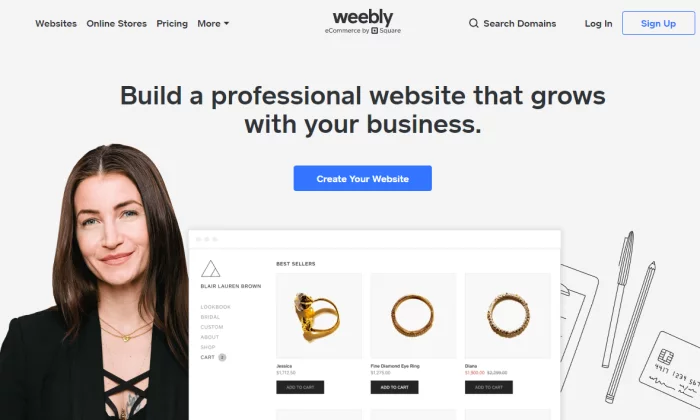
Next, we have Weebly, which is a drag-and-drop site builder that prides itself on its ease of use.
Weebly currently powers over 50 million websites and has been around since 2006, which is a huge achievement and testament to how effective the platform is.
So, what has caused Weebly to be consistently favored among users?
It comes down to the simple user experience and short learning curve.
Weebly does not bombard you with features or a complicated interface.
Instead, it allows you to get straight to the point of setting up your website.
Pros of Weebly
Here are the best things about Weebly:
- Simple and easy to use – Weebly has a simple interface with drag and drop mechanics that just work. Everything feels natural and intuitive. It also helps that they have an onboarding mechanic with email and popup explanations when you get started.
- Migration – If you decide you want to host your own website, Weebly makes it easy for you to take your site off their platform.
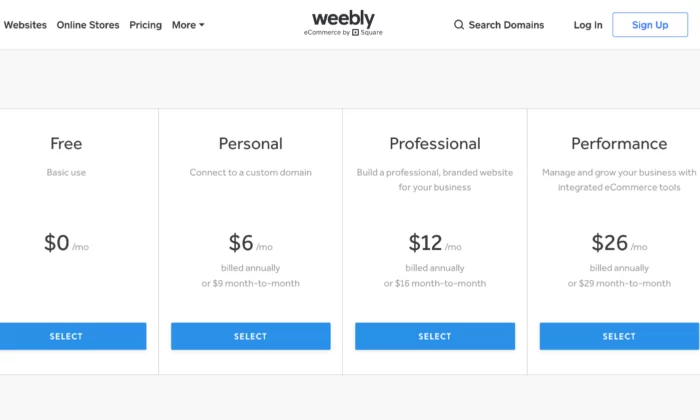
- Affordable – Compared to other generalist website builders, Weebly has one of the most affordable pricing structures.
- Great customer support – Weebly has a powerful customer support team who are active every day of the week. They typically reply within 1 day by email or even quicker via their live chat or phone lines.
- Online store capability – While limited on its free and lower-tier plans, Weebly allows you to set up a web store powered by Square. If you’re already using Square as a payment processor, Weebly allows a cheap and easy way to start selling products online.
Cons of Weebly
Here are the weaker parts about Weebly
- Lacks diversity of function – The tradeoff of using Weebly is that it is not as powerful as Wix. For example, there are fewer features. In addition, some features such as their content management system and analytic tools are much weaker than competitors.
- Limited customization – As Weebly uses a drop and drop interface and themes, the customization can be quite limited. Wix also has this problem, but they have more tools at their disposal to solve this issue.
- Scaling problems – Weebly is simply not a great platform if you have plans to grow your website in a significant way: it is just a simple website builder for day-to-day users.
Who should use Weebly?
People who need simple websites – As a rule, you should use Weebly if you are not very tech-savvy and want to set up a simple website quickly. One category of users would be associations or clubs who want to set up an information site about their group.
#3 – Web.com Review — The Best for Building Landing Pages
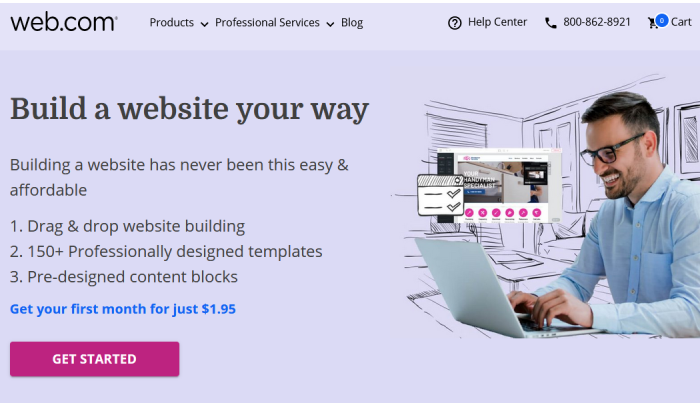
Web.com is a lot like Weebly—it’s fantastically easy to use, with an intuitive drag-and-drop editor that lets you mold any available template to your needs.
And it comes at a great price and with great support.
But I think Web.com’s website builder shines brightest for a particular need: setting up landing pages and single-page sites in a snap.
Seriously, it’s so easy with Web.com—start from one of their 126 templates, then just tweak the colors, swap out some imagery, replace the copy, and add a custom form.
Voila, you have a gorgeous landing page, done in about 15 to 20 minutes.
You can build a ton of unique landing pages in one sitting or make simple or temporary websites with ease.
And at a competitive price, too.
Pros of Web.com
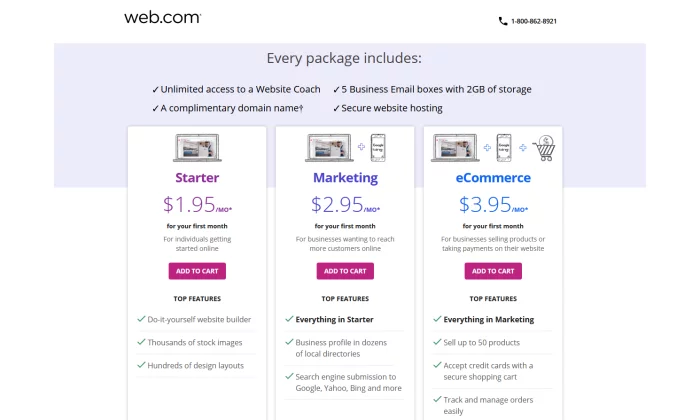
- Email accounts – Web.com gives you five email accounts to match your domain. That’s a boon for folks building landing pages with Web.com—not only can you get multiple sites up in a flash, but each can have separate associated email addresses for doing split testing or for collecting contest entries in a place where they won’t overwhelm someone else’s inbox.
- Free domain for one year – Web.com will throw in one year of an available domain for free when your purchase one of their website builder plans.
- Very affordable – Everything I mentioned above is in the Starter plan, which starts at $1.95 for your first month and then is $10 per month after that. You can save big, though, if just go for a full year at checkout—that’s just $50 for the whole 12 months, a savings of over $60.
Cons of Web.com
- No building from scratch – You are somewhat penned in by the templates available to start from. It’s easy enough to customize them far away from the original look, but some elements are permanent or at least inflexible, which can make it harder to quickly build the exact site you had in your mind.
- Limited eCommerce features – Web.com also has Marketing and eCommerce plans for their website building service. They’re a little more expensive and more appropriate for standalone business sites, especially for local and small businesses. But more advanced selling features are missing overall.
Who should use Web.com?
Salespeople and marketers working on multiple campaigns – If you want to knock out landing pages in no time flat and get the useful benefits of email and domain included, go with Web.com and enjoy every bit of value you get from their Starter package.
Get started with Web.com today.
#4 – Shopify Review — The Best for Ecommerce
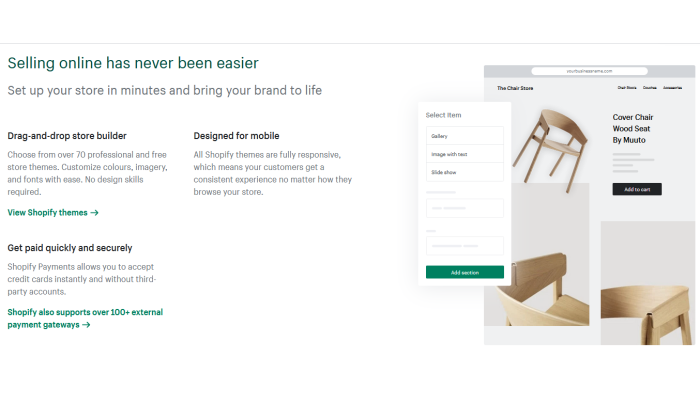
If you plan on selling any type of product online – from jewelry to electric scooters – then your best bet will be to use a dedicated ecommerce platform and website builder.
Without a doubt, the number one in this category is Shopify.
The platform powers over 1 million merchants in 175 different countries, and is the third-largest online retailer in the US, trailing behind only Amazon and eBay.
The Shopify software represents a complete end-to-end platform that allows you to set up, manage, and promote a store online. You can easily list your goods for sale, take payments, and fulfill orders – all under one roof.
Pros of Shopify
Here are the best things about Shopify:
- Ecommerce specialty – The main draw of Shopify is that it is a niche website builder focused on setting up an ecommerce store. This means that all their features and processes are geared toward that end, resulting in a powerful platform that can help maximize sales.
- Security – If you are going to be handling transactions, you need ways to keep your site safe and customer data secure. Shopify stores have strong cybersecurity measures in place which a self-hosted website would typically lack.
- Integrated sales channels – Shopify has strong integrations with other platforms, such as Facebook and Amazon. This allows you to streamline your sales by managing your catalog on each platform under one roof.
Cons of Shopify
Here are the weaker aspects of Shopify:
- Niche focus on ecommerce – Because the focus is on ecommerce, Shopify lacks some of the features and finesse of other website builders. For instance, their content management system is very limited compared to WordPress.
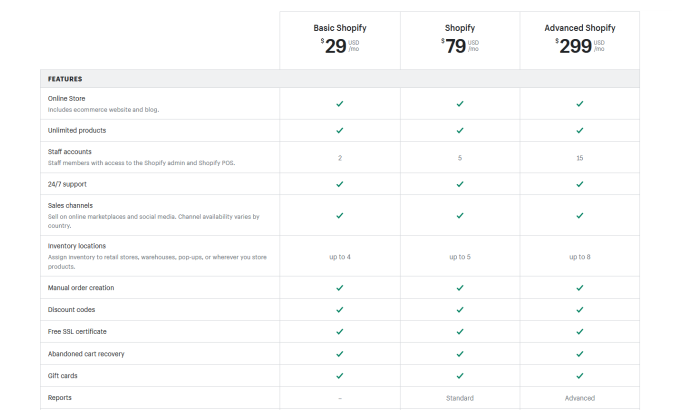
- Transaction fees + monthly fees – With each sale, you make on Shopify, there is a transaction fee that ranges from 2.4% – 2.6%. Combined with payment provider fees, this can eat into your margin.
Who should use Shopify?
- Brick and mortar stores – If you have an in-person store and are looking to sell your products online, Shopify will offer you a solid footing into the digital world.
- Ecommerce startups – Entrepreneurs that are starting new brands or drop shipping will also benefit from the quick end-to-end setup that Shopify offers.
#5 – WordPress Review — The Best for Content Management
One of the oldest and most reliable website builders is WordPress.
The platform has come a long way since it launched in 2003 and is the most popular content management system on the web today.
In fact, WordPress powers a whopping 37.6% of all websites.
As WordPress was around during the earlier days of the web, its focus revolved around content, which was the most prominent form of the website at the time.
It maintains that focus to this day, with WordPress having arguably the best content management system out of all the different website builders.
An important caveat is that WordPress is divided into platforms:
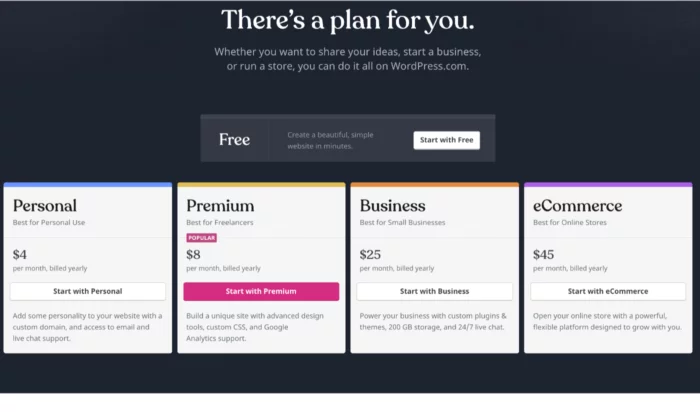
- WordPress.org – This is the open-source (free version) of WordPress that comes with greater flexibility, but is harder for non-technical users.
- WordPress.com – This is the paid version. You can get help with the installation of themes and management but is generally less customizable.
Pros of WordPress
Here are the best things about WordPress:
- You have full control – Unlike other website builders, WordPress is fully customizable as the site is developed directly with code, as opposed to drag and drop interfaces. This means that you have much more flexibility in terms of design and function.
- Robust blogging and CMS – WordPress is built front the ground up with content in mind. It has some of the best tools for publishing and managing content including team management, advanced scheduling, and categorizations.
- Lots of plugins – There are over 52,000 plugins available for WordPress. You can measure and boost your SEO with plugins such as YoastSEO, or you could even add a new function such as a shopping cart.
Cons of WordPress
Here are the weaker aspects of WordPress:
You may need help – As your WordPress site is developed with code, you will likely need help to install and update your WordPress theme. This can come with a hefty cost, particularly if you want ongoing changes.
Learning curve – If you want to manage and update your site yourself, it can take some time to learn how to do so. Managing and scheduling posts are relatively easy, but updating how your site looks or installing a plugin is much more difficult.
Security issues – As your WordPress site is self-hosted, you are more vulnerable to cybersecurity issues. Some of the plugins for WordPress also can act as a risk as well.
Who should use it?
- Bloggers – If writing is your main focus, then WordPress is a great choice. The platform is designed for bloggers, optimizing content management, and SEO. WordPress will allow you to scale and get the most out of your content.
- Content-centric businesses – Likewise, if you are building a business that is content-heavy, such as a new website, WordPress will help you to manage the operational side of content production much easier.
What I Looked at to Find the Best Website Builder
Now it is time to take a closer look at some of the specific features to consider when evaluating a website builder.
Remember that although some website builders may fall into the same category, each may suit your needs differently.
For instance, you may be setting up an online shop and your primary consideration may be a low learning curve, whereas somebody else may be thinking about a platform that can allow them to scale easily.
Here are some features you should consider.
Ease of use
Things to consider:
- Intuitiveness – Some website builders are easy to use and have simple interfaces with drag and drop functionality. This is useful as you won’t have to Google the change you want to make with the tool.
- Learning curve – If you are not great with technology, it is unlikely you will want to spend hours learning how to set up a website. Some website builders are much easier than others.
- Setup time – Similarly, you may want to get your site up and running immediately, particularly if it is an event you want to promote.
- Ongoing management – Needing external help to manage your site defeats the purpose of a website builder. It must be easy to manage in terms of updates.
If you are new to setting up online or are time-constrained, how easy it is to get started will likely be your primary concern.
Scalability
Things to consider:
- Custom code – Website builders use standardized code, which is the building block of a website. These allow you to easily create a site with various features. In some cases, however, you may need your own custom features and the ability to write your own code.
- Migration – At some point, you may want to host your website yourself. However, not all website builders allow you to easily make this move. In some cases, you may have to redevelop your site from scratch.
- Integrations – You will probably create new goals as your website grows, such as running ads or embedding social feeds. Some website builders are more compatible with other platforms and are easier to integrate.
You should think strongly about scalability if you are already an established business looking to create an online presence. This is particularly true if you are already selling products at scale in the real world.
Startups in the fundraising process and are looking to scale fast or even change the core features of their product should also take caution here.
Support
Things to consider:
- Support channels – You will need to consider the different ways you can get in touch with support teams such as live chat, email, and phone. In-depth FAQs (frequently asked questions) are also important.
- Responsiveness – If your site breaks at 5 PM eastern time, but their support only works European hours, then you are in trouble. Some teams may also respond much quicker than others.
- Engagement – Unfortunately, some support teams are useless. Maybe they are being paid very little so they do not care, or they are overworked. Either way, you need support that can actually solve your problems.
If you plan on running a site with a lot of visitors and it happens to go down, the last thing you want is an unresponsive support team. This is especially true if you plan on driving a lot of traffic at a given time.
A website builder with a strong support team is also useful if you are just getting started online, considering you may still get stuck, even with simple interfaces.
Price
Things to consider:
- Cost – Some website builders can be more costly, with some reaching upwards of $299 a month (for landing pages, for instance). Others are permanently free with the option to upgrade for a small monthly fee.
- Trial – Before you commit, it can be useful to take advantage of a trial offer to play around with the tools. You will likely find that some are a better fit than others.
- Hosting & domain – Most website builders will host your website on the web, which is typically included in the price. Some may also offer a domain as part of the package. Otherwise, you would have to purchase these yourself.
If you plan on making money from your website, either by selling products directly or capturing leads, then price should not be a key consideration for you. Make an investment in the best service for your needs.
However, if you just want to set up a small information site, then you could do with the cheapest options.
Generally, website builders that have feature depth are typically more expensive as they solve more specific problems.
Features
Things to consider:
- Ecommerce shop – If you plan to sell things online, you need a website builder that allows you to do so. Consider sub-features such as payment processing and product catalogs.
- SEO – Some website builders have tools that allow you to rank better in Google searches.
- Marketing tools – You may also need other marketing tools, such as forms, pop-ups, and chat boxes.
- Community – In some cases, you may want to expand your website into a community where people can communicate and network (otherwise known as a forum).
- Analytic tools – Website builders may also offer analytic tools that help track traffic on your website or at least integrate with other tools that do.
- Niche features – Perhaps there are some special features you are looking for such as the ability to set up a crowdfunding campaign in addition to having a standard website.
The features of a website builder are the main thing to consider when deciding which route to follow.
This is because they will have the most impact on your specific goals.
For instance, if you want to set up a landing page for a specific product, trying to optimize with a generic site builder will be a pain.
It will probably lack the in-depth analytic tools that a dedicated landing page builder would have.
Also keep in mind that there are some features that you may not need now, but you could need in the future, such as if you plan on running paid ads to your blog posts.
Design
Things to consider:
- Themes and templates – Website builders allow you to start with a predesigned website that is customizable to various extents. Some themes serve different purposes in terms of branding and utility.
- Mobile-friendliness – You will need to ensure that your website builder automatically makes your website easy for mobile users, typically with responsive design.
- Customization – It is likely you will want to make some changes to your template. You will need to consider the various customization tools available.
Regardless of your goal, you should always be concerned with providing a great user experience to the people who are visiting your site.
It simply makes logical sense – if your site is hard to navigate, people won’t get the most out of it.
The actual design and branding are important too.
For instance, some designs are more corporate while others are more welcoming.
There may be a design template that really suits your particular brand.
And if you are selling something, you need to ensure that the design is optimized to increase conversions.
Now that you have a good understanding of the types of website builders and the features to look out for, it is time to take a look at some of the best website builders on the market.
Conclusion
An important thing to keep in mind is that the website builders listed above can serve multiple functions. Now that you have a solid overview, it’s time to look into the details of each platform.
Use my recommendations as a guide to get started:
Follow the links to further explore each option. The best choice for you will come down to both your needs at the moment and where you plan on taking your website in the future.
After reading reviews like this one, make sure you take a step back and put your particular needs at the forefront of the decision before you commit.
Source: feedproxy.google.com

How to Make a Website in 6 Easy Steps
Making a website has gotten much, much easier over the years. It’s cheaper, faster, and more straightforward than ever before.
But what do you really need to build a website?
A stable internet connection and just an hour or two of your time is plenty.
You don’t need any web development experience or tons of money, don’t worry.
In this step-by-step guide, I’ll teach you how to make a website from scratch in just one afternoon.
Just follow my tactics below to avoid making the same mistakes I made when starting at ground zero.

Disclosure: This content is reader-supported, which means if you click on some of our links that we may earn a commission.
Ready? Let’s dig right in!
Your 2-Minute Cheat Sheet
Here’s your quick-start guide to making a website.
Remember, this section doesn’t cover everything–just the crucial steps–everything is broken down in more detail below.
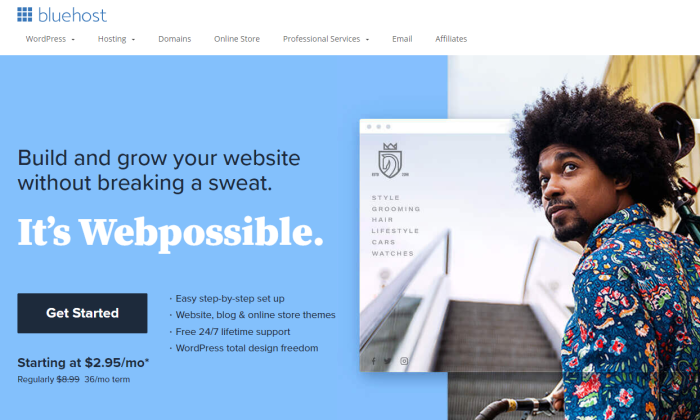
Start by choosing the right web host. We highly recommend Bluehost for speed and reliability.
Oh, and it’s a fantastic price.
Then you’ll need a domain name that represents what your website is going to be all about.
A .com domain name is best because it helps you earn brownie points in the eyes of visitors.
One reason I like Bluehost so much is that they throw in a free domain name for the first year.
That saves you some cash and the extra step of having to go through a domain registrar.
Once you’ve registered your domain name, choose a content management system or CMS.
You can consider WordPress, Joomla, or Drupal, among others.
I like WordPress the best and it’s what I use for my site.
If you go with Bluehost, WordPress is a one-click install.
Boom, now you have a version of a website up and running. Congrats!
But you aren’t done yet.
Next on your list would be to market your business.
Since branding is crucial today, you need to consider a logo, write your website copy, plan your marketing strategy, and definitely install Google Analytics.
Basically, the exciting stuff that you may know all about already.
Now let’s discuss how to build a website in more detail.
Steps to Build A Website
Keep reading or jump right to the step you need help with:
- Choose Web Hosting
- Select a Unique and Relevant Domain Name
- Select a Good Website Building Platform or CMS
- Design Your Website to Make It Look Awesome
- Protect Your Website by Using a Child Theme
- Configure Your Website and Add Relevant Content
Step #1: Choose Web Hosting
Do you remember how your school library had those large categorized bookshelves?
A web hosting company is precisely like that bookshelf, while the library is the internet.
A hosting service provider or a web hosting company stores your website on a server, making everything you put up on your website visible on the internet and your visitors.
These companies offer monthly or annual plans on shared servers, dedicated servers, or virtual private servers, allowing you to choose a plan according to your security and support requirements.
If your website doesn’t collect or store personal or financial data, you can always select the basic plan.
So, you don’t have to shell out a lot of money.
But how do you know which web hosting company or service is right for you?
Site Speed
If you want to earn money from your website, you need to get a stable and fast web host.
Fast sites have many things going for them. They rank better, help with SEO, and maximize conversions.
I would 100% recommend Bluehost, as it keeps loading time minimal and short.
That said, we would also advise you to avoid shared hosting or overly cheap services.
Shared hosting means you’ll be sharing your web server with thousands of other sites.
In other words, hosting speed will be slow–plus, you may even end up sharing the server with spammy sites, which you may end up with you facing the brunt of Google.
As for skipping cheap hosting services, the rule here is simple: You get what you pay for.
The level of security, speed, and uptime wouldn’t be as great when you pay $5 per month, especially when you compare it to plans costing more than $120 per month.
I’m not telling you to buy the most expensive plan–just avoid the cheapest hosting.
Uptime Dependability
Your web hosting service should always operate properly.
Otherwise, no one can access your website.
A good hosting provider provides you an uptime guarantee–something like “We offer a 100% network uptime guarantee” or similar claims.
For instance, if a hosting provider tells you 99% uptime, your site can be down for 3.5 days a year.
But providers offering 99.99% or 99.999% will have about one hour and five minutes downtime, respectively.
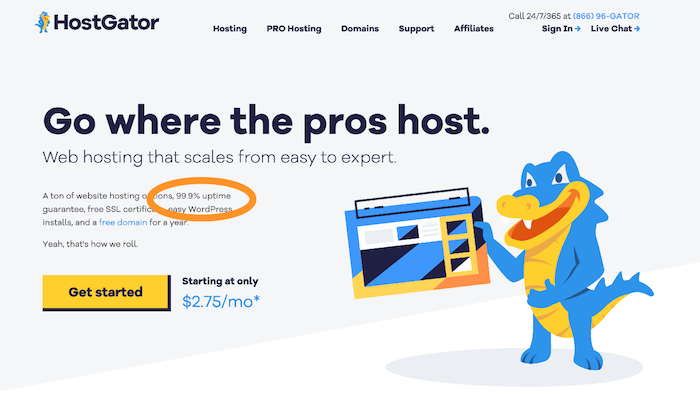
Look for a provider that offers a guarantee for insurance.
If your website goes down, you can be compensated with hosting credits.
Customer Support
You’ll need quick and efficient backup support when technical difficulties arise.
Chat, email, or telephone – there are various support methods.
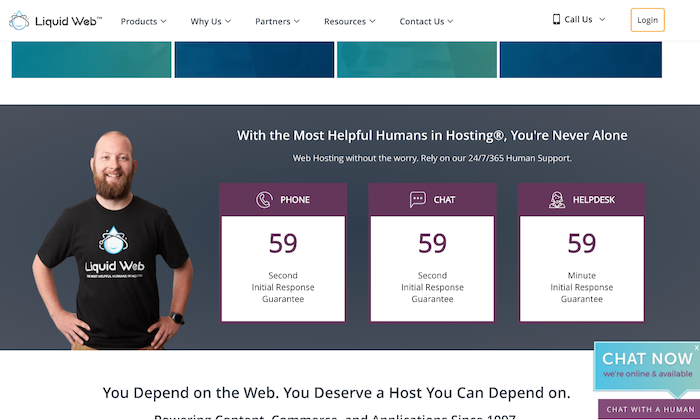
In my experience, though, email is the absolute worst. It’s much better to receive support by phone or live chat.
Choose a hosting provider that offers 24/7 support.
This way, you’ll be able to get your business back online if something goes wrong within minutes.
You should also check your service level agreement (SLA) to get an idea of the kind of support you’ll receive.
Looking at the company’s website will give you an idea about their support team too.
Scalability
Scalability is vital for two reasons. First, a hosting provider should grow organically with you, enabling you to upgrade when needed.
Second, your website should be able to handle massive spikes in visitor numbers.
Consider the following questions to understand whether your web host is flexible:
- Will the web host upgrade you from an entry-level shared hosting plan to an intermediate VPS when your visitor numbers reach a certain level without any downtime?
- How easy is this upgrade process?
- Can the web host support seasonal fluctuations in web traffic seamlessly?
You should aim to get a solution that checks all three boxes.
Visit web hosting forums to learn about other people’s experiences with providers.
Then compare services and prices to determine the right plan based on your needs and budget.
With a web host provider in place, you can move on to Step 2.
Step #2: Select a Unique and Relevant Domain Name
Don’t go looking for the perfect domain name–there isn’t one.
Some names better than others, but ultimately, it’s a small part of your business.
The content of your website remains most important.
A domain name is your website’s address on the internet.
Mine is NeilPatel.com, and it reflects my personal brand.
Yours can be anything you want it to be, provided it’s related to your business, topics that you want to write about, or your name.
The options are endless!
Following are a few rules of thumb to help you choose the right domain name:
- Keep it relevant
- Stick to short, memorable names
- Avoid numbers
- Choose a .com, .org, or .net
Make sure your chosen domain name is available
Find the perfect name is also possible using the following methods:
Method 1 – Brute Force Method
Many have the creativity to come up with the perfect domain name independently.
If that’s you, you’ll need a domain name registrar to purchase the domain, and then search the availability of your prospective domain name.
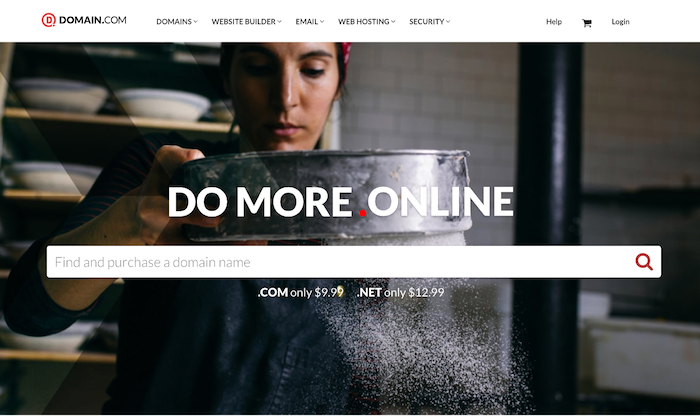
Bluehost is a great place to start, as it gives you a free domain for one year with their hosting plans, and you can search availability.
I’ll also advise you to avoid going for domain names that have hyphens (like neil-patel-marketing.com) even when you get it at a dirt-cheap price. It can get confusing.
Method 2 – Use a Tool
Some of us are not very creative, and that’s okay.
If you get stuck when coming up with a domain name, try using name generators.
Just enter one or two keywords, and the generator will look for ways to combine those words into a domain name.
In addition to speed and downtime reliability, Bluehost also allows you to check domain name availability.
Visit the sign up now page and enter your domain name in the box, and voila! You’ll have a name.
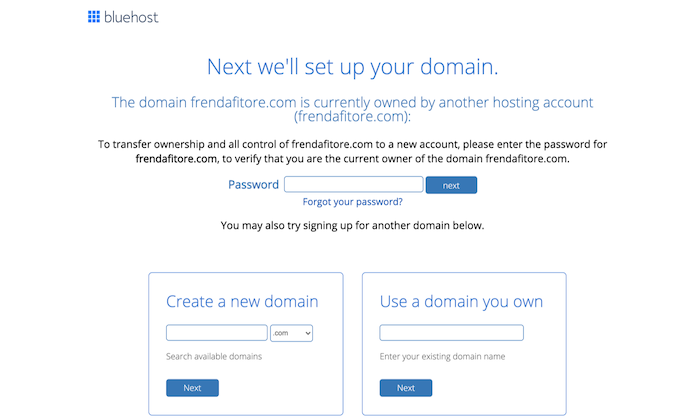
Bear in mind that your preferred domain name may be unavailable.
Try mixing up words, using a thesaurus, or adding a verb if it happens.
After you’ve chosen your domain name, you’ll next need a website building platform.
Step #3: Select a Good Website Building Platform or CMS
A quick Google search about website builders and CMS will leave you overwhelmed with the enormity of options.
CMS stands for Content Management System.
It allows you to edit your website within the domain itself, helping you save tons of time and make everything way simpler.
Customizing layouts, settings, content, creating new pages and posts, and so on, becomes easier thanks to ready-to-use website templates.
Here are a few options to consider:
WordPress.
WordPress is number one when it comes to CMSs.
It’s popular, user-friendly, and super easy to use.
Moreover, the platform has over 58,000 plugins that allow you to do almost anything you want on your site.
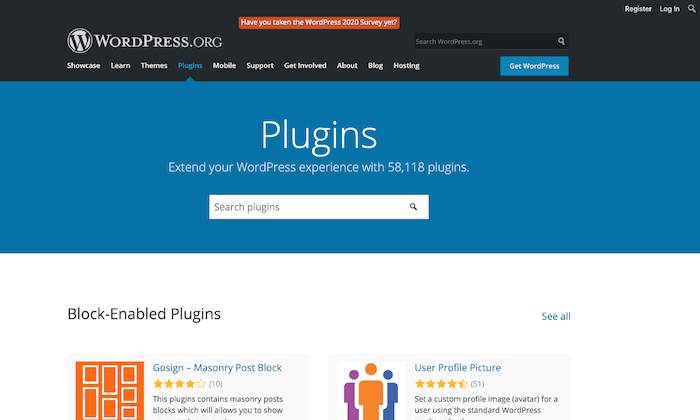
Keep in mind that WordPress.com and WordPress.org aren’t the same.
While the former is a third-party site that allows you to create free blogs, the latter enables you to download the WordPress software to install on a website.
Wix.
Wix is another website builder that makes things super easy.
If you need a site with just a few pages, like restaurants, local businesses, freelancers, or portfolio sites, this could be a great option.
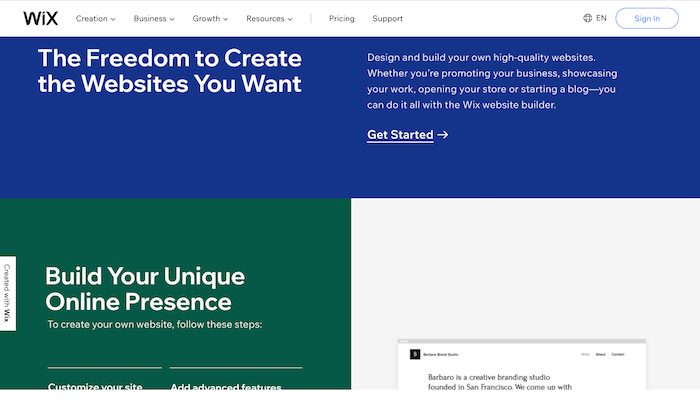
However, if you want to build a large site, Wix may lack the advanced features required for large amounts of traffic.
Drupal.
Drupal is the most advanced website building solution, which is why it has a steeper learning curve.
Though when you consider the level of customization it offers, the hard work seems worth it.
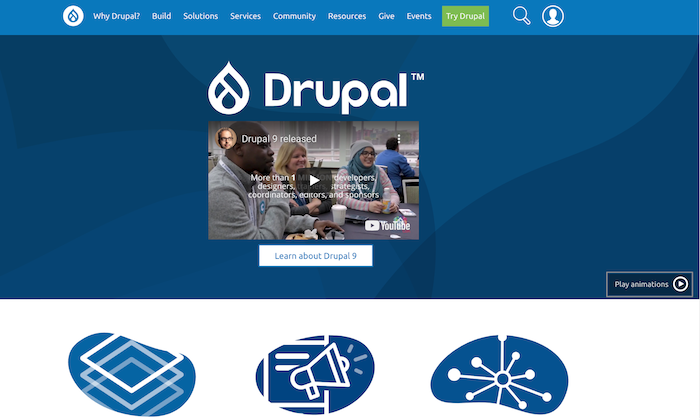
While I don’t recommend Drupal for beginners, if advance customization is a priority on your list, this is hands down the best option.
You can always hire an expert to learn the ropes of the platform.
You’ll now have a website up and running. All that is left to do is to make it look great.
Step #4: Design Your Website to Make It Look Awesome
For any website builder, you’ll have to install a theme.
Themes can be free and paid, but the latter is more professional-looking and gives you more flexibility when customizing your website.
They aren’t excessively expensive as well and can be bought for less than $100.
WordPress and Wix have some great free themes, but if you want to try out the premium variety, you can give StudioPress a shot.
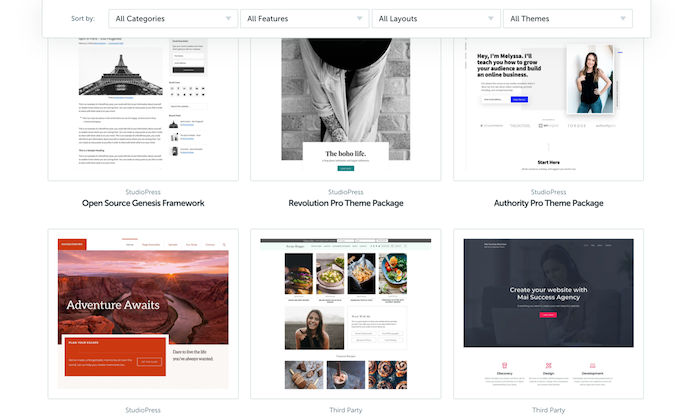
Themes are built on the basic CMS but are customizable to give your website a unique look and allow it to function differently.
After all, shouldn’t an artist’s website look different from a SaaS or a restaurant?
Visual representation is incredibly important as your visitors judge your website in a fraction of a second based on how it looks.
If your site looks obsolete, untrustworthy, or doesn’t match its expectations, your visitors will be gone in seconds.
Luckily, choosing a good theme is easy.
I recommend reading reviews about the themes before choosing and never prioritizing visual appeal over functionality.
Yes, you want your website to look good with all those fancy fonts and colors, but that shouldn’t be at the cost of functionality.
Additionally, you can always change the theme at a later date. Just don’t change it frequently, as it will harm SEO and branding.
Step #5: Protect Your Website by Using a Child Theme
The best way to protect your website is to use a child theme.
A child theme is a style sheet stored separately from the rest of your theme’s files on the webserver.
Not only will it make your site hard to break, but it even protects you from redoing changes whenever you update a theme.
Keep in mind that different website builders have different names for creating a child theme.
You build a “child theme” in WordPress, but you create a “sub-theme” in Drupal.
Also, some websites don’t allow you to create a child theme, but you can always make a duplicate theme to serve as a backup, as in Joomla.
Step #6: Configure Your Website and Add Relevant Content
At this point, you’re done with most of the technical part and can now finally focus on the more interesting things.
Start by setting up navigation to make it easier for visitors to know what your website is all about and grant them easy access to different parts of your website.
Choose a couple of colors to represent your site without going overboard.
For instance, I chose orange and white.
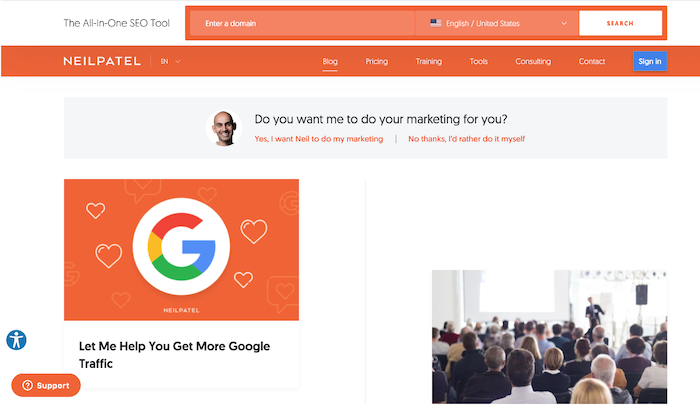
Organize, separate, and highlight the important areas of your website to make it eye-catching and clear.
You can also install plugins to help your website function smoothly.
Here is a quick checklist of things you need to start marketing your business, especially if you want to earn money from the website:
- Get a logo.
- This will represent your brand, so be very careful here.
- Write your website copy, including the home page, About Me page, and other basic pages.
- Install Google Analytics code to your website to keep track of visitors.
- Start planning your marketing strategy to figure out your visitor’s likes and dislikes.
As for the last pointer, you’ll have to understand online marketing, content marketing, and the often neglected link building to gain visibility, generate leads, and achieve your business goals from your website.
Conclusion
Making a website does have its fair share of struggles, but the more experience you gain, the better you’ll become, and the easier it’ll be.
While we’ve covered all the necessary details for building your first website, if you find yourself getting stuck anywhere, you can turn to Google or YouTube to solve your problem.
Trust me, there are tutorials for almost everything out there on the internet.
Choosing a web host and CMS, designing your website, and marketing is just the tip of the iceberg.
You can’t expect overnight success, but was just a bit of patience, you’ll see real progress.
Source: feedproxy.google.com

What Does It Take to Start a New Digital Project?
Have you been planning to start a new digital project for ages but never got around to taking the leap?
We’ve all been there!
I have a long list of domains I once purchased planning a new project that I never ended up using.
So don’t feel bad. It is never too late!

Here’s what it takes to start a new digital project:
1. Start with the Name
This step requires some serious consideration.
Remember your brand name is something you are going to be stuck with for years.
Rebranding is a nightmare, so make sure you do this right the first time.
Things to consider:
Easy to Write
How easy is it going to be to misspell it?
Running this generator may give you some ideas. You may also share your name with friends and get their input on how easy it may be to type your future brand name into the browser’s address bar.

Check Negative Association
Are there going to be any negative associations that would impact your branding?
I usually check Urban Dictionary for parts of my brand name to see if there’s anything I need to know about that concept.

Unique Brand
Are there strong brands with the same or similar names?
Search Google and see if there’s someone already known by that name.
They don’t have to be in the same niche to make your reputation management a nightmare or cause ongoing brand confusion.
I like using this brand name generator to find a cool name for my new projects.
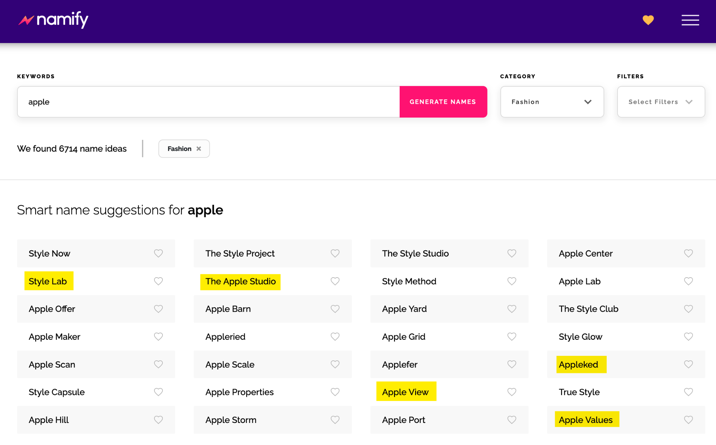
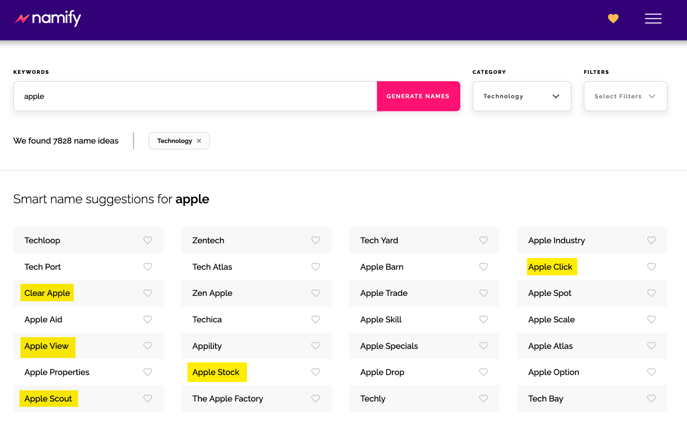
What makes this tool unique is the way they come up with brand names: Instead of using overused tactics (like putting a prefix or a suffix to your target keyword), this one uses AI to generate meaningful and unique suggestions based on your chosen category.
For example, here are some suggestions in the Fashion category:
And here are suggest brand names in the Technology category:
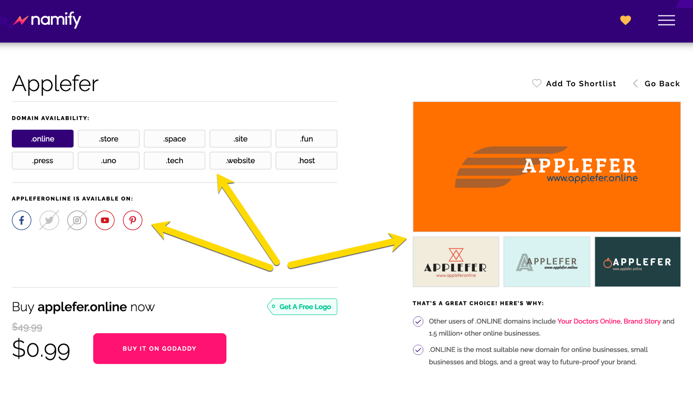
The tool will also check the domain and social media availability for your chosen name and even suggest a possible logo for your future brand which also matches your niche:
Surely, with so many helpful ideas, selecting your future brand name and identity is much easier.
Plus, it’s free and requires no registration.
2. Set up a Website
This may seem a challenging step if you lack tech skills (like most of us do) but the reality is that it has become much easier!
In fact, setting up a WordPress site on the most popular hosting providers is just a matter of several clicks and following the clear steps.
From there, all you need is to select a theme.
Unlike your brand name, a theme is easy to change, so no need to stress yourself with this step too much.
I usually just start with a decent free theme and start filling it up with content to be found by search engines.
3. Develop Your Content Plan
You can develop content in various sections of your website: frequently asked questions, a blog, a news section, product or service descriptions, testimonials or reviews, your “about page”—these all deserve your attention!
Try not to sound too corporate.
Nobody likes talking with a company, so add some personality.
Be yourself.
And skip the gobbledygook!
Firstly, start with your audience
A useful way to do this is to describe your perfect customer.
- What do they read?
- What are they interested in?
- What are they worried about?
- What do they dream about achieving?
- What are their objections to buying from you?
Thinking about your perfect customer will make your content interesting, engaging, and persuasive.
Next, decide what content your perfect customer is interested in
- Which questions can you answer?
- How can you create testimonials?
- How can you show the benefits of your products and overcome objections?
- What language does she speak?
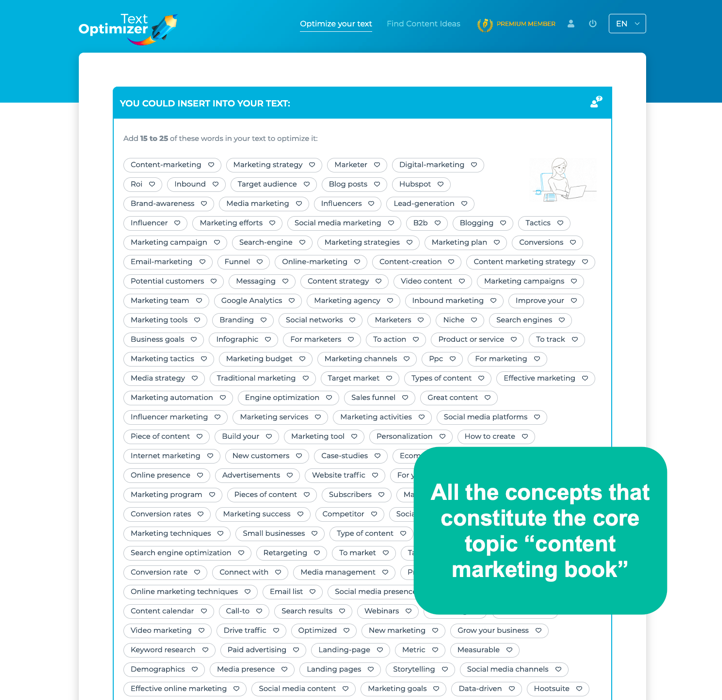
Text Optimizer will give you lots of ideas on what to cover in your content and where to branch out to in the future:
Your content shouldn’t all be about your services/products
Show that you’re an expert in your industry.
Comment on industry news.
Interview experts.
And don’t forget that your content can be text, audio, visuals, or video. Above all, be useful.
Help your perfect customer with solutions to her problems.
An editorial calendar will help you create content on a regular basis.
It’s absolutely fine to create something just once a week or even every other week.
The quality of your content is more important than quantity.
And don’t forget that you need to spend time promoting your content, too
Do you know on which social media channels your audience is most active?
Just start with two or three channels.
Don’t try to be everywhere.
Build up a following in a natural way.
If something doesn’t work, move to another channel or change the way you engage.
Ask different questions or share different stories. But always be authentic.
This is what content marketing is about.
You need to provide quality content that is useful for your audience, that engages your audience and that builds trust and authority for your company.
4. Define Your Conversion Funnels
Don’t launch your project until you set up your conversion funnels!
Otherwise, all the traffic you’ll generate from your launch activities will be lost forever.
First define your main conversion, for example:
- Buy your book
- Set up for your demo
- Schedule a phone consultation
- The email you to request about your services
- Enroll with your course, etc.

Then identify and set up all the different paths towards that goal:
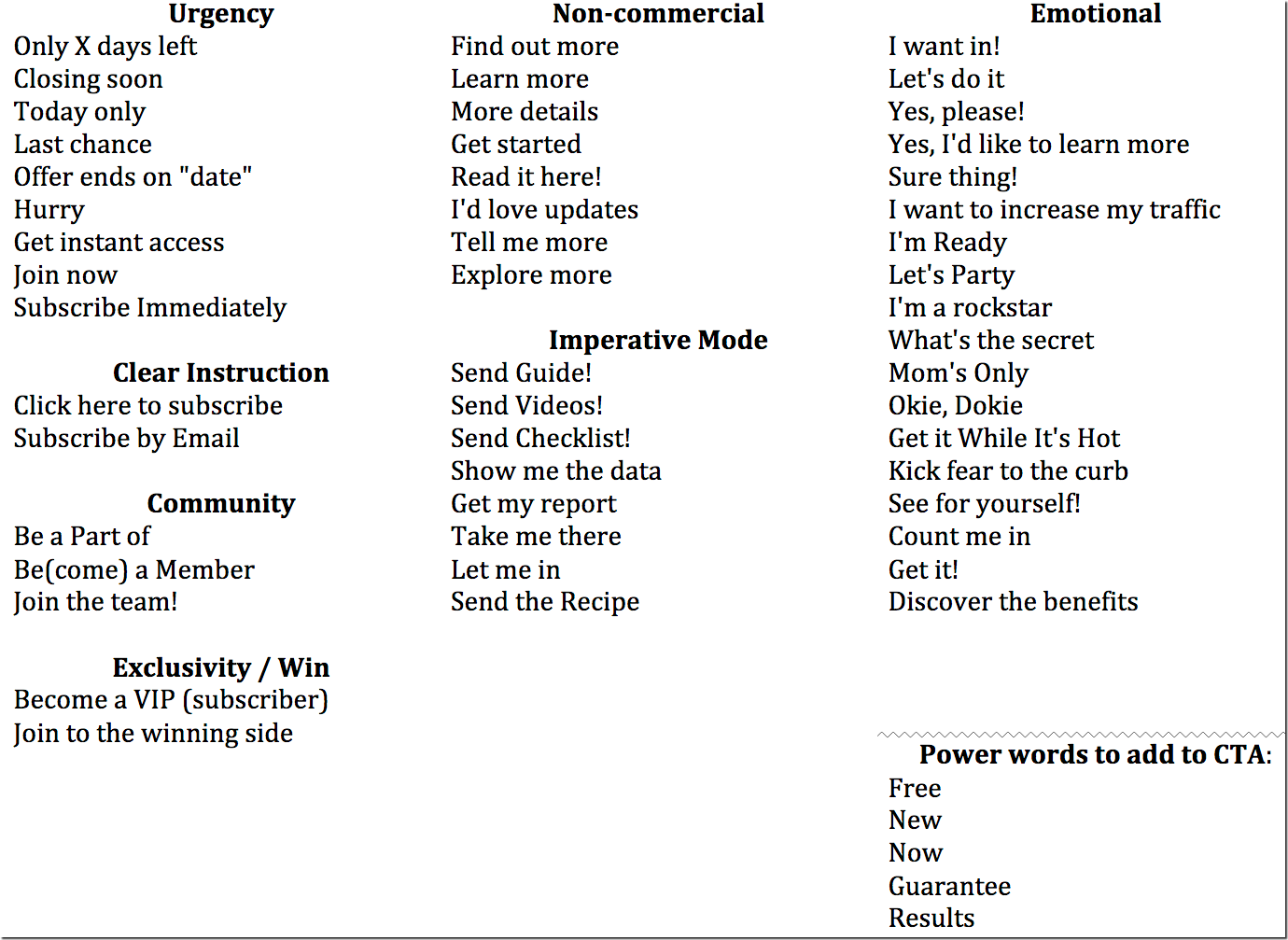
- Add your CTAs: “Contact now”, “Buy now”, etc. I did a huge list (which you can download) on how you can word your calls to action to trigger an action.
- Add lead generation forms: Those who may be interested in hearing more from you will share their contact details. Using conversational forms is a smart idea as they feel more human and encourage more action.
- Include the “Recommend” button to encourage your site visitors to recommend your product or service to a friend
- Create and install Facebook pixel to be able to reach out to your site visitors through Facebook ads and generate some more conversions from people who already know your brand but failed to take an action
- Include social proof to show how your customers are enjoying your product
There are many more conversion optimization tactics that also generate more traffic to play with.
Conclusion
Starting a new project is scary and overwhelming but it will also make you feel inspired all over again.
I am a strong believer that the riskiest thing in life is not to take risks.
The person who is afraid of falling never learns to walk!
So wait no more: Launch that project of yours now!

The post What Does It Take to Start a New Digital Project? appeared first on DigitalMarketer.
Source: digitalmarketer.com