
Tag Archives for " Shopify "

How to Become a Shopify Partner
As one of the largest e-commerce platforms on the internet, Shopify offers budding (and established) entrepreneurs a platform to sell their wares and increase their reach.

In fact, Shopify dominates nearly 20 percent of the e-commerce market share.
That’s not all.
With millions of active buyers on the platform, there is plenty of opportunities for brands to grow their revenue.
In addition to a massive audience, Shopify offers users a simple, streamlined experience that allows store set up in record time.
When you join the Shopify platform, you have immediate access to functionality that allows you to:
- build a website
- create a domain
- multiple payment options
- order receiving and processing
In short, Shopify equips sellers with the tools they need to get their store off the ground.
Shopify benefits don’t only apply to online vendors—through their unique partnership program, individuals can align with Shopify to grow their business and increase revenue through a variety of functions.
Is the Shopify Partner program right for you? Here’s what you need to know.
What Is the Shopify Partner Program?
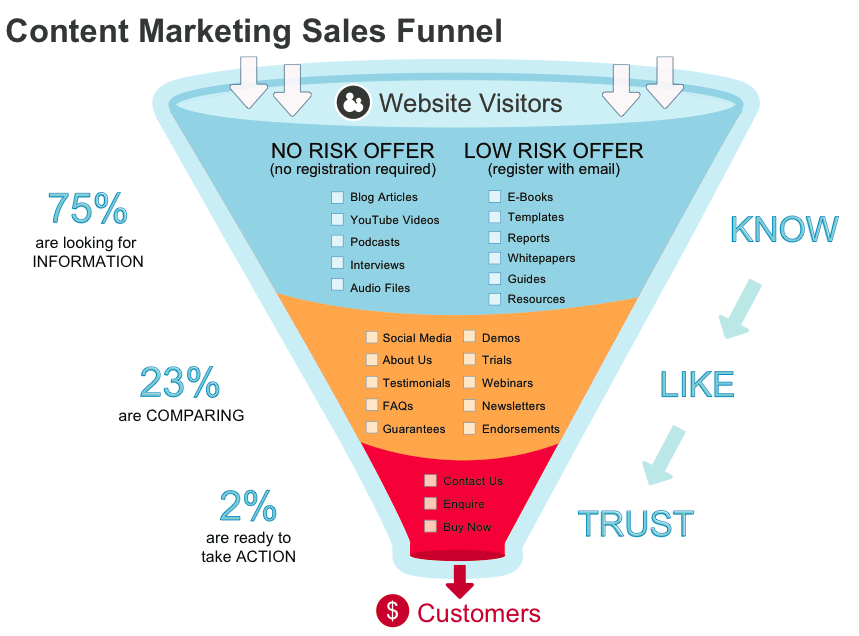
The Shopify Partner Program is a set of tools and resources Shopify users can leverage to grow their business. This is done through four main categories:
- Marketing: For Shopify users in need of a more defined audience, streamlined campaigns, or optimized content, Shopify Marketers can offer their services to help Shopify users increase their reach and employ better marketing strategies.
- Shopify Developers: Experts in Shopify store development, can build apps that help Shopify’s merchants in a variety of ways, including increased engagement and sales.
- Shopify Designers: From graphics to branding, these design experts help stores with design needs, often working collaboratively with developers.
- Affiliate Marketing on Shopify: Affiliate marketers can offer nearly any service on the platform, from influencer marketing to content creation.
Shopify Partners can also build and sell Shopify apps and themes to generate income.
In addition to the above different kinds of Partners, there are also different levels of partnership, including:
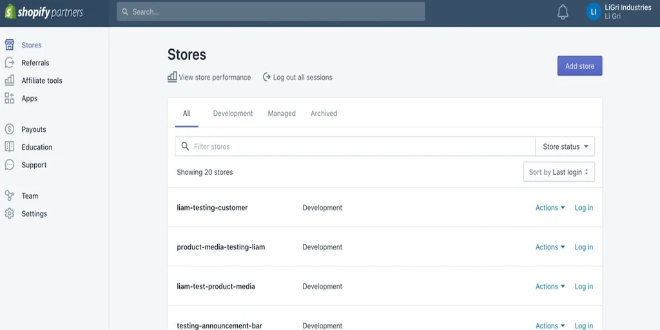
- Shopify Partners: Consider this the entry-level role for Shopify Partners. At this level, you gain access to limitless test stores, allowing you to customize, learn and hone your craft. For each action (client referral, app designed, or graphic completed), you earn a monthly commission.
- Shopify Plus Partners: This tier is exclusively for Shopify Partners who do excellent work. This level often includes agencies, enterprise consultants, and system integrators, as well as individuals.
- Shopify Fulfillment Partners: Fulfillment partners make up the Shopify Fulfillment Network and can operate inside or outside of the bounds of the Shopify Partner Program.
What Are the Advantages of Becoming a Shopify Partner?
Given that one in three Shopify sellers seek services from Shopify Partners, there’s a real opportunity for you to supplement your income when you join the program.
In addition to adding some extra padding to your bank account,
Partners can access free training resources and perks, including:
- FAQs
- how-to articles
- live chat
- the Shopify Academy
The partnership also comes with access to an unlimited number of stores, so you can experiment with your heart’s content.
As a Shopify Partner, you gain exclusive access to offers on tools that can help you run and grow your business.
Once you have your dashboard set up (more on that later), select the “Partner Perks” section and select the “Claim perk” button.
Even better, when you sign up to become a Shopify Partner, you create opportunities to scale your business.
Regardless of whether you’re a well-established agency or an individual setting out to grow your skills and client base, enrolling in the Shopify Partner program is a great growth opportunity.
Sound good?
Let’s break down how you actually become a Shopify Partner.
5 Steps to Become a Shopify Partner
The Shopify partnership comes with plenty of perks we’ve already covered, but there’s one overarching benefit we haven’t covered: Becoming a Shopify Partner is free.
Now that you have a better understanding of the value associated with a Shopify Partnership, follow these five steps to start growing your business today.
1. Learn More About Shopify Partners
This blog explores the surface-level of a Shopify Partnership, however, you’ll want to spend more time on the Shopify partner page to read the blog and learn more about partner perks and features.
2. Join the Shopify Partner Program
This is the easiest step yet! Simply head to the sign-up page and enter your name and email address and wait for your verification.
3. Verify Your Email Address
After creating an account, you’ll receive an email asking you to follow a link to verify your email address.
Be sure to do this within 24 hours, as the window for response closes after that timeframe.
After you select the blue button to confirm your account, you’ll land on the Shopify accounts page. From there, choose “Shopify Partners” and then “Create a new partner account.”
4. Enter Your Information
Now that you’ve successfully set up an account, you must complete a form that asks for the specifics of your business. Complete all the necessary fields.
After this step, scroll down to the “Business goals” section and choose the function that best suits your offering.
Here you can select:
- building apps
- building new Shopify stores for clients
- providing Services to existing Shopify merchants
- referring merchants as an affiliate
- selling products as a Shopify merchant
- other
After you’ve selected the right category, scroll down the page until you reach the section about platform usage.
Here, you’ll identify which platforms you’re currently using, allowing Shopify to equip you with custom tools.
Categories include:
- BigCommerce
- Lightspeed
- Magento
- PrestaShop
- Square
- Squarespace
- Wix
- WooCommerce
- WordPress
- None
- Other
After selecting the relevant category, read the Partner Program Agreement at the bottom of the page and check the corresponding box.
5. Meet Your Shopify Dashboard
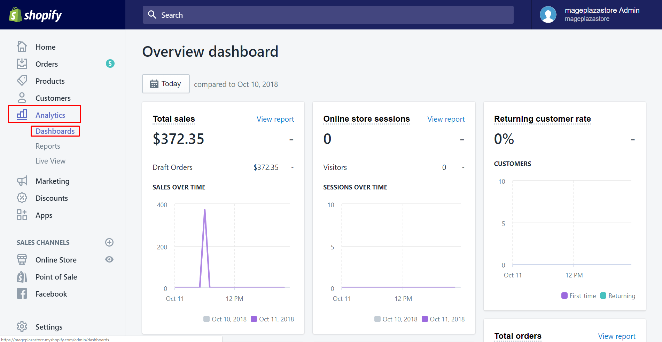
Your dashboard is the hub of your Shopify business.
To get started, select the Shopify Partner programs you’d like to apply to from the “Get started” section.
A short form will ask you to explain your interest in each program.
Even if you’re not accepted into a program immediately, you can still use your dashboard to grow and hone your skills.
With endless courses available from the Shopify Partner Academy, you can earn certifications in Business Fundamentals, Theme Development, App Development, and Product Fundamentals.
You can take the accompanying test as many times as you like, all while using the resources provided through the Shopify Partner Academy to increase your knowledge base.
After receiving your acceptance to one of the Shopify Programs, you can start earning some cash. Payments occur on a bi-monthly schedule via PayPal.
The Partner Dashboard is also your source for all questions.
From the portal, you can contact Shopify support whenever, wherever to get your questions answered.
Measuring the Success of Your Shopify Partnership
You’ve set up your dashboard, been accepted into a few programs, have been working for a few months, and now you want to know how successful your Shopify partnership actually is.
While there are countless metrics you can use to track the success of your endeavors, here are six key figures to assess the strength and success of your partnership.
Lead Conversion Rate
This metric is exactly what it sounds like: a measurement of how many leads converted into customers in a specific period of time, generally within 30-day increments.
Significant due to its ability to highlight how successful your campaigns are at turning attraction into actual leads, your lead conversion rate is a must-track metric.
How do you calculate the lead conversion rate? The formula is pretty simple, as long as you have the numbers.
Lead Conversion Rate = (Number of new customers in the last x days ÷ number of leads in the last x days) x 100
Lead Velocity Rate (LVR)
This figure is representative of real-time sales performance. Given its predictive nature, the metric is perfect for forecasting revenue growth.
How do you calculate lead velocity rate?
Lead velocity rate = (Number of qualified leads this month – number of qualified leads last month) ÷ number of qualified leads last month x 100
Monthly Recurring Revenue (MRR)
This metric represents revenue, rather than what is actually actively collected.
A good indicator of success, MRR lets you know if your leads are converting to actual customers within a finite time span.
How do you calculate MRR?
MRR = Number of customers x average billed amount
Churn Rate
This metric refers to the number of customers who stop using your service during a specific time frame. Churn rate is a valuable metric to determine if your marketing strategies and onboarding process are effective.
How do you calculate the churn rate? There are two types of churn rate:
User churn = (Cancelled users in the last 30 days ÷ active users 30 days ago) x 100
Revenue churn = (MRR lost to downgrades & cancellations in the last 30 days ÷ MRR 30 days ago) x 100
Average Revenue Per User (ARPU)
Use this metric to learn how much revenue you’re creating from each individual user.
This statistic is valuable to assess marketing successes and failures and forecast revenue goals.
How do you calculate ARPU?
ARPU = MRR ÷ active users
Lifetime Value (LTV)
This metric represents the amount a user will spend on your service throughout the course of your relationship. This figure helps you assess whether it is more valuable to maintain existing customers or pursue new ones.
How do you calculate LTV?
LTV = Average monthly recurring revenue per customer ÷ user churn rate
I recommend monitoring these figures on a daily, weekly, and monthly basis for a comprehensive view of your success.
These metrics let you identify patterns and see if improvements succeed so you can adjust your approach as needed.
Conclusion
Shopify’s continuous growth shows no signs of stopping.
For any digital marketers, developers, or graphic designers, becoming a Shopify Partner offers an opportunity to broaden your portfolio, sharpen your skills, and earn some extra cash.
If you’re looking to increase your client base and your revenue, Shopify might be the place for you.
If you’re considering wading into the world of Shopify partnership, be sure to actively monitor the right metrics and ignore vanity metrics that have little impact on overall success.
What part of the Shopify Partner program is most useful to you?
Source: neilpatel.com

Shopify Vs. Wix
Is the clothing niche more profitable than accessories? Which theme would be better: Wookiee or Porto? Is Shopify better than Wix, or is it the other way around? Decisions, decisions!
Disclosure: This content is reader-supported, which means if you click on some of our links that we may earn a commission.
As an ecommerce seller, you’ll find yourself making a lot of choices. But out of the plethora of answers you need to figure out, choosing the best ecommerce platform remains the most crucial. More so, when your options have overlapping features.
Although Shopify and Wix have overlapping features, Shopify edges forward in the race if you’re specifically looking for ecommerce functionality. Still, it’s a close call between the two that boils down to your intent.
Small businesses or brand-conscious entrepreneurs will love Wix with its easy-to-use, cheap features, and greater design flexibility.
But if you’re looking for a serious ecommerce solution to scale and sell worldwide and have the bigger budget and technical knowledge to flatten the learning curve, stick with Shopify.
Shopify or Wix: Which Is Better?
Shopify is a solid option for ecommerce applications with its fully responsive templates, AMP support on product pages, and dropshipping features. It also supports multi-currency selling functionality and offers useful integrations with other essential apps. Overall, it’s a more professional choice for anyone who wants to build an online store. If this is exactly what you’re looking for, make sure you sign up for a free trial ASAP.
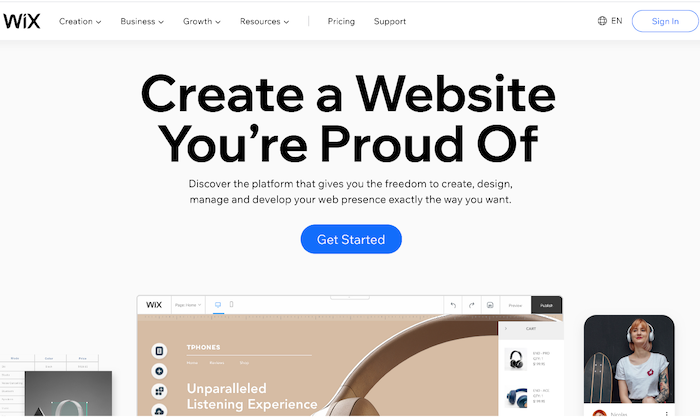
Wix has a drag-and-drop interface and a wide range of bundled templates, making it a great choice for those who want to build a general-purpose website. It also comes loaded with page layout tools, data capture, and email marketing features. Plus, it’s cheaper, and you don’t have to worry about paying transaction fees. Ready to check out Wix? Give it a try with a free trial.
A Review of the Best Ecommerce Platforms
People want to dabble with good ecommerce platforms considering their rising popularity. But what’s the best one out there?
We reviewed dozens of ecommerce platforms and narrowed them down to the seven best options that tick off all the right things on an ecommerce seller’s checklist. Wix and Shopify both made the list.
Head over to our best ecommerce platforms guide for an in-depth look at where every product stands, along with what criteria do we think they are best for.
Shopify Wins
Several Useful Ecommerce Features: As it’s specially designed to be for ecommerce, Shopify sites come with many useful ecommerce features to cover every little aspect of the sales process. It has multiple payment gateways, inventory management tools, third-party platform integrations, and shopping carts. The platform is also scalable, allowing you to grow with your expanding business needs.
Fluid Themes and Greater Flexibility:
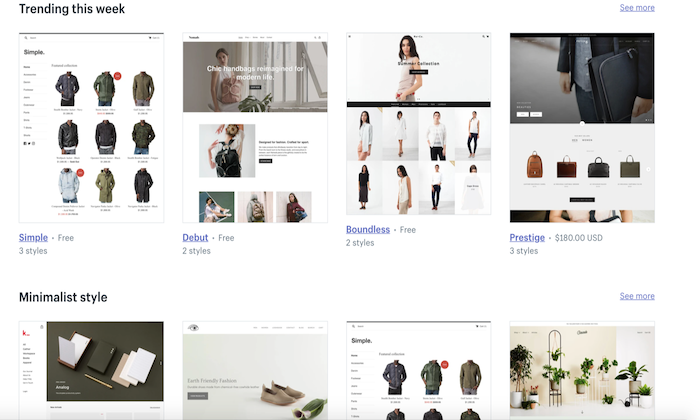
Shopify offers 60+ professionally-designed and customized themes, giving you the liberty to add individual product pages based on your needs.
Moreover, this customization and flexibility extend to changing page elements too. You can move, add, remove, or resize page elements to make your shop more on-brand.
Tweaking themes is also possible—provided you know HTML and CSS. If you’re tired of how your site looks, you simply have to choose a new theme, and you’ll have a brand new store within minutes!
Custom Domain Name:
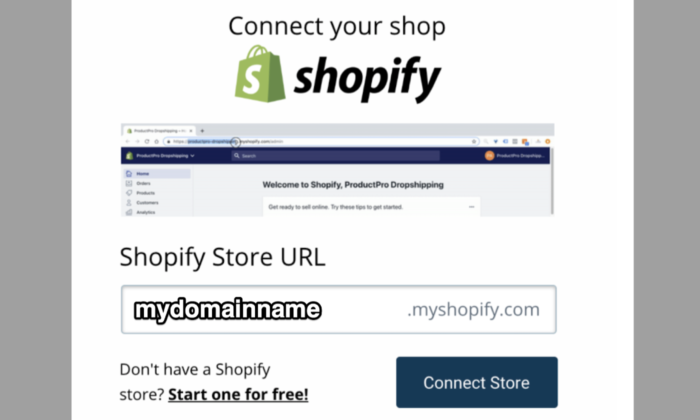
Every Shopify user gets a custom domain name that allows them to brand their respective stores and online business more efficiently and effectively.
You can handle your domain on the same site location as your domain store, which, in turn, allows you to make changes to either with ease while simultaneously managing your domain.
Excellent Built-In Analytics:
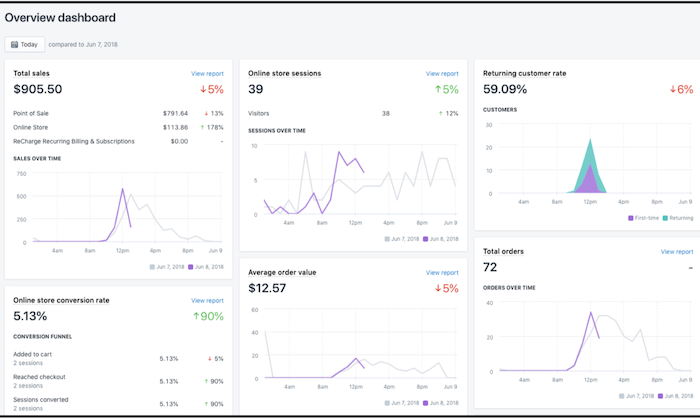
Shopify goes the extra mile by offering you plenty of built-in analytics features like Google Analytics, customer behavior, stock levels, and conversion tracking to know exactly how your store is doing and which aspects need a bit of tweaking for better results.
You can also view online store sessions, total sales, top-selling products, returning customer rate, average order value, and behavior reports (phew!) on the platform to make better decisions.
Shopify App Market:
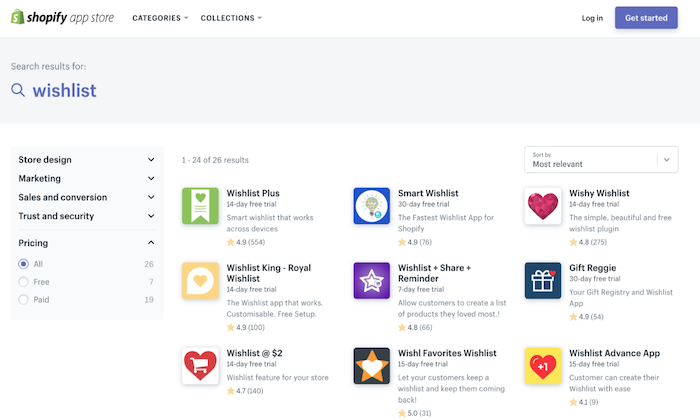
Nearly every ecommerce plugin and feature are developed for Shopify first due to its vast popularity. Whether it’s free or premium add-ons for marketing to content management, you get all kinds of unique features with this platform.
Case in point:
An augmented reality feature that allows you to use your smartphone to navigate the product and see every little detail. What’s more, even other marketplaces like AliExpress and Oberlo offer compatible apps to make your store management easier.
Faster Checkout Options:
Shopify has prioritized customer preference when designing login and checkout options. You can make the registering of users before heading to checkout mandatory, optional, or prohibited.
Plus, registration is also incredibly easy as users only have to fill out basic information. As a seller, you can add users manually or import the list via CSV and sort them through a tag system.
More Payment Options:
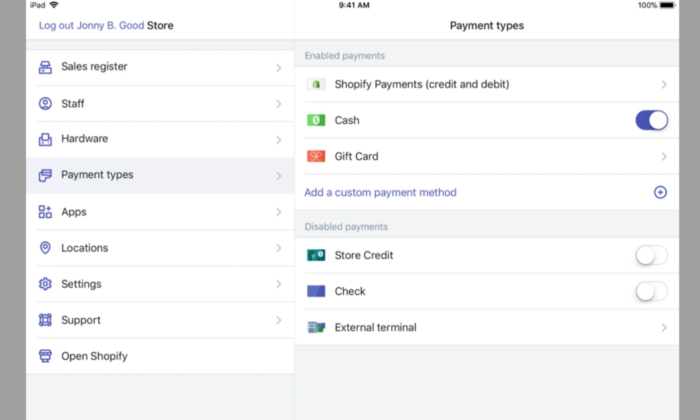
Shopify gives you several options to sell items anywhere in the world thanks to its Amazon FBA or a 3PL order fulfillment support, along with multiple-currency support through a complex, non-supported HTML, CSS, JavaScript, and Liquid hack.
This may not be ideal, but it’s definitely there. You also get direct access to 100+ different payment gateways, including PayPal, Stripe, and Shopify’s fully integrated payment system.
No Cap on Products and Inventory:
Most web servers or external platforms restrict the number of products you can add to your store—but not Shopify. You can add unlimited products to your Shopify store.
Even the lowest subscription package does not put any restriction on the number of products you can add to your inventory.
Shopify Losses
Learning Curve:
Shopify developers claim the platform is the best for creating and managing online stores, but they don’t claim to be the easiest, and rightfully so.
Although Shopify uses templates that eliminate the need to edit HTML code and CSS styling, its websites are harder to edit than Wix.
It’s because the focus is on the products and how you present the page. If you want to make additional changes, you’ll have to learn to edit the backend code.
Limited Free Themes:
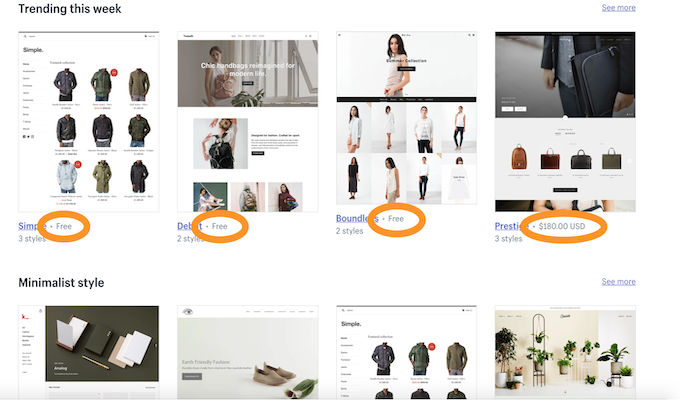
While we love how modern and responsive Shopify themes are, it’s the limited number can restrict your options. You have to pay a one-time fee for most themes, ranging between $140 to $180, as only ten themes are free.
Expensive:
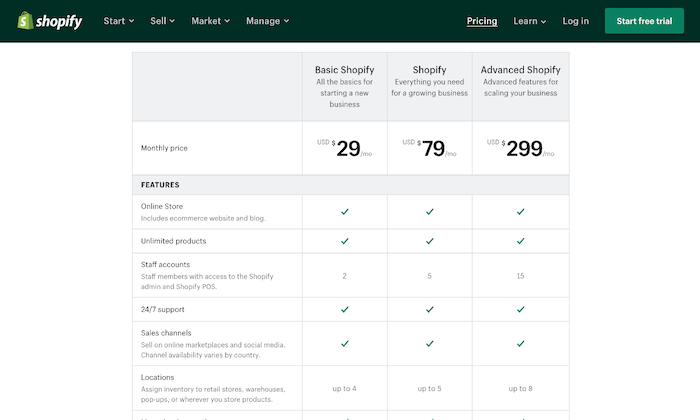
Shopify gives you a wide range of subscription plans starting at $29 per month. However, not only is it more expensive, but you also don’t get a free plan (only a 14-day free trial).
The basic plan includes only the barest of features, so if you want access to advanced features like fraud analysis and reports, you have to pay a higher price.
Further, unless you use Shopify Payments—something that isn’t available everywhere—you have to pay a transaction fee on top of the payment processor fee.
Lacks Email Hosting Facility:
You don’t get an email hosting feature despite web hosting being included in all Shopify plans. So, you can’t host a domain-based email address like [email protected].
What you can do, however, is set up email forwarding. This will forward all emails sent to [email protected] automatically to your regular email account.
You’ll have to set up other third-party email hosting connections to use the email forwarding function.
Wix Wins
Massive Template Collection:
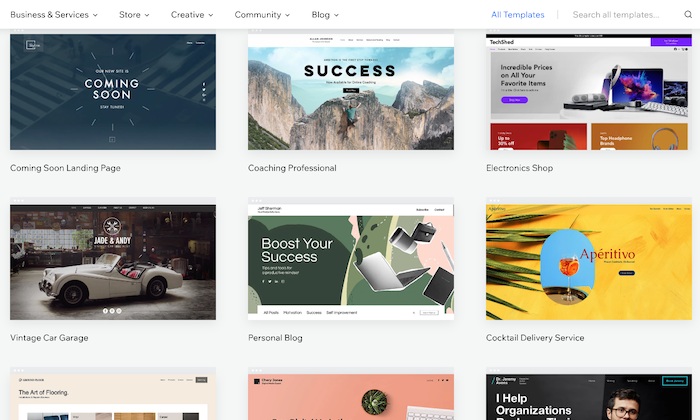
The basic Wix editor lets you pick from 500+ beautiful templates for your site and populate it with any content of your choice.
There are several built-in dynamic templates—from homepages to blogs to landing pages—suitable for novices and experts.
People on a tight budget will be happy to know the platform offers 60 completely free, modern, and stylish ecommerce templates.
Intuitive Drag-and-Drop Interface:
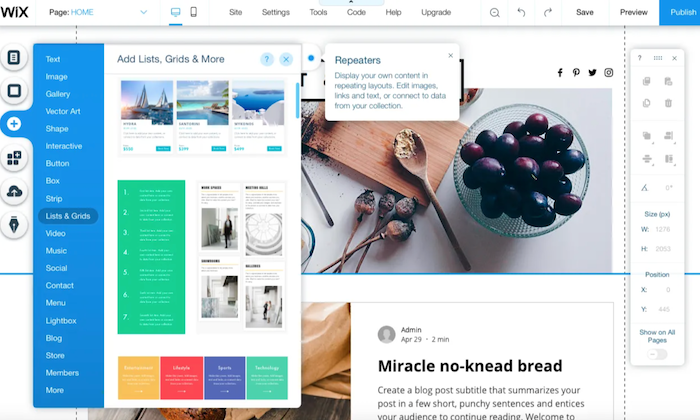
The drag-and-drop interface is the heart of Wix, making it incredibly user-friendly. Because of this, not only people with all levels of skills can use the platform, but it also gives you enough options to convert your side into a real powerhouse by extending its functionality.
You can use the mobile editor to review and edit your site to optimize it for mobile devices.
Free Plan:
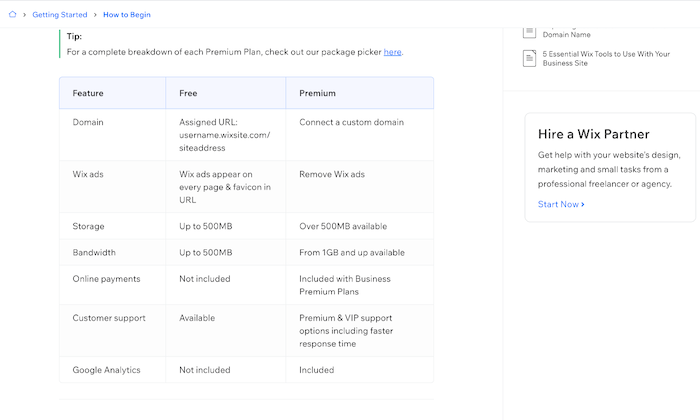
Wix is definitely the cheaper platform, with prices starting at $23 per month. There’s also an entirely free plan and a free domain name facility (for the first year) that further boosts its appeal.
Plus, you don’t have to worry about paying any extra fees with the platform.
Built-In Video Function:
Wix seriously lets your products shine, which is one of its biggest USPs. It has a built-in product video function that helps improve customer experience by allowing them to see the product live.
You’ll also appreciate the product zoom feature and the fact you can build a distinctive checkout page to make the checking out process as hassle-free as possible.
Efficient SEO Guidance:
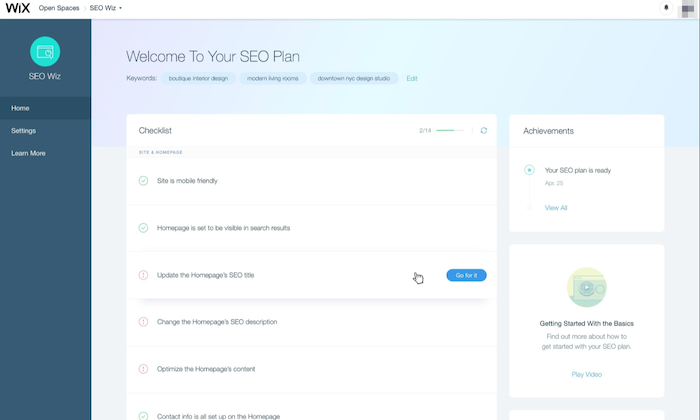
Wix helps you optimize your ecommerce site for SEO by highlighting areas that require your attention. It then does the hard work by letting you fill in keyboard tags and other metadata.
You can also modify the URL of each page, so it best fits what Google needs to know.
Tons of Extra Features:
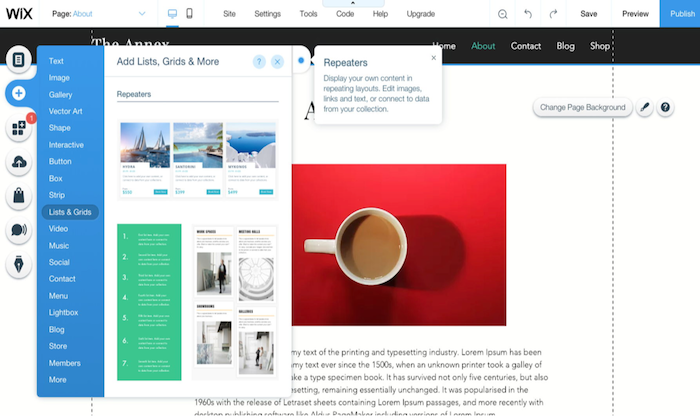
Aside from the core functions, Wix is built with an entire ecosystem of useful tools and products to make website building easier.
It offers your free HTTPS to ensure visitor interactions with your website remain secure, templates to create quotations for customers, and integrated payment options like PayPal and Stripe.
There’s also a logo maker to make branding even easier!
Online Store Integration:
You can include an online store with your website at no additional cost with Wix. As the interface is easy to use, the integration process is very straightforward, and you don’t even require an external shopping solution.
Wix Losses
Harder to Redesign:
The intuitive drag-and-drop interface of Wix makes designing your site simple, but it’s the redesigning where you have to pay the price.
You don’t have the flexibility to make any major changes by just selecting a new theme. Instead, the redesigning process is extremely manual.
If you want to make any drastic changes to your online store, you practically have to rebuild your entire website.
Besides that, you don’t have access to HTML and CSS, which makes the overall process more time-consuming and tough.
Limited Integration With Third-Party Apps:
When we talk about app integrations, it isn’t even a fair fight as Wix has far fewer ecommerce developers creating apps for its platform.
For instance, you won’t find a Google Shopping Feed or Facebook Product Feed. This means you can’t run Google shopping ads or run dynamic product ads on Facebook from the platform.
Native integration with email marketing applications is also absent, making it troubling for owners who rely on email marketing for revenue.
The only way you can integrate a Wix store to an email marketing add-on is to use either Zapier or write the code yourself.
Forced Wix Branding:
They say there’s no such thing as a free lunch, and Wix very well proves it. If you decide to choose and stay on Wix’s free plan, be prepared to carry Wix branding—right at the top of your site.
It isn’t too obnoxious, but it isn’t exactly discreet. What makes it more annoying is it appears before your website header!

Non-Transferrable Site:
While some may justify Wix not wanting users to export websites created with their technology, it’s a con for those who want to migrate.
And the fact that scalability isn’t Wix’s biggest forte, makes this an even bigger problem. If you want to recreate and transfer your website away from Wix, you have to pay some serious amount of cash.
In short, if you sign up for Wix, they might just have you for life.
Comparing the Top Ecommerce Platforms
While Shopify and Wix are excellent ecommerce platforms, there are several other alternatives with their own advantages. Make sure you check our top picks for the best ecommerce platforms to find the right option based on your specific needs.
- Wix – Best for flexibility and customization
- Squarespace – Best ecommerce platform for creatives
- BigCommerce – Best for medium to large stores
- Shopify – Best all-in-one ecommerce platform
- WooCommerce – Best for WordPress websites
- OpenCart – Best for selling digital products
- Ecwid – Best for integrating with your current platform
Summary
Shopify is the more obvious choice since we’re concerned with ecommerce functionalities in particular. But that doesn’t mean Wix has lost its charm.
Shopify is the best solution for sizable online stores that need all the bells and whistles of scaling and selling everywhere around the globe, while Wix is more appropriate for general-use cases and for owners who rely on content creation to acquire more traffic. It also offers more creative freedom as opposed to Shopify.
In the end, the choice is yours—just make sure you make the right one.
The post, Shopify Vs. Wix appeared first on Neil Patel.
Source: neilpatel.com