
Tag Archives for " services "

How to Use Transcription Services to Repurpose Your Content
Keeping your audience engaged with your content is a full-time job in itself. You must constantly evaluate your current content’s engagement metrics while also anticipating the needs of your growing audience.
With this in mind, new and updated content is crucial to any successful digital marketer’s strategy. How can you generate new content without spending more time than you have available? With transcription services.

In this guide, I’ll explain what transcription services are and what they can do for digital marketers. This will include a look at one particular use case—repurposing content—to give you an idea of just how valuable these services can be.
What Are Transcription Services?
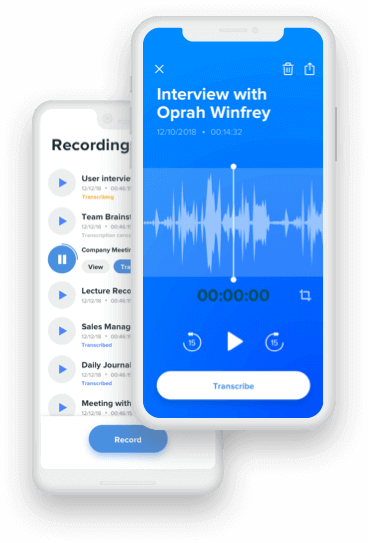
Transcription services are business services that transcribe audio to text. The audio is most often pre-recorded and is then transferred to transcription professionals, who are trained in shorthand. They are able to quickly and accurately transcribe audio from many different sources.

You also have the option of AI-powered transcription tools, such as Otter and Rev. These services combine AI with trained professionals to deliver a top-notch experience.
From podcasts and videos to workshops and live speeches, a transcription service can help you to preserve your audio in text format. This can later be used for reference or, as I’ll outline below, as a way to repurpose your marketing content.
When are Transcription Services Used
Transcription services are most often used by physicians, scientists, researchers, and other technical professionals. Their spoken notes are transcribed into written notes and reports that can be used for reference or recordkeeping.
When you think of transcription, you may also think of court proceedings and police investigations. These, too, are used for recordkeeping (often public record) and as a way to make the proceedings accessible to all.

However, transcription can offer great benefits to digital marketers, too. One of the most effective ways to use transcription is to repurpose content and create high-value content in multiple formats.
5 Ways to Use Transcription Services to Repurpose Your Content
There are plenty of benefits transcription services can provide to digital marketers, and repurposing of content is just one. Here are five ways you can use transcription to expertly repurpose your content.
1. Turn a Video Into a Blog Post
Whether a new or established digital marketer, I can safely assume you never feel as if you’re hitting your weekly or monthly blog post targets. By transcribing your videos into blog posts, you can get that much closer to reaching your goal.
How many posts should you publish a week? According to HubSpot, the sweet spot can be anywhere from one post to five posts per week.
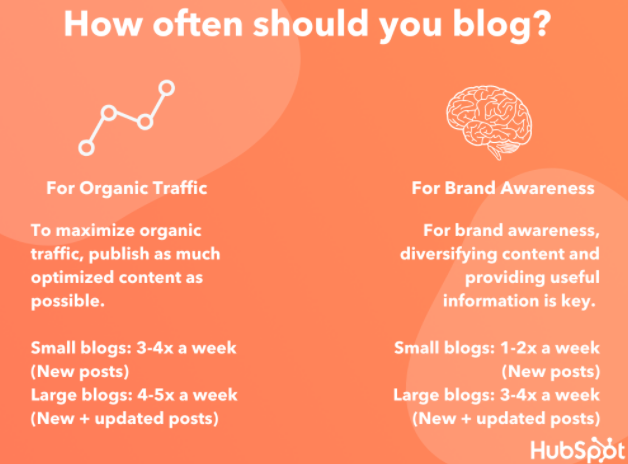
However, this will depend on the size of your website and what you hope to achieve. For a small website with a goal of maximizing organic traffic, for example, three to four new posts per week is recommended.
Another benefit of turning videos into blog posts is accessibility. While many digital media platforms offer closed captioning, they aren’t always the ideal way to digest content. By turning videos into blog posts, you can ensure all of your traffic has access to your content in multiple ways.
Of course, you should aim to bulk up these blog posts in ways that benefit the readers. These include using visuals (e.g., images, infographics, charts) and adding more in-depth examples.
The transcription should serve as a starting point to creating engaging, valuable blog posts.
2. Turn a Podcast Into a Video or Blog Post
You don’t need to forfeit multimedia content entirely! You can “upgrade” your podcast to a video using transcription services. Just add some visuals and you can now share to digital media platforms like YouTube and Vimeo.
The greatest benefit here is the ability to reach a wider audience. While there is certainly crossover between podcast listeners and video watchers, there are some people who stick strictly to one format.
By turning your podcast into a video (or vice versa), you open your content up to a whole new audience.
You have a few options here when it comes to adding visuals to your videos. The simplest is using one image (perhaps a solid background with your brand and website URL) throughout the entirety of the video.
This isn’t appealing, but it will enable you to add your content to sites like YouTube.
For more appealing visuals, you can also try stock photos, digital imagery, or even b-roll.
How can you ensure the visuals you use are appropriate and appealing to your audience? Search YouTube for similar content keywords to see what types of videos your target audience is currently engaging with.
This can ensure you are on the right track, while also giving you ideas on how to improve your content over the current offerings.
Or, you can turn your podcast into a blog post.
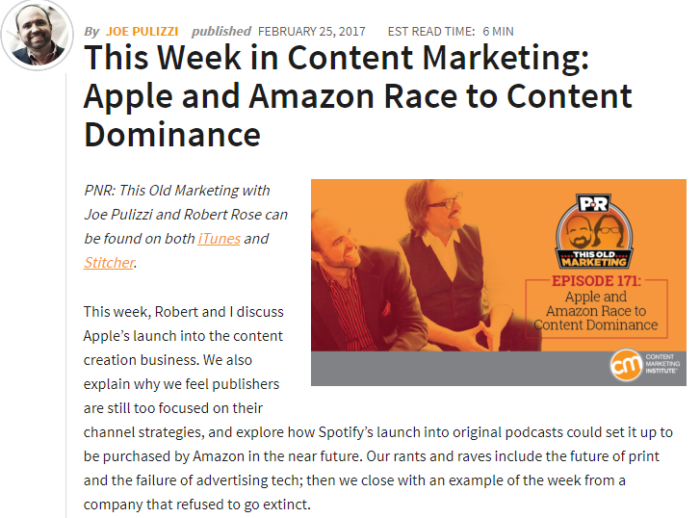
For example, Content Marketing Institute’s Joe Pulizzi hosts a podcast, then turns the transcript into a detailed blog post. This allows users who don’t have time to listen to still access their content.
3. Create a List-Building PDF
Do you have a video or podcast episode that would make great list-building content? Then consider hiring a transcriptionist to turn that content into text.
List-building content, also known as lead magnets, is a great way to build your email subscription list. It is an offer of free content in exchange for an email address.
However, it is not as easy to attract people to your list-building content as it was before everyone had a website. Your content must be truly compelling and high-quality.
There are plenty of lead magnet formats to choose from, including:
- checklist
- cheat sheets
- e-books
- infographics
- case studies
- white papers
Using a unique angle, you can use the above formats to attract a targeted audience. With such an array of content types, it’s likely you have a video or podcast episode that can easily be transformed into one of the above.
4. Build a Resource for Social Media Content
There’s bound to be a Tweet-worthy quote or two from your latest podcast episode. Instead of replaying the episode and scrubbing through it, turn the episode into a transcript.
This will make it incredibly easy to find social media content to share.
Without the need to scour your audio, you can now spend that time creating attractive visuals using platforms like Canva or Adobe Spark.
These services allow you to create the ideal visuals for each social media platform, and they even include templates to get you started.
Do keep in mind the cost of transcription services may increase if your episode includes more than one person. This can take time and skill to navigate.
On the other hand, the added benefit of transcribing multi-guest content is that multiple speakers can add refreshing insight to your social media pages, especially if the guest has their own social profile to engage with your audience.
5. Create an E-Course
If you want to create a substantive course, then consider combining multiple videos or podcast episodes on a similar topic. The resulting e-course can then be offered as a lead magnet or even a paid course.
With platforms like Kajabi and Thinkific, you can host your online course with ease. How can you ensure the course you create is profitable?
The steps to creating a successful online course include:
- Choosing a fail-proof, high-demand topic.
- Creating compelling course objectives.
- Structuring your course modules effectively.
- Choosing a platform to host the course.
- Marketing your course strategically.
As a paid course, the content should be of exceptional quality and it should go in-depth. Transcriptions of your previous content will be helpful to create an outline, but you should really dig deep and build out the content as best you can.
Before you employ a transcriptionist, take special care to pick your best audio and video episodes for transcription. These will form the basis of your course, but they’ll of course need to be bulked up with further examples, imagery, and more.
Transcription Services Frequently Asked Questions
Transcription is invaluable to digital marketers, but perhaps you still have a few questions. Let’s go over them.
How much does it cost to get a transcription of your content?
The cost to transcribe your content will vary. Consider that transcriptionists have various ways of charging for their work (e.g., per hour, by project) and rates will vary by experience level, location, and more.
How long does it take to transcribe audio?
Just as with cost, the length of time it takes to transcribe your audio will vary. The industry standard is two to three hours per one hour of audio.
However, that assumes the audio quality is clear with little to no background noise.

Do transcribers use the software?
Even professional transcriptionists rely on software to ensure efficiency and accuracy.
With tools like Amberscript and Happy Scribe, you (or your editors) can collaborate with your transcriptionist in real-time. This ensures a seamless transcription experience.

Do transcription services accurate?
As with most services, you get what you pay for. The same can be said for transcription software tools, as well.
The more experienced your transcriptionist (or advanced the software you use), the more accurate the transcriptions are likely to be.
Repurposing Transcriptions for Content Conclusion
Your audience craves new and updated content on a regular basis. While this can seem a daunting task, audio transcription services can offer a solution.
With transcription, you can turn your audio content into text. This text can then be repurposed into other forms of content, including blog posts, social media content, and online courses.

Transcribed content can help you to satisfy the needs of your growing traffic numbers, while also providing accessible content so as to reach a wider audience.
Depending on the quality of the services you use, you may not even need to spend much time editing the transcription. This will save you immeasurable time while also expanding your reach as a digital marketer.
Which of the above content formats will you transform your audio content into?
Source: feedproxy.google.com

Best Webcasting Services
Webcasting has quickly become a popular large-scale communication tool in the digital era. It’s a way for businesses and individuals to communicate with hundreds or even thousands of people worldwide. Webcasting can be leveraged for a broad scope of use cases, like lead generation, customer support, internal company communications, and so much more.
Disclosure: This content is reader-supported, which means if you click on some of our links that we may earn a commission.
The terms “webcasting” and “webinar” are often confused with each other. Unlike a webinar, webcasting is a one-way flow of information. The host presents and the audience watches without really interacting. Webinars are typically more interactive.
This key difference makes it much easier to reach the masses. But having a successful webcast is reliant on finding the right webcasting service. Which one is the best? Let’s dive in.
The Top 6 Options For Webcasting Services
- GlobalMeet — Most Versatile Webcasting Service
- Cisco Webex — Best For Large Scale Events
- ClickMeeting — Best For Monetizing Webcasts
- ezTalks — Best For Pre-Recorded Online Events
- ON24 Webcast Elite — Best For Audience Engagement and Conversions
- Samba Live — Best For Cross-Platform Live Streaming
How to Choose the Best Webcasting Services For You
Before you can start evaluating different webcasting solutions, it’s essential to understand what qualifications should be considered in your decision. This is the methodology that I used to come up with the top picks on the market today. Use these factors as a buying guide and weigh their importance against your personal webcasting needs.
Number of Attendees
How many people are you expecting for your webcast?
Most webcasting services will have limits on attendee lists. Some services might restrict you to 5,000 or 10,000 attendees, while others give you up to 100,000.
Compared to webinars and web conferences, webcasts typically have a higher number of attendees. Keep this in mind as you’re browsing through different options. Make sure you factor in the attendee limits of each plan.
Audio and Video Quality
Since webcasts are typically broadcasted from a single presenter, the audio and video quality must be a top priority. Tens of thousands of people around the world could be viewing your webcast.
If the feed is lagging, grainy, or low quality, the message won’t be as impactful, and attendees may drop out mid-presentation.
The quality of your webcast will be a direct reflection of you and your brand. This is definitely an area that can’t be overlooked as you’re comparing solutions.
Event Management Tools
Webcasts often require a significant amount of preparation. From the promotional materials to speaker lists and more, there’s quite a bit of work that must be done before, during, and after the event.
Look for a webcasting service that simplifies event management. Even though webcasts typically aren’t interactive, features like audience polling can be highly beneficial.
Recording and Editing Capabilities
Make sure the webcasting service you’re evaluating allows for event recording. Not every webcast is presented live. Some are pre-recorded and available on-demand.
If you’re pre-recording an event, take advantage of any built-in editing tools. Mistakes are inevitable during a live broadcast. But you can cut those out of an on-demand webcast with editing tools to add professionalism to any event.
The best webcasting services give presenters the ability to remove, add, or even reorganize content before archiving it for on-demand viewing.
Reporting and Analytics
Look for a webcasting service with sophisticated reporting tools. Most platforms offer the basics, like the number of attendees and their location.
But some webcasting services go above and beyond with poll results, audience interactions, and other key audience behavior. These deeper insights can help you define and create future presentations, which is crucial for sales and marketing webcasts.
The Different Types of Webcasting Services
Generally speaking, webcasting falls into one of three categories. Not every webcasting service will accommodate all three of these, although most offer more than one.
Live Streaming
Live webcasts are when the presentation gets broadcasted in real-time to your audience. There’s a defined start and end time, and there’s no way to rewind or start over.
Both live streaming and on-demand webcasts are more often self-serviced, meaning you handle the logistics and filming for your event.
On-Demand Webcasting
On-demand webcasts are pre-recorded. There are generally two ways to produce an on-demand event.
You can simply record a live event and make it available for viewing at a later time. Or you could record a webcast without ever presenting in front of a live audience.
The second option is better for evergreen content that isn’t really time-sensitive. This will give you more flexibility with editing as well.
Managed Webcasting
Managed webcasting services minimizing the workload for the presenter. The service provider takes care of the logistics, broadcast, and filming for the event. Presenters just need to worry about the content.
With that said, self-service webcasting is more popular than managed webcasting. Most businesses and individuals choose to handle the publishing and editing of webcasts on their own while using the infrastructure from a webcasting service provider.
Examples of Webcasting Service Options-
#1 – GlobalMeet Review — Most Versatile Webcasting Service
GlobalMeet is a product offered by Premiere Global Services (PGi), an industry leader in the digital communication and collaboration space.
Formerly Talkpoint, GlobalMeet Webcast is trusted by Fortune 500s and enterprises across the globe. This cloud-based SaaS (software as a service) makes it easy for organizations to create high-quality webcasts for thousands of viewers worldwide.
GlobalMeet’s versatility is what makes it unique compared to other webcasting services on the market today. It’s used for town hall broadcasts, employee onboarding and training, investor meetings, marketing presentations, corporate communications, human resources, and so much more. They offer both managed and self-service support for webcasts.
With GlobalMeet, you’ll benefit from basic and advanced features like:
- Live and on-demand presentations
- High-quality audio and video streaming
- Live Q&A, audience polling, and social media feeds
- Tools for managing attendee registration data
- Powerful analytics and reporting
- Enterprise-grade security
- Seamless integrations with CRMs and marketing tools
- In-event branding tools
- Unlimited cloud storage for on-demand viewing
GlobalMeet provides white-glove event services as well. They offer solutions for event moderation, advanced training, event setup, event customization, and more.
In Short, GlobalMeet has everything you need to execute a successful webcast at scale, regardless of the use case.
GlobalMeet does not publish pricing for their Webcast Starter License, but you can easily contact the GlobalMeet sales team for a quote on webcasting services.
#2 – Cisco Webex Webcasting Review — The Best For Large Scale Events
Cisco Webex is another industry leader in the business communications space. They provide an extensive list of high-quality products for varying use cases—webcasting included.
Cisco Webex Webcasting can support up to 100,000 attendees worldwide, making it one of the best options on the market for massive events.
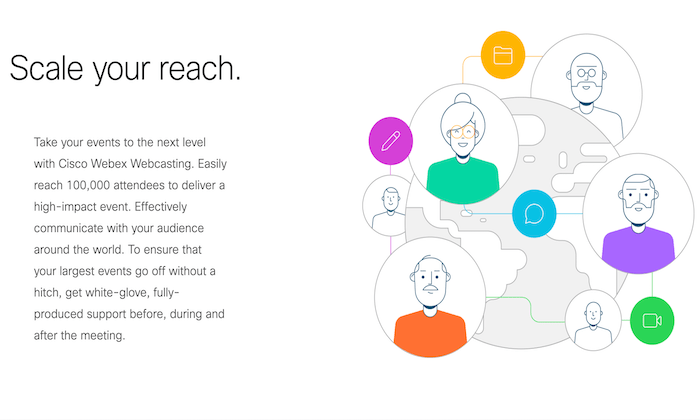
Running an event at this scale is no easy task. But Cisco provides everything you need to ensure the webcast is produced without a hitch.
They offer all of the features you need before, during, and after the event. Cisco assists with registration and sending reminders to attendees before getting started. They’ll even set up your audio and offer technical assistance during a practice run before the event itself.
Other top features and benefits of Cisco Webex Webcasting include:
- One-click recording
- Real-time tech support
- Custom event enrollment
- Attendee questions for lead scoring, tracking, and follow-ups
- High-quality audio and video
- Advanced security
- Slide share, polling, Q&A, and chat
- Unlimited broadcast time
- Unlimited on-demand viewing
Cisco Webex’s webcasting support is second to none. Their team of experts will provide you with training and an extensive library of resources to ensure success. When you combine this with the ability to reach 100,000 people, it’s tough to find flaws with it.
Cisco does not list their pricing for webcasting services. Contact the Cisco sales team to get started.
#3 – ClickMeeting Review — The Best For Monetizing Webcasts
ClickMeeting is an online communication platform with several different products and service offerings. They have solutions for marketing, product demos, online learning, training sessions, team collaboration, and more.
ClickMeeting also has webcasting services to accommodate events with up to 10,000 attendees.
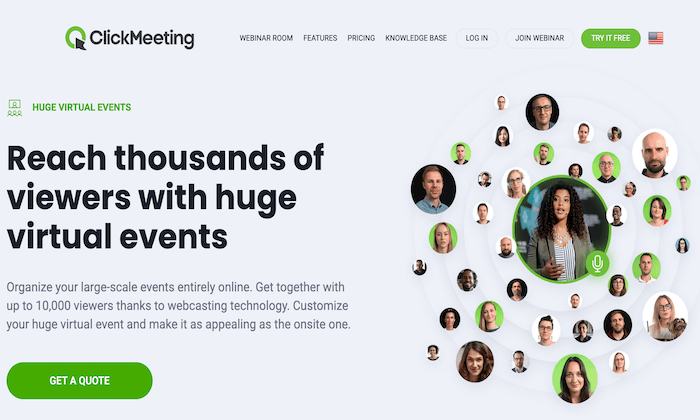
ClickMeeting has unique features not offered by other webcasting services on the market—monetization tools. They have everything you need to generate a profit from your large-scale online event.
PayPal integration makes it easy to sell tickets for webcasts. It’s even possible to connect ClickMeeting to platforms like Eventbrite with a Zapier integration. If neither of these monetization options accommodates your needs, just use ClickMeeting’s API to manage your unique payment method.
In addition to the monetization benefits, ClickMeeting offers additional webcasting features like:
- Promotional registration pages
- Social media sharing and email invitations Certificates of attendance for viewers
- Follow-up messages to attendeesGuest speaker invitations with presentation access
- Panel discussions with up to four simultaneous speakersWhiteboard tools, documents, and video sharing
- Password protection and tokenization for events
ClickMeeting even lets you break up the webcast into smaller workshops with the ability to sell tickets for each session.
If you want to generate revenue with your webcasts, look no further than ClickMeeting. ClickMeeting offers a free 30-day trial for up to 25 attendees for live, automated, and on-demand webinars.
The Live plan starts at $25 per month, billed annually, for an unlimited number of meetings, six hours of recording storage, and one gigabyte of file storage.
They also offer an Automated plan starting at $40 per month, and you’ll need to contact ClickMeeting sales for a custom quote for the Enterprise plan, which includes webcasting services for up to 10,000 attendees.
#4 – ezTalks Review — The Best For Pre-Recorded Online Events
Like many webcasting services on the market today, ezTalks is a platform with several different online communication tools. They offer services for webinars, huddle rooms, meetings, and more. But you can also use ezTalks for live events with up to 10,000 attendees.
ezTalks has some unique features for pre-recorded events that aren’t available from other providers, including an automated live event.
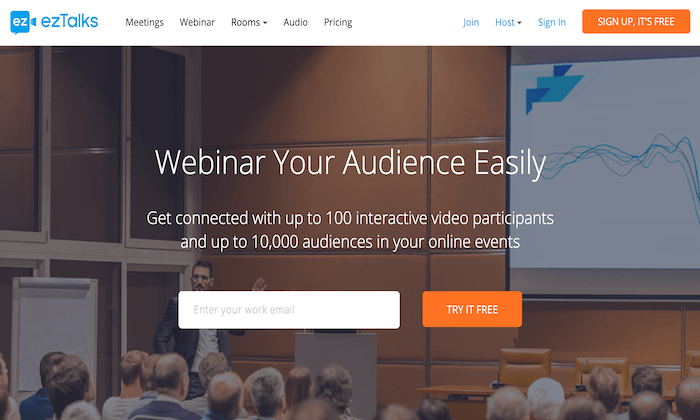
As a presenter, you can use ezTalks to record live events ahead of time. The webcast will then start “live” at a specific date and time for attendees to tune in. Live audiences won’t know the difference, but the host doesn’t need to be present at the scheduled event time.
In addition to the automated webcasts, ezTalks has options for traditional on-demand viewing. It’s easy for audiences to access events with the ability to pause, fast-forward, or rewind whenever they want.
As an all-in-one solution for webcasting, ezTalks gives you the ability to host traditional live events and paid events as well.
Other top features and benefits of ezTalks include:
- Easy scheduling
- Templates for registration pages, waiting rooms, and thank-you pages
- Custom branding
- Event invitation emails
- HD audio and video
- One-click screen sharing
- Whiteboard accessPolls and surveys
- Mobile app for running events from anywhere
If you want the ability to produce pre-recorded live events and on-demand webcasts, ezTalks will be a top option for you to consider.
Pricing for ezTalks automated and on-demand services start at $32 per month per host for 100 attendees with their Pro plan.
The Business plan offers full webcasting services for $300 per month per host for 1000 attendees and has options up to 10,000.
EzTalks also offers a basic free package for live webinars with up to 25 participants to test out the software.
Unlike some other services, ezTalks also has hardware and accessories for sale if you need additional equipment.
#5 – ON24 Webcast Elite Review — Best For Audience Engagement and Conversions
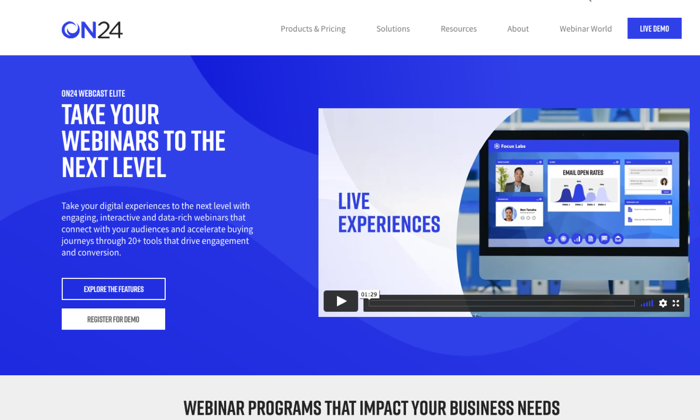
Just because webcasts aren’t as interactive as a webinar or web conference, it doesn’t mean that you can’t keep your audience engaged. ON24 Webcast Elite solves this problem.
Unlike other webcasting tools out there, ON24 goes above and beyond to drive engagement and take your webcasts to the next level.
ON24 Webcast Elite is a marketer’s dream. The platform makes it easy to create data-rich webcasts that generate engagement and stimulate ongoing relationships.
Whether you’re using a live or on-demand webcast, ON24 has real-time engagement and conversion tools designed for lead qualification and buying. You’ll be able to quickly understand the buying intent and interest level of your audience, which improves sales follow-ups and future campaigns.
ON24 Webcast Elite has unique backend tools that automatically capture audience buying signals. You can seamlessly integrate this data with your CRM or marketing automation platform to optimize the way you nurture prospects.
Other top features and benefits to consider include:
- 20+ engagement and conversion tools
- Lead qualification tools
- Sales pipeline insights
- Fully customizable audience dashboards
- On-demand viewingSurveys and attendee feedback
- Provide related content and resources on the webcast dashboard
- Make it easy for audiences to book a meeting, schedule a demo, or contact your team
ON24 Webcast Elite is more than just a webcasting service. This solution is built for driving engagement and generating conversions.
Try it free for 30 days to see if it is right for you, and contact the ON24 Webcast Elite team for a demo and quote.
#6 – Samba Live Review — The Best For Cross-Platform Live Streaming
Samba Live by Digital Samba is a webcasting service with unlimited scalability. You can invite as many attendees as you want to your next event and potentially reach millions of viewers worldwide.
That’s why global leaders like Deloitte, Ferrari, and McDonald’s rely on Samba Live for webcasting.

What makes Samba Live stand out from the crowd is the ability to stream live across multiple platforms simultaneously. You can use the software to stream webcasts on Facebook and YouTube to maximize your potential reach.
The software is 100% browser-based and cloud-based, so you won’t have to worry about downloads, hardware, or access restrictions.
Here are some other reasons why Samba Live ranks high on my list:
- Simple and intuitive UI for presenters and audiences alike
- HD audio and video
- Supports multiple devices OS (Mac, PC, Android, iOS, tablet, smartphone, etc.)File sharing and screen sharing
- Custom screen layoutsWhiteboard markups and annotation
- Custom registration pages and thank-you pages
- Email invitations Q&A, polling, and surveys
Samba Live is versatile enough to accommodate your needs, from virtual workshops and training events to sales meetings and company-wide announcements.
You can try it free for 14 days with no credit card required, then the Pro plan starts at $49 per month.
Summary
Webcasting is an excellent way to reach thousands or potentially millions of viewers across the globe. Organizations of all shapes and sizes leverage webcasting services for marketing, lead generation, training sessions, internal communication, and more.
Which service is the best? It depends on your unique needs.
There’s a solution for everyone on my list. Whether you want to monetize a webcast, drive audience engagement, or something else, the recommendations in this guide will steer you in the right direction.
The post Best Webcasting Services appeared first on Neil Patel.
Source: feedproxy.google.com

Best VPN Services
The pandemic has changed work permanently. Before COVID-19, only 9.8 million (out of 140 civilian workers in the U.S.) worked remotely.
Today, almost 70 million people are working remotely.
Are you working remotely?
If you are, there’s a good chance that you’ll need a virtual private network (VPN).
Small businesses with employees that need to work remotely are also going to need a VPN as well.
Today, we’re going to take a look at VPNs — what they are, why you need them, and how to find the VPN that’s right for you.
What’s a VPN, and Why Do You Need One?
A VPN is a private network that’s run through a public network — imagine that a remote worker sitting in Starbucks had an extra-long Ethernet cable. They plug one end into their computer and the other end directly into their company’s servers at work.
That’s basically what a VPN does; it creates a secure and encrypted tunnel from your computer to a server on the internet.
This is great because it means no one can access the data you’re sharing with your computer and company server. You have privacy and data security.
We’re going to look at seven of the top VPN Services, explaining the pros and cons of each service.
Our 7 Picks For Best VPN Services:
- NordVPN Teams — Best new service from the industry leader
- ExpressVPN — Consumer favorite, best-in-class
- Perimeter 81 — Best for small business teams
- VyprVPN — Best VPN for speed
- SurfShark — Best for the price
- Mullvad — Best for anonymity
- TunnelBear — Best for beginners
How to Choose the Best VPN Service for You
When you’re looking for a VPN, the first thing you’ll want to do is identify your needs.
What do you want your VPN to do for you?
Beyond privacy and data security, are there other features you need from your VPN?
In general, most people focus their attention on four specific criteria.
Criteria #1: Speed and Reliability
If you’re planning on using your VPN for things that require a lot of data or activity, you’ll want to choose a service that’s optimized for speed and reliability.
For those who share large files routinely or stream video consistently, you’ll want to select a VPN that provides unlimited connections, unlimited bandwidth, and high download and upload speeds.
When it comes to speed and reliability, there are factors you control and factors your service provider controls.
Factors within your control include:
- Improving Wi-Fi stability
- Using a wired connection (which is always faster)
- Upgrading your internet connection speeds or your VPN
- Choosing a VPN service with more servers or servers closer to your desired location.
Factors outside your control include:
- Number of servers
- Server load
- Server location/distance (longer distance = slower speeds)
- International bandwidth restrictions (i.e., VPNs in Australia are slow due to underwater fiber optic cables carrying a set amount of data at any one time)
- VPN protocols
- Complicated peering relationships between networks (also reduces speed)
You’ll want to test your VPN speed so you can verify the claims your provider is making. You’ll need two things to do that — an accurate testing method and a baseline for your tests.
Here are some of the more reliable speed tests you can use to verify your VPN speeds.
speedof.mespeedtest.netfast.comspeedtest.xfinity.com
Next, run a speed test on the same connection, with and without your VPN. If you’re on Wi-Fi, stay on Wi-Fi for both tests. Run the tests twice to get an average speed. Run your tests using the same VPN server/location you plan on using with your service.
Criteria #2: Security and Privacy
VPNs should be secure by default; the VPN service you choose should have the basics of security and privacy protection down.
Here are the most important security and privacy requirements you’ll need to consider when choosing a VPN.
For security:
Handshake encryption: This takes place at the beginning of the VPN session where you and the server you’re communicating with exchange private keys that encrypt or decrypt data and messages to acknowledge each other.
Authentication: Reputable VPN services will use a hash algorithm to automatically verify the packets they receive, making sure that data from a middleman hasn’t been injected into your packet. They’ll also verify that your data hasn’t been tampered with or changed in any way.
Ciphers: This is an algorithm, like AES, that encrypts and decrypts your data in a series of clearly defined steps. Using a key to encrypt your data makes it impossible for unwanted eyes to spy on your data unless they have the specific key that was used to encrypt the message. So the unencrypted message “VPNs made easy” would become “FVWWOluB9rHb5KUtyJYqlA==” using the AES algorithm.
Encryption strength: 128-bit AES encryption is faster but less secure; 256-bit encryption is slower but more secure. Stronger encryption is obviously harder to break, so this is more of a priority if you’re focused on security.
For privacy:
Activity logs: Many free VPN services track your activity — the websites and pages you visit, files downloaded, etc. These free VPNs sell or monetize your usage activity on their VPN without your permission or knowledge.
Connection logs: Other VPN services track assigned IP addresses, connection start/end times, or bytes of data transferred. This typically doesn’t include your data, but it can be combined with other data (i.e., the IP address you used to log into your Slack account) to expose your identity.
If privacy is important to you, you’ll want to stick with log-free VPN services that don’t track your activity or metadata.
Criteria #3: Compatible Devices
If you have an iPhone, but you use Windows on your computer, you’ll want to verify that the VPN services are compatible with your devices.
While most VPN services are compatible with the standard platforms (Windows, Mac, Android, Linux, and iOS), some aren’t available on all platforms. The VPN that’s Windows ready may not be available on Android or iOS.You’ll want to verify that your devices are all compatible before signing up.
Criteria #4: Connections
How many devices can connect to your VPN service simultaneously?
The availability of connections tends to vary from service to service. Some providers allow just one; others allow up to three, while others are unlimited. You’ll need to identify what you need ahead of time.
It’s not just connections that you have to worry about, though. You also have to take a look at the availability of countries and the availability of servers.
If you have specific availability needs, you’ll want to verify this with your VPN service provider ahead of time, then confirm this during your free trial or guarantee period.
Other important VPN considerations include:
Payment plans: The cost you’ll pay for VPN services varies considerably, and it depends on the features you choose and the length of your subscription.
Customer service: If you need on-demand customer support (in case something goes wrong), you’ll want a VPN service that provides live chat or phone support (which will impact the price). If that’s not as much of a concern, then a provider who offers email support may be a better option.
Free trial or money-back guarantee: If you opt for a service that offers a free trial, you’ll want to choose a service that gives you enough time to try things out. Some VPN services’ free trial period is quite short, which may not be enough time to verify the service on your end. A money-back guarantee is ideal because you have a way out in case their service isn’t what you’ve expected.
User friendly or tech-savvy: If you’re not comfortable with setting up and configuring your VPN, you’ll want to make sure you find a provider with a user-friendly interface. Some providers will configure your VPN for you virtually, so everything is done for you ahead of time.
Now that you have all the important considerations spelled out, it’s time to consider which type of VPN service is going to handle the job best.
The Different Types of VPN Services
It’s important to make a distinction between VPN technology and VPN services.
As we’ve already discussed, a virtual private network boils down to a secure, private connection between your device and endpoint. That is VPN technology.
VPN services, on the other hand, provide a suite of tools that allow companies to take advantage of VPN technology instead of having to set it up themselves.
Using VPN services, you can not only protect your internet connection and guard your privacy but gain access to extra customer service with configuration guides, automatic setup, and live chat support.
Generally speaking, VPN services break down into these four distinct types:
Remote Access VPN – Provide a secure connection from a user to a remote server to gain entry to a private network.
Intranet-based Site-to-Site VPN – Provide a secure connection for various users in different, fixed locations to connect to each other’s resources. For example: With a site-to-site VPN, multiple local area networks (LAN) can connect to a single wide-area network (WAN). Think of one company with numerous locations sharing resources.
Extranet-based Site-to-Site VPN – Difficult to implement, these VPNs are common in large-scale business environments where you are looking for a secure connection between two separate intranets, but you do not want them having the ability to access each other directly. Think of two different companies working together.
Cloud VPN – Also known as virtual private network-as-a-service (VPNaaS), is designed for organizations that rely on outsourced cloud data centers instead of in-house infrastructure. A traditional VPN doesn’t work if your organization stores all of your data in the cloud. A cloud VPN allows users to access a company’s resources — applications, data, and files through a website or via a native desktop or mobile app.
As a user looking to secure your privacy and access the internet, or secure business data for your remote workforce, you’re most likely looking for commercial VPN Services.
Let’s take a look at our picks for the top VPN providers.
1. NordVPN Teams — Best new service from the industry leader
- Pricing: $7 – $9 per mo.
- The number of servers: 5,000+
- Money-back Guarantee: 30-day
- Support: 24/7 response within 3 hrs.
- Single sign-on: Yes
- Multi-device support: Yes apps on all devices
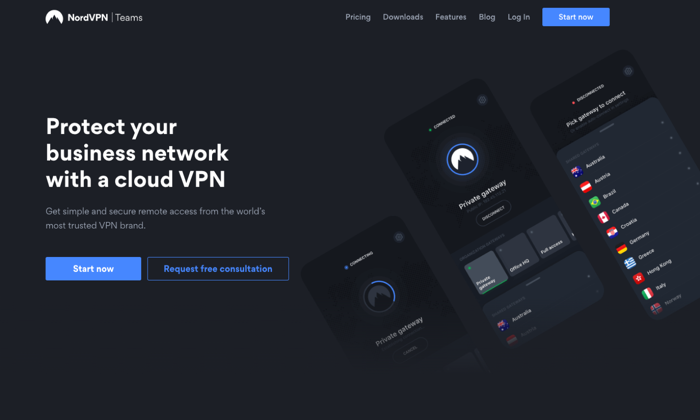
NordVPN Teams is a new VPN service from an industry leader. NordVPN is known for its consistent performance, a strong stance on privacy, and aggressive security features. The company is based in Panama, where there are no mandatory data retention laws and no legal obligation to collect your data. It’s also important because Panama doesn’t participate in the five eyes or fourteen eyes alliances.
They don’t track, collect, or share your private data — activity, usage, or metadata. They invited one of the big four auditing firms PriceWaterhouseCoopers AG, to run an industry-first audit of their no logging claims to verify that they’re telling the truth.
NordVPN is one of the few providers that offers double VPN, an advanced VPN security feature that routes your traffic through two VPN servers instead of one, encrypting your data twice. They provide two-factor authentication and single sign-on, which are standard features for top-tier VPN services. They also provide you with a kill switch, if your connection drops for even a second, the kill switch will cut off all the Internet traffic on your device, ensuring none of your information is exposed online.
For business customers, they provide you with a dedicated account manager that’s assigned to your account. Your Control Panel enables you to manage user accounts, control permissions, and create gateways. You can oversee user activity, monitor server load, add new users, and create custom teams from inside your control panel.
Pros
- A trusted brand name
- Thousands of servers around the world
- Single sign-on (SSO) functionality
- Strong on security
- Apps on all devices
- Fast speeds
- Cryptocurrencies and cash accepted
Cons
- Slow app and server connections
- An open VPN connection is not user-friendly
- No split tunnelingShared IP addresses
2. ExpressVPN — Consumer favorite, best-in-class
- Pricing: $8.32 per mo. (annual), $12.95 (monthly)
- Number of servers: 3,000+
- Money-back Guarantee: 30-day
- Support: 24/7 live chat
- Multi-device support: Yes
ExpressVPN doesn’t have a product strictly designed for businesses. They’re consumer-focused, which is great if you’re a sole proprietor or a remote, contract, or freelance worker on your own. Their apps are compatible with almost every device on the usual platforms; they also have apps for nontraditional platforms, including— Linux, Kindle Fire, Chromebook, and even Barnes and Noble’s Nook!
Since they’re consumer-focused, their apps are user-friendly, easy to set up, and simple to maintain. They provide you with all of the standard encryption and security features you’d expect from a top-rated VPN provider. And, they also provide you with some unique features like split-tunneling or using their own DNS servers.
Like NordVPN, they have a no-logging policy as their company is based in the British Virgin Islands. There’s no mandated government surveillance and no data retention laws.
Pros
- Consumer-focused
- User-friendly and easy-to-use
- Apps available on all devices and platforms
- Strong reputation
- Top-rated security and encryption
Cons
- No VPN services for businesses
- More expensive than their competitors
3. Perimeter 81 — Best for small business teams
- Pricing: $8/mo. (annual), $10/mo. (monthly)
- Number of servers: 700+
- Money-back Guarantee: 30-day
- Support: 24/7 live chat
- Single sign-on: Yes
- # of Users: Minimum of 5 team member
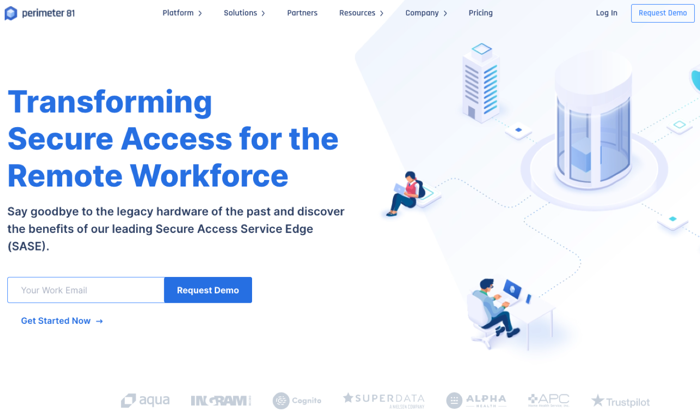
Perimeter 81 is an Israeli-based business VPN service that’s unique because of its Cloud VPN architecture. It’s great for users on multiple devices. You don’t need external legacy hardware or tools. It comes with the business features you’d need to run your remote organization safely in the cloud.
Perimeter 81 is ideal for remote businesses because it protects your business from unexpected mistakes. Their automatic Wi-Fi Security and DNS Filtering features instantly shield your data by automatically activating VPN protection when employees connect to an unknown, untrusted networks. According to their website, “All outbound and inbound traffic is encrypted and routed through your dedicated private servers – concealing your company’s actual IP address with an IP mask.”
This protection shields your company from man-in-the-middle attacks and unsecured Wi-Fi networks. Their service keeps your business safe from data breaches, lawsuits due to negligence, and other claims. Employee training is important, but Perimeter protects your employees and your business when they’re working.
They also provide you with the data you need to monitor network activity. You can audit resource access, monitor bandwidth consumption, and detect network anomalies remotely and at any time. All of this is important because more organizations have a “bring your own device” (BYOD) policy in place.
The potential downside to Perimeter 81’s service is access points. As of today, they have 700 public servers in 36 countries. That might sound like a lot until you realize some of their competitors have double or triple that amount in twice as many countries.
Pros
- Single sign-on (SSO) functionality
- User friendly and easy-to-use
- Great for remote businessesAuto-integrated with all cloud providers
- Secure access to both managed and unmanaged devices
Cons
Higher price pointFewer servers than their competitors
4. VyprVPN — Best VPN for speed
- Pricing: $2.50 per mo. (24 mo. plan), $3.75 per mo. (12 mo. plan), $12.95 per mo. (1 mo. plan).
- Number of servers: 700+
- Money-back Guarantee: 30-day
- Support: 24/7 response within 3 hrs
- Privacy: end-to-end
- Multi-device support: desktop and mobile
Owned by Golden Frog GmbH and incorporated in Switzerland, VyprVPN focuses on a few areas — speed, anti-censorship, and privacy. They call their service the “most powerful VPN.” They offer more than 200,000 IP addresses and 700+ servers, across 70 locations internationally.
Their platform resolves speed issues due to ISP bandwidth throttling. It’s common for users to state that their speeds are close to 100% of their original speeds. This is impressive when you realize that they rely on AES 256-bit encryption. They provide users with unlimited switching between servers and protocols without restrictions.
VyprVPN provides some of the same features listed from other providers — kill switch, public Wi-Fi protection, and DNS protection. But they also offer a proprietary technology called Chameleon. In this protocol, VyprVPN scrambles your metadata, so it’s not recognizable via deep packet inspection, but it’s still fast and lightweight. As a result, VyperVPN can bypass restrictions from governments, corporations, and ISPs while fighting censorship and maintaining speed.
VyprVPN also owns and operates its data centers to reduce any risk of a data breach. Other VPN providers route traffic to third-party servers, so they’re not as secure as a service that keeps things in-house. VyprDNS keeps your browsing history private. Their no-logs policy makes a breach unlikely.
Pros
- Unlimited high-speed bandwidth
- 70+ server locations
- Chameleon protocol
- 5 Simultaneous connections
- No activity or usage logs
- Fast customer support
- VyprDNS
- Self-owned servers
Cons
- Fewer servers than bigger competitors
- Poor speeds in specific regions (EU)
- Slower connection times in specific regions
5. Surfshark — Best for the price
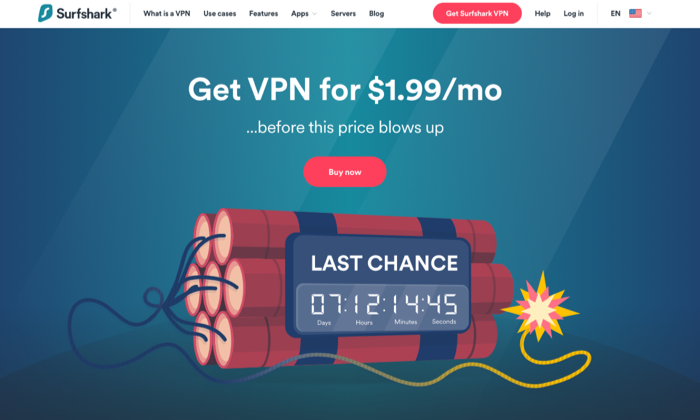
- Pricing: $1.99 per mo. (24 mo.), $5.99 per mo. (12 mo.), $11.95 per mo.
- Number of servers: 1,700+
- Money-back Guarantee: 30-day
- Support: 24/7 live chat, email tickets
- Multi-device support: Desktop and mobile platforms
Surfshark is an award-winning VPN service that offers incredible value for the price. According to VPNMentor.com, SurfShark is ranked 4th out of 357 VPN services. Their service provides users with 256-bit encryption, double VPN, an automatic kill switch, and a no-log policy.
They’re headquartered in the British Virgin Islands, so like other VPNs in our list, they’re free from the five, nine, fourteen eyes alliances. While they don’t collect usage or connection data, they do collect your email address, password, and basic billing information. If you’d like to avoid sharing this info, you can use cryptocurrencies like Bitcoin. They also collect unique advertising identifiers from third parties for marketing purposes and user analytics.
One detail that stands out with Surfshark is unlimited connections. The number of devices that can connect simultaneously, per license is unlimited. This is great if you’re an individual, but it’s also great if you’re running a business. There are no additional licenses or requirements once you’ve signed up. Just set your VPN up, pay for the service, and you’re all set.
Surfshark offers its Adblock VPN that blocks advertising and malware, counters phishing attempts, and boosts browsing speed. They offer premium features like private DNS on each server, camouflage mode to mask activity from your ISP, and Multihop – connecting via multiple countries at the same time to maximize footprint masking and ID protection.
Pros
- Best value for the price
- Unlimited connections/devices
- Built-in ad-blocker
- Whitelist
- Private DNS
- Double VPN
- No logging
- Engaged customer support
Cons
- Medium-sized network
- Moderately reduced speeds in specific regions
6. Mullvad — Best for anonymity
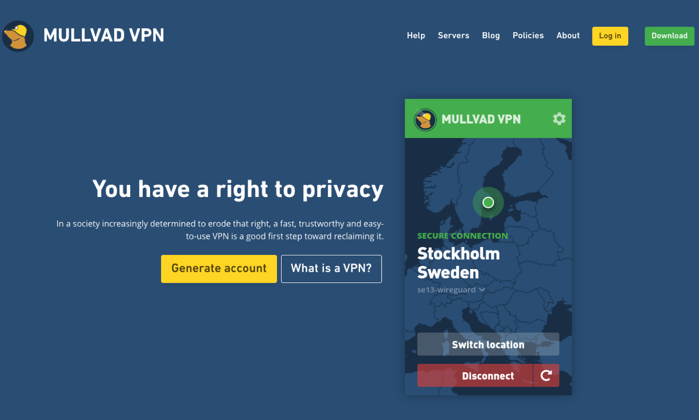
- Pricing: $5.50 per mo.
- Number of servers: 315+
- Money-back Guarantee: 30-day
- Support: Email
Mullvad believes privacy is a universal right.
Privacy isn’t the same as security. If you’re looking for a VPN service that will go to extreme lengths to protect your privacy, Sweden-based Mullvad is at the top of the list. They don’t require an email address or even a password from their customers. The company randomly generates a unique code for your username. You use this code to log in to the desktop apps or add credit to your account. They even allow customers to send cash in the mail to pay for your account!
They want to know as little about you as possible.
Mullvad will store your account number, your counts, paid time remaining, and the number of simultaneous connections that are used by your account. This data is kept in temporary memory, then purged once you log off. They log the total number of current connections for a given server, the bandwidth used per server, and the CPU load per core on each server. None of these items contain personally identifiable information.
Mullvad only offers connections in 38 countries, and they only have 315 servers. They don’t use virtual servers, so your VPN connections are running on physical hardware at the location specified. The speed varies based on your location. If you’re in Europe or North America, speeds are generally good. If you’re in Australia or Asia, the performance is generally much slower.
Pros
- Privacy-focused
- Simple and user-friendly
- WireGuard support
- More anonymity than most VPN services
- No affiliates or resellers
Cons
- Focused exclusively on privacy
- Slower speeds in certain locations
- No password protection
7. TunnelBear — Best for beginners
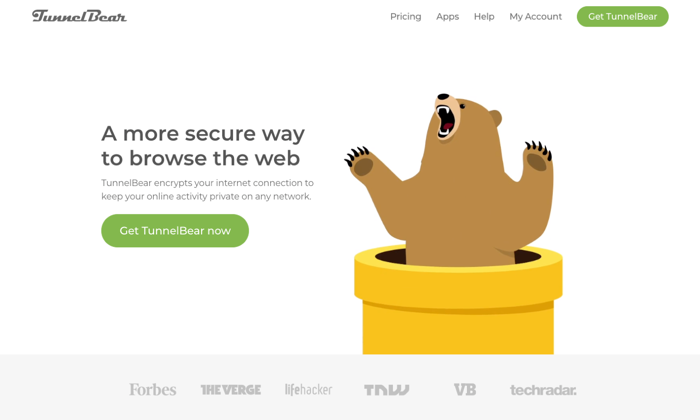
- Pricing: Free, $3.33 per mo., $5.75 per user, per mo. for teams
- Number of servers: 20
- Money-back Guarantee: 30-day
- Support: 24/7 email support tickets
- Multi-device support: Mac, Windows, iOS, and Android
TunnelBear‘s service is designed to be incredibly simple for newbies. They’re based out of Canada, which is a member of the five eyes, nine eyes, and fourteen eyes alliances. This means data that goes through or is stored in Canada is subject to intelligence agreements —they may be legally forced to share your data. TunnelBear states that they have a no-logging policy, so everything seems okay until you read this in their privacy policy.
“TunnelBear makes good faith efforts to provide you with the ability to delete your Personal Data. However, there may be circumstances in which TunnelBear is unable to delete all your Personal Data. For example, we are unable to delete it where we are legally required to keep it, including where we need it to continue to offer you the service or if you are involved in litigation with us, we would be required to retain your personal data, which is limited to the fields we discuss above in 1.2, 1.3 and 1.4.”
This data includes your email address, Twitter id, paid user designation, operational data, and personal and financial data. If this isn’t a concern for you or your organization, TunnelBear is a great option for individuals and businesses that want to get started with a VPN but aren’t as knowledgeable as they’d like.
TunnelBear includes the standard features you need to get started with a VPN — AES 256-bit encryption, tunneling (Android only), hashing, and more. Their service is reasonably priced and designed to help inexperienced people get started with a VPN.
TunnelBear is transparent about its service, sharing the results of its independent security audits each year on its website.
Pros
- Designed for inexperienced users
- Generally open and transparent about their service
- Low cost
- Built for individuals and teams
- Offers a free plan
Cons
- May share your data with governments
- No phone or customer support
Conclusion
Whether you’re a freelancer, an entrepreneur with a small team, or a growing business looking for options, a VPN will provide you with the security and peace of mind you need to keep your remote team connected and working safely.
Your needs are unique, and they’ll dictate which VPN service will work best for you and your business. Weigh the options against your needs for speed, security, privacy, compatible devices, and a number of connections. Millions of people are working remotely, and that number continues to grow every day. If you’re not already using a VPN service, now’s a good time to start.
The post-Best VPN Services appeared first on Neil Patel.
Source: neilpatel.com

Best HR Outsourcing Services
HR is confusing. And the legal ramifications of doing something wrong… are huge. There’s a reason people spend their entire lives learning the ins-and-outs of human resources—there’s a lot to it. But the good news is that nobody expects you to know it all, and you don’t have to navigate it alone.
Disclosure: The readers of the content can support us by clicking on some of the links that let us earn a commission from advertisers.
The best HR outsourcing services exist to make your life easier.
However, there are a ton of service providers on the market.
How do you decide which one’s right for you when they all appear to be precisely the same?
To help answer that question, I looked at countless options and narrowed it down to my top six recommendations. And by the end of this guide, you’ll know everything you need to know to make the right choice for your business.
Top Six Recommendations for HR outsourcing services
The top 6 options may work for you:
- G&A Partners –For customization and flexibility.
- Bambee – For policies and administrative tasks.
- Paychex – For HR outsourcing services – SMBs focused.
- Insperity – For PEO outsourcing – enterprises focused.
- ADP – For full-service non-PEO outsourcing option.
- CPEhr – For individual HR outsourcing & consultation services.
How to Choose the Best HR Outsourcing Service for You?
There are countless different HR outsourcing services to choose from.
And distinguishing between all of them can feel like an impossible task.
So, before we dive into my top recommendations, let’s talk about what makes my recommendations stand out, and how to decide on the best HR outsourcing services for you.
The following criteria may work for you:
#1 – The Size of Your Business
Handling HR for large companies is vastly different than doing the same at a startup or small business. As such, different HR outsourcing companies specialize in different things and offer services targeted to a specific type of customer.
On the other hand, some offer solutions for businesses of all sizes.
However, it’s essential to consider your business’s size and budget when making your final choice. You should also think about how fast you plan to grow and expand your team.
Always make sure to talk with a sales representative and be as detailed as possible about your current and future situation to make sure they can handle everything you need.
#2 – Types of Services
Some HR outsourcing companies (like Bambee) only provide a specific type of service. On the other hand, some offer everything you could ever possibly need… but at a higher price point.
It may be helpful to outline your processes for each HR activity you currently manage in-house.
This can help you identify problem areas or bottlenecks with room for improvement. Then, you can pinpoint exactly which tasks and services you should outsource.
If you already know, or you want to outsource everything, consider the associated costs to ensure it’s within your budget. And keep in mind that most providers don’t offer their pricing online.
So, you’ll get a chance to speak with their team before making your final decision.
Just remember to ask about the specific services you need to make sure they can help you with everything on your list. It’s also smart to compare your initial consultation experience and pricing of various companies before choosing one.
#3 – Short-Term Vs. Long-Term
Do you need help for the foreseeable future or just for a one-off event like a round of recruitment? Some providers (like CPEhr) offer a la carte options so you can pick and choose what you need.
On the other hand, some only offer all-in-one solutions. So, it’s important to understand your needs before you make any decisions.
If you need short-term help, make sure you communicate that during your consultation.
#4 – Level of Support
Do you want your HR systems to run completely hands-off? If so, you need more support than a team that needs one-off tasks or particular areas of their HR handled for them.
Here is a second, we’ll talk about the different types of HR outsourcing services.
But keep the level of support you think you need in the back of your mind, as this plays a large role in which company you should choose.
#5 – Flexibility
If you already have a benefits package or an internal HR team, you need more flexibility from your HR outsourcing provider. Especially if you want to keep the same benefits package you already have.
Some providers don’t let you do this as they have their own preferences and partnerships.
And you also need to draw a clear line between what your in-house team does vs. what your outsourcing company provides. That way, nobody wastes time doing the same tasks twice.
However, if you’re a brand-new company or don’t have any HR systems in place, you won’t need the same flexibility level. So, you have fewer restrictions to worry about.
#6 – Customer & Employee Support
HR matters, benefits, in particular, are confusing and hard to navigate.
Because of that, your employees must have easy access to someone in your HR department.
When you outsource this, your employees should be able to directly talk with the company, whether it be to ask a quick question or get help choosing the right benefits package.
Some providers offer a dedicated manager that handles this, making it much easier for you and your team to get the answers they need. Furthermore, they should also provide an employee self-service dashboard for paystubs, W-2s, time off, and more.
Regardless of who you choose, make sure they plan on taking great care of your team.
The Different Types of HR Outsourcing Services
HR outsourcing is technically separate from PEO and HR software, but they’re very similar in nature. So, let’s take a second to walk through the differences before we get started.
HR Software vs. HRO (Human Resources Outsourcing) vs. PEO (Professional employer organization)

Compare HR Outsourcing
HR Software:
- This is something companies provide to make in-house HR management easier.
- With HR software, you pay a monthly fee to use it every month. Alternatively, you could buy a license and install it on your computer.
- It’s mostly for automating processes or providing a network of benefits providers.
- You can use it as a tiny business without HR or if you have a dedicated HR team. Either way, it’s a software that requires you (or someone on your team) to run it.
- With that said, it’s very flexible and affordable.
However, don’t confuse it with HR outsourcing because they aren’t the same, although a few of the providers on this list also offer HR software.
Human resources outsourcing (HRO)
HR outsourcing means hiring a third-party to take on all or part of your HR management tasks.
- This can include things like payroll administration, benefits management, recruitment, and employee training programs.
- The benefit of outsourcing in this manner vs. hiring or expanding your in-house team is lower associated costs. When you outsource, you don’t need to pay a salary or provide benefits.
- So, the overall cost is typically much lower than adding new people to your team.
- All of the options on this list offer HR outsourcing in some form or another. Some only cover specific tasks like policy creation, while others offer services covering every aspect of human resources.
- With HR outsourcing, you can decide if you want to outsource all HR activities or just a few.
Professional Employer Organization (PEO)
- PEO services are a specific type of HR outsourcing in which the company is your co-employer. Furthermore, the service provider becomes the employer of your employees.
- And since the PEO company is the employer, they’re responsible for payroll taxes.
- This type of agreement typically requires a lengthy contract. However, you’re in charge of what your team does on a day-to-day basis. So, everything stays the same on your end, except you’re no longer responsible for specific HR tasks or payroll taxes.
- Furthermore, the two parties decide how much responsibility each party handles.
- So, this type of agreement can be extremely flexible if that’s something you need. This is especially beneficial if you already have an HR department.
- One of the most significant values of this type of partnership is access to better benefits packages for your team. Plus, you can get those pesky HR tasks off your plate.
- However, you sacrifice a certain degree of control by inviting someone else into your business.
The Top Six HR Outsourcing Services
Now, let’s check the top six HR outsourcing services one-by-one.
No.1- HR Outsourcing Services – G&A Partners Review
It is an excellent HR outsourcing service for customization and flexibility
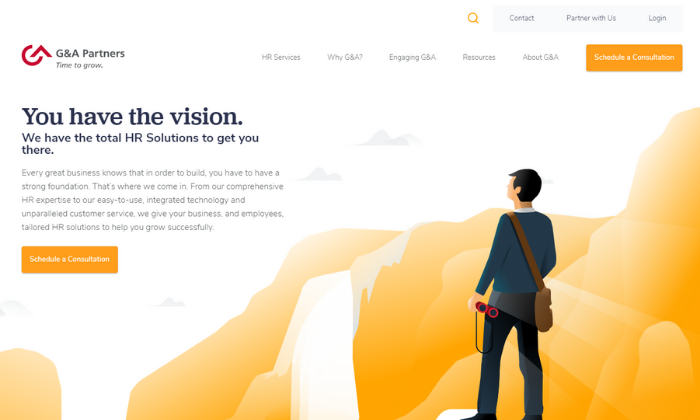
If you’re looking for a customizable and flexible all-around HR outsourcing solution, G&A Partners is my #1 recommendation.
They combine intuitive technology encompassing everything you need with world-class customer service to empower your business and employees. From payroll services to health insurance, retirement plans, and recruitment, G&A Partners covers it all.
HR Outsourcing Services – G&A Partners
Furthermore, each plan is custom-fit to your business and specific needs.
So, you don’t have to worry about cookie-cutter plans that don’t quite fit the bill. Plus, you also get a dedicated client service team to manage everything and help you out when you need it.
As a G&A Partners client, you can choose from countless services, including:
- Payroll administration and processing
- Self-service employee dashboard
- Time clock, scheduling, and PTO
- On-demand data access
- Benefits from the top providers
- Benefits administration
- Ancillary benefits
- Wellness and financial health
- Sourcing, recruiting, and hiring
And since each plan is custom to match your needs, you’re not stuck paying for services you don’t actually need. Plus, you can rest easy knowing you comply with local, state, and federal legal regulations.
From recruitment and onboarding to payroll and benefits administration, you’re in good hands.
With that said, G&A Partners doesn’t share pricing online. So, schedule a free consultation to build a service package tailormade for you, your business, and your #1 asset—your employees.
No.2- HR Outsourcing Services – Bambee Review
It is the best HR outsourcing services for HR policies and administrative tasks
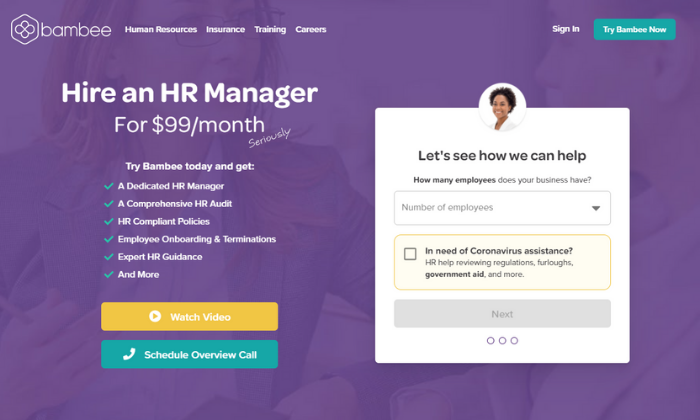
If you’re a small business with fewer than 99 employees, Bambee is an affordable way to hire a dedicated account manager to handle HR policies and employee training.
Hiring an in-house HR manager can easily cost $4,000+ every month, plus benefits. So, it gets quite expensive and unattainable for really small businesses.
But with Bambee, you can outsource starting at $79/month (or $99/month if you pay monthly).
HR Outsourcing Services – Bambee
From the start, you get a dedicated HR manager to help build your HR policies and walk you through your state’s compliance regulations.
They can also help you, onboard employees, terminate them, and handle corrective action while staying in compliance.
Furthermore, Bambee can also help evaluate your risk for wrongful termination.
So, you don’t have to worry about expensive lawsuits or continually wondering what you’re responsible for after employee termination.
Plus, you get complete remote access to your manager via phone, email, and chat to answer questions and help you with anything you need. And the best part? Your employees can chat with them as well.
With Bambee, you get access to powerful and helpful features, including:
- Creating and implementing company policies
- Staff training, so they understand your new policies
- E-signatures and an online document viewer
- Staff folders for organization and compliance
- A smart cabinet for record-keeping
- HR forms and agreements (i.e., HIPAA notices or offer letters)
You get everything you need to create, implement, and manage internal HR policies. However, you are sacrificing several crucial features, like payroll administration and benefits management for affordable pricing.
So, keep in mind that you will have to manage those things on your own. Bambee can answer questions and look into those things for you, but they’re not included as part of the package.
No.3- HR Outsourcing Services – Paychex Review
It could be the top choice of HR outsourcing services for small to midsize businesses
Paychex is one of the most popular and trusted HR solutions on the market.
They’ve been around for more than 45 years, and over 680,000+ businesses trust them with their HR software and service needs.
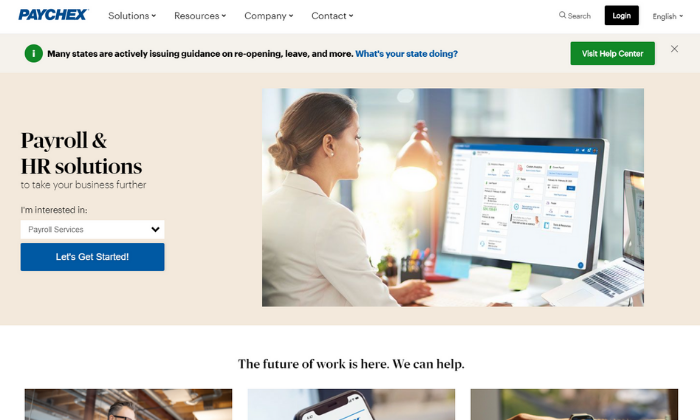
From benefits and attendance to payroll, HR, and onboarding, they offer everything you need to run and streamline your small or midsize business without hiring in-house.
HR Outsourcing Services – Paychex
And the best part is that you can choose which services you need, rather than paying for everything and using a handful of features.
Plus, you can outsource everything… or a few things, depending on what you need.
They offer software and service packages for small, medium, and large companies. So, it’s an excellent option for everyone. But their small and medium sizes packages are where they truly shine.
In fact, more than half a million of their customers are small businesses.
With their small and midsize packages, you get access to Paychex Flex, their all-in-one HR automation software.
But you can also choose between 24/7/365 customer support or a dedicated specialist for help when you need it. So, whether you have a dedicated HR team or not, you can rest easy knowing you have an expert manager behind you.
Paychex Flex comes with a wide range of powerful features, including:
- Recruiting and applicant tracking
- Time and attendance
- Hiring and onboarding
- Retirement and termination
- Health insurance administration
- Payroll management
- PTO, 401(k)s, and other benefits
You won’t find their pricing online, so get a free quote to learn more about Paychex today!
No.4- HR Outsourcing Services – Insperity Review
It is an excellent selection for PEO services for enterprises
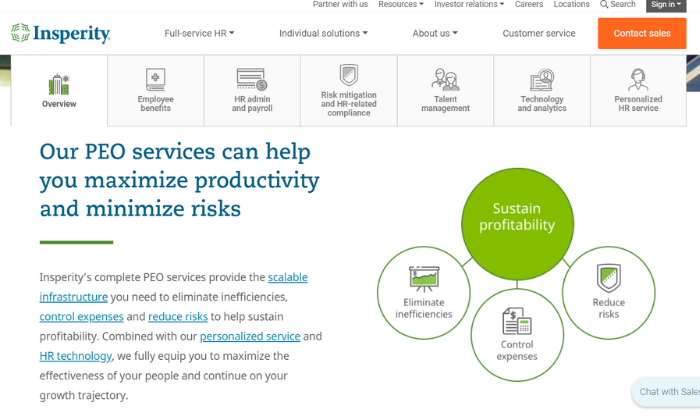
Insperity is an all-in-one HR service provider for small businesses and enterprise organizations alike. They offer individual solutions and a full-service PEO option, making it perfect for small to medium enterprises.
It’s an excellent choice if you have the budget for their PEO choice as an alternative to hiring or expanding an in-house HR team.
HR Outsourcing Services – Insperity
They also offer a wide range of HR software if you’re a smaller business interested in managing HR activities on your own. However, that gets old very quickly, especially if you have a ton of other things on your plate.
Insperity’s PEO all-in-one solution covers every HR service imaginable, including:
- Medical, dental, and vision benefits
- FSA and HSA accounts
- Disability, employee assistance, and retirement
- Payroll processing and administration
- Time and attendance tracking
- HR administration and wage garnishments
- An employee self-service portal
- Risk mitigation and legal compliance
- Recruiting and performance management
- Training and development programs
- Company culture development
- Advanced analytics and reporting
- Personalized customer support for your employees
As if that isn’t enough, they have a team of specialists dedicated to managing different HR tasks. So, you know you’re getting the best of the best.
It’s essentially an extension of your business (or HR department if you already have one).
Insperity’s services are a practical way to reduce risk, improve productivity, automate your HR processes, and get a bird’s eye view of your most valuable asset—your employees.
They offer two-year pricing guarantees, billing transparency, and fixed service fees, so you never have to guess how much you’re going to pay every month.
However, their prices aren’t available online, so get in touch with their sales team to learn more.
No.5- HR Outsourcing Services – ADP Review
It is good for full-service non-PEO outsourcing.
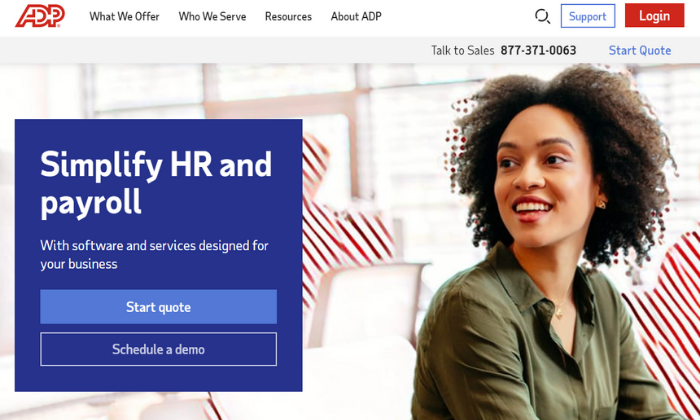
If you’re interested in full-service HR outsourcing but don’t want to go the PEO route, ADP is an excellent choice. They provide complete outsourcing for everything from administrative tasks to payroll processing and more.
With that said, they do offer a PEO option. But they’re one of the few providers that offer complete packages without the complexity of an enterprise-grade PEO partnership.
HR Outsourcing Services – ADP
On top of that, they also offer one of the most popular HR software packages on the market.
So, you can create an entire HR department using their services and software without having to hire in-house or expand your existing team.
ADP’s team of experts is ready to help reduce your risk and everyday burden, regardless if you’re just looking for a helping hand with administrative tasks or facing an acquisition, merger, or an at-risk termination.
So, no matter the situation, ADP has you covered.
They offer a variety of individual services and more strategic offerings, including things like:
- Payroll and benefits administration
- Time and attendance tracking
- Employee handbooks and internal policies
- COBRA insurance administration
- Dynamic analytics
- Compliance training, tracking, and reporting
- Recruitment and staffing
On top of that, they also offer a bundle of business processes and HR outsourcing if you need even more assistance with the ins and outs of your business.
Because each package is tailored for your business, you won’t find ADP’s pricing online.
As such, you’ll have to get with their sales team to learn more and start building out your HR outsourcing package.
No.6- HR Outsourcing Services – CPEhr Review
The best HR outsourcing services for individual tasks and HR consultations
If you’re interested in outsourcing individual HR tasks or receiving HR consultations, CPEhr is a smart choice. They offer a wide variety of different services designed to help make your life (or your HR department’s) life a bit easier.
So, rather than spending time running payroll or finding the best benefits for your team, you can work on things that actually move the needle for your business.
Plus, they also take pride in helping customers develop long-term and short-term HR strategies, so you’re never left to figure things out on your own.
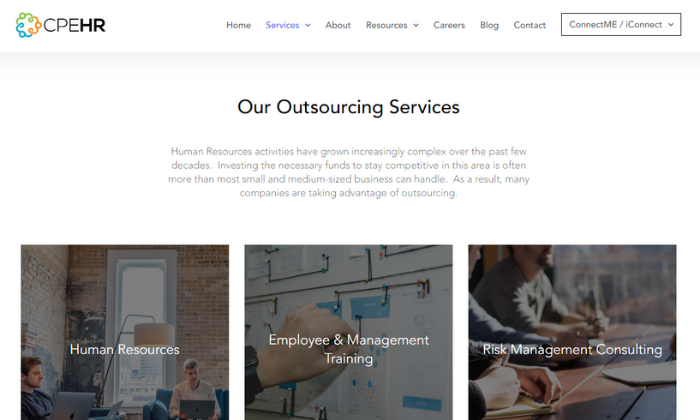
HR Outsourcing Services – CPEhr
Whether your HR department needs some extra assistance or you need one-off services, like recruitment for an open position, CPEhr has you covered. Their services span basic administrative tasks to more complex strategy planning, including:
- Payroll and tax administration
- Recruiting, onboarding, and training
- Benefits administration
- COBRA insurance management
- Disability and retirement
- Employee benefit orientations
- Employee and management training
- Risk management consulting
- Employee handbooks and policies
- Unemployment and disability administration
- Performance reviews
- Legal compliance
- Government audits
Essentially, CPEhr covers anything you need, whether you want to outsource everything or a short-term one-off situation.
They also offer PEO and full HR outsourcing plans, if that’s something you’re interested in. However, they have a “la carte” services and complete flexibility, which are making them stand out from everyone else on the list.
Like most providers, you won’t find pricing online.
Get in touch with their team to talk more about your needs and learn more about how CPEhr can help your business today!
Wrapping Things Up
G&A Partners is my top recommendation for most users. It’s incredibly flexible with the ability to handle businesses of all shapes and sizes. Plus, they offer a wide range of services to help make your life easier.
But that doesn’t mean they’re right for everyone.
So, don’t forget to use the criteria we talked about as you go through the process of finding the best HR outsourcing services for you, your team, and your business.
How do you handle human resources at your company?
The post, Best HR Outsourcing Services appeared first on Neil Patel.
Source: feedproxy.google.com

Best Online Fax Services
Think back to the last time you saw one of those giant, clunky fax machines sitting around. It’s probably been a while, right? While that old-school hardware is undoubtedly outdated, faxing isn’t dead by any means. It’s actually very much alive. But thankfully, we have better technology.
Disclosure: This content is reader-supported, which means if you click on some of our links that we may earn a commission.
Think back to the last time you saw one of those giant, clunky fax machines sitting around.
It’s probably been a while, right? While that old-school hardware is undoubtedly outdated, faxing isn’t dead by any means.
It’s actually very much alive. But thankfully, we have better technology.
The best online fax services make sending secure communications via fax a breeze for individuals and businesses of all sizes with no ugly, expensive, or finicky hardware required.
However, there are dozens of providers to choose from, which is why making the right choice is often more challenging than actually using the service. So to help make your decision easier, I narrowed it down to my top six recommendations—and reviewed them.
The top 6 options for online fax services
- mFax – best online fax services for multiple users
- RingCentral Fax – best all-in-one online fax service
- HelloFax – best for cloud-storage integrations
- SRFax – most secure online faxing service
- FaxBurner – best mobile online faxing service
- Biscom 123 – most affordable online faxing service
How to choose the best online fax service for you
There are dozens of online fax service providers to choose from. This makes it challenging to know which one’s perfect for your business, especially if you’re not quite sure what to look for.
All of the options on this list are excellent. However, they may not work for everyone.
So, don’t forget to use the following factors as you go through the decision-making process to help you narrow things down and find the perfect fit.
Number of users
As a business, you probably need multiple user accounts. Different services have different pricing plans, so it’s essential to consider the number of accounts you need.
Some options may limit the number of users with no way around it. Others may offer extra user accounts with an additional monthly fee. So, this plays a massive role in how much you can expect to pay every month.
With that said, most smaller businesses won’t have problems with account limitations.
But large corporations with multiple departments that need faxing capabilities may run into problems with low-limit plans.
Cloud-storage integrations
Most businesses rely on cloud storage tools. Whether you depend on Microsoft 365 or Google’s G Suite, your employees probably use these tools daily to create and archive documents.
So, it’s important to consider these integrations if you and your team need to store documents you send or receive via online fax.
This can help streamline your document management processes.
Page limits
Most providers charge an extra fee if you go over the number of pages your plan includes. So, you need to consider your business’s needs when it comes to monthly fax volume.
A lot of providers place low limits on this to encourage you to upgrade to a better plan.
So it’s critical to choose a plan that offers enough pages per month along with a fair page overage fee (just in case). However, online fax services with unlimited plans are a better option for businesses that expect to send and receive high volumes every month.
Document archiving
If you’re using an online fax service to send and automatically digitize documents, it should come with document archiving as well. This can significantly streamline and automate your document management processes.
Some online fax services provide online databases so users can easily store faxed documents. However, some don’t, and others don’t provide archiving features at all. Without this, you have to print, scan, and store everything by hand.
Which… can be an incredibly time-consuming process.
So, pay close attention to this as you decide, especially if it’s something you need now or may need in the future.
Industry-specific use
There are lots of different all-purpose online fax services out there. However, sometimes particular providers are more suited to specific industries.
Healthcare is an excellent example of this because you’re dealing with sensitive information and legal regulations regarding how you handle it. So, you need a service that’s secure and compliant with those requirements.
However, healthcare isn’t the only industry like this. As such, it’s critical to consider your industry’s requirements and regulations before making your final decision.
The different types of online fax services
Not all online fax services are the same.
So, before we dive into the reviews, let’s talk about the different types of online fax services so you know exactly what to look for as you go through the process.
Web or cloud-based services
The most common online fax services are cloud or browser-based. All you have to do to get started is create an account, and you’re ready to go.
Web-based fax services are known for high-quality faxes as well as ease of use.
And they often offer a wide range of cloud-based integrations with platforms like G Suite and Dropbox, making life easier if you want to archive your communications on the cloud.
Mobile fax services
Mobile fax services allow users to fax directly from their smartphones. Essentially, mobile faxing is as convenient and as easy as snapping a photo.
Plus, you don’t have to wait until you’re at your computer or rely on team members sitting in front of a desktop to send and receive communications.
Some providers may also support desktop or web-based use, while others are exclusively mobile.
So, keep this in mind as you decide which provider is best for you and your team.
Examples of Online Fax Services
#1 – mFax Review – Best online fax services for multiple users
mFax is one of the most flexible and adaptable online fax services for businesses with numerous team members. Their flexible monthly plans allow up to 50 individuals to use the service.
Operating as cloud software, there’s no need to install or download any programs. And you can easily access the mFax interface from any web browser on any device.
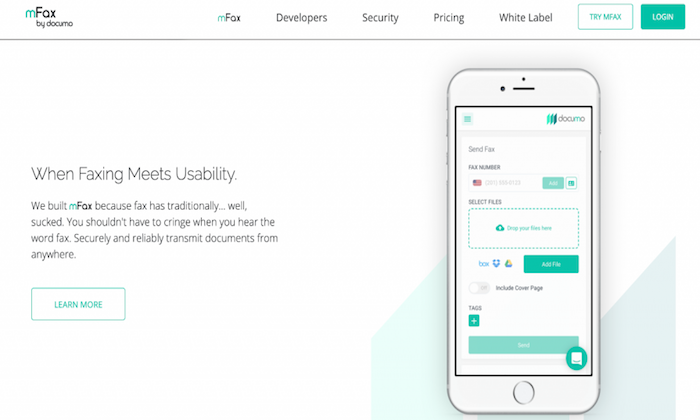
With an easy-to-use interface and intuitive setup, it’s an excellent option for those looking to get started with their first online fax service.
mFax comes with various features and benefits, including:
- Automatic cloud storage for sent and received faxes
- Works from any device
- Send and receive faxes from email
- Multi-layered encryption for documents in transit and rest
- Plans for small businesses and large enterprises
- Easy to create and manage users and set account-level permissions
- Print to Fax driver allows you to send a fax from a desktop to print
mFax also has a beta version of international outbound fax for 24 countries. So, you’re not limited to one particular country.
Plans start at $7 per month for one user, making it super affordable for businesses of all sizes. Plus, you can try mFax for free or sign up for a product demo to learn more about it.
#2 – RingCentral Fax Review – Best all-in-one online fax service
RingCentral Fax is another popular online fax service. With a solid feature list, flexible user numbers, and robust security suite, it’s my #1 all-in-one online fax service recommendation.
Their unique fax scheduling feature makes it easy to send faxes for future delivery. This is particularly useful if you need to send international faxes to users in other timezones or have employees who don’t work standard operating hours.
On top of that, you also get access to a ton of powerful features and benefits, including:
- Groups of up to 50 email addresses to send faxes in one message
- Choose from toll-free or local fax numbers
- IOS and Android mobile applications
- Up to 200 faxes in an online account
- Create an electronic signature and add it to documents
- View received and sent faxes online via a web browser
- Securely transmit faxes over an encrypted internet connection
- Send and receive faxes from any device
- Block faxes without a caller ID
RingCentral Fax is a great all-around option for small and large businesses who won’t mind the slightly limited online fax storage (you can always store them elsewhere).
Plans start at $17.99 a month, and there’s an unlimited plan for just $24.99 a month.
#3 – HelloFax Review – Best online fax services for cloud-storage integration
HelloFax is the best online fax service for integrated cloud storage.
The service seamlessly syncs with G Suite, OneDrive, Dropbox, and Box. Users can also access their faxes directly on the HelloFax’s service from any web browser on any device.
Plus, it’s super easy to use. Faxes arrive directly to inboxes as a PDF where they are easily viewable, downloadable, and shareable.
There’s also unlimited storage for businesses that prefer not to use other cloud storage providers for their faxes.
With HelloFax, you can:
- Send up to five pages for free by signing up
- Quickly fax to previously entered fax numbers
- Additional faxes that go over the monthly limit are just 5 cents per page
- Send faxes by email
- Add and remove users at no extra cost
- Send faxes to multiple recipients
- Receive faxes with a paid plan
- Sign in using your Google credentials
Despite having cloud integration with multiple platforms, HelloFax still offers unlimited storage, which is excellent for businesses planning on sending or receiving high-volume communications.
There’s a free plan for up to 5 faxes per month, so you can try it free before you invest. However, most businesses need more than that, and you’ll need to upgrade once you reach that limit.
But their paid plans are affordable, starting at $9.99 per month.
#4 – SRFax Review – Most secure online fax services
SRFax is a great option for businesses that have high-security concerns. Transferring information over the internet always comes with the risk of interception.
And for specific industries like healthcare, security is even more paramount.
Healthcare providers rely on faxing to transfer sensitive patient data. So, the fax services they use must comply with the Health Insurance Portability and Accountability Act (HIPAA).
SRFax provides multiple layers of data encryption while maintaining a user-friendly interface, making it an excellent choice for high-security industries.
In addition to HIPAA compliant fax services, SRFax has multiple tiers and plans suited to all security levels and sizes of businesses.
They also offer a variety of features and benefits to make your life easier, including:
- 2048-bit SSL Certification, 2048-bit RSA public keys, and PGP encryption
- 24-hour customer support hotline
- Plans come with unlimited authorized email addresses
- Automatically download incoming faxes
- Send faxes through an email account
- Intuitive dashboard for viewing existing faxes, sending faxes, and changing settings
- Send faxes through the online dashboard
For any company that prioritizes high-level security, SRFax is an excellent choice.
Pricing is affordable, with monthly plans starting at $3.29 per month. Or you can sign up for a non-healthcare specific 60-day trial to test it out before you commit.
#5 – FaxBurner Review – Best mobile online faxing service
FaxBurner stands out from other online fax services for its well-designed, user-friendly IOS and Android apps. With FaxBurner, sending faxes is as easy as taking a picture, and you can receive them straight into your inbox.
Set up is quick and easy. Plus, the platform gives users a temporary fax number that expires after 24 hours without upgrading to a paid plan.
On top of that, you also get various features and benefits, including:
- No unprofessional looking ads or watermarks on free faxes
- Digitally document signatures
- Create cover letters within the app
- Integration with cloud storage apps like DropBox
- Email to fax option
- Phone scanning capabilities
For users who need the convenience and flexibility of a mobile-first fax application, FaxBurner is my number top recommendation.
Free packages provide up to 25 inbound faxes and five outbound faxes a month. And their paid plans start at just $12.95 a month, making it incredibly affordable for most users.
#6 – Biscom 123 Review — Most affordable online faxing services
If your business is just looking to send the occasional fax, Biscom 123 is an incredibly affordable option. As a leading telecommunications enterprise, Biscom makes online faxing simple for both businesses and individuals with a straightforward interface.
You can also try it free for 30 days to see if it’s a good fit for your business, with no credit card required. However, it doesn’t maintain archival records of your communications. So, keep that in mind.
Depending on your faxing needs, Biscom 123 offers various plans that allow you to send up to 300 pages with support for multiple team members.
Plus, you can also:
- Easily add up to four users in addition to the primary account holder
- Send email faxes in just a few clicks
- Fax from Android and IOS mobile applications
- Integrate with Google Drive
- Send multiple file-formats and rich text formats for text faxes
- Saves inbound PDF files in your email inbox
- No limitation on file size or number of documents
Pricing starts at $7.99 per month. This entry-level plan includes 30 pages per month with a charge of 7 cents per additional page. So, it certainly won’t break the bank.
Summary
mFax and RingCentral are my top choices for most users. They’re incredibly affordable and accessible for most businesses. Plus, they come with a ton of features to make your life easier.
However, that doesn’t mean they’re suitable for everyone in every situation.
So, don’t forget to consider the factors we talked about and take advantage of free trials as you go through the process of picking the best online fax services for you and your team.
What company do you use to send online faxes?
The post, Best Online Fax Services appeared first on Neil Patel.
Source: feedproxy.google.com

The 8 Best CRO Companies of 2020
SEO is the main source of traffic for your website but without a high-conversion rate optimization (CRO), you might as well retire.

Imagine this…
Your website is ranked for every keyword you can think of.
You are getting enormous levels of organic traffic…
Full of enthusiasm, you rush to your sales manager to check the sales status.
And your jaw drops seeing you’ve got little to none sales from all of that traffic.
If that’s your current situation, then you need to focus on Conversion Rate Optimization [CRO].
SEO is the main source of traffic for your website but without a high-converting funnel, you might as well retire.
No, I’m serious. If ýou can’t convert your traffic, there’s literally no point in getting it.
You have to make consistent sales if you want to scale your business fast.
And all of that depends on your ability to convert your unaware traffic into active customers craving for your next product launch.
Knowing that today we’ll dive into:
The 8 Top CRO Companies in the World

#1 Neil Patel Digital — Best For SEO + CRO
You might think that throwing our own company on this list is a little unfair…
But I dare you to find a company that can bring results even close to the ones we generate weekly.
I am ready to make this bet because I know that Neil Patel Digital is the world’s best choice when it comes to Search Engine Optimization combined with Conversion Rate Optimization.
There’s a reason why our co-founder Neil Patel’s marketing content is ranked so high on google for any term you can think of.
Even for the most competitive keywords, such as “SEO Strategies”, you’ll find 2 of his posts ranking TOP 5 on the first page.
That’s all because of our ability to constantly optimize and improve our methods according to the current trends in the marketplace.
So if you’re looking for the combination of highly-ranked content that will bring you much more organic traffic…
Plus the proven conversion optimization strategies that are going to convert your traffic into actual customers…
You should check out the services of Neil Patel Digital.
#2 Trinity — Best For E-commerce Conversions
Founded in 2006, Trinity has been a constantly growing and result-generating CRO Agency in the E-commerce niche.
Their minimum project size is $5000. For that amount, you can look forward to a big team entirely focused on your results.
Throughout their 14 years of experience in the industry, they’ve gotten countless testimonials from previous customers praising them for being the most trustworthy CRO Company in the world.
So if you’re in the E-commerce space, you should take a look at Trinity’s options and choose the one that fits your situation best.
#3 WebMechanix — Best For All-In-One Services
Sometimes CRO just isn’t enough.
If you find yourself in a situation that you need to optimize every little piece of your marketing strategy, then you should make time to check out WebMechanix.
Founded in 2009, they’ve been constantly expanding their team and services.
Their minimum projects start from $10,000.
At this stage, they’re well known for providing top-notch Pay Per Click, Social Media Management, Conversion Rate Optimization, SEO, UH/UI Design, Web Development services.
If you’re looking for the solution to all of your marketing and conversion rate problems, then you can trust WebMechanix.
#4 SiteTuners — Best For Small to Medium Businesses
If you’re in the early stages of your business development, you’ll need a CRO company that is solely focused on helping people in your situation.
With minimum projects starting from $1000, SiteTuners is one of the most well-known CRO companies in the world.
Founded in the mind-blowing 2002 they’ve helped 1500+ clients generate 1 billion dollars. Yes, that’s a B!
They focus on helping every business they can.
No matter if you’re a newly formed start-up or a proven leader in your industry, they will take their time to help YOU achieve your goals.
Their main services include CRO, A/B testing, Consulting, Conversion Audits, Website Audit, Business Strategy, Funnel Optimization, Cart Abandonment Strategies.
#5 Invesp — Best For Dedicated CRO
I can say, hands down, this is the most reliable CRO Company in the world.
Focused entirely on Conversion Rate Optimization, Invesp is the team that’s going to help you achieve any conversion dreams you have.
But be prepared, their 100% CRO dedication comes with a price.
With minimum projects starting at $10,000, they are one of the little CRO companies that work for $150 – $199 / hour.
And with these premium prices, you can expect premium results for your business.
They’ve got a big team of CRO experts working every hour of the day completing every project on time.
So if you’ve got a really big business on your hands, this company will easily increase your monthly revenue in no time.
#6 Inflow — Affordable Multi-Service E-commerce Option
Inflow is a widely known Agency helping E-commerce businesses expand all of their marketing efforts.
Their Unique Selling Proposition is that you don’t communicate with project managers.
You have direct access to the industry veterans you’re looking for.
That gives you more control for rapid, fast-paced decisions.
They offer a lot of highly-profitable services, all of which very affordable.
Mostly, their services shine when it comes to mid-tier businesses.
Of course, they work both with small and big businesses, but their proven track record comes mainly from businesses that are already stable and running profitably.
Their services include Search Engine Optimization, Conversion Rate Optimization, Pay Per Click, Digital Strategy, and Social Media Marketing.
Their project rates start at $1000 and just like Trinity, they mainly focus on helping E-commerce stores optimize their conversions.
#7 Conversion Fanatics — Best For CRO + SMM
Looking for a company that can guarantee great Conversion Rate Optimization [CRO], while also growing your Social Media Marketing?
Then your best choice is signing with Conversion Fanatics.
They are a famous CRO company helping businesses increase their conversions and social media presence since 2014.
With minimum projects starting from $10,000, Conversion Fanatics are your best choice if you’re serious about growing your Social Media.
And nowadays people are mainly on social media.
That’s why it can be extremely powerful to have consistently growing media channels that lead to conversion-optimized sales pages built by the same people that got you the social media traffic in the first place.
So if you’re serious about getting your brand out there while converting all of your new followers, Conversion Fanatics is the choice for you.
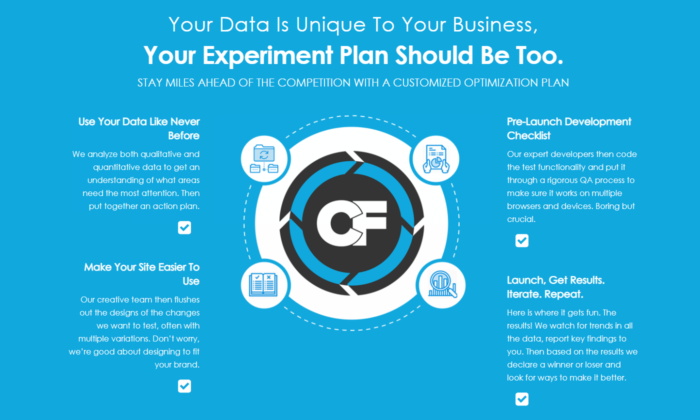
#8 Linear Design — Best For PPC + CRO
Linear Design is another great choice if you’re looking for a combination of 2 services.
This time we’ve got Pay Per Click [PPC] and Conversion Rate Optimization [CRO].
This is a powerful combination because that way they are responsible both for your advertising and on-page conversions.
Having access to all the advertising data helps them optimize and get the best conversions possible.
Many businesses hire a FB ad manager and a copywriter for the landing page.
But the secret to creating a high-converting landing page is having a tight connection between your ads and the page.
And if you split these 2 services apart, you’re going to experience troubles.
It’s best if they are handled simultaneously and Linear Design is dedicated to getting the best results for both of them.
3 Characteristics That Make a Great CRO Company
After looking at this detailed list of the best CRO companies of 2020, you’re probably wondering how to choose the best one of them all.
And that’s a valid question given that all of them have their strong and weak sides.
The right answer 100% depends on what YOU need from a CRO Company.
Is it CRO only… Is it CRO and one more service to go with it… Or maybe 5 separate services all at once?
You can either choose one of our top choices or go look on your own.
But in both cases, you need to know what to look for in a great CRO company.
So here are the 3 Characteristics that make a CRO company great:
Reliable, Fast Communication
You are bound to face roadblocks while scaling your business.
So if you’re going to be paying for a company to operate a portion of your business…
You need them to be good communicators.
You’re not speaking with a freelancer that takes days off whenever he wants.
Here you’re playing with the big dogs.
These are professional multi-team companies that are here to support you and your business throughout the whole journey.
So before choosing the company that’s going to help YOU, make sure their communication is 100% on point.
Dedicated Services
Look now. I know it might be tempting to outsource your whole funnel to a result-oriented company with a proven track record.
But the sad reality is that no one cares about your business as much as you do.
So when hiring the CRO company that’s going to help you achieve all your goals, please choose someone that is dedicated mainly to the services you need.
And don’t get me wrong here.
A CRO company can offer up to 10 different services and still bring fascinating results for all of them.
But if you’re going to hire a company to manage 3-10 different parts of your business…
You’ve got to make sure they have a separate team operating each part of the project.
If the company has 2-9 employees and promises to bring results for 6 different services, then you probably want to stay away until they get a bigger team.
If you’re looking specifically for Conversion Rate Optimization, the best option is to hire a company that specializes only in that area.
The same goes for if you need 3 services. Hire a company that specializes exactly in these 3 services.
This is the easiest way to sleep nerveless at night.
Price Range
 Businesswoman holding piggy bank drawing the front of a blackboard
I know this one is obvious… But many people make a great mistake here.
They see the best companies that charge $10-20k+ and think that hiring them automatically means that the profits to come will pay for the next month.
But that’s not reality. I’m not saying it’s impossible to happen.
It all depends on the company you’re running, the stage you’re on right now, and the CRO opportunities you’ve been missing out on.
But the chances of this happening in the first month are close to none.
Instead what you should do is focus on the long-term growth of your conversions and sales.
If you can’t pay 3 months of CRO services upfront, then you should look for a cheaper alternative.
Keep in mind, that you can always upgrade to more premium plans or companies that give out more possibilities in the future.
But first, solidify that you get real results and you can pay for the services you need.
What To Expect From a Great CRO Company
Even after reading this whole post, the decision of choosing the right CRO Company is 100% up to you.
I shared with you the top companies and what they’re best for.
And still, there’s a slim chance that you make a mistake when choosing your CRO company.
That’s nothing you should fear of course. After all…
Mistakes are an opportunity to learn and grow!
But in case you’re not sure whether you made the right choice today, there’s a couple of things you can look out for while working with your CRO Company to make sure they perform optimally.
As mentioned previously, great communication is a MUST.
But there’s more than that…
At the end of the day, you’re not looking for a friend, you’re looking for RESULTS!
So here’s a couple more things you need to look for while working with a CRO company:
- quick turnaround
- meeting deadlines
- weekly/monthly reports
- constant strategy optimization
- 100% straight forward
You need people that work fast.
And keep in mind, that if they miss deadlines occasionally, that means there are major holes in their business operations.
This is a big red flag. You must be on the lookout for quality drops and more problems.
The easiest way to avoid that is to call them out.
If they miss a deadline 1-2 times, you go ahead and tell them that the third time is going to be a contact breaker.
That way they’ll make sure you get your projects done in time.
If they keep missing deadlines even after the first notice, you should start looking for a new company.
You also need weekly/monthly reports for what’s going on inside your business.
Everything that’s been done, optimized, and the results that go with it.
Marketing strategies are never constant.
If you want to scale optimally, you need to jump on new trends and also level-up your strategy according to everything that’s happening around you.
And last but NOT least, they should always be 100% straight forward with you.
If you feel like they’re informing you only on the things that work well, while swiping the bad news under the rug, you should watch out.
They should always be honest about everything that works and especially for the stuff that doesn’t.
To sum up:
If you’re getting good traffic but no conversions to go with it, you most definitely need to hire a Conversion Rate Optimization [CRO] Company to help you convert your passive visitors into active, paying customers.
Treat your choice today as if your money and future livelihood depend on it… Because they do! You need an absolute professional that can bring you real results!
Let me know in the comments, which company would you choose? Also, have you had any previous experience with one of our winners?
The post The 8 Best CRO Companies of 2020 appeared first on Neil Patel.
Source: feedproxy.google.com

The Best Payroll Services (In-Depth Review)
The best payroll services help you automate paying your employees and simplify the entire process, so you can gain more control over how you spend your time.
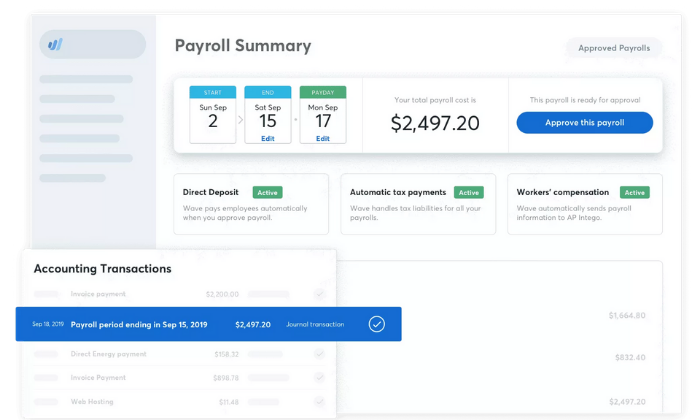
Disclosure: This content is reader-supported, which means if you click on some of our links that we may earn a commission.
What would you do with ten extra hours a month?
You’d probably work on growing your business, right?
Maybe you’d spend it creating new marketing campaigns to generate more revenue.
Perhaps you’d take half a day off to spend time with your family.
Regardless, the average small business owner spends five hours every pay period running payroll.
That adds up to 21 full work-days a year.
But thankfully, that’s not what your payroll process has to look like.
The best payroll services help you automate paying your employees and simplify the entire process, so you can gain more control over how you spend your time.
Without sacrificing employee satisfaction.
But with so many options to choose from, it’s easy to waste time trying to pick the right one.
To help speed up the process, I reviewed six of the best systems on the market and put together a comprehensive list of what to look for as you make your final decision.
The 6 Best Payroll Service Options for 2020
- Gusto – Best payroll service for small businesses
- OnPay – Most flexible payroll service
- Paychex – Best for larger organizations
- ADP – Best payroll service with built-in HR
- QuickBooks Payroll – Best for QuickBooks integration
- Wave Payroll – Most affordable payroll service
How to choose the best payroll service for you
If you’ve spent some time searching for solutions from Google or asking for peers’ recommendations, you know there are hundreds of payroll companies to choose from.
With so many options, it can feel like a difficult decision.
To help you narrow things down, let’s walk through what to consider as you go through the process.
Number of employees
Most services charge a set monthly fee plus a small fee per employee. So, it’s essential to consider the number of employees you need to pay.
Some payroll services may limit the number of employees on certain plans while others may forego the per-employee fee altogether. Furthermore, some may also offer features that make it easier to pay many people at once.
You also need to consider whether you’re paying employees or contractors.
The process and fee structure may differ for different types of payments depending on which service you choose.
Basic payroll features
The best payroll services exist to simplify the process of paying your employees. So, every payroll service you consider should have a set of critical features, including:
- Automatic payroll options
- Self-service portal for full-time and part-time employees
- Mobile capability to manage payroll on the go
- Direct deposit so your employees get paid quickly
- Automatic tax calculations and withholdings
- W-2 and 1099 employee management
There are other advanced features you may want to consider as well, depending on what you need.
This includes things like HR tools, benefits management, wage garnishments, and more.
So, carefully consider the essential features as well as the advanced features you need to simplify your payroll processes.
Tax features
Filing tax is a complicated and time-consuming process.
It can also result in unfortunate and expensive penalties if you don’t do it right.
However, many payroll services offer tax features that simplify the process.
From calculating payroll taxes to automatically withholding employee income taxes, there are countless things to consider.
So, it’s important to choose a payroll service that offers essential tax features to make your accountant’s life easier.
Or yours if you do your taxes yourself.
Built-in HR tools
If you offer benefits to your employees, you need a payroll service that helps you effectively manage things like time off, vacation requests, workers’ compensation, insurance, and more.
Furthermore, services with an employee self-service dashboard make this much more manageable.
Employees can log in, update their accounts, request time off, and see an overview of their benefits package.
The cheaper options on this list tend to ditch HR features.
So, carefully consider what you need against your budget before making any decisions.
Monthly payroll limits
If you have salaried employees or a set payroll schedule, most payroll services are adequate.
However, if you pay freelancers or contractors on an irregular basis or run payroll more than twice a month, you need to be careful.
Some services offer unlimited payroll processing, while others limit the number of times you can issue payments every month.
So, carefully consider how often you need to send payments when making your final decision.
Integrations
To further simplify your business processes, it’s crucial to consider the business tools you’re already using to run your business.
It’s important to choose a payroll service provider that integrates seamlessly with those tools.
Think about your accounting software, your employee scheduling software, and other essential tools related to payroll.
The Different Types of Payroll Services
There are several different services to consider, depending on your business’s size and your specific payroll needs.
So, before we dive into my top recommendations, I want to talk about the different types and how to decide between them.
1. Hiring someone to do it for you
If you can afford it, hiring someone (either in-house or as a contractor) to run payroll for you is an excellent option.
This ensures you find someone who knows how to do it and that they have the time to do it well.
However, you still need payroll software.
They may have their own preferences and expertise, which may help you decide which service is right for your business.
With that said, many small businesses don’t necessarily need to hire someone.
The best payroll services make running payroll easy, so anyone on your team can take care of it in a few clicks.
2. Software as a service (SaaS)
The software as a service (SaaS) model means you pay to use the software.
Most service providers charge monthly or annually for this, and as long as you keep paying, you get to keep using it.
Most SaaS tools are cloud-based, meaning you can access them from a web browser anywhere.
However, some also offer desktop applications and mobile apps you install on a specific device.
This is the most common type of payroll service and the most convenient to use because you and your employees can access their accounts from any device, anywhere in the world with an internet connection.
All of the recommendations on this list are SaaS payroll services.
3. Enterprise-grade solutions
Most payroll services offer enterprise-grade and industry-specific solutions for large businesses.
They come with specialized, custom pricing to match the unique needs of enterprise-grade companies.
A software like this could be a SaaS tool or an on-premise deployment, depending on what you need and the company you choose.
Most businesses don’t need this.
But if you manage payroll for a large company or find your current solution limited, it may be a good idea to consider an enterprise solution.
Examples of Best Payroll Services
#1 – Gusto Review — The best for small businesses
If you’re a small business looking for a simple payroll service, Gusto is a smart choice.
And you’ll be in good company with more than 100,000+ other small businesses around the world.
Gusto makes onboarding, paying, insuring, and supporting employees as easy as possible.
And they don’t call themselves a “people platform” for no reason.
They offer the right set of tools and services to make your life (and your employees’ lives) easier.
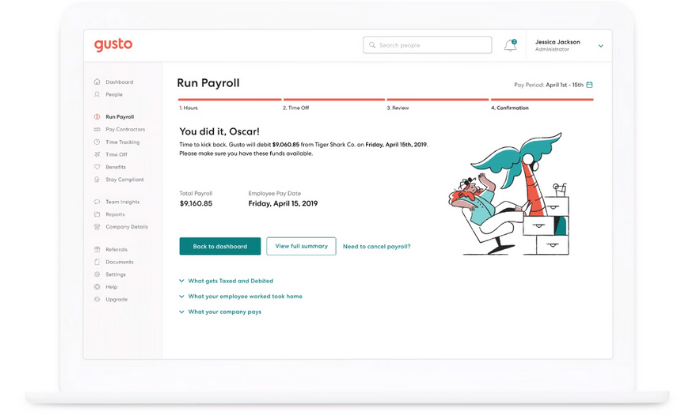
Running payroll takes just a few clicks, and you can enjoy unlimited payroll runs every month.
Need to pay seven different contractors at different times?
No problem.
Need to pay the same employees the same wages every pay period?
You can set it up to run automatically without you having to lift a finger.
Plus, you get access to a wide variety of features, including:
- Automatic tax calculations
- Built-in time tracking capabilities
- Health insurance, 401(k), PTO, workers’ comp, and more
- Compliance with I-9’s, W-2s, and 1099sEmployee self-service onboarding and dashboards
- Next-day direct deposits (on specific plans)
And the best part?
It’s affordable.
If you don’t have W-2 employees, Gusto starts at $6 per contractor per month.
But if you do have full-time or part-time employees, expect to pay a bit more.
Their other paid plans include:
- Basic — $19 per month + $6 per person per month
- Core — $39 per month + $6 per person per month
- Complete — $39 per month + $12 per person per month
- Concierge — $149 per month + $12 per person per month
Gusto is perfect for most startups and small businesses.
But, large companies with complex benefits packages and hundreds of employees may find it limiting.
#2 – OnPay Review — The most flexible payroll service
If you’re looking for an all-in-one payroll system with transparent pricing and virtually unlimited flexibility, OnPay is an excellent choice.
Whether you’re a small company or a fast-growth startup, OnPay is versatile enough to suit your needs.
Plus, you never have to guess how much you’re going to pay every month with their transparent pricing.
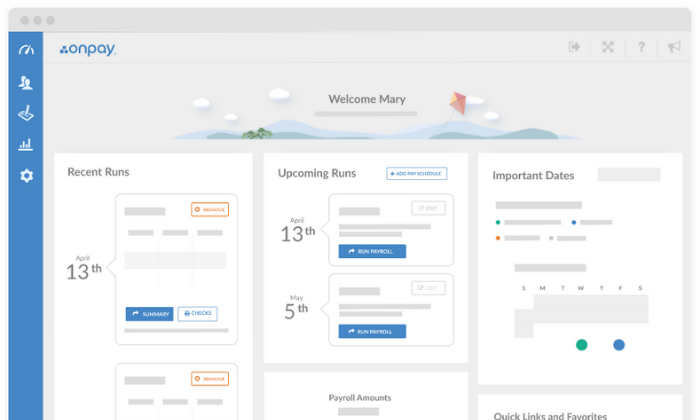
And you can rest easy knowing you have access to every feature
OnPay offers regardless of the number of employees you have because they only provide one pricing plan.
Their software includes access to powerful features, including:
- Unlimited monthly payroll runs
- W-2 and 1099 capabilities
- Automatic tax calculations and filings
- Employee self-service onboarding and dashboardsIntuitive mobile app for management on the go
- PTO, e-signing, org charts, and custom workflows
- Integrated workers’ comp, health insurance, and retirement
- Multi-state payroll
Plus, getting started is super easy.
All you have to do is set up your account, add your employees, and start running payroll.
Furthermore, OnPay automatically calculates and withholds taxes so you don’t have to worry about manual calculations or human error again.
They also offer specialized solutions for different industries, including nonprofits, restaurants, and farming/agriculture.
OnPay is $36 per month plus $4 per person per month.
So, you can add new employees to the software for just a few dollars, making it excellent for fast-growing companies and small businesses alike.
And while OnPay can handle large companies with hundreds of employees, there are better enterprise options available.
It’s most suitable for small businesses and fast-growth companies that need simple pricing and flexibility.
Try OnPay free for 30 days to see if it’s right for you!
#3 – Paychex Review — The best for larger organizations
Paychex is an excellent choice for businesses with more than 50 employees.
They also offer low-tier plans for small businesses, but they’re quite limited compared to the other small business options on this list.
However, their midsize-to-enterprise plans are perfect for large companies.
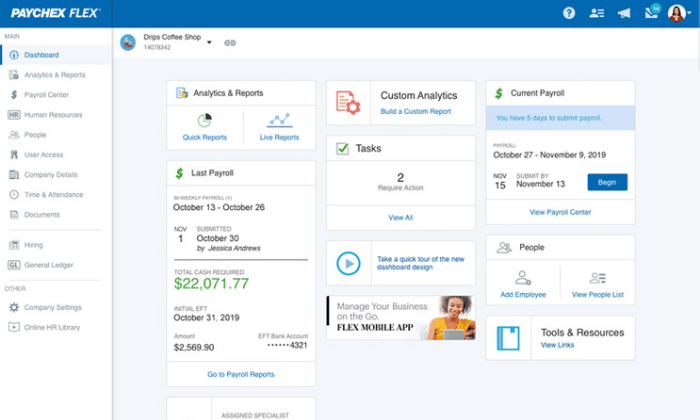
The larger your business is, the worse small discrepancies and human errors affect your tax calculations. And wrong tax filings equal harsh penalties from the IRS, even if it was an accident.
So as a large company, it’s imperative to have a payroll service that adapts to meet your needs.
Paychex is more than a payroll service. It’s a human capital management (HCM) system designed to help you save time and reduce errors.
Their enterprise plans include features like:
- Recruiting and onboarding
- Performance and learning management
- Powerful real-time analytics
- 100% employee self-service
- Payroll automation features
- Direct deposit, paper checks, and paycards
- Salary, hourly, and contract workers
- Paycheck garnishments
- PTO and benefits management
- Job costing and labor distribution
All of which are scalable for enterprises with thousands of employees (or as little as 50). Plus, Paychex services more than 650,000+ companies and has more than 50 years of experience in the industry.
So, you can rest easy knowing you’re in good hands.
With that said, getting started isn’t as easy as it is with some of the other options on this list.
Because each deployment is tailored to your business, you can’t get going on your own.
However, they do offer a team of specialists to help you get the ball rolling.
Contact their sales team for a custom quote to get started!
#4 – ADP Review — The best for built-in HR features
ADP is the way to go if you’re looking for a payroll service with the most built-in HR features.
It’s perfect for smaller companies without an HR department and growing/large companies looking to streamline the process.
ADP works with more than 700,000 businesses in 140+ countries, making it one of the most popular payroll services for businesses of all shapes and sizes.
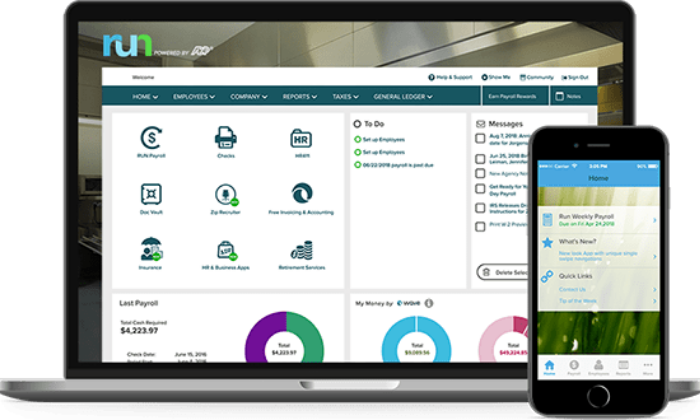
They offer tailored solutions for small, midsize, and enterprise businesses, so you’re sure to find the perfect solution whether you have five employees or 1000+.
Their lower-tiered plans include basic payroll features like automatic tax calculations, employee self-service tools, a mobile app, PTO management, and complete compliance support.
However, ADP offers more than just basic payroll and HR.
They also include time tracking, talent recruitment, HR consulting services, advanced employee benefits, and the option to outsource your entire payroll/HR department.
You can also get unique benefits, like personalized training, legal assistance, background checks, and interview scheduling too.
Furthermore, ADP offers industry-specific solutions for nine different industries, including:
- Restaurants
- Construction
- Healthcare
- Manufacturing
- Retail
- Nonprofits
Note: ADP pricing isn’t available online, so it may not be suitable for micro or small businesses interested in getting started quickly.
If you need something fast and straightforward, my #1 recommendation is Gusto.
Request a free quote to see if ADP is right for you today.
#5 – Quickbooks Payroll — The best for QuickBooks integration
Quickbooks Online is one of the most well-known accounting tools on the market.
And if you’re already a user, QuickBooks Payroll is an excellent addition to your tech stack.
The two tools integrate seamlessly, making account reconciliation and tax season a breeze.
Furthermore, QuickBooks’ payroll system works in all 50 states.
So, whether you have a remote team or work with contractors across the country, you don’t have to worry about making errors or mishandling taxes.
You can also rest easy knowing your federal, state, and local taxes are automatically calculated plus paid for you every time you run payroll.
Plus, the entire process is easily automated after your first round of payments.
With QuickBooks, you get a full-service payroll system regardless of the plan you choose.
And the user interface is aesthetically pleasing with direct deposit payments landing in your employees’ bank accounts within 24 – 48 hours.
The Core Plan starts at $45 per month, plus $4 per employee per month. It includes:
- Full-service payroll with unlimited runs
- Automatic payments after the first run
- Health benefits
- Wage garnishments
- Next-day direct deposit
- 24/7 live chat support
- All 50 states
So, even their most basic plan includes everything you need to simplify your HR and payroll processes.
But if that isn’t enough, their advanced plans include:
- Premium — $75 per month + $8/employee per month
- Elite — $125 per month + $10/employee per month
Get 70% off your first three months to take QuickBooks Payroll for a test drive today!
Note: 1099 contractors and freelancers aren’t included.
It comes as an add-on with additional monthly fees.
So, this isn’t the most affordable choice if you frequently handle contractors or freelancers.
#6 – Wave Payroll Review — The most affordable payroll service
If you’re on a tight budget, Wave Payroll is an affordable payroll option.
Wave also offers numerous other small business tools for free, including invoicing, accounting, and receipt management.
The different apps integrate seamlessly to create an affordable small business accounting and payroll solution.
With Wave, getting started takes just a few minutes, and running payroll goes even faster.
Plus, they offer a 100% accuracy guarantee.
You can also pay hourly, salary, and contractors and automatically generate the right tax forms.
In some states, Wave automatically files and pays your state/federal payroll taxes for you.
However, in those states, Wave’s services are more expensive.
You also get access to features, like:
- Automatic journal entries (if you use Wave Accounting)
- Self-service pay stubs and tax forms for your employees
- Workers’ compensation management
- Basic payroll reporting
- Automatic year-end tax forms
- Timesheets for PTO and accruals
While Wave is one of the most affordable payroll services, it doesn’t sacrifice functionality and essential features.
Despite being cheaper than the other options on this list, you still get all the essentials you need to run payroll for your small business.
In tax service states, Wave is $35 per month + $6 per contractor/employee per month.
This service isn’t necessarily cheaper than the other options on this list.
But, it’s still a great option if you’re a small business owner looking for a simple payroll solution.
However, it’s $20 per month + $6 per contractor/employee per month in self-service states. At this price, it’s easily the cheapest option with the most features available.
And don’t forget that Wave Payroll seamlessly integrates with Wave’s free accounting and invoicing software as well.
So, if you don’t yet have accounting software, this is a smart choice.
Try Wave Payroll free for 30 days to see if it’s right for you and your business!
Summary
For most users, Gusto, OnPay, and Wave are my top recommendations.
They’re all excellent for small and fast-growth businesses with the ability to scale to match your needs.
Plus, they’re affordable and easy to use.
However, different businesses require different solutions.
So, don’t forget to use the considerations we talked about as you go through the process of choosing the best payroll services for your business.
What payroll services do you prefer?
The post The Best Payroll Services (In-Depth Review) appeared first on Neil Patel.
Source: feedproxy.google.com

The Best Web Hosting Services (In-Depth Review)
Looking for a hosting solution for your website? You’re in luck because with today’s options, it has never been easier to keep your website online.
They take care of all the technical stuff and you get to enjoy casually updating your website for conversions.
And the best part is that most of them are very affordable which helps startups get a hold of their business quickly.
That’s why I put together a list of the best hosting services of 2021 for you.
So without further ado…
The Top 7 Options For Hosting Your Website in 2021:
- #1 – Dreamhost — Best option if you want quick and responsive website changes
- #2 – Bluehost — Best for WordPress Hosting
- #3 – HostGator — The most affordable option for Startups
- #4 – WP Engine — Best option if you know your limits
- #5 – Hostinger — Low-Cost Shared Hosting options for Startups
- #6 – InMotion — The Best option for Scaling BIG
- #7 – Siteground — Best for WooCommerce Hosting
How to Choose The Best Hosting Service For Your Website:
When it comes to the best web hosting services you have to look at various important factors.
If you jump in too quickly you might get into something that’s not suitable for your business.
But don’t let any of that doubt creep into your mind.
Instead, sit back and relax while we present to you all the factors that you need to be aware of before making a decision.
You can weigh the different web hosting services and decide which is the best solution for your specific business.
Hosting factor #1 – Uptime reliability:
If your hosting is down, no one would be able to access your website.
And obviously, you want your website running 24/7.
Luckily, in 2020 this is not a huge problem since most web hosting providers offer a ‘99.99% network uptime guarantee’.
That means that your website would go down very rarely.
And even when it does, you can contact your hosting service and you will get compensation.
Most of the time that would be in the form of hosting credits.
If you want to prepare for the worst, you can check out our Website Downtime Survival Guide.
One of the best practices to making sure everything runs smoothly even when you’re taking a break is to sign up for a tracking tool like an uptime robot.
If your hosting service crosses the line, this tool will notify you that you need to find a new webserver to host.
Hosting factor #2 – Speed is key:
Website loading speed is extremely crucial when it comes to SEO optimization in 2020.
That’s simply because if your pages load slowly, people will bounce out of your website and your ranking will fall down the drain.
You need a trustworthy host provider that can guarantee optimal website loading speed.
The thing is that you can’t know the exact loading speed before you try the hosting service yourself.
But you can always optimize your website loading speed using free tools and effective loading speed practices.
And the best news is that even if your budget is tight, you can still get a good loading speed.
But don’t expect anything spectacular for say $4/month.
Generally, the higher the price, the faster your pages will load.
Anyways, we will include our personal experience regarding loading speed for each of the options down below.
Hosting factor #3 – Customer service:
Good Customer Service will come in handy when something goes wrong.
Especially if you’re new to websites, you’re bound to make mistakes that may lead to your website being down for a while.
And the more time it’s out, the more it will cost you.
So a good support team will help you get the issues solved in no time.
Even if you made a major mistake that’s impossible to come back from…
Most support teams will have a full backup of your website so you can get back to a working version.
You always want your support team to have a live chat or a telephone you can call.
Email just doesn’t make the cut if you want to resolve the issue fast, which you should want, given that your website is down.
We made sure to include only website hosting services with strong communication skills.
The Different Types of Web Hosting Services:
In 2020 there are a lot of different types of web hosting services.
The most commonly used being:
Shared Hosting
This means your website will be stored on the same server as a bunch of other websites.
It is a cheap option for startup websites.
With the right one, you can have customizable options and average loading speed.
Don’t look at Shared Hosting as a long-term solution because Shared Hosting can not withstand high levels of traffic.
It’s definitely a good solution for people that just want to get their website up and running fast.
VPS Hosting
The Virtual Private Server (VPS) is definitely a better option than Shared Hosting.
Each website is hosted in its own virtual space which speeds up your loading speed and also allows you to get more traffic on your website.
This option is best if you’re planning to scale your website fast.
Yet again, it’s not a long-term option if you want to be one of the top websites in your industry.
Simply because it still has limitations when it comes to website traffic.
Dedicated Hosting
This is considered the most reliable and overall the best option out there.
You get a dedicated server just for your website with full control over everything.
But prepare yourself for a pricey alternative.
That option is mainly for the best of the best.

If you have plans to scale your traffic to enormously high levels, this is the only option for you.
But if you’re just starting out, we recommend one of the other 2 options.
Examples of The Best Hosting Services
Anyways, the web hosting services below give you the option to choose between different types of hosting services.
So just choose the one that fits your business and your budget best.
#1 – Dreamhost — Best option if you want quick and responsive website changes

Dreamhost has been a big player for the longest time now.
Founded in 1996 it is one of the oldest hosting services available online.
Some people might think it must be outdated by now.
But that can’t be further from the truth.
Exactly because of their ability to adapt quickly to new trends they’re still considered one of the best in the business.
They don’t look at your website as just another website.
They know that your website is your own vision for the future.
“We Make Sure Your Purpose, Is Our Purpose”
And that’s not just words. Over 1.5 million websites host with Dreamhost.
You can expect great loading speed and friendly, helpful customer support on your side.
With incredibly adaptable services you can literally change your business in a matter of hours.
They know that things change as time passes.
Maybe you want to try out something new.
Maybe you’re certain that your current business model is outdated.
With their fascinating adaptable features, they will be your best friend when making major changes to your website.
#2 – Bluehost — Best for WordPress Hosting

If you’re looking to set up your website in less than a week, you’re probably considering WordPress.
After all, according to NetCraft, 35% of the Internet is powered by WordPress.
And it’s not a surprise. WordPress has been a leader in the industry for years now.
So if you’re looking for the best hosting option for your WordPress website, you can definitely trust Bluehost.
Their Pricing Options start from as low as $3.95/month and get up to $6.95/month.
Which is still not that expensive considering all the unlimited features they bring to the table.
Regarding website loading speed, as long as you don’t fill your WordPress site with plugins, you should be good.
And even if you make a crucial mistake or overload your website with different plugins, you’re in good hands.
Their Customer Support is extremely responsive.
They have both an active telephone line and a live chat you can rely on at all times.
#3 – HostGator — The most affordable option for Startups

HostGator is one of the most preferred options when it comes to blogging.
They are perfect if you’re looking for the most affordable way to begin posting online.
Pricing options start from the jaw-dropping $2.75/month.
Once again, you can’t expect the best features for such a low price.
But it’s a great alternative for startups that want to get their website up and running.
And just like Bluehost, they have a responsive telephone line with a live chat you can access at any moment.
You can also find a giant database with common questions beginners have, together with professional opinions and solutions to those problems.
Everything is explained and demonstrated step-by-step and if you’re still not sure that you can do it on your own.
Just shoot them a message and start chatting with their professional customer support.
#4 – WP Engine — Best option if you know your limits

We’re getting to the more advanced options now.
With WP Engine you can customize and get the exact features you need.
Of course, their services are not as cheap as some of the others on the list.
But if you’re certain what are the exact characteristics you need in a website, then WP Engine got your back.
You just have to contact them and work out the best plan for your specific situation.
Of course, their experts are going to help you choose the correct option without pushing you to stuff you wouldn’t need.
It’s a great Hosting Service if you’re looking to scale big.
Don’t expect cheap services, but expect great quality and support on the way to your successful business.
#5 – Hostinger — Low-Cost Shared Hosting options for Startups

Hostinger is unique with its Shared Hosting Services.
Their prices literally start from $0.99/month. WOW.
Of course, you’ll be very limited with this option but it shows how much they are ready to do in order to satisfy their customers.
We personally recommend one of the higher tier options:
The good thing with Hostinger is that for as low as $3.99/month you can get unlimited access to everything.
With 24/7/365 support, you can expect professional assistance at any point.
For $3.99/month you get great loading speed and daily website backups.
That means even if you mess up badly, you always have access to previous versions of your website.
It is the best option if you’re searching specifically for a Shared Hosting Service that’s affordable and reliable.
#6 – InMotion — The Best option for Scaling BIG

Are you positive that your website is going to dominate the online space?
If you’re 100% sure, then you should definitely take a closer look at InMotion.
Their VPS and Dedicated hosting services are far from cheap.
But with Premium prices come Premium services. We are talking fast loading speed and devoted customer support.
Obviously, there’s also affordable WordPress Hosting and Shared Hosting options.
But if you’ve tried these before and now you’re looking for the next step.
InMotion is going to overdeliver on every promise.
Check out their plans and choose the one that fits your needs best.
#7 – Siteground — Best for WooCommerce Hosting

Do you want to sell your products online?
Then you’re probably in need of a good, reliable WooCommerce Hosting Service.
If that’s the case, then you should take a look at Siteground.
They have separated their pricing options depending on your scalability.
Most Hosting Services cut you here and there when it comes to cheaper options.
This is not the case here!
Siteground really wants to overdeliver, even if you choose their cheapest options.
Their Customer Service has a whopping 90% resolution at first contact.
That means that 90% of the time you’ll chat or speak with an expert in their team and resolve your issue in no time.
So if you’re looking for the best WooCommerce solution, Siteground is the hosting service for you.
Your Hosting Service Is Your Best Friend
Make sure you make a well-thought-out decision.
You’re most likely going to have a long-term relationship with the hosting service you choose.
So carefully look into every option that caught your eye today and choose the one that fits your needs best.
So, whether you choose one of my top recommendations or scout out your own, use the tips and best practices we talked about to make an educated decision… like the future of your business depends on it.
Because it does!
Have you worked with any website hosting companies in the past? How did it go and did you get the results you hoped for?
The post The Best Web Hosting Services (In-Depth Review) appeared first on Neil Patel.
Source: feedproxy.google.com