
Tag Archives for " plugin "

Best WordPress Popup Plugins
WordPress popup plugins are one of the best ways to maximize your site’s effectiveness. Easy to use and implement, popups help to enhance your messaging and convert leads. You can use them in many ways, including upsell products, drive newsletter signups, and more.
A WordPress popup plugin can help to increase your return on the investment you’ve made in your website, your branding, and your products or services.

Disclosure: This content is reader-supported, which means if you click on some of our links that we may earn a commission.
Best WordPress Popup Plugins
I’ll show you the best WordPress popup plugins that you should consider, as well as my methodology for choosing which is right for your needs.
#1 – Ninja Popups Review — The Best For Customization
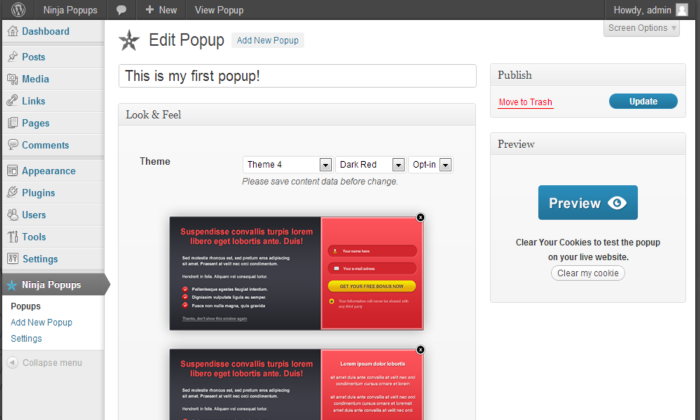
Ninja Popups was released in 2012 and has been regularly updated with features and capabilities, including new popup templates and integrations with the most popular current mailing systems.
The result is a plugin that puts you in control of all popup creation and performance elements.
Fully compatible with WordPress and WooCommerce, Ninja Popups boasts an intuitive drag-and-drop theme builder, so you can custom-build your theme from scratch.
If you want to save time, you can start with the more than 65 popup theme templates, then customize everything from colors to button sizes.
The themes are responsive, so you don’t have to worry about leads falling off because of poor mobile performance.
I always want to be able to analyze data about how my site and popups are performing, and Ninja Popups delivers that detailed analysis.
Ninja Popups allows for easy A/B testing, a must-have when you’re experimenting with its customization options.
It also provides analytics of popup views and conversion, so you can test, refine, and test your popups again.
Page-level targeting further maximizes the effectiveness of your popups. Integrations with the top email marketing platforms including MailChimp, Constant Contact, Freshmail, and HubSpot save you time and make this plugin an integral part of your sales funnel.
Ninja Popups also integrates with social networks, including:
- Google Plus
Popups are optimized for search engines for faster script loading and optimized graphics. Ninja Popups can enhance your site without bogging down its load time.
A regular license starts at $24 and includes six months of support. Extra opt-in bar, widget, and theme packs are available if you’re looking for even more features. Buy Ninja Popups.
#2 – GreenPopups Review — The Best Time-Saver
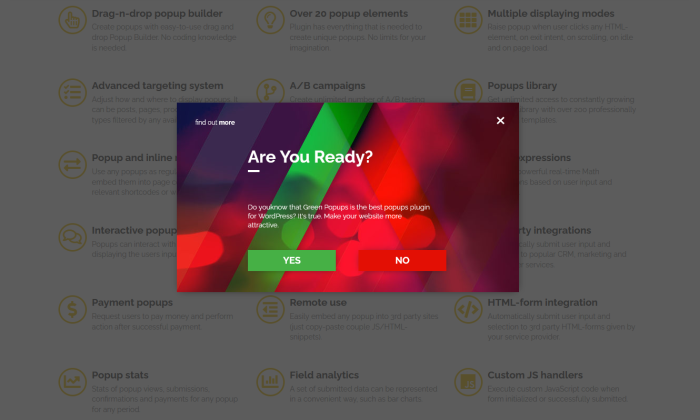
GreenPopups, formerly Layered Popups, gives you the versatility to custom-make a multi-layered animated popup with easy drag-and-drop functionality.
And if the animation isn’t enough to grab users’ attention, the more than 1,000 fonts you can choose from will do the trick.
If you’re short on time, the plugin is also equipped with more than 200 templates so you can get going quickly.
You can choose from many popup triggers, including:
- Website load
- Scrolling
- Website exiting
- Inactivity
- Adblocker use
- Clicking on certain links
With so many variables, including the ability to design your own popups, A/B testing is important. GreenPopups lets you experiment with confidence to find out what works.
One of my favorite features is that GreenPopups allows for an unlimited number of A/B campaigns.
These campaigns provide valuable statistics on popup performance, so you can test, refine, and choose the popup that’s right for your audience and goals.
Green popups are also compatible with WooCommerce.
It integrates with ConvertKit, Jetpack, Mailchimp, HubSpot, and more to create a streamlined process, automatically sending user submission information right to your CRM or newsletter service.
It also integrates with payment providers and gateways including PayPal, Stripe, and Razorpay. As users complete subscription or purchase popups, they’ll be routed to your payment provider of choice to complete payments.
This creates an ideal user experience and can reduce abandoned cart rates.
GreenPopups is optimized for PageSpeed Insights, keeping your loading speeds fast for SEO benefits.
A regular license starts at $21 and comes with six months of support. Extended licenses are $105. This plugin’s time-saving capabilities make these subscription prices an excellent value. Buy GreenPopups.
#3 – Optinly Review — The Best for Businesses on a Budget
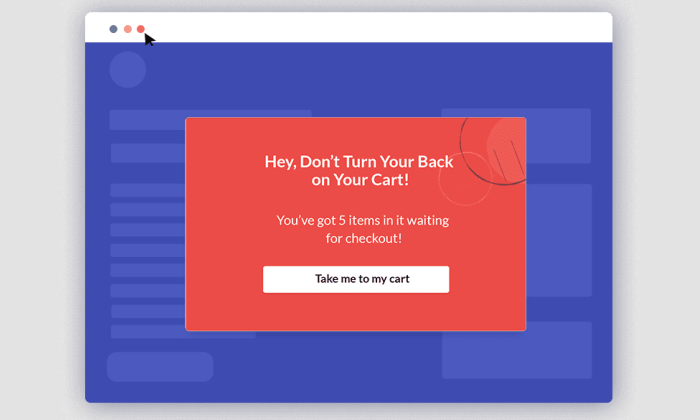
Optinly helps businesses and marketers to capture leads and drive sales. For all of the features and functionality this plugin offers, it’s impressively affordable, and even the free version offers comprehensive options.
Optinly offers an array of popup forms and templates, including:
- Fullscreen overlays
- Spin the wheel popups
- Floating bars and sidebars
- Exit-intent popups
- Notification popups
Thanks to the integrated popup builder, you can customize all of the plugin’s popup templates. Nearly everything is editable, including the text, font, font color, and background image.
You can also edit the CTA button text, color, and size to test and determine what’s most effective for your audience.
Advanced triggers, including time-based and exit triggers, allow you to customize how and when your popups are displayed.
Optinly also includes many targeting options, including page-based targeting and device-based targeting.
You can also target popups based on user interactions, and add multiple conditions to popups for increased lead conversion.
This plugin integrates with email marketing service providers, including HubSpot, ActiveCampaign, MailChimp, and ConvertKit.
You can simultaneously connect it to multiple email providers for a seamless addition to your sales and marketing campaigns.
I like Optinly because of the great value it offers. The free plan requires no credit card to sign up, and it comes complete with:
- 9 templates
- 3 types of popup forms
- Exit-intent technology
- Integration with all email service providers
- Standard support
- An analytics dashboard
The free plan supports one site and is comprehensive enough so that a business can get up and running, enjoying some of the plugin’s best features.
New free plan subscribers get access to premium features for free for the first 14 days, giving you a chance to decide which version is right for your business.
As a business grows, upgrading to the Growth Plan costs only $25 per month billed monthly or $20 per month billed annually. Still highly affordable, this plan includes perks like premium templates, priority support, and an in-depth analytics dashboard.
It’s suitable for use with up to five sites.
#4 – Elementor Pro Review — The Best For Beginners

Elementor Pro’s drag-and-drop popup-building capability makes it a top choice for beginners.
The visual builder gives you plenty of design options without being overwhelming, and its easy setup means you’ll be up and running quickly.
More than 100 popup templates can save you time if you don’t feel like designing one from scratch.
As you customize templates or create your own popup, you can include Elementor widgets like login forms, countdown timers, buttons, email opt-ins, and more.
Elementor Pro is a versatile tool, and you can create many different popup types:
- Notification bars on the top or bottom of your screen
- Full-screen overlays
- Modal popups
- Fly-ins
- Slide-ins
That versatility extends to both targeting and triggers. You can target by post type, format, categories and tags, pages, and more, allowing you to create custom popups that are highly relevant to your audience segment.
Available triggers include time, click, scroll, inactivity, and exit intent, again giving you full control of your popups’ performance.
Elementor Pro offers tiered subscriptions. While a free plan is available, it doesn’t include the popup maker functionality.
The Personal subscription for one site costs $49 per year and includes more than 50 widgets, 300 templates, and 10 full website template kits.
Since the Personal subscription also includes unlimited pageviews, popups, and interactions, I think it’s a great value if you’re just getting started.
#5 – Popup Maker Review — The Best For Detailed Targeting
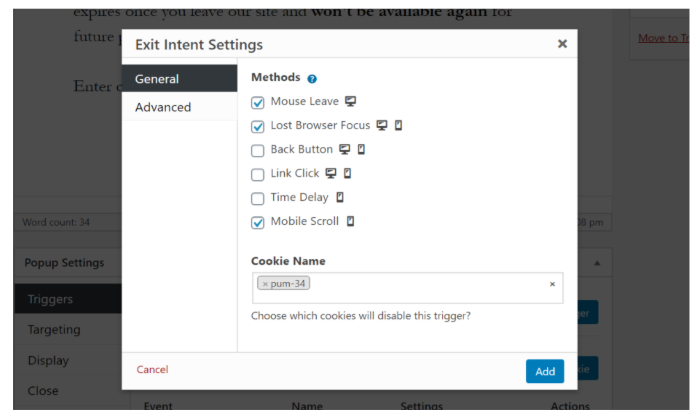
If you want comprehensive control of your popup targeting, Popup Maker is the way to go.
Not only is Popup Maker easy to use, but it also delivers targeting and triggering options that surpass what you’ll find in other plugins.
Popup Maker works with your cookies, and you can use those cookies to target audience segments. You can put this functionality to work in countless ways.
For instance, if you create a cookie when a viewer converts by completing a popup, you can trigger another popup to display only to those who have already converted.
Alternatively, you can target popups by:
- User
- Device
- Content-type, like posts or pages
- Referral
- Query parameter
Beyond standard targets, you can create custom targets or use the included advanced conditions for more specific results.
These custom targets might be the best feature Popup Maker offers, allowing you to get creative and choose exactly how your site and popups contribute to the user experience.
There are 26 separate advanced targeting options, allowing you to show a popup solely to visitors:
- From the certain sites
- From the search engines
- Who clicked on the Facebook ads
- Who is using the certain browsers
- Who has viewed your pricing pages
While Popup Maker isn’t a drag-and-drop plugin, the editor is simple and easy to use. Expert support is also available if you need help.
- Rates start at $87 per year for one site.
- The Grow Plan for three sites is $147 per year.
- The Optimized Plan for five sites is $247 and includes WooCommerce compatibility.
All plans include unlimited popups, theming, and impressions, making Popup Maker a great value. They’re also backed by a 30-day money-back guarantee, so you can buy with confidence.
What I Looked At To Find The Best WordPress Popup Plugins
A WordPress popup plugin can complement and enhance your marketing and sales funnels, convert site visitors into leads, and maximize the effectiveness of the hard work you’ve already put into your website.
But a plugin needs to be the right fit for your business to be effective.
Think of your WordPress popup plugin as being a sales associate who can interact with your website visitors to help seal the deal, whether your goal is to gain newsletter subscribers or upsell products.
To determine which plugins are the best for you, consider the following criteria essential to your business.
Customization Opportunities
The key to effective popups lies in their customization. While templates can be a great starting point, you don’t want to rely on generic popups that don’t fit your brand.
Customization is equally as important when it comes to trigger options and targeting conditions.
The more trigger options you have to choose from, like age verification, scroll, and idle time triggers, the better you can make your popup work for your site.
Customizable targeting conditions are also essential. Your popups are most effective when they reach the right audience.
Rather than using the same popup for everyone who visits your site, targeting lets you reach certain audience segments with popups designed just for them.
I’ve chosen plugins that give you customization options in nearly every stage of popup development and implementation to truly put you in the driver’s seat.

Analytics
Detailed analytics are key in helping you to develop, refine, and improve the effectiveness of your popups.
This is particularly important when you’re able to customize different elements of your popups.
A plugin that lets you perform A/B testing can help you to get better results from your work, maximizing the plugin’s value at the same time.
Even if you’re just getting started with popups, the data on each popup’s performance can help you to learn what works for your site and what doesn’t work.
That’s why I’ve chosen plugins that include analytics, A/B testing, and data to help guide your work.

Effect on Site Speed
Your WordPress plugin should enhance your site, not detract from it, but many plugins can slow down your site’s speed and overall performance.
Some plugins use WordPress to track analytics, and this increases the server load and leads to slower page speeds. Slow page speeds negatively affect your SEO and your user experience.
Instead of plugins that slow down speeds, I’ve carefully chosen options that are still packed with plenty of features that don’t negatively impact your site’s performance.

Scalability
Your needs as the owner of a single website will differ from the needs of a marketer working across five different sites.
Often, the number of sites a plugin subscription supports directly correlates with the subscription plan price.
I’ve chosen plugins that can scale with your business. These plugins include options for single-site use that can save you money.
You can also upgrade to larger plans to use the plugin across multiple sites as your business grows.
Conclusion
WordPress popup plugins are versatile, and there are lots of great options to consider.
From the highly customizable plugins that come equipped with a generous selection of templates, my top picks are suitable for many different businesses.
Available at a range of price points, there’s something for any business on this list:
- Ninja Popups — The Best For Customization
- GreenPopups — Best Time-Saver
- Optinly — Best for Businesses on a Budget
- Elementor Pro — Best For Beginners
- Popup Maker — Best For Detailed Targeting
Whether you’re just getting started with popups for the first time or need a popup plugin that can support multiple sites, you’ll find a quality solution in any of the plugins in this guide.
Source: neilpatel.com

Best WordPress Backup Plugins
If you get hacked or accidentally lose your password, you’ll save yourself the massive headache of losing everything on your site. But only if you have a backup plugin installed.

Disclosure: This content is reader-supported, which means if you click on some of our links that we may earn a commission.
What would happen to your WordPress site if all your data was wiped out?
If you don’t have a clear answer to this question, then you’ve landed in the right place.
Using a WordPress backup plugin is one of the smartest things you can do to ensure your site is protected from disaster.
If you get hacked or accidentally lose your password, you’ll save yourself the massive headache of losing everything on your site. But only if you have a backup plugin installed.
Without one, you’d be back to square one.
But which WordPress backup plugin should you use?
You’ve got options.
In this post, I’ve reviewed my top five recommendations and included a short buyer’s guide to help you figure out which one fits your needs.
Ready?
Let’s make sure your site’s backed up.
Top WordPress Backup Plugins
#1 – Backup Buddy Review — The Best For Efficiently Restoring Your Site
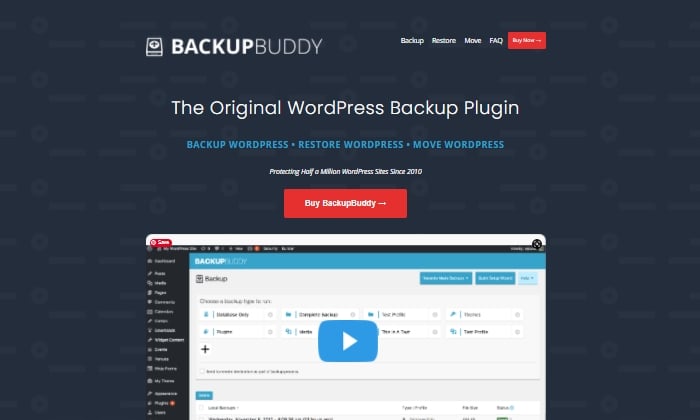
Like Backup Buddy rhetorically asks on their site, “What good is a backup if you don’t also have a way to restore your site properly?”
And they couldn’t be more right.
Backup Buddy ensures you always have the latest backup of your site by providing you with a zip file you can use to upload and restore a broken site.
Once uploaded, Backup Buddy seamlessly walks you through the steps to get your media files, text, plugins, and more back up and running.
Additionally, you can choose to restore individual files instead of restoring the whole site if that’s what you want to do.
You can even schedule automated backups at intervals you customize.
Some top features of Backup Buddy include:
- Backs up your entire WordPress installation
- Customizable backup content that you can pick and choose to restore
- Offers hourly, twice daily, daily, biweekly, weekly or monthly backups
- Automatically sends your backup files to access remote storage locations like Dropbox or Google Drive
Backup Buddy has three pricing options, all with one-time fees:
- Blogger — $80 for one site
- Freelancer — $127 for up to 10 sites
- Gold — $199 for backing up unlimited sites
You can quickly sign up and get started with BackUp Buddy here.
#2 – WPvivid Backup Pro Review — The Best For Migrations
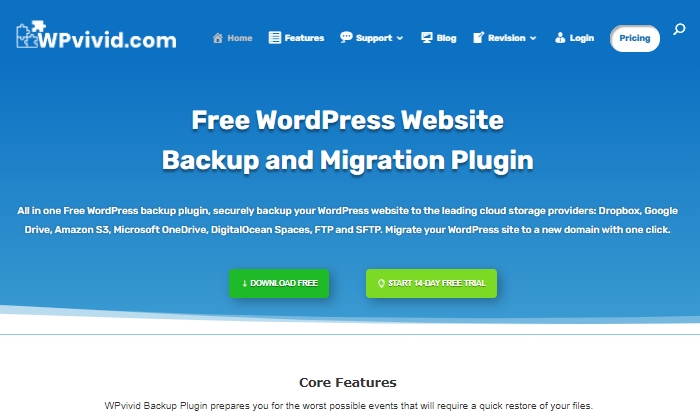
WPvivid Backup Pro is a great backup plugin you can safely set up and start using to migrate your site.
They’ve been used on more than 90,000 websites to do more than just back up and safely migrate data files.
WPvivid Backup Pro offers incremental backups to ensure it isn’t slowing down your site as it works in the background to backup all your data once it’s been configured to your needs.
As far as its backup migration capabilities, WPvivid Backup Pro supports manual migration methods, as well as auto migration and migration via remote storage (as a premium feature).
Some of WPvivid’s best features include:
- Create either manual or scheduled backups
- Advanced migration features in case you want to migrate your site quickly
- The ability to create a staging site
- It backs up all your core WordPress files
- 24/7 ticket support
- Set a size limit for files that you’re not interested in backing up
Here’s a quick look at their pricing packages:
- Basic — $49 per year for up to three websites
- Freelancer — $99 per year for up to 100 websites
- If you get hacked or accidentally lose your password, you’ll save yourself the massive headache of losing everything on your site. But only if you have a backup plugin installed. — $149 per year for unlimited websites
All three plans are annual subscriptions, unlike other backup plugins, many of which are a one-time licensing fee.
WPvivid also offers a 14-day free trial, visiting so you can test it out before you purchase a plan.
#3 – JetPack Review — The Best For Making Site Changes Safely
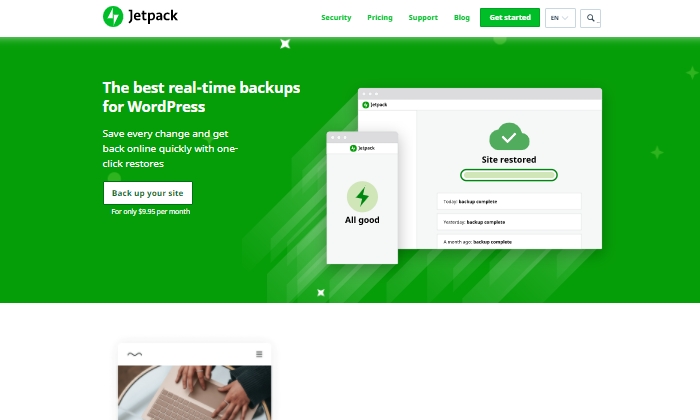
Jetpack is a strong contender for a reliable backup plugin that works great for making site changes safely.
Picture this:
You’re making exciting new changes to your site, whether that’s CSS customization, adding new plugins, or altering your core site files.
Then suddenly, something breaks.
With Jetpack, you can quickly restore your site to how it was before you made that crucial mistake with just a few clicks.
This makes it an easy and reliable plugin to work with if you’re constantly updating your website.
The Jetpack plugin even comes complete with a mobile app so that you can virtually restore your website right from your phone no matter where you are.
Plus, Jetpack offers plenty of security features, too.
This can only be a plus for a backup plugin and makes it worth keeping in your corner.
Some top features of Jetpack include:
- Provides malware scanning and protects your site from spam
- Downtime monitoring lets you know if your site is down immediately
- Malicious hacking and attack protection
- The mobile app you can take and use with you everywhere
- Automatically cleans up spam comments off your site
If you choose to go with JetPack, the question becomes what kind of pricing package you’ll feel comfortable going with, as there are many options.
The three main packages are:
- Backup Daily — $7.95 per month billed yearly
- Security Daily — $19.95 per month billed yearly
- Complete — $79.95 per month billed yearly
The Backup Daily tier offers automated backups, one-click restores, and unlimited site storage.
On the other end, Complete provides the full Jetpack suite, including real-time security, enhanced search, CRM features, and even design tools.
Jetpack also offers a limited free forever plan that includes basic site protection, downtime monitoring, and changelogs.
Additional product bundles you can purchase separately on a per month basis include a Security Real-Time plan, a Real-Time Backup plan, a Scan package, an Anti-spam bundle, a Site Search plan, and the CRM Entrepreneur add-on.
Jetpack offers peace of mind by providing one-click restore options and monitoring your website’s security at pretty affordable rates.
Still, I recommend you visit their comparison page to ensure you’re deciding on the right backup bundle.
Start using Jetpack’s powerful backup features here.
#4 – BlogVault Review — The Best All-In-One Backup Solution
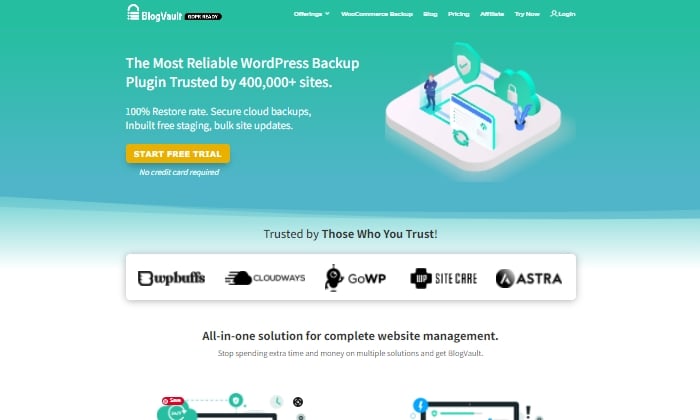
BlogVault makes for a reliable all-in-one backup plugin that ensures your site’s backup is stored securely in the cloud.
It’s used by over 4,000,000 websites and trusted by businesses like Astra, Cloudways, and GoWP.
BlogVault’s plugin offers key storage features like changelogs that can help you identify problematic modifications to your website.
They go as far as providing 90-day archives to ensure you recover from any site mistakes, which are bound to happen at some point in your site’s lifetime.
If your site experiences downtime, with BlogVault, you can make it so that your site’s backup still shows up to users. What exactly does BlogVault backup?
Everything from the basics like blog posts, your media library, and media files to blog comments, plugin files, WordPress settings, categories and tags, theme settings, WordPress core files, and even user details.
Because of how complete and robust BlogVault is as a plugin, it’s one of my favorite backup plugin recommendations to make.
Some of BlogVault’s best features are:
- Provides centralized dashboard where you can manage multiple sites
- Provides custom WooCommerce table backups
- Performance checks that inform you about site speed and ways to improve your site
- Get uptime and downtime status checks
- Handy customer support that gets in contact with you in less than 24 hours
- Incremental backup option available so the plugin doesn’t slow down your site
If you’re not in love with everything BlogVault offers yet, take a look at their affordable pricing tiers:
- Personal — $7.40 per month for daily backups
- Plus — $12.40 per month for daily backups
- Advanced — $20.75 per month for real-time backups
You can definitely take them for a test drive with their free trial.
Otherwise, get started using BlogVault here.
#5 – UpdraftPlus Review — The Best Free Backup Plugin
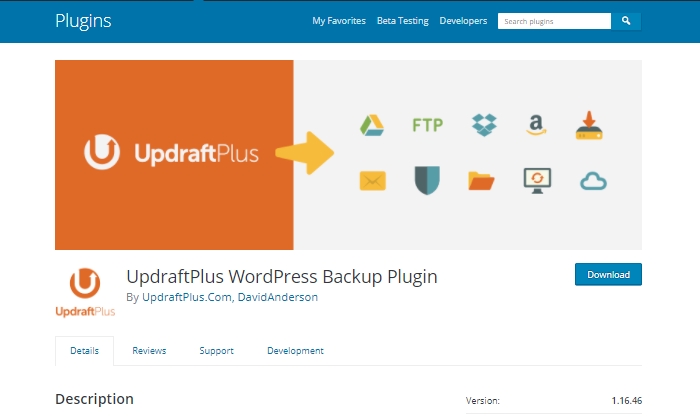
If you’re looking for a free backup plugin, look no further than UpdraftPlus.
It makes restoring all your site files hassle-free and straightforward.
It has over 3,000,000 active installations and is a reliable backup option if you are running your site on a shoestring budget.
UpdraftPlus has a paid version you can upgrade to with a lot more features and capabilities.
But for now, we’ll focus on what the free version can do for your site.
UpdraftPlus is a cloud-based plugin that ensures you have access to your site’s files and data in case of cyberattacks, server crashes, conflicting plugins, or anything else that would bring your site down.
Once you upload the UdraftPlus plugin, you can set it up, forget it, and let it run in the background while you work on more important tasks for your business.
Best features of UpdraftPlus:
- Backup to an exhaustive list of cloud options
- Lets you set up automated backup schedules for convenience
- Uses fewer server resources than other free backup plugins
- Has the ability to restore your site
Updraft Plus is free, and you can read reviews and download it here.
What I Looked At To Find The Best WordPress Backup Plugins
The most basic use of a backup plugin is to keep updated backups of your site continuously.
There are plenty of plugins on the market that will do just that.
Here are some of the criteria I looked at to find the best plugin options for your WordPress site.
These will be helpful factors for you to think about as you choose which plugin to invest in.
Restoring Options and Complete Backups
If you’re frantically trying to get your site back up and running and want to restore it to how it was before it crashed, you’ll be thankful for a restoring option you can upload in minutes.
This way, you’re enabled to troubleshoot fast, save your rankings in search engines, and have a contingency plan for when things go south.
It’s a great feature to look for in any backup plugin you decide to use. Especially if their pricing features hook you into yearly subscriptions.
Along with quick restoring options, it’s a good idea to ensure your backup plugin does complete backups, meaning it backs up everything on your site from images to texts, themes, media files, and your whole database.
If your entire site goes down, a partial backup will be less useful.
Full backups are worth any extra cost.
Preventative Overload Configuration
It’s always a plus to know that a plugin was built to work with your site and not against it.
This means it was designed with every aspect of your site in mind.
This includes not overloading your site so that it slows down or has trouble loading.
Some of the best backup plugins allow for interval backups, configured so that your site doesn’t suffer from slow loading times.
As you probably know, load time is a crucial SEO factor that Google takes seriously as it decides where to place you in SERPs.
The fewer resources your backup plugin takes up, the better your chances of ranking on search engines.
Cloud Storage
This brings me to cloud storage as a desirable feature in a backup plugin.
It can be both a cost-effective and scalable option to give you peace of mind.
With cloud storage, you can store all your site information safely with your backup provider, where you’ll always have access to your data within minutes.
This also helps you minimize storage overhead and have easy access.
Bringing It All Together
Using a reliable WordPress backup plugin is one of the best ways to keep your site safe while you sleep soundly at night.
In the scenario that you lose everything on your site, meaning your files, images, blog posts, guides, PDFs, and more, you’ll want to be able to bring all of it back with a few clicks.
That’s where backup plugins come in.
To summarize the plugins I reviewed in this guide, take a quick look at the list below:
- Backup Buddy — The best for efficiently restoring your site
- WPvivid Backup — The best for migrations
- JetPack — The best for making site changes safely
- BlogVault — The best all-in-one backup solution
- UpdraftPlus — The best free backup plugin
Take a moment to check out each one so that you’re comfortable with your final plugin choice.
If you’re unsure, make sure to revisit this guide whenever you need it.
Now it’s your turn.
Which plugin do you use to backup your sites?
Comment below!
Source: feedproxy.google.com

Best Form Plugin for WordPress
What do you want people to do when they visit your site? Contact you? Sign up for your newsletter? Fill out a survey? Make it easy for them with an eye-catching, intuitive form. To do that, you need a WordPress form plugin that lets you build one.
Disclosure: This content is reader-supported, which means if you click on some of our links that we may earn a commission.
A great form plugin for WordPress will help you create any form you need. These plugins will help you attract more customers and make things convenient for everyone.
WordPress Form Plugins
#1 Gravity Forms—The Best for Advanced Users
Gravity Forms goes beyond your typical contact form. It has tons of integrations and add-ons for a smart, multipurpose form.
It doesn’t have a free version, but the add-ons you get make for such a comprehensive and customizable form plugin that it’s worth it.
If you’re a developer who wants to make your form unique, Gravity Forms can help. The plugin is scalable for your business, and it offers excellent security for your site.
You can choose from three packages:
- Basic—$59 per year
- Pro—$159 per year
- Elite—$259 per year
Basic gives you unlimited forms and entries for one site. With multipage forms, conditional logic, and file uploads, visitors have more options than your typical single-page form. Automatic updates and standard support give you the resources you need to keep your forms running.
The real star of Gravity Forms is its add-on options. Even with the Basic package, you get plenty, including Mailchimp, ActiveCampaign, AWeber, HubSpot, and many more.
Pro upgrades you to three sites and gives you all the features of Basic. When you go Pro, you’re basically paying for the add-ons. But with several options like payment, CRM, and other management add-ons, you might find they make your life easier.
The top tier, Elite, gives you unlimited sites and all Pro features. With Elite, you can make other types of forms, like surveys, polls, and quizzes.
You can also make filling out your forms more convenient with signatures, user registration, and partial entries. Plus, with priority support, you get issues resolved fast. Learn more at Gravity Forms.
#2 Jetpack Forms—The Best for Form Security
Jetpack is more of a suite than a form-specific plugin, but it still has plenty of form features. You might not find all the same ones as you would in, say, Formidable Forms, but it has enough if you don’t need anything fancy.

What Jetpack lacks in frills, it makes up for in protection. It blocks spam, offers extra security, and even comes with marketing tools.
To use forms, you must enable Jetpack Contact Form in the suite settings. There, you’ll have access to features like contact, newsletter, registration, feedback, RSVP, and sign-up forms. You can also build your own form from scratch.
You can specify who receives messages from the forms. With customization features and fields, you can create a unique form with a date picker, checkboxes, radio, and select fields.
The block editor also lets you drag and drop or add non-form blocks within the form block.
Jetpack has limited integrations, but you can get newsletters and CRM. There’s a free version of the plugin, along with three paid packages:
- Backup Daily—$7.95 per month
- Security Daily—$19.95 per month
- Complete—$79.95 per month
The form plugin comes with all packages, but if you want more security, consider upgrading. Backup Daily offers automated daily backups, one-click restores, and unlimited site storage so that you won’t lose anything.
Security Daily includes automated daily scans, anti-spam, and unlimited video hosting on your site. The Complete package comes with real-time automated scans and off-site backup. To make things easier to maintain, you also get a CRM, site search, and more marketing and design tools.
#3 WPForms—The Best for Flexibility and Power
WPForms is one of the best WordPress form plugins you can get. Its intuitive interface makes it ideal for both beginners and more experienced users. You don’t have to worry about code or complexities.
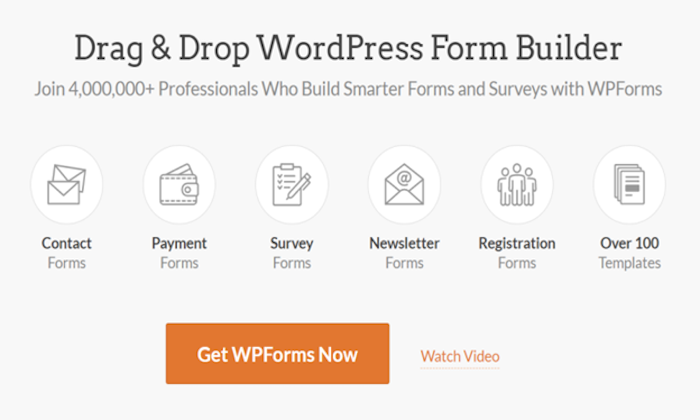
It’s one of the most powerful form builders thanks to its functionality, multi-page forms, customizability, and the sheer number of forms you can create. Its comprehensive features include everything from file upload capability to conditional logic.
You can make form submission simple with signatures, form abandonment, and user registration. With survey and poll add-ons, you can create tons of different forms beyond your basic contact form. Plus, Conversational Forms help you connect with visitors.
When it comes to communication, Constant Contact integration and instant notifications mean you and your team never miss a beat. Not to mention, the anti-spam honeypots make sure you only get responses from real people who are interested in what you have to offer.
You can choose from five packages:
- Lite—Free
- Basic—$39.50 per year
- Plus—$99.50 per year
- Pro—$199.50 per year
- Elite—$299.50 per year
WPForms Lite has three templates and 10 form fields. Beyond that, the drag-and-drop design, button customization, and Gutenberg compatibility give you all the design tools you need.
The Basic package gives you unlimited forms and entries, plus advanced fields, form templates, and multi-page forms. It comes with one year of support, downloads, and updates for one site.
Plus upgrades the Basic features with more marketing features. You get newsletter forms, Mailchimp, AWeber, GetResponse, Campaign Monitor, Sendinblue, and Drip for three sites. With this package, you’ll have no problem keeping track of your forms.
With Pro, you get everything Plus has to offer, along with even more marketing integrations. With form abandonment, conversational forms, offline forms, and a form locker, visitors won’t have to worry about losing their place. That means more customers for you.
Pro also allows PayPal and Stripe integrations for easy payments. You get priority support and use of these features across five sites.
Elite includes all Pro features but with even more marketing capability. With ActiveCampaign, Salesforce, Authorize.net, and Webhooks across unlimited sites, you have the tools you need to manage your forms.
Elite also gives you client management features and premium support in case anything goes wrong.
#4 Formidable Forms—The Best for Complex Form Creation
Formidable Forms lets you create forms as complex or as simple as you want. It has more advanced features than any other WordPress form plugin on this list.
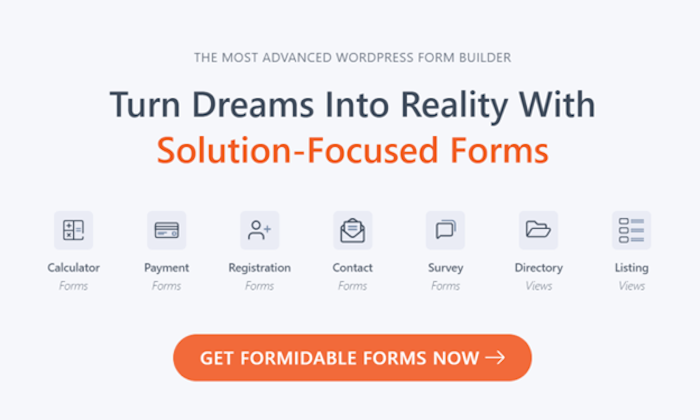
Formidable Forms works best if you’re an advanced developer. You’ll get more out of it if you know how to use all of its features, and it’s not as beginner-friendly as other form plugins.
With tons of integrations, including WooCommerce, you’ll find plenty of use for it, whether you need an easy contact form or a complex survey.
You can get Formidable Forms in four packages:
- Basic—$74 per year
- Plus—$149 per year
- Business—$299 per year
- Elite—$599 per year
Basic comes with unlimited forms and entries, along with advanced and multipage forms. File upload and review before “submit” features give visitors what they need for efficient form completion.
Automatic updates keep your forms current for you, and you get a year of support for one site.
Plus upgrades you to three sites with add-ons like Mailchimp, AWeber, MailPoet newsletters, and Bootstrap form styling and modals.
Formidable Views, reviews, and comments also make it easy for you to see what people think of your site and who uses your forms. You can even create surveys and polls beyond your basic forms.
The Business package adds calculators, user registration, and signatures. You get payment add-ons, Formidable Forms API, date picker options, and quiz maker.
With marketing add-ons like Campaign Monitor and GetResponse, you have even more ways to improve how you use form responses. You can also use Polylang to make your site accessible in multiple languages across up to 15 sites.
Elite is where the WooCommerce integration comes in. You can also take advantage of marketing tools like ActiveCampaign, Salesforce, and Hubspot.
With Elite’s access to all form templates, unlimited sites, and all Business package features, you’ll have no shortage of ways to customize your forms and how they work for you.
And priority support means you can keep things up and running without the wait.
#5 Ninja Forms—The Best for Quick Solutions
Ninja Forms has your solution for quality forms with minimal effort. Its drag and drop setup means you don’t have to be tech-savvy to upgrade your forms.
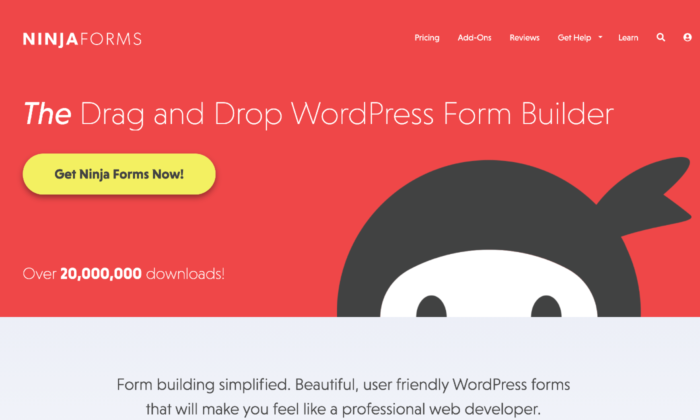
The plugin’s beginner-friendly interface includes pre-built templates, dedicated fields, customization options, and spam management. These features make it easy for you to add a form fast when you need one.
You have three paid package options:
- Personal—$99.50 per year
- Professional—$199.50 per year
- Agency—$249.50 per year
Personal allows you one site with priority support. You can use form building features like layout and styles, conditional logic, file uploads, and multipage forms.
Marketing add-ons like Mailchimp, Constant Contact, Campaign Monitor, and ConvertKit help you keep track of your marketing campaign and its success rate.
You also get 20% off all future add-ons you buy.
When you upgrade to Professional, you can use the plugin on 20 sites. You get more payment integrations, like PayPal Express and Stripe to make customer purchases convenient.
When it comes to forms, it makes for low effort completion with user management login, as well as registration, update profile, and post creation forms. Users can even save their form progress.
The add-on discount also doubles to 40% for any you buy after purchasing this package.
Agency comes with unlimited sites and all form add-ons, including those they release in the future.
You have access to all CRM integrations, including Salesforce, Zoho, Insightly, HubSpot, and more, plus SMS and Slack notifications.
Connect your forms to workflow management software like Trello and Help Scout, and use advanced analytics and email marketing tools.
If you only want some of these features, Ninja Forms offers an a la carte option. You can choose the features you need, and the cost is from $29 to $129 a year for up to 20 sites.
#6 Caldera Forms—The Best for Free Features
Like most form plugins for WordPress, Caldera Forms has plenty of paid options. The difference here is that it gives you access to more free features than most others.
You get templates and compatibility with almost every WordPress theme available. It has a drag-and-drop builder, as well as a freeform builder for better customization.
You can get free and premium add-ons for payments, sales, and email marketing. It also has spam prevention and notifications, so you always know what’s going on with your forms.
Unfortunately, even the paid version doesn’t have many advanced features. If you’re a developer, you might want something you can play with more.
If Caldera’s simplicity appeals to you, you can choose from three packages:
- Toolbelt—$49.50 per year
- Toolbox—$99.50 per year
- Toolchest—$249.50 per year
Toolbelt comes with plenty of marketing and payment integrations, including PayPal, ConvertKit, ActiveCampaign, Mailchimp, and AWeber.
You also have options like entry limiter, geolocation, conditional fail, and Slack to help you get all the information you need from your forms. Best of all,
Toolbelt gives you unlimited sites, a rare feature for the cheapest payment options.
Toolbox enhances your forms with easy queries, YouTube signup forms, custom fields, and email verification.
You can also learn more about your forms’ success with Google Analytics, and send responses where they need to go with Connected Forms.
Toolchest allows you to add members and use premium EDD integration. With Divi Styler, you can take form design to the next level.
Braintree, Dwolla, and Nexmo integrations help you collect payments easily, interact with data, and connect your forms where you need them.
#7 HappyForms—The Best for Lightweight Forms
HappyForms is a no-frills form plugin built into the WordPress Customizer. Its lightweight code keeps up performance on your site, and everything about it is made to be user-friendly.
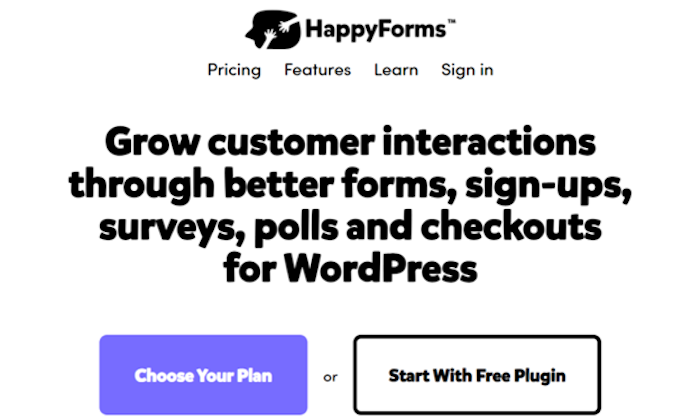
With a drag and drop form builder, it’s easy to include in your site design. It also comes with a Google reCaptcha spam prevention feature.
As a Gutenberg-ready plugin, you don’t have to modify anything to start building your forms.
HappyForms doesn’t have many advanced features. Still, if you know anything about tech, you know that you need a high-quality foundation. That’s what HappyForms offers.
You can choose from three packages:
- Starter—$49 per year
- Business—$99 per year
- Professional—$249 per year
Starter lets you customize your forms on one site with conditional logic, multipage forms, time and date scheduling, and live polls.
You can even tailor submission details with a preview before submission, redirect after submission, and a submission block list.
With import and export tools along with file upload, you have everything you need for a solid starter form. Plus, this tier gives you 20% off future renewals.
The business gives you a year of updates for five sites and all Starter features. The main difference between the two levels is that Business gives you a ton of integrations.
You get Google Analytics, Mailchimp, SendFox, PayPal, Constant Contact, Zapier, ActiveCampaign, and more.
With Professional, you get a year of updates for unlimited sites but no extra features beyond what Business offers. Essentially, you’re just paying to use those features on more sites.
What I Looked at to Find the Best WordPress Form Plugin
Before you buy, you want to know that your WordPress form plugin will serve your business well. Some plugins offer advanced features but focus instead on what your company actually needs.
Look for these features and criteria in your plugins to help you decide which one is right for you.
Customizability
Whether you need multiple tools or branding customizability, it helps to know how much you can change your forms. Fully customizable forms give you more options and better ways to make them your own.
Look for options like how many fields you can add, dropdowns, and design features. The level of customizability determines how the form works for your site.
Visual Builder
A visual drag-and-drop builder works well for beginners. It also makes adding a form to your site more efficient.
That said, if you have experience with creating websites and incorporating different elements, a freeform builder gives you more freedom.
Spam Protection
Do you want spam protection for you and your visitors? It makes people feel safe and keeps both “theirs and yours” information secure. Spam protection also shows that the plugin you get offers more than the bare minimum.
Responsiveness
Your form should work on all types of devices. If it doesn’t work on mobile, that will deter people. According to Sweor, 57% of people won’t recommend a website that doesn’t work on mobile devices.
Test your form and make sure visitors can fill it out just as easily on their phones as on desktop.
Conditional Logic
Conditional logic gives your form an “if this, then that” logic system. These systems streamline the submission process and help sort responses where they need to go within your company.
Conditional logic allows customers to skip parts of the form that don’t apply to them. The form recognizes their answers to certain questions and then hides or shows applicable questions.
Communication System
A communication system within your plugin keeps your system organized. It tells the right people in your company when they receive a new submission. With a streamlined system, it becomes easier for the appropriate people to handle specific tasks.
Conclusion
Your WordPress form plugin should make it easy for customers to fill out forms and for you to get the responses you need. Choose something that has all the right features from the start.
A good form plugin for WordPress should offer more than a simple contact form. Look for spam protection, a high-quality builder, customizability, and make sure it works on all devices. When you have a form that reaches more visitors, you have a higher chance of turning them into buyers.
Top WordPress Form Plugins
To recap, here are the top WordPress form plugins:
- Gravity Forms—The Best for Advanced Users
- Jetpack Forms—The Best for Form Security
- WPForms—The Best for Flexibility and Power
- Formidable Forms—The Best for Complex Form Creation
- Ninja Forms—The Best for Quick Solutions
- Caldera Forms—The Best for Free Features
- HappyForms—The Best for Lightweight Forms
The post Best Form Plugin for WordPress appeared first on Neil Patel.
Source: feedproxy.google.com

Best Membership Plugins for WordPress
I’m sure that you have come across a myriad of membership plugins specifically for WordPress, right? Well, I’m here to make it easy for you by narrowing down the top five best options to help you choose the right one for your company’s needs.
Disclosure: This content is reader-supported, which means if you click on some of our links that we may earn a commission.
A powerful membership plugin will help you control your WordPress website’s content with maximum flexibility and ease.
Although many businesses utilize membership plugins for restricted content placed behind a paywall, these plugins can do a whole lot more if you find the right one.
Membership plugins will assist you with restricted content and membership payments, but it will also come in handy for automated tasks, course or lecture builders, manage discount codes, and much more.
I’m sure that you have come across a myriad of membership plugins specifically for WordPress, right? Well, I’m here to make it easy for you by narrowing down the top five best options to help you choose the right one for your company’s needs.
All the tools in this list offer unique features suitable for a range of the most common company needs.
WordPress Membership Plugins
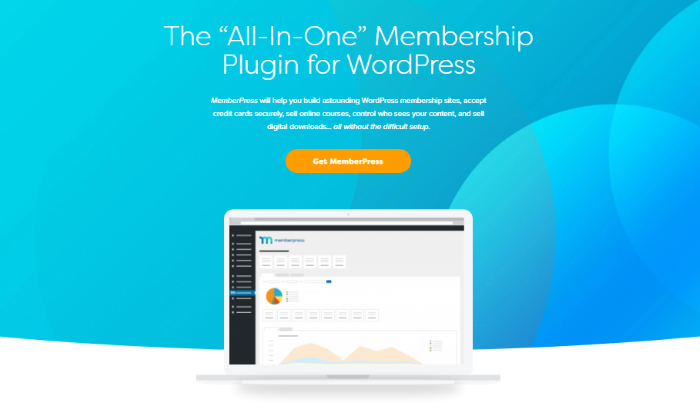
#1 – MemberPress – The Best All-In-One Membership Plugin for WordPress
MemberPress is the best all-in-one membership plugin because of its powerful and easy-to-use features. Not only does the plugin do what it says it will by creating membership portals for content, but it also offers helpful tools for all experience levels.
Firstly, MemberPress works seamlessly with any WordPress theme, including custom themes you’ve built. Easy-to-use is not an understatement, as the plugin only takes three easy steps to install and get everything set up, which is incredibly inclusive for beginners.
Regarding membership tools, MemberPress has you covered. With this plugin, you receive 100% control over all of your content and who can view it based on what membership level they’ve purchased.
You can restrict access to pages, posts, tags, files, and everything else you can think of that’s on your WordPress website.
With MemberPress, the growth of your company is endless when you utilize tools, such as:
- An add-on that allows you to build and sell courses
- Generate as many coupons as you want
- Premium community forums
- The timed release of content (i.e., content dripping)
- Subscription and membership management Payment integration
As the most powerful plugin on the internet, MemberPress has three pricing plans that cater to different preferences, including:
- Basic: $249 per year for use on one site
- Plus: $399 per year for use on up to two sites—this is the most popular plan
- Pro: $549 per year for use on up to five sites
Unfortunately, MemberPress doesn’t offer free trials, but there is a 14-day money-back guarantee on all plans for a full refund. Try it today.
#2 – LearnDash – The Best Course Builder Membership Plugin for WordPress

If your primary business focus is selling courses, LearnDash is an excellent option to build and sell them with no hassle. With its extensive features like ‘focus mode,’ the plugin allows you to create comprehensive online courses with no restrictions.
Focus Mode is a customizable learning portal that LearnDash allows you to implement into your courses to create a distraction-free environment for learners after purchasing.
Course creation has never been so easy with its drag-and-drop feature that saves you time while creating an organized layout for your customers.
Your content and layout won’t just be organized, it will also be impressively dynamic with drip-feed lessons, adjustable video options, and linear or open progression activities.
Not only can you create high-quality courses for your customer base, but you can also freely manage them alongside your learners.
LearnDash offers a group management function that lets you place users into online groups, then allow said users to manage their own group.
With LearnDash, you can benefit from key features, including:
- Automated notifications to keep you up-to-date
- Badges and certificates for customers completing a course
- Place one-time purchases for courses More than 20+ integrations for functionality
With a focus on course building, LearnDash is quite affordable for an annual price—and I think the benefits outweigh the overall cost. LearnDash offers three pricing plans, which include:
- Basic: $199 per year for one site license with unlimited courses and users
- Plus package: $229 per year for 10 site licenses
- Pro package: $369 per year for 25 site licenses
All the above pricing plans include a bonus demo site template and a 30-day money-back guarantee.
#3 – Restrict Content Pro – The Best For Membership Management
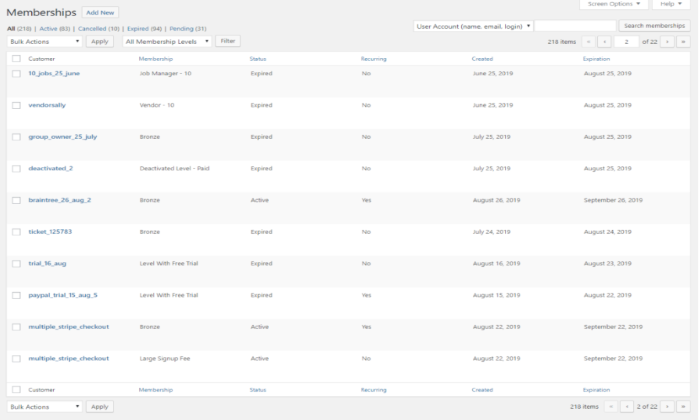
If you own a larger company that creates more content for a bigger audience, it may be difficult to manage and monitor these memberships. This is where Restrict Content Pro comes into play and is a great option for managing all of your memberships in one place.
Restrict Content Pro lets you keep track of your memberships with an intuitive interface, including active, expired, canceled, pending, and recurring membership levels.
Each membership can be added manually and modified in bulk, and you can even request team members to join the board to increase moderation.
Does a customer decide to cancel their membership? No problem! Restrict Content Pro allows you to manually change each membership status to keep things professional and confusion-free.
Along with membership management, this plugin has a great range of additional features, like:
- Member emails where you can welcome new members
- Unlimited subscription packages
- Performance reports
- Data exports
- Payment integrations with Stripe,
- PayPal, Braintree, and Authorize.net Extensive support
Restricted Content Pro has four pricing plans that are of great value for the money. These include:
- Personal: $99 per year for one site and 13 free add-ons
- Plus: $149 per year for five sites and 13 free add-ons
- Professional: $249 per year for unlimited sites and 18 pro-add-ons—this is the most popular plan
- Ultimate: $499 one-time payment for unlimited sites and 18 pro-add-ons
All pricing plans include core features and a 30-day money-back guarantee.
#4 – S2Member – The Best Free Membership Plugin for WordPress

Looking for a membership plugin but don’t know where to start or how much you want to invest? S2Member is an excellent option. With its extensive free version, this plugin is great for protecting and managing your content for paying members.
WordPress shortcodes almost entirely power S2Member, so once complicated integrations are now easy to install and use.
Even if the installation process gets confusing, the plugin offers you an open community forum, comprehensive documentation, and video tutorials for you to read and follow during setup.
Not only does S2Member allow you to offer users premium content, but it also includes a secure checkout solution that flows seamlessly with WordPress capabilities.
Even though the free version doesn’t provide one-step registration and checkout for ease, it’s still a great tool that just has extra steps for verification purposes.
Although the plugin is free, S2Member still offers an abundance of basic features that can help improve your business, including:
- Standard Paypal button integration
- Content restriction options
- Security encryption key
- Manual account creation
- Member profile modifications
- Affiliate program integrations
- Customizable email templates
There are more than 20 unique features that come with the free version of S2Member. This makes it easier for you to learn the ropes of plugins while improving your business at no cost to you.
Speaking of cost, S2Member offers two pro pricing plans at an incredibly affordable price. These include:
- Pro version 2: $89 one-time payment for a single-site license
- Pro version 3: $189 one-time payment for an unlimited site license
Both pricing plans include lifetime access to newer versions of the S2Member plugin and a 14-day money-back guarantee.
#5 – Paid Memberships Pro – The Best For Customization
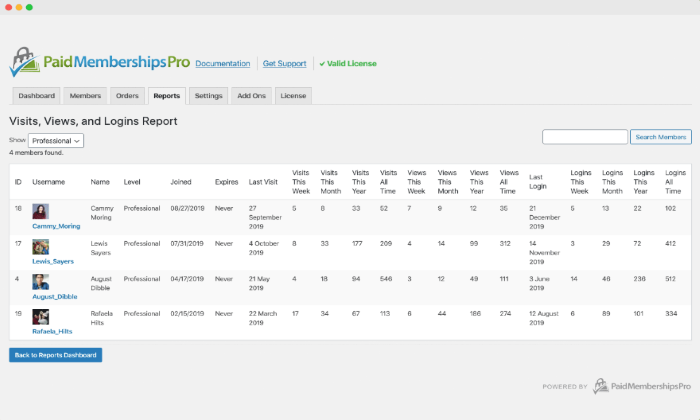
Paid Memberships Pro is an excellent option for anyone looking at finding a plugin that offers more flexibility and customization.
This plugin prides itself on being able to give its users an extensive range of tools and features that can help you grow your membership WordPress site while maintaining it, too.
Customization options begin with restricted default content pages. Paid Memberships Pro allows you to create a custom message for non-members when they attempt to access restricted content on your website.
Another great customizable feature is the personalized content add-on. This tool lets you offer each paying member a unique page for direct communication with you, which is a great way to create more intimate content for your users.
Personalized content also includes a custom homepage for different member levels and adjustable menus to highlight important links.
On top of all this, Paid Memberships Pro gives you the option to customize your email account with a wide range of email templates to alter the appearance and content of your system-generated emails to members.
If that wasn’t enough, Paid Memberships Pro has quite a comprehensive list of features that will benefit your every need, including:
- Content dripping
- Multi-tiered membership levels
- Offline communities
- Customize renewal dates
- Membership manager role Integrate with several top plugins like MailChimp, WooCommerce, and Zapier
Paid Memberships Pro is the most expensive plugin on this list—however, they offer a free version if you want to try it out and aren’t ready to commit to the full price.
There are three pricing plans for businesses of all types:
- Free: This plan offers five features and includes the plugin download, 19 free add-ons, and six payment gateways
- Plus: $297 per year with support and updates for up to five sites
- Unlimited: $597 per year with support and updates for unlimited sites
Both the plus and unlimited pricing plan include a 30-day money-back guarantee.
What I Looked At To Find The Best Membership Plugin for WordPress
Now that I’ve narrowed down the top five picks, several key elements contribute to finding the right membership plugin for your WordPress website.
These elements are crucial to finding the right membership plugin, and you need to weigh up the below criteria against your personal needs to make the right decision for your business.
Business Goals
Your overall business goals matter when trying to find the right membership plugin for you. Simply put, each membership plugin caters to different goals, so it’s important to know what yours are.
If you want to transform your business by creating and selling courses to your customer base, then a plugin like LearnDash would be an excellent option.
This is because it’s the best online course builder, and it offers a range of comprehensive tools to utilize.
Whereas if your ultimate focus is to create restricted content for members, it would be best to install Restrict Content Pro—where you will have access to suitable tools and features to make this goal a reality.
Figuring out what your business goals are will help determine what membership plugin would be best for you.
Flexible Payment Integration
A key feature to look for in a membership plugin is a flexible payment integration option, which allows your customers to have a range of options for payment. Not everyone enjoys putting their credit card information into a website without added security.
For example, the S2Member plugin has a standard Paypal button that’s integrated into your download. This means that your customers can pay for your content through PayPal.
Proper payment security is paramount to make sure you maintain a recurring customer base.
Some other common payment integrations include Stripe and Authorize.net. Having multiple payment options will give customers another reason to continue their membership.
Membership Management
This is an especially important feature for larger businesses that have a lot of memberships to maintain. Having a specific membership management system integrated into your plugin will save you a vast amount of time on manual managing.
MemberPress and Restrict Content Pro are great plugin options if you need a little extra help to manage your memberships.
Without a dedicated management system, it will become increasingly challenging to manage your memberships while maintaining a certain level of professionalism in your business.
Don’t be afraid to ask for help every so often. Running a membership site can be difficult, but the right plugin will make it easier and more straightforward.
Summary
Finding the best membership plugin for your WordPress website depends on several key elements like business goals, payment integration, and membership management.
What makes the top five options great is that they either hit all the criteria or have a mix that can fully support your business.
I recommend MemberPress and LearnDash for almost anyone if you want to transform your business with a membership site. MemberPress is an all-in-one plugin, which may seem broad.
However, it offers every tool a business owner would need all under one platform. LearnDash is also great for anyone building and selling courses—which seems to be a common goal among membership sites.
Both are affordable options for a business that knows its goals and needs a plugin to make those goals a reality.
With that being said, the other three plugins are also excellent options for everyday tasks.
The Top 5 Options for Membership Plugins for WordPress:
- MemberPress – Best all-in-one membership plugin
- LearnDash – Best course builder
- Restrict Content Pro – Best for membership management
- S2Member – Best free membership plugin
- Paid Memberships Pro – Best for customization
The post Best Membership Plugins for WordPress appeared first on Neil Patel.
Source: neilpatel.com