
Tag Archives for " features "

Best Webinar Software
Meeting in person is hard to arrange if the entire world’s included on your invite list. With webinars, people can engage in seminars, pieces of training, demos–no hotel stay or airfare necessary.
Your customers will be able to register and pay within the platform if that’s the route you decide to go. This is a big advantage of using webinar software vs video conferencing software. You don’t have to use different software to carry out a simple transaction. That’s just one example of how it makes your life easier.

Disclosure: This content is reader-supported, which means if you click on some of our links that we may earn a commission.
There are a few things you want to think about going into your search, and features that might add value to your webinar content.
Top 5 Webinar Software
I’ve put together a list of the top five webinar software options out there. We’re going to cover the ins and outs of how to choose the best webinar software for you.
#1 – WebinarNinja Review — The Best For High-Quality Training or Coaching
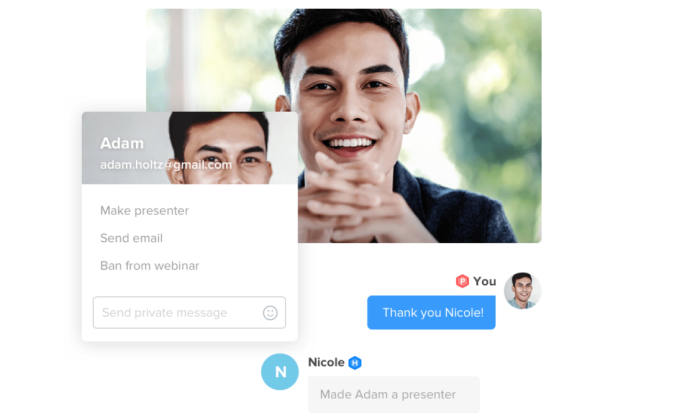
WebinarNinja gives you tons of tools to connect with your audience. Chat with the group or individually. Share course materials. Take a poll and display the results.
You can really increase engagement, which helps people solidify their experience. This is one of the big reasons I like it for instruction, whether you are coaching, teaching, or onboarding a new employee.
WebinarNinja is a close contender of Demio in terms of its modern, beautiful design, and flexible webinar capabilities. But WebinarNinja is slightly more cost-effective for smaller groups than Demio.
It’s trusted by well-known B2B brands such as Baremetrics, AppSumo, and Podia, which essentially supports their ranking as the best for high-quality training or coaching purposes.
You can run any type of webinar with WebinarNinja: live, automated, series, or hybrid. The key features that come into play with the coaching or training aspect are uploading PowerPoint presentations, creating Q&A spaces, and easily sharing information.
Some other notable features of WebinarNinja are:
- Tons of integrations with notable systems such as MailChimp, ConvertKit, HubSpot, Squarespace, and ClickFunnels
- Beautiful ready-to-use templates for quick and simple webinar creation
- Save marketing materials within the software for easy access
- Create custom branded registration and thank you pages designed to convert
Furthermore, WebinarNinja reportedly has some of the best customer support out there. This support is extended via live chat, email, and a comprehensive resource library for set-up guidance and minor troubleshooting.
WebinarNinja has four pricing plans available:
- Starter: $39/month for up to 100 attendees
- Pro: $79/month for up to 300 attendees
- Plus: $129/month for up to 500 attendees
- Power: $199/month for up to 1000 attendees
Every membership comes with a 14-day free trial, so you can pay nothing and get started today!
#2 – Livestorm Review — The Best For Ease of Use & Automation

If you’re looking for webinar software that allows you to run live, on-demand, or automated webinars with just about any goal in mind, Livestorm could be the one for you.
If you want to hold a live event or detailed product demo, you can do that. If you want to build an educational customer training series or an online course, you can do that, too.
Livestorm is a simple yet powerful video communication tool. They really stand out for their ease of use and detailed automation.
You don’t need to be tech-savvy to use this software. You can have a webinar up and running in no time, thanks to automation features like an event registration page, promotional emails, and automatic custom event reminder emails.
Some other features of Livestorm include:
- Join the webinar in any browser with one click
- Full suite of webinar types such as live, on-demand, and pre-recorded
- Screensharing capabilities
- Interactive live chat, polls, and Q&A within the webinar
- Excellent analytics and reporting capabilities
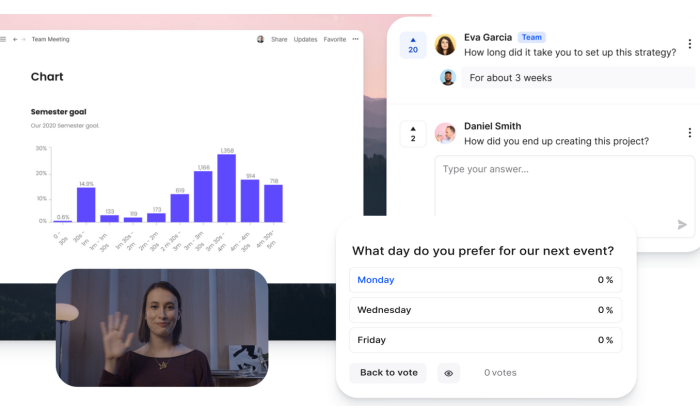
Another great feature? Livestorm also offers comprehensive customer support in multiple languages.
In addition, they also have a very useful self-service documentation section of their website. I love this offering because they’re incredibly handy when you’re facing a minor set-up issue or pesky technical difficulty that you know you could solve alone without needing to explain yourself at length to tech support.
Livestorm plan options include:
- Basic: Free for up to 10 live attendees
- Premium: $99/month for up to 100 live attendees
- Enterprise: Personalized quote based on your requirements
Get started with Livestorm for free today!
#3 – EasyWebinar Review — The Best For Beginners & Social Media

The EasyWebinar motto is ‘wildly easy to use live and automated webinar platform,’ and by all accounts, they seem to hit the nail on the head. They are also reportedly one of the only webinar platforms that have successfully integrated marketing strategy with webinar technology.
This software is for anyone wanting to launch their first seminar quickly and painlessly with a drag and drop page builder and tons of seamless integrations at your fingertips.
The highlight of this software? EasyWebinar allows hosts to Livestream to Facebook and YouTube at the same time.
Why is this so impressive?
Well, it essentially gives you uncapped potential regarding how many people your content can reach at one time. Of course, those viewing through Facebook or YouTube won’t get the platform’s built-in interactive capabilities, but your message could still be reaching thousands of more people.
Other notable features of EasyWebinar are:
- Seamless integration with popular platforms such as WordPress and MailChimp
- In-depth engagement tracking tools covering webinar watch time and in-platform clocks
- Browser-based viewing
- Turn live events into evergreen webinar funnels
- Allows four presenters in one room, all with sharing capabilities
Although EasyWebinar is not the cheapest webinar software on the market, this platform certainly packs a punch. There are three pricing plans on offer:
- Standard: $78/month for up to 100 room attendees
- Pro: $129/month for up to 500 room attendees
- Enterprise: $499/month for up to 2000 room attendees
You can try both the Standard and Pro plan for free or schedule a demo of the Enterprise plan.
#4 – WebinarJam Review — The Best For Large Businesses
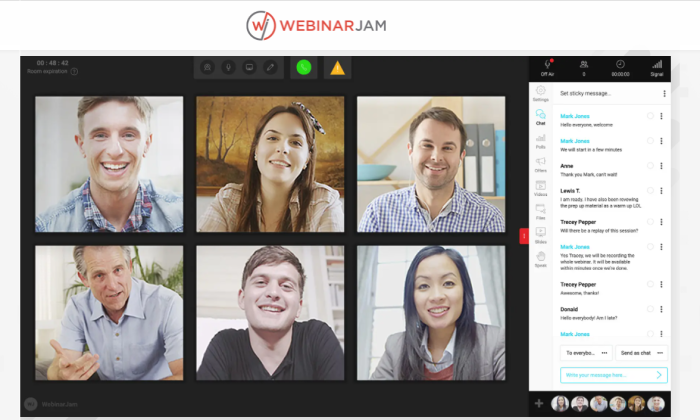
With the ability to host up to 5,000 attendees at one time with little to no delays, WebinarJam is easily one of the best out there for large businesses.
A really great highlight of WebinarJam is that, although it’s designed for huge audiences, you don’t have to skimp out on some of the awesome interactive features that software for smaller groups has on offer.
My favorite interactive feature is the advanced live chat within the webinar that actually pulls the person’s video to the stage, so to speak. You can also include offer pop-ups and countdowns to encourage attendees to take action.
These features are almost more important for a larger business than small ones, to remove that ‘faceless large business’ barrier some may perceive.
Some other features that WebinarJam has to offer include:
- Top-notch 24/7 customer support
- Email and SMS reminder notifications
- Create paid webinars and accept payment directly through the software
- Stream directly to YouTube for further participant reach
- Compatibility with multiple browsers and systems
The key selling point of WebinarJam? It automatically records your content every single time.
Why is this so nifty? I don’t know about you, but forgetting to hit that pesky record button is a frequent pastime of mine.
There are three pricing plans on offer:
- Basic: $499/year for up to 500 attendees
- Professional: $699/year for up to 2,000 attendees
- Enterprise: $999/year for up to 5,000 attendees
WebinarJam is so confident you’ll love their software that they offer a 30-day money-back guarantee, so your purchase is risk-free. At the time of writing, they also have a $1 14-day trial for a limited time only.
#5 – Demio Review — The Best For Live Events
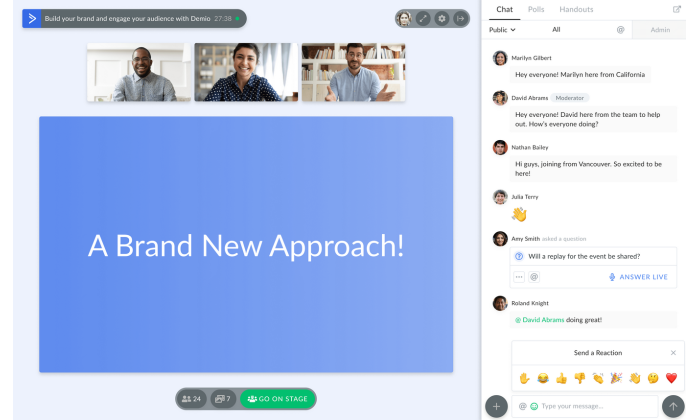
Demio is the cream of the crop when it comes to modern, user-friendly webinar software that is bound to help your business grow. It’s suited to almost any size business that wants to hold interactive live events to drive their marketing campaigns.
One of the best bits? There is no download required! Not only will your attendees have access to a beautiful platform that clearly reflects your branding, but they’ll also be able to join from any browser with just one click.
So, what makes them the best for live events? Here are a few of their top features:
- Run interactive polls and get stats in real-time Embed launch offers and CTAs designed to convert sales on the spot
- Share handouts for instant download with your attendees
- Give attendees video and microphone permissions as needed
- Public and private chat functions for live Q&A
In a nutshell, Demio is so interactive it’s bound to leave your audience feeling like they truly know you!
Another great thing about Demio is that you can record your webinar and send it to all registered participants so no one misses out if they can’t make it, even if they do miss the chemistry of a live event.
Demio offers three pricing plans:
- Starter: $34/month for up to 50 attendees
- Growth: $69/month for up to 150 attendees
- Business Plan: $163/month for up to 500 attendees
Demio offers a 14-day free trial of their Growth plan, so you can give it a try before you buy.
What I Looked at to Find the Best Webinar Software
All of the good webinar software can handle is going to make it easy to record and share high-quality videos.
You’ll also get a range of interactive features like live chat and built-in polls. Or not. This is an aspect of webinar software where you will find some variations.
Identify the features that are going to make a difference in your webinars. Do you want interactive features that let your audience participate? Are you interested in measure people’s engagement?
Still, the feature selection is only one aspect of your search. Let’s talk about the three other factors you should pay attention to in order to evaluate your different options.

Attendee Capacity
The number of participants you can have in your webinar at one time is going to be a vital factor in your decision-making process. Some webinar software is designed for smaller groups, while others have the capacity to host thousands of attendees at one time.
Maybe you’re not sure how big your webinar will be or how quickly it will grow. In that case, you should consider whether your software provider has a plan that allows you to scale your attendee capacity alongside your business growth.
Furthermore, if you can have thousands of participants at one time, how well does the software function? Is there any latency or known technical issues that arise when everyone is logged in?
The great thing here is that most webinar software providers have tiered pricing based on how many participants you’d like to have in each meeting, so if you find one you really love, you’ll likely be able to make it work.

Accessibility
How easy is it for your participants to join the webinar? Do they have to download an extra app or plugin, or can they launch from their preferred web browser and be immediately joined in?
For some users, the stress of requiring an extra app or program to join a webinar is too overwhelming or complicated. So much so that they may choose to ditch their plans to join your webinar altogether.
With this in mind, it’s important to focus on choosing a webinar software that is easily accessible for your participants. Many options simply launch from a web browser, and this way, your participants are unlikely to find a reason to back out of committing.

Customer Support
Imagine if you’ve put in weeks of hard work to pull off an incredible live webinar, and five minutes before you’re set to begin, the software crashes.
Just the thought of this alone has me feeling sick.
If you plan to hold live events often, it’s imperative you use a webinar software provider that offers 24/7 customer support to get you out of these sticky situations.
Furthermore, technology can be challenging and fickle. Having access to a team of professionals who know the software inside and out at your fingertips at any time of day really should be an important factor when considering which tool to use.

Summary
At the end of the day, the best webinar software for you is potentially going to be different from the best for me.
That’s why it’s important to use the methodology discussed here to do your due diligence in choosing the best webinar software for your business needs.
That said, my top picks are a great place to start your search:
- WebinarNinja – Best for training or coaching
- Livestorm – Best for ease of use & automation
- EasyWebinar – Best for beginners & social media
- WebinarJam – Best for large businesses
- Demio – Best for live events
There’s no better way to get a sense of what you like than taking these products for a test drive.
So don’t forget to also take advantage of free trials and money-back guarantees to get a real feel for how your chosen software works before you commit long-term.
Source: feedproxy.google.com

The Best Website Builders (In-Depth Review)
I’ve been building websites for years. It’s way easier now than it used to be. You can go simple or take your site to the next level–no programming or design experience is necessary.
There are a handful of popular options that will get you to where you want to go. However, the best website builders have different strengths and limitations.

Disclosure: This content is reader-supported, which means if you click on some of our links that we may earn a commission.
I use WordPress because I can do exactly what I want and support millions of visitors to my blog each month.
It might work for you, but some of my other top picks could work better, depending on what you are trying to do.
5 Best Website Builders
Here are the five best website builders you can start using today.
I’ve included in-depth reviews to help you get a sense of why each product is so good.
Take control and manage every detail of your site.
Or, use my number one pick to have the website build itself.
Your call.
#1 – Wix Review — The Best for General Use
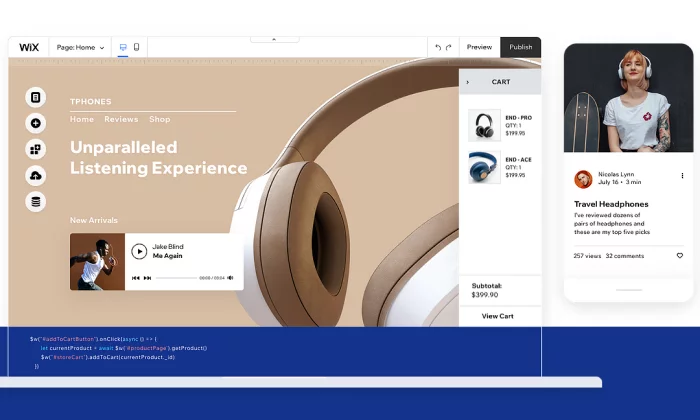
Wix is a really easy website builder that can help you create what you want.
Start with a template and customize from there.
You do not have to know anything about design to put together a really sharp-looking website.
And you’re not stuck going one way or the other.
Make a blog, online store, whatever you want.
And if you don’t feel like dragging and dropping the different site elements into place, simply answer a few questions, and Wix Artificial Design Intelligence (ADI) will build a site for you.
Wix is truly the “jack of all trades” in the sense that it does everything well, but nothing is truly exceptional.
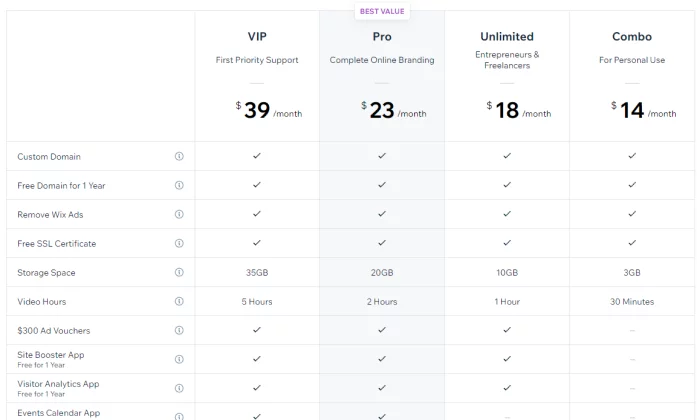
However, it serves its purpose for the average person looking to set up a website, and the price is extremely competitive.
Pros of Wix
Here are the best things about Wix:
Powerful app market –
Wix has an enormous amount of add-on features that you can access through their app market.
Want to book meetings directly on your site?
They have got you covered.
Want a live chat pop-up box?
Simply click and install it on your site.
Covers every need –
Wix covers most of the needs of people looking to set up a website.
This includes setting up an ecommerce store, blog, or even just a simple information website.
Lots of templates –
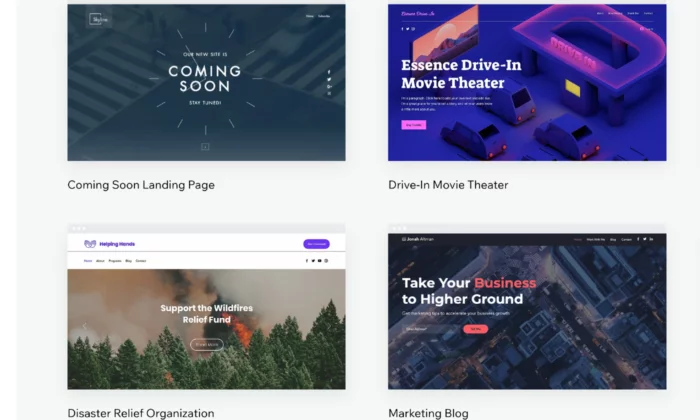
Wix has a wide variety of templates that you can choose from to get your website up and running quickly.
Their templates are well designed and take the user experience into consideration.
Cons of Wix
Here are the weaker parts about Wix:
No migration –
A huge downside with Wix is that you’re locked in, so you cannot take the code of your website somewhere else later on. This can cause problems if you quickly need to scale your business.
Jack of all trades, master of none –
Wix’s main strength is also its weakness.
Although it has many features, it cannot compete with the quality of niche website builders.
Who should use Wix?
Small businesses –
If you are offering a service such as legal advice or marketing,
Wix is a solid website builder that will handle all of your needs.
If your focus is selling products online, avoid Wix.
Freelancers and professionals –
In a similar manner, Wix is great for professionals who want to showcase their personal brand. It will allow you to cover all the potential bases of highlighting your portfolio, such as taking meetings and even blogging.
#2 – Weebly Review — The Best for Beginners
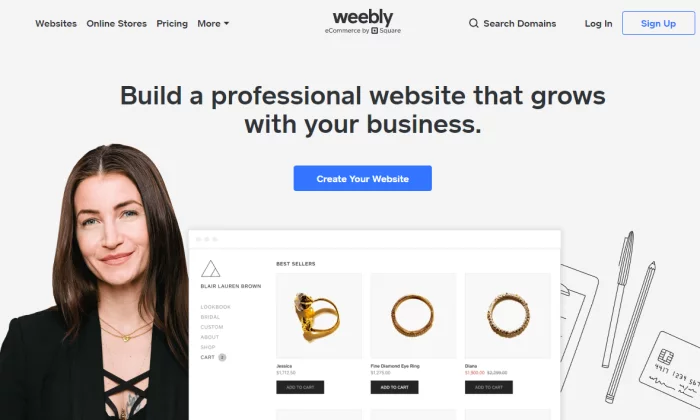
Next, we have Weebly, which is a drag-and-drop site builder that prides itself on its ease of use.
Weebly currently powers over 50 million websites and has been around since 2006, which is a huge achievement and testament to how effective the platform is.
So, what has caused Weebly to be consistently favored among users?
It comes down to the simple user experience and short learning curve.
Weebly does not bombard you with features or a complicated interface.
Instead, it allows you to get straight to the point of setting up your website.
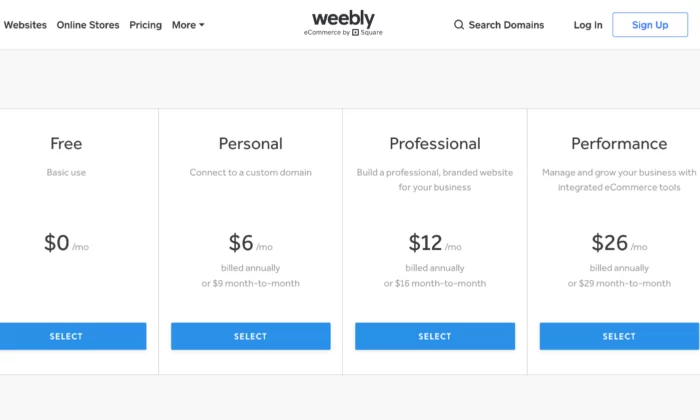
Pros of Weebly
Here are the best things about Weebly:
- Simple and easy to use – Weebly has a simple interface with drag and drop mechanics that just work. Everything feels natural and intuitive. It also helps that they have an onboarding mechanic with email and popup explanations when you get started.
- Migration – If you decide you want to host your own website, Weebly makes it easy for you to take your site off their platform.
- Affordable – Compared to other generalist website builders, Weebly has one of the most affordable pricing structures.
- Great customer support – Weebly has a powerful customer support team who are active every day of the week. They typically reply within 1 day by email or even quicker via their live chat or phone lines.
- Online store capability – While limited on its free and lower-tier plans, Weebly allows you to set up a web store powered by Square. If you’re already using Square as a payment processor, Weebly allows a cheap and easy way to start selling products online.
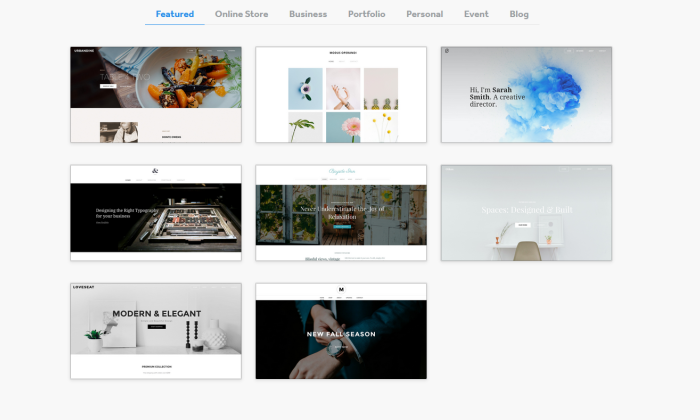
Cons of Weebly
Here are the weaker parts about Weebly
- Lacks diversity of function – The tradeoff of using Weebly is that it is not as powerful as Wix. For example, there are fewer features. In addition, some features such as their content management system and analytic tools are much weaker than competitors.
- Limited customization – As Weebly uses a drop and drop interface and themes, the customization can be quite limited. Wix also has this problem, but they have more tools at their disposal to solve this issue.
- Scaling problems – Weebly is simply not a great platform if you have plans to grow your website in a significant way: it is just a simple website builder for day-to-day users.
Who should use Weebly?
People who need simple websites – As a rule, you should use Weebly if you are not very tech-savvy and want to set up a simple website quickly. One category of users would be associations or clubs who want to set up an information site about their group.
#3 – Web.com Review — The Best for Building Landing Pages
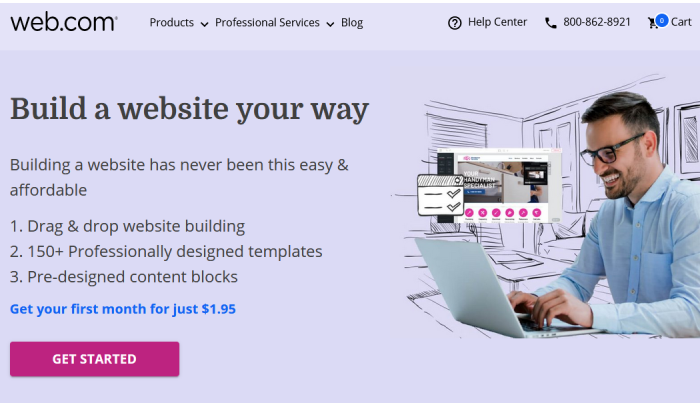
Web.com is a lot like Weebly—it’s fantastically easy to use, with an intuitive drag-and-drop editor that lets you mold any available template to your needs.
And it comes at a great price and with great support.
But I think Web.com’s website builder shines brightest for a particular need: setting up landing pages and single-page sites in a snap.
Seriously, it’s so easy with Web.com—start from one of their 126 templates, then just tweak the colors, swap out some imagery, replace the copy, and add a custom form.
Voila, you have a gorgeous landing page, done in about 15 to 20 minutes.
You can build a ton of unique landing pages in one sitting or make simple or temporary websites with ease.
And at a competitive price, too.
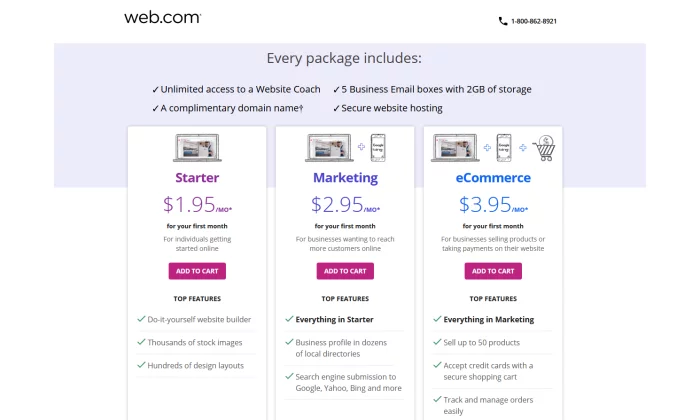
Pros of Web.com
- Email accounts – Web.com gives you five email accounts to match your domain. That’s a boon for folks building landing pages with Web.com—not only can you get multiple sites up in a flash, but each can have separate associated email addresses for doing split testing or for collecting contest entries in a place where they won’t overwhelm someone else’s inbox.
- Free domain for one year – Web.com will throw in one year of an available domain for free when your purchase one of their website builder plans.
- Very affordable – Everything I mentioned above is in the Starter plan, which starts at $1.95 for your first month and then is $10 per month after that. You can save big, though, if just go for a full year at checkout—that’s just $50 for the whole 12 months, a savings of over $60.
Cons of Web.com
- No building from scratch – You are somewhat penned in by the templates available to start from. It’s easy enough to customize them far away from the original look, but some elements are permanent or at least inflexible, which can make it harder to quickly build the exact site you had in your mind.
- Limited eCommerce features – Web.com also has Marketing and eCommerce plans for their website building service. They’re a little more expensive and more appropriate for standalone business sites, especially for local and small businesses. But more advanced selling features are missing overall.
Who should use Web.com?
Salespeople and marketers working on multiple campaigns – If you want to knock out landing pages in no time flat and get the useful benefits of email and domain included, go with Web.com and enjoy every bit of value you get from their Starter package.
Get started with Web.com today.
#4 – Shopify Review — The Best for Ecommerce
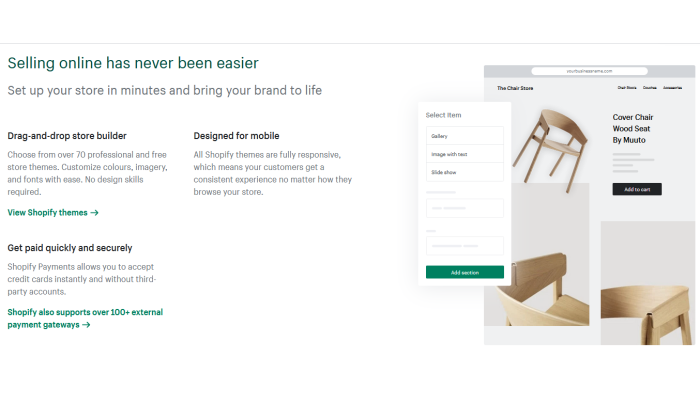
If you plan on selling any type of product online – from jewelry to electric scooters – then your best bet will be to use a dedicated ecommerce platform and website builder.
Without a doubt, the number one in this category is Shopify.
The platform powers over 1 million merchants in 175 different countries, and is the third-largest online retailer in the US, trailing behind only Amazon and eBay.
The Shopify software represents a complete end-to-end platform that allows you to set up, manage, and promote a store online. You can easily list your goods for sale, take payments, and fulfill orders – all under one roof.
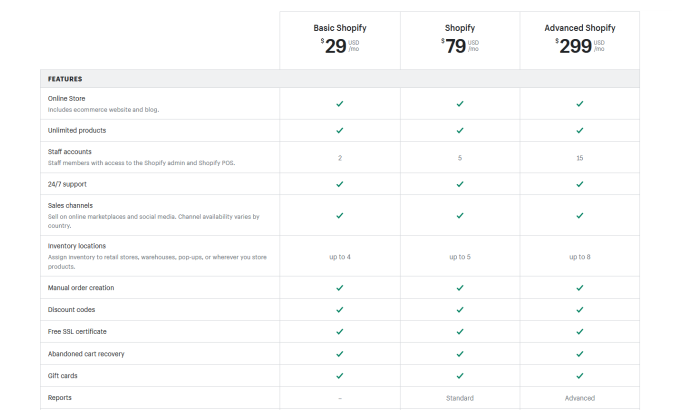
Pros of Shopify
Here are the best things about Shopify:
- Ecommerce specialty – The main draw of Shopify is that it is a niche website builder focused on setting up an ecommerce store. This means that all their features and processes are geared toward that end, resulting in a powerful platform that can help maximize sales.
- Security – If you are going to be handling transactions, you need ways to keep your site safe and customer data secure. Shopify stores have strong cybersecurity measures in place which a self-hosted website would typically lack.
- Integrated sales channels – Shopify has strong integrations with other platforms, such as Facebook and Amazon. This allows you to streamline your sales by managing your catalog on each platform under one roof.
Cons of Shopify
Here are the weaker aspects of Shopify:
- Niche focus on ecommerce – Because the focus is on ecommerce, Shopify lacks some of the features and finesse of other website builders. For instance, their content management system is very limited compared to WordPress.
- Transaction fees + monthly fees – With each sale, you make on Shopify, there is a transaction fee that ranges from 2.4% – 2.6%. Combined with payment provider fees, this can eat into your margin.
Who should use Shopify?
- Brick and mortar stores – If you have an in-person store and are looking to sell your products online, Shopify will offer you a solid footing into the digital world.
- Ecommerce startups – Entrepreneurs that are starting new brands or drop shipping will also benefit from the quick end-to-end setup that Shopify offers.
#5 – WordPress Review — The Best for Content Management
One of the oldest and most reliable website builders is WordPress.
The platform has come a long way since it launched in 2003 and is the most popular content management system on the web today.
In fact, WordPress powers a whopping 37.6% of all websites.
As WordPress was around during the earlier days of the web, its focus revolved around content, which was the most prominent form of the website at the time.
It maintains that focus to this day, with WordPress having arguably the best content management system out of all the different website builders.
An important caveat is that WordPress is divided into platforms:
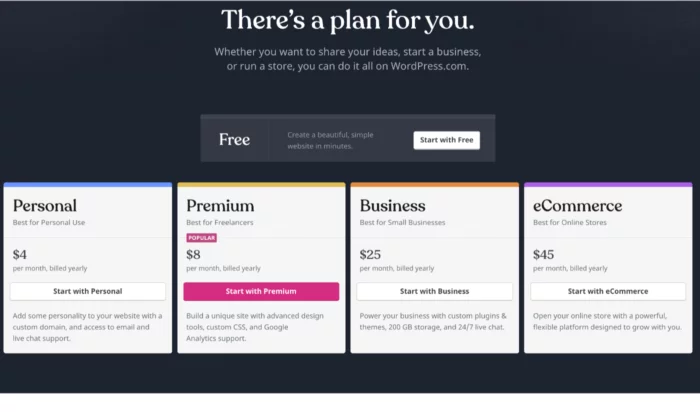
- WordPress.org – This is the open-source (free version) of WordPress that comes with greater flexibility, but is harder for non-technical users.
- WordPress.com – This is the paid version. You can get help with the installation of themes and management but is generally less customizable.
Pros of WordPress
Here are the best things about WordPress:
- You have full control – Unlike other website builders, WordPress is fully customizable as the site is developed directly with code, as opposed to drag and drop interfaces. This means that you have much more flexibility in terms of design and function.
- Robust blogging and CMS – WordPress is built front the ground up with content in mind. It has some of the best tools for publishing and managing content including team management, advanced scheduling, and categorizations.
- Lots of plugins – There are over 52,000 plugins available for WordPress. You can measure and boost your SEO with plugins such as YoastSEO, or you could even add a new function such as a shopping cart.
Cons of WordPress
Here are the weaker aspects of WordPress:
You may need help – As your WordPress site is developed with code, you will likely need help to install and update your WordPress theme. This can come with a hefty cost, particularly if you want ongoing changes.
Learning curve – If you want to manage and update your site yourself, it can take some time to learn how to do so. Managing and scheduling posts are relatively easy, but updating how your site looks or installing a plugin is much more difficult.
Security issues – As your WordPress site is self-hosted, you are more vulnerable to cybersecurity issues. Some of the plugins for WordPress also can act as a risk as well.
Who should use it?
- Bloggers – If writing is your main focus, then WordPress is a great choice. The platform is designed for bloggers, optimizing content management, and SEO. WordPress will allow you to scale and get the most out of your content.
- Content-centric businesses – Likewise, if you are building a business that is content-heavy, such as a new website, WordPress will help you to manage the operational side of content production much easier.
What I Looked at to Find the Best Website Builder
Now it is time to take a closer look at some of the specific features to consider when evaluating a website builder.
Remember that although some website builders may fall into the same category, each may suit your needs differently.
For instance, you may be setting up an online shop and your primary consideration may be a low learning curve, whereas somebody else may be thinking about a platform that can allow them to scale easily.
Here are some features you should consider.
Ease of use
Things to consider:
- Intuitiveness – Some website builders are easy to use and have simple interfaces with drag and drop functionality. This is useful as you won’t have to Google the change you want to make with the tool.
- Learning curve – If you are not great with technology, it is unlikely you will want to spend hours learning how to set up a website. Some website builders are much easier than others.
- Setup time – Similarly, you may want to get your site up and running immediately, particularly if it is an event you want to promote.
- Ongoing management – Needing external help to manage your site defeats the purpose of a website builder. It must be easy to manage in terms of updates.
If you are new to setting up online or are time-constrained, how easy it is to get started will likely be your primary concern.
Scalability
Things to consider:
- Custom code – Website builders use standardized code, which is the building block of a website. These allow you to easily create a site with various features. In some cases, however, you may need your own custom features and the ability to write your own code.
- Migration – At some point, you may want to host your website yourself. However, not all website builders allow you to easily make this move. In some cases, you may have to redevelop your site from scratch.
- Integrations – You will probably create new goals as your website grows, such as running ads or embedding social feeds. Some website builders are more compatible with other platforms and are easier to integrate.
You should think strongly about scalability if you are already an established business looking to create an online presence. This is particularly true if you are already selling products at scale in the real world.
Startups in the fundraising process and are looking to scale fast or even change the core features of their product should also take caution here.
Support
Things to consider:
- Support channels – You will need to consider the different ways you can get in touch with support teams such as live chat, email, and phone. In-depth FAQs (frequently asked questions) are also important.
- Responsiveness – If your site breaks at 5 PM eastern time, but their support only works European hours, then you are in trouble. Some teams may also respond much quicker than others.
- Engagement – Unfortunately, some support teams are useless. Maybe they are being paid very little so they do not care, or they are overworked. Either way, you need support that can actually solve your problems.
If you plan on running a site with a lot of visitors and it happens to go down, the last thing you want is an unresponsive support team. This is especially true if you plan on driving a lot of traffic at a given time.
A website builder with a strong support team is also useful if you are just getting started online, considering you may still get stuck, even with simple interfaces.
Price
Things to consider:
- Cost – Some website builders can be more costly, with some reaching upwards of $299 a month (for landing pages, for instance). Others are permanently free with the option to upgrade for a small monthly fee.
- Trial – Before you commit, it can be useful to take advantage of a trial offer to play around with the tools. You will likely find that some are a better fit than others.
- Hosting & domain – Most website builders will host your website on the web, which is typically included in the price. Some may also offer a domain as part of the package. Otherwise, you would have to purchase these yourself.
If you plan on making money from your website, either by selling products directly or capturing leads, then price should not be a key consideration for you. Make an investment in the best service for your needs.
However, if you just want to set up a small information site, then you could do with the cheapest options.
Generally, website builders that have feature depth are typically more expensive as they solve more specific problems.
Features
Things to consider:
- Ecommerce shop – If you plan to sell things online, you need a website builder that allows you to do so. Consider sub-features such as payment processing and product catalogs.
- SEO – Some website builders have tools that allow you to rank better in Google searches.
- Marketing tools – You may also need other marketing tools, such as forms, pop-ups, and chat boxes.
- Community – In some cases, you may want to expand your website into a community where people can communicate and network (otherwise known as a forum).
- Analytic tools – Website builders may also offer analytic tools that help track traffic on your website or at least integrate with other tools that do.
- Niche features – Perhaps there are some special features you are looking for such as the ability to set up a crowdfunding campaign in addition to having a standard website.
The features of a website builder are the main thing to consider when deciding which route to follow.
This is because they will have the most impact on your specific goals.
For instance, if you want to set up a landing page for a specific product, trying to optimize with a generic site builder will be a pain.
It will probably lack the in-depth analytic tools that a dedicated landing page builder would have.
Also keep in mind that there are some features that you may not need now, but you could need in the future, such as if you plan on running paid ads to your blog posts.
Design
Things to consider:
- Themes and templates – Website builders allow you to start with a predesigned website that is customizable to various extents. Some themes serve different purposes in terms of branding and utility.
- Mobile-friendliness – You will need to ensure that your website builder automatically makes your website easy for mobile users, typically with responsive design.
- Customization – It is likely you will want to make some changes to your template. You will need to consider the various customization tools available.
Regardless of your goal, you should always be concerned with providing a great user experience to the people who are visiting your site.
It simply makes logical sense – if your site is hard to navigate, people won’t get the most out of it.
The actual design and branding are important too.
For instance, some designs are more corporate while others are more welcoming.
There may be a design template that really suits your particular brand.
And if you are selling something, you need to ensure that the design is optimized to increase conversions.
Now that you have a good understanding of the types of website builders and the features to look out for, it is time to take a look at some of the best website builders on the market.
Conclusion
An important thing to keep in mind is that the website builders listed above can serve multiple functions. Now that you have a solid overview, it’s time to look into the details of each platform.
Use my recommendations as a guide to get started:
Follow the links to further explore each option. The best choice for you will come down to both your needs at the moment and where you plan on taking your website in the future.
After reading reviews like this one, make sure you take a step back and put your particular needs at the forefront of the decision before you commit.
Source: feedproxy.google.com

All About Substack: Competitors, Features, and Audience
Do you love to write? Draw? Create in any way? Do people tell you that you should try using your creative skills to make a living?
Do you shrug them off because you don’t know how to get started or because you don’t feel you have the time to commit to unpaid work? After all, many people get their journey started writing free content in newsletters and blog posts.

Disclosure: This content is reader-supported, which means if you click on some of our links that we may earn a commission.
That’s where Substack comes in.
You get to write and get paid—even if you don’t have a following yet.
If you’re curious to know more, stick around.
I’m breaking down Substack and its many competitors to help you determine if this is the path for you.
What Is Substack?
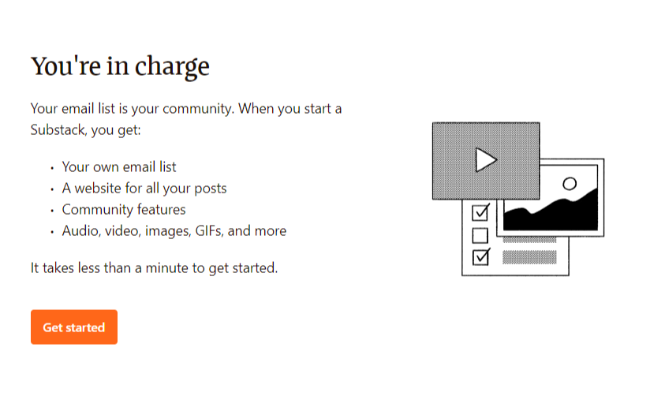
In 2017, Substack took the market by storm by allowing creatives, journalists, and bloggers to make money from their own email newsletters.
Substack provides a way to build an email marketing list, write newsletters, charge subscribers, and manage payments.
This platform offers an intuitive email creator that helps writers create interesting emails with links, images, content, and more.
It lends itself towards all sorts of creators, including:
We will focus on writers and bloggers today, but you should keep this site in mind if you’re involved with comics or podcasting.
You can begin using Substack for free.
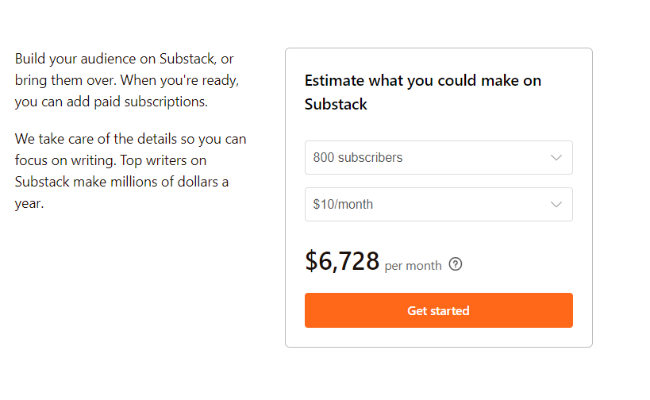
However, as you begin to build a following, you could opt for a premium option, running $5 to $75 per month.
When you use a premium level, you can charge your readers.
Substack only gets paid when you get paid, taking a 10 percent cut.
Stripe takes an additional 2.9 percent plus 30 cents.
As you can likely tell, you need to have a solid following to make a decent buck on Substack.
Even with that amount taken out, Substack has the potential to become a viable profit source.
Substack Features
At the core, Substack is an email marketing platform.
Whether you choose to go the paid or free route, that’s up to you.
Here are some of the ways that you can make use of Substack.
Free Newsletters
Using a free Substack newsletter is a great way to grow your brand, develop your voice, and build a name for yourself.
If you don’t have a large following, this is a great place to start.
Create valuable content for your small following and offer it for free.
Don’t use Substack in a vacuum; pair it with a website.
This allows you to invite readers to your site using a CTA and potentially turn them into buyers.
Paid Newsletters
While a free newsletter has the potential to make you money on the backend, you can use paid newsletters to make money on the front end.
You can publish as many newsletters as you want, and there are little to no guidelines on what you can write.
Remember that people will factor in how much value they’re getting based on how much you’re charging them.
If you’re charging $75 per month but only publishing two newsletters, you may lose subscribers.
If someone is willing to pay to read your writing, it means they want to read it regularly.
Therefore, getting in the habit of publishing consistently is the best strategy.
This way, the readers know what to expect, and you can plan accordingly.
Who Is Substack’s Audience?
The best thing about Substack is the wide variety of subscribers for you to tap into.
The writers on Substack include journalists, celebrities, political analysts, food writers, world travelers, and more.
Most of the writing you’ll find on Substack would classify as personal writing, opinion, or research and analysis.
In the interest of transparency, Substack has experienced some controversy relevant to portions of its audience.
Writers accused of transphobia, harassment, and other negative behaviors have found homes on the platform, as it isn’t heavily moderated.
While your audience is your own and not tied to any other creator’s, this is something to factor in when considering how your particular audience may respond.
As for the audience, you have your choice of writing whatever it is you want because chances are, there is someone out there willing to pay to read your writing if it’s valuable.
If you’re targeting a more niche audience, you may be able to charge more to a small set of subscribers because they need more resources.
If you’re after a broader niche, you could charge less but reach more people.
You have the freedom to choose the direction you want to go with your Substack newsletters, but the options are nearly endless.
3 Tips Using Substack for Marketing
There is serious potential to make a lot of money and reach a lot of people on Substack, but you have to know how to do it.
So, here are some tips for marketing on Substack.
1. Start With Free Newsletters
You can’t introduce yourself out of nowhere and expect them to subscribe for a monthly fee if they have no idea who you are.
You have to provide something valuable.
Eventually, readers could become enticed by your content and want more of it.
Once you get to that point, start thinking about charging people.
One of the biggest mistakes people make is moving from free to paid too soon.
You need to be strategic, making sure your audience is genuinely engaged and would be willing to pay for your work.
Even if you wait until the perfect moment, you may still lose followers.
People who used to get something for free may balk when asked to pay.
But, if you provide excellent content, have a committed following, and charge a reasonable price, you increase your chances of keeping the majority of your subscribers.
2. Have a Strong Offer
Offer more than a newsletter; give your subscribers something they can’t turn down.
For example, you could have an exclusive social media group for subscribers or even offer one-on-one conversations or coaching, depending on your field.
You could also offer subscriber-only discounts for any products you may sell.
Write to your audience and include a CTA to get people to click on your offer.
This could be an excellent way to convert these hot leads.
3. Consider Multiple Publications
Substack allows you to have as many newsletters as you want—meaning you could have a free and paid version.
This strategy allows you to continue to engage with your entire audience.
To get readers to move to your paid option, you need to offer a little bit more.
Make the content more exclusive, valuable, and personal.
You can also have multiple free publications if you want to spread yourself across a few different niches.
For example, digital marketing is highly diverse with a variety of different subjects.
So, you could have a newsletter about SEO and another about social media marketing, both driving readers to your website.
Substack Competitors
There are a ton of Substack alternatives, so making a decision can be challenging.
Let’s take a look at some of their biggest competitors so you can choose the platform that’s right for you.
Substack Vs. Ghost
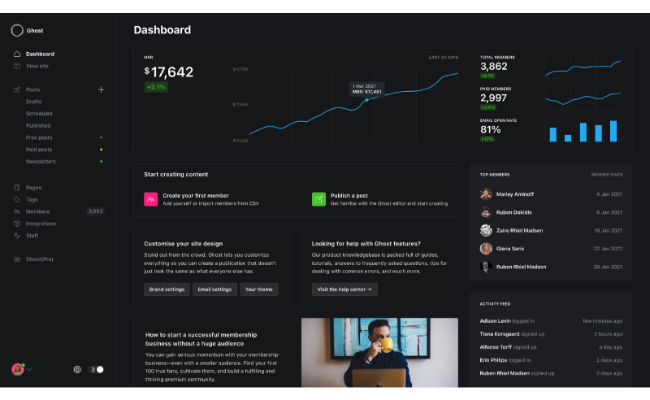
The goal of Ghost is to help you build a loyal following to generate the income you can rely on.
As with Substack, you charge subscribers a monthly fee in exchange for your content.
What separates Ghost from Substack is the way they take payment.
Ghost charges nine dollars per month and takes none of your revenue.
This makes the platform highly scalable.
You also get custom email addresses, domains, and access to a referral program.
Substack Vs. Patreon
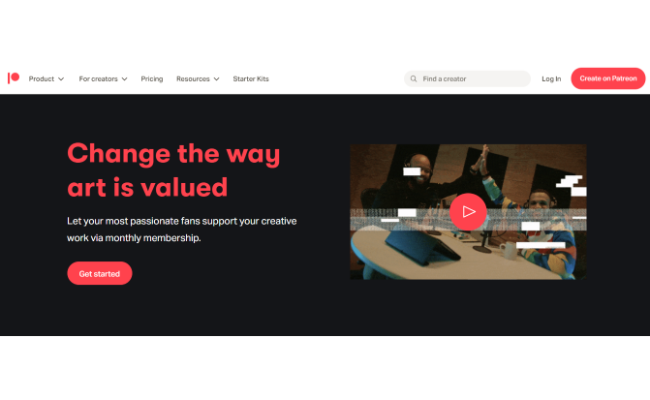
Patreon is a subscription platform allowing creatives to charge for their work.
The platform looks like a social media feed to users, and they get to scroll through the work of everyone to whom they subscribe rather than trying to go from place to place.
Patreon’s biggest perk is its tiered package option.
You can provide people with various options to appeal to their budget and how much they want from you, all from one location.
For example, at a $1 level, you could send subscribers one newsletter per week.
At a $5 level, you could send them two newsletters or a newsletter and access to a video.
Patreon plans range from five to 12 percent of your monthly income plus processing fees of 2.9 percent plus 30 cents.
Substack Vs. Medium
Medium is well-known for being a haven for creatives who simply want to make their voices known, and much of it is free to access.
As a bonus, Medium articles often rank pretty well SEO-wise.
If you upgrade to a paid Medium profile, you can charge for some or all of your content.
Rather than any kind of flat fee or percentage, Medium pays based on “reading time.”
The more time people spend reading your content, the more money you make.
You can also get paid by referring people to the platform through your unique code.
Substack Frequently Asked Questions
Here are some of the most frequently asked questions about Substack.
Is it free to access Substack?
Substack is free to write newsletters and build a following on the platform. It only costs money when you upgrade to paid and start to generate revenue from your subscriptions.
Can I advertise on Substack?
The only way Substack makes money is through their cut of subscription fees.
Should I make a Substack?
Only you can answer this.
Do you have great content ideas?
Do you have a small following that you can nurture and grow?
If yes, starting a Substack could be a great way to grow that following and eventually profit from it.
Does Substack own your content?
No. You retain ownership of everything published on Substack.
While you cannot export content out of Substack once you publish it, you maintain ownership even if you use a different platform later.
All About Substack: Conclusion
Building a following is not an easy task, and that’s why we offer assistance to marketers and creatives looking to build or grow their following quickly.
Whether you’re going it alone or getting help, you need to be consistent and patient as you grow the following.
Of course, building an email list is easier said than done, but with some hard work and focus, Substack could help you get your writing career off the ground.
What advice do you have for new writers wanting to build a following on Substack?
Source: neilpatel.com

7 Tips to Highlight Product Features on Your Website
Whether your customers are shopping for tennis shoes or a marketing automation tool, they care about your product’s features. Features (along with price and design) are one of the main factors people consider when comparing products.

Disclosure: This content is reader-supported, which means if you click on some of our links that we may earn a commission.
Would you buy a computer without knowing how much storage it has?
Or a pair of yoga pants without knowing whether they stretch?
Despite their importance, many brands fail to make their product’s features clear on their websites—and that could cause revenue to drop.
Your product’s features are massive selling points, so they need to be clear and compelling.
Here’s how to get your product features right.
What Is a Product Feature?
A product feature is a characteristic of your product that differentiates it from other products in the market.
It could be how it looks (a design feature), how you can use it (a functional feature) or what it comes with (an added-value feature).
Let’s take running shoes as an example.
The material of the shoe is a feature, so is the technology in the shoe.
Both are highlighted in this example by Nike.

What about a software product?
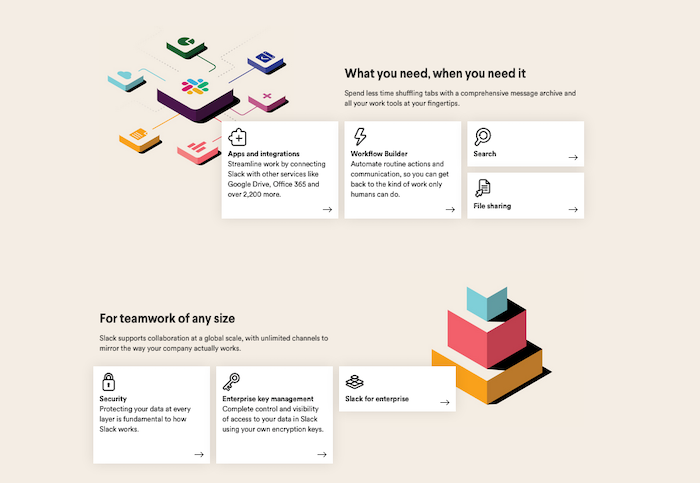
Features typically center on the product’s functionality (what you can do with it), but they can also include integrations or data security.
Slack’s feature page below highlights these types of features:
Features don’t have to be unique to your product, though.
As design, technology, and manufacturing processes evolve, some features become standard.
You’d be hard-pressed to buy a smartphone without a touchscreen, but that doesn’t mean it isn’t a feature brands can talk about.
Whether your product comes with ten features or two, you need to be talking about them across your website including your product descriptions, landing page, and even your homepage.
Make your product features clear so customers can easily compare you to your competitors.
It’s even more important if your product boasts the best features in the industry.
The more you shout about them, the more likely consumers are to take notice—and maybe make a purchase.
7 Strategies for Highlighting Product Features
You know what features are, and you know why they’re important to include on your site.
Now let’s look at seven ways e-commerce stores and SaaS tools can effectively leverage them.
Include Social Proof
Talking about how great your features are is nice, but every other company does the same thing.
Even if your product features are superior, customers may not believe you.
After all, only one-third of customers trust the brands they buy from.
You need social proof to convince them your product delivers.
Add quotes and testimonials from your customers or trusted third parties that mention your product features to relevant pages. Better yet, include images and videos of them using your product.
Featuring real people showing off your product’s features instantly makes them more credible and makes it much more likely consumers will trust your brand.
UK maternity brand Isabella Oliver does a great job of this, including a quote from Vogue in the product description of a maternity tank dress.

Speak to Your Target Audience
You need to understand your target audience to write about your product features effectively.
If you have buyer personas, make sure to refer to them while writing.
This will help you prioritize which features your customers care about most.
Start by looking at reviews for your product and those of your competitors—G2 is a great place to start for software companies and Amazon for e-commerce brands.
Identify the top features customers talk about and prioritize them.
Be wary of trying to target everyone.
This is particularly important for SaaS products that can have a dozen different use cases.
Each target customer should have a dedicated landing page where you speak exclusively about relevant product features.
If you try to speak to everyone on one landing page, you’ll end up not targeting any audience well.
Everlane is an example of a brand who knows their target audience and what they care about.
Each product description includes a link to the factory it’s made in and other information related to sustainability.

Focus on the Benefits
Consumers only care so much about what makes your product special.
What they really care about is how it benefits them.
Talk about a benefit whenever you mention a feature.
Writing about benefits requires a bit more effort and creativity.
Your product’s features are fairly obvious, especially to you.
What isn’t so obvious is how the user benefits from them.
Think about your customer personas and spend some time reading product reviews.
These will help you get into your customers’ minds and focus on the benefits they care about.
If you really want to do a good job, interview your customers to find out exactly how they benefit from your product.
It takes a little more effort, but this is hands-down the best way to tease out the benefits of your product.
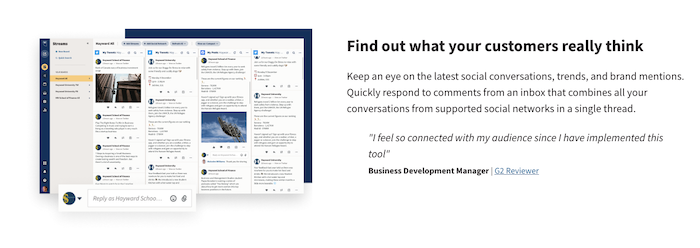
One of Hootsuite’s most popular features is the ability to track social media mentions on their dashboard–but that’s not how the brand sells the feature to its users.
Instead, they focus on the benefit: finding out what customers really think.
They even follow this up with another user-generated benefit of the feature.
Draw Attention to the Important Details
There are some features you’ll want customers to take note of more than others.
That’s why it’s important to create a hierarchy of features and look for ways to draw attention to the features consumers care most about.
To do this, break your page into sections and devote each section to a specific feature.
Use a bold heading to grab your reader’s attention and back this up with short, sharp copy and eye-catching imagery.
Google takes this to the extreme by letting each feature take up all of the screen’s real estate.
There’s no way to miss them:

Another is to remove the navigation menu from your landing page.
With no way to move away from the page, users are forced to focus on your sales copy and read about your product’s features.
Don’t get carried away using this tactic, however.
Most customers won’t be happy with you removing the navigation bar, especially if you’re an e-commerce site.
Make Information Scannable
Your customers are busy, and most aren’t going to read every word on your page.
Instead, they’re going to scan it for key bits of information.
It’s your job to make your product features as scannable as possible while still getting across the core message.
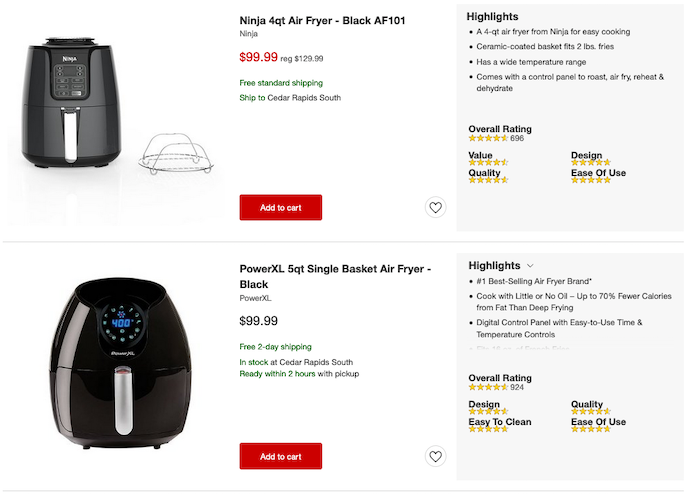
Bullet points are an excellent tool because huge chunks of text are a massive turn-off for readers—especially if you want to share a lot of information.
Target includes a bullet list of each product’s features on their listing page, so you don’t even have to click them individually to get the need-to-know information.
Use Video and Images
Words aren’t the only way to get across your product features.
Images and videos are usually a much better way to get across exactly what your product can do.
Images are an easy way to show customers how key features look and work.
They are particularly powerful for design-focused features and most e-commerce products in general.
Bonus points if you include user-generated photos in your descriptions.
UK furniture brand Made did a great job of including user-generated images in their product listings.
Potential customers can see exactly what each sofa will look like in a range of settings.

Videos take a little more work, but they can be even more effective.
For example, you could create an explainer video that highlights your product’s core features, or a separate video for each feature.
Your feature-led videos can also be used as part of your onboarding process and by your sales team during client calls.
They can even boost your search rankings, especially if you host them on YouTube.
Write Blog Posts and Emails
If you have a SaaS product, blog posts, emails, and other forms of content marketing are one of the best ways to highlight your product features—particularly if those features come in the form of new software releases.
Make sure your blog posts talk about the benefits that users can gain from the new features and don’t just talk about the features alone.
Plenty of screenshots are also a good idea, so is a video if you can create one.
Unlike other forms of content marketing, there’s no need to post these articles regularly.
Writing them when you have a new feature to describe is enough.
Email updates should also be sent sparingly.
Only email when you have a new feature to announce and keep your email succinct.
Only include the key details in the email and link to a more in-depth blog post if necessary.
Existing users will learn about the new features when using the software, so it may be wise to only send an email about features that may re-engage lost customers.
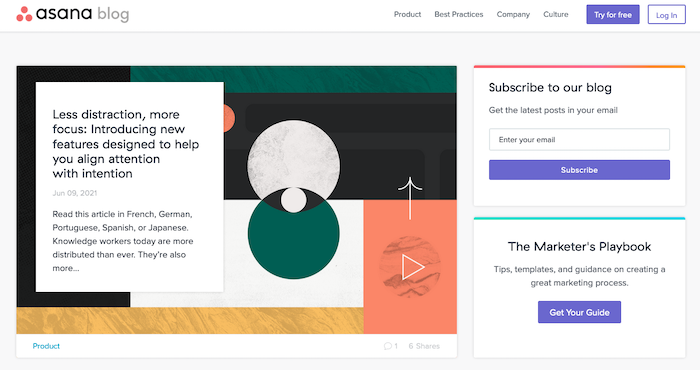
Asana’s blog is filled with feature-focused blog posts.
Note that many don’t focus on individual features. Rather they cluster feature releases around a particular topic and write about that instead.
3 Examples of Product Feature Highlights
If the examples above weren’t enough for you, I’ve got three more examples of brands that do a great job highlighting their product features.
Apple

Few companies are better than Apple at creating buzz about their products.
There aren’t many better at highlighting their product’s benefits, either.
Apple makes a point of creating a new banner for every feature, pairs each with a user benefit, and includes high-quality images and graphics.
Even if you already have an iPhone, reading their product pages makes you want to upgrade.
Amazon
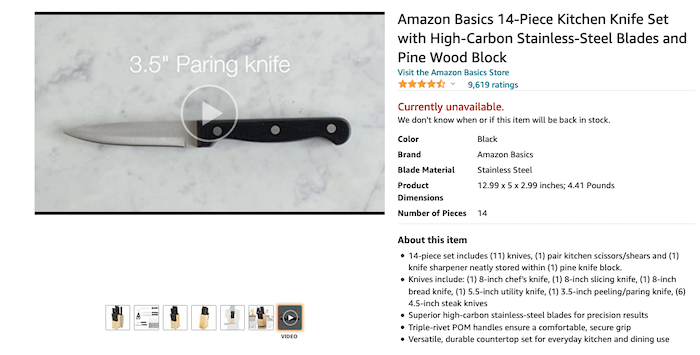
Amazon is famous for its in-depth product listings, but those listings are also great at highlighting each product’s most important features.
The clear layout makes it easy for customers to skim the product description, and bullet points highlight the most important features.
There’s even a video showcasing the product in detail.
Tesla

Tesla combines several of the tactics mentioned above to highlight the key features of the Model 3.
Each feature is given a hierarchy—security is first—and takes up the entire page.
They also use graphics to illustrate points and annotations to draw attention to specific features.
Frequently Asked Questions About Product Features
What are product features?
Your product features are any characteristic of your product that makes it stand out and separates it from your competitors.
It can include the look and design of the product, how it’s made, or what you can do with it.
What are examples of product features?
For an e-commerce product, the material the product is made with can be a feature—if it’s made from recycled plastic, for example.
For SaaS products, features include the functionality of the product.
The ability to instantly message colleagues is a feature of Slack, for instance.
What’s the difference between a product feature and a benefit?
A feature is a characteristic of your product.
A benefit is how a customer can use that characteristic to overcome a pain point.
How can I highlight the features of my SaaS product?
A sales page is an excellent way to highlight all of the features of your SaaS products.
Blog posts, videos, and demos are also great ways to highlight SaaS features.
How can I highlight the features of my e-commerce product?
Your product description is the best place to highlight the features of your e-commerce product.
Make sure they are easy to read and stand out from the rest of your copy.
The Conclusion of My Product Features Guide
Showcasing your product features is a hugely underrated tactic.
Marketers and salespeople will tell you to focus on the benefits of your product rather than the features.
While benefits are important, they rely on explaining your features clearly first.
Features are also one of the most common ways potential customers compare your product with your competitors.
Take time to determine which features are most important and get opinions from current customers if you can.
Then use the seven tactics I’ve listed above to make them as clear as possible on your site.
Which features of your product are you most proud of?
Source: neilpatel.com

Best WordPress Backup Plugins
If you get hacked or accidentally lose your password, you’ll save yourself the massive headache of losing everything on your site. But only if you have a backup plugin installed.

Disclosure: This content is reader-supported, which means if you click on some of our links that we may earn a commission.
What would happen to your WordPress site if all your data was wiped out?
If you don’t have a clear answer to this question, then you’ve landed in the right place.
Using a WordPress backup plugin is one of the smartest things you can do to ensure your site is protected from disaster.
If you get hacked or accidentally lose your password, you’ll save yourself the massive headache of losing everything on your site. But only if you have a backup plugin installed.
Without one, you’d be back to square one.
But which WordPress backup plugin should you use?
You’ve got options.
In this post, I’ve reviewed my top five recommendations and included a short buyer’s guide to help you figure out which one fits your needs.
Ready?
Let’s make sure your site’s backed up.
Top WordPress Backup Plugins
#1 – Backup Buddy Review — The Best For Efficiently Restoring Your Site
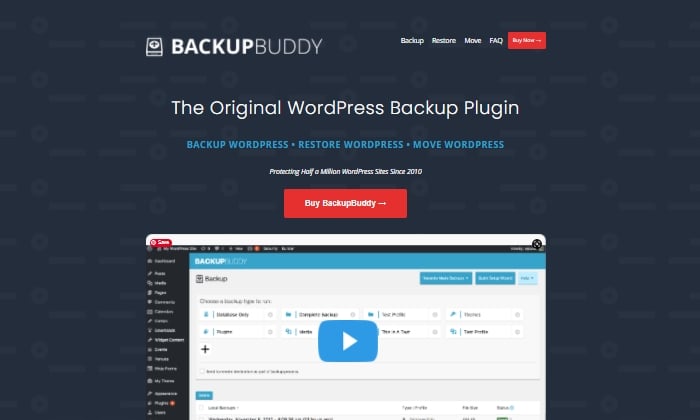
Like Backup Buddy rhetorically asks on their site, “What good is a backup if you don’t also have a way to restore your site properly?”
And they couldn’t be more right.
Backup Buddy ensures you always have the latest backup of your site by providing you with a zip file you can use to upload and restore a broken site.
Once uploaded, Backup Buddy seamlessly walks you through the steps to get your media files, text, plugins, and more back up and running.
Additionally, you can choose to restore individual files instead of restoring the whole site if that’s what you want to do.
You can even schedule automated backups at intervals you customize.
Some top features of Backup Buddy include:
- Backs up your entire WordPress installation
- Customizable backup content that you can pick and choose to restore
- Offers hourly, twice daily, daily, biweekly, weekly or monthly backups
- Automatically sends your backup files to access remote storage locations like Dropbox or Google Drive
Backup Buddy has three pricing options, all with one-time fees:
- Blogger — $80 for one site
- Freelancer — $127 for up to 10 sites
- Gold — $199 for backing up unlimited sites
You can quickly sign up and get started with BackUp Buddy here.
#2 – WPvivid Backup Pro Review — The Best For Migrations
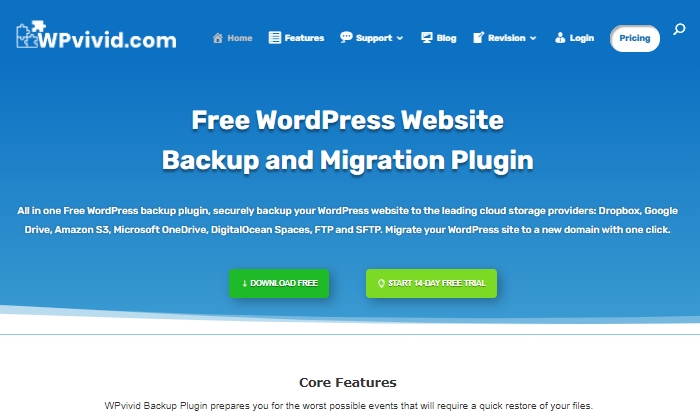
WPvivid Backup Pro is a great backup plugin you can safely set up and start using to migrate your site.
They’ve been used on more than 90,000 websites to do more than just back up and safely migrate data files.
WPvivid Backup Pro offers incremental backups to ensure it isn’t slowing down your site as it works in the background to backup all your data once it’s been configured to your needs.
As far as its backup migration capabilities, WPvivid Backup Pro supports manual migration methods, as well as auto migration and migration via remote storage (as a premium feature).
Some of WPvivid’s best features include:
- Create either manual or scheduled backups
- Advanced migration features in case you want to migrate your site quickly
- The ability to create a staging site
- It backs up all your core WordPress files
- 24/7 ticket support
- Set a size limit for files that you’re not interested in backing up
Here’s a quick look at their pricing packages:
- Basic — $49 per year for up to three websites
- Freelancer — $99 per year for up to 100 websites
- If you get hacked or accidentally lose your password, you’ll save yourself the massive headache of losing everything on your site. But only if you have a backup plugin installed. — $149 per year for unlimited websites
All three plans are annual subscriptions, unlike other backup plugins, many of which are a one-time licensing fee.
WPvivid also offers a 14-day free trial, visiting so you can test it out before you purchase a plan.
#3 – JetPack Review — The Best For Making Site Changes Safely
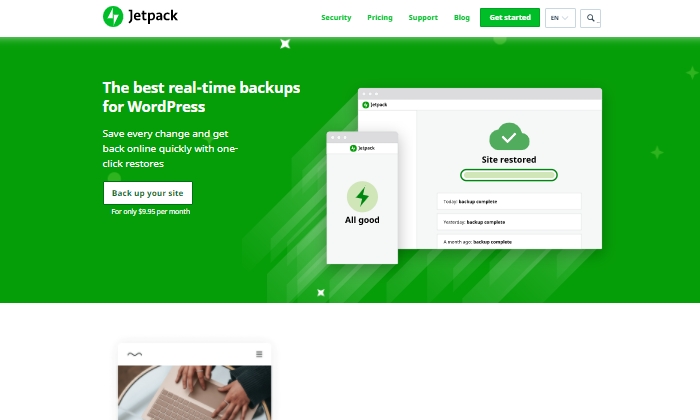
Jetpack is a strong contender for a reliable backup plugin that works great for making site changes safely.
Picture this:
You’re making exciting new changes to your site, whether that’s CSS customization, adding new plugins, or altering your core site files.
Then suddenly, something breaks.
With Jetpack, you can quickly restore your site to how it was before you made that crucial mistake with just a few clicks.
This makes it an easy and reliable plugin to work with if you’re constantly updating your website.
The Jetpack plugin even comes complete with a mobile app so that you can virtually restore your website right from your phone no matter where you are.
Plus, Jetpack offers plenty of security features, too.
This can only be a plus for a backup plugin and makes it worth keeping in your corner.
Some top features of Jetpack include:
- Provides malware scanning and protects your site from spam
- Downtime monitoring lets you know if your site is down immediately
- Malicious hacking and attack protection
- The mobile app you can take and use with you everywhere
- Automatically cleans up spam comments off your site
If you choose to go with JetPack, the question becomes what kind of pricing package you’ll feel comfortable going with, as there are many options.
The three main packages are:
- Backup Daily — $7.95 per month billed yearly
- Security Daily — $19.95 per month billed yearly
- Complete — $79.95 per month billed yearly
The Backup Daily tier offers automated backups, one-click restores, and unlimited site storage.
On the other end, Complete provides the full Jetpack suite, including real-time security, enhanced search, CRM features, and even design tools.
Jetpack also offers a limited free forever plan that includes basic site protection, downtime monitoring, and changelogs.
Additional product bundles you can purchase separately on a per month basis include a Security Real-Time plan, a Real-Time Backup plan, a Scan package, an Anti-spam bundle, a Site Search plan, and the CRM Entrepreneur add-on.
Jetpack offers peace of mind by providing one-click restore options and monitoring your website’s security at pretty affordable rates.
Still, I recommend you visit their comparison page to ensure you’re deciding on the right backup bundle.
Start using Jetpack’s powerful backup features here.
#4 – BlogVault Review — The Best All-In-One Backup Solution
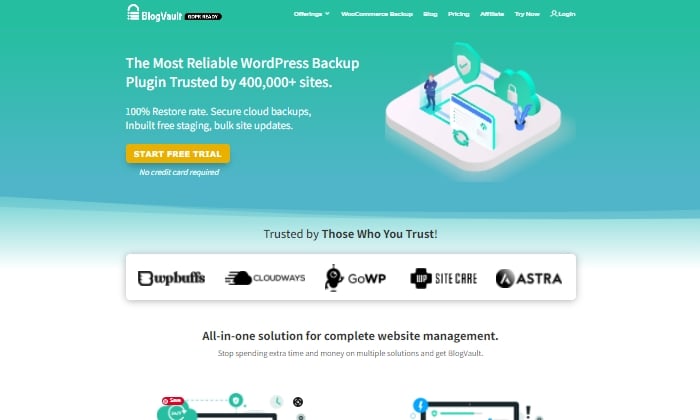
BlogVault makes for a reliable all-in-one backup plugin that ensures your site’s backup is stored securely in the cloud.
It’s used by over 4,000,000 websites and trusted by businesses like Astra, Cloudways, and GoWP.
BlogVault’s plugin offers key storage features like changelogs that can help you identify problematic modifications to your website.
They go as far as providing 90-day archives to ensure you recover from any site mistakes, which are bound to happen at some point in your site’s lifetime.
If your site experiences downtime, with BlogVault, you can make it so that your site’s backup still shows up to users. What exactly does BlogVault backup?
Everything from the basics like blog posts, your media library, and media files to blog comments, plugin files, WordPress settings, categories and tags, theme settings, WordPress core files, and even user details.
Because of how complete and robust BlogVault is as a plugin, it’s one of my favorite backup plugin recommendations to make.
Some of BlogVault’s best features are:
- Provides centralized dashboard where you can manage multiple sites
- Provides custom WooCommerce table backups
- Performance checks that inform you about site speed and ways to improve your site
- Get uptime and downtime status checks
- Handy customer support that gets in contact with you in less than 24 hours
- Incremental backup option available so the plugin doesn’t slow down your site
If you’re not in love with everything BlogVault offers yet, take a look at their affordable pricing tiers:
- Personal — $7.40 per month for daily backups
- Plus — $12.40 per month for daily backups
- Advanced — $20.75 per month for real-time backups
You can definitely take them for a test drive with their free trial.
Otherwise, get started using BlogVault here.
#5 – UpdraftPlus Review — The Best Free Backup Plugin
If you’re looking for a free backup plugin, look no further than UpdraftPlus.
It makes restoring all your site files hassle-free and straightforward.
It has over 3,000,000 active installations and is a reliable backup option if you are running your site on a shoestring budget.
UpdraftPlus has a paid version you can upgrade to with a lot more features and capabilities.
But for now, we’ll focus on what the free version can do for your site.
UpdraftPlus is a cloud-based plugin that ensures you have access to your site’s files and data in case of cyberattacks, server crashes, conflicting plugins, or anything else that would bring your site down.
Once you upload the UdraftPlus plugin, you can set it up, forget it, and let it run in the background while you work on more important tasks for your business.
Best features of UpdraftPlus:
- Backup to an exhaustive list of cloud options
- Lets you set up automated backup schedules for convenience
- Uses fewer server resources than other free backup plugins
- Has the ability to restore your site
Updraft Plus is free, and you can read reviews and download it here.
What I Looked At To Find The Best WordPress Backup Plugins
The most basic use of a backup plugin is to keep updated backups of your site continuously.
There are plenty of plugins on the market that will do just that.
Here are some of the criteria I looked at to find the best plugin options for your WordPress site.
These will be helpful factors for you to think about as you choose which plugin to invest in.
Restoring Options and Complete Backups
If you’re frantically trying to get your site back up and running and want to restore it to how it was before it crashed, you’ll be thankful for a restoring option you can upload in minutes.
This way, you’re enabled to troubleshoot fast, save your rankings in search engines, and have a contingency plan for when things go south.
It’s a great feature to look for in any backup plugin you decide to use. Especially if their pricing features hook you into yearly subscriptions.
Along with quick restoring options, it’s a good idea to ensure your backup plugin does complete backups, meaning it backs up everything on your site from images to texts, themes, media files, and your whole database.
If your entire site goes down, a partial backup will be less useful.
Full backups are worth any extra cost.
Preventative Overload Configuration
It’s always a plus to know that a plugin was built to work with your site and not against it.
This means it was designed with every aspect of your site in mind.
This includes not overloading your site so that it slows down or has trouble loading.
Some of the best backup plugins allow for interval backups, configured so that your site doesn’t suffer from slow loading times.
As you probably know, load time is a crucial SEO factor that Google takes seriously as it decides where to place you in SERPs.
The fewer resources your backup plugin takes up, the better your chances of ranking on search engines.
Cloud Storage
This brings me to cloud storage as a desirable feature in a backup plugin.
It can be both a cost-effective and scalable option to give you peace of mind.
With cloud storage, you can store all your site information safely with your backup provider, where you’ll always have access to your data within minutes.
This also helps you minimize storage overhead and have easy access.
Bringing It All Together
Using a reliable WordPress backup plugin is one of the best ways to keep your site safe while you sleep soundly at night.
In the scenario that you lose everything on your site, meaning your files, images, blog posts, guides, PDFs, and more, you’ll want to be able to bring all of it back with a few clicks.
That’s where backup plugins come in.
To summarize the plugins I reviewed in this guide, take a quick look at the list below:
- Backup Buddy — The best for efficiently restoring your site
- WPvivid Backup — The best for migrations
- JetPack — The best for making site changes safely
- BlogVault — The best all-in-one backup solution
- UpdraftPlus — The best free backup plugin
Take a moment to check out each one so that you’re comfortable with your final plugin choice.
If you’re unsure, make sure to revisit this guide whenever you need it.
Now it’s your turn.
Which plugin do you use to backup your sites?
Comment below!
Source: feedproxy.google.com

Best Form Plugin for WordPress
What do you want people to do when they visit your site? Contact you? Sign up for your newsletter? Fill out a survey? Make it easy for them with an eye-catching, intuitive form. To do that, you need a WordPress form plugin that lets you build one.
Disclosure: This content is reader-supported, which means if you click on some of our links that we may earn a commission.
A great form plugin for WordPress will help you create any form you need. These plugins will help you attract more customers and make things convenient for everyone.
WordPress Form Plugins
#1 Gravity Forms—The Best for Advanced Users
Gravity Forms goes beyond your typical contact form. It has tons of integrations and add-ons for a smart, multipurpose form.
It doesn’t have a free version, but the add-ons you get make for such a comprehensive and customizable form plugin that it’s worth it.
If you’re a developer who wants to make your form unique, Gravity Forms can help. The plugin is scalable for your business, and it offers excellent security for your site.
You can choose from three packages:
- Basic—$59 per year
- Pro—$159 per year
- Elite—$259 per year
Basic gives you unlimited forms and entries for one site. With multipage forms, conditional logic, and file uploads, visitors have more options than your typical single-page form. Automatic updates and standard support give you the resources you need to keep your forms running.
The real star of Gravity Forms is its add-on options. Even with the Basic package, you get plenty, including Mailchimp, ActiveCampaign, AWeber, HubSpot, and many more.
Pro upgrades you to three sites and gives you all the features of Basic. When you go Pro, you’re basically paying for the add-ons. But with several options like payment, CRM, and other management add-ons, you might find they make your life easier.
The top tier, Elite, gives you unlimited sites and all Pro features. With Elite, you can make other types of forms, like surveys, polls, and quizzes.
You can also make filling out your forms more convenient with signatures, user registration, and partial entries. Plus, with priority support, you get issues resolved fast. Learn more at Gravity Forms.
#2 Jetpack Forms—The Best for Form Security
Jetpack is more of a suite than a form-specific plugin, but it still has plenty of form features. You might not find all the same ones as you would in, say, Formidable Forms, but it has enough if you don’t need anything fancy.

What Jetpack lacks in frills, it makes up for in protection. It blocks spam, offers extra security, and even comes with marketing tools.
To use forms, you must enable Jetpack Contact Form in the suite settings. There, you’ll have access to features like contact, newsletter, registration, feedback, RSVP, and sign-up forms. You can also build your own form from scratch.
You can specify who receives messages from the forms. With customization features and fields, you can create a unique form with a date picker, checkboxes, radio, and select fields.
The block editor also lets you drag and drop or add non-form blocks within the form block.
Jetpack has limited integrations, but you can get newsletters and CRM. There’s a free version of the plugin, along with three paid packages:
- Backup Daily—$7.95 per month
- Security Daily—$19.95 per month
- Complete—$79.95 per month
The form plugin comes with all packages, but if you want more security, consider upgrading. Backup Daily offers automated daily backups, one-click restores, and unlimited site storage so that you won’t lose anything.
Security Daily includes automated daily scans, anti-spam, and unlimited video hosting on your site. The Complete package comes with real-time automated scans and off-site backup. To make things easier to maintain, you also get a CRM, site search, and more marketing and design tools.
#3 WPForms—The Best for Flexibility and Power
WPForms is one of the best WordPress form plugins you can get. Its intuitive interface makes it ideal for both beginners and more experienced users. You don’t have to worry about code or complexities.
It’s one of the most powerful form builders thanks to its functionality, multi-page forms, customizability, and the sheer number of forms you can create. Its comprehensive features include everything from file upload capability to conditional logic.
You can make form submission simple with signatures, form abandonment, and user registration. With survey and poll add-ons, you can create tons of different forms beyond your basic contact form. Plus, Conversational Forms help you connect with visitors.
When it comes to communication, Constant Contact integration and instant notifications mean you and your team never miss a beat. Not to mention, the anti-spam honeypots make sure you only get responses from real people who are interested in what you have to offer.
You can choose from five packages:
- Lite—Free
- Basic—$39.50 per year
- Plus—$99.50 per year
- Pro—$199.50 per year
- Elite—$299.50 per year
WPForms Lite has three templates and 10 form fields. Beyond that, the drag-and-drop design, button customization, and Gutenberg compatibility give you all the design tools you need.
The Basic package gives you unlimited forms and entries, plus advanced fields, form templates, and multi-page forms. It comes with one year of support, downloads, and updates for one site.
Plus upgrades the Basic features with more marketing features. You get newsletter forms, Mailchimp, AWeber, GetResponse, Campaign Monitor, Sendinblue, and Drip for three sites. With this package, you’ll have no problem keeping track of your forms.
With Pro, you get everything Plus has to offer, along with even more marketing integrations. With form abandonment, conversational forms, offline forms, and a form locker, visitors won’t have to worry about losing their place. That means more customers for you.
Pro also allows PayPal and Stripe integrations for easy payments. You get priority support and use of these features across five sites.
Elite includes all Pro features but with even more marketing capability. With ActiveCampaign, Salesforce, Authorize.net, and Webhooks across unlimited sites, you have the tools you need to manage your forms.
Elite also gives you client management features and premium support in case anything goes wrong.
#4 Formidable Forms—The Best for Complex Form Creation
Formidable Forms lets you create forms as complex or as simple as you want. It has more advanced features than any other WordPress form plugin on this list.
Formidable Forms works best if you’re an advanced developer. You’ll get more out of it if you know how to use all of its features, and it’s not as beginner-friendly as other form plugins.
With tons of integrations, including WooCommerce, you’ll find plenty of use for it, whether you need an easy contact form or a complex survey.
You can get Formidable Forms in four packages:
- Basic—$74 per year
- Plus—$149 per year
- Business—$299 per year
- Elite—$599 per year
Basic comes with unlimited forms and entries, along with advanced and multipage forms. File upload and review before “submit” features give visitors what they need for efficient form completion.
Automatic updates keep your forms current for you, and you get a year of support for one site.
Plus upgrades you to three sites with add-ons like Mailchimp, AWeber, MailPoet newsletters, and Bootstrap form styling and modals.
Formidable Views, reviews, and comments also make it easy for you to see what people think of your site and who uses your forms. You can even create surveys and polls beyond your basic forms.
The Business package adds calculators, user registration, and signatures. You get payment add-ons, Formidable Forms API, date picker options, and quiz maker.
With marketing add-ons like Campaign Monitor and GetResponse, you have even more ways to improve how you use form responses. You can also use Polylang to make your site accessible in multiple languages across up to 15 sites.
Elite is where the WooCommerce integration comes in. You can also take advantage of marketing tools like ActiveCampaign, Salesforce, and Hubspot.
With Elite’s access to all form templates, unlimited sites, and all Business package features, you’ll have no shortage of ways to customize your forms and how they work for you.
And priority support means you can keep things up and running without the wait.
#5 Ninja Forms—The Best for Quick Solutions
Ninja Forms has your solution for quality forms with minimal effort. Its drag and drop setup means you don’t have to be tech-savvy to upgrade your forms.
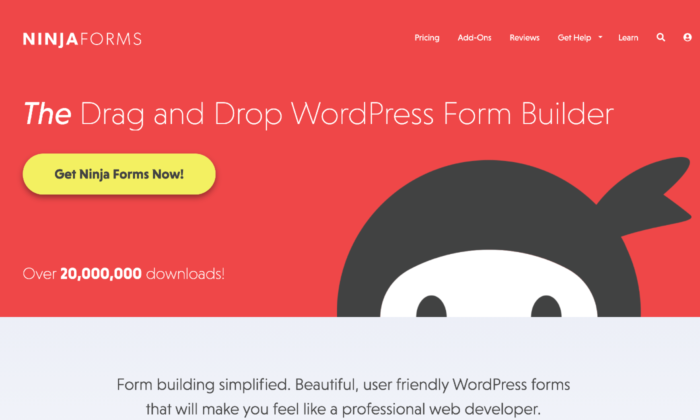
The plugin’s beginner-friendly interface includes pre-built templates, dedicated fields, customization options, and spam management. These features make it easy for you to add a form fast when you need one.
You have three paid package options:
- Personal—$99.50 per year
- Professional—$199.50 per year
- Agency—$249.50 per year
Personal allows you one site with priority support. You can use form building features like layout and styles, conditional logic, file uploads, and multipage forms.
Marketing add-ons like Mailchimp, Constant Contact, Campaign Monitor, and ConvertKit help you keep track of your marketing campaign and its success rate.
You also get 20% off all future add-ons you buy.
When you upgrade to Professional, you can use the plugin on 20 sites. You get more payment integrations, like PayPal Express and Stripe to make customer purchases convenient.
When it comes to forms, it makes for low effort completion with user management login, as well as registration, update profile, and post creation forms. Users can even save their form progress.
The add-on discount also doubles to 40% for any you buy after purchasing this package.
Agency comes with unlimited sites and all form add-ons, including those they release in the future.
You have access to all CRM integrations, including Salesforce, Zoho, Insightly, HubSpot, and more, plus SMS and Slack notifications.
Connect your forms to workflow management software like Trello and Help Scout, and use advanced analytics and email marketing tools.
If you only want some of these features, Ninja Forms offers an a la carte option. You can choose the features you need, and the cost is from $29 to $129 a year for up to 20 sites.
#6 Caldera Forms—The Best for Free Features
Like most form plugins for WordPress, Caldera Forms has plenty of paid options. The difference here is that it gives you access to more free features than most others.
You get templates and compatibility with almost every WordPress theme available. It has a drag-and-drop builder, as well as a freeform builder for better customization.
You can get free and premium add-ons for payments, sales, and email marketing. It also has spam prevention and notifications, so you always know what’s going on with your forms.
Unfortunately, even the paid version doesn’t have many advanced features. If you’re a developer, you might want something you can play with more.
If Caldera’s simplicity appeals to you, you can choose from three packages:
- Toolbelt—$49.50 per year
- Toolbox—$99.50 per year
- Toolchest—$249.50 per year
Toolbelt comes with plenty of marketing and payment integrations, including PayPal, ConvertKit, ActiveCampaign, Mailchimp, and AWeber.
You also have options like entry limiter, geolocation, conditional fail, and Slack to help you get all the information you need from your forms. Best of all,
Toolbelt gives you unlimited sites, a rare feature for the cheapest payment options.
Toolbox enhances your forms with easy queries, YouTube signup forms, custom fields, and email verification.
You can also learn more about your forms’ success with Google Analytics, and send responses where they need to go with Connected Forms.
Toolchest allows you to add members and use premium EDD integration. With Divi Styler, you can take form design to the next level.
Braintree, Dwolla, and Nexmo integrations help you collect payments easily, interact with data, and connect your forms where you need them.
#7 HappyForms—The Best for Lightweight Forms
HappyForms is a no-frills form plugin built into the WordPress Customizer. Its lightweight code keeps up performance on your site, and everything about it is made to be user-friendly.
With a drag and drop form builder, it’s easy to include in your site design. It also comes with a Google reCaptcha spam prevention feature.
As a Gutenberg-ready plugin, you don’t have to modify anything to start building your forms.
HappyForms doesn’t have many advanced features. Still, if you know anything about tech, you know that you need a high-quality foundation. That’s what HappyForms offers.
You can choose from three packages:
- Starter—$49 per year
- Business—$99 per year
- Professional—$249 per year
Starter lets you customize your forms on one site with conditional logic, multipage forms, time and date scheduling, and live polls.
You can even tailor submission details with a preview before submission, redirect after submission, and a submission block list.
With import and export tools along with file upload, you have everything you need for a solid starter form. Plus, this tier gives you 20% off future renewals.
The business gives you a year of updates for five sites and all Starter features. The main difference between the two levels is that Business gives you a ton of integrations.
You get Google Analytics, Mailchimp, SendFox, PayPal, Constant Contact, Zapier, ActiveCampaign, and more.
With Professional, you get a year of updates for unlimited sites but no extra features beyond what Business offers. Essentially, you’re just paying to use those features on more sites.
What I Looked at to Find the Best WordPress Form Plugin
Before you buy, you want to know that your WordPress form plugin will serve your business well. Some plugins offer advanced features but focus instead on what your company actually needs.
Look for these features and criteria in your plugins to help you decide which one is right for you.
Customizability
Whether you need multiple tools or branding customizability, it helps to know how much you can change your forms. Fully customizable forms give you more options and better ways to make them your own.
Look for options like how many fields you can add, dropdowns, and design features. The level of customizability determines how the form works for your site.
Visual Builder
A visual drag-and-drop builder works well for beginners. It also makes adding a form to your site more efficient.
That said, if you have experience with creating websites and incorporating different elements, a freeform builder gives you more freedom.
Spam Protection
Do you want spam protection for you and your visitors? It makes people feel safe and keeps both “theirs and yours” information secure. Spam protection also shows that the plugin you get offers more than the bare minimum.
Responsiveness
Your form should work on all types of devices. If it doesn’t work on mobile, that will deter people. According to Sweor, 57% of people won’t recommend a website that doesn’t work on mobile devices.
Test your form and make sure visitors can fill it out just as easily on their phones as on desktop.
Conditional Logic
Conditional logic gives your form an “if this, then that” logic system. These systems streamline the submission process and help sort responses where they need to go within your company.
Conditional logic allows customers to skip parts of the form that don’t apply to them. The form recognizes their answers to certain questions and then hides or shows applicable questions.
Communication System
A communication system within your plugin keeps your system organized. It tells the right people in your company when they receive a new submission. With a streamlined system, it becomes easier for the appropriate people to handle specific tasks.
Conclusion
Your WordPress form plugin should make it easy for customers to fill out forms and for you to get the responses you need. Choose something that has all the right features from the start.
A good form plugin for WordPress should offer more than a simple contact form. Look for spam protection, a high-quality builder, customizability, and make sure it works on all devices. When you have a form that reaches more visitors, you have a higher chance of turning them into buyers.
Top WordPress Form Plugins
To recap, here are the top WordPress form plugins:
- Gravity Forms—The Best for Advanced Users
- Jetpack Forms—The Best for Form Security
- WPForms—The Best for Flexibility and Power
- Formidable Forms—The Best for Complex Form Creation
- Ninja Forms—The Best for Quick Solutions
- Caldera Forms—The Best for Free Features
- HappyForms—The Best for Lightweight Forms
The post Best Form Plugin for WordPress appeared first on Neil Patel.
Source: feedproxy.google.com

Best Membership Plugins for WordPress
I’m sure that you have come across a myriad of membership plugins specifically for WordPress, right? Well, I’m here to make it easy for you by narrowing down the top five best options to help you choose the right one for your company’s needs.
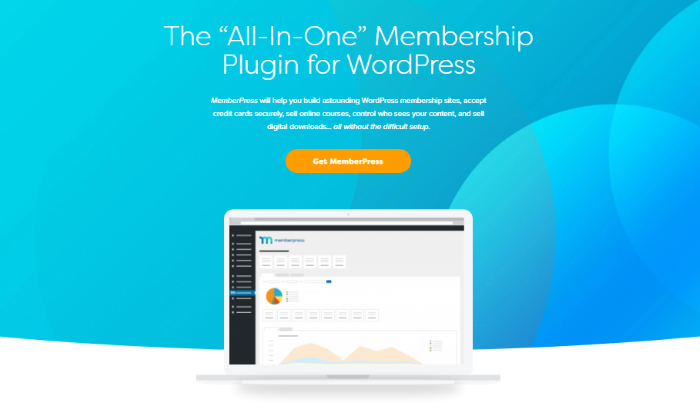
Disclosure: This content is reader-supported, which means if you click on some of our links that we may earn a commission.
A powerful membership plugin will help you control your WordPress website’s content with maximum flexibility and ease.
Although many businesses utilize membership plugins for restricted content placed behind a paywall, these plugins can do a whole lot more if you find the right one.
Membership plugins will assist you with restricted content and membership payments, but it will also come in handy for automated tasks, course or lecture builders, manage discount codes, and much more.
I’m sure that you have come across a myriad of membership plugins specifically for WordPress, right? Well, I’m here to make it easy for you by narrowing down the top five best options to help you choose the right one for your company’s needs.
All the tools in this list offer unique features suitable for a range of the most common company needs.
WordPress Membership Plugins
#1 – MemberPress – The Best All-In-One Membership Plugin for WordPress
MemberPress is the best all-in-one membership plugin because of its powerful and easy-to-use features. Not only does the plugin do what it says it will by creating membership portals for content, but it also offers helpful tools for all experience levels.
Firstly, MemberPress works seamlessly with any WordPress theme, including custom themes you’ve built. Easy-to-use is not an understatement, as the plugin only takes three easy steps to install and get everything set up, which is incredibly inclusive for beginners.
Regarding membership tools, MemberPress has you covered. With this plugin, you receive 100% control over all of your content and who can view it based on what membership level they’ve purchased.
You can restrict access to pages, posts, tags, files, and everything else you can think of that’s on your WordPress website.
With MemberPress, the growth of your company is endless when you utilize tools, such as:
- An add-on that allows you to build and sell courses
- Generate as many coupons as you want
- Premium community forums
- The timed release of content (i.e., content dripping)
- Subscription and membership management Payment integration
As the most powerful plugin on the internet, MemberPress has three pricing plans that cater to different preferences, including:
- Basic: $249 per year for use on one site
- Plus: $399 per year for use on up to two sites—this is the most popular plan
- Pro: $549 per year for use on up to five sites
Unfortunately, MemberPress doesn’t offer free trials, but there is a 14-day money-back guarantee on all plans for a full refund. Try it today.
#2 – LearnDash – The Best Course Builder Membership Plugin for WordPress

If your primary business focus is selling courses, LearnDash is an excellent option to build and sell them with no hassle. With its extensive features like ‘focus mode,’ the plugin allows you to create comprehensive online courses with no restrictions.
Focus Mode is a customizable learning portal that LearnDash allows you to implement into your courses to create a distraction-free environment for learners after purchasing.
Course creation has never been so easy with its drag-and-drop feature that saves you time while creating an organized layout for your customers.
Your content and layout won’t just be organized, it will also be impressively dynamic with drip-feed lessons, adjustable video options, and linear or open progression activities.
Not only can you create high-quality courses for your customer base, but you can also freely manage them alongside your learners.
LearnDash offers a group management function that lets you place users into online groups, then allow said users to manage their own group.
With LearnDash, you can benefit from key features, including:
- Automated notifications to keep you up-to-date
- Badges and certificates for customers completing a course
- Place one-time purchases for courses More than 20+ integrations for functionality
With a focus on course building, LearnDash is quite affordable for an annual price—and I think the benefits outweigh the overall cost. LearnDash offers three pricing plans, which include:
- Basic: $199 per year for one site license with unlimited courses and users
- Plus package: $229 per year for 10 site licenses
- Pro package: $369 per year for 25 site licenses
All the above pricing plans include a bonus demo site template and a 30-day money-back guarantee.
#3 – Restrict Content Pro – The Best For Membership Management
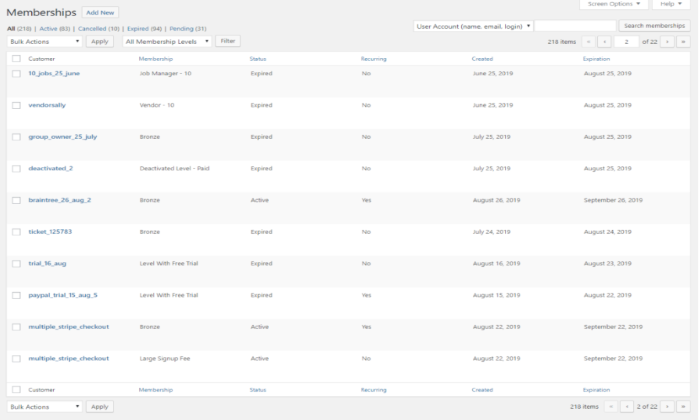
If you own a larger company that creates more content for a bigger audience, it may be difficult to manage and monitor these memberships. This is where Restrict Content Pro comes into play and is a great option for managing all of your memberships in one place.
Restrict Content Pro lets you keep track of your memberships with an intuitive interface, including active, expired, canceled, pending, and recurring membership levels.
Each membership can be added manually and modified in bulk, and you can even request team members to join the board to increase moderation.
Does a customer decide to cancel their membership? No problem! Restrict Content Pro allows you to manually change each membership status to keep things professional and confusion-free.
Along with membership management, this plugin has a great range of additional features, like:
- Member emails where you can welcome new members
- Unlimited subscription packages
- Performance reports
- Data exports
- Payment integrations with Stripe,
- PayPal, Braintree, and Authorize.net Extensive support
Restricted Content Pro has four pricing plans that are of great value for the money. These include:
- Personal: $99 per year for one site and 13 free add-ons
- Plus: $149 per year for five sites and 13 free add-ons
- Professional: $249 per year for unlimited sites and 18 pro-add-ons—this is the most popular plan
- Ultimate: $499 one-time payment for unlimited sites and 18 pro-add-ons
All pricing plans include core features and a 30-day money-back guarantee.
#4 – S2Member – The Best Free Membership Plugin for WordPress
Looking for a membership plugin but don’t know where to start or how much you want to invest? S2Member is an excellent option. With its extensive free version, this plugin is great for protecting and managing your content for paying members.
WordPress shortcodes almost entirely power S2Member, so once complicated integrations are now easy to install and use.
Even if the installation process gets confusing, the plugin offers you an open community forum, comprehensive documentation, and video tutorials for you to read and follow during setup.
Not only does S2Member allow you to offer users premium content, but it also includes a secure checkout solution that flows seamlessly with WordPress capabilities.
Even though the free version doesn’t provide one-step registration and checkout for ease, it’s still a great tool that just has extra steps for verification purposes.
Although the plugin is free, S2Member still offers an abundance of basic features that can help improve your business, including:
- Standard Paypal button integration
- Content restriction options
- Security encryption key
- Manual account creation
- Member profile modifications
- Affiliate program integrations
- Customizable email templates
There are more than 20 unique features that come with the free version of S2Member. This makes it easier for you to learn the ropes of plugins while improving your business at no cost to you.
Speaking of cost, S2Member offers two pro pricing plans at an incredibly affordable price. These include:
- Pro version 2: $89 one-time payment for a single-site license
- Pro version 3: $189 one-time payment for an unlimited site license
Both pricing plans include lifetime access to newer versions of the S2Member plugin and a 14-day money-back guarantee.
#5 – Paid Memberships Pro – The Best For Customization
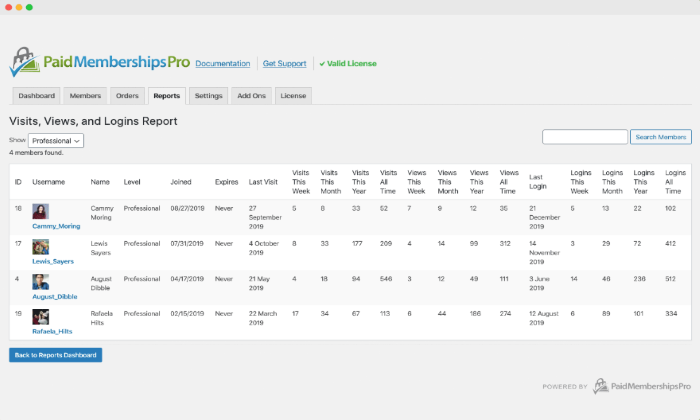
Paid Memberships Pro is an excellent option for anyone looking at finding a plugin that offers more flexibility and customization.
This plugin prides itself on being able to give its users an extensive range of tools and features that can help you grow your membership WordPress site while maintaining it, too.
Customization options begin with restricted default content pages. Paid Memberships Pro allows you to create a custom message for non-members when they attempt to access restricted content on your website.
Another great customizable feature is the personalized content add-on. This tool lets you offer each paying member a unique page for direct communication with you, which is a great way to create more intimate content for your users.
Personalized content also includes a custom homepage for different member levels and adjustable menus to highlight important links.
On top of all this, Paid Memberships Pro gives you the option to customize your email account with a wide range of email templates to alter the appearance and content of your system-generated emails to members.
If that wasn’t enough, Paid Memberships Pro has quite a comprehensive list of features that will benefit your every need, including:
- Content dripping
- Multi-tiered membership levels
- Offline communities
- Customize renewal dates
- Membership manager role Integrate with several top plugins like MailChimp, WooCommerce, and Zapier
Paid Memberships Pro is the most expensive plugin on this list—however, they offer a free version if you want to try it out and aren’t ready to commit to the full price.
There are three pricing plans for businesses of all types:
- Free: This plan offers five features and includes the plugin download, 19 free add-ons, and six payment gateways
- Plus: $297 per year with support and updates for up to five sites
- Unlimited: $597 per year with support and updates for unlimited sites
Both the plus and unlimited pricing plan include a 30-day money-back guarantee.
What I Looked At To Find The Best Membership Plugin for WordPress
Now that I’ve narrowed down the top five picks, several key elements contribute to finding the right membership plugin for your WordPress website.
These elements are crucial to finding the right membership plugin, and you need to weigh up the below criteria against your personal needs to make the right decision for your business.
Business Goals
Your overall business goals matter when trying to find the right membership plugin for you. Simply put, each membership plugin caters to different goals, so it’s important to know what yours are.
If you want to transform your business by creating and selling courses to your customer base, then a plugin like LearnDash would be an excellent option.
This is because it’s the best online course builder, and it offers a range of comprehensive tools to utilize.
Whereas if your ultimate focus is to create restricted content for members, it would be best to install Restrict Content Pro—where you will have access to suitable tools and features to make this goal a reality.
Figuring out what your business goals are will help determine what membership plugin would be best for you.
Flexible Payment Integration
A key feature to look for in a membership plugin is a flexible payment integration option, which allows your customers to have a range of options for payment. Not everyone enjoys putting their credit card information into a website without added security.
For example, the S2Member plugin has a standard Paypal button that’s integrated into your download. This means that your customers can pay for your content through PayPal.
Proper payment security is paramount to make sure you maintain a recurring customer base.
Some other common payment integrations include Stripe and Authorize.net. Having multiple payment options will give customers another reason to continue their membership.
Membership Management
This is an especially important feature for larger businesses that have a lot of memberships to maintain. Having a specific membership management system integrated into your plugin will save you a vast amount of time on manual managing.
MemberPress and Restrict Content Pro are great plugin options if you need a little extra help to manage your memberships.
Without a dedicated management system, it will become increasingly challenging to manage your memberships while maintaining a certain level of professionalism in your business.
Don’t be afraid to ask for help every so often. Running a membership site can be difficult, but the right plugin will make it easier and more straightforward.
Summary
Finding the best membership plugin for your WordPress website depends on several key elements like business goals, payment integration, and membership management.
What makes the top five options great is that they either hit all the criteria or have a mix that can fully support your business.
I recommend MemberPress and LearnDash for almost anyone if you want to transform your business with a membership site. MemberPress is an all-in-one plugin, which may seem broad.
However, it offers every tool a business owner would need all under one platform. LearnDash is also great for anyone building and selling courses—which seems to be a common goal among membership sites.
Both are affordable options for a business that knows its goals and needs a plugin to make those goals a reality.
With that being said, the other three plugins are also excellent options for everyday tasks.
The Top 5 Options for Membership Plugins for WordPress:
- MemberPress – Best all-in-one membership plugin
- LearnDash – Best course builder
- Restrict Content Pro – Best for membership management
- S2Member – Best free membership plugin
- Paid Memberships Pro – Best for customization
The post Best Membership Plugins for WordPress appeared first on Neil Patel.
Source: neilpatel.com

Best HTML Editors
Coding becomes faster and easier thanks to HTML editors’ spell-checking, syntax highlighting, and auto-completion features, among others.
Disclosure: This content is reader-supported, which means if you click on some of our links that we may earn a commission.
Everybody makes mistakes.
Some big, some small, but some of them are downright annoying.
And one of the most notorious headache-causing mistakes you make is messing up your code.
Coding is everything when it comes to web development. So you simply have to get it right for better security and to avoid glitches in the future.
Luckily, there’s a very effective solution to ensure this.
Just like how Grammarly and Hemingway can improve your text by checking them for spelling errors and improving readability, web developers can use HTML editors to write and improve their code.
Even those who don’t have any coding knowledge can create websites and put them online.
Coding becomes faster and easier thanks to HTML editors’ spell-checking, syntax highlighting, and auto-completion features, among others.
In this guide, we’ll look at the best HTML editors available to take your websites to the next level without much effort and time on your part.
Excited? Let’s dig right in!
The Top 5 Options for Best HTML Editors:
- Atom – The Best for Advanced Customization
- Notepad + + – The Best for Front-End Developers and Web Designers
- Brackets – The Best for Beginners
- Sublime Text – The Best for Multi-Language Support
- Adobe Dreamweaver CC – The Best for Web Developers
How to Choose the Best HTML Editor for You
HTML editors–both free and paid–come with several cosmetic features. Based on your business needs, you’ll find some to be absolutely necessary, while others you may not need at all.
We’ve compiled a list of features that we think a good HTML editor should have. You may not need all of them, but here is what you should be looking for when choosing an HTML editor.
Color-Coding or Syntax Highlighting
HTML has a tag-based markup language. You need an HTML editor with syntax highlighting or color-coding features to light up these tags. Doing this will help you identify the tags quickly, which, in turn, will make working with blocks of code easier.
Autocomplete and Suggestions
The autocomplete and suggestions feature helps to quickly fill in longer code at the press of a button.
The editor gives you pop up suggestions based on your work–all you have to do is click on it, and the code will autocomplete. Think of how you type text messages on your phone or when you do a quick Google search.
You can also automate creating closing tabs through this feature.
Find and Replace
We highly recommend looking for code editors with the find and replace feature, as it allows you to locate certain strings and replace them with something else very quickly.
Plus, HTML is constantly changing and updating standards and deprecation of inefficient tags. So, you’ll definitely find yourself wanting this feature sometime in the future to update your website.
Version Control
Editors with version control enable you to see the previous versions of your code and rollback when needed. As a result, you can store all the copies without making separate documents, and we know how crucial this is when you’re working with other developers.
Multi-Cursor Functionality
The role of multi-cursors is simple: It allows you to write code in multiple places at once. In other words, you can edit code simultaneously. This is especially useful when you want to add duplicates of the same tag.
FTP Support and Error Detection
Getting HTML editors with FTP support lets you connect to WordPress and upload changes you want to make without any hassle. As a result, you won’t find yourself logging into FileZilla or your preferred FTP client every time we want to update anything.
Live error detection is equally important.
HTML is a markup language and not a programming language, which is why it doesn’t compile. It also means you can’t test your code. With live error detection, though, you’ll know immediately whenever you write something incorrectly.
In addition to these, there are several other features like code folding and autosave. We mentioned what we think is vital and can help increase productivity and accuracy. However, you have the flexibility to choose, depending on your requirements and preferences.
Note: If you’re looking for a code editor with advanced features and platform integration, you‘ll need an integrated development environment or IDE rather than a text editor. While IDEs are similar to HTML editors, they are more beefed up designed for advanced developers.
The Different Types of HTML Editors
HTML editors are of two types. Although the core values of both are kind of similar, they have different features. It’s why the target clientele for each category is slightly different.
Let’s discuss this in more detail.
HTML Text Editors
HTML text editors are basic programs. You can use it to write basic coding projects, do simple HTML editing, and check for errors on the go.
You’ll find several free versions of text editors available online that are downloadable on all major operating systems. What’s more, these programs are general-purpose and can be used for multiple computing languages.
Keep in mind that basic text editors require you to write all HTML code by hand. You have to perfect every piece of syntax manually, so be prepared for a bit of trial and error.
HTML text editors are great for learning HTML. But if saving time is a priority, the next editor type would be more suitable for you.
WYSIWYG
No, this isn’t gibberish or a typo.
WYSIWYG is an acronym for “What You See Is What You Get.” Developers pronounce it as “wis-ee-wig.”
It’s a type of HTML editor that views content in the live product exactly like the preview. This helps enhance accuracy when you’re building or making changes to a website.
Think of WYSIWYG as the halfway point between coding from scratch and an instant template builder like WordPress.
Being more advanced than standard text editors, WYSIWYG editors allow users to write code, edit directly from the page and insert paragraphs and headings–all the while generating HTML code automatically. Creating or updating the layout of a site is possible within seconds as well with this editor.
#1 – Atom – The Best for Advanced Customization
Atom is a free, open-source code editor developed by the GitHub team and maintained by the GitHub community. It comes with enough packages and theme collections, runs light, and loads super fast, making this HTML editor one of the best you can find.
It’s a modernized WYSIWYG HTML editor available for Windows, Mac, and Linux and is built for collaboration. Whether you’re a newbie or an experienced professional, Atom is everyone’s favorite with its premium feel and customization flexibility.
Think of it as an advanced text editor that has several features commonly limited to high-level coding programs.
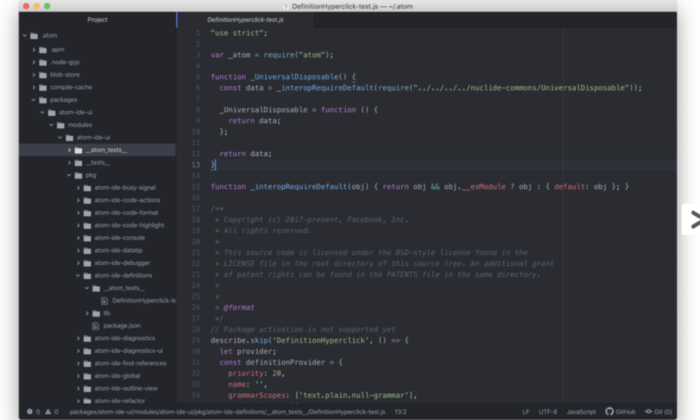
It also comes with a hackable text editor! It’s a feature that enables developers to edit, extend, change, and share the program source code and design their own packages to improve Atom.
Multiple pane support is another feature we like. You can split the interface into as many windows as you need to compare and write code side-by-side.
Other features include syntax correction and highlighting, autocompletion, project management, and Teletype (users can collaborate with other developers in real-time).
Atom is entirely free of charge! So you don’t have to shell out any money to use this excellent editor.
#2 – Notepad + + – The Best for Front-End Developers and Web Designers
Fast working, time-tested, and foolproof, Notepad + + is one of the most popular HTML editors used by millions worldwide. It’s an open-code editor that offers multi-language support, which isn’t restricted to only HTML and CSS.
One of the primary reasons for Notepad + +‘s popularity is its feature-rich interface.
You get syntax folding, syntax highlighting, multi-view, document map, multi-document interface, auto-completion, bookmarks, and a fully customizable GUI. And even after this long list, there’s still more.
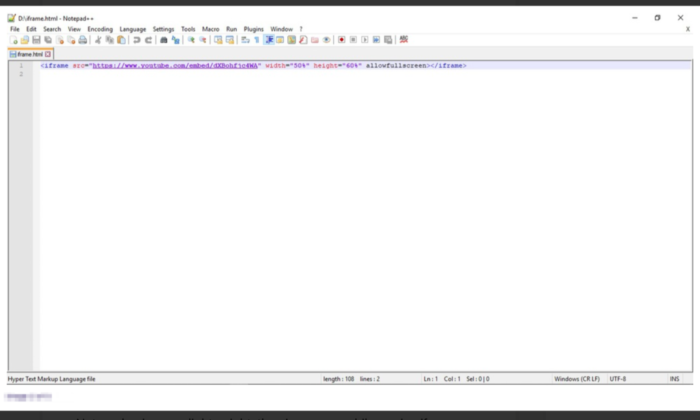
Notepad + + was developed for Windows-based machines, but Linux users can use it via Wine. As the name suggests, this editor is like an upgraded version of the Notepad software, which is already available in Windows by default. You also get its repository on GitHub.
A mobile version is also available if you fancy that.
Environmentalists would love Notepad + + as well. It has programs that run on less CPU power in a bid to reduce carbon emissions.
Notepad + + is free for all! So no extra money or hidden costs for you to worry about.
#3 – Brackets – The Best for Beginners
Brackets is another widely popular HTML editor for programmers compatible with different operating systems like Windows, Mac, and Linux. It comes with a built-in package manager that allows users to search and install any supported package they like.
We would highly recommend this open-source HTML editor for beginners due to its smart auto-completion feature that makes coding incredibly fast and accurate.
Bracket’s coding UI can be split into multiple panes, making writing and comparing codes between different files easy and precise. Its integrated file system browser enables you to access files within your PC.
Plus, it has a find and replaces feature that allows developers to fine-tune the code when appropriate. This can be useful for novices and experienced professionals to ensure their website stays up-to-date.
Styling and customization are super easy and simple, so coding won’t ever get boring with Brackets.
The pre-installed syntax themes feature dark and flashy bright colors. With no shortage of packages on the platform, you can add as many features as you want, based on your use-case and preference.
Brackets is completely free! You can download it directly from the official website.
#4 – Sublime Text – The Best for Multi-Language Support
Sublime Text is the advanced version of Notepad + +. It comes with the standard features of Notepad + +, along with more modern ones to suit the sophisticated needs of the more experienced users.
You get cross-platform support, split editing, multiple-selection editing, proprietary command palette, and syntax editing to make web development simpler. The editor is incredibly powerful and promises high performance. However, you have a steeper learning curve ahead of you in exchange for this flexibility and power.
One of the more advanced features of Sublime Text is “Goto Anything.” Using this, you can find and replace the code within a considerably shorter period. The distraction-free mode is another great feature that displays only the code by hiding other elements.
You can use keyboard shortcuts to execute tasks quickly–provided you can remember them. Everything is easily customizable in the editor as well, whether you want to personalize key bindings to snippets to menus.
Accessible on Windows, Mac, and Linux, Sublime Text also supports different languages like C, HTML, C++, C#, Java, CSS, JavaScript, PHP, Python, Ruby, and many more.
Sublime Text has a free version available that’s enough for beginners, but if you want access to all its features, you have to pay a one-time cost of $80.
#5 – Adobe Dreamweaver CC – The Best for Web Developers
Most of our other options work great for front-end development, but having an HTML editor that facilitates back-end development is also necessary, which is where Adobe Dreamweaver CC comes in.
Made by renowned company Adobe, this editor is hands down one of the most famous and influential options on the market. You get all sorts of plugins and premium features that you wouldn’t normally have access to with other HTML editors.
Whether it’s creating more responsive sites or editing the website code, Dreamweaver makes everything possible.
This editor is a closed source software, designed to work within the Adobe ecosystem. It supports both the textual and WYSIWYG methods, allowing you to choose between coding with a live visual presentation or take the traditional route. You can write code in any major programming language and enjoy access to creative cloud libraries.
Web developers would particularly love Adobe Dreamweaver CC. It automatically confirms the code and page accessibility, making it easier for developers to follow Web Content Accessibility Guidelines (WCAG), and even reviews the end product.
Plus, the direct access to an abundant supply of assets in the Adobe ecosystem like graphics, layers, colors, words, characters, and much more, is another advantage.
Dreamweaver has a free version, but you can opt for premium plans as well. You have three options:
- Annual Plan, Payable Monthly – $25.99 per month
- Monthly Plan – $31.49 per month
- Annual Plan, Prepaid – $239.88 per year
Final Thoughts
HTML editors are a must for any web development and design toolkit. Not only can you create code faster, but it also simplifies the whole process by helping you avoid errors.
The only catch is to select an option that aligns with your needs.
You can select an option from our top picks or look for other alternatives in the market. Try to look for prospective editors that include syntax highlighting and live preview. If you want something more sophisticated, a find and replace feature will be a great asset.
The post Best HTML Editors appeared first on Neil Patel.
Source: neilpatel.com