
Tag Archives for " Discord "

A Marketer’s Guide to Discord
You might not be aware of Discord. Or you may know about it, and you’re wondering what it has to do with marketers. After all, isn’t it for gamers? That was once the case, but not anymore.
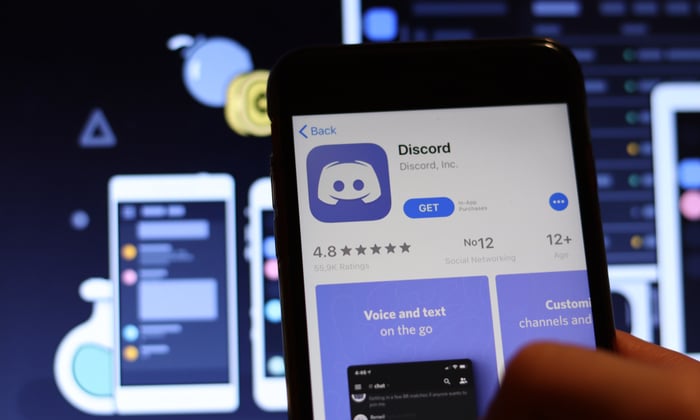
Discord has evolved considerably since its official 2015 launch. Once solely a tool for dedicated gamers, it is now a popular base for a diverse range of groups, including influencers and hobbyists. This platform is great for those looking for alternatives to the more obvious platforms like Facebook, Twitter, or Instagram.
For marketers who want a different way to communicate with their audience, Discord could be just what they’ve been searching for.
What Is Discord?
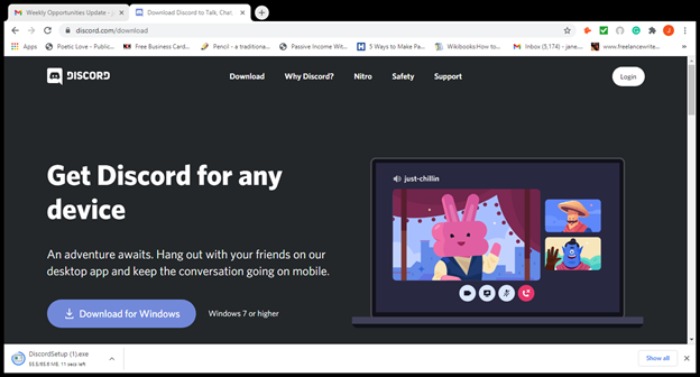
Discord is a VoIP system that uses a combination of video, voice, and text communication services. It’s often compared to Slack, and its messaging system works similarly.
Discord was the brainchild of Stan Vishnevskiy and Jason Citron. Initially, they just wanted a way to talk to others in the gaming community. Discord boasts over 100 million active monthly users, and its growth shows no signs of dwindling.
The versatile platform also has a strong focus on community: It’s the ability to build communities that have helped fuel Discord’s growing popularity.
As the founders themselves say, Discord is used by various groups, including study groups, art communities, and hikers. Anyone looking for a community to share their interest with or establish/grow an audience can set up a Discord account and get started.
How Does Discord Work?
Like most online apps, Discord starts with a download. Just choose your device. I’m using my Windows laptop in my example, but it’s compatible with Android, iOS, Linux, and macOS.
Once you’ve downloaded Discord, open the setup file to launch it. Discord will then go through any updates, and you might have to wait a couple of minutes for the interface to launch. Once it launches, you’ll get an overview of Discord’s latest features and updates. These include:
- Screenshare on mobile. Screenshare allows you to communicate, watch videos, and, of course, play games. You can also join voice calls.
- Improved inline replies. This means you can hit a message and reply to someone directly on your text channel. This aids conversation flows, and it’s of obvious benefit to businesses that want to respond to customer queries.
- “Krisp” noise cancellation. You know those annoying munching sounds you sometimes hear in the background when you’re chatting with someone? Well, that’s gone with the latest update. You’ll find this feature in the voice channel.
- Rule screening. Let community members see your server’s rules before signing up as a member.
Finally, Discord has gone mouse-free, making it ideal for those who want to multitask.
Discord Features
If you’ve downloaded Discord to your laptop, it will automatically launch when you start up and see the Discord interface. From there, you can instantly check if:
- You have friends online.
- You have pending friend requests.
- You have direct messages.
You’ll find an inbox and an option to send group DMs there, too.
Exploring the Options
On the left-hand side, there’s a set of buttons that you’re going to want to know better.
For voice chat, select the “W” button.
Explore communities by clicking the green-and-white button on the left. This will give you an idea of the communities on there and whether your company would be a good fit. There are five main categories:
- music
- education
- science and technology
- entertainment
- gaming
Creating Servers
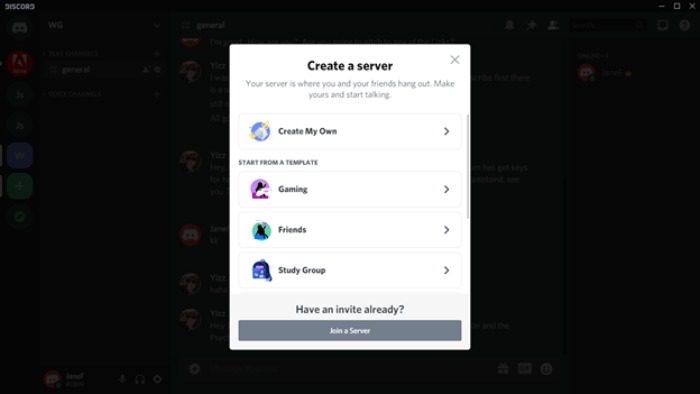
If you know anything about Discord, you’ll know it’s all about servers. How do you set one up?
- To start or join a server, look for the green button with a plus sign. It’s on the left-hand side of the page. Just click to launch it.
- If you get an invite, you can join from there. Once you launch it, you have the option to create a server for gaming, friends, or a study group.
- For a different purpose than those three, choose the “Club and Community” or the “Me and my friends” option. This will take you to the next page.
- Next, you can start customizing the look by adding an image and choosing your server’s name.
- Click “Create” to finish.
It’ll take a few seconds to set it up. You’ll then get a welcome message. Now, you’ll be ready to start inviting friends and personalizing your server.
To customize your server:
Choose the “Personalize your server” option. This link will take you to the “seller overview.”Here, you can further customize your settings.
Starting a Discord Channel
Channels are similar to what you’d see in a regular forum and provide a space to talk about a specific subject. You can choose either a voice or a text channel. To start a channel:
- Go to the channel panel. Under “Voice channels,” find the “Create channel” or “Create category” option.
- Give it a name.
- Click “Create.”
Roles
Say you want to give someone permissions to become an admin member. You’ll have to add a role.
To add roles:
- Find the arrow next to your server name (your server name should be near the top on the interface’s left-hand side).
- Scroll down to “Server settings.”Choose “Roles” and then click the plus sign next to it.
- Add the details.
You’ll find a fuller tutorial on the official Discord website.
Integrate
This option lets you add bots and apps, create webhooks, and follow channels. Just click the button to get started.
4 Ways to Use Discord as a Business
Now you know your way around the basic features, here’s more about how you could use Discord as a business.
You may find the categories limited at first sight, but plenty of brands use Discord successfully. Here are some examples:
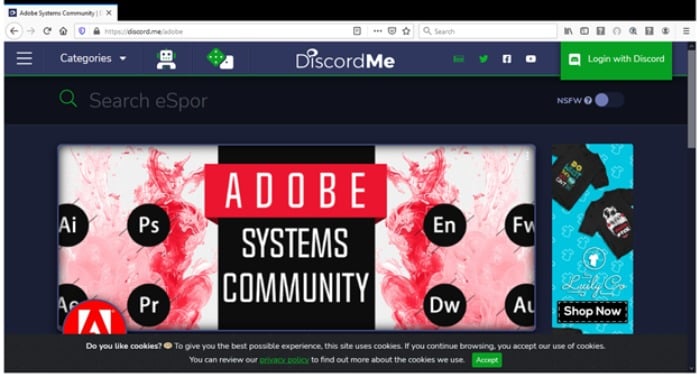
- Adobe’s Discord group allows users to get critiques, ask questions, and find commissions.
- Newegg has a Discord group where you can find the latest offers, get answers to queries, and more.
- Streamlabs, which provides streaming tools and software, also has a Discord account. Its Discord servers provide tutorials and general chat, and plenty more.
Discord has excellent potential to help your business and grow its community.
Encourage Engagement
Engagement is essential to building your business. Letting your customers or would-be customers get to know you increase trust and fosters loyalty over time. However, that’s not where the benefits of customer experience end. Enabling engagement also:
- Enhances the customer and brand experience.
- Allows you to gain customer feedback and insights that let you shape and improve your brand/service.
How does Discord enable engagement? Through multiple channels, and that’s perhaps one of the best things about it.
As I’ve already mentioned, you can directly talk to customers through video, chat, or text. Or you can start reaching out to would-be customers through your servers and specific channels.
Monitor Activity
A more recent feature is Discord server insights. By studying your insights (or data), you can better understand:
- where your server members are coming from
- member retention numbers
- engagement with channels and other members
- your audience geography
You can aggregate your data daily, weekly, and monthly, and you can also export it to a CSV file for further analysis.
Promote Your Brand With Communities
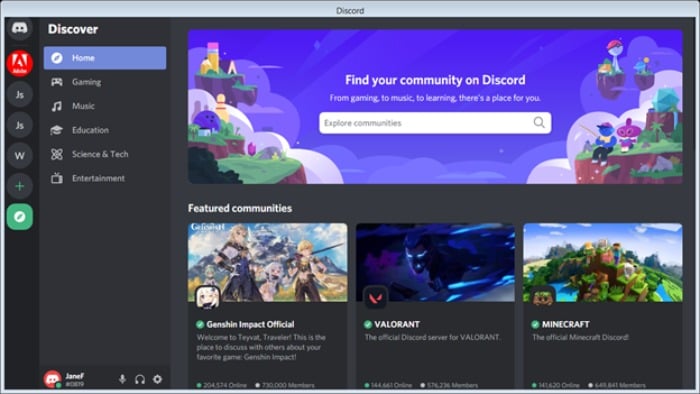
If you aim to build a community space where you can attract larger groups of members, you’ll want to start a community.
To do this:
- Scroll down the left-hand side of your server page until you find “Enable community.” This will launch the page. You can also access “Server insights” and other tools, and apply to server discovery from this page. However, we want to concentrate on building a community.
- Underneath the “Are you building a community?” title, you’ll find a blue “get started” button.
From here, there are three steps:
- Safety checks (email verification)
- Setting up the basics
- Adding the finishing touches
Answer Customer FAQs
You can answer customer FAQs by setting up a server and listing them there. Just follow the instructions in the article. Another way you can do this is with a bot.
You can use third-party application bots. However, it’ll mean giving them access to your Discord account, so if you’re not comfortable with this, skip to the next method.
There are a few FAQ bots available ready for you to install. I’ve listed a few popular ones below.
However, these aren’t recommendations, and as always, you should exercise caution before using third-party scripts or giving permissions to your account.
- Top GG
- The Discord Botlist
- GitHub (Andreas Gassmann)
If you have some coding experience, you could also create a bot. You can do this with Python. To use this method:
- Sign in. Go to the application page and launch the “New application” button.
- Name your application and select “create.”
- Go to the “Bot” tab. You’ll find it in settings and select “Add bot.”
Easy enough so far, right? However, this is where it gets a little more complicated: You’re going to have to do some coding. Here’s an excellent tutorial that will talk you through the steps.
4 Tips for Marketing on Discord
Through Discord, you have an enthusiastic target audience in front of you and multiple ways to communicate with them. What’s not to like? Now, all you need to know is how to market to them effectively.
This next section will detail some best practices to help you.
1. Know Your Audience
Discord users are predominantly younger adults and teens. This demographic will have very different wants and needs from older age groups, so consider whether your brand is a good fit.
Also, remember that Discord is for a casual audience. It is not a professional network, like LinkedIn.
2. Consider Teaming With Discord’s Partner Program
How do you better market to your audience on Discord? By joining its partner program. The partner program is for its “active and engaged” communities, and it’s open to new and established members.
Perhaps the program’s most significant benefit is greater personalization. This means you can further customize your server to keep with your branding. Another benefit is that it makes your services easier to find on the discovery page.
Not everyone will qualify for the program, and there’s quite an extensive application process.
3. Encourage User-Generated Content
Encourage your customers to do your promotion for you by setting up their channels and servers to discuss your brand and special offers.
Consumers are often more receptive to personal recommendations rather than the “big sell.”
4. Offer Exclusive Discounts
Who doesn’t love a discount? Provide exclusive discounts, special deals, and competitions through Discord. Invite others to promote your brand further.
Conclusion
While Discord doesn’t have the high profile of some social media sites, it’s still a useful marketing tool for anyone wanting to build a community.
It combines personalization, promotion, and multiple communication methods, allowing you to reach out to customers more effectively.
Discord may not be suitable for every brand, but many companies use it successfully, including Adobe and Newegg.
With some imagination and creativity, you could develop unique customer offers, introduce new ways to communicate with your consumers, and take your customer service to the next level.
Do you use Discord for your business? Let us know in the comments below.
The post A Marketer’s Guide to Discord appeared first on Neil Patel.
Source: feedproxy.google.com