
Tag Archives for " data theft "

How to Make Your Site Secure: A Guide for Non-Technical Marketers
With technology quickly advancing, there is one distinct problem we are all facing: keeping our private lives private.
And while each of us can take steps in making our private data harder to steal (like enabling two-factor authentication when it is available, keeping our passwords secure, etc.), website owners, developers and marketers face a more challenging task.
We need to keep our site visitors and users safe.

You see, our users and visitors trust us.
When they visit our website, they may very well submit a form or install a script or software your site is inviting to install.
But what if your site was hacked and all of those invitations were not sent from you but from the hacker, and all that information is now owned by him?
What if your loyal customers will suffer identity theft simply because you failed to protect them and their information?
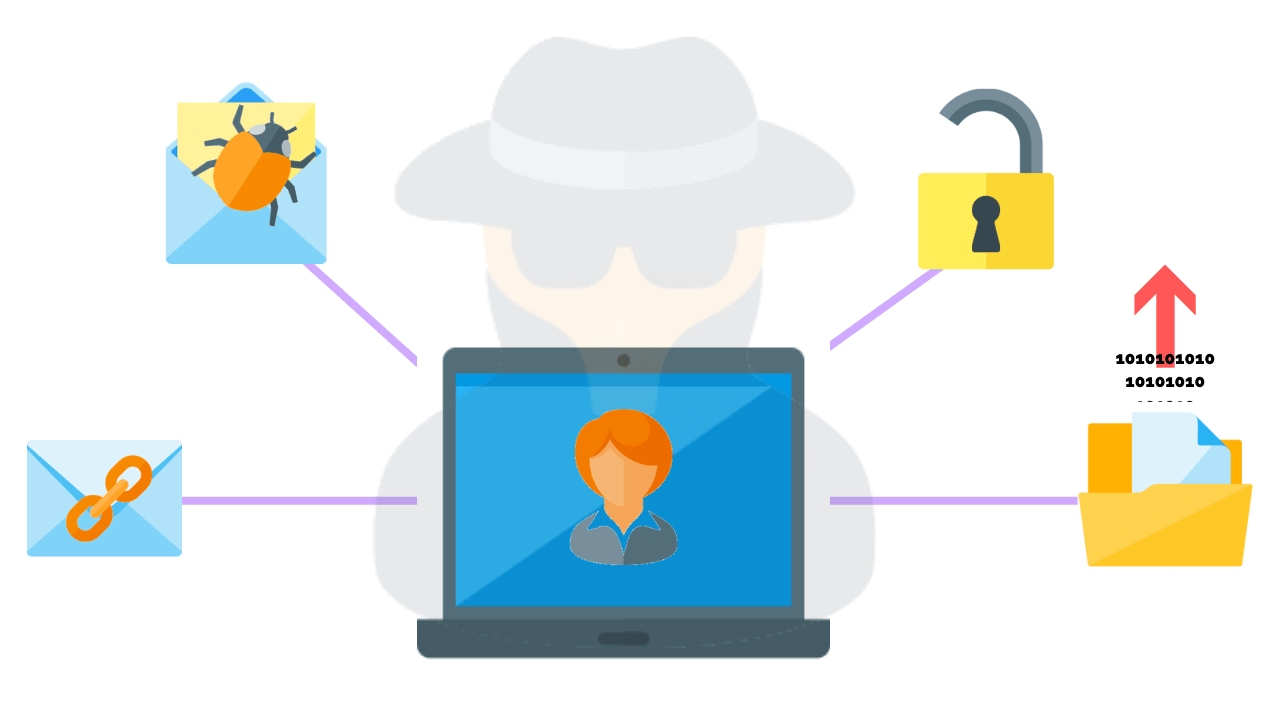
This is where a data breach is not just an inconvenience to you — it is a reputation crisis and possibly even a liability.
And cybercrime statistics are really scary:
- According to Aura, a person becomes a victim of identity theft every ten seconds
- Cybercrime increased by 600% due to the COVID-19 pandemic
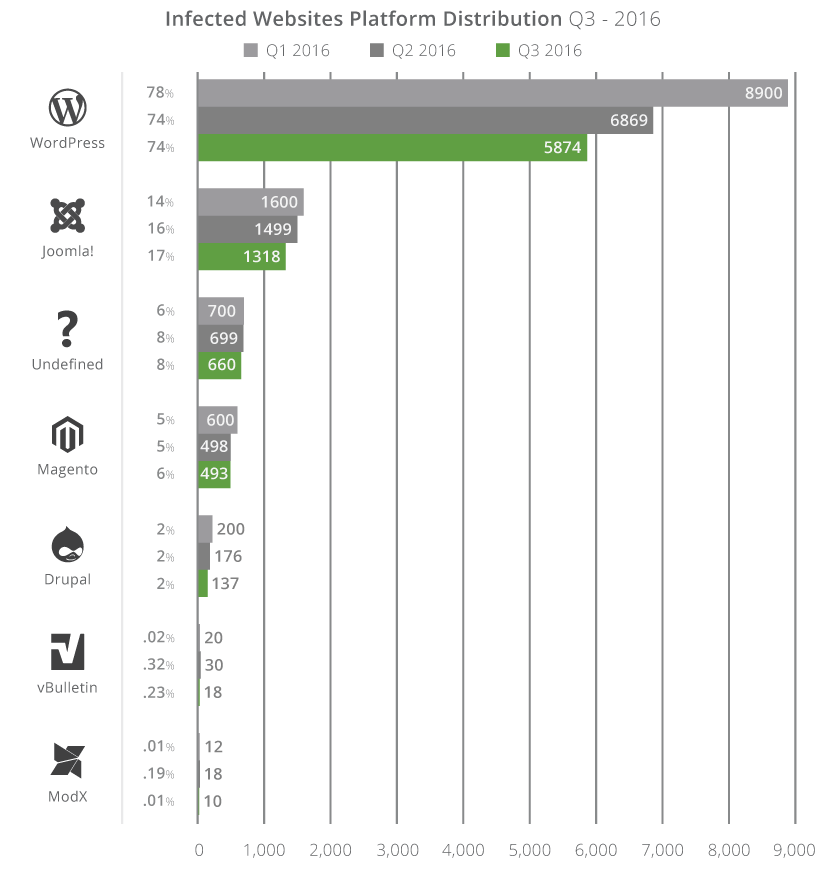
- In the search by Sucuri, out of 8000 infected websites, ¾ of those were run by WordPress.
- Every month, about 4,800 websites are compromised with form-jacking code.
If you are still not convinced, security is a ranking signal.
This is why Google forced most websites to switch to HTTPS protocols.
This has been a major crackdown by Google and its commitment to delivering its users to safe and reputable sources. Hypertext Transfer Protocol Secure (HTTPS) is absolutely essential in the modern-day and age, and Google is far more likely to connect its searchers to HTTPS sites rather than standard HTTP sites.
Source: Digital Eagles
Steps to Make Your Website Secure
Here are a few steps you need to take to make your site (as well as your users’ personal information) more secure:
1. Make sure your hosting service is secure.
Lots of malicious attacks happen through your hosting provider, so make sure your provider is taking all the necessary steps to keep your site secure.
Do your research.
Read your hosting provider’s reviews, search for something like [hosting-company security], [hosting-company hacked], [hosting-company security], etc.
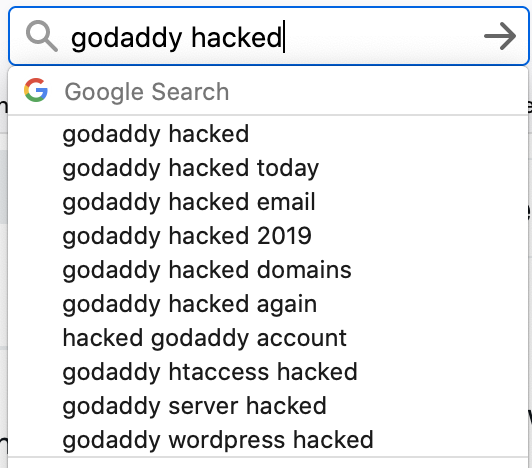
Search for your hosting provider with a query like [hosting-company security], [hosting-company hacked], [hosting-company security], etc.
Check Twitter for something like [hosting-company malware :(] or [hosting-company malware :(]. You might find out that customers are suffering from poor hosting security practices.

It is not just about the issue itself; most hosting companies have experienced at least one data breach at one time or another.
What’s more important is how they handled it.
- Did they reply to their customers?
- Did they act fast?
- Did they work with their customers on cleaning up their websites?
Check if the hosting company is responsive on Twitter and how willing they are to solve any issues.
2. Verify your site with Google Search Console.
If you need just another reason to verify your site with Google Search Console, here’s one: this is one of the fastest malware alert systems out there.
And it’s also completely free.
Google’s Search Console relies on the safe browsing API which alerts site users of possible malware attacks.
It is also used by most browsers (including, obviously, Google Chrome).
Thanks to the API, users are usually warned when they are trying to access an infected website.
Security issues Google reports to website owners.
They are categorized into three major groups:
- Malware and unwanted software: this is what can harm your site users by infecting their devices
- Hacked content: when third-party content (usual links) is added to your site
- Social engineering: this type prompts your site users to share their personal information.

Google also provides helpful instructions on how to fix each of the detected issues.
Again, the most valuable aspect of these reports is how fast they are in reporting problems.
Google will also report on your SSL (Secure Sockets Layer) and TLS (Transport Layer Security) issues, which signal possible security loopholes.
Apart from Google’s Search Console, many more security scanning tools allow you to find security loopholes in your setup and content management platforms.
3. Keep an eye on your bot traffic.
What is bot traffic?
Bot traffic is any non-human traffic to a website or app.
In many cases, bot traffic is not bad.
Bot traffic includes automatic crawlers (like Google’s crawler) and digital assistants (Siri, Alexa, etc.)
It’s a spike in bot traffic that can signal a problem.
This problem may be:
- Beginning of a DDoS attack (this is when a massive amount of traffic is being sent to kill your servers)
- Credential stuffing (when bots attempt to guess your backend login information)
- Data scraping (when your content is being automatically copied)
Finteza is a helpful tool that detects and alerts you of bot traffic spikes that may signal the beginning of a problem.

These reports are helpful because they give you more details to discuss with your developer and/or hosting provider.
Conclusion
Keeping your site secure is one of the most important fundamentals of your online presence.
Don’t ignore problems until it’s too late.
Use the easy steps above to prevent some issues and create processes to fix any security breaches fast and minimize the impact.
The post How to Make Your Site Secure: A Guide for Non-Technical Marketers appeared first on Content Marketing Consulting and Social Media Strategy.
Source: convinceandconvert.com