
Tag Archives for " customer "

Struggling With Customer Acquisition?: Fix This One Alignment Issue
You are struggling to hit your acquisition targets—the marketing team is bringing in lots of hot leads but the sales team is struggling to convert them. Yet your marketing team is an award-winning one and your sales team is world cup worthy.
Where is the problem with your customer acquisition strategy? And what can be done about it?
Let’s dig a little deeper to understand what is making your team of A-players struggle to hit your acquisition goals?
Why Does Your Customer Acquisition Strategy Seem Broken?
There are many reasons why your customer acquisition strategy may not be working. But deep down, it’s due to one thing: the misalignment between your sales and marketing team.
Here’s how it translates into the organization.
Gap 1: Your sales and marketing teams are working on different funnels
In most companies, the marketing and sales teams work separately. Too often, marketers know too little about the customers and their dealings with the sales team.
SDRs work on cold emails and cold call random people, and marketers run campaigns to their target persona. As a result, each of these departments ends up creating an acquisition funnel based on the persona they have identified as their ideal customer profile.

This strategy is still used by many companies, even by some industry leaders, and it enables them to fuel their year-over-year growth.
Now, I bet you’re wondering what the problem is since this strategy seems to work.

Well, a study by the International Data Corporation revealed that B2B companies’ inability to align marketing and sales teams around the right workflows and technologies costs them about 10% or more of revenue per year.
In fact, when your sales and marketing departments function as standalone departments, efforts are put into tasks that are not very productive. For example, one study found that 50% of sales time is wasted on unproductive prospecting—either chasing unqualified leads or trying to convert leads that aren’t yet warmed up.
Another consequence of sales and marketing teams working with different funnels is a lack of understanding of the Ideal Customer Profile to target. For example, a lead that the marketing team deems qualified may be seen as unqualified by the sales team. A study by ReachForce showed that sales reps ignore 50% of marketing leads.

Other studies have shown that 60-70% of B2B content created is never used. In most instances, this is because the topic is irrelevant to the buyer’s audience.
As you take it a step ahead, you realize that if the marketing team and the sales team worked together, it would have been easier for them to determine what content the marketing team should produce for lead nurturing and how to use it to warm leads.
Gap 2: Your sales and marketing teams are chasing different results
How can you achieve a shared goal if each team measures its success in different ways?
For clarity purposes, let’s assume you have a SaaS, and your annual goal is to grow sign-ups by 45+ percent.
Now imagine that the sales teams measured their success based on new free trial accounts, closed deals, and upsells. Meanwhile, marketing teams measured their success on lead quantity, quality, and brand awareness.
In this particular case, saying that you will fall short of your annual goal is just an understatement.
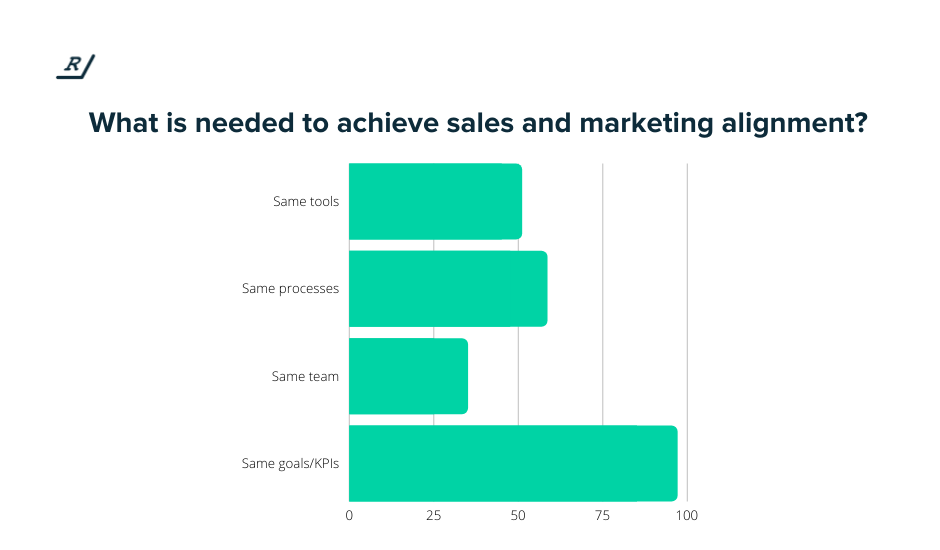
If there was alignment between the two teams, they would have agreed on what a quality lead means for the company and what is the average number of leads marketing needs to bring in before sales convert X amount of users.
If, for example, the metric shows that the sales team needs 15 leads to close 5 deals and that each of these leads should be SaaS companies with teams of 50 to 300, the marketing team will know where to focus their efforts and what to do in order to reach the common goal.
Similarly, the sales team will know better how not to fall short of the 5 out of 15 deals closed.
Why Aligning Sales and Marketing Is The Only Way to Fix Your Customer Acquisition Strategy
So with the gaps identified, it has become increasingly clear that the solution to bridging the gap is to align your sales and marketing teams.
Here are some reasons why.
It helps keep business to customer communications consistent
It happens more often than you think—the sales team calls the product one thing, but the marketing team uses another term to describe the same product.
For example, the sales team calls it a “Chatbot,” while the marketing team calls it a “Conversational Marketing Platform.”
Here is another example. The marketing team talks about “Collaborative Growth Platform”, while the sales team talks about “CRM”.
Admittedly, this can be confusing for potential and even existing customers, and it’s a living example of mismatched messaging.
Not surprisingly, it can cost you your first good impression and, as a result, a prospect may be less likely to trust you.
In fact, 21% of B2B marketers cite “giving the prospect a bad first impression of our company” as one of the most damaging factors resulting from misaligned marketing and sales.
That’s why one of the biggest benefits of aligning sales and marketing teams is consistent messaging.
The messaging used by your marketing team can now warm up prospects and set them up for the sales team to further reinforce those same messages. If the marketing message strikes a chord, the sales team can use it to close more business.
Failing this, you may end up with a siloed message, which can lead to a very confusing and inconsistent journey for your prospect.
21% of B2B marketers cite “giving the prospect a bad first impression of our company” as one of the most damaging factors resulting from misaligned marketing and sales.Click To Tweet
If your prospects think they’re getting one thing based on what marketing is saying when the sales team is selling them something completely different, it will definitely hurt your bottom line.
So it’s important to make sure your message is consistent and relevant to your entire customer journey.
It creates a single customer journey
We discussed earlier that the foundation of the sales-marketing relationship is the conversion funnel.
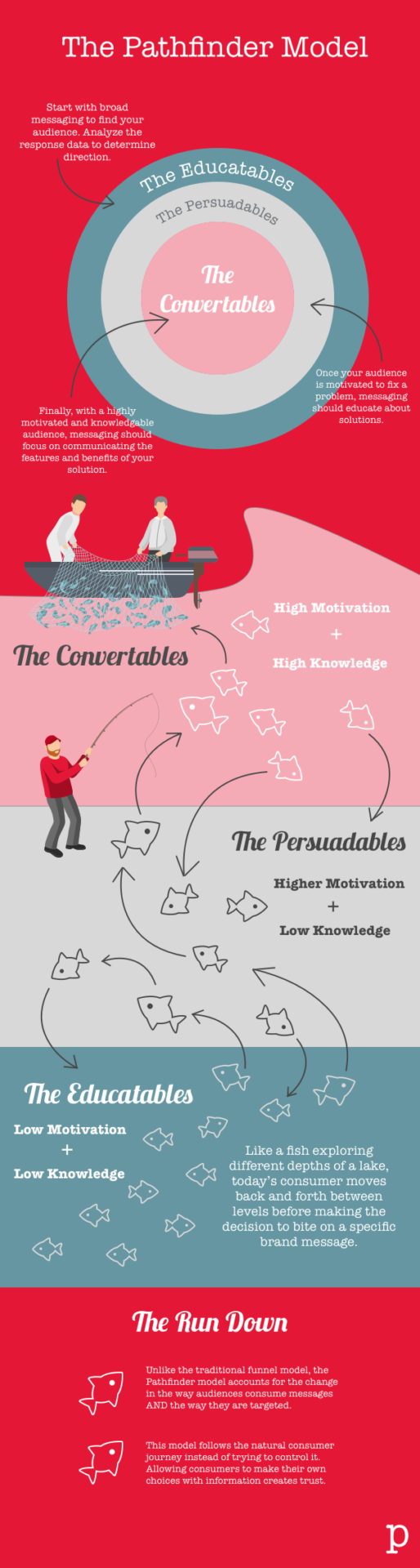
So when it comes to getting everyone on the same page, the best place to start is to get them to agree on the structure of the entire customer journey.
By doing so, you save your prospects from having a single branded customer experience instead of separate siloed experiences.

As a result, everything is tied together as an experience—from the awareness stage at the top of the customer journey funnel to the brand loyalty stage.
It fosters a “marketing first” approach
Each department plays its own tune when your sales and marketing teams are misaligned. In such scenarios, prospects are less likely to respond positively to a cold outreach if they’ve never heard of you, and that can harm your reputation and your chances of closing the deal later on.
If both teams are aligned, it encourages a “marketing first” approach—meaning that marketers find prospects who have a specific problem and create content to help them solve that problem.
It all starts with the marketing team warming up and nurturing new leads by creating informational content about the product and selling the features and benefits by creating transactional content to fuel conversion.
Then, when the potential customer prepares to make a decision, the sales team can take it from where the marketing left and close the deal.
It leads to a better way of assessing results
By aligning your sales and marketing teams with a common goal and the same KPIs, you have a great chance to see the synergy behind their work and analyze how your organization is stacking up in both sales and marketing.
In addition, you will be able to detect the shortcomings of your customer acquisition funnel and adjust not only certain parts but the whole funnel.
The post Struggling With Customer Acquisition?: Fix This One Alignment Issue appeared first on Content Marketing Consulting and Social Media Strategy.
Source: convinceandconvert.com

4 Reputation Management Realities That All Brands Now Face
What do Beyoncé, Kate Middleton, and Harrison Ford have in common? Other than having devoted fan bases, they’re celebrities who have a reputation for giving very few interviews. They control their messaging tightly.
While Beyoncé and Kate Middleton choose to go directly to their fan bases with highly choreographed messaging through their social media channels, Harrison Ford is one of only a very few celebrities who aren’t on social media at all.
However, whether or not they choose to connect with their fans online, none of these celebrities can stop the millions of rabid fans who run fan accounts, who post to Reddit and Instagram, and who analyze their every move through YouTube videos and blog posts.
Why does this matter for you and your business?
Just like celebrities, the rise of fan culture on the internet has fueled both a huge boom in brands’ abilities to control their own reputations, as well as the decentralization of where reputation management lies.


We are now able to build communities of like-minded customers and brand fans. With that comes the responsibility of monitoring a growing array of websites and spaces where brands rate products, review services, comment, and ask for help.
4 Key Considerations of Reputation Management
Ratings and Reviews Are No Longer a Choice
“The rating trusted most by consumers is 4 stars followed by 4.5 and 5 stars,” according to review software company ReviewTrackers.
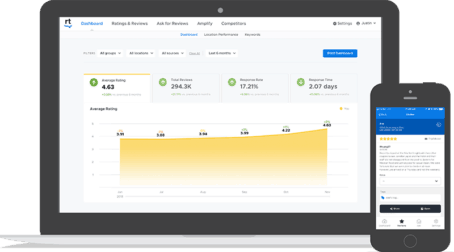
Many years ago, I worked for a well-known arts & crafts brand. At that time, the company I worked for gave the ability to customers to rate and review patterns (the directions consumers would use to create their craft projects), but not the products themselves.
The thinking was that we didn’t want the companies’ own products to have negative reviews. And yet, study after study shows that a few negative reviews actually bolster trust in reviews overall. Furthermore, customers tend to trust relatively positive reviews most (see above quote from ReviewTrackers).
What brands must do is not only encourage reviews with open arms but encourage customers to look at positive reviews as social proof. Today, that same company has embraced product reviews both on their website and in their digital marketing efforts.
And this goes beyond B2C brands. Brands as wide-ranging as US Bank, the fifth-largest commercial bank in the US whose reviews are mostly on Google My Business, to DeSantis Breindel, a New York City-based branding consultancy whose reviews are on platforms like Clutch (both brands are clients of Convince & Convert) are not only monitoring and responding to reviews but also using reviews to feed their marketing efforts (see below).

It’s Not Just What They Say, It’s What You Do
“39 percent of social media complainers who expect a reply want it to come within sixty minutes, yet the average response time from businesses is five hours,” found research by Jay Baer and Edison Research.
In 2016, C&C founder Jay Baer wrote, “Haters are not your problem….Ignoring them is.” That reality is more true now than ever before.
Customers expect help with their issues, and when you don’t respond to negative reviews, your prospective customers will hold you accountable for that inaction.

To positively impact your reputation, treat reviews as an opportunity for customer service and excellent customer experience. Respond to your reviews; add context; thank brand fans and address fan haters.
Social Listening Is More Complex Than Ever
“Word of mouth is directly responsible for 19% of all purchases, and influences as much as 90%,” says the book Talk Triggers by Jay Baer and senior strategist Daniel Lemin.
Outside of owned review channels, brands must monitor reviews and conversations on channels from Facebook and Reddit to the bumper crop of industry-specific review sites such as Zocdoc and Healthgrades.

Using monitoring tools like Meltwater and Sprinklr helps brands to stay on top of what’s being said. Beyond sentiment and topics, brands must make sure that they are leveraging the built-in AI to analyze conversations for trends to keep on top of what their proactive messaging needs to be.
Not sure how to leverage these social listening tools to uncover this data? Consulting firms like Premium Blend can help to build strong queries and implement effective listening processes.
Again, it’s not just knowing what people are saying, but also using this data to shape what your brand should be talking about to be relevant to your customer base.
Showcase Your Customers’ Words and Stories
Reputation management is the reactive part of our work, but we also have the opportunity for reputation marketing. Leverage the stories that your customers are telling about you to market your products/services to prospective customers.
Whether you’re aggregating real customer social media posts like Korean beauty brand Hanacure does on their @hanacureeffect Instagram account or you’re using a tool like SocialProve to pop-up notifications to website visitors that indicates when others have purchased on your website, you’re engaging in reputation marketing.

What are some ways that your brand can leverage customer stories as social proof?
- Proactively turn user-generated content (UGC) into social media campaigns
- Leverage customer reviews and quotes on landing pages
- Showcase real customer feedback in advertising
- Address questions you’re getting from Quora, Reddit, and/or your own communities as content
- Create animated videos featuring customer reviews
- Integrate real questions into your chatbot scripts or FAQs
- Highlight your review scores using in your top-navigation and/or footer
3 Questions to Ask Yourself
- Your customers are already out there talking about your brand—are you encouraging them to do so in the places that help you to strengthen your reputation?
- Are you showcasing the level of customer experience that your prospects can expect from your team?
- Are you reassuring prospects that others like them trust you?
That’s your opportunity with reputation management. Don’t waste it.
The post 4 Reputation Management Realities That All Brands Now Face appeared first on Content Marketing Consulting and Social Media Strategy.
Source: convinceandconvert.com

‘Tis the Season to Double Down on Social Customer Care (and Protect Your Community Managers)
Just when we thought we, as social media strategists and community managers, could rest up from the twists and turns of the last 18 months, the holiday season is upon us.
It feels like it could be a doozy.
- Global supply chain challenges are causing significant inventory gaps for some.
- A tight labor market causes other delays, shortages, or increased prices.
- Some families are gathering for the first holiday season in two years, and the expectations are HIGH.
Heightened customer expectations and consumer demands equate to a potential increase in the velocity of service inquiries. Sprout Social predicts a rise of 44% more messages on Instagram if last year’s trends continue and a 14% increase in Twitter messages.

Avoid Social Customer Care Burnout
With this challenge, of course, comes new opportunities to provide trust-building service to your potential and current customers.

Before we move into how to mobilize your company to provide extraordinary social customer care, this is a great time to remind everyone reading that social media community managers are grappling with burnout:
- The faucet never stops. You can set hours, scale teams, and establish processes, but this work never turns off.
- Daily jobs can consist of wading through endless hateful comments, especially on platforms like Twitter which is full of a polarized political scene.
- It’s harder and harder to break through and get a significant creative win, especially when expected to wear the hats of designer, video editor, copywriter, strategist, and customer service representative.
That takes us to the first recommendations for activating an excellent customer experience on social media this holiday season:
Train Your Social Care Team
If your social media manager is the only one serving as your organization’s social media customer service center, you need to rethink your approach.
As the demands ramp up, ensure you meet as a team and determine the resources you need to deliver the experience you want. Ideally, integrate your customer service team directly into your social listening inboxes.
Train anyone involved in responding to consumers on social media, so they understand the context of where they are playing, how it’s different from traditional customer service, and the brand’s social media voice and tone.

Establish Guidelines That Encourage Maximum Transparency (and Yes, Even Disappointment!)
During this season, you may not have good news for all. But all complaints or questions need a response.
Decide now how you can be the MOST transparent as possible in your response strategy, understanding that you don’t always (and can’t always) SOLVE the issue, but you can ALWAYS hear the issue.
Edison Research discovered that not answering a complaint results in a 50% decrease in advocacy. However, responding to a complaint results in a 25% increase in advocacy. NOTE: that did not say SOLVING a customer’s issue. Responding alone increases advocacy.
Consider the following:
- What will you not respond to?
- How will you respond to positive comments?
- When do you respond with a full response vs. a simple acknowledgment?
- When will you move conversations “off-stage” and into a more private channel like a DM?
Ensure Your Community Management Team Has The Right Software
If you don’t have a social listening tool in place, now may be the season to invest in a tool. Setting up your tools to make it easy to identify, respond to, and catalog customer inquiries will save huge amounts of time.
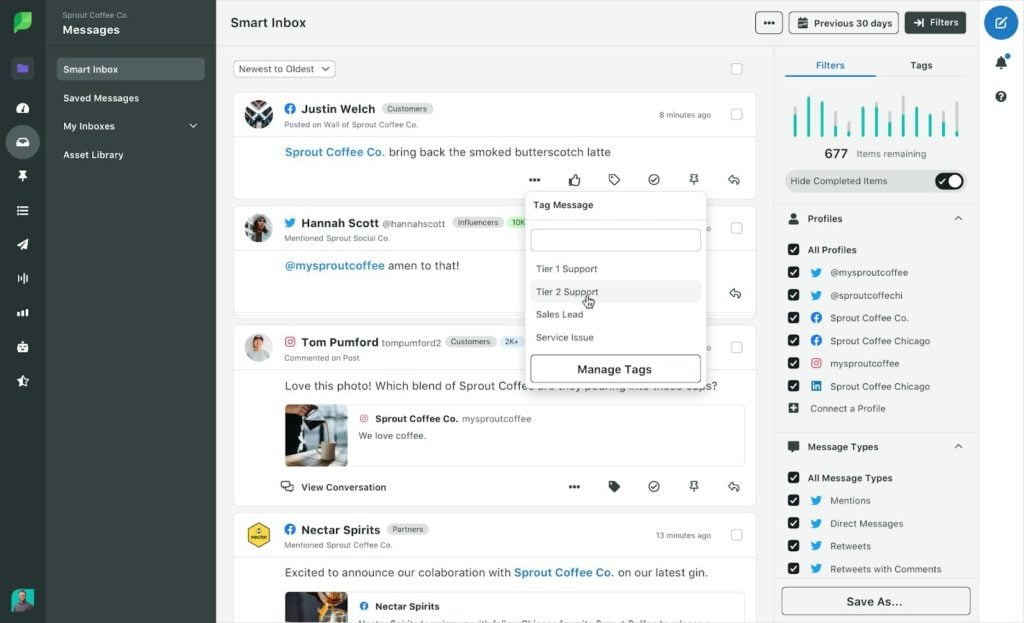
Today, many tools like Sprout Social or Hootsuite that you may already be using for posting have add-ons for listening. There are also stand-alone tools like Meltwater that can provide an extra layer of support.
Make Contacting Customer Service Easy and Accessible
In your social media bios, add other places where customers can receive service along with the hours and contact information.
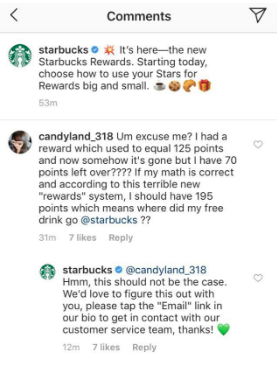
Use Integrated Social Tools To Respond To and Organize Responses
Each social channel has a set of tools that can help you provide information and organize your response.
Program automatic/quick replies for frequently asked questions. On Instagram, set up an FAQ Highlight that answers all frequently asked questions, so people don’t have to leave the app when looking for an answer.

If you aren’t using a social media monitoring system, utilize the message status capabilities within your social media inboxes, so you can filter based on messages that need a response.
May Your Social Care be Merry and Prepared
The best thing leaders can do is equip their teams with the necessary resources to scale social media services smoothly. In the best-case scenario, you won’t need them. But realistically, there will be a point in time where this preparation will ensure a better customer AND employee experience.
The post ‘Tis the Season to Double Down on Social Customer Care (and Protect Your Community Managers) appeared first on Content Marketing Consulting and Social Media Strategy.
Source: convinceandconvert.com

How to Use AI to Bolster Your Customer Journey
Wouldn’t it be awesome if you could skyrocket your lead-to-sales conversions to new heights?
Most business owners struggle with this.
Data shows that a whopping 79% of leads never convert to sales.
This highlights how challenging it can be to move leads through the customer funnel journey.
The good news is, Artificial Intelligence (AI) can supercharge your customer funnel journey to help you get more sales.
AI will efficiently weed out your low-quality leads and eliminate repetitive, time-consuming tasks, allowing you to focus on higher-quality and converting ones seamlessly.

AI will help your brand grow by preventing your leads from falling through the cracks at each stage of the customer funnel, which increases your sales-ready prospects for conversion.
Read on to learn more about how you can use AI to bolster your customer funnel journey.
Customer Funnel Journey: What is it?
A customer funnel’s structure and components can vary depending on the company or industry, among other factors.

The standard customer journey funnel stages can include:
Awareness.
This stage focuses on raising awareness for your brand and sharing information about your value with your target audiences.
Interest.
Here, your leads learn more about your business, products, and services.
You can introduce your positioning and capture leads by encouraging signups to your email newsletters (among others).
Consideration.
In this step, engage your leads actively by delivering personalized messages that reinforce your brand’s benefits.
Provide specific information to overcome objections and qualify your leads.
Evaluation.
Your prospects start showing interest in your products and services at this phase, deciding whether to buy from you or other brands.
Highlight why prospects should choose you over your competitors to make them stick.
Conversion.
After your leads convert to customers, market your onboarding materials, deliver messages celebrating their decision, and assess satisfaction levels.
This stage is also a great time to run your upselling and cross-selling strategies.
The customer funnel can show you how your leads interact with your brand and where they fall off.
This helps you refine and improve your strategies to keep your leads moving through each stage until they ultimately become paying customers.
A well-defined customer funnel journey helps you optimize your lead capture, engagement, nurturing, qualifying, and converting efforts.
It also informs your strategies to help you create immersive and memorable experiences across devices, channels, platforms, etc. that make your leads stick and convince them to become loyal clients.
The importance of using AI in the customer funnel journey
It’s time-consuming and labor-intensive to establish an effective customer funnel journey.
However, AI can do the heavy lifting for your sales and marketing teams through automated methods, such as autonomously identifying more qualified leads quickly.
This reduces the strain on your resources and your teams avoid needlessly chasing less-qualified leads.
AI can serve as your company’s sales and marketing virtual assistant by handling repetitive and tedious tasks.
This frees up your teams so they can focus on more meaningful, higher-level, and revenue-generating work.

The technology can also reduce human error and work 24/7, optimizing your lead engagement, nurturing, and qualifying efforts.
Through machine learning technology, you can “train” your AI to respond to conversations and events the way you would.
Your AI can learn from lead interactions and data, and the more input it accumulates, the more it can optimize its functions and responses on its own.
Ways to leverage AI in each stage of the customer funnel journey
Below are several ways AI-based technology can boost your customer funnel journey.
Streamline your lead generation efforts
The customer funnel journey typically begins with raising brand awareness, and this is where a lot of manual work is done.
For instance, you’ll need to build and design campaigns to tailor them to potential customers who haven’t heard of your products and services before.
This includes creating content such as blog posts, articles, lead magnets (ebooks and whitepapers), and website content (among others) to raise brand awareness and capture leads.
However, the content creation process can take a huge amount of time and resources — unless you use an AI-powered platform that can automate your content creation process.
This is where Broca comes in handy.

Broca provides a deep learning AI platform that generates content for your marketing and sales needs in a flash, saving you from the resource-draining aspects of building content.
If you’re creating content for all your campaigns, Broca delivers by instantly generating the content, from ideation to distribution, for your website and marketing channels.
First, provide a campaign brief (in a few sentences) describing your campaign and where you want to direct your traffic, such as your blog post or landing page.
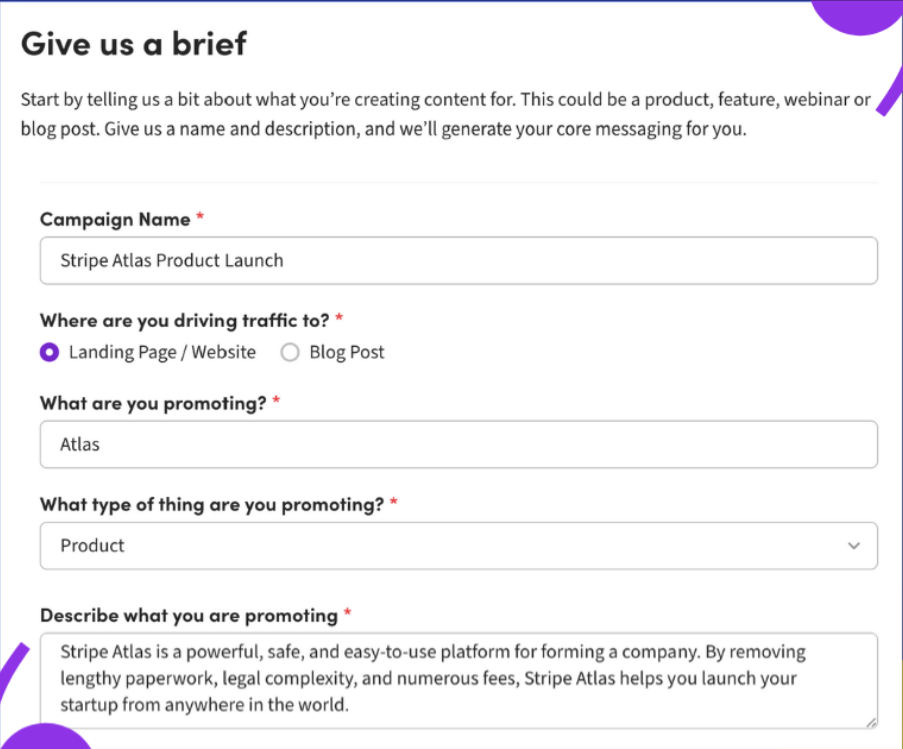
Image source: usebroca.com.
The platform then creates core messaging based on your campaign brief, giving you three key benefits of your brand, an enticing value proposition, and a killer headline.
You can validate and modify all these with your team before proceeding.
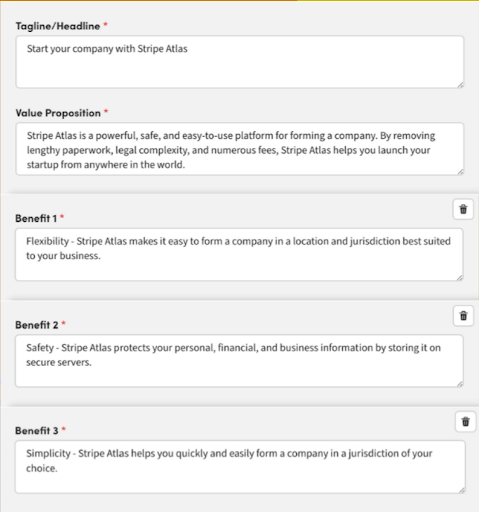
Image source: usebroca.com.
Finally, Broca creates promotional content out of your core messaging, providing you with brand-aligned and ready-to-distribute emails, ad copies, and social media posts.
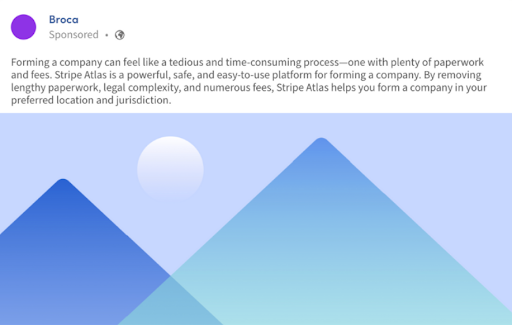
Image source: usebroca.com.
The platform creates your marketing and sales content across channels, which helps ensure your content and messaging remain consistent throughout the customer funnel journey.
Broca also streamlines creating Google ads by analyzing your current ads and generating new suggestions, putting your ad channels on autopilot.
A robust AI-based content-generating platform is a game-changer in your content creation for lead generation.
It significantly cuts down on the time-intensive, tedious, and usually complex process of creating effective content by doing the heavy lifting aspects of the process.
With AI under your tool belt, you and your teams don’t break a sweat but still get high-quality, consistent content at a scale that generates significant leads.
Automate your lead nurturing and qualifying processes
To get your leads to interact with your brand and guide them to the next stage of the customer funnel journey, you’ll need to nurture and qualify them.
However, the lead nurturing and qualifying process can take up plenty of time and energy that your sales team can optimize better to implement strategies to close deals.
The solution?
Delegate your lead nurturing and qualifying initiatives to a reliable virtual sales assistant.
If you want to take things a step further, use an AI-powered sales assistant.
One such solution is Exceed.ai.

Exceed.ai is a powerful virtual sales assistant with conversational AI that works alongside your sales and marketing teams to nurture and qualify your leads.
It helps you move your leads along the customer funnel journey until they are sales-ready.
Exceed’s AI-driven platform uses a conversational bot and machine learning technology to provide your leads with highly personalized and contextual interactions.
It uses AI to deliver human-like responses and follow-ups via chat and email, automating your lead engagement, nurturing, and qualifying processes.
First, it engages your leads through your web or chat-like forms through personable interactions.
Here’s an example of Exceed’s AI-generated email, in this case, from their own email marketing operation. (It’s always a good sign when a company uses its own product and Exceed does all of its lead nurturing via their AI assistant.)
The virtual assistant then assists your leads by answering questions, dealing with objections, and responding to their requests while simultaneously gathering data for your Customer Relationship Management (CRM).
Next, it implements automated nurturing and uses intelligent follow-ups to move your leads through the customer journey funnel stages.
The VA acts as a virtual Sales Development Representative (SDR) by validating your leads based on the previous and current conversations and your Sequence or Playbook (more on this later).
Finally, after the VA qualifies your lead, it hands over your sales-ready prospects to your human sales representatives for closing.
It can automatically book a schedule for your leads based on your sales reps’ appointment availability that you and your team configure within the Exceed.ai platform.
The AI-based virtual assistant handles the entire process, from engaging your leads to handing them off to your sales reps.
This saves your team tons of time and energy while ensuring you generate, nurture, and qualify your leads effectively.
Another key Exceed.ai feature is Sequences.
Sequences serve as your playbooks or campaigns with pre-built, customizable chat and email templates.
Each sequence for every campaign includes guided templates for many use cases, such as getting your lead’s attention, engaging them with a product intro, and handover chats or emails.
Customize the template or build one from scratch to set the automated responses your Virtual Assistant sends out for every sequence in your campaign.
All these features streamline your lead interactions as they move along the customer funnel journey.
With AI-led lead nurturing, your sales and marketing teams spend minimum effort and time on your lead nurturing and qualifying processes.
They can divert their resources to closing sales instead, boosting your business’ sales performance.
Improve customer conversations when closing sales
Not all prospects end up converting even when they made it as far as one-click or a conversation with your sales reps away from becoming a closed deal.
This makes it crucial to ensure your sales reps can skillfully and effectively steer the conversation so your prospects successfully convert into customers.
Here the Cogito, an AI software enters the scene.

It uses real-time emotional intelligence software and incorporates machine learning with AI. It can analyze voice calls between your reps and prospects (or customers).
The software is primarily designed to augment your call center and sales agents with an AI coaching system.
For instance, if your reps speak too fast during a customer call, Cogito sends a prompt alerting them to talk slower and pace how they speak.
Cogito’s technology combines speech analytics and conventional sentiment with proprietary voice insights, which can help your sales reps spot opportunities on the fly during prospect and customer conversations.
Cogito’s AI coaching software detects and measures the customer’s sentiment by:
- Using AI informed by behavioral science and machine learning to uncover over 200 voice signals, revealing how speakers feel.
- Uncovering trends, patterns, and problems through data compiled in many conversations over time.
It can be almost impossible to detect by humans alone.
Cogito also provides an automatically generated experience score that alerts your agents of the customer’s sentiment in real-time, helping them adjust their speaking style accordingly.
Enhance customer loyalty and retention
It can take less of your resources to retain existing customers than convert new leads, making the loyalty stage a critical phase of your customer funnel journey.
AI can help you retain and establish loyal customers through machine learning technology that automatically displays highly personalized right before and after-sales offers.
For instance, AI-based Ecommerce website software integrations can help you build, upsell and cross-sell strategies automatically.

Point of Sale
This can enhance your customer’s shopping experience further seamlessly while increasing your average revenue per buyer.
These tools can use machine learning and algorithms to deliver relevant and automated cart recommendations without requiring you to pre-set or configure anything.
In a nutshell, using an AI-driven platform that can seamlessly provide supplementary and interesting product offers tailored to each shopper boosts their customer experience.
This leads to a memorable experience with your brand, encouraging repeat business, nurturing trust, and in turn, increasing customer loyalty.
Start optimizing your customer funnel journey

AI-based software are powerful tools that can significantly reduce and streamline your busy-work tasks, enhancing the process and experience for your teams and your customers.
The right AI-driven platforms can help ensure your leads avoid slipping through the cracks as they move through each stage of the customer funnel journey.
These tools can help optimize your strategies to effectively convert your leads into paying and loyal customers.
While investing in tools with AI capabilities might not be cheap to start, the benefits can far outweigh the costs, and you will end up with seamless and efficient lead conversion processes in the long run.
The post How to Use AI to Bolster Your Customer Journey appeared first on Content Marketing Consulting and Social Media Strategy.
Source: convinceandconvert.com

How to Use Customer Journey Mapping for PPC Campaigns
However, when you combine PPC with customer journey mapping, you effectively guide your potential customers through all the phases to make a sale.

Source: https://www.youtube.com/watch?v=xNH7hKn0V8M
People might think PPC is all about having a huge budget to play with, but I’m here to tell you that’s not entirely true.
Yes, your PPC campaigns can be expensive if you haven’t mapped out your ads to the buyer’s journey.
However, when you combine PPC with customer journey mapping, you effectively guide your potential customers through all the phases to make a sale.
It helps you tighten your funnel and prevent leaks along the way, which can translate to more sales and less money spent on ineffective PPC ads.
By the end of this post, you’ll know how to align your PPC campaigns to your customer journey map and which KPIs to look for to measure your success.
What Is Customer Journey Mapping?
A customer journey map is a visualization of every step a prospect takes to complete your business’s desired action.
With PPC campaigns, the action is sales.
You want the right person to click through and convert into a paying customer.
To have high conversion rates, you need to understand the entire journey a customer goes through before clicking the “Add to Cart” button.
By combining customer journey mapping with your PPC campaigns, you can identify the actions, motivations, pain points, and areas of friction for each prospect and use that to figure out what messages would make them convert.
Why You Should Create a Customer Journey Map for Your PPC Campaigns
Before we jump into why you should combine PPC campaigns and customer journey mapping, let’s take a couple of steps back.
What exactly are PPC ads, and how can they help your business?
Pay-per-click (aka PPC) ads are an online advertising model.
Advertisers bid on specific keywords and only pay when a user clicks through.
Here are a few of the different types of PPC ads:
- Search result
- display
- social media
- video
- retargeting
Why should you use customer journey mapping for your paid ads?
Well, think of it this way:
When someone hops onto Google and starts typing a phrase, they’re somewhere on the customer journey spectrum.
They might be right at the beginning, where they’ve identified a problem (the awareness stage), or they could be aware of solutions to their problem and are on the hunt to make a purchase (the decision stage).
By curating PPC campaigns to a prospect’s journey, you can identify key touchpoints with your brand and the goals each person wants to achieve at every stage.
With this in your arsenal, you can make sure your ads speak to the buyer’s journey holistically and encourage prospects to make a purchase.
When you take the time to go through this process, it gives you a wealth of information to create stronger PPC campaigns.
You’ve created an entire ecosystem to guide the customer through the buying process and make sure they feel safe doing business with you.
To sum it up, combining your PPC ads with customer journey mapping can help you:
Gain valuable insights:
- Customer journey mapping tells you what a prospect expects from you at each stage.
- This, in turn, helps you meet a prospect’s needs and nurture them to the final stage.
Understand touchpoints:
- The buyer’s journey isn’t linear.
- A prospect might need multiple interactions with your brand before making a decision.
- By connecting these touchpoints to your PPC campaigns, you can keep them engaged, educate them to make a decision, and avoid losing the sale.
Stronger PPC campaigns:
- By using all the data you have on your prospects and customers, you can predict behaviors.
- By anticipating what someone needs from you, you can optimize your conversion process and waste less money on PPC ads.
How to Create a Customer Journey Map for Your PPC Campaigns
It’s tough to see site visitor numbers go up and sales stay the same.
However, keep in mind that what those visitors are saying isn’t a hard “no,” but rather a “not right now.”
When you use customer journey mapping with your PPC campaigns, you can learn more about what a person needs to hear from you to eventually get them to say yes.

To do that, you need a marketing funnel for each part of the customer journey.
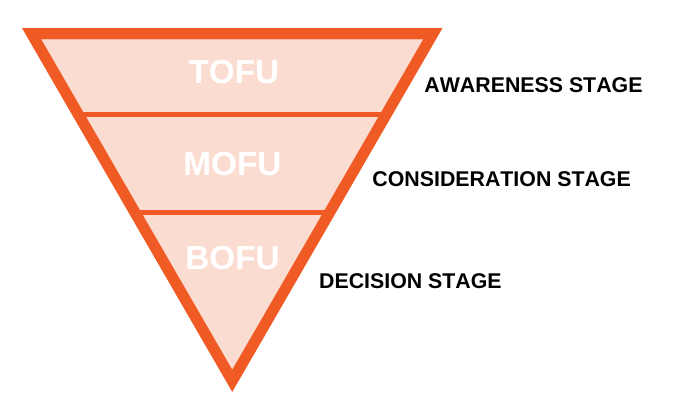
What strategies should you be applying at each stage with your PPC campaigns?
Let’s break it down.
Top of Funnel (TOFU) PPC Campaigns
The top of the funnel is the stage of awareness.
Your future customers are not aware of you yet, and your number one goal is to create brand awareness and educate prospects.
How do you make people aware of your brand with PPC?
Here are a few ways:
Display ads:
Use display ads to give away free value.
You want to give potential customers quick wins with blog posts, whitepapers, or e-books.
For your targeting methods, use keyword contextual targeting.
It matches keyword-targeted ads to sites within the Google Display Network.
You can also use topic targeting to make sure your ad appears on relevant websites, apps, and videos.
YouTube ads:
Having over 2 billion users, YouTube is one of the best places to grow your brand awareness.

Here’s how to grow your business using YouTube ads with a complete breakdown of the different ad formats and their success rates.
Social media ads:
Depending on where your audience hangs out, ads on Facebook, Instagram, or Pinterest can help with brand awareness.
Facebook offers the most robust targeting, allowing you to reach people interested in specific topics or accounts similar to people already engaging with your brand.
Google Ads:
Someone in the awareness stage won’t use branded keywords.
Instead, they’ll use broad words and phrases related to their problem.
For example, “Which TV is best” or “hiking backpack.”
Using different keywords at each stage of the sales funnel can help optimize your PPC campaigns.
The key performance for your PPC campaign in the awareness stage is brand recognition.
You’re not going to convert a visitor into a customer yet.
This campaign is an investment to move the user down the funnel and eventually close the sale.
You want to focus on metrics like:
- bounce rate
- time spent on site
- reach
- impressions
- CPM (cost per 1,000 impressions)
Middle of Funnel (MOFU) PPC Campaigns
Once someone enters the middle of the funnel, the person is interested in making a purchase.
These buyers are now aware of their problems and are actively looking for a solution.
Your PPC ads become more specific as the search for a solution narrows.
Google Ads:
Ensure you’re creating PPC ads for people actively searching for your product or service.
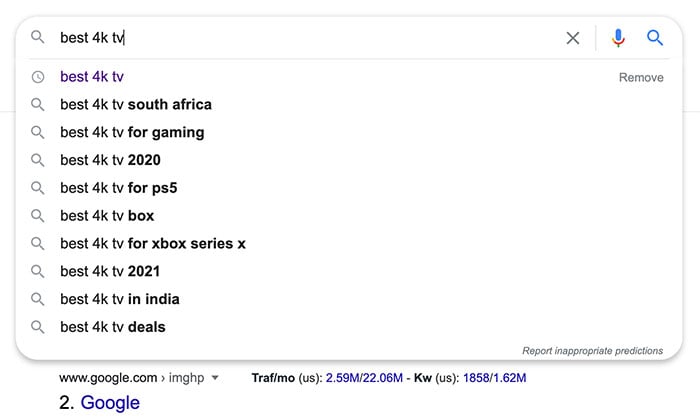
For example, if a customer is looking to buy a TV, their searches will contain more qualifying terms such as “plasma TV,” “4k TV,” or “best 4k TV for gaming.”
Remarketing:
Remarketing is a powerful component of PPC marketing.
You can use it to serve ads to blog readers, users who have spent X amount of time on your site, or people who have downloaded your TV comparison guide.
YouTube:
YouTube has a video ad sequence campaign you can use to generate awareness around your business. You can set it up as a campaign subtype under “product and brand consideration” goals in Google Ads.
It allows you to create a custom sequence or use a sequence template.
The key performance metric for your PPC campaign in the consideration stage is to get people to understand your product and want to buy it.
To do this, give them all the information to make an informed decision and move them to the next stage.
You want to focus on metrics like:
- clicks
- CPC (cost per click)
- views
- new user conversions
- new user conversion rate
Bottom of Funnel (BOFU) PPC Campaigns
BOFU is the decision phase of the customer journey.
Your prospect has identified a problem, done the research, and is ready to make an informed purchase.
At this stage, your PPC traffic is hot.
Users know who you are and are prepared to convert.
Your PPC ads will start to get more niche and revolve around high-intent keywords.
Consider the following strategies for BOFU:
Target your brand name:
If the customer is searching for your name, congrats! All your hard work in TOFU and MOFU has paid off.
They’re aware of your brand and what you offer.
The search phrases you want to target are specific and include your brand name like “buy LG 4k TV.”
Focus on high-intent search ads:
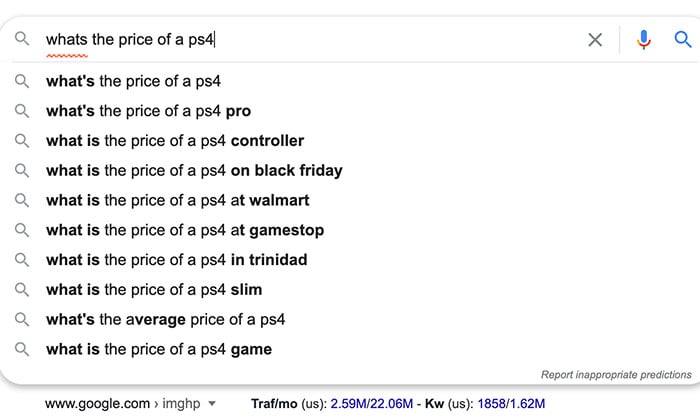
In the BOFU stage, make sure your PPC ad keywords are targeting high-intent search terms like “buy,” “what’s the price of,” competitor names, and location-specific terms.
Utilize remarketing:
Set up PPC remarketing campaigns for customers who have viewed a product or abandoned their cart.
You can also offer a deal to lure them back to your site and complete the purchase.
The key performance metric for your PPC campaign in the decision stage is conversions.
This is when people are ready to buy, and you should focus on revenue metrics like sales and return on ad spend (ROAS).
Tips for Integrating Your Customer Journey Mapping Into Your PPC Campaigns
Now that you know all about customer journey mapping and how to use it in your PPC campaigns, here are some things to keep in mind:
Spend time crafting your buyer personas:
The more you understand your customers, the better you can map their journey and tweak your PPC campaigns.
Write better ad copy:
Do something that will grab their attention and stop the user mid-scroll.
You want to make them feel like you’re reading their minds and ultimately push them deeper into your funnel.
Dedicate time to keyword research:
Using the right keywords is the difference between a successful PPC campaign and a flop.
You want to make sure you’ve mapped out your keywords to the different phases, and you’re encouraging the user to make a purchase.
Build your remarketing lists:
Don’t put off fine-tuning your remarketing.
When you combine this essential part of PPC with customer journey mapping, it’s integral to make sure you’re guiding the user down your funnel.
You can create remarketing audiences with Google Analytics and use them for your ads.
Test, analyze, and tweak:
You can only find leaks in your funnel and fix them by constantly testing and monitoring your results.
Tweak your ad messaging, look at your conversion path analytics, and adjust your strategy until you have a winning formula for your PPC campaigns.

Learn How to do successful PPC Ads.
Conclusion
To sum it up, combining your PPC campaigns and the buyer’s journey is all about serving the right message to the right person at the right time.
You want to make sure you’re providing the correct content and information whether someone enters your funnel at the top, middle, or bottom.
Once you’ve created this flow in your PPC campaigns, you’ll see more flow in your business, as well as predictability, results, and less money wasted on a leaky funnel.
What’s your biggest struggle when it comes to mapping out your PPC campaigns with your customer journey?
The post How to Use Customer Journey Mapping for PPC Campaigns appeared first on Neil Patel.
Source: feedproxy.google.com

25 Review Sites to Get More Reviews for Your Business
Reviews aren’t just about finding out what consumers think you’re doing right or where you can improve. They’re a highly useful marketing tool for drawing traffic, generating leads, and making conversions.
What’s in a review?
A lot, it turns out.
Reviews aren’t just about finding out what consumers think you’re doing right or where you can improve. They’re a highly useful marketing tool for drawing traffic, generating leads, and making conversions.
Let me show you why you should be scoping out reviews for your business.
Why It’s Important for Your Business to Get Reviewed
With over 31 million small businesses in the US, consumers have a massive amount of choices. For businesses, this means it’s crucial to find ways to set your brand apart from competitors.
How Customer Reviews Can Help You?
Reviews can help in three primary ways.
1. Purchasing Decisions
Reviews directly affect purchasing decisions:
- Around 95 percent of consumers check out online reviews before buying anything.
- It’s not just your average consumer who cares about reviews, though.
- Over 41 percent of businesses use review websites before purchasing software—so reviews matter for B2B work, too.
- Reviews empower buyers to make better-informed choices.
2. Brand Awareness
Generate traffic and build hype around your brand through customer reviews.
According to BrightLocal, roughly 87 percent of customers read reviews to help them find local businesses, especially new restaurants, hotels, or clothing stores.
What’s more, just one business review on a high-profile site can boost your traffic by 20 percent, and 10+ reviews generate up to 127 percent more traffic.
Think of online reviews as the new word of mouth.
3. Customer Trust
Consumers want to know they can trust your brand, so who better to rely on than happy customers?
The more (positive) reviews and testimonials you have, the more likely prospective customers are to put their faith and money in your services.
Here’s another interesting fact. The BrightLocal research linked above shows 73 percent of customers don’t look at reviews more than a month earlier.
This tells us we need to pursue reviews at every opportunity and incentivize customers to leave reviews if they haven’t received online feedback in a month or so.
25 Review Sites to Earn More Customer Reviews
While there’s no need to limit yourself to just one review site, don’t feel like you need to target every site on this list. Instead, pursue the ones best aligned with the services you offer and your target audience.
To help, I’ve broken this list into B2C and B2B review sites, depending on your target buyers.
Let’s start with B2C.
B2C Review Sites
“B2C” businesses sell goods and services directly to consumers. If you’re a B2C business, opt for popular, high-traffic review sites to maximize your exposure. Here are 15 of the best.
1. Amazon Customer Reviews
Amazon isn’t just one of the first platforms to accept customer reviews. It’s also one of the most trusted sources for consumers looking for more info before buying something online.
- Open an Amazon Seller Account and encourage buyers to leave feedback.
- Amazon deducts a referral fee from every sale you make through the platform.
2. Which?
Which? is an independent platform in the UK for reviewing everything from flooring to savings accounts.
It’s one of the most trusted review sites online, so it’s worth targeting if you have products to sell.
- The audience is consumers looking for impartial, reliable reviews from an expert team.
- You can’t submit items for review, but you can contact the Which? team to give them more information about your products.
3. Angie’s List
Consumers can’t leave reviews without signing up for a paid account on the US-based Angie’s List, so the reviews are usually worthwhile—they have to really think before they sign up and write.
- Businesses must be certified home service providers to sign up.
- You can easily request feedback and reviews straight through the platform.
4. ConsumerReports
At ConsumerReports, unbiased experts test out tech products and write up informative, impartial reviews.
- If you have a physical product to sell, ConsumerReports can review it.
- Since it’s an independent nonprofit, consumers trust this platform.
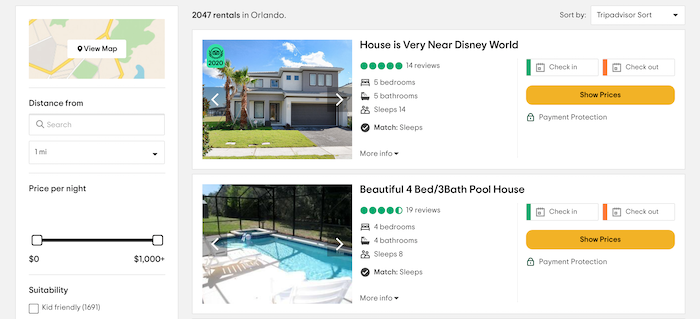
5. Tripadvisor
If you’re in entertainment, travel, or hospitality, check out Tripadvisor.
- It’s the world’s biggest travel website, trusted by audiences worldwide.
- That said, it’s hard to verify reviews and remove potentially fraudulent ones.
6. Yelp
Yelp is a popular platform known for local business reviews.
- It’s free to list on Yelp.
- Yelp is especially useful if you’re in the home and local services market.
7. Google Customer Reviews
If you sign up for Google Customer Reviews, verified buyers can rate and review your services.
- Sign up for a Google Merchant Account to get started.
- Add the Google brand badge and your seller rating to your website for enhanced credibility.
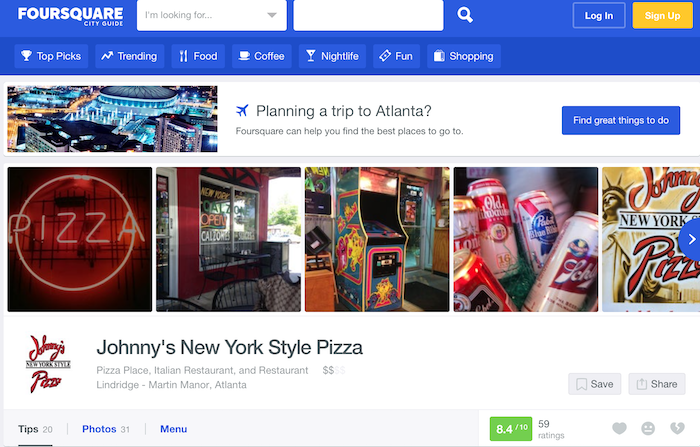
8. Foursquare
Own a bar or restaurant? Chances are, someone’s already reviewed your business on Foursquare.
- Optimize your listing with social media links and menu details to help persuade customers to choose your business.
- The downside? It’s not always easy to identify and remove “fake” bad reviews.
9. The Yellow Pages
Yes, the “real” Yellow Pages (YP) is still around, though it’s online now rather than in hardcopy.
- The YP is still a popular search option, especially for older populations.
- It’s free to list on the YP, though you can pay for a top spot in the search results.
10. The Better Business Bureau
The Better Business Bureau (BBB) checks all businesses against a predetermined set of “best practices” for customer service. Companies receive ratings from A+ to F based on the business size compared to the number of positive reviews and customer complaints.
- More than five million companies are already listed with the BBB
- .An A+ BBB rating can boost your credibility among consumers.
11. Manta
If you’re a small B2C business looking to grow your customer base, Manta can help. If you’re one of 36 percent of small businesses without websites, it could boost your web presence.
- Manta works best for small businesses targeting local consumers.
- It’s free to list, so even if you use other platforms like Google My Business, there’s no financial harm from signing up.
12. ConsumerAffairs
From collecting reviews to engaging with consumers, ConsumerAffairs helps you manage all your customer service needs.
- Start the process by opening a free business account.
- It’s most suited for SMBs offering financial or subscription-based products, like home insurance or gym memberships.
13. Citysearch
Citysearch helps consumers find the best local businesses in their community, from restaurants to nail salons. If you’re a US business, it’s worth checking out this popular review site.
- It’s free to sign up, but it’s a little convoluted. You need to sign up on Data Axle.
- It takes around two months for your listing to go live.
14. Yahoo! Local Listings
Yahoo! has partnered with Yext to create Localworks. It helps you manage business listings across over 70 directories, from Facebook to MapQuest, so you can quickly scale your marketing reach.
- Pursue reviews across multiple sites and manage them from the Localworks platform.
- Standard packages start at $23.30 per month, and it’s quick to get started.
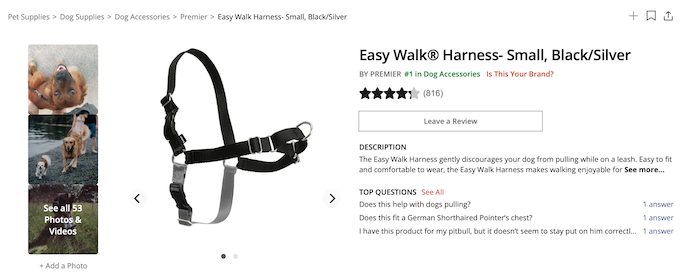
15. Influenster
Influenster partners with brands to support product launch campaigns.
- You can run highly-targeted sampling programs to help generate buzz around your products and brand.
- If you’re targeting younger audiences and product campaigns align with your marketing strategy, sign up with their parent company, Bazaarvoice, to get started.
B2B Review Sites
B2B companies target other businesses, not ordinary consumers. Since you’re targeting a different audience, it makes sense to pursue alternative review sites.
If there’s one thing these alternative sites have in common, it’s this:
- They’re highly credible.
- They’ve built their reputation on being a trusted source of verifiable information for professional audiences.
With that in mind, here are 10 top B2B review sites to pursue, depending on your product type.
16. FinancesOnline
FinancesOnline has two goals: Help vendors like you find clients and match businesses with the SaaS tools they need to grow their business.
- Reviews are verified, unbiased, and comprehensive.
- There’s no guarantee you’ll be listed on the site. You need to apply to create a listing, and the team will get back to you.
17. CompareCamp
Catered towards the SaaS marketplace, CompareCamp brings together multiple expert reviews and turns them into comprehensive product guides and educational materials.
- CompareCamp offers the kind of rounded, deep-dive into your software that’s hard to find elsewhere.
- It’s a leading, highly respected B2B product review platform.
- Simply contact the team to request a review.
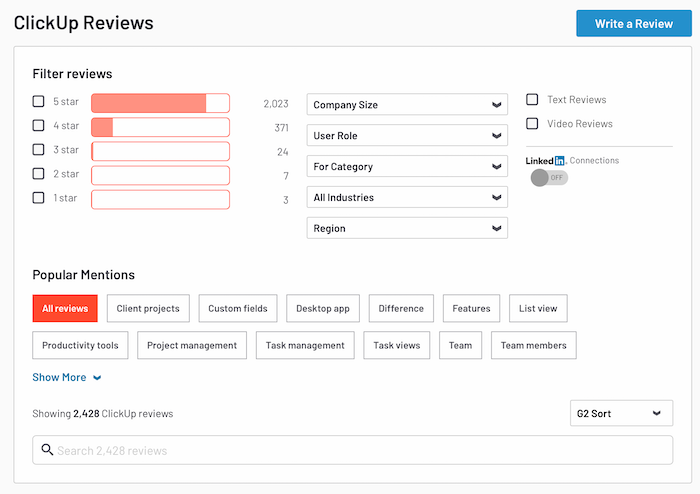
18. G2 Crowd
Do you sell software? Then get on G2 Crowd. With over four million visitors and one million+ review, it’s a lively platform known for its reliable product reviews.
- G2 users are highly engaged and love giving opinions on all aspects of your software.
- Turn your best reviews into social media posts to draw more traffic.
It’s quick and easy to claim your free profile.
19. TrustRadius
Like G2 Crowd, TrustRadius is great for gathering feedback and using it to inform your product development.
- It’s best for enterprise-level SaaS tools.
- The audience is more niche than G2.
- TrustRadius makes it easy to engage your most active buyers and bring them onboard to leave reviews.
20. GoodFirms
GoodFirms is geared toward helping software firms and IT vendors manage their online reputations. If you’re a small business trying to build hype around your product in a competitive market, GoodFirms can help.
- Although paid packages are available, there’s still a lot on offer if you opt for a free plan.
- There’s no free trial if you opt for the more expensive, paid plans.
21. Capterra
On Capterra, users share their software experiences with potential buyers. It’s an active community offering great exposure for vendors.
- Capterra is part of the Gartner Digital Markets group, so the sign-up process is similar to SoftwareWorld and GetApp.
- It’s not easy to distinguish between companies with five-star ratings but very few reviews and four-star companies with hundreds of reviews.
22. Glassdoor
Glassdoor offers everyone, from budding employees to prospective investors, a glimpse into what it’s like to work for a company.
- Glassdoor is one of the world’s most popular jobseeker’s websites.
- It’s free to open an account.
- You can quickly track reviews and respond to feedback.
23. SoftwareWorld
At SoftwareWorld, businesses search for products based on their needs, such as workflow automation or sales management.
- It’s simple to sign up, and listing benefits include social media promotion and press release publishing.
- If your product fits into multiple search categories, you can increase your exposure.
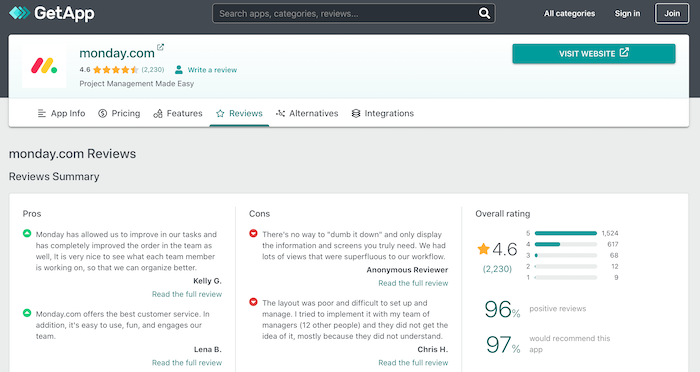
24. GetApp
With GetApp, users can shortlist business apps based on their budget, requirements, and current software stack. They can then read verified customer reviews to help them decide between the shortlisted options.
- With a free listing, you’ll be shown on Gartner Digital Markets, but a premium listing gives you access to analytics, including buyer insights.
- Reviews are divided into “pros” and “cons,” so some negative feedback is almost inevitable.
25. Software Advice
Businesses trust Software Advice for their personalized software recommendations and one-on-one telephone consultations.
- What’s unique about this platform is the team matches you with prospects.
- If a qualified lead contacts them, they pass the details to you to complete the sale.
- You only pay for whichever leads meet your specific requirements.
Conclusion
Whether you’re running a B2C or B2B business, customer reviews can help increase your credibility with buyers and attract new prospects.
There’s no reason to limit yourself to just one or two review sites, either, so explore multiple options and decide which platforms are right for your marketing strategy.
If you need help deciding which sites to target, check out my consulting services.
Which review sites are you pursuing?
The post 25 Review Sites to Get More Reviews for Your Business appeared first on Neil Patel.
Source: feedproxy.google.com

Customer Journey Mapping for Audience-Centric Content
One of the questions we hear from our clients most often is, “How do we get from ‘one-size-fits-all’ to personalized content?” And we have a clear answer: Customer Journey Mapping.
What Is Customer Journey Mapping?
Customer Journey Mapping (also known as Journey Mapping or Audience Journeys, or a dozen other variations) is simply the process of understanding the path your specific target audience segments take, from the moment they become aware of their problem until they (ideally) know and love your brand.
More specifically, customer journey maps clearly outline how each of your target audience’s needs, actions, and mindsets evolve through critical make-or-break decision points along their path.
Journey mapping works for both B2B and B2C scenarios, but it important to note that they are most valuable when evaluating longer-term purchases or relationship-building marketing strategies.
It is less useful to build journey maps for quick one-off purchases where customers are unlikely to build brand loyalty.
So, where to begin?
Why Is Customer Journey Mapping Important?
Your prospective customers are faced with a mountain of choices and content.
When they’re making a decision about whether to engage with a brand, customers—in every demographic, B2B, B2C, and across industries—are overwhelmingly signaling that they prefer personalized messaging that is relevant to their needs.
As Convince & Convert founder Jay Baer says, “To be someone’s favorite, you need to be hyper-relevant.”
One of the easiest ways to boost content marketing relevancy is through personalization. If you’re not already personalizing, you’re probably falling behind.
With the increasing demand for contextual, personalized content as well as the new opportunities for delivering that content using ABM and targeted social advertising, understanding the specific needs and concerns of each audience segment has never been more important.
You can’t personalize for a group you haven’t defined.
Journey maps help improve the customer experience by ensuring you’re considering their full experience as you design the interaction, and they help drive customer-centered decisions, as your team aligns business goals with the customer’s goals, and measures marketing performance based on the ease and effectiveness the customer experiences.
How to Create a Customer Journey Map
Building a Customer Journey Map involves defining five key elements:
- Audience Personas
- Decision Journey Stages
- Audience Mindset (thoughts, feelings, and top questions)
- Touchpoints & Key Actions
- Ideal Response & Content Opportunities
1. Audience Personas
Though creating audience personas are a separate task and not specifically part of the customer journey process, it’s essential to ensure you truly understand your audience before you begin.
Audience Personas should be based on research (even just talking with your customer service team is a great start), and they should group clusters of individuals together based on their needs and attitudes, not demographics.
Here’s more on How to Build Attitudinal Personas for Effective Audience Segmentation.
2. Decision Journey
The decision journey identifies the key steps an individual takes to reach their goal; this is often referenced by marketing teams to outline useful touchpoints at each stage of the decision. Typical stages of the decision journey include:
- Trigger/Desire: realizing they have a problem to solve
- Awareness: becoming aware of your type of solution
- Consideration: adding your brand to the list of possible solutions to evaluate
- Evaluation: comparing the possible solutions
- Purchase: committing to your product or services
- Loyalty: purchasing again and/or telling others about their positive experience.
Customize these stages for your own efforts. For example, a higher ed marketing team might choose to rename these stages:
- Desire
- Awareness
- Consideration
- Application
- Enrollment
- Ambassador
3. Persona Mindset & Top Questions
Next, it’s important to layer on the emotional mindset of this persona at each stage, and then define the questions or objections keeping them from taking that action.
However, almost none of the decisions customers make fit perfectly into a linear decision journey.
There are always emotions that affect a customer’s ability to reach their goal and speed up or slow down their progress.
Identifying the mindset of the audience at each step helps us consider the types of content and level of reassurance they need from us at any given moment.
Make sure that your decision journey includes not just rational steps, but also what they’re thinking, feeling, and needing at each stage.
The mindset analysis takes into account elements like their mood at this stage, how their feeling about the problem and our brand or brand category, trusted advisors they might look to for advice or inspiration, their experience or confidence level, and sense of urgency to solve the problem.
This is also a great place to document their questions and objections:
- What is keeping them from taking the next step in solving this problem?
- Which of your web pages is most visited?
- Which content assets get the most engagement?
- What frequently asked questions does your sales or support team find themselves fielding over and over?
A great tool to brainstorm these is an empathy map, developed as part of the Gamestorming human-centered design kit from XPLANE.
This is a useful exercise to solicit input from across your sales, customer support, and marketing teams to help identify the key identifiers along the journey.
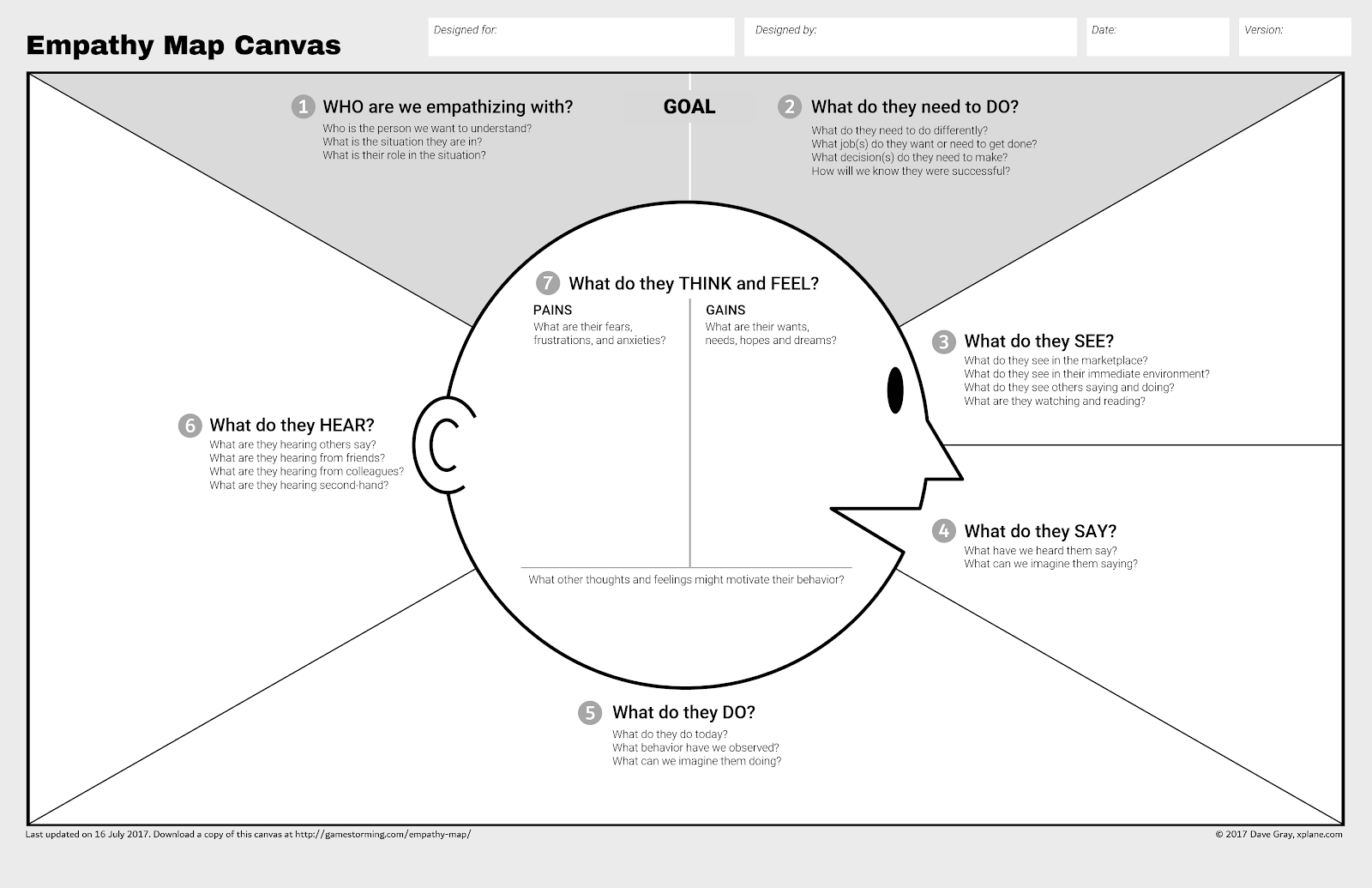
The empathy map canvas is a great tool to brainstorm the mindset of your audience.
It was developed as part of the Gamestorming human-centered design kit from XPLANE.
This is a useful exercise to solicit input from across your sales, customer support, and marketing teams to help identify the key identifiers along the journey.
3. Key Actions & Touchpoints
Ok, we know who we’re talking to, and what they’re going through as they try and solve this challenge.
The next question is what do we want them to DO and HOW are we going to encourage them to take that action. What is the most useful step they can take, and what opportunities will we have to interact with them?
Thinking about what they most need to do next at the same moment that we consider questions like, “will they are on our email list at this point?
What search terms will they be using at this stage? Is the sales team already reaching out to them at this point?
It’s important to document all the touchpoints they might get from your company all in one place to build sales and marketing alignment and ensure we’re working toward the same goals.
Understanding what actions to watch for help keep the focus on the right call to action at each step of the funnel.
4. Ideal Response and Content Opportunities
This is all about finding the most important message: what is the one thing we can say to help them get over the objection and take the next key action?
Specify an ideal response to them at each of these steps and list content you already have or plan to create to meet those needs.
From there, defining our ideal response and most important message to encourage that key action leads to clear content opportunities.
At this point, you have a really useful journey map to begin evaluating your content marketing strategy.
- Do we have most of these questions covered?
- Are these key actions from the journey map aligned with the calls to action on our website?
- What stages of the journey have we done a great job with, and where are the gaps?
Some teams use their personas, journey stages, and key action goals as a way to tag content assets, and then run reports to identify which stages are underserved.
The post Customer Journey Mapping for Audience-Centric Content appeared first on Content Marketing Consulting and Social Media Strategy.
Source: convinceandconvert.com

Top Social Media Listening Tools to Turn Followers into Customers and Brand Ambassadors
Social media listening has come a long way in the past decade. These days, every brand is using brand-name monitoring. Yet, few brands take full advantage of social media listening.
While it is great for improved customer support (for example: helping unhappy customers via social), there’s much more to social media monitoring. Today, you can:
- Find and connect to niche influencers (especially those active social media users with an engaged following who are currently interacting with your competitors). Social listening is one of the most effective steps to a successful influencer marketing campaign.
- Spot your competitors’ unhappy customers and win them over on your side.
- Turn your happy customers into brand ambassadors.
- Identify your product or service weak points so you can fix them.
- Understand your current customer base and target audience better.
- It can be a powerful lead generation tool for your business.
- Collect feedback on your product or content.
- Find engaging content ideas — discover your customers’ interests and struggles.
All in all, social media listening can provide you with a huge amount of insight, provided you are using the right tools.
5 Awesome Social Media Listening Tools
With that in mind, here are 5 awesome social media listening tools to consider for your martech stack:
1. SentiOne: AI-Powered Social Media Listening Tool
SentiOne is a dedicated social media listening platform that really gets the real power of social media monitoring and takes it to a new level.
The tool implements artificial intelligence to:
- Prioritize social media messages that need your (or your team’s) immediate attention and response
- Help your team to compose replies faster by suggesting possible messages which would work best for each mention
- Talk to your customers on your behalf through a smart chatbot

SentiOne can make your customer support team much more efficient and productive.
The cool thing about this platform is that it keeps a record of those interactions, so next time you have an encounter with the same customer, you will have all the background information.
SentiOne can make your customer support team much more efficient and productive, which is likely to result in many long-term benefits, like higher customer satisfaction and more positive mentions (from customers who get help immediately).
2. Agorapulse: Collaborating Social Media Management and Listening Tool
Agorapulse is a multi-purpose social media management tool that helps you create your social media editorial calendar by scheduling updates to multiple channels. It also comes with a powerful social listening feature that is perfect for cross-team collaboration.
Let’s face it: your brand mentions on social media are not created equal.
- Some of them are from customers who are currently in the buying process and need help immediately.
- Others are generic complaints that may not even require an immediate reply but need to be forwarded to product or site development teams.
- There are those mentions that can be turned into testimonials (to use on your site as social proof).
- There are social media messages that your outreach team may use to get some links to your site (similarly to how you’d use Google Alerts for those purposes).
How can one person handle this process if there are so many elements to it?
Well, it is quite doable if you treat social media listening as project management (which often involves many teams as well).
AgoraPulse enables your social media manager to assign different social media mentions to different teams or people. Once assigned, this team member will receive an email notification, as well as a reminder if the status of the assignment remains untouched.
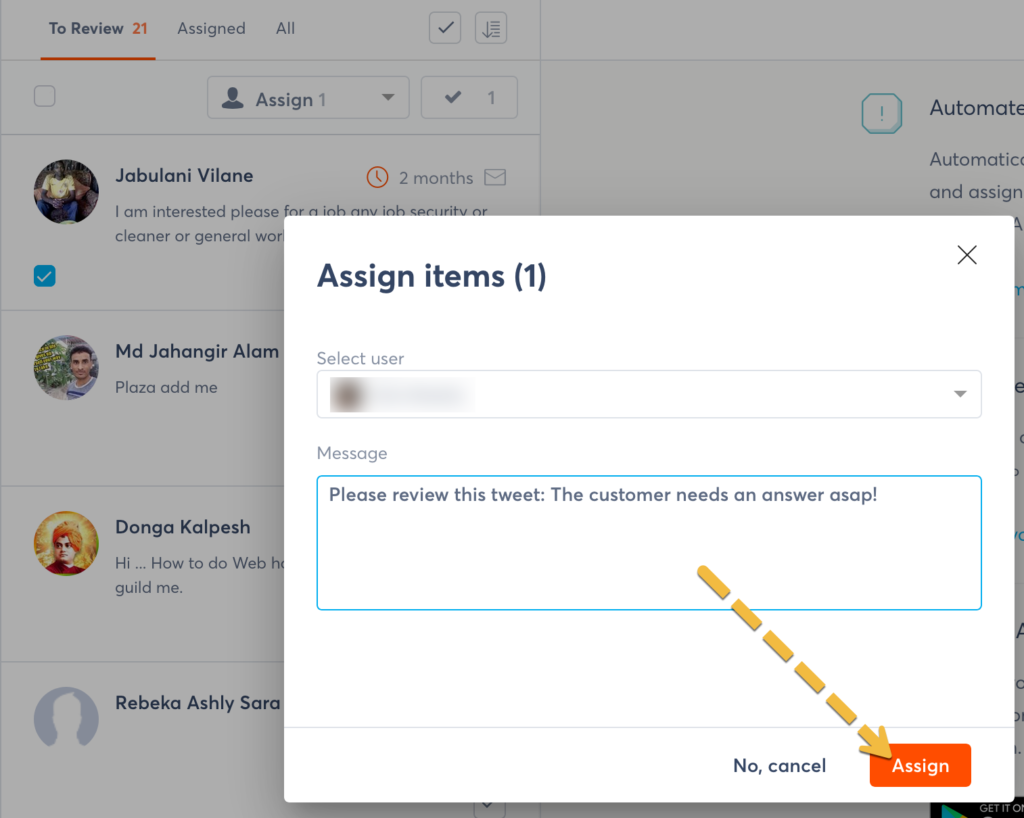
AgoraPulse enables your social media manager to assign different social media mentions to different teams or people.
This is a great way to make the most of social media listening.
3. Tweetdeck for Real-Time Interactions
Because of its real-time nature, Twitter is where customers expect to get an immediate response.
Tweetdeck is a Twitter management and monitoring tool that is free. It can also be used to manage multiple social media accounts (like your personal one, your business one, etc.)
I use Tweetdeck in combination with more advanced social media tools because it is so easy and fast to use that sometimes it’s just easier to quickly check Tweetdeck to see if there’s anything that needs your attention.
Tweetdeck integrates with Twitter lists, so it is perfect for quick interactions with niche influencers or your brand ambassadors throughout the day.

Check your list of engaged influencers to interact with their recent Tweets.
Here’s how I use Tweetdeck:
- I add people I want to regularly interact with to separate Twitter lists (those may be “Bloggers”, “Journalists”, “Brand ambassadors”, etc.)
- I create separate columns in my Tweetdeck to pull tweets from those lists
- When I have a minute or two, I open Tweetdeck and reply to recent tweets in those tweets.
This way, I keep interacting with my friends and niche influencers on a regular basis while keeping those interactions natural and meaningful.
4. Bonus: Keep an Eye on Your Social Media Traffic
There’s no perfect way to measure the effectiveness of your social media listening efforts. There are so many long-term goals (brand loyalty, trust, etc.) that are not easy to measure.
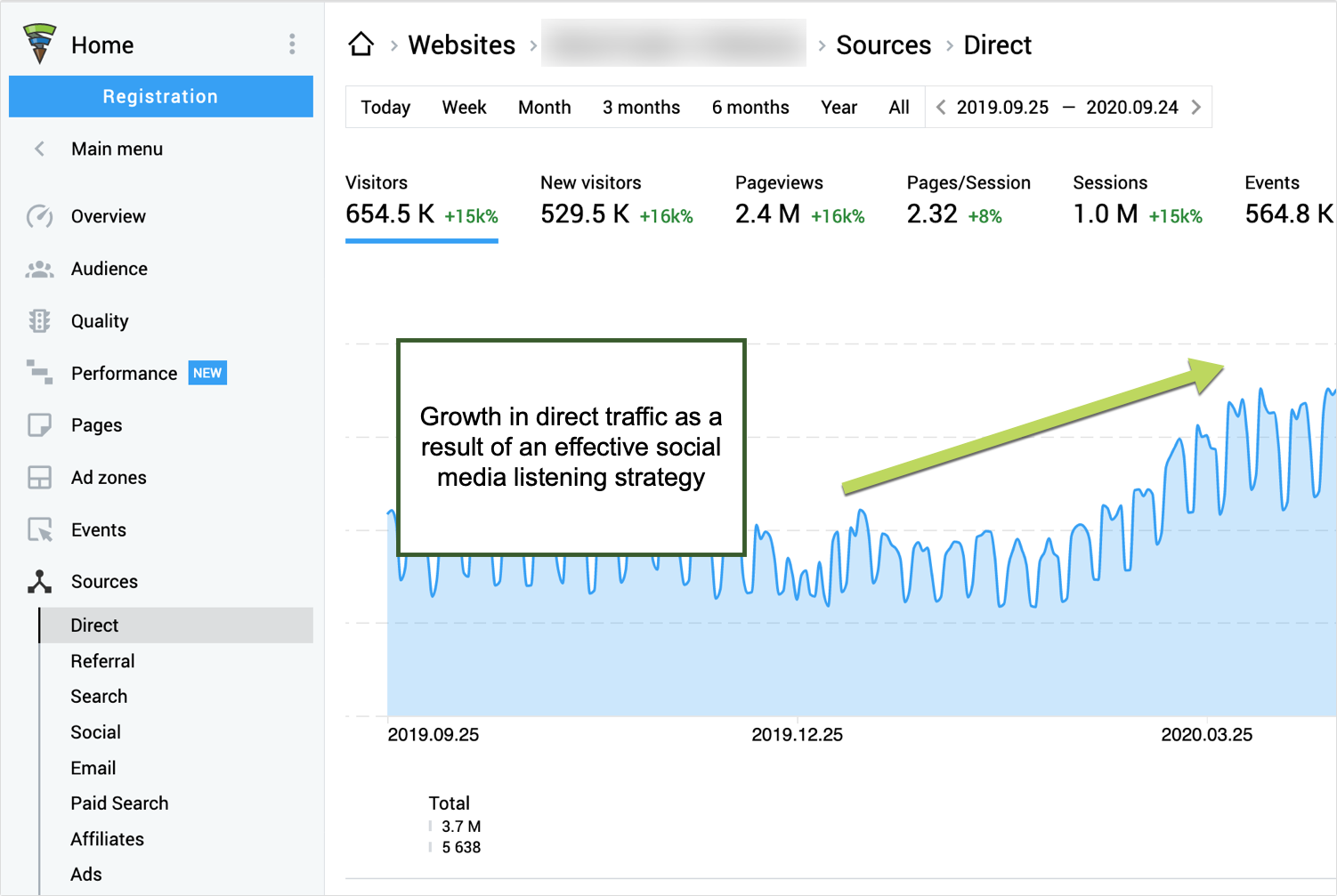
With time, what you to see in your analytics is the following:
- An increase in type-in traffic (those people that type your site address directly without searching your name)
- The gradual growth of your brand-driven search queries (those queries that contain your brand or product name)
- The steady growth of on-site conversions (as customers see you on social media responding and interacting, they will start trusting your brand and buying more from you).
You can track all (and more) of that by using Finteza, an independent web analytics suite with a strong focus on conversion optimization.
Conclusion
If you’re already doing some type of social media listening, invest a little more effort to achieve longer-term and more important goals. At the very least, it’s worth a try.
The post Top Social Media Listening Tools to Turn Followers into Customers and Brand Ambassadors appeared first on Content Marketing Consulting and Social Media Strategy.
Source: convinceandconvert.com

Best Customer Service Software
When your human team has trouble managing your customer service needs with sticky notes and cluttered inboxes, you need a new solution. Customer service software lets you keep all of your tasks in the right baskets without losing track of anything.
It also boosts your customer satisfaction and lightens your agents’ load.
Disclosure: This content is reader-supported, which means if you click on some of our links that we may earn a commission.
These customer service software options will help you organize your company, whether you’re a startup or a seasoned business owner.
The Top 7 Options for Customer Service Software
- Hubspot’s Service Hub—Best for Free Software and Deals
- Zendesk—Best for a Complete Support Suite
- Groove—Best for Small Businesses and Startups
- TeamSupport—Best for B2B Support
- LiveAgent—Best for Live Chat Service
- Salesforce Service Cloud—Best for Remote and On-Site Support
- Freshdesk—Best for a Streamlined System
How to Choose the Best Customer Service Software for You
Customer service software isn’t one size fits all. Choosing the right customer service software means considering your customer’s needs and what the software offers your business.
Features Offered
Do you mainly do customer support over live chat? Are your agents constantly fielding phone calls? Do you need software to connect with agents in the field?
When you get the right features in your software, you boost your team’s ability to create positive customer relationships and increase customer satisfaction. Getting the wrong features can be just as bad as having no software at all.
Customer Preference
Consider which support channels fit your customer’s needs. Offering call support alone to a Millennial or Gen Z audience will probably create some unhappy customers since both of these groups prefer live chat and social media.
Knowing your customers saves you money and helps streamline your customer service process.
Your Current Customer Support System
Your new software should focus on improving your current customer service practices. If you have a dedicated customer service team, make sure your software supports them, too.
If multiple people have their fingers in the customer service pie, purchase a system that clearly defines each person’s role, and prevents overlap.
All-in-One vs. Specialized Systems
Some systems offer several services for your customers, but sometimes you don’t need them all. If you provide online-only support, you don’t need the frills of a phone, video, and other options. So don’t buy them.
All-in-one systems encompass different types of software, including:
Customer relationship management (CRM):
CRMs focus on sales and interacting with people to bring them in as customers and retain them long-term.
Customer experience management (CEM):
CEMs deal with the customer’s experience throughout their buying journey, from marketing to purchasing to customer service. In other words, you want them to leave positive reviews and become repeat customers.
Marketing automation software (MAS):
MAS systems concentrate on marketing efforts, communicating information about products and services, and generating leads.
The type of software you get depends on your business and customer needs, so choose carefully.
The Different Types of Customer Service Software
Different types of customer service software fulfill various purposes and conform to specific customer needs.
There are three basic types of customer service software.
1. Helpdesk
Helpdesk software functions pretty much as its name suggests. It keeps track of everything in one convenient location and can automate processes like ticketing and store canned replies, so you don’t have to retype the same response to all those customers asking the same question.
Helpdesk software lets agents juggle different customer service actions in one place, so they have easy access to everything when they need it.
2. Customer Relationship Management (CRM)
CRM software gives you a more comprehensive view of customer service and related information. It builds a database for sales purposes and helps customer service agents manage various accounts differently depending on customer needs and habits.
CRMs are usually more comprehensive than helpdesk software. They’re also more marketing-focused than other customer service software and tools. If you don’t need too many bells and whistles, opt for something simpler.
3. Live Chat
Live chat sticks to online modes of customer service. It lets your reps respond quickly and conveniently to customer questions.
This type of software doesn’t offer anything as broad as CRM or even helpdesk software, but that doesn’t mean it can’t serve you well. I’d recommend it for any business that values efficiency and a streamlined approach.
Examples of Customer Service Software
1. Hubspot’s Service Hub—Best Free Software and Deals
Hubspot doesn’t just offer marketing services. Hubspot’s Service Hub gives you all the tools you need to organize your services.
The best part is that you can get a free version of this software without worrying about it expiring. Most other software companies give you less than a month to try theirs. With Hubspot, you might not need to pay at all to get what you need.
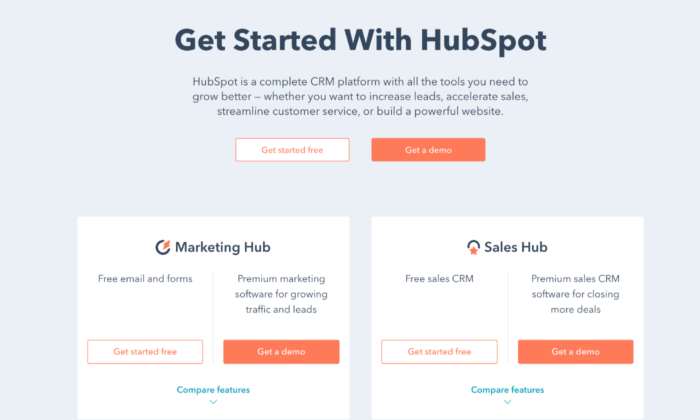
Hubspot makes it easy for your team to communicate with a conversations inbox and team email, so everyone stays on the same page. It even has email templates, so agents don’t have to waste time crafting the same email over and over.
Live chat and chatbots save time and work to help customers in a way that’s convenient for you and your team. You can also connect the software with others from Hubspot, like their sales software and CRM.
If you need more than what the free plan offers, you can buy this software in three tiers:
Starter: $40 per monthProfessional: $320 per monthEnterprise: $1,200 per month
Each tier offers different features and supports two, five, and ten users, respectively. The Starter package comes with meeting scheduling, agent productivity reports, calling, and canned snippets, so agents don’t need to repeat themselves for each customer.
With the Professional and Enterprise packages, you can get everything from automation, pipelines, and custom reporting to a knowledge base, hierarchical teams, and integration with Slack. While each tier has a significant price jump, the features that come with them make the cost worth it if your team needs the additional support.
Pros
- Integrates with other Hubspot software
- Established and popular brand
- Offers more free software
Cons
- Costly for the features and tiers offered
- A limited number of users
2. Zendesk—Best for a Support Suite
One of the most established customer support software options available, Zendesk offers a whole support suite to give you all the tools you need to click with customers.
It offers convenience with live chat and messaging, so you give customers a personalized experience. You can also connect Zendesk to your social channels without managing a ton of different platforms.
With a ticketing system that includes tracking, solving, and a priority system, Zendesk creates agent efficiency. Tickets don’t get buried in anyone’s inbox, and you know the status at any given time.
The software’s integrated voice system allows you to makes each customer’s voice experience unique. You can create a new phone number or use an existing one, so your call center works for you.
Zendesk offers solutions for businesses of all sizes with solutions like:
- Answer Bot—An AI bot that suggests articles to help customers
- Zendesk Guide—A smart knowledge base to help you find resources
- Zendesk Gather—A forum for customers to connect with each other
You can get five software levels for smaller businesses, ranging from $5 to $199 per agent per month, including Essential, Team, Professional, Enterprise, and Elite.
Larger businesses will benefit most from the Professional Support Suite and Enterprise Support Suite.
With these options, you get omnichannel support, social messaging, and dashboards, and reports. Reporting and analytics are vital to know how your agents connect with customers and your customers’ satisfaction with their experience.
Plus, with the Enterprise Support Suite, you have access to special features like multi-band support and 24/7 support for your agents if anything goes wrong. You also get a chat widget, roles and permissions, and content cues. The higher the tier, the more convenient Zendesk makes the customer service experience for everyone.
Pros
- Many self-service options
- Complete support suite
- Can integrate social media with software
Cons
Not many options for larger businesses
3. Groove—Best for Small Businesses and Startups
Groove is newer than many of the options here, but don’t walk away from it just yet. Its modern, intuitive design has boosted its popularity fast.
Groove is designed to learn quickly, so you don’t have to take time out of your day to figure it out, giving your customer support team the ability to get up and running quickly. After all, the whole purpose of customer support software is to streamline your operations.
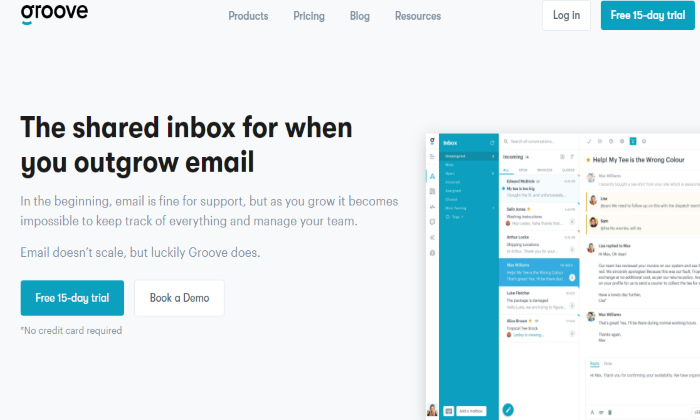
This software doesn’t have tiers. Instead, you pay for the core software, which includes:
RulesTaggingCanned repliesCustom foldersConversationsPerformanceCustomer reportsMobile compatibilityIntegration for almost any app
Because you pay for only the basic package, you can customize it however you want. Small businesses won’t get overwhelmed with a million options, but that does mean you have to think a little harder about how you want to set it up. Once you do, you can make it easy and intuitive for your agents to get in the groove. You can also try a free 15-day trial of Groove to test it out.
Pros
- Intuitive interface
- Works well for small businesses
- CustomizableIntegrates with most apps
Cons
- The basic package has fewer features
- Takes more setup
4. TeamSupport—Best for B2B Support
Built for B2B customer support, TeamSupport lets you tailor your service options to business owners. You can group users into organizations, so you know who is part of which team and track common issues between businesses.
The Product Section feature allows you to put customers who use the same products together, so agents spend less time searching and more time resolving issues. With the Customer Distress Index, you can see how agents have helped customers and their satisfaction with their experience.
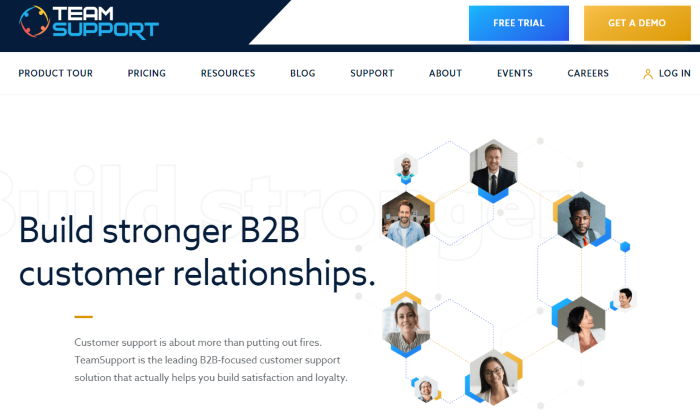
The Water Cooler brings agents together to communicate internally to resolve issues, but TeamSupport also has customer self-service options. The software only offers two price tiers, but they are cheaper than most other software.
The Support Desk version costs $50 per agent per month, and it lets you assign, track, and manage customer support requests using help desk operations. You can also customize and automate tasks to provide excellent end-user customer support.
The Enterprise package only costs a little more at $65 per agent per month. It works well for software and technology companies, allowing you to track products, support issues, and product defects, ideal for B2B customer service.
Pros
- Used by industry leaders
- Cheaper than many other options
- Great for B2B customer support
Cons
- Only two-tier options
- Less adaptable for B2C support
5. LiveAgent—Best for Live Chat-Based Customer Service
LiveAgent is an award-winning customer service software that has been recognized for its B2B- and SaaS-friendly service and live chat interface. This helpdesk software focuses mainly on remote work.
LiveAgent includes a universal inbox and automated ticketing, so agents get assigned tickets and can also see what everyone else is working on. It eliminates overlap and uses gamification to improve existing customer service practices.
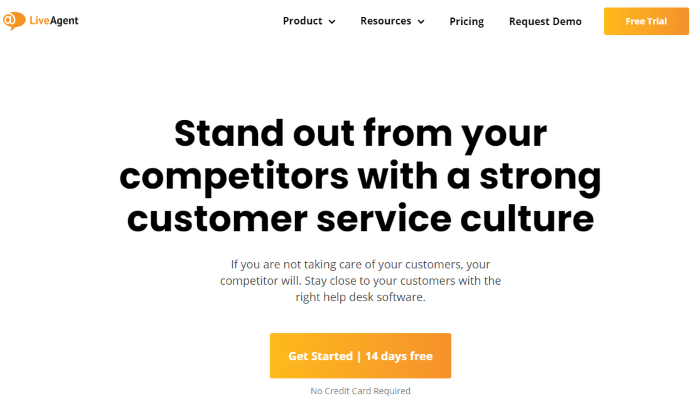
With a live chat and call center, your agents have the tools to respond to customers when they need help. Unlike other customer service software, LiveAgent also offers video calling support, rather than just phone and live chat. Unfortunately, its interface isn’t as intuitive as others on this list.
Your agents get the support they need with 24/7 customer support for all four of its packages:
FreeTicket: $15 per agent per monthTicket+Chat: $29 per agent per monthAll-Inclusive: $39 per agent per month
With a 7-day ticket history, the Free package gives you one email address, a live chat button, and a phone number. It also offers basic reports, a knowledge base, and ticket options like merging, splitting, exporting, and mass actions. For a free package, it’s reasonably comprehensive.
The Ticket package upgrades you to unlimited ticket history and email ticketing, plus advanced reporting. You also get templates and canned answers, along with gamification to streamline the customer experience.
Ticket+Chat gives you all the features of Ticket, plus unlimited live chat, chat invitations, and chat satisfaction surveys. You can also keep track of who looks at your website with the real-time visitor monitor.
The All-Inclusive package does seem to give you everything you could possibly want in the customer service software. You’ll have all the features of Ticket+Chat, plus unlimited call center support, video call, and call routing and transfers. Essentially, any calling feature missing from the lower tiers you can find in this one, along with social account connectivity.
You can add specific features for an additional cost with every tier, such as an additional knowledge base or time tracking. The same applies to connecting social accounts, which can cost anywhere from $5 to $39 each per month.
Pros
- Great for remote support
- Offers video calling options
- Many tiers and features
- Low cost
Cons
- Clunky interface
6. Salesforce Service Cloud—Best for Remote and On-Site Support
Many well-known companies use Salesforce Service Cloud to boost their customer connection.
It’s designed for field service so that you can answer customer questions anytime, anywhere. You can even tailor your software to your company’s location, which helps local businesses.
Salesforce Service Cloud uses AI, chat, voice, and field service to help agents customize their customer’s experience. As the #1 CRM, Salesforce focuses on all aspects of the customer experience, so agents can keep up with customer needs with less effort.
The product has four tiers:
- Essentials: $25 per user per month
- Professional: $75 per user per month
- Enterprise: $150 per user per month
- Unlimited: $300 per user per month
The downside to this product is that the price sometimes more than doubles when you jump tiers without offering too many more features. With Essentials, you get case management, service console apps, a knowledge base, and phone integration.
While that might be worth the money for you, the only additional features you get with the Professional software are service contracts and entitlements. From there, Enterprise gives you web services API, and with Unlimited, you get 24/7 support and configuration settings.
Essentially, each tier only gives you one more feature. Whether you spend the money on them depends on how badly you need them. Nonetheless, Salesforce is a widely-known and trusted software, and many of your employees have likely used it before, which will cut down on the learning curve.
Pros
- Excellent for field support
- Most flexible software available
- Has more AI options than other software
Cons
- High prices for a few features
- No 24/7 support for tiers below Unlimited
7. Freshdesk—Best for a Streamlined System
Freshdesk can help you streamline any inbox disaster. Alternatively, if your current customer service software looks more like a virtual maze, Freshdesk makes it easy to switch.
Freshdesk’s ticketing system comes with a team inbox, including agent collision detection. Its collaboration feature uses Team Huddle so agents can discuss tickets and share ownership when the project is too big for one person. Plus, with Omniroute, you can auto-assign customer service tasks to agents based on their bandwidth.
With multichannel support, advanced and custom reports, and field service management, you can cater to customers no matter where you are.
Freshdesk even helps customers help themselves with a forum, chatbot, help widget, and other features to guide customers before they reach out to you. These self-service features will help your customer service streamline even further and provide helpful resources.
You can get the Sprout package of this software free, but you can also get four other tiers:
- Blossom: $15 per agent per month annuallyGarden: $35 per agent per month annually
- Estate: $49 per agent per month annuallyForest: $99 per agent per month annually
The Sprout package already gives you unlimited users along with email and social ticketing, ticket dispatch, and ticket trend reports. You also get a knowledge base, so no one stays out of the loop.
Once you upgrade, the Blossom package includes automation, collision detection, SLA management, and more. The Garden level comes with a multilingual knowledge base to enhance your ability to help customers. You also get performance reports, time tracking, and custom apps to personalize the customer service experience.
In the Estate package, this software gets serious about keeping your information together. With custom reports, dashboards, and roles, the software practically manages itself.
You can even take advantage of versioning in the knowledge base, customer segments, service for multiple products, and dynamic ticket forms that include as much detail as you want your customers to give when they have a problem.
You don’t get any more high-tech than the Forest tier. From an audit log and agent scripts to auto-triage and an article suggester, the software helps agents and gives customers resources to help themselves. Forest even lets you maintain HIPAA compliance when you use it, and you can use up to 5000 Freddy sessions per month when you use live chat.
Pros
- Low cost
- Can choose to pay monthly or annually
- Versatile
- Lots of features at all tiers
Cons
- It May appear overwhelming with so many features
Summary
The right customer service software can make or break a business. That’s why you should evaluate every option and how it will work for your company’s specific needs.
Whether you need a CRM or just a live chat option, you can find customer service software in this list that is right for you and customize it to fit your business.
The post Best Customer Service Software appeared first on Neil Patel.
Source: feedproxy.google.com

How to Grow Your Local Business During Uncertain Times
No doubt this is a hard time to grow a local business. Coronavirus has likely forced you to make big changes to the way you operate. It’s almost certainly hit your bottom line too.

However, it’s still absolutely possible to grow your local business at a time like this. You just have to be smart about it. In this article, I’ll talk you through how to do that. First, though, here’s a bit of detail on why this is such a challenging time for businesses like yours.
The Effects of the COVID-19 Pandemic on Local Businesses
You’re probably sick of reading and hearing the word “unprecedented.” I know I am. Unfortunately, it’s just the best word to describe the current climate for local businesses.
By the end of March, 32 states had locked down in response to the pandemic. Two in five small businesses across the US had temporarily closed by this point, with nearly all of those closures due to COVID-19.
Closing your doors has big financial implications. It is concerning that the vast majority of local businesses aren’t in a position to handle even short-term pressure on their earnings, with around four-fifths only having up to two months of cash available to pay their expenses.
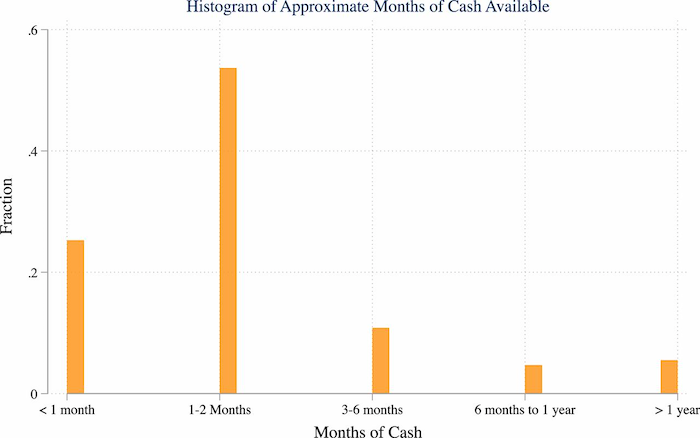
Because of this, it’s hardly surprising that the number of active business owners in the US plummeted by 3.3 million (or 22%) in the two months from February to April alone. That’s the largest drop on record, and it affected practically every industry.
Luckily, if you have access to the right strategies (like local promotions) and tools (such as messaging services like Podium), you may still be able to grow your business even in these uncertain times.
Six Strategies to Grow Your Business During the Age of Coronavirus
The pandemic might have affected your business growth in any number of ways. Maybe you’ve been forced to shutter your store(s) for a certain amount of time. Maybe your customers are buying less at the moment. Or maybe the industry you’re in means you’ve barely even got a “product” to sell, like cinemas and travel companies.
Whatever the case, if you’re going to grow your local business in the current climate, you need to adapt. Here are tips on how to do it:
1. Use the Right Tools
I know what you’re thinking: “I’m already worried about cash flow, now this guy’s telling me to invest in a bunch of tools!” Well, what if I told you that by choosing the right tools (some of which are free, by the way), you massively increase your chances of growing your local business?
You likely know that there are thousands of tools designed to drive small business growth, but I’ve focused on the areas where you can really shift the dial:
Issue: Customer Messaging
There are so many benefits to improving your communications with existing and potential customers.
You can generate more reviews, which act as a trust factor and make your business more credible. You can collect payments faster and with less hassle. You can issue more timely (and more effective) reminders, reducing the chances of no-shows.

To solve your customer messaging you can use a tool like Podium. Here’s how I use it:
Set up one inbox to rule them all:
What’s the biggest barrier to better communications? Trying to keep track of all your different platforms. Customers could be messaging you via Facebook, Twitter, phone, and your website (and maybe a bunch of others, too). Podium brings all those communications together in one place, ensuring you never miss a message.
Connect remotely with website visitors:
Ever wish you could get closer to the people on your website? Find out what stops them from buying or converting there and then? With Podium, you can. Add live chat to your site and every time they ask a question, they’ll automatically move to a text conversation, so you’re no longer tied to your computer (and nor are they).
Enable on-the-go customer service:
You likely don’t have a dedicated customer service team. In fact, you might be your whole customer service team. So what happens when you’re not at your desk or in the store? Stuff gets missed! Podium allows you to text quick responses when you’re out and about, so you never leave anyone hanging.
Chat face-to-face: Texting is great.
But sometimes it’s just not the best way to respond to a customer or prospect. Maybe they’ve got a complex question or require a nuanced response that’s hard to tap out on your phone’s keypad.

Podium offers video chat software that makes connecting remotely with customers as easy as sending a text.
Send your customers a link and you can be video chatting in seconds, making it super simple to show details, answer questions, and share your screen.
Create tailored promotions:
Say you own a coffee shop. You run a loyalty program and you’ve captured your best customers’ email addresses and phone numbers. Wouldn’t it be great if you could quickly send those customers targeted promotions? Maybe offer them a deal on a new single-origin coffee you’ve just started stocking? You can do that as well.
Provide to-the-minute advice and updates:
There are a lot of variables in the world right now. Customers might want to know how busy you are at a certain time, or what measures you’ve put in place during the pandemic. Or they might have product-specific questions.
A customer messaging platform makes it easier for you to respond in real-time.
Oh and an easy way to get started is to just sign up for a free Podium account.
Issue: Scheduling Meetings
No one likes scheduling meetings at the best of times. Throw coronavirus into the mix and it becomes even more of a challenge. Should it be in-person or remote? Which platform should we use? What date and time work best?

Meeting Scheduler Tools are designed to handle the legwork for you. One of the best is Arrangr, which reserves tentative meeting times, automatically frees up untaken slots, and can even suggest the ideal location for all parties.
Another great option is Calendly. Integrating directly with your Google or Office 365 calendar, it gives you a personalized URL that allows customers to see your availability and schedule their preferred meeting time. Best of all, there’s a basic free plan available.
Issue: Email Automation
You can’t grow a local business at a time like this without doing some marketing.
Unfortunately, you likely don’t have time to build and execute complex campaigns.
That’s why you need email automation software! One of the most popular tools, Mailchimp, helps you send effective email marketing communications at scale. In fact, Mailchimp claims to boost open rates by 93% and click rates by 174% compared to the average bulk email.
Customer Relationship Management
Your customer relationships have never been more valuable than they are right now, so you need to manage them effectively. To do that, you need to invest in a customer relationship management (CRM) tool.
There are a bunch of CRMs aimed at local businesses, but HubSpot Sales Hub is one of the most popular. It’s loaded with sales engagement tools, pricing functionality to help you deliver complex quotes, and analytics software to measure what’s working (and what isn’t).
2. Improve Your Digital Marketing Strategy
In more “normal” times, you might not put a lot of thought into your marketing. Maybe you just write the occasional social post or send a couple of email promotions a month.
During times of uncertainty, that just won’t cut it. People have a lot on their minds right now, so that one baseball gif you tweeted isn’t going to have much impact.
You need a proper digital marketing strategy.

Let me give you an example: you sell business supplies to other local businesses.
Because you’re small and local, your big differentiator is your flexibility and bespoke approach. You can source whatever product your customer needs, your delivery times are rapid, and you’re easy to reach. That’s the sort of stuff you talk about in your marketing emails.
Well, wouldn’t it be good if you made that the foundation for a whole campaign?
Maybe you create a bunch of case studies and testimonials that show your unique selling point, (USPs), in action. You build a mailing list of local firms you’d love to do business with and drip-feed your content to those prospects.
Because you’ve built a whole strategy, you know the best times to reach those prospects, the platforms they use, and the sort of messaging that resonates with them.
That approach helps you strike up a conversation, which ultimately means you may close more deals.
3. Make Your Google My Business Profile Shine
Want people to see your name when they search on Google for businesses like yours? If you’re reading this article, I’m guessing you do, and that means you need a (good) Google My Business profile.
Setting up a free profile makes it more likely that your business shows up in relevant searches, along with useful information like:
- The type of service you offer
- Your opening times
- Your address
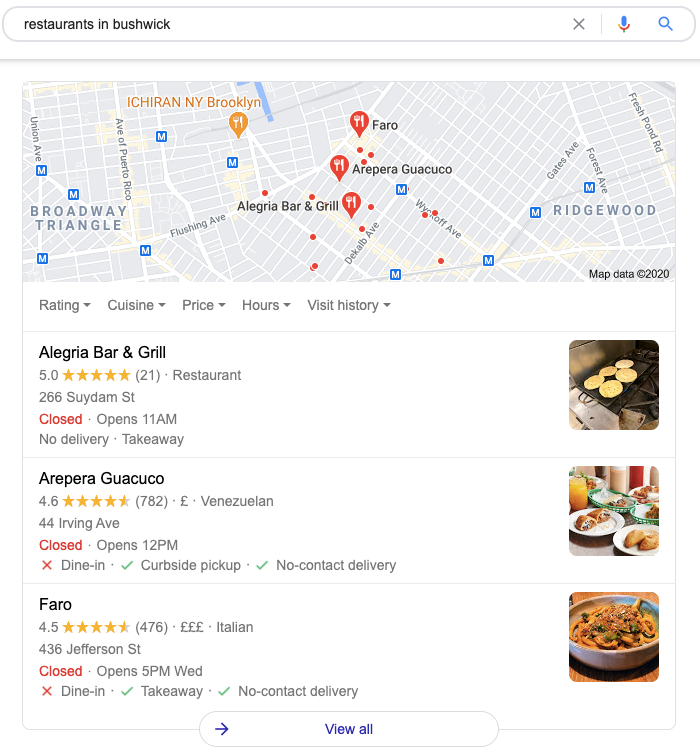
Once you’ve set it up, optimize your Google My Business profile by:
- Ensuring your information is accurate and comprehensive
- Sharing business updates, like new opening hours or product launches
- Asking customers for Google reviews (and responding to them)
On that last point, I know it can be hard persuading customers to review your business. They’re busy. They don’t want to spend their valuable time seeking out your Google My Business profile or Facebook Business Page.
Podium makes it a lot easier, helping you provide social proof that demonstrates your brand can be trusted. Text customers asking them for a review and they’ll be linked straight to your Facebook, Google, and Tripadvisor pages, so there’s hardly any clicks (and hardly any work) for them.
That’s why Podium has powered more than 15 million business reviews for its users.
4. Create and Execute a Local Paid Marketing Strategy
Sometimes it takes money to make money. If you’re serious about growing your local business right now, you’ll want to consider investing in some sort of paid activity.
Google Ads can be super effective for smaller firms, especially web-based businesses targeting online traffic and/or conversions. Local keyword phrases like “lawyers near me,” or “realtor in Denver,” are typically a lot less competitive than broader, non-geographic terms like “realtor.”
That means you could get a lot of visibility and clicks with a relatively small outlay.
In addition to Google Ads, consider advertising on social platforms like Facebook and LinkedIn. Social ads are less intention-based than paid search because your audience isn’t actively looking for the thing you’re advertising.
However, ads on social media often cost less than Google Ads. For instance, if you’re a law firm, you’re paying on average $10.96 per click on Google Ads, but on Facebook, that figure drops to just $1.32.
5. Use Analytics to Track and Improve Site Performance
When times are hard, you need to squeeze every last dollar from your potential customers. Analytics software (like Google Analytics) can help you do that by allowing you to identify trends, plan new strategies, and measure the results of your current efforts.
Let’s say you’re a mechanic. You’ve just added a page to your site to promote a special offer on new tires. A month later, you click into Google Analytics and see that a bunch of people have landed on that page, but your conversion rate is low.
You compare it to other, similar pages on your site. They’re performing much better. Now you know there’s a problem, such as:
- Your current offer is priced too high
- Your new page isn’t engaging or persuasive enough
- You don’t make it easy enough for customers to convert, so they leave
- You don’t provide enough detail about the offer
By comparing against better-performing pages, you can tweak your approach and improve results.
6. Conduct Local Community Promotions
Now isn’t a good time to invite hundreds of people to a big party. But there are definitely opportunities for community engagement. You just need to get a little creative.
Say you’ve opened a new store in a location you haven’t served before. Maybe you target properties within a certain zip code, or on certain streets, with a special offer that encourages customers to visit your store.
Perhaps in the age of social distancing, you’ve introduced a new takeout service. Why not give customers in your area 10% off their first promotion, or combine it with a loyalty scheme? Tailor your offer to what your customers want right now, then promote it on Facebook, in the local press, via email marketing, or through direct mail.
7. Optimize Your Social Media Accounts
There are dozens of social platforms out there, but when it comes to growing a local business, you want to focus on those that give you the best reach, like:
FacebookTwitterInstagramLinkedInPinterestYouTubeTumblr
Finding the right platform will depend on the type of business you run. On a basic level, if you’re B2B, LinkedIn’s likely your best channel. Otherwise, almost everyone is on Facebook, but if your product is highly visual you might see more success on Instagram, Pinterest, or YouTube.
Whichever platform(s) you choose, you need to identify some tactics that ultimately help you sell more, like:
- Showcasing and/or auctioning your products on Facebook
- LiveStarting conversations with new prospects in LinkedIn Groups
- Setting up Instagram Shopping so people can browse your products in photos and videos while in-app
Conclusion
Growing a local business is never easy, and it’s certainly a whole lot harder right now.
However, if you’ve set up your own business, you’re likely comfortable with hustling for results. You’re naturally entrepreneurial and you’re driven to make this work.
Combine that attitude with the right growth strategies, and execute them effectively, and there’s no reason why you can’t come out of the pandemic in a stronger position.
What plans have you put in place to grow your business? How’s it going for you so far?
The post How to Grow Your Local Business During Uncertain Times appeared first on Neil Patel.
Source: feedproxy.google.com