
Tag Archives for " CMS "

Headless CMS: What it is and How it Helps Websites Scale
Using a traditional content management system (CMS) architecture has been the standard for front-end web management.
When you use a traditional CMS architecture, your content is stored in a single system or database. Unfortunately, this means everything from the front-end website to backend administration tools relies on one system, making scaling difficult.

As enterprises strive for increased flexibility and scalability, they’re turning to headless CMS solutions.
Headless CMS can provide greater control over data access while speeding up development cycles between front-end and back-end systems.
Not to mention, the headless CMS market is expected to grow to $1,628.6 million by 2027.
If you’re ready to scale your website but aren’t sure where to start, adopting a headless CMS could be your ticket to increased traffic.
What Is a Headless CMS?
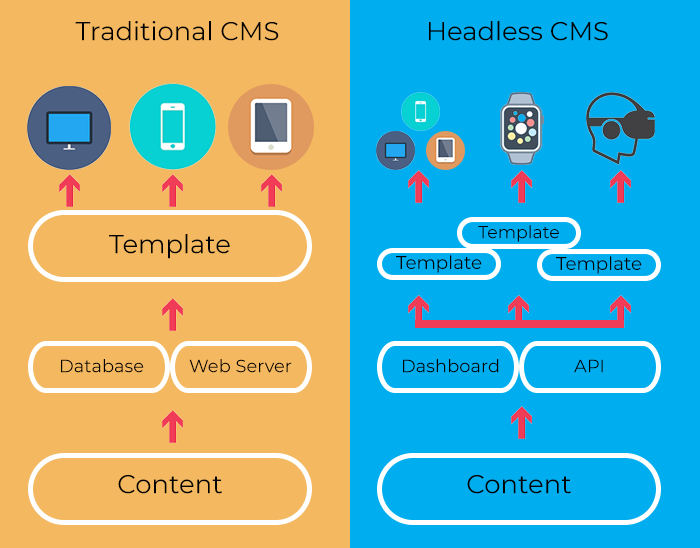
A headless CMS is a back-end-only content management system that works as a content bucket. Content is accessible from an API and can be readily displayed on any device without the need for a presentation layer or built-in front-end.
In a headless CMS system, content is stored in a repository “body” that can easily be separated from the presentation layer, or “head.” This is called “decoupled architecture” or a “decoupled CMS.”

Without using decoupled architecture, companies would have to scale their servers to manage large amounts of data.
Headless CMS architecture removes the presentation layer from your website and enables content to be consumed by APIs. The heads can then communicate, allowing for increased functionality such as real-time updates or multi-organization collaboration.
Because of APIs, headless CMS platforms provide better scalability for websites hosting unstructured data such as images or videos.
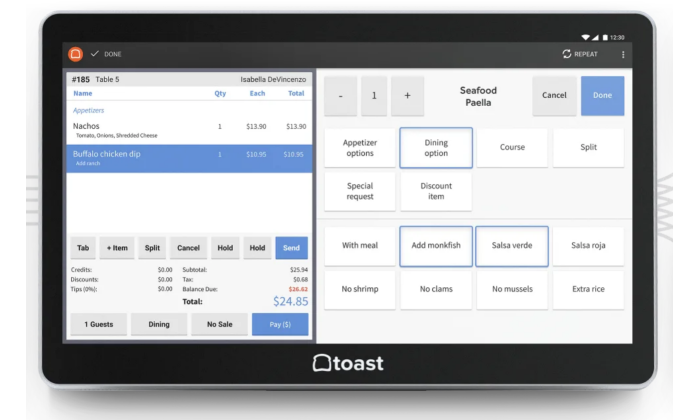
Using a headless CMS, you can extend your content management beyond your website and into other platforms such as point of sale systems or online marketplaces.
Additionally, headless CMS enables developers and content managers to work independently of one another. It also allows developers to create custom integrations enabling different devices to interact with the database containing the business’s content.
What Is the Difference Between a Traditional CMS and a Headless CMS?
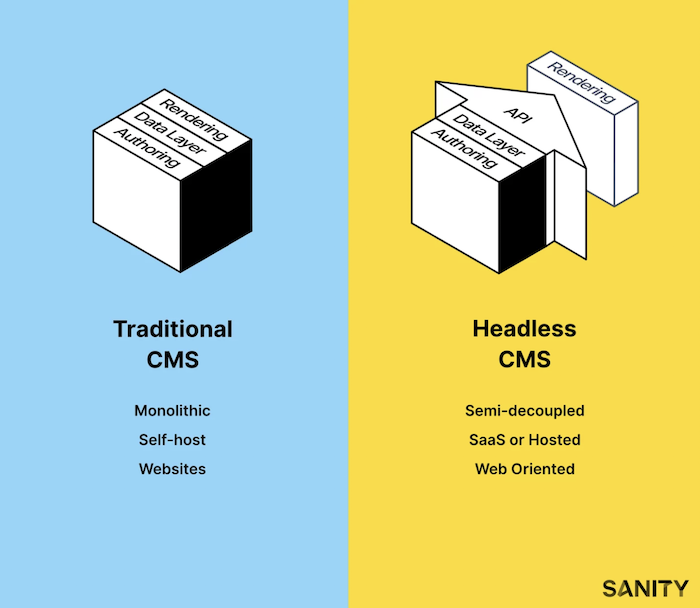
Traditional CMS
–Traditional CMS is software that needs to be installed or managed by an individual or server environment. All functionality is included in a single system, giving only one context for presenting content. Usually, this comes in the form of a webpage.
–Unlike headless CMS, traditional CMS relied on content buckets to manage images, HTML, CSS, and other website content. This system made it difficult to reuse past content because it was mixed up in code and led to a high risk of content duplication.
–Traditional CMS platforms were only accessible through a webpage, making it difficult for companies to create different experiences on apps and other digital platforms.
–Examples of traditional CMS programs include:
- WordPress,
- Sitecore,
- and Drupal.
–As more content is coming online, managing this data in one place has become crucial. Businesses that want to stay competitive have been searching for a more flexible solution to their content management needs.
–That’s where headless CMS comes in.
Headless CMS
–Using headless CMS allows users to organize and manage all website content from one place while decoupling it from the presentation layer. This ensures content is reusable and easier to scale.
–It also eliminates the risk of content duplication across multiple pages because it saves everything as a single piece of content. For example, you can have an article saved once but displayed on every webpage using different layouts for each page type.
–Headless content management systems also allow clients to customize and edit content without extensive knowledge or training, which is beneficial for businesses looking to scale their websites internally.
–These programs are changing how businesses think about managing website content because they do not require installation or complex management of the backend.
–Examples of headless CMS options include:
- Contentful,
- Agility CMS,
- Sanity.io,
- and Magnolia.
Pros and Cons of Headless CMS for Marketing
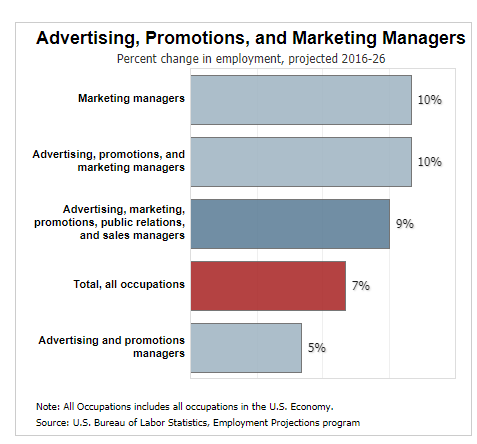
While headless CMS offers many benefits to web developers and designers, they have different features for marketers.
Those looking to migrate to a headless CMS system should consider the pros and cons before jumping in.
Headless CMS Pro: Faster Content Delivery
Content delivery is extremely fast using headless CMS, which can be done in real-time through APIs and webhooks.
Marketers can easily store, edit, and publish content within a headless CMS platform without the need for content rendering.
Faster content delivery means marketers can respond to changing needs of their audience faster, which is crucial in today’s ever-changing digital landscape.
Headless CMS Pro: Often Cheaper
Headless CMS systems are generally cheaper because they don’t require expensive hosting.
By not requiring a server or database, headless CMS solutions are much more affordable than traditional systems.
This is crucial for small businesses with limited budgets that want to implement content management systems but can’t afford the associated costs of traditional platforms.
Further, marketers looking to make the most out of their annual budgets can benefit from eliminating the need for additional hosting fees.

Headless CMS Pro: No Coding Knowledge Required
Headless CMS solutions require far less coding knowledge than traditional systems, allowing marketers and content producers to manage their site rather than working with developers.
Using headless CMS, marketers can add new pages and images without waiting for developer responses or changes. This enables companies of all sizes to benefit from the scalability headless CMS provides, regardless of coding proficiency.
Headless CMS Pro: Easier to Scale
As a site’s traffic scales, its content management system has to keep up with demand and deliver web pages in a timely fashion. All this needs to happen without compromising on performance or uptime.
Headless CMS is optimized for scaling, as it can handle big data and deliver web pages faster. This can be beneficial to a website’s traffic and SEO, which contributes to important marketing KPIs.

Headless CMS Pro: Supports Omnichannel Marketing
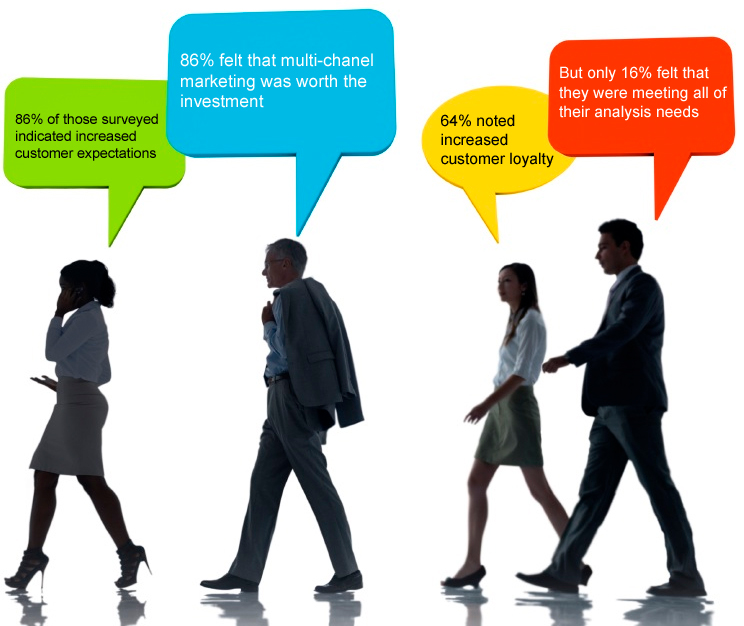
Omnichannel marketing is essential in today’s competitive environment, and a headless CMS can help companies deliver personalized content across different channels.
For example, a headless CMS can adapt to fit the different screen sizes of mobile devices and desktops while minimizing data consumption. This allows companies to deliver a better user experience.
Headless CMS also makes it easier to deliver content across multiple platforms, such as websites and social media. As a result, marketers using this tactic can engage audiences more effectively, which is especially important for businesses with multiple brands.
The more omnichannel marketing you can do, the better you can engage a wide variety of customers. If you’re looking to expand your reach across platforms, headless CMS can help you get there.
Headless CMS Con: Less Flexibility
Headless CMS systems are less flexible than traditional CMS systems because there is a clear separation between content and design.
Changes to the headless system must be managed by developers, which adds an extra step in the update process. This can make it difficult for non-technical personnel to implement updates if required, creating a bottleneck in workflows.

Headless CMS Con: Limited Access to Content Management Interfaces
While plugins and integrations can be used, companies using headless CMS systems have limited access to backend interfaces that control how the website functions.
This is especially problematic if marketers don’t have the skills and knowledge to work with APIs, limiting functionality.
Marketers who cannot manage API on their own may need to hire developers to create custom integrations and handle future updates, which can be costly and time-consuming.

Headless CMS Con: Slight Learning Curve
Marketers used to use traditional CMS systems may find it difficult to move over to headless CMS.
Some of the difficulties of learning a headless CMS system include understanding how the content is stored, implementing changes to your website, and determining what type of CMS should be used.
However, any marketer who wants to move up in the company or improve their skill set can easily overcome these difficulties.
Headless CMS Con: Relies on Other Technology
Headless CMS solutions do not have built-in integrations, so users must rely on third-party apps for their website’s SEO needs.
Similarly, headless CMS lacks the marketing analytics that traditional content management systems provide, such as Google Analytics or Adobe Omniture SiteCatalyst.
This lack of integrations can make it difficult for marketers to determine what type of content is most effective for their users.
It also requires marketers to manage more tools, leading to a lack of efficiency and miscommunications.

Headless CMS Platforms to Try
If you’re looking for a headless CMS to try out, it’s a good idea to shop around and see what fits your needs.
It can be challenging to determine the exact features and functionalities you’ll need for your headless CMS, so it’s generally recommended that companies test each solution before deciding.
This way, they will know precisely how to scale their website using headless CMS infrastructure.
Contentful
Contentful is a headless CMS management and delivery solution for digital content.
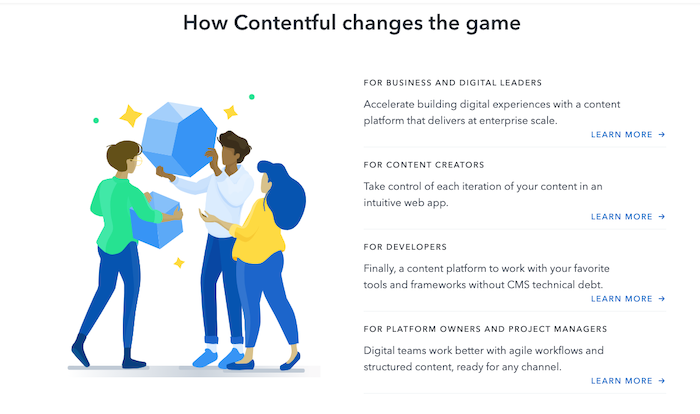
Contentful provides UI, SDKs, and APIs and makes publishing content across channels with a simple app framework more efficient.
The service is free with limited features, and plans start at $489/month.
Agility CMS
Agility CMS offers the features of a headless CMS and the authoring tools of a traditional CMS.
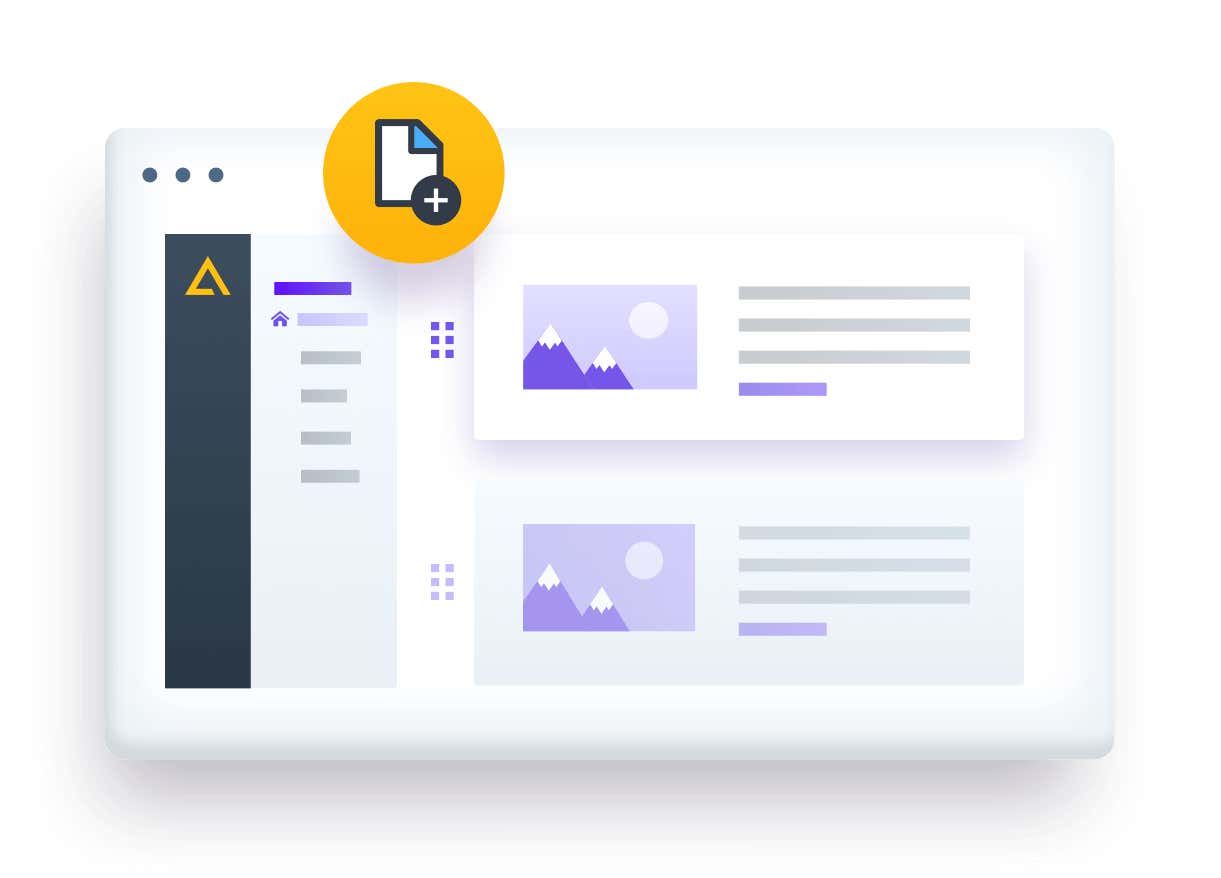
Trusted by companies such as PepsiCo, Oxford, Mitsubishi, and more, Agility CMS is a comprehensive CMS solution.
Agility CMS offers a free trial and business plans start at $900 per month.
Magnolia
Magnolia is an API-first headless CMS offering full functionality for enterprise suites.
Magnolia allows users to edit raw content and see live previews of content.
Additionally, it offers personalization features and unlimited integrations to connect to your other important marketing tools.
Contact their sales team to learn more about Magnolia pricing.
Sanity.io
Sanity.io was built to unify content and make collaboration easy for large teams.
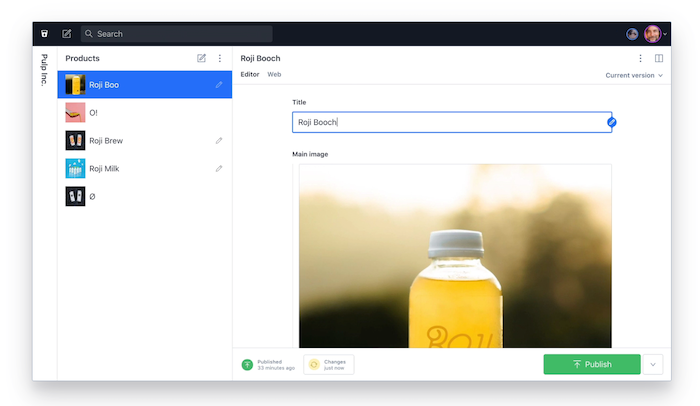
Sanity uses structured content to create an optimized infrastructure using your best content components.
What’s more, all content is data-driven and can easily be customized by individuals or teams.
Sanity.io pricing starts at $99 per month and can be scaled up to the enterprise level.
Headless CMS Frequently Asked Questions
FAQ: 1
What Are the Benefits of Using Headless CMS for Marketing?
Headless CMS creates fully responsive websites that load faster and are more secure. This can help improve SEO and user experiences.
FAQ: 2
What Is the Difference Between a CMS and a Headless CMS?
Traditional CMS systems manage content and front-end on a website, whereas headless CMS deals only with content.
FAQ: 3
What Does Headless CMS Mean?
Headless CMS is a back-end-only content management system that works as a content repository. This allows content to be accessible from an API without needing a front-end presentation layer.
FAQ: 4
What Are the Top Headless CMS Platforms?
Some of the most popular headless CMS platforms are Contentful, Agility CMS, Magnolia, and Sanity.io.
Headless CMS Conclusion
Headless CMS solutions are becoming more common as companies seek ways to increase their digital presence and provide a richer user experience.
These platforms offer the flexibility of decoupled CMS architecture, which allows for site content to be accessible by any front-end system.
Further, headless CMS platforms benefit marketers by offering faster content delivery that improves SEO, supports omnichannel marketing, and helps improve conversion rates.
If you’re looking to improve marketing efforts for your website, headless content management systems can provide the scalability needed for increased traffic and user engagement.
How have you found success using a headless CMS?
Source: neilpatel.com

WordPress.com Vs. WordPress.org
Trying to figure out whether you want to launch your site on WordPress.org or WordPress.com?

Disclosure: This content is reader-supported, which means if you click on some of our links that we may earn a commission.
With WordPress.org:
With WordPress.com:
You can download a free version of WordPress that will let you create a completely unique website. You have to pay for your own web hosting–but you can’t put a price on the ability to design, control, and monetize your site to your liking.
You can build a blog on their website. You don’t have to host anything, but you sacrifice a lot of the flexibility and design freedom that makes WordPress so popular.
While it takes the guesswork out of website building, WordPress.com has limitations that appeal more to beginners with limited technical knowledge.
WordPress.com or WordPress.org: Which is Better?
WordPress.com:
WordPress.com is a free platform perfect for beginners who want to play around with a basic website.
Its simplicity is second to none, so you can focus more on creating great content without worrying about technical stuff.

Create an account today and have your free website ready in minutes.
WordPress.org:
WordPress.org is best for bloggers and businesses who want to take full control of their websites.
You’re free to integrate it with custom themes, plug-ins, and tools, so your website looks, functions, and makes money exactly the way you want it.

Download WordPress now and build a website on your terms.
A Review of The Best Website Builders
If you’re looking for a website builder, this in-depth review of my picks should point you in the right direction.
A website builder should help you create a website in minutes without touching any codes.
I’ve built countless websites over the years, so I know firsthand what essential features to look for.
Spoiler alert: WordPress is one of the best, but you may find other alternatives that might better meet your requirements.
WordPress.com Wins
Easy to use:
WordPress.com is a free managed hosting platform, so starting your website is as easy as creating an account.
The team behind WordPress.com takes care of everything so that you won’t have to download any software, pay for a hosting plan, or manage a server.
This hands-off style of website creation is ideal for those who want to focus more on their content and launch as many free websites as they want.
100% free for basic users:
It’s free to start a website with WordPress.com.
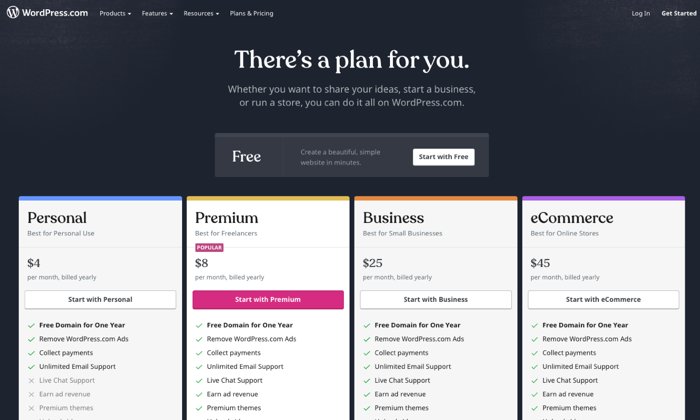
Paid plans are also available if you want to remove ads, have a custom domain (such as neilpatel.com) instead of the default subdomain (neilpatel.wordpress.com), and get a larger storage space.
The cost of upgrading to paid plans can range from $48 per year for Personal to $540 per year for an Ecommerce plan.
Hands-off maintenance:
Having a WordPress.com website is like renting an apartment minus the rental fee.
You get to enjoy the room while the landlord takes care of the maintenance.
You don’t need to worry about backups, updates, and other daunting technical stuff—all of that is handled by WordPress.com’s developers and support engineers.
Multiple customer support channels:
Support forums are available to answer any technical questions, whether you’re using a free plan or a premium one.
Depending on the paid plan you’re subscribed to, you can also access more personalized, round-the-clock support via live chat or email.
Basic customization options:
Even if it’s free, WordPress.com still gives you enough elbow room to personalize your website to your liking.
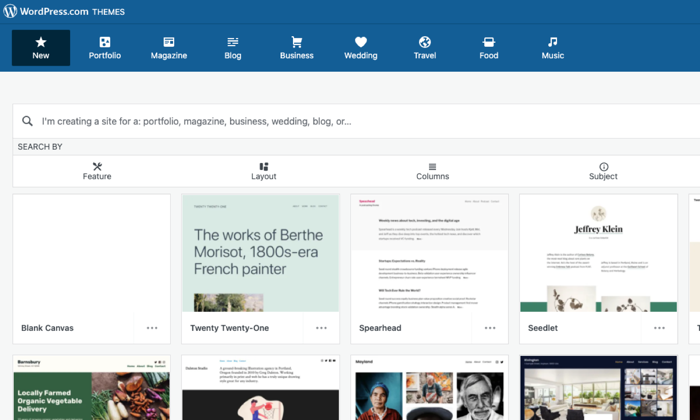
There are hundreds of free themes to choose from, so you can pick something that reflects your style and personality.
Free WordPress.com websites also come with built-in features like social sharing buttons, polls, comments, image galleries, SEO, and contact forms, so you don’t need to install any third-party plugins.
Built-in security features:
WordPress.com is a closed ecosystem that is already secured by default.
You won’t have to install security features or monitor your website 24/7 for possible malware attacks.
Everything is taken care of so you can focus your attention where it’s needed more–creating content.
Painless migration option:
Should you decide it’s time to let your website grow into a self-hosted platform, WordPress.com won’t stop you from doing so.
Free WordPress.com has a built-in export tool that will pack your entire website into a single downloadable file.
You can choose to do the transfer yourself for free or let WordPress.com hold your hand for a small fee.
Completing the transfer is as easy as clicking the import tool button in your new self-hosted WordPress dashboard to have your files moved into their new home.
WordPress.com Losses
Unreliable traffic monitoring tool:
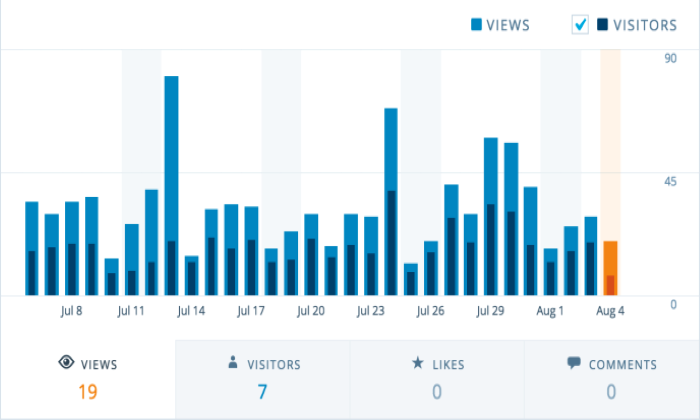
All users can view a Stats page to see how much traffic their websites get at any given time and where their visitors come from.
However, it comes with many limitations, like new visitors not reflecting on the total view count until two hours later.
If the visitor views the homepage while reading a post, the view will be counted towards the total views but not towards the individual post.
Google Analytics presents more precise data, but you can’t integrate it with WordPress.com unless you’re on Premium or higher plans.
Limited ability to monetize:
The free WordPress.com is not designed nor allowed to make you money.
You can try your luck with WordAds, WordPress.com’s own advertising network, but you need a custom domain and thousands of traffic per month to be qualified.
And even if you get accepted, you’ll only be sharing your revenue with WordPress.com.
Google Adsense and ecommerce functionality are only available if you upgrade to Business or higher plans.
Not good for branding:
WordPress.com handles everything for free at the expense of flexibility.
Although the free themes and built-in features are enough if you only blog for fun, they leave a lot to be desired for most users.
Furthermore, the WordPress.com default subdomain and ads won’t help you establish a solid brand in the long term.
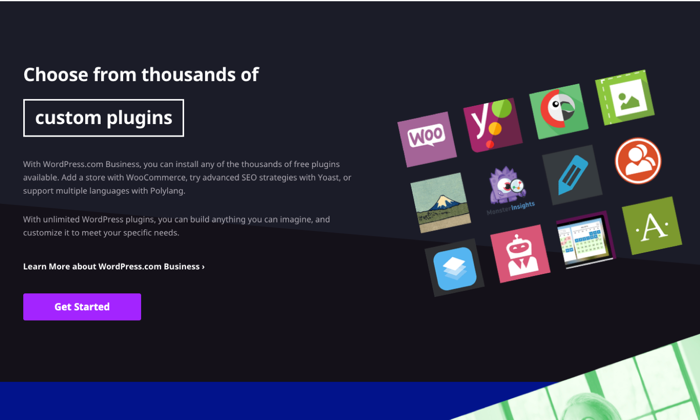
You have the option to customize your website with third-party themes and plug-ins, but this is a luxury only Business plan users can enjoy.
Restricted ownership:
Creating a free website with WordPress.com means you don’t have a say in the majority of things concerning your website.
Their platform, their rules. First, your website address will use a generic subdomain (i.e., yoursite.wordpress.com) instead of a custom domain name that looks more professional.
You also don’t have control over the number and types of ads your readers will see unless you decide to upgrade your plan.
Since your ownership is restricted, WordPress.com can delete your website if they discover it violates their terms and conditions.
Lackluster SEO:
WordPress.com has built-in SEO features, but they’re barely enough to ensure a good user experience and maximum search visibility.
Free accounts only have access to a limited number of free themes, so there’s no way to upload a custom theme that offers better site navigation.
You also can’t install popular SEO plug-ins like Yoast SEO or All-in-One SEO, so it’s impossible to add unique titles and meta descriptions to your articles unless you upgrade to a premium plan.
Lastly, free plan users can’t use a redirection plug-in, so pages that should have been redirected to another page will just stay and clutter the website.
WordPress.org Wins
A wealth of DIY troubleshooting resources:
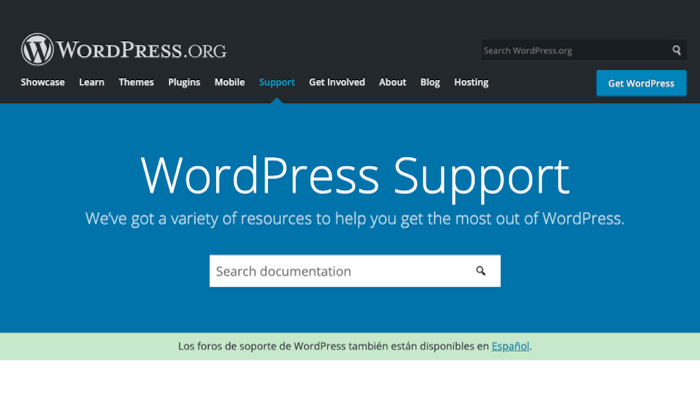
WordPress.org is open-source software, so there’s an abundance of volunteers and experts who are willing to extend a helping hand.
Should you need to fix a technical issue affecting WordPress, assistance is a few searches away through the WordPress.org support forums.
Freel traffic reporting and tracking:
Get real-time traffic reports through Google Analytics, a free tool you can install in WordPress by pasting a few codes into your website back end or activating a plug-in that can do the same without all the hassle.
Regardless of your hosting plan, you can use Google Analytics to get valuable, granular insights about your visitors and then use the data to guide you in making important business decisions.
Unlimited money-making potential:
If you have a self-hosted website with WordPress.org software, the sky’s the limit when it comes to earning money.
You can run ads on your own without sharing the revenue with anyone.
You’re also free to explore other monetization methods like affiliate marketing, publishing sponsored content, or building membership sites that sell premium content or courses.
What’s more, if you want to build an online store, a WordPress.org website has the most robust ecommerce functionality.
Impressive flexibility:
Thanks to WordPress.org, you can have a self-hosted website and the freedom to do anything you want with it.
Do you want to change your theme?
You can install one of many custom themes online or build one from scratch with PHP and CSS.
There’s also an endless list of third-party plug-ins you can install to improve your website’s look and functionality.
From SEO tools to ecommerce extensions, there’s no restriction on how potent you want your website to become.
Uncomplicated security setup:
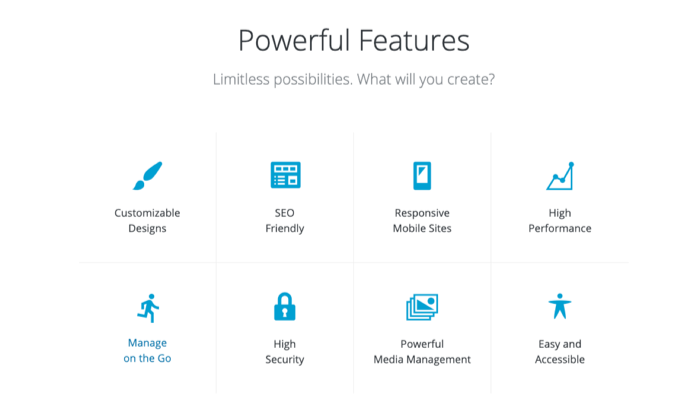
Keeping your site secure is as easy as installing a few plug-ins and letting your hosting provider do the rest.
It’s not totally hands-off, but ensuring your website is secure doesn’t require a steep learning curve either.
After all, you can easily reach out to your web host or one of WordPress.org support forums if you’re struggling to implement security measures on your own.
Full ownership and control:
Building a website with WordPress.org means you have full ownership of your web property.
There is no higher power breathing down your neck that can banish your website the first chance it gets.
As long as you’re not doing any shenanigans, you can rest well at night thinking you have full control of your website’s destiny.
Freedom to leverage SEO:
With full control also comes the power to directly influence how your content ranks on search engines.
A self-hosted website gives you all the freedom to tinker with different SEO tools that can optimize your images, titles, meta description, site maps, and internal links.
Google Analytics is also easy to install to quantify how effective your SEO strategies are and identify areas of improvement.
If the user experience is a priority, you can also install and tweak your preferred custom theme to help improve how your readers navigate your website.
WordPress.org Losses
Lacks simplicity for non-tech savvy users:
WordPress.org is an open-source content management system, not a full-blown website.
To launch your website, you first need to purchase a domain name and pay for a hosting plan.
After downloading the WordPress.org software, have it installed in your web host.
Some hosting providers have also made this step easier by offering “one-click” WordPress installation.
Although you don’t need to touch any codes, beginners may initially find the whole process intimidating.
Building and keeping a website are not totally free:
WordPress.org itself is free.
However, it can’t stand on its own unless you have a domain name and a web host.
A domain name is your website address (e.g., neilpatel.com) and will cost a minimum of $10 per year for a standard “.com” domain.
On the other hand, a web host is where you’ll store your website files—including WordPress.org—and should cost you a minimum of $3 to $10 per month.
And don’t forget the cost of premium themes and plug-ins that will further hurt your pocket unless you already have a site that pays for itself.
Routine maintenance:
Managing a self-hosted site is like having your own house.
You’re free to do anything with it, but you have to fix it yourself should things break.
As a website owner, you’re responsible for updating the WordPress software and all the plug-ins you have installed.
Even if web hosts offer backups, these are rarely comprehensive and guaranteed, so you also need to back up the files yourself.
Comparing The Top Website Builders
Whether you’re a clueless beginner or a tech-savvy webpreneur, my in-depth review of the best website builders will help you choose the platform that will best meet your goals.
- Wix — Best for general use
- Weebly — Best for beginnersWeb.com — Best for building landing pages
- Shopify — Best for e-commerce
- WordPress — Best for content management
Wix is the “jack of all trades” where you can build any website that doesn’t need bells and whistles.
If you’re looking for fewer features and a more beginner-friendly platform, this is it.
Weebly will not disappoint with its drag-and-drop interface.
Are you building an online store?
Look no further than Shopify that is made specifically for this purpose.
If you just need a landing page, Web.com has a ton of templates you can use.
It’s great if you have a lot of campaigns and don’t want to spend all your time designing.
However, if you want to put your content front and center, nothing compares to the functionality of WordPress.
As a content management system, it powers 39% of the Internet’s top 10 million websites.
And for a compelling reason: It has everything you need to scale, optimize, and get the most out of your content.
Source: feedproxy.google.com