
Tag Archives for " Best Domain Brokers "
Best Domain Brokers
Here, I dive into the best domain brokers currently on the market that’ll help you do all the heavy lifting to acquire—or sell—a domain.
Disclosure: This content is reader-supported, which means if you click on some of our links that we may earn a commission.
You’re starting a new site, you Google the domain name to see if it’s free, and you realize it’s already been taken by someone else.
Bummer.
This happens more often than not. Domain name registrations increase by more than 14 million year over year. So, the chances that any given domain name may be taken are only going up.
What are you to do if you really want a domain name that has already been claimed?
What’s your best course of action if you’re sitting on a valuable domain you’re looking to sell?
You find the best domain broker to work on a negotiation plan and broker a fair deal on your behalf.
Here, I dive into the best domain brokers currently on the market that’ll help you do all the heavy lifting to acquire—or sell—a domain.
The Best Domain Brokers
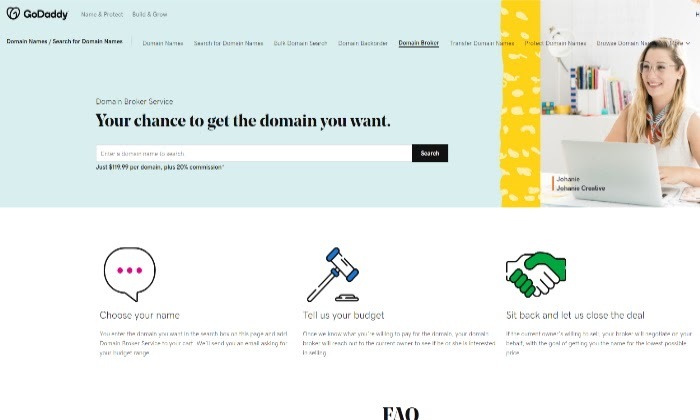
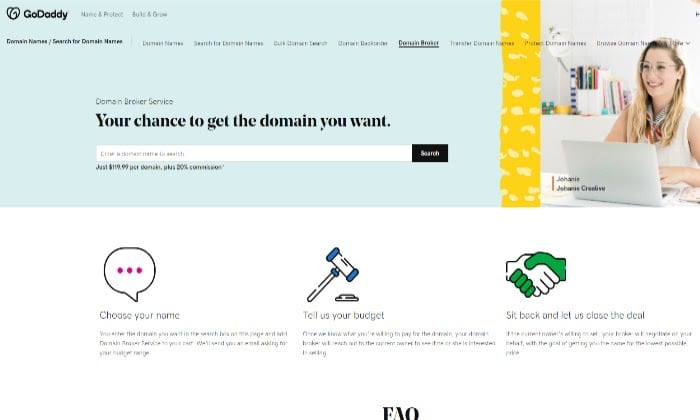
#1 – GoDaddy Domain Brokerage — The Best For Name Recognition
Even if you’ve never bought a domain name before, chances are you’ve already heard of GoDaddy.
It’s everywhere. Hence the name recognition.
With GoDaddy Domain Broker, you can increase your chances of catching a potential domain seller’s attention when one of its agents reaches out for you while you stay anonymous.
Once paired with an agent, they’ll spend 30 days mediating on your behalf to get the best possible deal within the budget you decide on.
If the deal is successful, GoDaddy’s agent ensures an easy and safe payment process for you and facilitates the domain’s migration to your account.
In other words, you get peace of mind. As far as selling and buying digital real estate goes, ensuring you’re engaging on reliable deals by partnering with a dependable domain broker can make a world of difference.
GoDaddy boasts over 20 million global customers with 20 years of domain experience under its belt.
This makes them a domain broker that inspires name recognition and trust. The experts know a thing or two about getting results when it comes to domain brokerage.
Price
GoDaddy charges an initial advisor fee that starts at $119.99. Depending on whether they are successful in purchasing your domain, they then get 20 percent of the sale.
To get started with GoDaddy Domain Brokerage, enter your domain name here to get in touch with one of their agents.
#2 – VPN.com — The Best For Negotiating Large Domain Deals
If you’re after a domain deal that’s well into the six figures or higher, then partnering with a tried and true domain broker like VPN.com can pay off.
It boasts over $65 million in domain transactions and was responsible for the seventh-largest domain deal in 2019.
What sets VPN.com apart is its well-rounded approach to domain brokerage.
The service uses Escrow.com for payment processing protection and ensures you stay completely anonymous throughout the process.
VPN.com is a solid brokerage option if you want to acquire or sell a highly valued domain.
Price
VPN.com doesn’t charge any upfront fees. As far as the commission goes, they never charge over 15 percent.
You can get a free domain appraisal to get started. Otherwise, fill out a short questionnaire to get an initial call from a broker.
#3 – Domain Booth — The Best For Low Commission Fees

Domain Booth has more than two decades of experience in the domain namespace.
What’s more, they’ve also sold over $30 million in domain names.
Domain Booth is a go-to broker for premium domain names that are in the top one percent.
One of its best features is it only makes money if it successfully acquires or sells your domain.
So, you can be sure you won’t be investing money in a deal that might not happen.
This makes it easier to acquire a domain name that you’re genuinely interested in without any downside.
On the other hand, this also makes them more selective with the domains they decide to sell or acquire.
The lost commission fees and zero upfront costs you’ll experience with Domain Booth, along with their years of experience in the space that can prove valuable, make it one of the top domain brokers worth looking into.
I recommend looking at their previous sales and service options to see if they’d be a good fit for your domain needs. As a reputable and professional site, you can easily access all this information on their site.
Price
Once they’ve reached a successful deal, Domain Booth’s commission is only 12.5 percent. And again, they require no upfront investment.
Get started with Domain Booth here.
#4 – Grit Brokerage — The Best For A Broker With Notable Sales
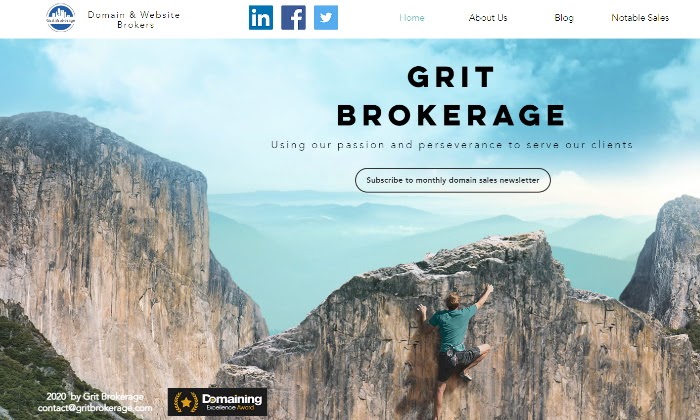
Ever wonder who was responsible for the acquisition of the domain ICE.com for more than $3 million? Look no further than Grit Brokerage.
They’re also responsible for the sale of domains like Panda.com, Doors.com, and Partners.com.
One-word domain sales like these set Grit Brokerage apart as a domain broker with highly notable sales.
What does this mean for you? A proven track record of sales brokers that know their stuff and get results.
You can already guess that brokering deals on their roster takes plenty of grit, persistence, and a whole lot of skill to boot.
With Grit Brokerage, you can be sure you’re getting both, whether you’re looking to buy or sell a domain.
Price
To learn more about their prices, contact them through their site since they aren’t publicly listed.
Get in touch with Grit Brokerage here to learn more.
#5 – MediaOptions — The Best For Outbound Domain Brokerage
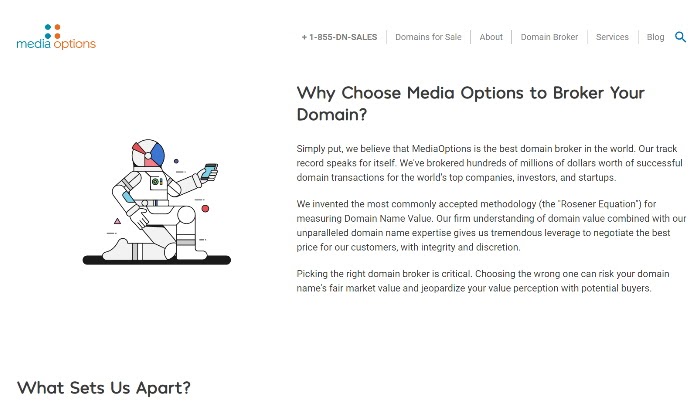
If you’re specifically looking to sell a domain, you have a powerful domain broker like MediaOptions at your disposal.
They deal with top companies that want to acquire highly valuable domain names. And yours might just be one of them.
MediaOptions has brokered domain deals in the millions for startups and large corporations alike. They’re responsible for a number of notable domain transactions through Escrow.com.
So, you can be sure they’re constantly active and well connected in the sale of valuable domain names.
Unlike other domain brokers, MediaOptions doesn’t send impersonal mass emails to their prospective buyers.
They pick up the phone and contact key prospects they think will be interested in your domain. In other words, they do all the selling for you.
This is probably why they can boast an 80 percent sale rate on the domain names they decide to take on, as they are selective with who they work with.
The combination of track record, strategy, and how affordable it is as an effective domain seller makes MediaOptions one of the best in the field for outbound domain brokerage.
Price
MediaOptions doesn’t charge any service fees upfront.
It only charges you if they successfully sell your domain. And its sales commission is an affordable 15 percent once the deal closes, with a minimum of $1,000.
You can easily get started with MediaOptions here if you’re looking to sell a precious domain name for the best possible price.
What I Looked At To Find The Best Domain Brokers
There are a number of benefits to using a domain broker to acquire (or sell) a domain instead of attempting to do it all yourself.
They’ll take care of the bulk of the negotiations and paperwork and provide additional domain connections you just don’t have.
Not to mention, a lot of the skills of a domain broker are acquired over time and are highly valuable because they can save you two things: time and money.
Here’s a quick list of what reliable and effective domain brokers can generally take off your plate:
All the technical aspects of what goes into transferring a domain to you fully and successfully once a deal is finalized
Making sure sale agreements are honored and fully followed through safely via the right platforms
Serve as an arbitrary third party that looks out for your best interests as a buyer or seller
Give you pricing guidance according to market value and demand
Speed up the process of buying or selling a domain
Find the contact information of a registered domain when information isn’t publicly available or easily accessible
Unsurprisingly, a domain brokerage service providing all of the above is your best bet in terms of getting a hold of—or selling—your dream domain.
While some brokers can work with a wide variety of domains, others specialize in specific types of domains, extensions, or deals that might not be what you’re looking for.
You’ll want to decide if you wish to work with a niche domain broker as opposed to a more general service provider going forward. To take it a step further, here are a few more things to consider when you’re searching for an effective domain broker.
Anonymity
As a potential domain buyer, you might not want to have your identity revealed when inquiring about the potential sale of a registered domain for a number of reasons.
A good domain broker gives you the ability to remain anonymous throughout the process and even if the sale doesn’t go through.
As a domain buyer with a business, this can be a deciding factor when you’re brokering a registered domain. Your sensitive information doesn’t have to be made public if you don’t want it to.
But you need to ensure your broker guarantees this as part of their brokerage service.
Accessibility
Different domain brokers charge different fees.
When you’re employing a domain broker to work on your behalf, it’s a good idea to compare what percentage of the sale they’re charging you and the value they offer for what they charge against other service providers.
Name Recognition
Many domain brokerage services, like GoDaddy, leverage name recognition to make acquiring a domain easier.
With name recognition, you’re ensuring the best chance at a response from the domain owner, which can ultimately lead to a sale.
Some domain brokerage services are more recognizable than others, so it can be a factor in determining who you want to represent and reach out on your behalf.
Depending on your unique situation, name recognition can be an added benefit. And closely related to name recognition are any valuable connections the brokers may have.
Negotiation and Expertise
When you’re looking to buy or sell a domain worth thousands or potentially millions of dollars, be sure to look at their negotiation process, history, and domain brokerage expertise with a magnifying glass.
The same broker that could get you pinkandbluerocks.com might not be the best one to help you acquire sought-after one-word domains like coffee.com or cars.com.
Questions like what successful domain deals they’ve brokered in the past and if they have any sort of repeatable track record can help you find the right broker.
Conclusion
An effective domain broker makes the process of acquiring or selling a domain a breeze. Let’s face it, selling or buying a domain successfully can take a lot of upfront work.
Once you’ve researched which domain name you want and made sure it’s already registered, the next step is to look into which domain broker fits your needs.
As they say, domain brokers aren’t all created equal.
Here’s a quick rundown of the domain brokers I recommend and reviewed here:
- GoDaddy Domain Brokerage – The best for name recognition
- VPN.com – The best for negotiating large domain deals
- Domain Booth – The best for low commission fees
- Grit Brokerage – The best for a broker with notable sales
- MediaOptions – The best for outbound domain brokerage
Now I’d like to hear from you. Are there any domain brokers you’ve had a great experience with worth mentioning? Let me know in the comments. I’m all ears!
The post, Best Domain Brokers appeared first on Neil Patel.
Source: feedproxy.google.com

Internal Linking for Massive SEO Results. Why & How to Do Internal Link Building
You’ve probably heard about internal linking a lot because everyone is talking about it. But what’s all the fuss about? Should you really bother doing it? Is it really that effective? If yes, why? There are many questions to be answered.

During our cognitiveSEO talks, many guests talked about the importance of interlinking between your own web pages. Therefore we decided to tackle this subject and let you know about the best internal linking strategies.
We’ve been doing internal linking for years, we’ve been talking about it here and there, but nowhere have we stated step by step how to do proper internal link building. But all that changes today.
If you’re looking for an SEO move that can quickly boost the position of your website, then internal linking is the move you want to make. Keep reading.
What Is Internal Linking and Why Does It Help SEO
Internal links are hyperlinks between two pages of the same website.
Internal links work just like backlinks. However, backlinks are hyperlinks between two different websites. When you link to another website from your own website, you call that link an external link.
When you link within your own website, you call those links internal links.
A proper internal linking strategy can really boost your ranking power because it does two things:
#1: It helps search engines understand the structure of your website, how different pages interact with one another and which pages are truly important within the structure of your website.
#2: It helps users navigate the website and it keeps users on the website by providing relevant content through links that can be followed. This ultimately sends search engines another signal that your website is great, because it provides a good user experience.
These things can account for why Google boosts websites that take internal linking seriously. It’s not just a matter of adding ranking factors to Google’s algorithm, but it actually helps users have a better experience with your website. They’re both considered ranking factors.
Of course, this is just the surface. There are a lot of things that you should take into account when interlinking between your own pages. However, although it might appear difficult, in the end you’ll learn that internal linking is actually very simple.
Internal Linking Basics
To be able to implement a good and effective internal linking strategy quickly, we must first understand the basics of internal link building. When you link from one page to another, you should keep these things in mind, both for best results and avoiding penalties.
1. Structure & Hierarchy
Your website’s structure is very important for its success on search engines. The site structure is bound to internal links, because search engines use internal links for SEO and, most importantly, to crawl your website.
When a new domain is registered and a new website is built, a request can be sent to search engines to crawl and index it. Search engines then access (crawl) the homepage of that website, analyze it, take notes (index) of what’s important for ranking it and look for links to other pages.
When they find a link to a new page, they ‘click’ it and access the new web page, analyze it, look for other links and so on. The process is repeated until the search engines crawl and index the entire site.
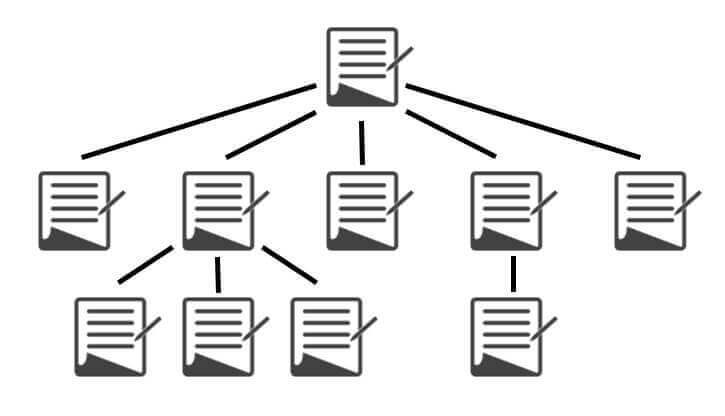
Site structure and internal linking of pages (source: searchenginejournal.com)
The link structure of your website is critical because it dictates the importance of its pages. Your HomePage stands at the top. All pages on your site usually link to your homepage, considering you have a header and a logo with a hyperlink on it.
For informational websites, the link structure is pretty simple. Article URLs are usually right after the root domain.
Most blogs and news sites also have a category hierarchy, which can be more or less important to webmasters. Interlinking usually happens only between the articles and a few more pages.
Then, we have fully hierarchical websites, such as online stores and business websites listing services, maybe some local businesses.
A hierarchically structured website shouldn’t put unimportant categories side by side with important ones, as siblings, but rather as their children. This will help point out which pages are more important.
Let’s take an example for a music store, where there are categories for different instruments and also accessories for each and one of them:
Option one:
- musicstore.com/guitars/
- musicstore.com/pianos/
- musicstore.com/drums/
- musicstore.com/guitar-accesories/
- musicstore.com/piano-accesories/
- musicstore.com/drum-accesories/
Hypothetically, I could also just use musicstore.com/category/accesories/ where I would mix the accessories altogether, but that would be a hell of a mess, don’t you think?
Option two:
- musicstore.com/guitars/
- musicstore.com/guitars/accessories/
- musicstore.com//pianos/
- musicstore.com/pianos/accessories/
- musicstore.com/drums/
- musicstore.com/drums/accessories/
Which option do you think looks nicer, for humans and search engines alike?
I hope you answered with Option Two because it definitely is the better option.
Depending on the platform you’re running your online store on, some issues can arise. URLs are oftentimes really stubborn and difficult to set up.
Now, I don’t really know about other platforms, but I work a lot with WordPress and I know what happens. WordPress runs with unique slugs, so each ‘accessories’ page will have a unique identifier.
In this case, it will be accessories, accessories-2, accessories-3 and so forth. This will also manifest in the URLs, so the results for Option 2 will be the following:
- musicstore.com/guitars/
- musicstore.com/guitars/accessories/
- musicstore.com/pianos/
- musicstore.com/pianos/accessories-2/
- musicstore.com/drums/
- musicstore.com/drums/accessories-3/
In order to bypass these rules, we need to use URL rewrites. If you’re good at coding, you can teach your theme/plugin (in this case WooCommerce) to do that automatically.
It can also be done via the .htaccess file in your WordPress install. However, a much easier option would be to use a plugin that can rewrite URLs.
Another common problem is duplicate content.
If you have one product in multiple categories and use hierarchical URLs for products as well, you’ll end up having the same content on multiple URLs.
To prevent that, WordPress and WooCommerce use separate prefixes for categories and products.
However, if you don’t have a ton of products and you’re 100% sure that products won’t be in multiple categories, you can definitely add it to the category’s URL and extend it.
When following this hierarchical structure, a common internal linking structure mistake is that people forget to link back to the main category pages from their children.
Because when we create websites, we build the pyramid from the top to the bottom and we forget that the top pages are actually the important ones.
So far, we’ve only linked right from the parents to the children. However, in order to really point out that the parent categories are the important ones, we need to link them back to them.
This is where Breadcrumbs come in handy. If you don’t know what they are, I’ll show you an example:
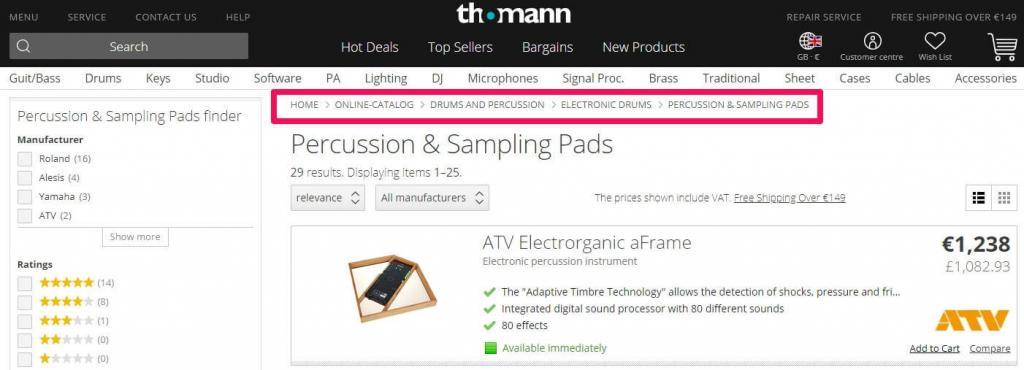
By using breadcrumbs, you can seamlessly link from all your non-important subcategories to the important categories, optimized for high search volume keywords.
You should be able to activate breadcrumbs from your theme’s settings. However, there are plenty of plugins available out there.
By simply creating a good hierarchical structure for your store, your internal linking structure is already taking effect. However, if you implement a blog and a content marketing strategy on your eCommerce website, you can gain a lot more.
I’m talking about having a blog and creating awesome content on it so you can promote it, get backlinks and then interlink to your category pages.
Quick tip: You can also implement a sitemap that matches the structure of your website. Google doesn’t always follow it, but it can be helpful for very big sites.
2. Boilerplate Content vs. Unique Content
Boilerplate content is content that is or can be repeated on multiple pages of your website. It’s usually split into 3 categories: header, footer and sidebars.
The header section is always at the top of the website. In our case, it’s this section:

As you can see, it links to some of our most important category pages from the blog.
Down at the bottom, we have the footer section:
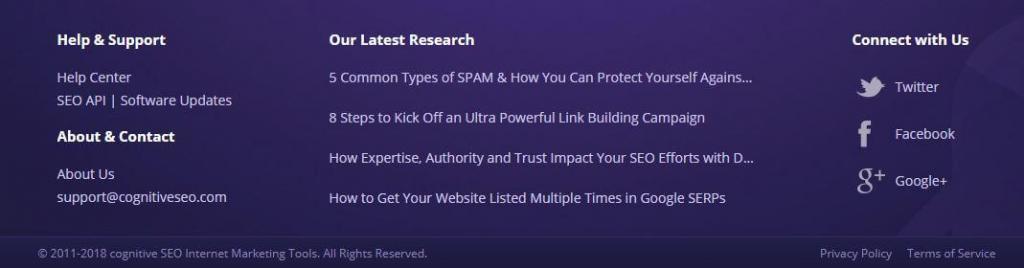
Here we link to our 5 most recent articles from the blog, to give them an initial boost from all our pages when we add them.
We also link to relevant locations for our users, such as the support pages. Here, for example, you could also add a link to your sitemap.
For a really big hierarchical website, footer links can be dangerous. Don’t just put all your categories there. Only put the most important ones. If you feel like adding them all, split them into chunks, on different pages.
Kayak does a really great job at internal linking. That’s why they rank so high for all car rental keywords, even though they mostly use doorway pages.
If you take a look at the image below, you’ll be able to see that they use two-footers. The bottom section is actual boilerplate content, which is visible on all pages, listing the most important car rental locations.
However, the upper section is only for this particular page. I’ve also spotted other pages with similar sections but listing other cities, probably related to the city that the respective page is targeting.
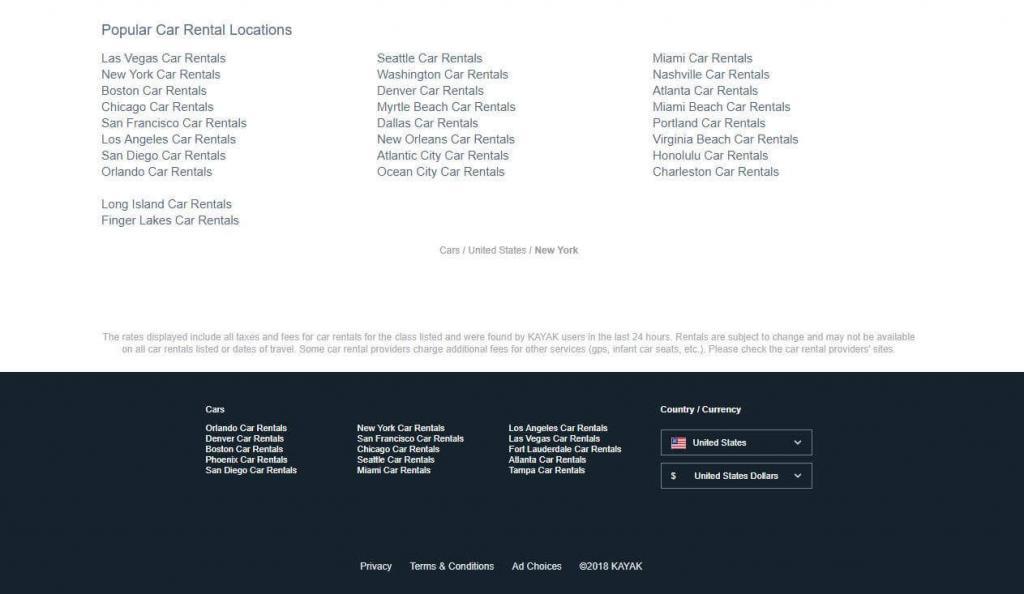
Kayak doing a great job at internal linking
On our website, we don’t have a sidebar, but I’m sure you’ve seen plenty of sidebars on other websites.
They usually contain links to the most recent articles and comments, but they should also contain useful navigation links and links to very important pillar content.
Boilerplate content should hold links to the most important parts of your website, the ones that users will really find useful, especially for navigating the website.
It’s often dangerous because people try to abuse it to create as many links as possible to important pages. These practices are penalized by Google and we will discuss them later.
Unique content is basically the actual content of a page. It’s what lies between the header, footer and sidebars.
Sometimes, it can get duplicated on multiple URLs, but Google doesn’t recommend it and large quantities of duplicate content can greatly harm your website and rankings.
Unique content can hold any links. Their very valuable, as the links can be relevant in terms of topic and anchor texts. However, they should always be more relevant to the user than to the search engines. Simply stuffing links here and there won’t help you much.
3. Internal page performance
As you probably know, the more backlinks a page has, the more valuable it is for that website and also the more value it can pass onward to another page, through a link of its own.
This SEO signal is very important for Google and it will be for a long time (although other search engines like Yandex don’t use links as a signal anymore).
Here’s a video of Matt Cutts (former Head of Spam @ Google) explaining link value and link juice for ranking on Google.
It’s still important to have a good link-building strategy in place to get top positions, especially in highly competitive niches.
Internal links work in a similar way. As with regular external links, the more internal links pointing to one page of your website, the greater the value of that page within the website.
If you have a page with 30 internal links pointing to it, it will hold a greater value in the site than the pages with only 10 internal links.
If you link to another page from that page with 30 internal links, it will pass greater value than linking from the ones that only have 10 links.
Backlinks (from other websites) are also very useful. For example, if you have 10 backlinks to one page but 0 backlinks to another, you can link from the first page to the second to pass some of that link equity, within your own site.
You obviously want backlinks more than you want internal links, but that’s just because backlinks are out of your reach and we all know the nature of humans. Start with what you have control over, and build your way up. A combination of backlinks and internal links is the true key to success.
4. Number of Internal Links
As with any other SEO strategy, method, or category, things can and will be abused by some. Google penalizes such abuses, internal links included.
There isn’t a general rule of thumb when it comes to how many links you can have on a page, but it can come down to the size of the website. As long as you keep things relevant, you shouldn’t be pouring in too many links.
Generally, a normal ratio would be 10-15 links for every 1,000 words written. However, by adding the boilerplate content links to the count, the number can grow pretty fast.
I guess that even 200-250 links per page can be a decent amount on a very large website, but anything over that might look suspicious, to users and search engines as well.
However, you do want to consider that the value a page passes is divided between the number of links it has on it. So, if you had a hypothetical value of 10 and you had 5 links on that page, each link would carry a value of 2.
The more links you have on a page, the less value gets passed through each of those links.
5. Use & Risks of Anchor Texts
Anchor texts are the phrases that users see when they click on a hyperlink. It’s the phrase that’s highlighted usually with blue, but it can be another color, depending on a website’s design (in our case it’s purple).
Example: <a href=”http:/site.com/page/”>This is the anchor text</a>
As with regular backlinks, anchor texts should use keywords, because they say what that link is about and help pages rank higher for those keywords.
However, trying to abuse this will get you in trouble. It’s the exact same thing with internal links.
Quick tip: Image links can also account for internal links. In this case, the alt attribute will be the anchor text of that link. However, text links are more common.
6. Importance of Relevancy
Google has recently put a lot of emphasis on user experience. So, please just don’t fill up your pages with useless links, just for the sake of having them. If they clearly serve no purpose for the reader, you’re better off without them.
For example, you might use 3 variations of a keyword within 100-150 words. If you use all 3 of them to link to the same piece of content, what will that tell the user?
Absolutely nothing. They might, at most, wonder why you would commit such a dreadful act. However, Google will clearly know you’re trying to manipulate it and it will penalize you for it.
A link between relevant posts, with relevant topics to one another and avoid using exact match anchor texts too often. If you’ve mentioned a topic that is required for a better understanding of the phrase, you may use exact match anchor texts.
You don’t really want to expand on that topic and explain what it means there, because most of your readers already know it. But for those that might be new and don’t know what it is, you provide that link to an explanation.
It’s useful to have anchor texts that fit the keywords you’re trying to rank for, but don’t overdo it. To get away with it, you can write things like “To find out more, check out this article about Keyword Phrase“, where the bolded part represents the actual anchor text of the hyperlink.
7. Dofollow & Nofollow
When you interlink between your pages, you want to make sure that those links are dofollow. There’s actually no such thing as a dofollow tag. A dofollow link is just a regular link, lacking the nofollow tag. A normal HTML text link passes equity/value.
Example of dofollow link: <a href=”http:/site.com/page/”>Anchor Text</a>
The nofollow link tag specifies to the search engines that the equity should not be passed and that the vote doesn’t count anymore ( <a href=”http:/site.com/page/”>Anchor Text</a> ).
Example of nofollow link: <a href=”http:/site.com/page/” rel=”nofollow”>Anchor Text</a>
This was often used in practices such as PageRank sculpting, where you would nofollow some links in order to maximize the equity of others.
If we take the same example as above, if you have a hypothetical value of 10 and you have 5 links on your page but 3 of them have the nofollow tag, then the other two would each get a value of 5.
However, this doesn’t really work anymore, as Google countered this by splitting the value regardless of whether the nofollow tag is applied or not.
So now, nofollowing a link in order to ‘pagerank sculpt’ will actually put the value of that link to waste.
However, there are places where you do want to use internal nofollow links. This is when you are linking to a page within your site that has the noindex meta tag. A good example would be login pages.
Why bother to nofollow them? Wouldn’t that equity go to waste? Well, if it’s not going to be indexed, then nothing actually goes to waste. And it’s not like that page is going to pass anything forward.
Google won’t even look at that content to see what other links that page has.
I don’t know about you, but I’d be pretty pissed if someone said to me “Hey, yo Google, check out this awesome link!” and then go “HA HA, just kidding! Don’t index it, tinhead!”
Quick tip: It’s always a good idea to use relative sources ( /contact/ ) instead of absolute ones ( https://cognitiveseo.com/contact/) when linking within your own website. This can come in handy if you ever change your domain.
Step by Step Internal Linking Guide
Considering you now know the basics mentioned above and you won’t use a bad structure or abuse exact match anchors when you interlink, you can start an internal linking strategy on your own website.
Step 1. Mapping Everything
If you haven’t done this on a regular basis before, you really need to plan it out, especially if you have a big website. To do this, you’ll need an Excel File or a Google Spreadsheet.
You can add any other headers you think would be relevant, but I’ll stick with these:
- Page Title
- URL
- Main Keyword
- Other Keywords
- Pages to link from
- Anchor Text

We’ve added just one page as an example but for better results, you should add as many pages as possible.
If necessary, you can split the mapping into multiple sheets (categories, for example). If you have a really big website this can help.
Step 2. Keyword Research
For this example, I’ll just pull out the keywords from the title itself. You can also pull keywords out from the headings and even content. If you want, you can use cognitiveSEO’s Keyword Explorer to get more keyword ideas. Another option would be Google’s Keyword Planner.
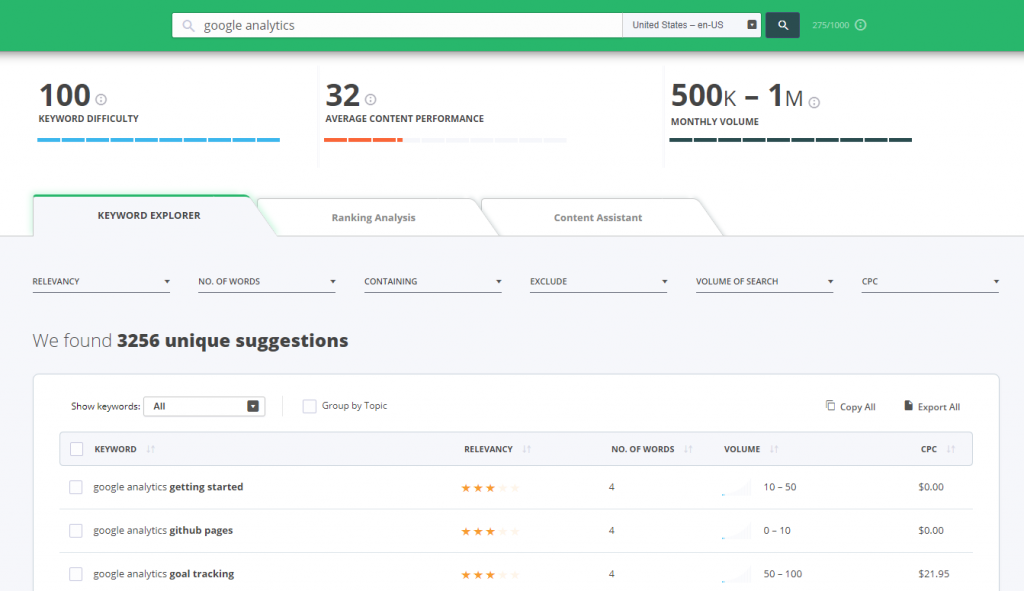
The key here, however, is to think of keywords that will help you find content to which that particular article will be relevant.
Look at how I added ‘monitoring’ as a relevant keyword for the Google Analytics article. You can also use variations, such as ‘monitor’ or ‘monitor your traffic’.
Step 3. Searching Your Website
It’s now time to use those keywords to find relevant, older articles that we can link to our most recent 5 articles. There are two ways you can do this:
The first one is to use your site’s search feature:

After you identify the articles you want to link from, skim through them to find the relevant section and map them down, with their corresponding anchor text:
If your site doesn’t have a search feature (hard to believe… but anything’s possible) you can use Google to search your website, considering your pages are indexed. Use the search operator site:yourdomain.com followed by the keyword you’re searching for.
After you finish the mapping, you can start adding the links. I won’t cover how to actually do that, because you can ask Google. You’re a big guy!
Step 4. Interlink from & to New Pages
Every time you post something new, link to other older articles that are relevant to the topic. It’s better if you do it on the spot, as you write. That way, you won’t forget what you wanted to link to.
However, always double-check at the end to see if you can add some more relevant links.
Also, take the time to quickly perform the process above. Use some keywords to identify relevant articles and then link it from those articles to your new article.
Step 5. Fetch and Render
After each internal linking session, be it a bigger one or for a new post, remember to send your pages for crawling.
This will tell Google to take another look at your pages, so it can see the modifications you’ve made and better understand your website. You can do this via the Google Search Console, in the Crawl section.
Quick tip: If you’re just starting a website, follow the last three steps as a rule of thumb every time you’re posting new content and you can bypass the rest of the steps.
Conclusion
Measuring the results is the final step of correctly implementing an internal linking strategy. You can’t say anything really works until you’ve measured its results. In order to do this, you’ll have to benchmark your site’s positions before and after implementing the strategy.
You can do this by using cognitiveSEO’s Rank Tracker. You can also use Google analytics to monitor your traffic.
You can only really do this well if you implement a more massive internal linking to your website and if you isolate it from other SEO strategies. If you interlink all the time and you’ve been doing it since the beginning, you probably won’t see much of a difference.
Also, publishing an article that gets 100 external links (while your average is usually 1-2) might boycott your internal linking strategy measurement.
Internal linking isn’t hard to implement. Sure, it might bring up a headache if you have a million web pages, but it is definitely worth it.
What are your experiences with internal linking? Have you had success with it? Have you seen any difference whatsoever? I’m eager to find out your opinion. Start typing in the comments section below and let’s get a conversation started. I’ll gladly answer any questions.
The post, Internal Linking for Massive SEO Results. Why & How to Do Internal Link Building appeared first on SEO Blog | cognitiveSEO Blog on SEO Tactics & Strategies.
Source: cognitiveseo.com