
Tag Archives for " Advertizement "

How to Run Spotify Ads
There was a time when Pandora was all the rage. Everyone everywhere was streaming music, listening, and sharing it with their friends. In came Spotify and in no time, the platform reached 345 million users.

Spotify now has 34 percent of the market share compared with Apple Music, Amazon Music, and others.
What does all of this mean for you?
It means Spotify ads are popular, and advertising on this platform could make a significant difference in your business.
In this post, we’re breaking down every last detail you need to know about Spotify ads and how to set them up.
Spotify Ads: What You Need to Know
If you’re considering running Spotify ads, there are a few important factors you’re likely thinking about.
How much does it cost, what types of ads do they have, and how do they play the ads on the platform?
Here are more details so you can firmly understand all the minor details before I discuss how to set up and run your ads.
Spotify Ads Cost
There was a time when Spotify only dealt with large brands with big bank accounts.
The cost for a campaign previously was $25,000. But that’s not the case anymore.
Spotify has opened the doors to smaller companies and brands by setting up a self-service Spotify Ads Studio where you can set your budget at $250 and let it go from there.

The process of bidding on eyeballs is similar to Facebook and other social networks, and your ads will vary in price based on deliverability and target audience.
The actual price you’ll pay can differ depending on the competition but most pay between $.015 and $.025 each time your ad is served.
To convert, someone will either click or tap based on the device they’re using, and you can then bring them to your target page.
The destination page will also play a role in the success of your Spotify ad because of relevancy.
If you’re unsure how to set up a sales page or landing page, we have plenty of resources to help you.
Ad Types
Once you’ve determined to advertise on Spotify fits into your budget, you’ll want to consider the type of ad format that will work best for your business.
Advertising on a music and podcast streaming platform may not work for everyone, but there are a variety of different methods and demographics to target.
Here are the different types of ad settings you can run:
All Platforms
The first is the simplest way: running your ad on all platforms.
This means your ad will reach your target audience no matter what device they’re using, and the ads will play in between songs when users are active on the platform.
You also get a clickable display unit so people can click or tap it and go to your target URL.
If you’re experimenting with advertising on Spotify, starting this way will help you understand who receives your ads and who converts.
When you’re first starting, you don’t have any data about how well the ad will perform and who will respond to it the best.
As a result, widening your deliverability will help you collect the data so you can narrow it down later on.
Sponsored Sessions
These types of ads display on mobile and tablet only.
Sponsored sessions play 30 minutes of uninterrupted music or podcast in exchange for the user watching a full-length advertisement.
At the start of a mobile session, the user receives a prompt that gives them the option to watch a snippet of the video.
Then, they can continue watching it until the end in exchange for 30 minutes of uninterrupted music.
At this point, they can accept the offer or click away and continue with regular platform advertisements for the duration of their session.
This could potentially work well if you have an ad you know converts.
Instead of playing a small snippet and trying to get people to convert in between their sessions, you can play the whole thing right in the beginning and potentially get someone to decide before they begin listening to something and won’t want to click away.
Video Takeover
This ad strategy is a powerful one that displays on mobile and tablet only.
Now instead of just audio, you get a complete video that provides a more premium experience for the user and helps to make your ad appear more engaging.
It comes with a clickable companion unit so users can click over to your target URL.
Overlay
The overlay ad is a fixed-advertisement displaying when someone returns to the app.
There’s no audio or video, and it mimics a banner ad like you would see on an app or website.
Homepage Takeover
This type of ad only works on desktop and it’s a standard display advertisement.
You’ll earn yourself a spot on Spotify’s Homepage for 24 hours with a clickable ad that supports rich media.
You can include interactive elements to make the ad more engaging.
Leaderboard
On desktop and the web player, you can display this type of ad on the Spotify leaderboard for 30 seconds.
Sponsored Playlists
The sponsored playlist works on all platforms and allows you to reach the most listeners by serving as a sponsor of Spotify.
Your ad displays on Spotify’s sponsored playlists so you essentially own the real estate when you choose this type of ad placement.
As someone listens to the playlist, only your ads will display as they stream it.
Why Should You Run a Spotify Ad Campaign
While Pandora held the market share of music listeners and streamers for many years, Spotify has stepped in and grown to more than 345 million monthly viewers and 199 million ad-supported users.
That’s a lot of eyeballs and ears to reach with your advertisements.
With the introduction and success of the Ad Studio, they’ve made it possible for brands and businesses of all sizes to advertise on the platform.
Let’s look at some of the reasons you may want to consider Spotify for your ads.
Spotify Ads Can Drive Revenue for Your Business
One of the primary reasons anyone advertises anything is to increase brand awareness.
We may not always be looking for a conversion or a special action to take place; sometimes we’re merely trying to get the word out and let people know we’re here.
Spotify is a great way to do this because a majority of the ad types play in between music when someone is already tuned in and accustomed to listening even if they know it’s an advertisement.
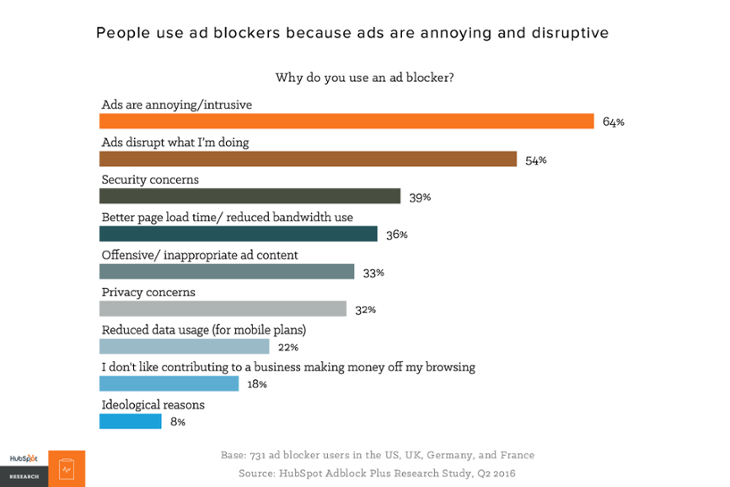
If you create an engaging ad with interesting audio and video, you may be able to get the attention you want on this platform.
Spotify Helps You Create Excellent Ads
Spotify offers so many resources to help their advertisers create the best ads they can.
They’re on your side and they want to see their sponsors succeed because ads are what pay the bills.
In addition to offering a variety of ad experiences as mentioned, they also offer an assortment of free services like voice-over actors, scripts, background music, and different audio effects.
The Spotify ads-free services also allow you to choose which type of business you are and your goal with the advertisement.
You can choose between types of businesses or brands and a goal, such as driving revenue or building awareness.
Spotify Ads Help You Reach Engaged Listeners
One thing I find separates advertising on a streaming platform like Spotify in comparison to Instagram or Facebook ads is this: People are already listening.
They’re tuned in, they want to listen, and even if they’re not happy about the ad, they’re still listening.
People are engaged with whatever it is they hear and chances are they intend on sticking around for a while.
Whether they have headphones in, they’re at the gym, they’re cleaning their house, whatever it is; they’re listening.
If you’re serving an interesting ad to the right audience, you’ll cling to the emotional engagement of a person 15 percent better than other advertising platforms.

Not to mention the number of targeting demographics help you narrow down your ad to ensure you reach the emotionally engaged audience.
You can target based on listening activity, genre, mood, age, generation, location, behavior, listening time, and much more.
Spotify Users Spend More Time on the Platform
Spotify users in North America spend an average of 140 minutes per day listening to the content on the platform.

That factor makes it one of the top 10 most popular apps in the world.
That’s around 70 hours per month, per user.
How to Set Up a Spotify Ad Campaign
Now I want to break down the steps you need to take to create your first ad with some Spotify ad examples.
1. Create Account
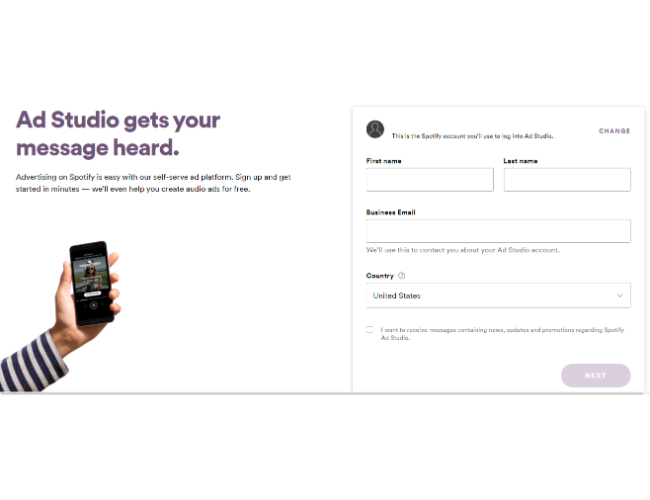
The first step is to create an account if you don’t have one already.
You’ll enter standard information about yourself and your business.
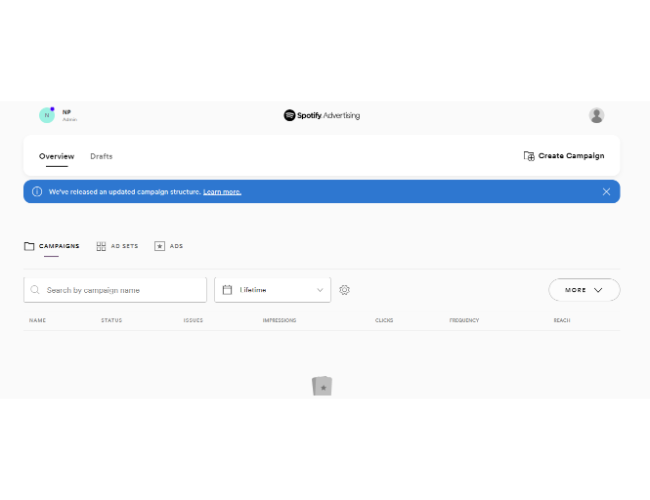
Once you’ve created your account, it will bring you to a dashboard like the one below.
From here, we can get started on setting up our first Spotify ad.
2. Set Your Budget, Objectives, and Schedule
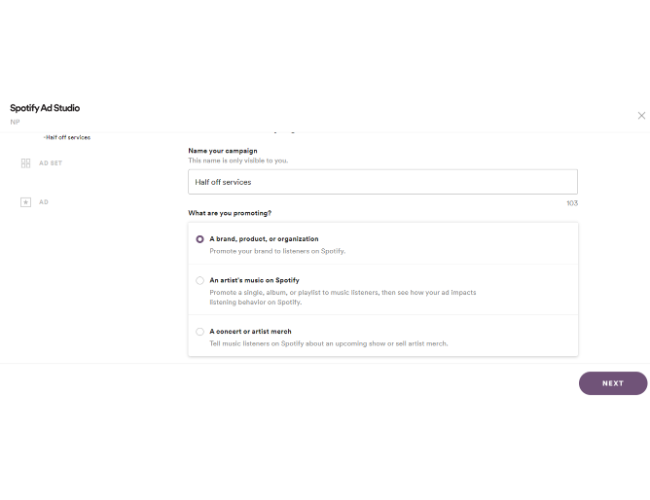
Now, you’ll name your campaign and choose an objective.
For this example, I’m offering half off my agency services for the month and the goal of this ad is to increase brand awareness.
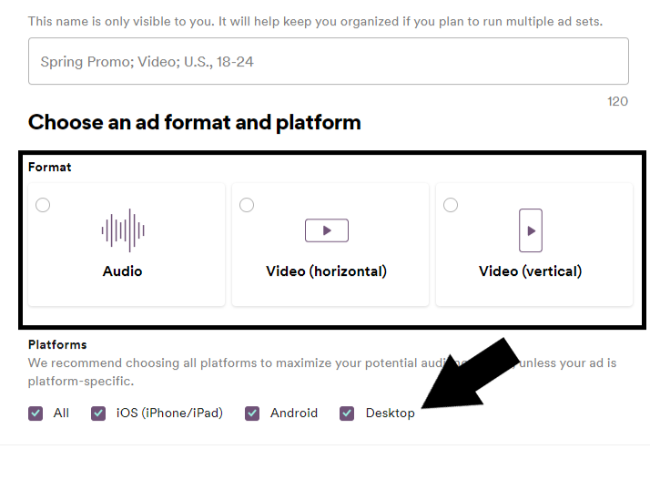
On the next page, you’ll choose which type of ad format and platform you want.
You can choose between audio or video and pick the platform you want to display the ad as well.
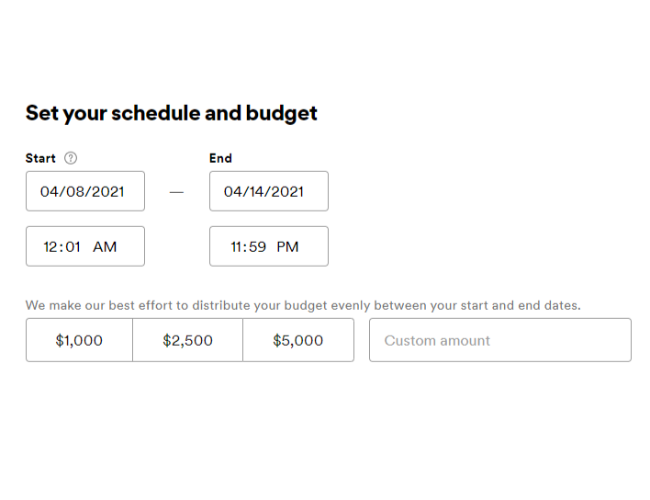
Once you’ve done that, you’ll choose the ad schedule for when you want the ad to start, stop, and what time of day you’d like to display it.
You can also set your budget limit so if you reach a certain budget, the ad will stop displaying so you don’t run over.
3. Define Your Target Audience
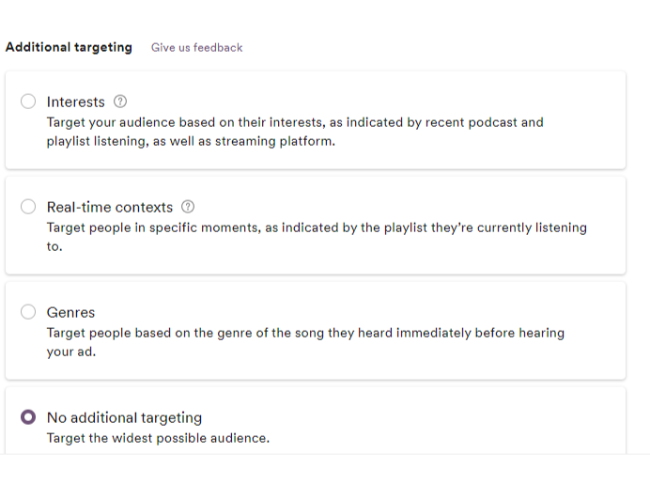
Next, you’ll choose your target audience based on their country, location, postal codes, age, gender identity, interests, context, music genre, and more.
I’m impressed with the level of targeting Spotify has. They allow you to narrow it down.
Most of you won’t narrow down that much in the beginning until you compile data, but this tells me Spotify has a lot of data on its users, which is good from an advertising perspective.
4. Create Your Ad
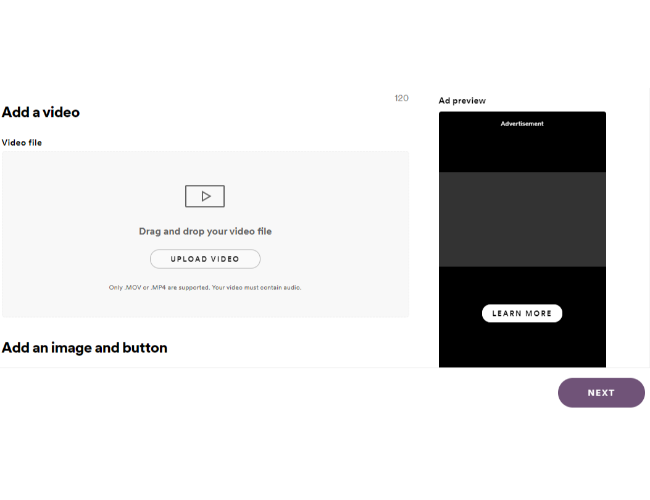
On the next page is where you’ll create your ad. You can upload a video, add an image, and decide which type of call-to-action you want.
Spotify will show you what your ad looks like on both mobile and desktop.
5. Monitor Your Ad’s Success
Once you’ve created your ad, the only thing left to do is monitor its success.
They offer plenty of analytics in the back end to keep track of all the data and determine how you’ll want to narrow down your audience over time.
Starting as broad as possible will help you gather as much data as possible right away so you can then see who is receiving your ad, who is converting, and who is not.
Conclusion
You’ve seen the back end of the powerful Spotify ads manager and you’ve seen how to set up an ad from top to bottom.
The only thing left to do now is to give it a spin and see if it works for your business and your brand.
Be sure to have a customer avatar in mind as you set up your ad, and don’t be afraid to put content out there that’s less than perfect.
The most important thing is you’re putting your brand out there to increase awareness, and it doesn’t have to be 100 percent perfect all the time.
Do you think Spotify is a viable advertising avenue for small businesses?
Why or why not?
Source: feedproxy.google.com

How to Use Amazon Attribution For Ad Campaigns
Every Amazon seller knows how difficult it is to track and measure the impact of external advertising channels on sales. It doesn’t matter how you are driving clicks to your Amazon page; once consumers land on the website, it’s anyone’s guess what happens.

Thankfully, that’s not the case anymore. Amazon Attribution makes it possible for certain sellers to track what happens to every user they send to the platform.
In this post, I’ll explain everything you need to know about Amazon Attribution, including:
- who can use Amazon Attribution
- the benefits of using Amazon Attribution
- how to set up Amazon Attribution
- what you can track using Amazon Attribution
What Is Amazon Attribution?
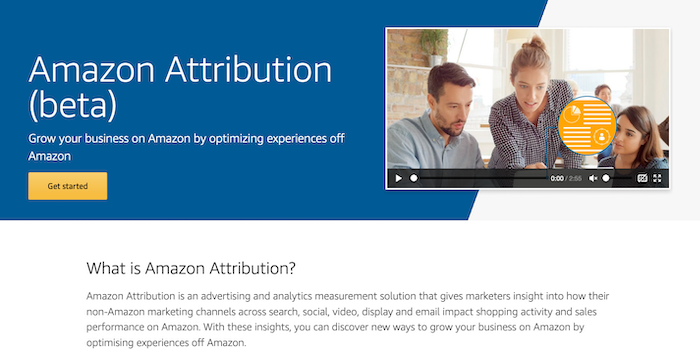
Amazon Attribution is a new tool that promises to grow your Amazon business by improving experiences away from the Amazon platform.
Specifically, the tool provides analytics insight into how non-Amazon marketing channels like search, social media, display, PPC, and email marketing impact sales on Amazon.
It can also track traffic sent to a different website that ultimately converts on Amazon.
Access to Amazon Attribution is available through either the platform’s self-service console or through tools that already integrate with the Amazon Advertising API.
What Does Amazon Attribution Cost?
Amazon Attribution is currently available for free, which is great news for e-commerce owners.
Who Can Use Amazon Attribution?

Amazon Attribution is currently only available to sellers enrolled in Amazon Brand Registry and Vendors in the U.S., Canada, the U.K., Germany, Spain, France, and Italy.
That may change in the future, so keep your eyes peeled if you are in other locations.
What Can You Track Using Amazon Attribution?
Amazon Attribution lets you track a range of metrics that can impact e-commerce sales, including:
- click-throughs
- impressions
- detailed page views
- purchase rate
- add to cart
- total sales
How Does Amazon Attribution Work?
Amazon Attribution uses parameterized URLs—essentially a tracking URL.
When users click on the link and go to your store, Amazon can track precisely what they do.
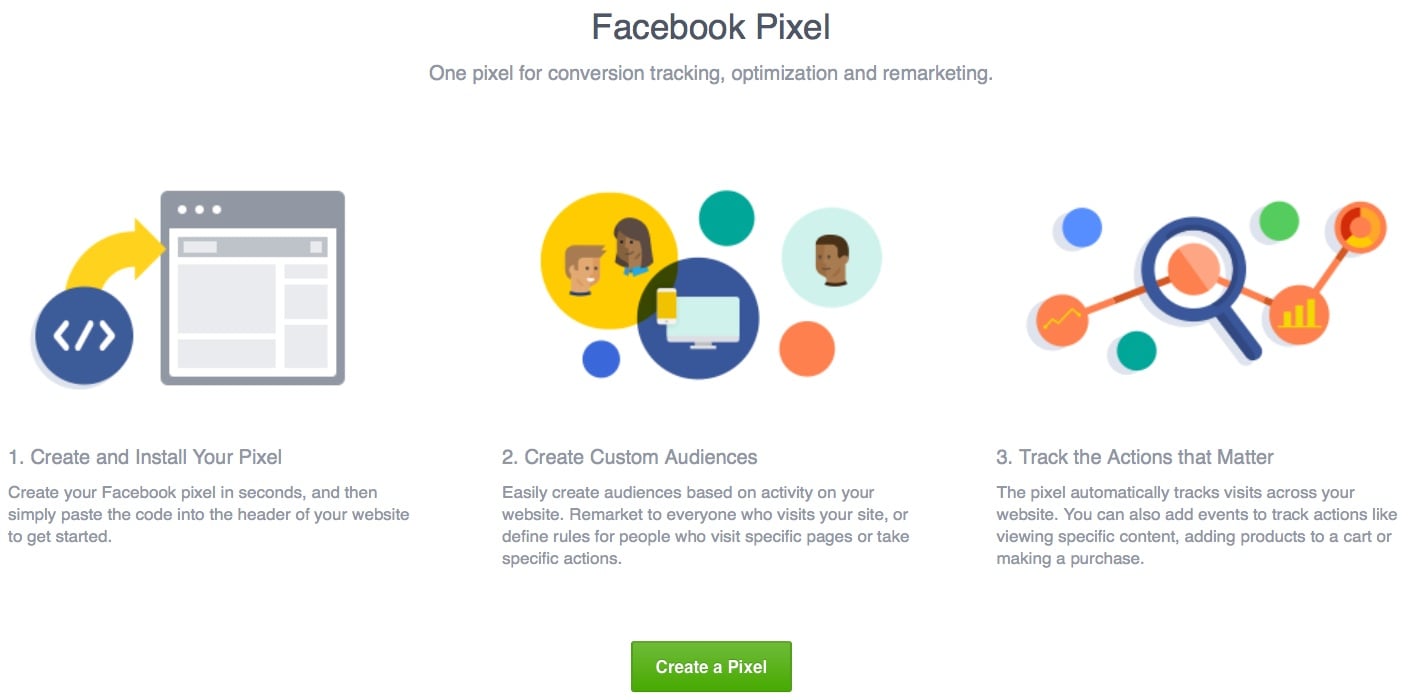
It’s a bit like a combination of Facebook’s Pixel and Google Analytics.
Everything users do once they click on your ad is tracked, and you can see it all in an easy-to-use dashboard.
4 Amazon Attribution Features You’ll Want to Try
Amazon Attribution isn’t just a URL tracking tool. It has several key features marketers will want to leverage.
1. Full-Funnel Amazon Analytics
Amazon Attribution significantly increases the number of sales funnel data brands have access to.
You’re not just limited to conversion data.
Instead, Amazon lifts the curtain on how consumers interact with your product on their platform, providing metrics like clicks, detailed page views, and how many times customers add your product to their basket.
2. On-Demand Amazon Conversion Metrics
You can see campaign performance as and when it happens.
Real-time reporting means marketers can optimize their marketing campaigns faster than ever before.
3. Customer Insights
Because of the wealth of metrics Amazon Attributes provides, marketers can understand how the users they send to their store behave once they get there.
Do they add the product to their basket as soon as they land on a page?
Do they find a different product they prefer? Do they not buy anything at all?
Amazon Attribution lets you answer all those questions and more.
4. Separate Tracking for Each Advertising Channel
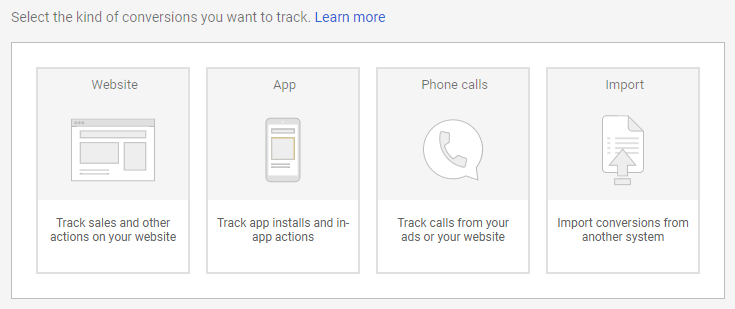
Amazon Attribution lets marketers create different tags for every marketing channel. Facebook Ads, Google AdWords, blog posts, social media posts, it doesn’t matter.
You can make hundreds of tags so you always get granular detail on the performance of every channel.
Why Is Amazon Attribution Such a Big Deal?
It’s not an overstatement to say Amazon Attribution could be a transformational tool for sellers and vendors.
Before the tool was created, tracking off-Amazon marketing campaigns was an absolute nightmare.
There was simply no way to differentiate traffic from separate marketing channels.
It was all dumped together.
Let’s say you made 500 sales, and you know that your own Amazon ads generated 100 of them.
That leaves 400 sales that could have come from any marketing channel or even through an organic Amazon listing.
Do you see what a problem that is for marketers trying to find the best channel?
There’s no way they can tell.
Amazon Attribution changes everything completely.
Now marketers and brands will be able to see precisely where each sale comes from, and that comes with a bunch of benefits.
3 Benefits of Using Amazon Attribution
“Why use Amazon Attribution in the first place?” I hear some of you ask.
There are several reasons eligible brands should start using Amazon Attribution immediately.
Here are my top three.
1. It Identifies the Most Valuable Marketing Channels
It’s not always easy to calculate the ROI of your non-Amazon marketing efforts, especially if you use multiple channels.
Amazon Attribution allows sellers to see exactly which advertising efforts drive the most sales and provide the highest ROI.
With a clear picture of what’s working and what’s not, store owners can focus on their most profitable channels.
2. It Optimizes Existing Campaigns
Amazon Attribution lets you understand how users interact with your store and the broader Amazon ecosystem.
If traffic from one demographic converts better than others, you can optimize your existing campaigns to drive more users that do convert and fewer of those that don’t.
3. It Can Drive More Sales
Some sellers may find the concept of sending external traffic to Amazon strange, but it’s becoming increasingly important.
Amazon is becoming increasingly dominant in e-commerce.
At the same time, the price of sponsored ads on the platform continues to rise.
Why Drive Traffic to Amazon in the First Place?
When you understand which marketing channels are most effective and how consumers interact with your products on Amazon, you can start to make real, data-backed decisions.
The kind of decisions that will help you sell more on Amazon For some that could be investing more in a specific marketing channel.
For others, it could be adjusting the price of their products.
What’s more, new sellers are signing up to Amazon every day.
Oberlo recently reported that a million new sellers are joining Amazon every year.
With so much competition, external traffic can be a vital lifeline to help sellers survive.
Reduce Amazon Advertising Costs
External traffic helps you sidestep the competition for listings on Amazon and drive traffic directly to your storefront.
There’s no need to pay for sponsored ads on Amazon when you drive traffic directly to your products.
Boost Your Seller Rank
External traffic can seriously increase the number of sales your store makes.
This can have a huge impact on your overall sales. Sales velocity is one of the ranking factors Amazon uses in its A9 algorithm, so the more sales you’re making, the higher your products will rank in the future.
Better Understand Your Amazon Customers
The insights from Amazon Attribution can help you learn more about your customers than ever before.
You may find that one product doesn’t convert as well as you thought it did, for instance.
Or that customers prefer one product over another.
You won’t just be improving your Amazon store’s performance, either.
These kinds of insights can improve your business outside of the Amazon platform, too.
How to Set Up Amazon Attribution
The first step to getting started with Amazon Attribution is filling out a signup form and logging in to your account.
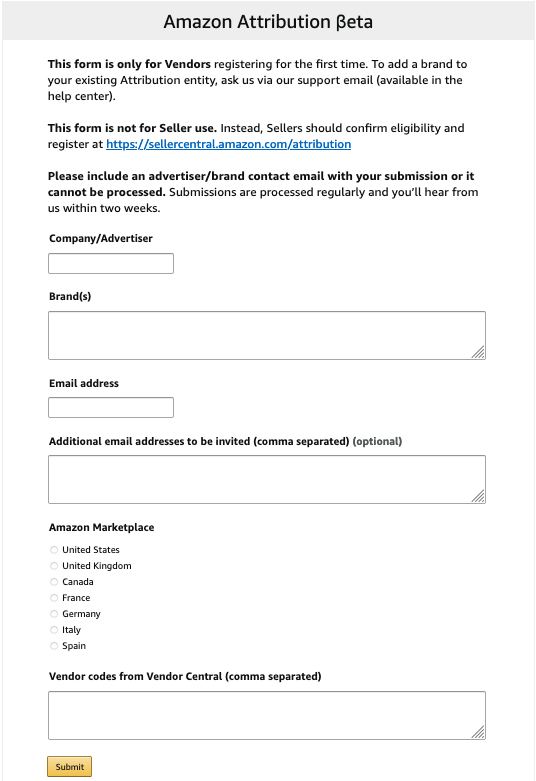
Once your account has been approved and set up, you can start matching products to the campaigns you’re tracking:
- Create a tag by clicking on the relevant advertiser’s name.
- Click “New order.”
- Select the “Set up an order” parameter.
- Choose the product you want to link to by searching for your products and clicking “Add.”
- Give a name and external ID to your attribution tag. I recommend being as obvious as possible with your name, so you know which link is which (Don’t forget you’ll have a separate tag for each of your products).
- Choose where you’re going to place this link: Facebook, AdWords, etc.
- The clickthrough URL is the URL of your product. Find your product on Amazon, copy the URL and paste it here.
- Click “Create,” and you’re done. You can now copy the Amazon Attribution tag and start using it in the wild.
Alternatives to Amazon Attribution
Amazon Attribution is an incredible tool, but unfortunately, it’s not available to everyone who sells on the platform.
Luckily, there are several alternatives you can use instead.
Amazon Associates Tracking
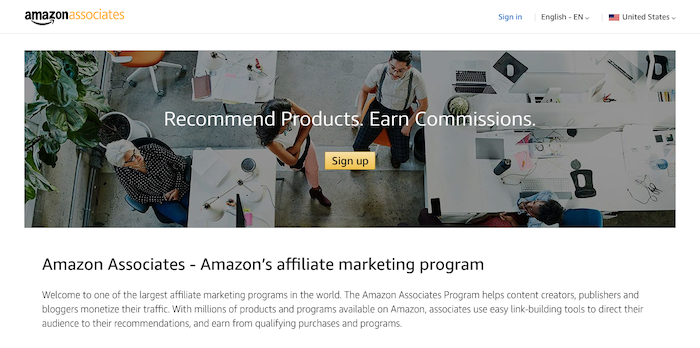
Amazon Associates tracking links were the most popular way to track external traffic to the store platform before Amazon Attribution.
With Associates tracking links, you get paid a commission every time a customer converts.
Unfortunately, this tracking solution is nowhere near as in-depth as Amazon Attribution.
You’ll only be able to see which items users bought, not their behavior on the site before conversion.
Plus, Amazon Associates only get one tag.
That means it can be hard to differentiate between traffic sources.
Pixelfy.me
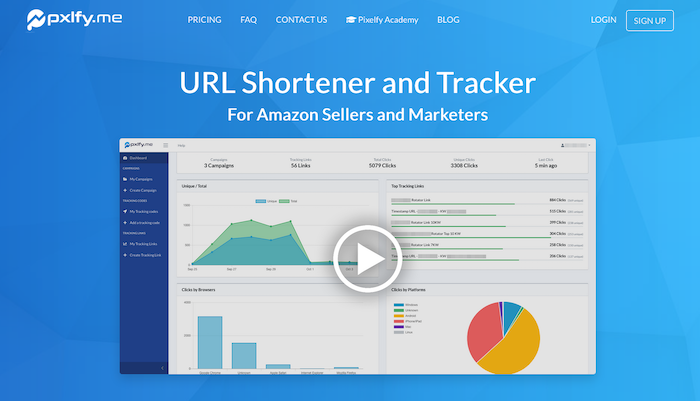
Pixelfy.me is a URL shortener and tracker built specifically for Amazon sellers.
You can create and track every kind of Amazon link, including Supreme, Brand, Canonical, Store Front, Add-to-Cart URLs, and many more.
Pixelfy.me can track almost everything apart from conversions.
While that’s not as comprehensive as Amazon Attribution, Pixelfy.me does let you pixel users to retarget them in the future.
Amazon Super URL Tool
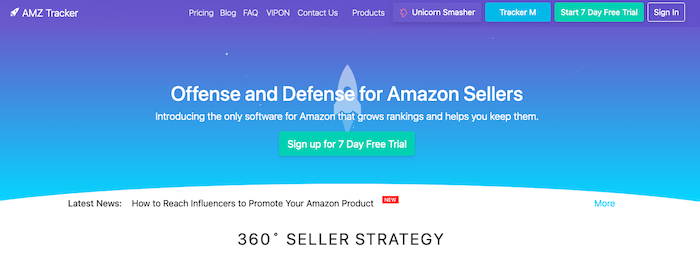
The Amazon Super URL Tool is part of the AMZ Tracker suite of tools.
It does not offer sellers more insight into the way users shop their store, but it can significantly improve the quality of inbound traffic and boost sales as a result.
The platform’s special URL shortener makes Amazon believe visitors have searched for specific keywords on Amazon instead of going directly to the listing.
Amazon should rank your products higher for these keywords, as a result, which can lead to more sales.
Conclusion
Amazon Attribution is the best way to track how off-site traffic performs on the Amazon platform.
If you run external marketing campaigns for your Amazon store and are serious about optimizing your Amazon store, then Amazon Attribution is a must.
Not only can you optimize your marketing campaigns, but you can also increase conversions, too.
Creating Attribution tags is easy. Just follow my advice above or contact my team if you want an Amazon marketing agency to do the work for you.
How many external marketing campaigns are you currently running on Amazon?
Source: feedproxy.google.com