
Tag Archives for " systems "

Best Business Phone Systems
Businesses don’t want to think about their phone system. They just want it to work. Dealing with dropped calls, hitting usage limits, paying hidden fees — avoid all that with the right business phone system.
Disclosure: This content is reader-supported, which means if you click on some of our links that we may earn a commission.
I’ve put together a list of the seven top business phone systems available today. These are all great systems from dependable vendors, but they have their differences.
Let’s walk through how to figure out which one is going to work best for your particular situation
The Top 7 Options For Business Phone Systems
- Nextiva — The Best Cloud-Based VoIP Business Phone System
- RingCentral — The Best Business Phone System For Larger Organizations
- Ooma — Best Phone Systems For Small Businesses
- Freshcaller — The Best Business Phone System For Contact Centers
- Dialpad — Best Business Phone System For Remote Teams
- Line2 — Best For Individuals and Small Teams
- Intermedia Unite — The Best All-in-One Business Communication Platform
How to Choose the Best Business Phone System For You
There is a ton to consider in terms of the exact capabilities and feature sets of business phone systems. Early in the search, it’s easy to get lost in the variety.
Start by considering these six core criteria. How does each system measure up to your specific needs?
Using these criteria as a guide, you’ll be able to eliminate plans that aren’t going to be a good fit fairly quickly.
Deployment Method
Generally speaking, there are two main ways to deploy a phone system for your business—cloud or on-premises. Historically speaking, most business phone systems have been on-site. However, cloud systems and VoIP technology have been growing in popularity.
If you don’t want your phone system tied to physical landlines, offices, and specific devices, then cloud deployment is definitely your best option. But if you prefer a more traditional phone line, then on-premises will work just fine for your situation.
Physical Phone Systems
Do you need to purchase physical hardware for your phone system?
Again, if you’re looking for a traditional office phone that’s sitting on a specific desk with a hardwire connection, then you’ll need to buy those phones. In this scenario, it’s usually in your best interest to buy hardware directly from the phone system provider. Hardware is rarely packaged into your plan, so keep that in mind as you’re shopping around. Actual phones, headsets, etc. will cost extra.
The beauty of cloud phone systems is that you can make and receive calls from anywhere. You and your staff can leverage your existing devices for this (laptops, desktops, smartphones, etc.).
Not only will this make your business phone system easily accessible, but it’s also more cost-effective.
User Size and Scalability
How many people will be using your business phone system?
Is it just you? Is it 5-10 people? 500? 5,000? The answer to this question will definitely have an impact on your decision. Certain systems are designed for individuals, while others are made for small teams and small businesses. Alternatively, there are business phone systems designed for huge organizations with thousands of users across multiple locations.
Primary Communication Needs
There are plenty of general-purpose business phone systems. But some are designed with specific use cases in mind.
For example, there are business phone systems for customer support centers, outbound sales, and inbound phone orders. There are even solutions built for internal communication, such as conference calling and video chat.
So, determine your primary communication need, then start your search from there.
Plan Features
Lots of business phone systems try to improve their market position by giving you lots of “extras” and features included free in your plan. But these are kind of useless if you’re never actually going to use them.
I’m referring to things like visual voicemail, hold music, automated answering, call forwarding, call attendants, texting, etc. The list goes on and on. These features are either provided all-inclusive with your plan or get offered at tiered pricing levels.
My recommendation is this—don’t pay extra for features you didn’t know existed five minutes ago. Stick to the features you know you’ll use. If you get a few bonus ones, that’s great. But don’t fall victim to great marketing by these providers.
Phone Numbers
Do you want to keep your existing phone number? Are you looking for an 800 number? Vanity number? Toll-free numbers?
Some of you will be looking for all of these; others just want a single line for basic use. Most business phone systems will offer a wide range of different phone number options. But the pricing and offerings vary from provider to provider.
Just know that you might have to pay extra for things like toll-free calling and international phone numbers.
The Different Types of Business Phone Systems
Business phone systems aren’t really a one-size-fits-all product. Most people don’t realize it, but there are actually several different types of phone systems out there. I’ll explain each one in greater detail below to give you a better understanding as you’re shopping around and evaluating plans.
VoIP Phone Systems
Voice over Internet Protocol (VoIP for short) has quickly become one of the most popular types of phone systems for business users. As the name implies, the system is based on an IP connection. Rather than setting up complicated wires and landlines, a VoIP system just uses the same Internet connection that your organization already has.
VoIP systems are generally cost-effective and easy to set up. However, they rely on a strong Internet connection. So if you have spotty service, this won’t really work for your business.
Analog Phone Systems
Analog systems use POTS—plain old telephone service.
Think of a traditional landline phone system. That’s an analog service. It uses copper lines and connections between your system and carrier. As a result, analog phones have exceptional call quality and reliability.
However, analog phones lack the features associated with newer types of phone systems. They’ll still offer basic phone features (hold, mute, call waiting, speaker, speed dial, redial, etc.), but you won’t get too much more. Overall, analog technology is pretty dated.
PBX Phone Systems
PBX stands for “private branch exchange.” This is also referred to as a digital phone system.
It’s common for PBX systems to have an extensive feature list with lots of applications. These solutions are great for businesses that want to customize their phone system with various add-ons and upgrades.
Hybrid Phone Systems
Hybrid phones offer digital and IP functionality. These solutions have been growing in popularity because of their versatility.
Most business owners that purchase a digital phone system lean towards hybrid options. This will give them the opportunity to expand and scale in the future using IP protocols. It’s also common for hybrid systems to include features like fax and email integrations.
To ensure high-quality voice, the hybrid phone system must have a strong network connection. The quality is limited to the type of phone service that’s delivering it. A robust Internet connection is the best way to ensure call quality.
Cloud Phone Systems
The terms “cloud” and “hosted” are often used interchangeably in the world of business phone services. With a cloud system, you likely won’t need any on-site hardware (aside from your existing routers and data switches).
It’s easy for anyone to manage a cloud phone system, including your staff. All of the customization and management can be handled directly from a simple interface offered by your system provider.
The communication on a cloud phone system relies on a third-party data center (from the company you purchased from) and a stable Internet connection.
Examples of Business Phone System
#1 – Nextiva Review — The Best Cloud-Based VoIP Business Phone System
Nextiva offers a wide variety of VoIP phone services to businesses of all shapes and sizes including small businesses and enterprise-grade solutions. So, it’s an excellent choice if you’re interested in the flexibility of an online phone system.
On top of that, Nextiva also offers various communication tools like live chat, SMS, email, CRM, and more.
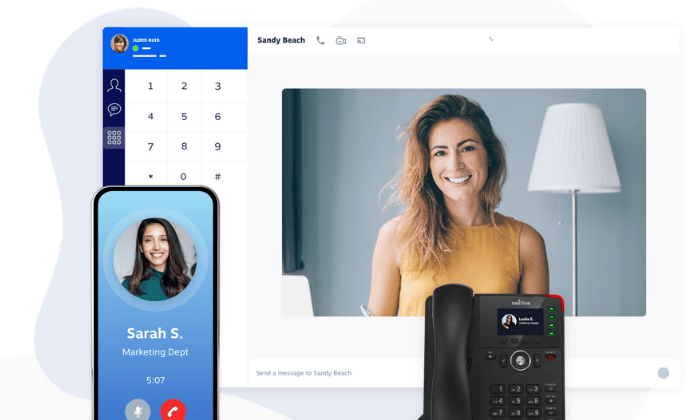
With Nextiva’s VoIP phone services, you get access to a ton of powerful features, including free local and toll-free numbers, unlimited calling within the US and Canada, HD video conferencing, an auto attendant, call controls, and unlimited internet faxing.
While these are standard for most business phone systems, Nextiva’s reliability, security, and customer service are second to none. When you sign up, you get access to:
- Eight U.S.-based locations
- Carrier-grade data centers
- SSAE 18 and ISO 27001 audited data centers
- Real-time disaster recovery
- Multi-layer security with 24/7 monitoring
- TLS and SRTP data encryptionBest-in-class session border controllersInnovative fraud detection and mitigation
So, whether you’re a small team or a small to medium enterprise, Nextiva’s VoIP phone systems are one of the best options available on the market.
The cheapest plan starts at $19.95 per user per month, but the mid-grade plan is only a dollar more. The mid-grade plan comes with a free trial, internal collaboration tools, unlimited SMS, and more advanced features.
So, it’s well worth that extra dollar a month. Sign up for a free trial to take their Professional VoIP phone plan for a test drive today!
#2 – RingCentral Review — The Best Business Phone System For Larger Organizations
RingCentral has quickly become one of the most popular service providers in the business communications space. They have a wide range of solutions based on company size, industry, and business needs.
You can use RingCentral for cloud phone systems, video conferencing, remote customer service, contact centers, global expansion, and more.
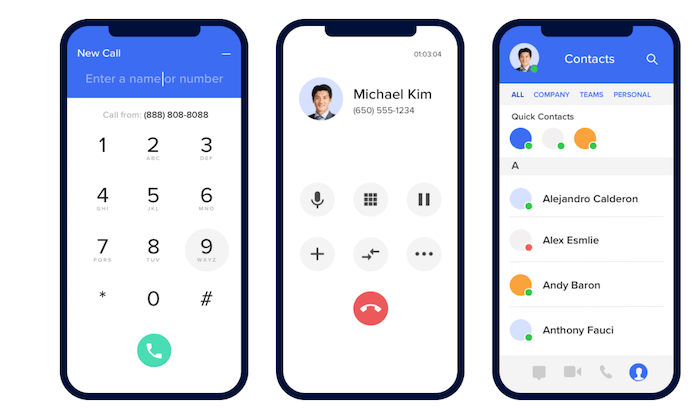
Used by 400,000+ businesses in nearly every category you can imagine, RingCentral is an industry leader in this space.
Popularity aside, these are some of the other reasons why I like RingCentral so much:
- Deploy new users and start scaling in minutes
- Auto-receptionist shared lines, and extensions to ensure you never miss a callHigh-quality audio
- Ability to switch live calls between mobile and desktop with just one click
- Automated visual voicemails
- Set up local phone numbers from 200+ area codes
- Robust admin portal for dynamic call routing, usage monitoring, and quality control
- 24/7 customer service from RingCentral’s friendly team of experts
Overall, RingCentral’s extensive feature set is definitely designed for larger teams. They do have plans for small businesses, but most smaller teams don’t need these extra features.
RingCentral starts at $19.99 per user per month. Try before you buy with a 15-day free trial.
#3 – Ooma Review — Best Phone Systems For Small Businesses
Ooma offers VoIP phone systems specifically designed for small businesses. The system is easy to set up, and you can make calls from anywhere using the Ooma mobile app or desktop computer app.
You can completely customize your Ooma phone system based on factors like how many employees need a phone, fax connection, conference calling, physical hardware, and more.

Here’s what I like the most about Ooma’s business phone system:
- Get the system up and running in less than 15 minutes
- Keep your existing number or pick a new one
- Easy to set up a 1-800 or toll-free phone number
- Features like call recording, virtual extensions, overhead paging, and more
- Create “ring groups” (like sales or customer service)
Ooma’s phone system starts at $19.95 per user per month. There are no contracts or hidden fees. You can even get a new phone number for free. Try Ooma today.
#4 – Freshcaller Review — The Best Business Phone System For Contact Centers
Freshcaller is a bit unique compared to other business phone systems on the market today. This solution is designed specifically for customer support teams.
There are no hardware or download requirements to run Freshcaller. As a cloud-based PBX system, your customer service reps can access the software from anywhere.
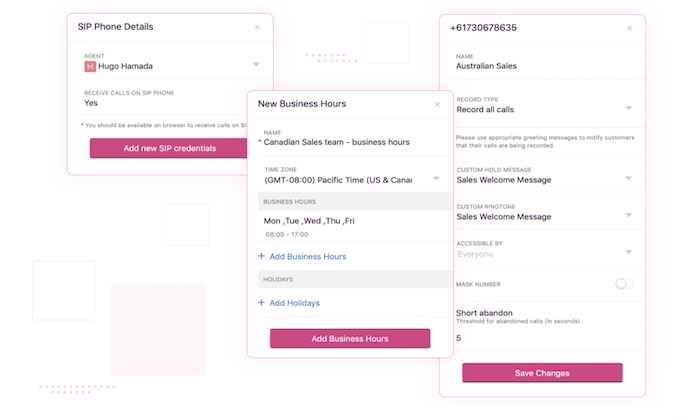
40,000+ businesses worldwide trust Freshcaller. If their reputation isn’t enough to convince you, here’s a quick overview of the top features:
- Ability to port your numbers or purchase new numbers from 90+ countries
- Advanced inbound call routing capabilitiesSupervisor controls for conversation monitoring, call queues, and more
- Easy to use for remote customer service teamsSmart escalations, call transfers, agent notes, and conferences
- Use AI voice bots to engage with your customers
While Freshcaller is definitely geared towards support teams, the phone service could double as a solution for sales representatives as well.
Local phone numbers start at $1 per month, and incoming calls start at $0.016 per minute. You can try Freshcaller free for 21 days.
#5 – Dialpad Review — Best Business Phone System For Remote Teams
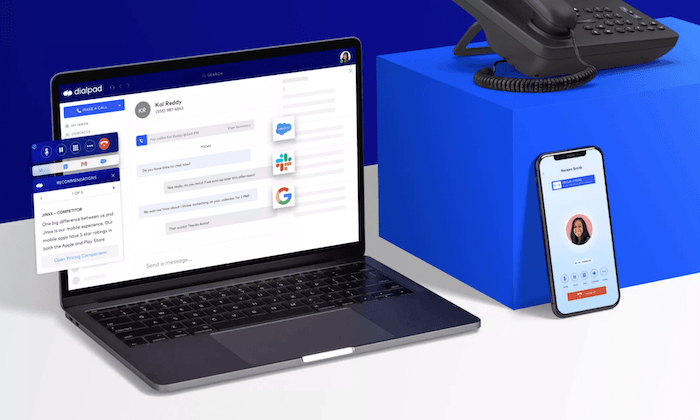
Dialpad is another modern business phone solution. This provider leverages cloud technology and VoIP for their phone systems.
Plans start at $15 per user per month, and you can try it free for 14 days.
Dialpad has carved out a niche in the remote workspace. A quick visit to their website, and you’ll see #WorkFromAnywhere plastered in big letters on the homepage.
These are some of the reasons why I recommend Dialpad:
- Easy to deploy, add users, and change numbers in real-time
- Seamless integrations with tools like Zendesk, Salesforce, G Suite, and more
- SMS, MMS, and group chat business messagingCreate smart call routing paths to the right sales rep, agent, or operator
- Tools for sales, contact centers, and conference calling
More than 70,000 organizations across the globe use Dialpad. So you know that it’s a trustworthy and reliable business phone system.
#6 – Line2 Review — Best For Individuals and Small Teams
Line2 is exactly what it sounds like. This business phone system makes it easy for anyone to add a second line to their existing phone.
Your new business phone number can easily be managed directly from the Line2 mobile app.
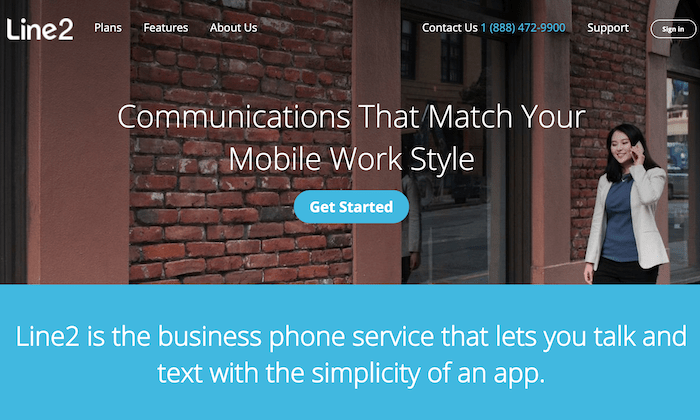
The entire process is as simple as 1, 2, 3—sign up, choose a number, and download the app. That’s it! Now you’ll be able to make and receive business calls from your smartphone without giving away your personal phone number.
Other features worth mentioning include:
- In addition to smartphones, Line2 works on Macs, PCs, and tablets
- You can continue to add multiple lines as you scale your business
- It’s easy to deploy with no hardware or IT requirements
- Line2 is always coming out with new calling and messaging features
Overall, the concept behind Line2 is pretty straightforward. It’s perfect for individual users, freelancers, and small business owners.
Plans start at just $9.95 per month with a 30-day money-back guarantee.
#7 – Intermedia Unite Review — The Best All-in-One Business Communication Platform
Intermedia Unite is more than just a PBX business phone system. You’ll also get tools for video conferencing, live chat, file management, and screen sharing.
All of these features are bundled into a fully integrated unified communication and collaboration platform.
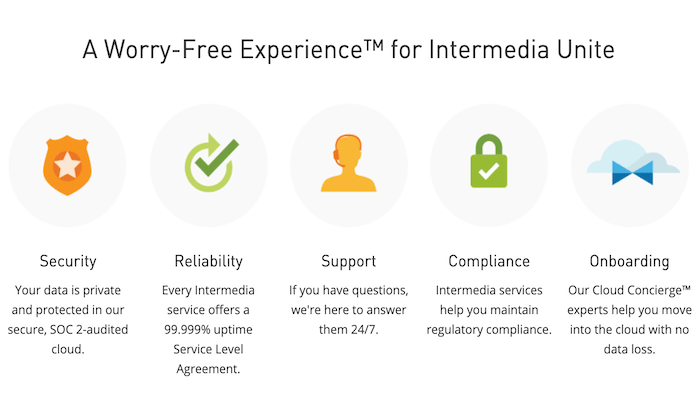
If you’re just looking for a basic business phone system, this option probably isn’t for you. But for businesses seeking an all-in-one solution, I can’t really name a better option than Intermedia Unite.
- Auto-attendant for connecting customers with the right person
- Wide range of integrations for building efficient interactions
- The system works from the Intermedia Unite mobile app and desktop app
- Phone support on pre-configured desk phone devices
- Award-winning customer service, 24/7Admins benefit from custom management tools and actionable analytics
Intermedia Unite pricing starts at $27.99 per month per user. It’s a bargain, considering all of the features you’re getting in this package.
Summary
To say you have lots of options to consider for a business phone system would be a drastic understatement. But by using this guide, you’ll be equipped to make the right decision based on your needs.
In a market that’s saturated with phone systems for businesses, I really only like the seven options reviewed above.
So start your search there, and use the buying guide outlined earlier in my guide. This will steer you in the right direction.
The post Best Business Phone Systems appeared first on Neil Patel.
Source: feedproxy.google.com

Best Business Security Systems
It’s a good idea to set up a business security system before you need it. For too many companies, the decision to make this investment is reactive. Their company’s physical security gets compromised, resources are lost, and employees feel unsafe.
Disclosure: This content is reader-supported, which means if you click on some of our links that we may earn a commission.
A lot of people see cost as a barrier to installing a reliable business security system. That used to be true, but today, there are tons of really affordable solutions.
A small shop can set up basic video surveillance for under $300 for the first year. No joke. And the high-end systems cost nothing compared to the losses they prevent.
Don’t want to drill holes and run wires? That’s fine. There are DIY wireless systems available for a song.
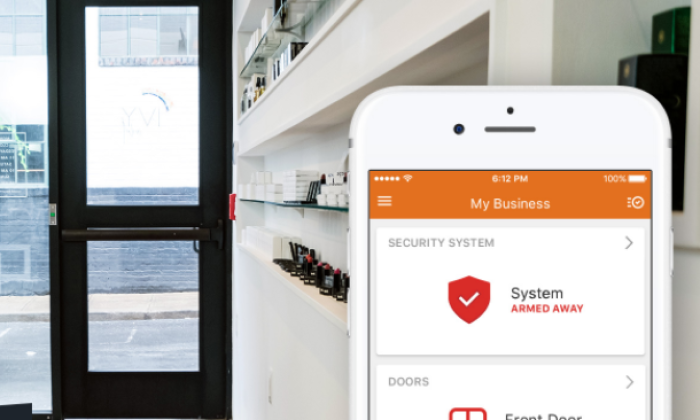
And, with video storage in the cloud, most business owners can monitor all their alerts and recordings from a smartphone.
I’ve put together a list of five of the best business security systems. You’ll find lightweight options that cover the basics, as well as powerful systems with competitive pricing.
In here, there’s going to be a business security system that meets your specific needs. By the end of this post, you’ll know which one.
The Top 5 Options for Business Security Systems
- SimpliSafe – Best for DIY Security System for SMBs
- Vivint – Best for Professional Monitoring
- Alarm.com – Best Professional Security System for SMBs
- Alibi Security – Best for Upgrading Existing Security Systems
- Wyze – Best for Affordable DIY Video Surveillance
How to Choose the Best Business Security Systems for You
Pretend you are a thief. Could you break into your own business and get away with it?
Without a full business security system in place, every office or storefront is going to look like an opportunity to the wrong crowd.
But what does it take to really secure a space?
Not that much, unless you’re trying to lock down a casino or bank.
The typical workplace and even huge corporate headquarters can get by with a surprisingly modest amount of equipment.
Let’s break business security systems down into their basic elements:
- Access control
- Intrusion detection
- Video surveillance and recording
- Professional monitoring
- Installation
I’ll go over the major considerations in each section. From there, you can decide which equipment is going to work best in your space.
Access Control
One of the key responsibilities of a business security system is controlling access to the property. The products I really like to have smart locks, which can be controlled remotely.
What’s more fun than having to let someone into the office on your day off?
Plus these locks can be set to open or shut at particular times, ensuring that a building is secure even if the last person out forgets.
Many smart locks come with keypads and let you assign unique PIN codes that identify who is entering. No more missing keys.
Some of the more advanced access control features include keycard systems, which create a log of everyone coming and going.
Intrusion Detection
Adding sensors to doors and windows lets business owners know when something has been opened.
Usually, owners can configure the types of alerts they get. This means a manager might get an alert that a service door was left ajar, but only the owner would see that the safe was opened.
There are also motion sensors, which can trigger alerts or blare a warning siren to let an intruder know they’ve been detected.
Glass break sensors are triggered by the specific frequency of someone smashing a window, which can provide an alert even when a burglar is not in view or range of other equipment.
Some cameras come with built-in motion detectors, alarms, lights, and sirens. Mounting one of these cameras over an entrance can deter would-be criminals, especially if they trip the motion detector and find themselves bathed in light, frowning at a camera.
There’s actually quite a bit these cameras can do, so let’s jump to that now.
Video Surveillance & Storage
Each camera that is part of a business security system has two important jobs: capture video and store it safely.
To accomplish both these tasks, a camera has to have the right capabilities. Let’s break down each responsibility.
In terms of capturing footage, here are the core camera features to be thinking about:
- Resolution: the quality of the picture (look for 1080p or better)Field of view: how wide an angle the camera sees
- Pan: the range a camera can swivel from side to side
- Tilt: the range a camera can swivel up and down
- Zoom: the camera can reframe and enlarge part of the field of view
- Infrared: the camera can use heat signatures to improve lowlight/night vision.
Let’s say there’s one camera pointed straight down a hallway, and another in a parking lot. The hall cam doesn’t need a wide field of view, night vision, or the ability to pan/tilt/zoom.
The parking lot cam might need all those features, plus a higher resolution to keep image quality when zooming in on a car at the end of the property.
Now, surveillance footage is pretty much useless if you can’t access it when needed. In terms of video storage, here are some of the major things to think about:
- Camera type: analog, cellular, IP, and WiFi cams
- Resolution: the higher the image quality, the more storage required
- Clip capture: whether a camera records a picture every x seconds or records for y seconds after motion is detected
- Continuous recording: the camera is rolling 24/7Storage location: recordings can be stored on a video card, in the cloud, on a DVR, NVR, or some blend of these locations.
The overarching question is, how do I make sure that every camera can deliver its recordings to a centralized place where everything can be managed?
With cellular and WiFi cameras, you really just have to get power to them. WiFi cameras have to be in range, but cellular ones can be anywhere service is available. If these are battery-powered and record to a memory card, they are 100% wire-free solutions.
When it comes to IP and analog cameras, they have to connect to a recorder. If the cameras are PoE (power over ethernet), power and recording can be delivered with the same wire. If not, you’ll need to both, power the camera and wire it to the central hub.
Professional Monitoring
Some business security systems have the option to include professional monitoring. That means that emergency alerts will be routed to a security center that will contact police, fire, and/or EMS.
The cost of professional monitoring can vary widely and sometimes it is only available via a third-party service.
Installation
Some vendors offer installation for supposedly DIY systems and I recommend pricing that out. If it takes you and one other person all day to set things up, is that really more economical than paying a pro $100 to get it right before lunch?
With the more heavy-duty systems, professional installation is going to be required. Getting dozens of IP cameras wired and placed throughout a large property is not something a non-specialist should tackle.
There are also codes and regulations to consider for the non-DIY systems. Usually, a sales rep will be able to answer all your questions about the fire code and other laws that might affect your system.
It’s nothing to lose sleep over, just not a problem you want to discover with the inspector.
The Different Types of Business Security Systems
The breakdown of different types of business security systems is pretty straightforward. Depending on your needs, you may know exactly what type is going to work.
Alternatively, you may fall somewhere in between these categories. Then the decision will come down to the specific equipment that makes up the system.
If anything, I’d err on the side of caution and make extra sure you are securing the entire property, rather than trying to stretch a lighter system to its limits.
DIY Business Security Systems
The so-called DIY business security systems are made up of WiFi and cellular cameras that don’t necessarily require any extensive setup.
Since the cameras record directly to the web, there’s no need to wire them to a central recorder. Mostly it’s just mounting the cameras and plugging them into a power source.
All the cameras, sensors, locks, and other equipment are accessible from a browser or mobile app. If you are not climbing ladders, the whole installation may take no more than an hour.
DIY business security systems are really affordable, but they have their limits. They don’t typically accommodate a large number of cameras and start to lose their effectiveness at longer ranges.
Professional Business Security Systems
When it comes to business security systems that have to be installed by a professional, you’re going to get a much greater range of capabilities than with a DIY system.
For one thing, you will be able to deploy a large and complex system. This means as many cameras, sensors, and locks as necessary. All of it will be centralized in one place, regardless of the type of camera.
They’ll also have more robust access control equipment that’s designed specifically for businesses, like keycard systems.
The cameras tend to be more expensive than their DIY counterparts, but they capture better quality images, have a greater range of vision, and include enhanced night vision or other capabilities.
If you think that a DIY system won’t cut it but you’re not sure you need a commercial-grade security solution, this category is going to cater to your needs.
Commercial-Grade Business Security Systems
The biggest difference between commercial-grade and professional security systems is the range and depth of the equipment available. These are solutions that work for casinos, airports, correctional facilities, and so on.
We’re talking thermal cameras that can record body temperature so that workers clocking in can be alerted if they have a fever. They’ll be able to recognize faces and license plates, quantify foot traffic, and come in virtually indestructible casings.
They also tend to offer a much richer system to manage video surveillance at scale. Hundreds of thousands of cameras can be linked to a unified system that uses analytics to surface the most critical alerts.
Not every business needs a commercial-grade solution, but those that do shouldn’t settle for anything less.
Examples of Business Security Systems
#1 – SimpliSafe — Best DIY Security System for SMB
SimpliSafe is one of the most popular security systems for homes and businesses. Why? The equipment is easy to install and gets the job done.
SimpliSafe’s hardware basically is plug and play, with the entire system controlled from its mobile app. From the base station, which is the core of the system, it’s possible to build out a fairly extensive system with their range of sensors and multipurpose SimpliCam ($99 indoor, $119 outdoor).
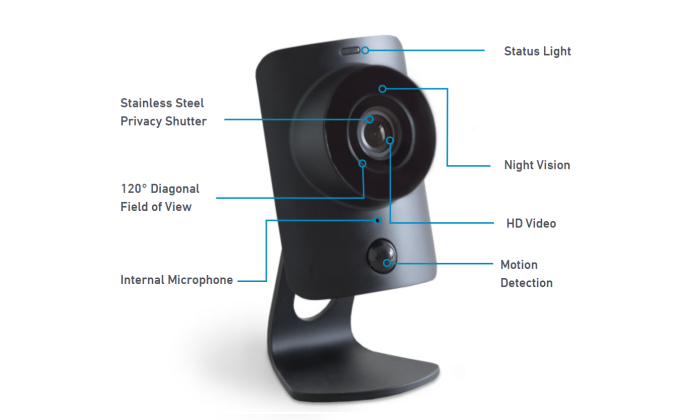
Because these cameras have cellular and WiFi connection, they only need the power to start working right away. This cuts down on setup hassles and gives more flexibility in terms of how far you can place cameras from the base station.
From the app, you can arm/disarm your system remotely. You can also create unique PIN codes so you know who exactly is accessing the building. Create one code for cleaners, one code for each employee, and grant or deny access without ever having to come in.
A lot of SMBs lease space that someone else is responsible for. When the landline goes down or there is a power outage, they can rely on SimpliSafe’s cellular cams with battery backup to maintain security.
Some of the highlights of a SimpliSafe business security system include:
- HD video/audio cameras
- Smart locks
- Sensors for entry, motion, glass break, temperature, and water
- 105dB siren (about as loud as a car horn)Smoke and carbon monoxide detectors
- Centralized dashboard for multi-site management24/7 alerts
I really like it for SMBs because the setup is truly DIY and covers all the bases of business security. They have dedicated business packages for offices, storefronts, and restaurants which come with tools designed to meet the challenges of each space.
Plus, professional monitoring services are really affordable. It’s 50¢/day for Standard and 83¢/day for Interactive, which comes with a lot more features.
With either plan, when an alarm is tripped, SimpliSafe confirms with video verification that the threat is real before dispatching police.
They also provide assistance with the permitting process for security systems, which takes another responsibility off the plate of SMBs located in cities or states with important regulations.
There are no contracts with SimpliSafe and you can cancel any time. On top of the extremely competitive price, SimpliSafe offers free shipping, free returns, and a 60-day money-back guarantee. They’ll even pay for the return shipping.
That gives you basically two months to figure out if SimpliSafe works in practice. And if it doesn’t, don’t pay.
#2 – Vivint — Best for Professional Monitoring
Vivint is a great professional business security system. For companies that can’t use a DIY solution, but they also don’t need the hefty services associated with commercial-grade security, Vivint strikes the right balance.
They have a wide range of equipment and 24/7 professional monitoring comes with every plan they offer.
Vivint doesn’t outsource monitoring to a third-party service. Since it’s kept in-house, the average wait time for an emergency is eight seconds. That’s 7.5 times faster than the national average.
Cellular connection with battery backup will keep the system operational during a power outage, so the 24/7 professional monitoring remains unbroken.
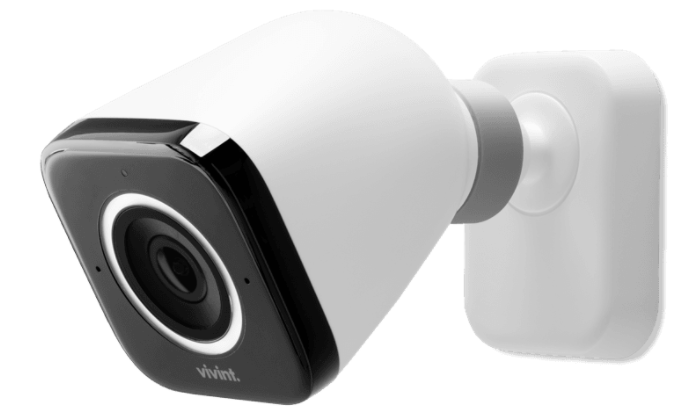
There are three motion-activated cameras that Vivint offers, all of which deliver real-time alerts to you and the Vivint security team.
My favorite, the Outdoor Camera Pro, comes with Smart Sentry detection, which recognizes human movement. It lets off a loud chirping noise that draws the intruder’s eyes up to the camera where a red recording light lets them know you’re on camera.
With the two-way voice feature, you can hear what’s happening and deliver your own choice words about the attempted intrusion.
Vivint’s outdoor camera also captures really high-quality images. With the 4k image sensor, it’s possible to zoom in on faces and license places, even in the dark.
Every camera Vivint makes is just as feature-rich as their outdoor cam, and I didn’t even cover everything that comes with it. Their other business security features are similarly robust, including:
- Wireless security camsPan and tilt cams
- Doorbell cams
- Door and window sensors
- Sensors: Door and window, recessed door, motion, tilt, glass break, temperature, and flood
- Smoke and carbon monoxide detectors
- Medical pendants
- Smart locksSmart thermostats
The Vivint Smart Drive stores all captured video, automatically creating clips whenever sensors detect unusual activity. Everything stored can be viewed, managed, and controlled on the mobile app.
The Smart Drive automatically stores 30 days of continuous footage. This is nice because businesses don’t always know something has happened immediately, even with professional monitoring.
If someone is playing funny money with the register, being able to look back and zoom in on the cash drawer can be crucial.
You can call Vivint to get a price for how much a business security system is going to cost. Be advised, the equipment is fairly expensive.
The Outdoor Camera Pro is $399.99 purchased alone, but they offer zero-interest payment plans broken down over the course of years to help keep the monthly payment competitive.
All Vivint equipment comes with a lifetime warranty and strong encryption to prevent the footage from being accessed by unauthorized users.
There’s just a lot of peace of mind you get with Vivint because you know they are always there if something happens.
#3 – Alarm.com — Best Professional Business Security System for SMBs
Alarm.com is famous for both its home and business security systems. Their technology is used to protect more than 5 million properties and they have an A+ rating from the Better Business Bureau.
For business, they are focused on serving small to mid-market business owners. This means they don’t have the same range of products as commercial-grade solutions, but what they do offer is tailor-made for the challenges SMBs face every day.
Their Smarter Business Security centralizes all security cameras, lights, and locks for easy automation and control. Information that the devices capture is reported on clear dashboards from the website or mobile app.
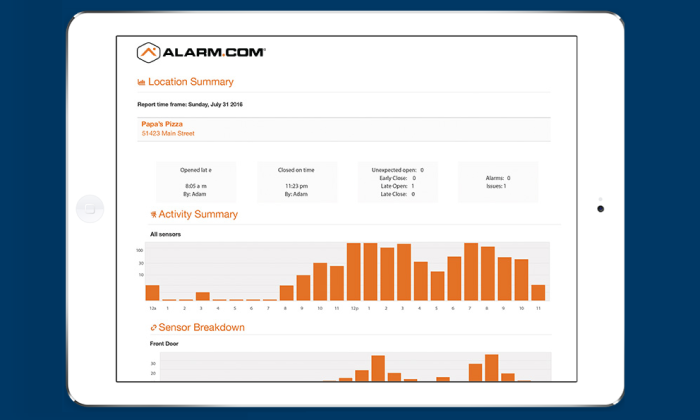
You can set schedules to automatically lock doors at a certain time each day of the week as an extra safeguard. If there is an intrusion detected, real-time viewing allows owners to see if the disturbance warrants calling the police.
Alarm.com can be deployed across multiple sites, where the reporting features can be really helpful in ways beyond business security.
For one, you can visualize trends, identifying rush times, and customer traffic.
And since the lights and the thermostat are connected to the alarm system, the building will always be comfortable when people are there and energy-efficient when they’re not. Alerts prevent a window from not being shut all the way, which limits waste and eliminates a potential security breach.
In terms of cameras and equipment, Alarm.com offers:
Indoor/outdoor camerasWired/wireless camerasFixed/Pan camerasSmart locksKeycard systemsEntry sensors
Analog cameras can be connected to your Alarm.com system and every camera they sell comes with any time mobile access, instant video alerts, intelligent clip capture, and real-time streaming.
To purchase an Alarm.com business security system, you’ll have to reach out to an authorized service provider in your area. Depending on your needs and requirements, all of their providers offer a range of self-service and professional installation options.
Alarm.com is a step above the full DIY systems. It unifies intrusion detection, access control, video surveillance, and energy management into a single, intuitive app.
Business owners are always informed and their property is always safe.
#4 – Alibi Security — Best for Upgrading Existing Security Systems
Alibi Security is an umbrella company that sells equipment from a number of high-end security brands. Because of this, they offer an incredibly wide range of devices that can tie into any system.
It’s a great commercial-grade option for companies that want to upgrade instead of replacing their existing infrastructure. No matter how you have deployed your system in the past, Alibi has the tools to help you improve it.
There’s just a stunning range of top-of-the-line equipment that can be adapted to fit any scenario. Just looking at security cameras, for instance, Alibi has:
- Cloud IP cameras
- HD-TVI Cameras
- Network IP cameras
- Wireless cameras
- Pan-tilt-zoom cameras
- Doorbell cameras
- Deterrent cameras
- Hidden cameras
- Micro camerasBoard cameras
- Snake cameras
What does a hidden camera look like? Alibi has some that look like ceiling speakers, motion sensors, and even smoke detectors.
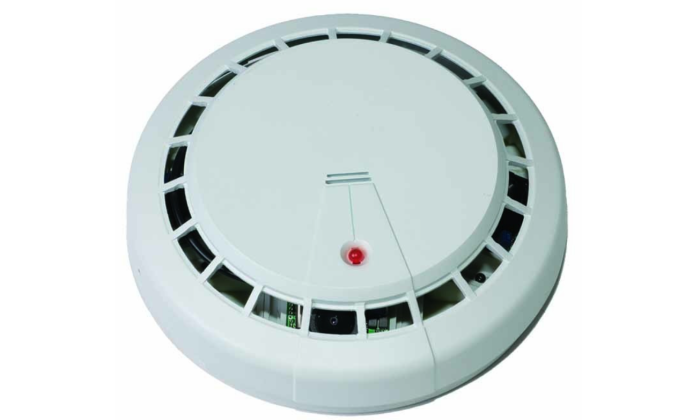
They have the video recording solutions to completely support any array of cameras—analog, IP, wireless… it doesn’t matter. All Alibi recorders have common management software, centralizing operations, and decreasing the learning curve for users.
When it comes to intrusion detection and access control, Alibi has a full set of hardware and software to set up the keypad, keycard, and request-to-exit systems.
Much of Alibi’s equipment is compliant with the National Defense Authorization Act, which means it’s good enough for the U.S. Military.
You’ll have to get in touch with a licensed Alibi dealer in order to get pricing. It’s going to be on the high end like other commercial-grade security solutions tend to be.
Where it stands out from its direct competitors is the ease with which Alibi’s equipment integrates with your existing hardware. Since all of their HD/TVI recorders have Hybrid+ technology, it’s not hard to migrate from analog to HD or to install a hybrid analog/HD solution.
Adding more cameras is also easy, as many Alibi recorders support up to 64 IP channels that are each pre-licensed and fully-enabled.
Easy to tie in and easy to scale out, Alibi is the choice for companies looking to beef up their security with the latest and greatest technology.
#5 – Wyze — Best For Affordable DIY Video Surveillance
Wyze has ridiculously low priced cameras that get the job done for businesses that need to record what happens on-site.
Really, Wyze is aimed at homeowners more than business, but if all you need is video surveillance, what’s the difference?
The latest version of the Wyze Cam is $19.99. It’s small, yet it’s got 1080p color night vision and IP65 weather resistance. The Wyze Outdoor Starter Bundle ($49.99), which comes with one outdoor cam and a required base station, lets you mount a cam anywhere.
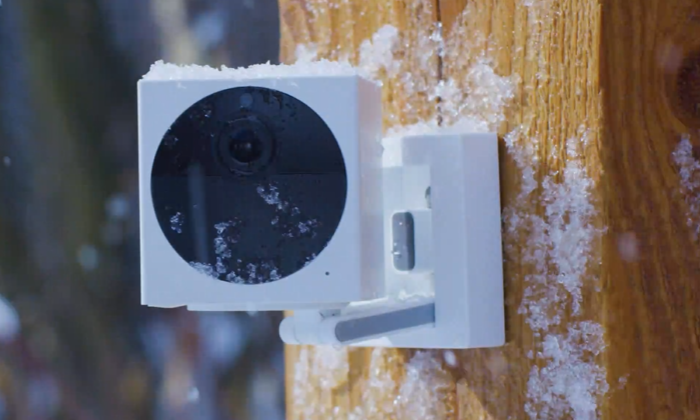
Really, anywhere. The outdoor cam is wire-free and powered by batteries that last 3-6 months. With Wyze, there’s a lot of freedom to get a video surveillance system set up at a very little cost.
The Wyze Cam Pan ($29.99) can spin 360° in under three seconds. It also has motion detection so it can follow the action. This is essentially at one-third to one-tenth the cost of most other cameras that can pan.
Some of the Wyze smart home products are really helpful for business owners. Wyze Bulbs, for instance, connect to WiFi to give you the ability to control them at once or individually.
Change the light color temperature to better suit the mood of a restaurant—soft and warm for the diners and then bright as day for the nighttime clean up crew. Set a schedule so lights come on during the night to make would-be intruders think someone is there.
Some of the other nice products and camera capabilities include:
- Doorbell camera/intercom
- Smart thermostats
- Smart locksMotion detection sirens
- Motion detection zonesMobile app
- Smoke and carbon monoxide alerts
Beyond the motion detection siren on the Wyze Cam, they don’t have any products for intrusion detection, though a new line of Wyze Sense products is on the horizon.
In terms of access control, they offer the smart lock ($99) and keypad ($20) that fits over most single-cylinder deadbolts. It will give you a record of everyone who keys in and out and alert you if the door is open.
For video storage, the Basic plan is free and comes with 14-day rolling cloud storage, though it only captures a 12-second video when it detects motion or sound. There’s also a five-minute cooldown period before you can see the video.
My guess is that a lot of business owners are going to want the CamPlus plan ($1.25/month per camera). It’s a very competitive price and comes with unlimited video length recordings and no cooldown period.
At the end of the day, several Wyze cameras are going to deliver 1080p video surveillance for well under $300 in the first year, including the cost of the equipment.
Summary
Some tasks are really hard to define. Securing a business is not one of them.
The goals are clear and the stakes are high. Offices, shops, restaurants, and warehouses are responsible for keeping their shared space safe.
It’s not just about protecting assets. A business’ reputation with staff and customers are on the line.
For SMBs that want a security system they can set up themselves, SimpliSafe is a really great option. It’s got the full range of intrusion detection, access control, and video surveillance necessary, yet the system remains easy to deploy and manage.
If you only need video surveillance, the best DIY option is definitely Wyze. The price is impossible to beat and the cameras are surprisingly good.
Should DIY security systems not rise to the challenge, Alarm.com can outfit a business completely. Whether they protect one or many sites, owners get total oversight of their business security in the sleek interface.
Vivint is an excellent choice for businesses that need professional monitoring. Their equipment is really solid and their security team will verify the incident over video before alerting the authorities. Cutting down on false alarms is huge for ensuring a quick, reliable response.
Looking at commercial-grade solutions, Alibi Security is a really strong choice. Not only do they offer best-in-class security solutions, but they’ll also integrate seamlessly with your existing stack. For businesses that want to evolve their security in the right direction, Alibi is it.
The post, Best Business Security Systems appeared first on Neil Patel.
Source: feedproxy.google.com