
Tag Archives for " storage "

Best Cloud Storage Services
Do you want to skip the read and get right to my top picks? The best cloud storage service for most people is pCloud or IceDrive. The rise in the popularity of cloud storage is not hard to explain. It’s safe, affordable, and undoubtedly easy to use.

Disclosure: This content is reader-supported, which means if you click on some of our links that we may earn a commission.
Companies of all sizes use it for backups, document archiving, team collaboration, and file sharing. Getting new storage space without having to build and manage additional infrastructure is a huge time saver.
But choosing the best cloud storage services isn’t always easy, especially since there are so many options on the market. I’ve narrowed it down and reviewed my top nine recommendations.
After the reviews, you’ll find a short guide that shows you how I broke down my choices, and how you can find the best cloud storage services for your specific needs.
Best Cloud Storage Services
#1 – pCloud Review — The Best Cloud Storage Service with Lifetime Access
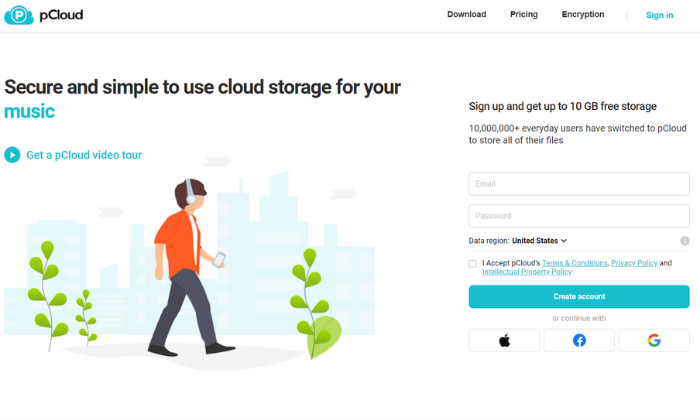
Cloud storage services through pCloud start at $4.99 per month for 500 GB, which is a good deal.
Of course, if you pay for lifetime access to pCloud storage, you get a far better deal.
Yes, it’s more money upfront, but way less expensive in the long run.
If you are buying storage that you know you are going to need for 3 years or more, getting a lifetime plan with pCloud is one of your most cost-effective options.
It’s not just the price though. pCloud’s lifetime plans come with a wide range of features, including:
- Shareable links and file requests
- Brandable and customizable share links
- TLS and SSL channel protection
- Five copies on different servers
- Automatic syncing
- Offline access capabilities
- Built-in video and audio player
- File versioning up to 30 days in the past
pCloud also offers an add-on service for extra security and client-side encryption.
You have the option to pay annually or for a lifetime subscription.
There are two-lifetime storage plans to choose from, including:
- Premium — 500 GB for $480 (only $175 for a limited time)
- Premium Plus — 2 TB for $980 (only $350 for a limited time)
If you prefer paying annually, you can do that as well.
You can try pCloud for free for up to 10 GB of storage space.
So, sign up for a free account or buy lifetime access to get started!
#2 – Icedrive Review — The Best Desktop and Portable Cloud Storage Software
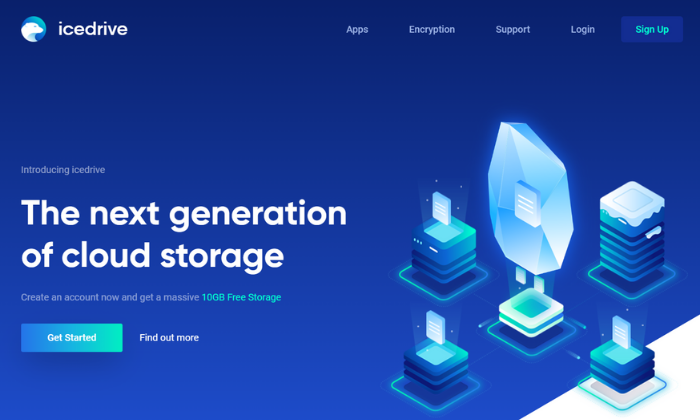
If you’re looking for cloud storage that feels more like a hard drive with cloud servers’ portability and flexibility, Icedrive is a smart choice.
It utilizes drive mounting software so you can access your files as if they’re stored directly on your computer.
You can also get up to 10 GB of storage space for free, making this one of the most robust free plans on this list.
Icedrive offers several different storage apps for various devices, including web-based, mobile, and desktop. So, you can easily access your files from anywhere.
The mobile app is available for iOS and Android devices with a clean and intuitive interface.
With it, you can view documents in various formats, watch videos and listen to audio files with the built-in media player, and create a full device backup in just a few taps.
Plus, the various apps come packed full of powerful features, including:
- Client-side Twofish encryption
- Password protection
- Share timeout capabilities
- Collaboration tools
Icedrive offers monthly, annual, and lifetime plans.
Monthly Pro plans start at $4.99 per month for up to 1 TB of data, which is incredibly affordable. Alternatively, you can pay $49.99 per year or $149 for lifetime access.
If you just need a small amount of cloud storage, Lite Plans start at $19.99 for the year or $59 for lifetime access. This comes with 150 GB.
Obviously, the lifetime plans get you the best price in the long run.
But Icedrive is worth checking out if you want a fast and secure cloud storage solution.
Choose your storage requirements to get started!
#3 – iDrive Review — The Best Device Backups with Unlimited Users
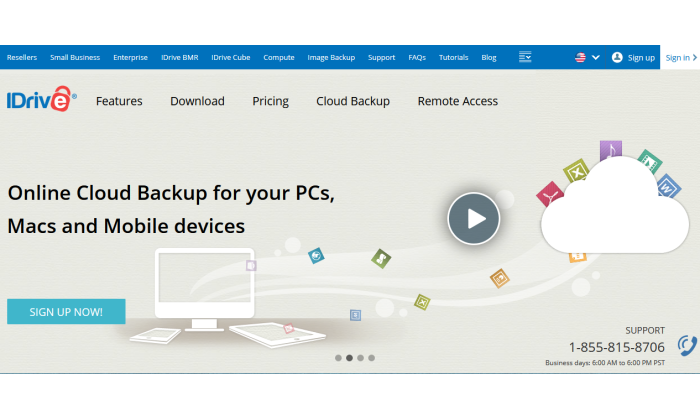
If you need cloud storage or cloud backups for a large number of people, it’s more affordable to choose a plan with unlimited users.
With Drive, you can have as many users as you want with flexible plans depending on the amount of space you need.
iDrive’s personal plan is also affordable if you only need cloud storage for yourself.
However, the business plans are where the service really shines.
Those business plans come with a ton of powerful features, including things like:
- Unlimited PC, Mac, iPhone, Android, and tablet backups
- Continuous and automatic data backups
- External hard drive backups
- Remote management via a browser-based application
- User and group management
- Single sign-on24/7 priority support
- Server backups
- Business compliance
So, it’s an excellent option for businesses of all sizes needing backups and affordable cloud storage space.
Pricing starts at $99.50 per year for 250 GB, with storage limits up to 12.5 TB if you need more.
Alternatively, you can opt for monthly plans starting at $49.95 per month for 1.25 TB.
You can try iDrive free for up to 5 GB to see if it’s right for you.
From there, you can upgrade once you run out of space or need access to more features.
Sign up for a free account and choose your plan to get started today!
#4 – Zoolz Review — The Best High-volume Cloud Storage Services
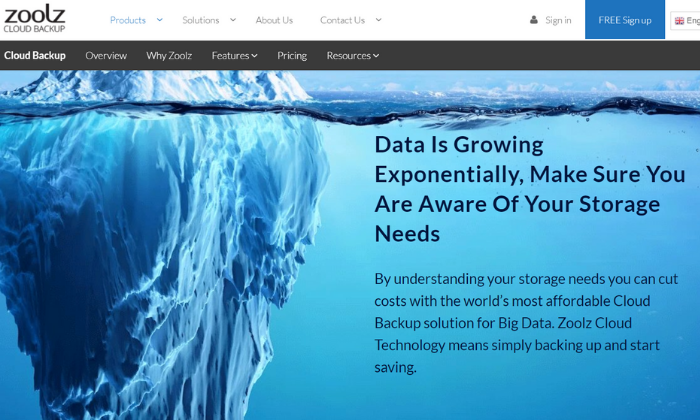
If you need a secure place to store large amounts of backup data (100 TB range), Zoolz is an excellent choice.
- They offer long-term storage plans in increments of one, three, and five years.
- The longer your term and the more space you have, the more you can save.
- Plus, Zoolz’ enterprise-grade mass backup storage plans come with a ton of security, management, and reporting features, including:
- Automatic purging by days and versions
- Smart duplication algorithm even for encrypted files
- On-the-fly decryption for easy access
- Military-grade AES encryption
- Easy deployment via Active Directory Deployment
- Advanced device management
- Bandwidth and storage monitoring
- Automatic system alerts
- Continuous change monitoring
- Server backups
If you don’t need mass storage, Zoolz offers standard cloud backup plans for businesses of all sizes starting at $15 per month (or $99 per year) for up to 1 TB of storage space.
Speak with a cloud specialist to learn more and get started today!
#5 – Degoo Cloud Review — The Best for Storing Photos
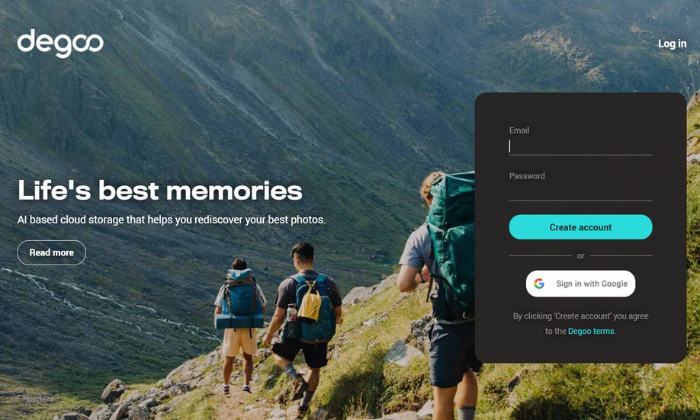
If you’re interested in a better way to store your photos, Degoo Cloud is a photo storage service that lets you rediscover memories using AI and a built-in personal image feed.
Plus, Degoo has over 23 million users worldwide.
So, you’re in good company.
On top of that, you get top-notch security.
When you upload an image, you can encrypt it with a password.
From there, the data gets broken down into pieces and scattered throughout several data centers in different countries.
The company even claims it’s 100% NSA proof.
So, you can rest easy knowing your photos are safe and secure.
It’s also an excellent way to free up space on your phone.
And you can choose when you want to upload your files to preserve your phone’s battery life.
Alternatively, you can set things up to auto-upload into your Degoo account.
Furthermore, Degoo works on virtually any device with iOS, Android, and web-based applications available.
You have three different plans to choose from, including:
- Free — 100 GB of storage, three devices, and Degoo ads
- Pro — 500 GB of storage, ten devices, and no ads for $2.99 per month
- Ultimate — 10 TB of storage and unlimited devices for $9.99 per month
Create a free account to get started with Degoo today!
#6 – SpiderOak One Review — The Best Storage and Backups for Security
If you want or need advanced levels of security, SpiderOak is an excellent choice.
It offers everything you need to protect your data and stay compliant with local, state, and federal regulations (like HIPPA).
Rather than a true cloud storage provider, SpiderOak provides data backups.
However, you can share and access those files.
So, it works similarly, but you can only store backups vs. uploading whatever you want.
On top of that, SpiderOak practices No Knowledge, meaning the company has no knowledge of your passwords, the data you’re storing, or any of the metadata associated with the files you upload.
No one but you knows what you store on the cloud.
And the system is built with privacy and security in mind with end-to-end encryption.
This means your files are encrypted before they ever leave your computer, and they stay encrypted the entire time they’re stored.
Furthermore, you also get:
- Point-in-time recovery to restore data to any point in time
- File sharing (No Knowledge doesn’t apply to shared files)
- Mobile apps for file viewing
- Separate encryption keys for each file
- File versioningAccess to deleted files
Pricing starts at $6/month for up to 150 GB and goes all the way up to 5 TB for $29/month.
Sign up for a 21-day free trial to see if SpiderOak One is right for you and your business today!
#7 – OneDrive Review — The Best for Windows Users
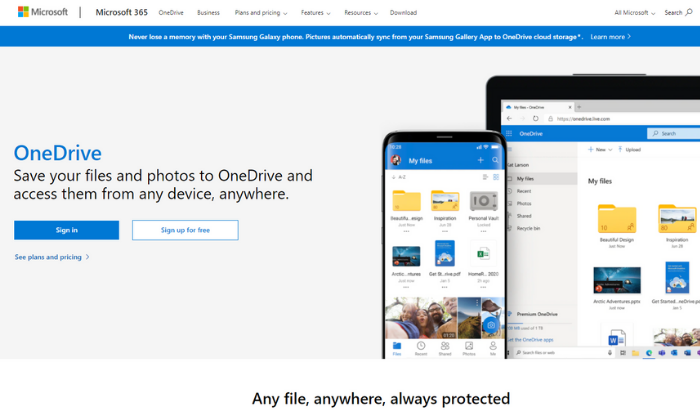
If you use Windows and none of the other options feel like a good fit, OneDrive is an affordable and easy-to-use option.
There are family, individual, and business plans available to suit individuals and businesses of all shapes and sizes.
Plus, you can access, edit, and manage your files from any device regardless of where you are in the world.
Some plans also include access to Microsoft Office apps, like Word and Excel.
So, it’s a great deal if you don’t already have those tools.
Each business plan includes 1 TB of storage space, among various other features, including:
- Secure file sharing
- Access expiration dates
- Accessing files on the cloud without having to download
- Offline access
- Mentions, comments, and tasks
- File folder and access controls
- Password protection
- Multi-page scanning
Furthermore, you can get unlimited cloud storage space with the Business 2 plan.
It also includes advanced security features so you can rest easy knowing your files are secure.
OneDrive’s business plans include:
- Business 1 — $5/month paid annually for 1 TB of space
- Business 2 — $10/month paid annually for unlimited space and advanced security
- 365 Business Basic — $6/month for 1 TB plus essential Office apps
- 365 Standard — $15/month for 1 TB plus all Office apps and collaboration tools
Alternatively, you can get 5 GB for free or pay $1.99/month for 100 GB of personal storage space.
Choose your plan to get started with OneDrive today!
#8 – iCloud Review — The Best for Apple Users
iCloud definitely isn’t the strongest competitor on this list.
But it’s a good choice if you already use Apple devices and want an easy way to store and access your files from one device to another.
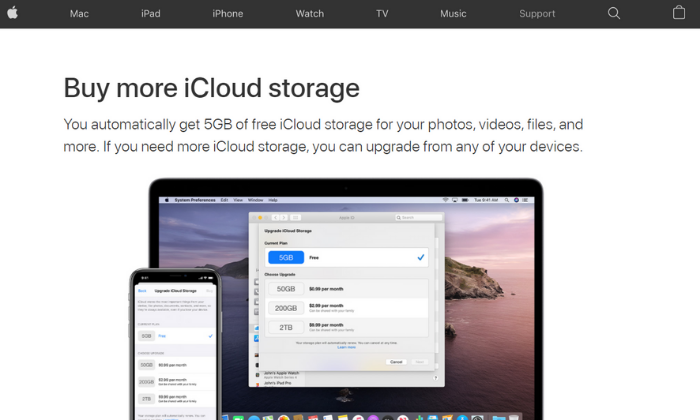
Plus, you automatically get 5 GB of storage for free.
If you’re a light user, this may be enough for you.
However, if you have a lot of photos or videos, you probably need more space.
Furthermore, it’s incredibly easy to set up and upgrade to a higher plan.
You can upgrade from any of your devices using your iTunes account.
And there are various storage plans to choose from, including 50 GB, 200 GB, and 2 TB.
You can also share this storage space with up to six people in your household.
This space can also be used for device backups, including your Apple watch, home screen, and app organization, purchase history, photos, videos, and device settings.
This means you don’t have to start from scratch if you get a new device.
You can simply use the backups stored in iCloud.
In the US, paid plans start at $0.99/month and extend up to $9.99 per month.
These prices vary in other countries and regions, so be sure to check out iCloud’s storage plan pricing for your country before upgrading.
#9 – Google Drive Review — The Best for Google Users
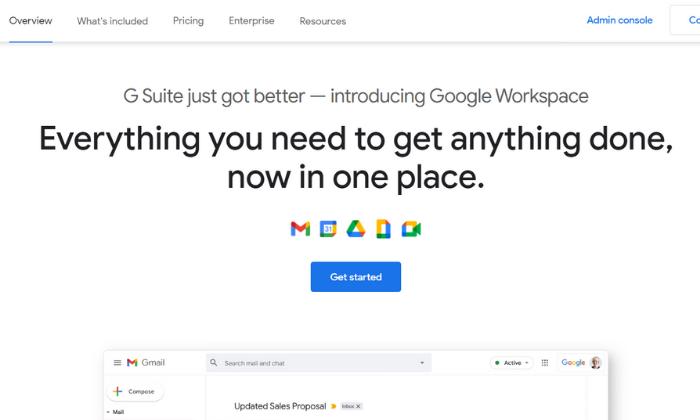
If your organization uses G Suite (now called Workspace), Google Drive is included in your subscription.
It’s packed full of powerful features and is incredibly affordable for businesses of all sizes.
Workspace paid plans, include business email accounts, cloud storage space, video conferencing capabilities, internal messaging, and various web-based tools for document creation, PowerPoint presentations, and more.
So, you get everything you need to connect, collaborate, and share documents with your entire team.
But if you’re not already using or planning on using Workspace for business email, you’re better off choosing Workspace Essentials (doesn’t include email services and starts at $8/month) or a different option on this list.
Google Drive comes with various features, including:
- Desktop, web-based, and mobile applications
- Centralized user and data management
- Data loss prevention services
- AI-driven predictions for important content
- Shared drives for easy team access
- Cloud-based streaming
- Advanced sharing and accessibility settings
Pricing for Google Workspace starts at $6/month per user with up to 30 GB of storage space per user.
You can also upgrade to a higher plan for more space and additional features.
Alternatively, there’s an enterprise plan with unlimited storage, advanced security features, and custom pricing.
Choose your plan to get started with Google Drive today!
What I Looked at to Find the Best Cloud Storage Services
Every option on this list has its own set of perks, features, and benefits.
They’re all great in one aspect or another, but there isn’t a one-size-fits-all service that I can recommend across the board.
You want to find a cloud storage service that offers resources and capabilities that align with your needs.
Here are the criteria I’m looking at when I make an evaluation.
Use this short guide to break down the market and find a solution that will help your organization over the long term.
Storage Limits
Every cloud storage service offers various plans with differing storage limits and different price points, depending on how much space you need.
You don’t necessarily need to know how much space you need before you decide.
Thankfully, it’s easy to upgrade and add more storage space with most providers on the list.
Some charge a small monthly fee to add more space and others may require you to upgrade to a different plan.
With that said, I always recommend starting on the lowest plan until you meet those storage limits.
From there, you can upgrade as you need to.
However, it is essential to choose a provider that can scale with you.
For example, if you know you’re going to need hundreds of terabytes of space, you need a mass storage provider since you will quickly outgrow a standard cloud storage service.
Security
Legal requirements for your industry and your personal preferences may require advanced security features and capabilities.
And when it comes to cloud storage, not all providers are equally secure.
Some practice No Knowledge, meaning they do not know your password, account details, encryption keys, or the files you store on their servers.
Furthermore, end-to-end encryption is common but not utilized by every provider.
And some may change their security processes while your files are moving, while they’re stored, or when you share them with other people.
So, you need to be aware of the types and levels of security you need.
This is especially important if you need advanced security for legal compliance, like HIPAA privacy laws in the healthcare industry.
Number of Users
This consideration isn’t as crucial if you’re looking for personal cloud storage.
However, if you need cloud storage for your company, you typically need to pay monthly per user.
So, it’s important to understand how many users you have and how much space each account needs to have.
Some providers, like iDrive, offer plans with unlimited users and an all-encompassing storage limit.
So, you only need to upgrade when you reach the maximum storage capacity, rather than paying separately for new accounts.
However, others don’t offer this, and you’re required to pay for the number of users you have.
Operating System
iCloud is specifically for Apple devices.
So, it doesn’t make sense if you don’t use the Mac operating system or have an iPhone.
On the other hand, OneDrive is specifically for Windows users.
Some providers offer solutions that work regardless of your OS.
So, this isn’t a crucial consideration unless you plan to use a cloud storage service specifically for your operating system.
You may even need more than one of these services.
I use iCloud to back up my phone and for personal use, but I use pCloud and Google Drive to run my business.
Your Use Cases
Do you need device backups?
Maybe you need easy file-sharing or access to files from multiple devices.
Perhaps you want to archive sensitive information.
Different types of cloud storage services are better suited to handle each type of task.
Those that are good for archiving let you store a ton of data for next to nothing, but they don’t come with the collaborative tools that help teams work together in real-time.
Make sure you have a clear idea of how you want your new cloud storage service to be used across your organization.
Understanding these use cases will make it easier to decide which type of service will work best for your teams.
Conclusion
pCloud, iDrive, and Icedrive are my top recommendations for most users.
Each service offers flexible plans at affordable prices to suit individuals and businesses.
However, your storage and security needs also play a role in which option you should choose.
It may be that one of these services offers better integration with the tools you are already using.
To review, here’s my full list of best cloud storage services:
- pCloud – Best cloud storage with lifetime access
- Icedrive – Best desktop and portable cloud storage software
- iDrive – Best device backups with unlimited users
- Zoolz – Best high-volume data storage services (100TB+)
- Degoo Cloud – Best for photo storage and sharing
- SpiderOak One – Best storage and backups for security
- OneDrive – Best for Windows/PC users
- iCloud – Best for Apple/iOS users
- Google Drive – Best for Google users
Some people won’t want another monthly service expense, so they can purchase lifetime storage from pCloud and never have to worry again.
Or they may want to set up storage that’s easily accessible for their whole company with iDrive.
What do you need out of your cloud storage service?
Be sure to use the considerations I talked about above in order to figure out which one is going to work best.
Follow the links and explore your options in greater detail. You may even find promotional pricing that gets you an even better deal on cloud storage.
What’s your favorite cloud storage service?
Source: feedproxy.google.com

Best Dedicated Hosting
Are you serious about growing your business? Your website needs to be able to grow with you. Shared hosting limits your site’s space, and you’ll soon outgrow it. But what’s the next step?
Disclosure: This content is reader-supported, which means if you click on some of our links that we may earn a commission.
Dedicated hosting gives you everything you need for your business. It allows for customization, more storage, and lets you make the most of your online presence.
So, how do you choose the best-dedicated hosting service to give you the most value for your money?
Let’s talk about some of the best-dedicated hosting options in 2021 to make things easier for you.
Top 7 Options for Dedicated Hosting
- Bluehost—Best for Comprehensive Dedicated Hosting Features
- HostGator—Best Customer Support with Dedicated Hosting
- DreamHost—Best for Managed Dedicated Hosting
- InMotion—Best Dedicated Hosting for Technical Websites
- A2 Hosting—Best Dedicated Hosting for Website Performance
- Liquid Web—Best for Customizable Dedicated Hosting
- TMDHosting—Best Dedicated Hosting for Quick Startup
How to Choose the Best Dedicated Hosting for You
When you choose a dedicated host, knowing the features you need will save you time. You want one that helps your website perform at its best at all times. Factoring in these additional elements of a dedicated hosting service will help your website stand out.
Managed or Unmanaged
Whether you choose a managed or unmanaged host depends on your server knowledge and how much control you want over your dedicated hosting.
A managed hosting service means that the host takes care of server problems for you. They manage the operating system (OS), control panel, setup, and anything else that comes with the platform when you buy it.
Unmanaged hosting is cheaper, but that’s because you manage everything yourself. The host still does the bare minimum when it comes to network maintenance, but they won’t help you manage software, servers, security, or errors.
An unmanaged system means you have more control, but that doesn’t mean much if you don’t know what you’re doing. Feeling comfortable with a managed hosting service can make it worth the extra cost.
Scalability
If you want to grow your business, get dedicated hosting that will grow with it. Scalable hosting allows you to configure your hosting to your individual website’s needs. It also prevents downtime associated with server limits.
Security
According to Forbes, data breaches cost companies an average of $3.9 million. A dedicated host with high-quality security helps protect your business.
It also means your customers feel comfortable shopping with you. That way, you can avoid problems and build trust with your customers.
Availability
A dedicated host helps you keep your website’s uptime as close to 100% as possible. Downtime can cost you website traffic and, by extension, conversions.
Find a provider that keeps up availability and guarantees maximum uptime. Ideally, you want a host with an uptime of at least 99.98% or higher.
Administration
Dedicated hosting gives you control over configuration and software installation, so you can work your website as you wish. Administrative access helps you tailor your service to your business. You control which services you use with your dedicated host.
Operating System and Hardware
Some hosts support more than one OS, but others don’t. If you choose the wrong one, you might not be able to use it with your website.
Hardware determines whether the server can meet your business needs. Check things like the CPU model and speed, RAM size, bandwidth, and hard disk capacity before you buy.
The Different Types of Dedicated Hosting
Different types of dedicated hosting servers focus on various areas of your website. What might be an advantage for one business could hurt another. You want the right kind of dedicated host so that you have everything you need for the future.
Basic Dedicated Hosting
Most people upgrade from shared hosting to basic dedicated hosting. Basic dedicated hosting is significantly better than shared hosting, but it still only gives you the bare bones of a hosting service.
These hosts usually have less RAM and customizability, and they have fewer features overall. They might not grow with your business as well as other higher-tech options.
High-End Dedicated Hosting
High-end dedicated hosts bump you to the next level when basic doesn’t cut it. They offer more space, better features, and you can do more to make your website stand out. They also have higher overall performance without getting too tech-heavy.
Bandwidth
Bandwidth servers work well for sites with a lot of streaming, audio, video, and similar content. They focus on speed when people visit your site and with uploads and downloads during data transfer.
These hosts range from standard metered to unmetered bandwidth, so you have the space to run streams without overloading your site.
Database
Database hosts are some of the most complex servers. They need high-end configurations and more resources in place to manage since they hold more information. With database hosts, you can run specific databases on the server, like MySQL.
Application
If you have a lot of apps on your site, an application server can manage them. It works with apps ranging from media files to chat software and tons of other stuff. When you have so much on your website, you want a dedicated host that can handle it.
Server-Mirroring
You’ve heard that you should back up your data, and server-mirroring hosts do it best. They synchronize your servers, so you don’t lose your hard work. They transfer your data from one server to the other and prevent data loss.
Examples of Dedicated Hosting
#1 Bluehost—Best for Comprehensive Dedicated Hosting Features
Bluehost is one of the best dedicated hosting services out there and for good reason. It’s cheaper than other dedicated hosts while still giving you tons of features for your website. Its 99.98% uptime also puts it near the top of the list when it comes to performance.
Bluehost has all of the basic dedicated hosting features, plus several more advanced ones, giving you room to grow. With access control and database management, you have everything you need at your fingertips and 24/7 access to customer support if you have a problem.
You can get three different hosting packages with Bluehost:
- Standard: $79.99 per month
- Enhanced: $99.99 per month
- Premium: $119.99 per month
Standard gives you four cores at 2.3GHz and 500GB of mirrored storage so you can back up your data. With 4GB RAM, you don’t get an impressive amount of storage, but it works well for simpler websites. 5TB bandwidth gives you the speed you need to keep things up and running with three IP addresses.
The Enhanced package bumps you to the next level with the same number of cores at 2.5GHz and 1TB of mirrored storage. It doubles the bandwidth to 10TB and gives you four IP addresses.
Premium, the highest tier, also gives you four cores at 3.3GHz and 1TB of mirrored storage. It once again doubles the RAM to 16GB, adds to the bandwidth for 15TB, and gives you five IP addresses.
With Bluehost, you get a free domain name for the first year, a free SSL certificate, and a 30-day money-back guarantee. The biggest downside to Bluehost is that they only have one server location. It’s in the United States, so if you run your website internationally, you might want a different host.
#2 HostGator—Best Customer Support with Dedicated Hosting
HostGator’s 99.99% uptime and unmetered bandwidth make it an attractive option for business websites. HostGator is known for its excellent customer support, which you can access 24/7/365. It also has online resources like videos and knowledge base articles to help you set up your site.
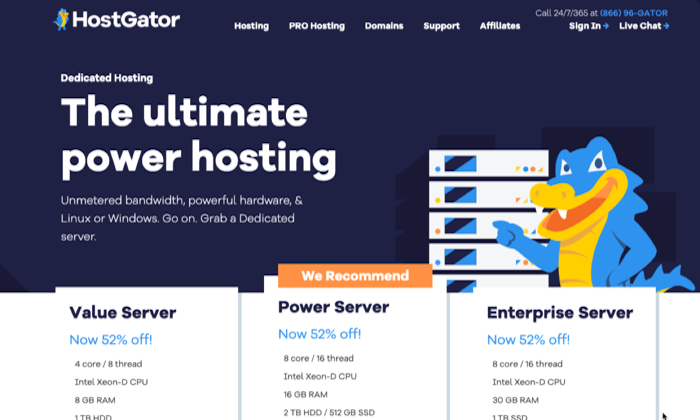
HostGator gives you three options for dedicated hosting:
- Value Server: $89.98 per month
- Power Server: $119.89 per month
- Enterprise Server: $139.99 per month
The Value Server gives you four cores with eight threads and an Intel Xeon-D CPU. Its 8GB RAM and 1TB HDD make for plenty of storage.
The next level, Power Server, comes with eight cores with 16 threads and the same CPU as the Value Server. However, it doubles your RAM to 16GB and gives you a combined 2TB HDD and 512GB SSD to store bigger applications.
The Enterprise Server has the same number of cores and threads as the Power Server and the same CPU. The upgrades come with RAM at 30GB and 1TB of SSD for your most complex applications.
You can choose between managed or semi-managed hosting based on how much you want to customize your server. Plus, each of HostGator’s packages comes with unmetered bandwidth and compatibility with Linux and Windows OS.
HostGator has two servers, but like Bluehost, they’re both in the US. Despite the host’s superior performance, it’s not a great choice for businesses with primarily international customers.
#3 DreamHost—Best for Dedicated Hosting Storage
DreamHost doesn’t have the same features or performance as many other dedicated hosting providers on this list, but it does offer a lot of storage. With a fully managed server, 24/7 tech support, and 100% uptime guaranteed, the basics are definitely covered.
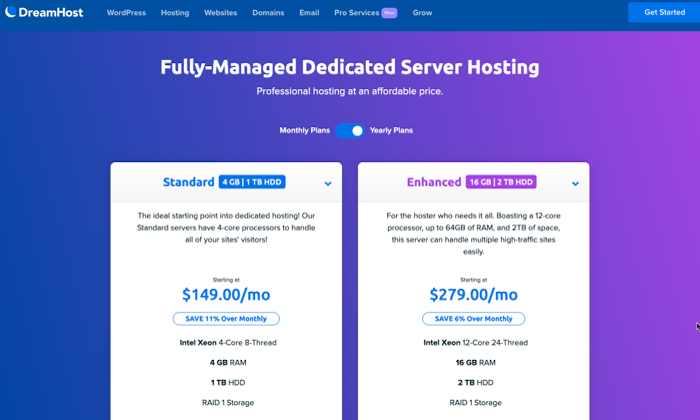
You can get two packages: Standard and Enhanced. The Standard plan starts at $169 per month and comes with four cores with eight threads and 4GB RAM. Its 1TB HDD and RAID 1 storage mean DreamHost has more capacity than most other hosting services.
When it comes to the Enhanced package at $299 per month, you upgrade to 12 cores and 24 threads, 16GB RAM, and 2TB HDD with RAID 1 storage. It’s a big price jump, but remember that each feature more than doubles—and, in some cases, quadruples.
You can choose from three Standard levels and six Enhanced ones that go up to 64GB RAM.
With each package, you get root access so that you can control your settings even with a managed server. Plus, it comes with DDoS protection.
The downside comes with the high price despite its fewer features. The most expensive option sits at a lofty $379.
DreamHost has international servers in the US, Asia, and Europe, making them a solid choice for international customers.
#4 InMotion—Best Dedicated Hosting for Technical Websites
InMotion accommodates businesses that have a lot of tech needs. This high-performance platform comes with features like:
- 99.99% uptime
- Tier 1 network
- Free SSD24/7 support
- Multi-layer defenseFast start times
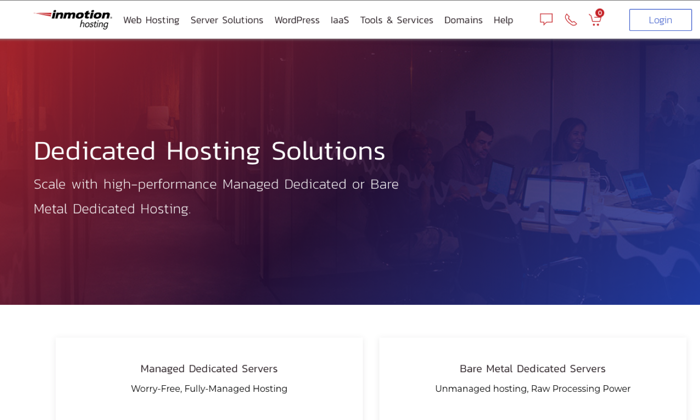
It might look at first like InMotion only offers basic packages, but their Bare Metal and Managed options have plenty more in store. At $99.99 per month, Bare Metal is an unmanaged server with full root access. You can choose your OS, get automation with Ansible, and get up to 15 IP addresses. You even have RAM options starting at 16GB.
The Managed option, at $139.99 per month, gives you a fully managed server with cPanel and WHM included. You also get automated backup, so you won’t have to worry about losing data. It’s Linux-based, so you only have one OS option, but you still have RAM starting at 16GB and 15 IP addresses.
InMotion offers a 30-day money-back guarantee and customized solutions for your website. Considering its features, it’s an affordable dedicated hosting service.
#5 A2 Hosting—Best Dedicated Hosting for Website Performance
A2 Hosting is known for keeping websites running at top speed. With a commitment to 99.9% uptime and 24/7 customer service, it has the tools to keep customers on your site.
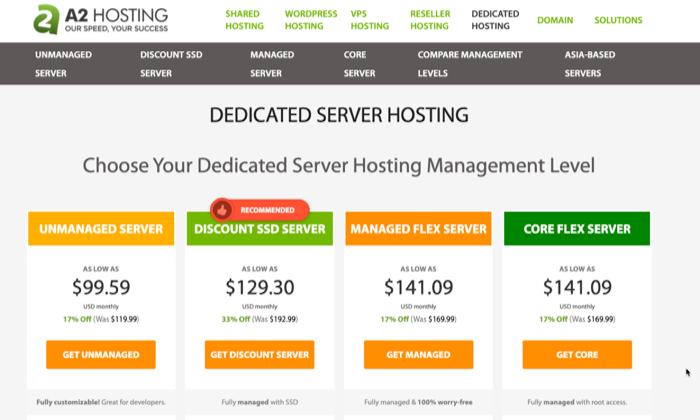
A2 Hosting offers three options for management, including unmanaged and two types of managed servers. With the managed version, you have no root access. Core gives you root access to your managed server for more customizability.
They use the SwiftServer platform for faster performance and claim to give you a website up to 20 times faster than other hosts.
A2 Hosting comes with three tiers:
- Sprint: $141.09 per month
- Exceed: $207.49 per month
- Mach: $290.49 per month
The Sprint package comes with 8GB RAM and 2x500GB storage with 10TB transfer. It gives you two cores with Intel 3.1+GHz.
The Exceed package offers a small upgrade with the same amount of RAM and storage. You get a 15TB transfer, plus four cores and Intel Xeon 2.4+GHz for a faster system.
With Mach, you make a wider jump to 16GB RAM, 1x1000GB storage, and 20TB transfer. This package sets you up for speed with over eight cores and the 2x Intel Xeon 2.1+GHz processor.
Unlike other hosting services, A2 Hosting has an anytime money-back guarantee.
#6 Liquid Web—Best for Customizable Dedicated Hosting
Liquid Web has fully customizable servers with real-time monitoring and root access. It looks pricey at first, but don’t let that deter you before you’ve explored what this hosting service has to offer.
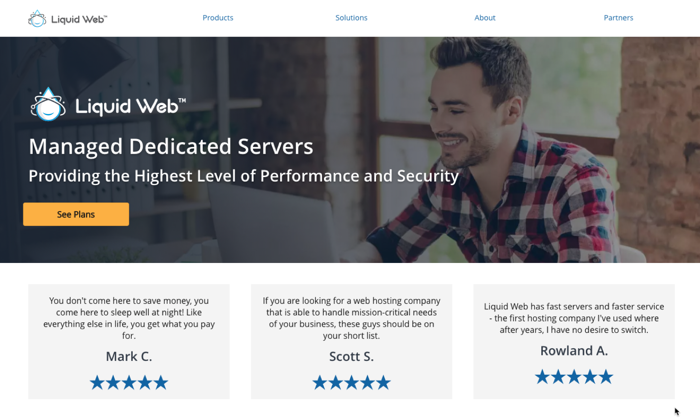
Liquid Web comes with SeverSecure advanced security, Worldwide Cloudflare CDN, and business-grade storage. It also has a support team to manage its servers, and they offer 24/7/365 customer service.
You can get three packages of dedicated hosting service:
- Intel Xeon 1230: $199 per month
- Intel Xeon 4108: $299 per month
- Intel Xeon Gold 6130: $499 per month
The Intel Xeon 1230 comes with four cores, 32GB RAM, and 5TB bandwidth. It gives you impressive storage with 2x240GB SSD on the primary disk and a 1x1TB SATA backup disk.
When you upgrade to Intel Xeon 4108, you double your cores, RAM, and storage on both the primary and backup disks. With 8TB bandwidth, you guarantee speed and performance.
Despite its significant price jump, the Intel Xeon Gold 6130 doesn’t seem to offer anything new in terms of RAM, storage, or bandwidth. However, you do get 16 cores.
Every package comes with 250 Acronis Cyber Backups. Liquid Web also has value bundles if the basic packages don’t meet your bandwidth or memory needs.
#7 TMDHosting—Best Dedicated Hosting for Quick Startup
TMDHosting might not be as big or fancy as other dedicated hosting services, but it does give you a quality site fast. It focuses on power and speed, so you’ll have no problem upgrading if your site struggles with lots of traffic or other changes. With fully managed servers, you don’t need to sweat the tech.
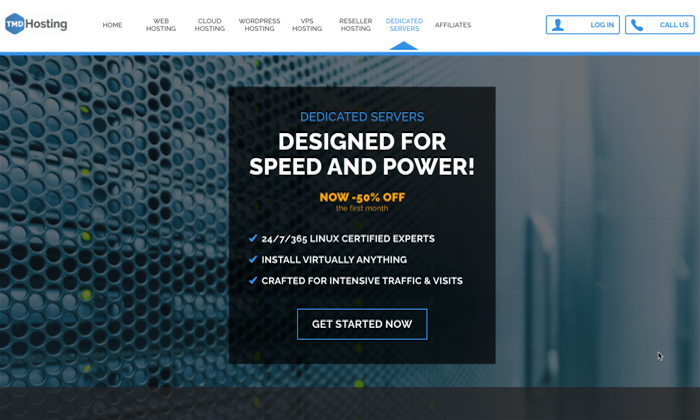
TMDHosting offers four dedicated hosting packages:
- Starter: $159.95 per month
- The Original: $199.95 per month
- Smart: $249.95 per month
- Super Powerful: $299.95 per month
For a basic package, Starter gives you an impressive 1TB storage with RAID-10. You also get four CPU cores with eight threads and 8GB DDR4 RAM, so you have plenty of space for everything on your site.
The Original upgrades you to 2TB storage and six CPU cores with 12 threads. You get the same amount of RAM, so it’s not a huge jump. Then again, neither is the price.
At the Smart level, you get the same amount of storage as the Original. The upgrades come in the form of eight CPU cores with 16 threads and 16GB DDR4 RAM.
At the top, Super Powerful comes with 2x2TB storage with RAID-10. You still get eight CPU cores and 16 threads, but with 32GB DDR4 RAM, you’ve got plenty of room for memory and storage.
Each level comes with unlimited bandwidth, free setup, premium support, and a cPanel and WHM. TMDHosting claims that they can have your website up and ready to go in 20 minutes, blowing the 24+ hours of other hosting services out of the water.
Summary
A website is only as good as its dedicated hosting service. Choose one that gives you everything you need, whether that’s speed, customization, or support when you need it. You can find dedicated hosting you trust, so explore your options and determine which one fits your business. Use this guide as a resource for narrowing down your options with our methodology and top choices.
The post Best Dedicated Hosting appeared first on Neil Patel.
Source: feedproxy.google.com