
Tag Archives for " Link "

7 Link Shortener Alternatives to Goo.gl
When you’re trying to drive traffic to your website and generate new leads, the goal is to make your content as attractive as possible. After all, with so much competition out there, it’s important you stand out from the crowd and grab someone’s attention right away, right?
The answer’s yes!


Disclosure: This content is reader-supported, which means if you click on some of our links that we may earn a commission.
Just like you spend time and energy creating visually appealing content for users to enjoy, you shouldn’t forget the finer details: namely, your links.
Yes, really. URLs matter. Let me show you why link shortening is worth your time and what link shortening alternatives to Goo.gl are worth trying.
What Is Link Shortening?
Link shortening takes longer links, with their confusing combination of numbers, letters, and special characters, and turns it into a short, readable link.
Here’s an example from NASA’s Twitter feed.
The link is only a few characters long, it contains the NASA branding, and it’s clear where the link redirects to:

Here’s another example.
When you click the link, it takes you to a YouTube video.
The destination is fairly clear from the short link (youtu.be) even though it’s unbranded, meaning there’s no mention of NASA’s name in the link:
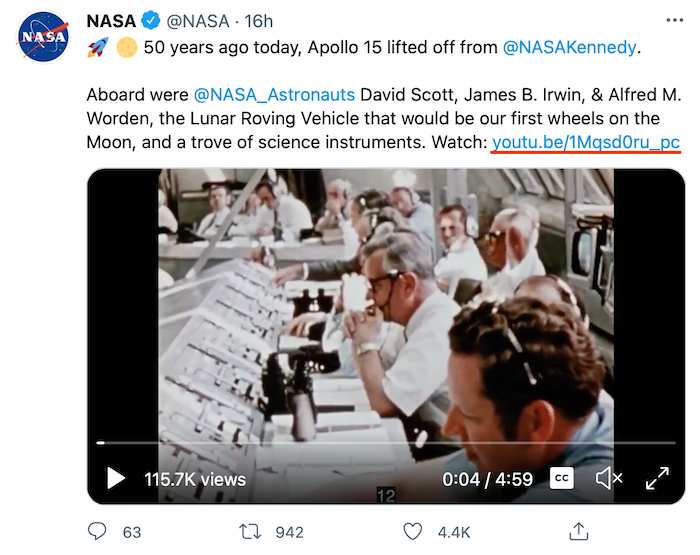
The original “longer” link looks like this: https://www.youtube.com/watch?v=1Mqsd0ru_pc
Which one do you think looks more attractive on a website or social media post?
Which one would you be more likely to click on?
Chances are, it’s the first option, and the reality is, your potential customers feel the same way.
Why Should You Use a Link Shortening Tool?
OK, so that’s how link shortening works, but is it worth your time?
Here’s a bit more detail.
In most cases, URL shortener tools also track how many people click your links.
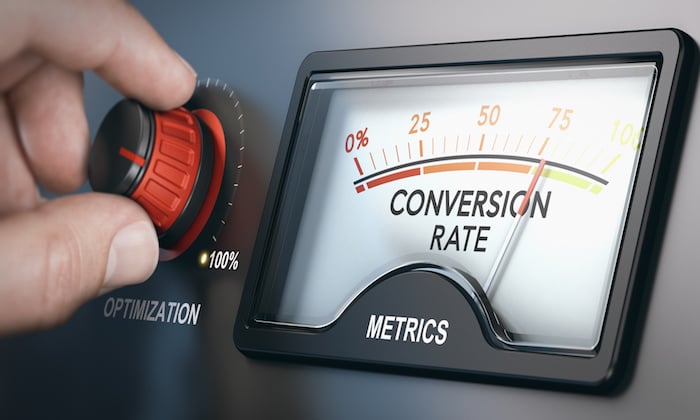
You can track who clicked your link to calculate the success of ad campaigns or content marketing strategies you’re running.
From a marketing perspective, link shorteners are invaluable.
It’s also ideal for social media posts, where you might have a limited number of characters to convey your message.
Shortening URLs and focusing on content makes it easier to engage your followers.
Finally, short URLs are more attractive.
They’re easier to read and make your content more user-friendly.
You can also create branded links with URL shorteners to reinforce your brand message at the same time.

Since great marketing is all about creating a great experience for your customers and building awareness, short URLs are a crucial tool.
To be clear, it’s not always worth shortening URLs.
For example, if you’re just linking from one page on your website to another, there’s no need to shorten the link.
If you need help figuring out which links to shorten and which ones to leave alone, check out my consulting services.
How Did Goo.gl Work?
Google’s own URL shortening tool, Goo.gl, launched back in 2009.
At first, it only worked with Google applications, meaning you could only shorten URLs for the Google toolbar.
However, Google made the tool available to the public in 2010, which made it simpler for all website owners to access and use.
Goo.gl offered a simple means to create shorter, more readable URLs.
All you had to do was input your long URL and Goo.gl generated a smaller URL without lines of extra characters:
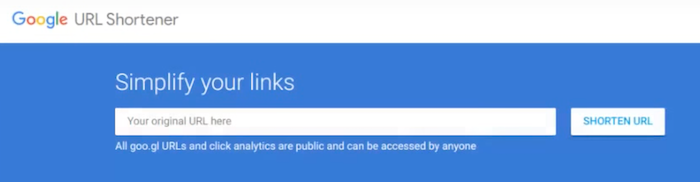
You didn’t need a Google or G Suite account to create a one-off URL, either.
However, if you wanted to keep track of all your custom URLs, you could create an account and view all your shortened links at a glance:
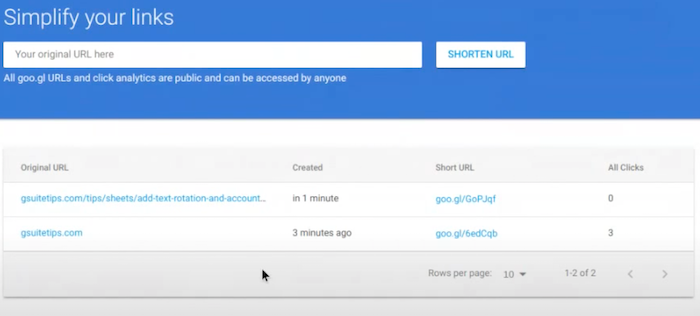
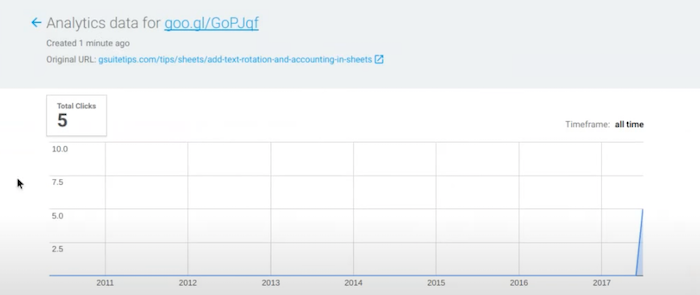
Website owners could also track how many people clicked the shortened URL, which helped with marketing strategy creation:
Why did Google shut down Goo.gl, though?
Put simply, Goo.gl wasn’t designed for anything other than desktop browsing.
As browsing habits changed and it became more common for people to access the web through mobile devices or apps, Google realized the tool just wasn’t flexible enough to stay competitive.
The answer?
Firebase Dynamic Links, or FDL, which replaced Goo.gl back in 2019.
As we’ll see in a moment, FDL improves upon Goo.gl in a few ways, although it’s not the only URL shortening tool worth considering.
7 Goo.gl Replacements
There are many other link shortening tools out there, so how do you choose the right one for your needs?
To help you narrow your search, here are seven promising alternatives to Goo.gl you can try right now.
1. Firebase Dynamic Links
Since Firebase Dynamic Links (FDL) replaced Goo.gl, it’s a good tool to start with if you’re focusing on app creation and development.
Firebase works similarly to Goo.gl, since you’re still creating short URLs.
However, these URLs are no ordinary links: they’re “smart” links or Dynamic Links.
When a user clicks on an FDL link, they’re directed to exactly where you want them to go in your Android or iPhone app… even if they don’t already have the app installed.
They simply download the app and the right page loads automatically.
Cool, right?

It doesn’t matter whether they click through from a desktop browser or mobile device, either.
They will be directed to a compatible version of your website, so there’s no need for you to generate different URLs for each platform.
If you’re focusing on app-based marketing, definitely consider FDL. There’s a free plan available, although the paid plan has some nice features.
2. Rebrandly
Do you want to create unique branded links using custom domain names?
Then Rebrandly could be for you.
Trusted by global brands like IBM and Shopify, Rebrandly is more than just a URL shortening tool.
It’s a link management platform designed to help you build entire marketing campaigns around branded links in just a few clicks.
Without leaving your browser, you can create and share links across over 100 integrated apps including Twitter, LinkedIn, and Facebook.

Plus, you can measure your campaign results from the dashboard.
It’s free to sign up, but paid packages start at just $29 per month, which gives you access to more detailed metrics and a larger number of branded links.
If you’re looking for an enterprise-level solution for larger teams, reach out to Rebrandly for a custom quote.
3. Ow.ly

If you’re already using Hootsuite, Ow.ly is worth a look.
You can shorten any link posted to social media right from the Hootsuite dashboard.
This lets you view everything from your campaign ROI to your link metrics at the same time.
There’s no need to switch between different tools (unless you’re also using other platforms like Google Analytics.)
Ow.ly comes free with every Hootsuite account, too, so you don’t need a paid subscription to benefit from the tool. Sounds good, right?
All that said, Ow.ly’s only available to Hootsuite users, so it’s not the right tool for everyone, but it’s worth a try if you already use Hootsuite.
4. Bitly
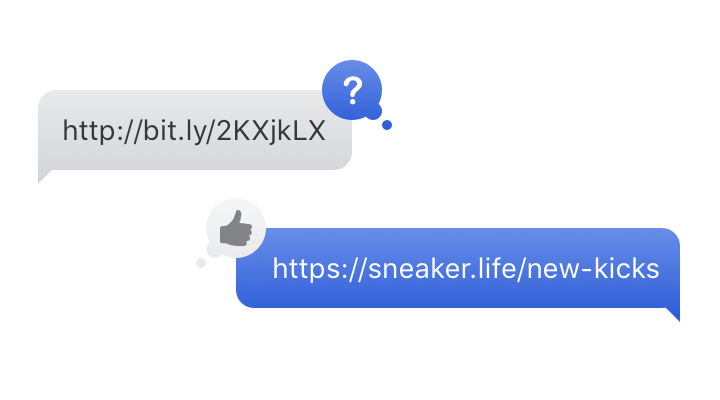
For enterprise-grade link management, consider Bitly, one of the most comprehensive tools out there.
With Bitly, you’re not just creating short, branded links.
You’re turning those links into valuable marketing tools.
Bitly offers some of the most in-depth campaign management tools available to help you track everything from clicks to organic shares.
It’s a useful tool for tracking customer journeys without hopping between different CRMs, making it ideal for larger companies looking to track data and grow their campaigns efficiently.

You can even generate QR codes to engage customers and drive sales.
What’s more, Bitly is trusted by the likes of Amazon, Disney, and Gartner, so you know it’s a platform that delivers on its promises! Packages start at $29 per month.
5. TinyURL
No roundup of link shortening tools is complete without TinyURL, the very first program of its kind:
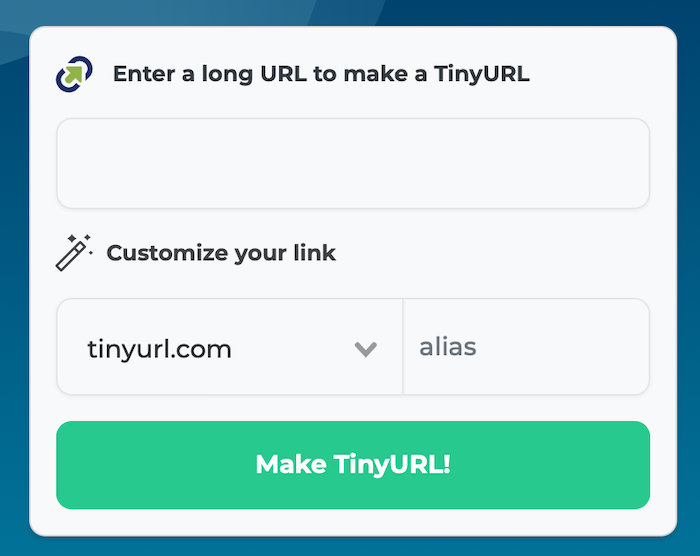
You don’t need an account to shorten one or two short URLs.
To get the most of the platform, sign up for a free account which allows you to create an unlimited number of URLs and track clicks.
The Pro package starts at $9.99 per month and offers advanced tracking options.
For businesses looking to run high-volume ad campaigns, the Bulk package may be a better option at $99.00 per month.
If you’re looking for a no-fuss way to shorten your URLs and track some metrics, TinyURL is worth a go.
6. BL.INK
Are you a small business owner looking to launch marketing campaigns but don’t need a large-scale solution? BL.INK was designed for you.

With BL.INK, you can quickly share shortened URLs across social media channels and even send actionable links by SMS or messaging platforms.
BL.INK seamlessly integrates with existing work tools and CMS, so you can easily track link performance and view the data alongside other metrics.
Packages start at $48 per month, making it one of the more expensive tools on the list.
However, you can try it free for 21 days, which is a bonus.
If you’re not looking for an enterprise-level solution but want more than just a basic shortening tool, consider BL.INK.
7. Sniply
Do you want to add a CTA to every shortened link you create?
Now you can, thanks to Sniply.
On the surface, Sniply works like any other link shortener.
However, it offers a unique level of customization: you can embed a colorful CTA button with every link you share across social media.
Not only do your links look more appealing because they’re shorter, but they’re more actionable than ever:

Pricing is reasonable, too, with packages starting at $29 per month.
However, if you want to add more than one team member, you’ll need to opt for a more expensive tier.
Link Shortener Frequently Asked Questions
What is link shortening?
Link shortening, or URL shortening, lets you change how a link displays to users.
You can make a URL appear shorter or even add branding and still send users to the correct page.
What’s the point of link shortening?
A link shortening tool turns a long, rambling link into something memorable to share with prospects, which is handy on social media.
You can also track the number of real people visiting your website, which provides more accurate analytics information.
Why did Google stop supporting Goo.gl?
Google made the changes in response to how people use the internet.
Its new tool, Firebase Dynamic Links, is more flexible than Goo.gl and lets site owners redirect users on mobile apps rather than just desktop websites.
When should you not use link shortening?
Since one of the main reasons we shorten links is for tracking purposes, you don’t need to shorten links if you’re just linking from one page on your website to another.
Link Shortener Conclusion
Are the alternatives to the Goo.gl link shortener worth your time?
Absolutely.
With the range of link management tools out there, you can quickly generate short, readable links to showcase your brand and drive traffic to your website.

What’s more, there’s a link shortening tool to suit every marketing strategy, whether you’re looking for a no-fuss, budget-friendly option or want to invest in an enterprise-level solution.
Have you tried a link shortening tool yet?
How has it improved your conversions or made it easier to track your performance?
Source: feedproxy.google.com

How to Choose The Right Link Building Agency
Are there any good link building companies out there? They do exist. They’re just hard to find. And be extra careful with all this.
Even if you publish the best content on any given content, Google might not rank it.
In fact, they usually don’t.
It takes a lot more than just content to get Google traffic these days.
So what’s required to win?
Sooner or later, you’re going to need high quality links to your content.
There are lots of grey-area folks in this space. What’s the right way to do it? Are there any good link building companies out there?
They do exist. They’re just hard to find.
And be extra careful with all this. Not only does Google forbid paying for links, but the only legitimate long-term strategy is also to build links authentically. The right link building companies will help you do this.
Before going any further, always start with your goals.
Know Your Goals and Desired Outcomes
Take a step back and ask yourself: Why do I need to build links to my website?
If you’re like most business people, you’re looking to hire a link-building agency because you heard links drive higher rankings and traffic to your site.
Well, there are even more benefits if you build quality links to your site.
Emphasis on ‘quality.’
And it’s because the way links work is pretty straightforward: Other sites trust your site for something, and they link to it. Google uses those signals, or ‘vote of confidence,’ to consider your website an authoritative resource.
Your rewards?
- Authority
- Higher ranking over your competitors for similar keywords or search phrases More qualified traffic
- Leads and sales
- Brand mentions across the internet
These rewards explain why some businesses spend between $10,000 – $50,000 per month on link-building alone.
Yet, the competition for quality links has gotten tough.
Google cracked down on most of the link strategies. And even if you find something that works today, Google gets better at finding inauthentic links every year.
The last thing you want to build a bunch of links that Google starts ignoring in 12 months.
So, before you spray money on a link-building agency, be sure to choose one with experience building quality backlinks.
To get quality backlinks, there are only a few strategies I know you can get them:
- Linkable content marketing
- Blogger outreach
- Guest posting
- Curated, in-content backlinks Strategic link placements
Your SEO strategy and business goals determine what link-building strategies and agency you’ll need.
Let me explain with a few examples.
Examples of Link Building Strategies:
Example #1: Blogger Outreach for Outdated Content
Imagine for a second your main competitor’s site ranks No.1 organically for the keyword, “best female fitness apps,” while yours languishes on Google’s 19th page.
And you realize this competitor ranks high because authoritative domains are linking to an old piece of content by them, which cited an outdated study related to women’s fitness.
Authority, as they say, breeds authority.
So, to displace your competitor or, at least, improve your position on the SERPs, you’ll also need to get backlinks from authoritative domains.
Two options I trust you can leverage for this are:
- Create a refreshed version of the content sending links to your competitor. Then, reach out to the domains linking to them to replace links to your competitor with yours.
- Conduct a newer version of the fitness study making authoritative sites link to your competitor. Then, create a content piece discussing your findings and promote it to get links.
Either way, the link-building strategy you’ll need in this scenario is called linkable content marketing.
And that’s because content marketing and backlinks go together perfectly. You can’t really do one without the other.
To get links using this strategy, you’ll need an agency with vast and proven experience in content marketing.
Example #2: Outreach to Add Links to Brand Mentions
Let’s stay with the “best female fitness app” example.
Imagine that you went ahead to conduct a new study on women’s fitness.
After this, you produced an excellent content piece that breaks down your findings.
Some months later, your study and content go viral, and many bloggers start mentioning it in their articles.
Those mentions usually include links straight to your research.
But not always.
To seize this opportunity and build backlinks, you’ll need to reach out to those bloggers and ask for a link.
In this case, you’ll use a link-building strategy called blogger outreach.
Did you notice something in both examples I just shared?
You need something worth linking to—something of high quality, to give other websites the confidence to send backlinks to your site.
And these link-worthy assets are better if they’re in the form of content.
The better your content, the easier it is to get these authentic links that are perfectly legitimate.
Why does any of this matter?
Why not just hire some agency to build links for you?
There’s a lot of shady stuff in the link building space. If you don’t have a specific idea for the type of links you want, you’re going to get a link spammer to build a ton of bad links, charge you a ton, and then walk away. If you do enough of that, Google can penalize your site. It can take years to reverse that kind of thing.
Since link building has so much risk, you want to be in the weeds with any link building agency that you work with. It’s the only way to ensure that they don’t damage your domain.
Here are some other things to look for in a great link building agency.
4 Characteristics that Make a Great Link Building Agency
Great companies have attributes that define them in general. Great link-building agencies are no exception.
But what characteristics should one look out for, which makes a link-building agency great?
There are six significant ones I can bet my money on.
1. Content Services
I prefer to keep content and link building closely aligned.
Simply buying a ton of links to a landing page hasn’t worked in Google for ages.
To get good, authentic links, you need good, authentic content.
Many sites don’t have that content. Even if they’ve produced great content in the past, they might not have content that’s linkable enough. Research, stats, studies, and resources all do really well.
If you don’t have that type of content, you’ll need an agency that can spot that gap and get the content produced for you.
2. Firm Link Building Restrictions
Any good link building agency will be deeply familiar with black hat SEO and the dodgy stuff some people do. And they never venture into these areas. It’s just too risky.
The good agencies know precisely where to draw the line.
They believe in building long-term links that Google values.
So they’ve set firm boundaries with their team and their clients on what they won’t do.
Ask them what links they won’t build. And which strategies they don’t use.
It should be a long list.
3. Monthly Link Reviews
Any legitimate link building agency will give you a list of every link that they’ve built.
This is your opportunity to review those links and make sure they’re 100% legitimate.
If an agency attempts to hide the links or drags their feet at all, work with someone else.
When you start working with a new agency, be sure to check all of the links in their first batch. You want to be completely sure that every link looks good. Anyone can check link quality, you don’t need to be an SEO expert.
Look for links on quality pages. Is it a good blog post? Is it a quality site? Does the link make sense?
If anything looks off to you, it’ll also look bad to Google.
4. Great Expectation Setting
The simple fact of link building is that results are never guaranteed. Google doesn’t give out rankings for participation. If you want that #1 slot, you need to outperform everyone else.
No one wins by doing a defined list of requirements, they win by doing more than their competitors.
If you have tough competition, you could be facing an uphill battle the whole way.
Great agencies know how hard some rankings can be. And they don’t overpromise.
Stay away from anyone that promises #1 rankings. And if an agency promises rankings within-firm timelines or makes really specific forecasts, consider these red flags.
How to Work with a Link-Building Agency
What’s it like working with a link-building agency?
It’s easiest to describe what a link building isn’t:
- Go to the agency’s website.
- Pick a link order like you’re on Amazon
- Go to checkout and purchase your links
- Wait for your links to arrive
Tons of companies offer that sort of thing.
And it’s almost always doomed to fail.
Working with agencies like that will only get you low-quality links. The agency is pursuing a volume game, they can’t give you the attention that you really need.
Look for a real agency that will help get you authentic links.
That process feels more link a real agency:
1. Get your team aligned
Like working with most agencies, you can set them up to succeed or fail.
No agency can perform miracles on its own.
Agencies get results by working closely with their team and using their internal resources when it makes sense.
It’s usually a good idea to get your team aligned before reaching out to an agency in the first place. Then there won’t be any roadblocks once you get started.
- Does your content team have the bandwidth to work on link-focused content?
- Will your tech team be able to make any site improvements if needed?
- Have you done a recent SEO audit to clean up any weak sections of your site?
- Does the agency “champion” on your team have enough authority to get changes live when needed?
Once your team is ready to go, reach out to an agency that seems promising.
2. Discovery session
Authentic link building strategies are usually custom-tailored to each site and business.
Most link building agencies will want to jump on a call with you, get a sense of your market and goals, and ask tons of questions to make sure they’re a good fit.
Expect to get on a discovery call with them.
And if you have a massive website, there might be several discovery calls.
Once you fill out the agency’s contact form, you can expect to get these done within a week or so.
3. Research & strategic recommendations
The really amazing link building agencies will leverage their expertise to research your company, target audience, competitors, and industry.
They won’t blindly offer to start building links.
After all, winning Google is about outplaying your competitors.
If you don’t know the competition, you’ll have a really hard time beating them.
So great agencies figure out that competition. They get a sense of how much work it takes to get good rankings in your space.
You should see a bunch of deep research on your site and competitors at this point.
That’s how they come up with a set of strategic recommendations for you.
4. A contract with project deliverables
Assuming their recommendations look good, you can move to the proposal stage.
Expect long-term proposals.
Link building takes forever to work, especially if you’re doing it the legit way.
First, you need to get a campaign or content built, then you launch it, then you wait for organic links to come in, then you wait for those links to have an impact.
None of this happens quickly.
And link building agencies know this. They only want to work with folks that are truly on board for the long-term.
5. Client onboarding
Yes, the top link-building agencies have an onboarding process unique to each client’s project, so expect one.
Going through this process is crucial as it sets the stage for working together.
It also clarifies what you’ll need to do to make the partnership successful. Follow up with your team and ensure the agency is getting what they need.
That’s the only way to give the project any chance of success.
How to Find the Right Link Building Agency for You
A link-building agency that’s right for you is one that understands your needs and how getting backlinks would impact your business and SEO strategy in general.
By now, I trust you already know this.
First, avoid any agency promising you backlinks at the push of a button. Most times, such are black hat SEO ninjas with spammy PBN (private blog networks).
And what can get from these kinds?
Spammy links!
Those ill-tactics may have quick wins—they had in the past, but give it some time and Google will penalize you and shrink your rankings.
It’s best to choose reputably, trusted, and experienced quality link-building companies who won’t cut corners and daint their image and brands.
Below are the best link building companies that come highly recommended.
The 5 Top Link Building Agencies
1. Neil Patel Digital – Best For Linkable Content Marketing
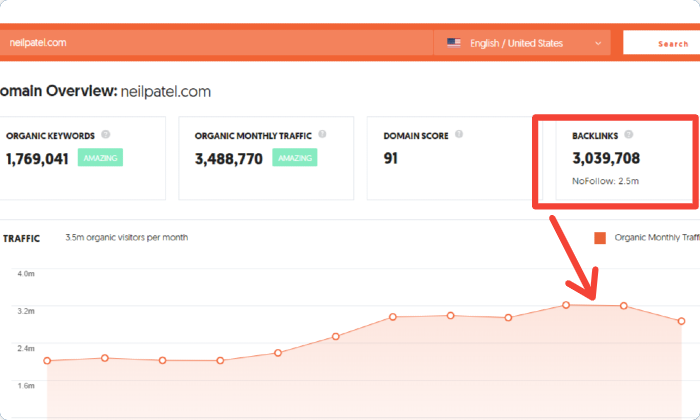
I’ve built millions of backlinks to my personal blog using by using my linkable content strategy:
That’s over 3 million backlinks which generate more than 3.4 million monthly organic visits.
By working with Neil Patel Digital, you get access to that same playbook for your own site. Contact us and my team will get in touch with you.
2. FATJOE – Best for Blogger Outreach
FATJOE is a trusted blogger outreach service even other agencies turn to for backlinks:
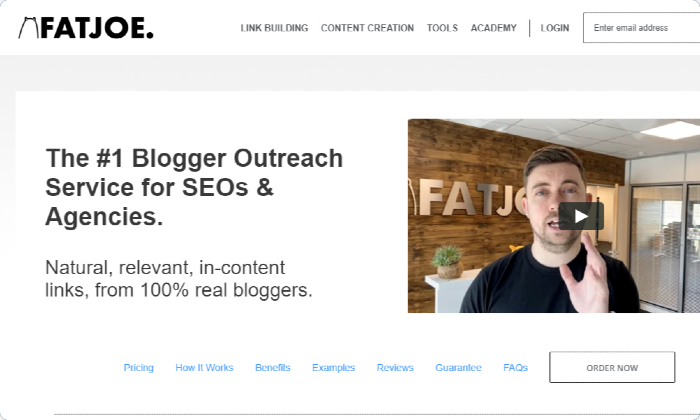
Founded by experienced SEO practitioner, Joe Taylor, FATJOE’s blogger outreach service has generated backlinks for over 5,000 customers globally.
This is a great option if you already have amazing content and only need some extra muscle from an outreach strategy.
3. Page One Power – Best for Strategic Link Placements
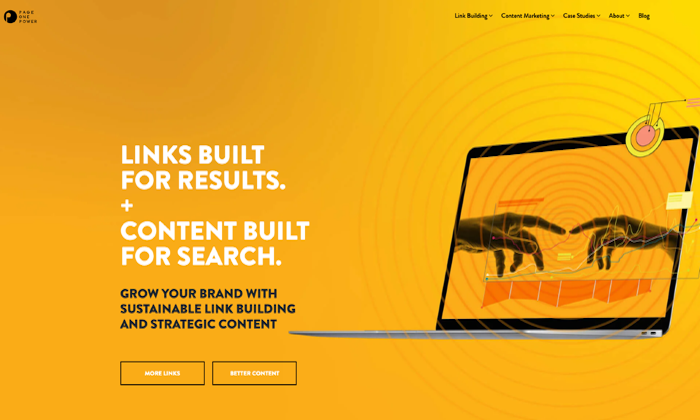
Page One Power has built a reputation as the trusted link-building agency for getting strategic link placements on higher domain (DA60+) websites.
They do this through a combination of linkable assets and a high-level outreach strategy.
This agency’s ten years of experience speaks for itself. They build about 15,000 strategic backlinks each year and and have 982 active partners:
4. The HOTH – Best for Guest Posting
If you need to generate some backlinks on your own, guest posting on other people’s sites is the way to go.
But what if you didn’t have the time to do this?
The HOTH can help:
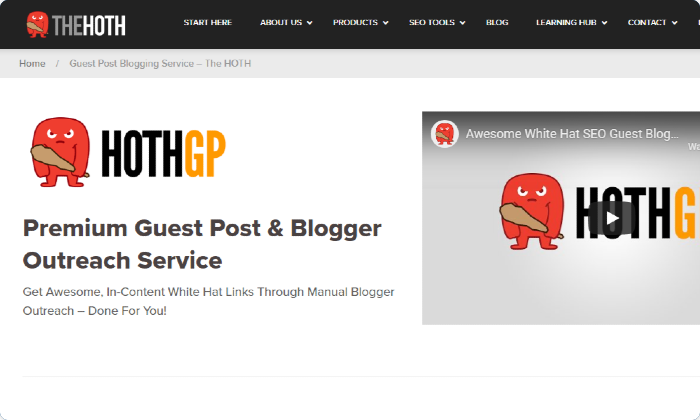
The HOTH’s guest posting is a productized service you can turn to and get links from sites with domain authority between DA10 and DA50.
5. RhinoRank – Best for Curated Link-building
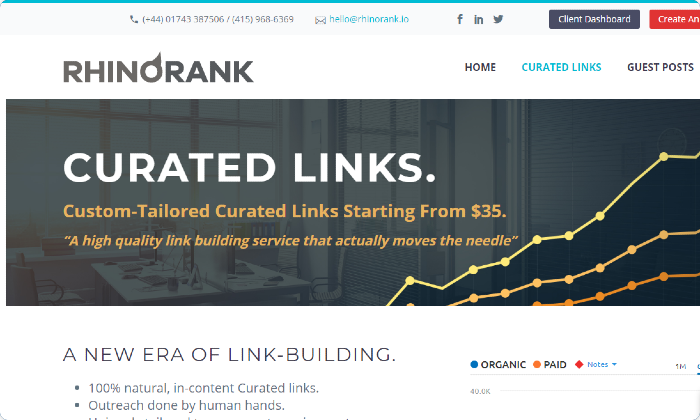
RhinoRank is excellent for getting links from websites that have mentioned your company or product in content pieces published on their sites without linking to you.
The name of this link acquisition strategy is curated link-building.
RhinoRank will do all the hard work, reach out to several webmasters with relevant brand mentions, and secure backlinks for your site.
Conclusion: Look Beyond Backlinks
Yes, sites need links to rank in Google. Especially for competitive terms.
You could try to brute force your way through this and work with a link building agency.
Or you could roll out a whole marketing strategy that builds your domain authority, your brand gets you a ton of leads and builds links naturally over time.
That’s how I prefer to do it.
Instead of just looking for a link building agency, consider a top-tier online marketing agency that can implement the entire program for you.
That’s what we do at Neil Patel Digital.
The post How to Choose The Right Link Building Agency appeared first on Neil Patel.
Source: neilpatel.com

Internal Linking for Massive SEO Results. Why & How to Do Internal Link Building
You’ve probably heard about internal linking a lot because everyone is talking about it. But what’s all the fuss about? Should you really bother doing it? Is it really that effective? If yes, why? There are many questions to be answered.

During our cognitiveSEO talks, many guests talked about the importance of interlinking between your own web pages. Therefore we decided to tackle this subject and let you know about the best internal linking strategies.
We’ve been doing internal linking for years, we’ve been talking about it here and there, but nowhere have we stated step by step how to do proper internal link building. But all that changes today.
If you’re looking for an SEO move that can quickly boost the position of your website, then internal linking is the move you want to make. Keep reading.
What Is Internal Linking and Why Does It Help SEO
Internal links are hyperlinks between two pages of the same website.
Internal links work just like backlinks. However, backlinks are hyperlinks between two different websites. When you link to another website from your own website, you call that link an external link.
When you link within your own website, you call those links internal links.
A proper internal linking strategy can really boost your ranking power because it does two things:
#1: It helps search engines understand the structure of your website, how different pages interact with one another and which pages are truly important within the structure of your website.
#2: It helps users navigate the website and it keeps users on the website by providing relevant content through links that can be followed. This ultimately sends search engines another signal that your website is great, because it provides a good user experience.
These things can account for why Google boosts websites that take internal linking seriously. It’s not just a matter of adding ranking factors to Google’s algorithm, but it actually helps users have a better experience with your website. They’re both considered ranking factors.
Of course, this is just the surface. There are a lot of things that you should take into account when interlinking between your own pages. However, although it might appear difficult, in the end you’ll learn that internal linking is actually very simple.
Internal Linking Basics
To be able to implement a good and effective internal linking strategy quickly, we must first understand the basics of internal link building. When you link from one page to another, you should keep these things in mind, both for best results and avoiding penalties.
1. Structure & Hierarchy
Your website’s structure is very important for its success on search engines. The site structure is bound to internal links, because search engines use internal links for SEO and, most importantly, to crawl your website.
When a new domain is registered and a new website is built, a request can be sent to search engines to crawl and index it. Search engines then access (crawl) the homepage of that website, analyze it, take notes (index) of what’s important for ranking it and look for links to other pages.
When they find a link to a new page, they ‘click’ it and access the new web page, analyze it, look for other links and so on. The process is repeated until the search engines crawl and index the entire site.
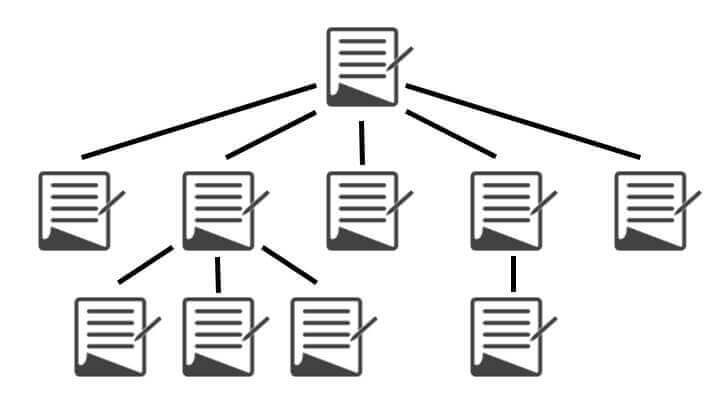
Site structure and internal linking of pages (source: searchenginejournal.com)
The link structure of your website is critical because it dictates the importance of its pages. Your HomePage stands at the top. All pages on your site usually link to your homepage, considering you have a header and a logo with a hyperlink on it.
For informational websites, the link structure is pretty simple. Article URLs are usually right after the root domain.
Most blogs and news sites also have a category hierarchy, which can be more or less important to webmasters. Interlinking usually happens only between the articles and a few more pages.
Then, we have fully hierarchical websites, such as online stores and business websites listing services, maybe some local businesses.
A hierarchically structured website shouldn’t put unimportant categories side by side with important ones, as siblings, but rather as their children. This will help point out which pages are more important.
Let’s take an example for a music store, where there are categories for different instruments and also accessories for each and one of them:
Option one:
- musicstore.com/guitars/
- musicstore.com/pianos/
- musicstore.com/drums/
- musicstore.com/guitar-accesories/
- musicstore.com/piano-accesories/
- musicstore.com/drum-accesories/
Hypothetically, I could also just use musicstore.com/category/accesories/ where I would mix the accessories altogether, but that would be a hell of a mess, don’t you think?
Option two:
- musicstore.com/guitars/
- musicstore.com/guitars/accessories/
- musicstore.com//pianos/
- musicstore.com/pianos/accessories/
- musicstore.com/drums/
- musicstore.com/drums/accessories/
Which option do you think looks nicer, for humans and search engines alike?
I hope you answered with Option Two because it definitely is the better option.
Depending on the platform you’re running your online store on, some issues can arise. URLs are oftentimes really stubborn and difficult to set up.
Now, I don’t really know about other platforms, but I work a lot with WordPress and I know what happens. WordPress runs with unique slugs, so each ‘accessories’ page will have a unique identifier.
In this case, it will be accessories, accessories-2, accessories-3 and so forth. This will also manifest in the URLs, so the results for Option 2 will be the following:
- musicstore.com/guitars/
- musicstore.com/guitars/accessories/
- musicstore.com/pianos/
- musicstore.com/pianos/accessories-2/
- musicstore.com/drums/
- musicstore.com/drums/accessories-3/
In order to bypass these rules, we need to use URL rewrites. If you’re good at coding, you can teach your theme/plugin (in this case WooCommerce) to do that automatically.
It can also be done via the .htaccess file in your WordPress install. However, a much easier option would be to use a plugin that can rewrite URLs.
Another common problem is duplicate content.
If you have one product in multiple categories and use hierarchical URLs for products as well, you’ll end up having the same content on multiple URLs.
To prevent that, WordPress and WooCommerce use separate prefixes for categories and products.
However, if you don’t have a ton of products and you’re 100% sure that products won’t be in multiple categories, you can definitely add it to the category’s URL and extend it.
When following this hierarchical structure, a common internal linking structure mistake is that people forget to link back to the main category pages from their children.
Because when we create websites, we build the pyramid from the top to the bottom and we forget that the top pages are actually the important ones.
So far, we’ve only linked right from the parents to the children. However, in order to really point out that the parent categories are the important ones, we need to link them back to them.
This is where Breadcrumbs come in handy. If you don’t know what they are, I’ll show you an example:
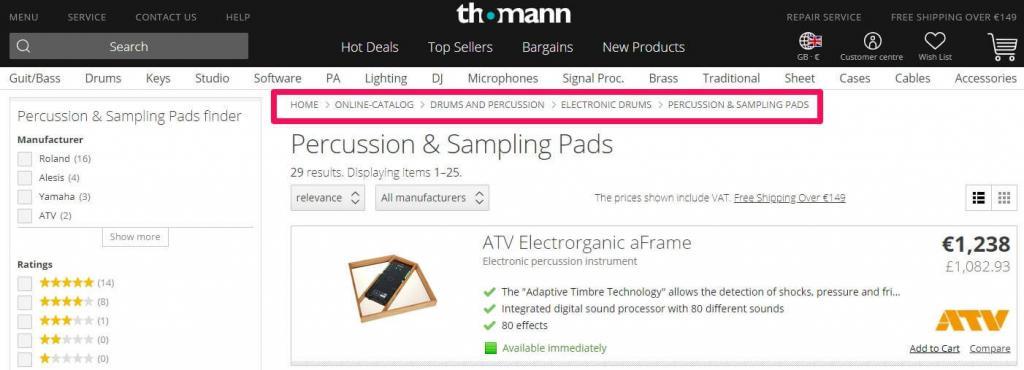
By using breadcrumbs, you can seamlessly link from all your non-important subcategories to the important categories, optimized for high search volume keywords.
You should be able to activate breadcrumbs from your theme’s settings. However, there are plenty of plugins available out there.
By simply creating a good hierarchical structure for your store, your internal linking structure is already taking effect. However, if you implement a blog and a content marketing strategy on your eCommerce website, you can gain a lot more.
I’m talking about having a blog and creating awesome content on it so you can promote it, get backlinks and then interlink to your category pages.
Quick tip: You can also implement a sitemap that matches the structure of your website. Google doesn’t always follow it, but it can be helpful for very big sites.
2. Boilerplate Content vs. Unique Content
Boilerplate content is content that is or can be repeated on multiple pages of your website. It’s usually split into 3 categories: header, footer and sidebars.
The header section is always at the top of the website. In our case, it’s this section:

As you can see, it links to some of our most important category pages from the blog.
Down at the bottom, we have the footer section:
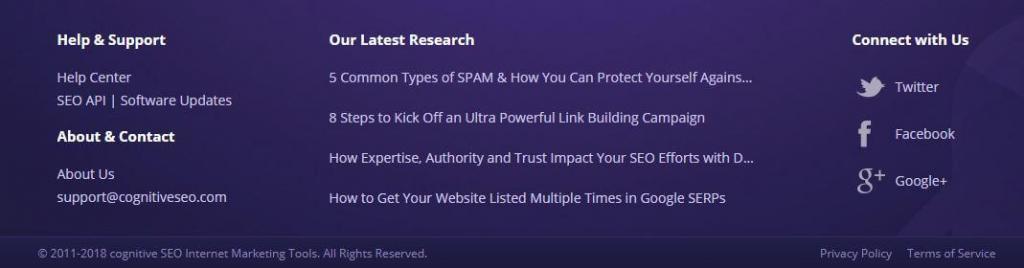
Here we link to our 5 most recent articles from the blog, to give them an initial boost from all our pages when we add them.
We also link to relevant locations for our users, such as the support pages. Here, for example, you could also add a link to your sitemap.
For a really big hierarchical website, footer links can be dangerous. Don’t just put all your categories there. Only put the most important ones. If you feel like adding them all, split them into chunks, on different pages.
Kayak does a really great job at internal linking. That’s why they rank so high for all car rental keywords, even though they mostly use doorway pages.
If you take a look at the image below, you’ll be able to see that they use two-footers. The bottom section is actual boilerplate content, which is visible on all pages, listing the most important car rental locations.
However, the upper section is only for this particular page. I’ve also spotted other pages with similar sections but listing other cities, probably related to the city that the respective page is targeting.
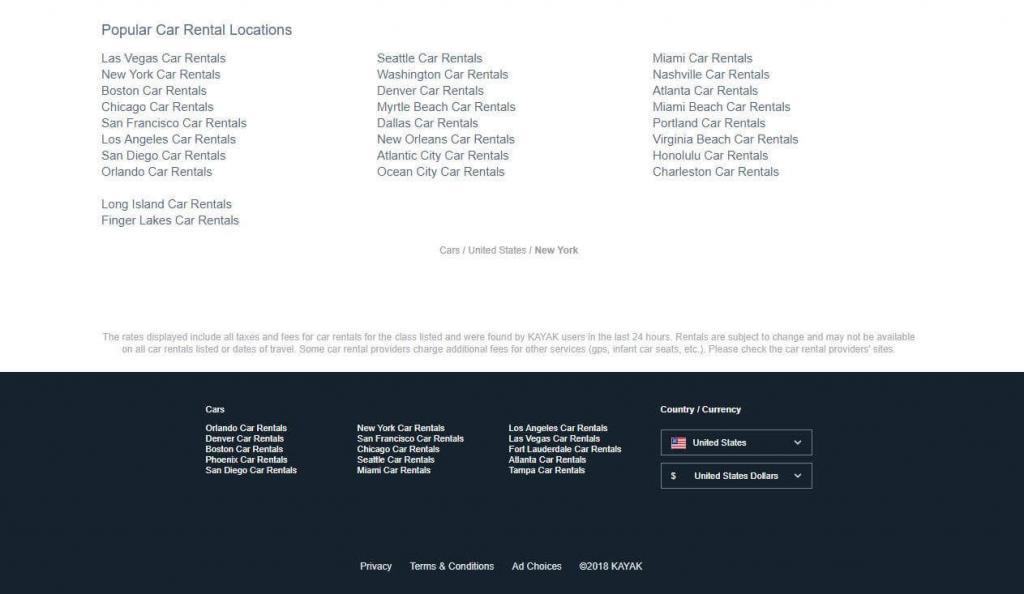
Kayak doing a great job at internal linking
On our website, we don’t have a sidebar, but I’m sure you’ve seen plenty of sidebars on other websites.
They usually contain links to the most recent articles and comments, but they should also contain useful navigation links and links to very important pillar content.
Boilerplate content should hold links to the most important parts of your website, the ones that users will really find useful, especially for navigating the website.
It’s often dangerous because people try to abuse it to create as many links as possible to important pages. These practices are penalized by Google and we will discuss them later.
Unique content is basically the actual content of a page. It’s what lies between the header, footer and sidebars.
Sometimes, it can get duplicated on multiple URLs, but Google doesn’t recommend it and large quantities of duplicate content can greatly harm your website and rankings.
Unique content can hold any links. Their very valuable, as the links can be relevant in terms of topic and anchor texts. However, they should always be more relevant to the user than to the search engines. Simply stuffing links here and there won’t help you much.
3. Internal page performance
As you probably know, the more backlinks a page has, the more valuable it is for that website and also the more value it can pass onward to another page, through a link of its own.
This SEO signal is very important for Google and it will be for a long time (although other search engines like Yandex don’t use links as a signal anymore).
Here’s a video of Matt Cutts (former Head of Spam @ Google) explaining link value and link juice for ranking on Google.
It’s still important to have a good link-building strategy in place to get top positions, especially in highly competitive niches.
Internal links work in a similar way. As with regular external links, the more internal links pointing to one page of your website, the greater the value of that page within the website.
If you have a page with 30 internal links pointing to it, it will hold a greater value in the site than the pages with only 10 internal links.
If you link to another page from that page with 30 internal links, it will pass greater value than linking from the ones that only have 10 links.
Backlinks (from other websites) are also very useful. For example, if you have 10 backlinks to one page but 0 backlinks to another, you can link from the first page to the second to pass some of that link equity, within your own site.
You obviously want backlinks more than you want internal links, but that’s just because backlinks are out of your reach and we all know the nature of humans. Start with what you have control over, and build your way up. A combination of backlinks and internal links is the true key to success.
4. Number of Internal Links
As with any other SEO strategy, method, or category, things can and will be abused by some. Google penalizes such abuses, internal links included.
There isn’t a general rule of thumb when it comes to how many links you can have on a page, but it can come down to the size of the website. As long as you keep things relevant, you shouldn’t be pouring in too many links.
Generally, a normal ratio would be 10-15 links for every 1,000 words written. However, by adding the boilerplate content links to the count, the number can grow pretty fast.
I guess that even 200-250 links per page can be a decent amount on a very large website, but anything over that might look suspicious, to users and search engines as well.
However, you do want to consider that the value a page passes is divided between the number of links it has on it. So, if you had a hypothetical value of 10 and you had 5 links on that page, each link would carry a value of 2.
The more links you have on a page, the less value gets passed through each of those links.
5. Use & Risks of Anchor Texts
Anchor texts are the phrases that users see when they click on a hyperlink. It’s the phrase that’s highlighted usually with blue, but it can be another color, depending on a website’s design (in our case it’s purple).
Example: <a href=”http:/site.com/page/”>This is the anchor text</a>
As with regular backlinks, anchor texts should use keywords, because they say what that link is about and help pages rank higher for those keywords.
However, trying to abuse this will get you in trouble. It’s the exact same thing with internal links.
Quick tip: Image links can also account for internal links. In this case, the alt attribute will be the anchor text of that link. However, text links are more common.
6. Importance of Relevancy
Google has recently put a lot of emphasis on user experience. So, please just don’t fill up your pages with useless links, just for the sake of having them. If they clearly serve no purpose for the reader, you’re better off without them.
For example, you might use 3 variations of a keyword within 100-150 words. If you use all 3 of them to link to the same piece of content, what will that tell the user?
Absolutely nothing. They might, at most, wonder why you would commit such a dreadful act. However, Google will clearly know you’re trying to manipulate it and it will penalize you for it.
A link between relevant posts, with relevant topics to one another and avoid using exact match anchor texts too often. If you’ve mentioned a topic that is required for a better understanding of the phrase, you may use exact match anchor texts.
You don’t really want to expand on that topic and explain what it means there, because most of your readers already know it. But for those that might be new and don’t know what it is, you provide that link to an explanation.
It’s useful to have anchor texts that fit the keywords you’re trying to rank for, but don’t overdo it. To get away with it, you can write things like “To find out more, check out this article about Keyword Phrase“, where the bolded part represents the actual anchor text of the hyperlink.
7. Dofollow & Nofollow
When you interlink between your pages, you want to make sure that those links are dofollow. There’s actually no such thing as a dofollow tag. A dofollow link is just a regular link, lacking the nofollow tag. A normal HTML text link passes equity/value.
Example of dofollow link: <a href=”http:/site.com/page/”>Anchor Text</a>
The nofollow link tag specifies to the search engines that the equity should not be passed and that the vote doesn’t count anymore ( <a href=”http:/site.com/page/”>Anchor Text</a> ).
Example of nofollow link: <a href=”http:/site.com/page/” rel=”nofollow”>Anchor Text</a>
This was often used in practices such as PageRank sculpting, where you would nofollow some links in order to maximize the equity of others.
If we take the same example as above, if you have a hypothetical value of 10 and you have 5 links on your page but 3 of them have the nofollow tag, then the other two would each get a value of 5.
However, this doesn’t really work anymore, as Google countered this by splitting the value regardless of whether the nofollow tag is applied or not.
So now, nofollowing a link in order to ‘pagerank sculpt’ will actually put the value of that link to waste.
However, there are places where you do want to use internal nofollow links. This is when you are linking to a page within your site that has the noindex meta tag. A good example would be login pages.
Why bother to nofollow them? Wouldn’t that equity go to waste? Well, if it’s not going to be indexed, then nothing actually goes to waste. And it’s not like that page is going to pass anything forward.
Google won’t even look at that content to see what other links that page has.
I don’t know about you, but I’d be pretty pissed if someone said to me “Hey, yo Google, check out this awesome link!” and then go “HA HA, just kidding! Don’t index it, tinhead!”
Quick tip: It’s always a good idea to use relative sources ( /contact/ ) instead of absolute ones ( https://cognitiveseo.com/contact/) when linking within your own website. This can come in handy if you ever change your domain.
Step by Step Internal Linking Guide
Considering you now know the basics mentioned above and you won’t use a bad structure or abuse exact match anchors when you interlink, you can start an internal linking strategy on your own website.
Step 1. Mapping Everything
If you haven’t done this on a regular basis before, you really need to plan it out, especially if you have a big website. To do this, you’ll need an Excel File or a Google Spreadsheet.
You can add any other headers you think would be relevant, but I’ll stick with these:
- Page Title
- URL
- Main Keyword
- Other Keywords
- Pages to link from
- Anchor Text

We’ve added just one page as an example but for better results, you should add as many pages as possible.
If necessary, you can split the mapping into multiple sheets (categories, for example). If you have a really big website this can help.
Step 2. Keyword Research
For this example, I’ll just pull out the keywords from the title itself. You can also pull keywords out from the headings and even content. If you want, you can use cognitiveSEO’s Keyword Explorer to get more keyword ideas. Another option would be Google’s Keyword Planner.
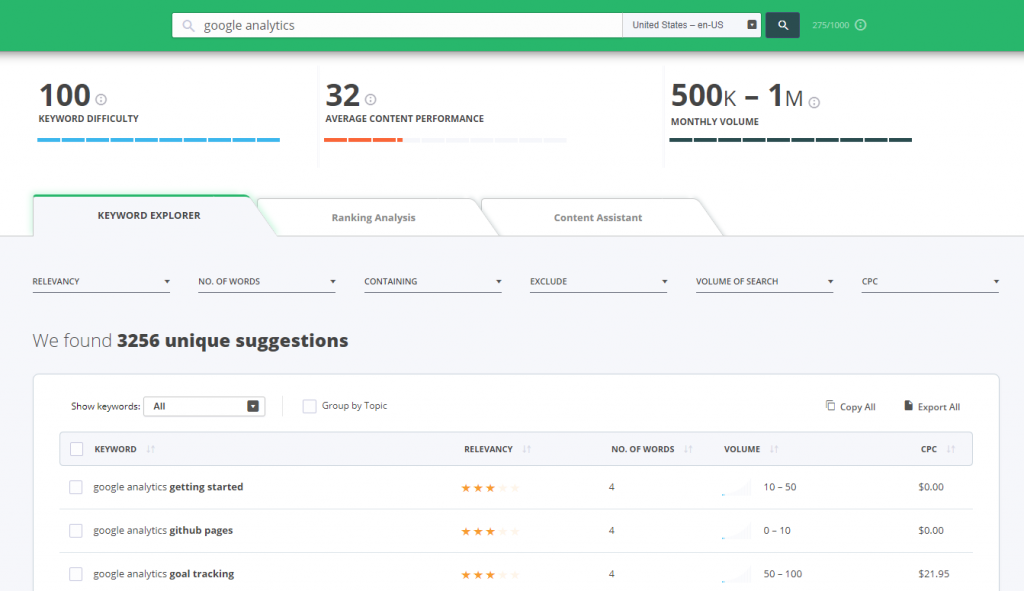
The key here, however, is to think of keywords that will help you find content to which that particular article will be relevant.
Look at how I added ‘monitoring’ as a relevant keyword for the Google Analytics article. You can also use variations, such as ‘monitor’ or ‘monitor your traffic’.
Step 3. Searching Your Website
It’s now time to use those keywords to find relevant, older articles that we can link to our most recent 5 articles. There are two ways you can do this:
The first one is to use your site’s search feature:

After you identify the articles you want to link from, skim through them to find the relevant section and map them down, with their corresponding anchor text:
If your site doesn’t have a search feature (hard to believe… but anything’s possible) you can use Google to search your website, considering your pages are indexed. Use the search operator site:yourdomain.com followed by the keyword you’re searching for.
After you finish the mapping, you can start adding the links. I won’t cover how to actually do that, because you can ask Google. You’re a big guy!
Step 4. Interlink from & to New Pages
Every time you post something new, link to other older articles that are relevant to the topic. It’s better if you do it on the spot, as you write. That way, you won’t forget what you wanted to link to.
However, always double-check at the end to see if you can add some more relevant links.
Also, take the time to quickly perform the process above. Use some keywords to identify relevant articles and then link it from those articles to your new article.
Step 5. Fetch and Render
After each internal linking session, be it a bigger one or for a new post, remember to send your pages for crawling.
This will tell Google to take another look at your pages, so it can see the modifications you’ve made and better understand your website. You can do this via the Google Search Console, in the Crawl section.
Quick tip: If you’re just starting a website, follow the last three steps as a rule of thumb every time you’re posting new content and you can bypass the rest of the steps.
Conclusion
Measuring the results is the final step of correctly implementing an internal linking strategy. You can’t say anything really works until you’ve measured its results. In order to do this, you’ll have to benchmark your site’s positions before and after implementing the strategy.
You can do this by using cognitiveSEO’s Rank Tracker. You can also use Google analytics to monitor your traffic.
You can only really do this well if you implement a more massive internal linking to your website and if you isolate it from other SEO strategies. If you interlink all the time and you’ve been doing it since the beginning, you probably won’t see much of a difference.
Also, publishing an article that gets 100 external links (while your average is usually 1-2) might boycott your internal linking strategy measurement.
Internal linking isn’t hard to implement. Sure, it might bring up a headache if you have a million web pages, but it is definitely worth it.
What are your experiences with internal linking? Have you had success with it? Have you seen any difference whatsoever? I’m eager to find out your opinion. Start typing in the comments section below and let’s get a conversation started. I’ll gladly answer any questions.
The post, Internal Linking for Massive SEO Results. Why & How to Do Internal Link Building appeared first on SEO Blog | cognitiveSEO Blog on SEO Tactics & Strategies.
Source: cognitiveseo.com