
Tag Archives for " domains "

How to Choose Which Top Level Domain to Use
Buying a domain name is exciting. It means you’re taking the first steps to establish yourself and create a professional website. But, it can also be overwhelming.
Not only do you have to find an available domain name, but you have to choose between dozens of top-level domains (TLDs) such as:
- .com
- .co
- .org
- .io
- .co.uk
- .net
- .gov
The list goes on!
Picking the right TLD is just as important as choosing the rest of your domain name.
You want the best option for your business type to establish trust with your target audience and one that’s memorable.
In this guide, you’ll learn about the different TLD types, which ones you can and can’t buy, and how to know what type is the best fit for your business.
What Is a Top-Level Domain?
A top-level domain (or TLD) is the last segment of a domain name.
For example, the TLD for NeilPatel.com is “.com.”
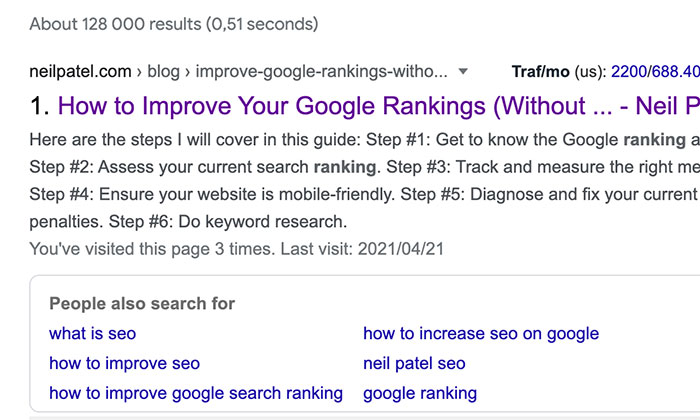
.com is just one of the many options available, though.
The Different Types of Top-Level Domains
The Internet Assigned Numbers Authority (IANA) officially recognizes three types of TLDs.
1. gTLD: Generic Top-Level Domains
The gTLD contains the most common top-level domains, and anyone can register most of these domain extensions.
Some of the generic top-level domains in this category include:
- .com
- .co
- .org
- .net
- .xyz
- .biz
- .info
In 2011, ICANN extended gTLDs to companies and organizations. It helps brands register their name as a domain extension.
A few real-life examples are:
.barclays
.cern
Some companies choose to use extended gTLDs as redirects. For instance, if you go to search.bing, it redirects to bing.com. Others, like .cern, strictly use their extended gTLDs.
Businesses can also register generic TLDs around their industry niche.
For example:
- .real estate
- .democrat
- .republican
2. sTLD: Sponsored Top-Level Domains
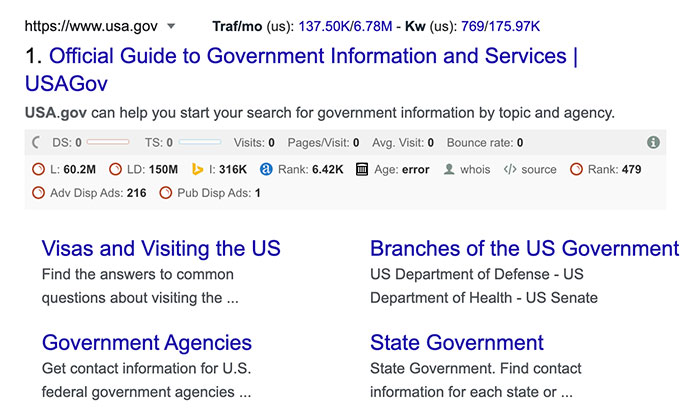
An sTLD are domains sponsored by a specific entity like a business, government, or other groups.
In this category, you’ll find domain extensions for:
- .gov
- .edu
- .mil
- .int
- .coop
- .museum
- .jobs
- .post
- .travel
3. ccTLD: Country Code Top-Level Domains
The last type of top-level domain is ccTLD.
These domain extensions are reserved for countries, sovereign states, and territories.
These codes are two letters long and represent the country or territories’ abbreviated name.
For example:
- .us – USA
- .uk – United Kingdom
- .eu – European Union
- .ru – Russia
- .ca – Canada
However, ccTLDs are not only for countries.
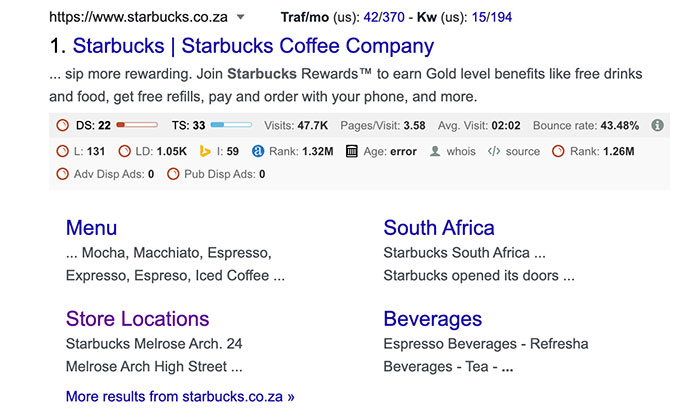
Businesses use ccTLDs to geotarget users in different markets.
For example:
- hm.com – USA
- hm.co.uk – United Kingdom
- hm.co.za – South Africa
How to Choose the Perfect Top-Level Domain
Think of your domain name as your brand’s search representative.
Some TLDs may hinder your branding because of spam associations, while others could improve your search result rankings.
Below, we’ll unpack some of the most common TLDs to help you select the perfect domain name for your business.
Some Top-Level Domains Aren’t Available to Everyone
Not all domain names are available for anyone to buy.
These are restricted top-level domains known as rTLDs.
To obtain an rTLD, you need to meet specific criteria laid out by the TLD’s registry.
For example:
- .gov and .mil are reserved for official government and military uses and are controlled by the US government.
- .edu is an extension only available to eligible postsecondary constitutions in the U.S., some governing boards, and nonprofits where 75 percent of their members are eligible educational groups.
- .name is reserved for individuals.
Trademarked rTLDs aren’t available unless you can prove you are the trademark owner.
For example, you can’t buy a .nescafe or .walmart domain name unless you own the company in question.
rTLDs can also be geo-location domain names.
You can’t buy a .nyc domain name unless you have a valid New York City address.
These controls help prevent fraud and forgery and give users a sense of security when using these sites.
How to Buy an rTLD
If you meet the requirements for some of the most common rTLDs, here are the steps to take to purchase them:
.mil: Go to the Department of Defense‘s official website.

You need to fill out the official form for website registration and submit additional information such as government point of contact and select the correct government component.
.gov: Go to the official DotGov registration site.
You can check if the domain you want is available, review the requirements, and download the authorization letter template..edu: Go to the Educause website.
The site details the eligibility of domain names provides domain name prices and offers a tool to check domain availability.
When to Use .com Domain Extension
If you run a business, blog, or another professional website, a .com TLD is probably the way to go.
The .com stands for commercial. It’s one of the best TLD domains to use because people view it as credible, trustworthy, and more memorable than other obscure domain extensions.
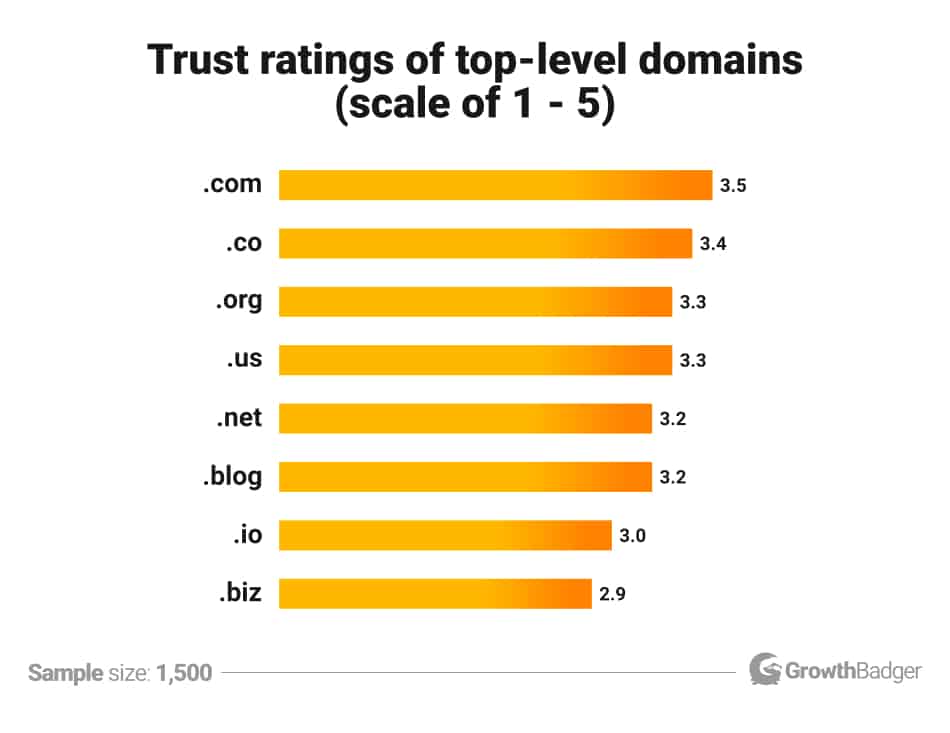
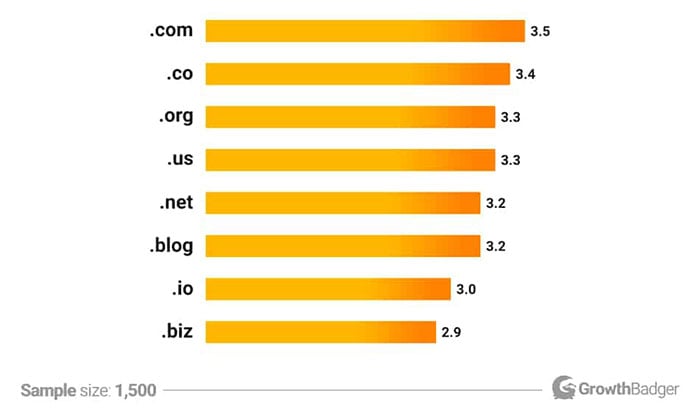
A study from GrowthBadger found .com is the most trusted TLD. Plus, people are 3.8 times more likely to simply assume a domain ends in a .com than anything else, meaning if they try to go directly to your website, they’ll probably end with a .com by default.
However, there’s a catch.
Anyone can register a .com domain extension, and because it suits a range of business types from business coaches to online stores, it’s not easy to find a .com no one has snatched up already.
If your perfect domain name is unavailable, not all hope is lost.
There are strategies you can use before settling on a complete rebrand.
For instance, you could try to buy the domain from its current owner or use a reasonable variation on your company’s name.
You can try an alternative domain extension like .net (more on this below) or add a country code if it makes sense to do so.
When to Use .org Domain Extension
The .org stands for “organization” and is commonly used by nonprofits, social causes, groups, and clubs.
Examples include:
- charity
- navigator.org
- kidneyfund.org
- doctorswithoutborders.org
Using the .org extension can give your brand more credibility than other extension options.
That said, anyone can register a .org—there isn’t a regulating body.
However, it’s best to buy another domain extension if your site doesn’t fit into one of those three categories.
Why?
Users already associate the domain with nonprofits and groups, and it could be confusing if you’re a SaaS business with a .org.
Worse, if you don’t run a nonprofit, consumers could feel like you’re trying to trick them by having a .org.
If you run a nonprofit and want to use .org, keep in mind that 44 percent of people remember .com TLDs, while only 32 percent recall .org extensions.
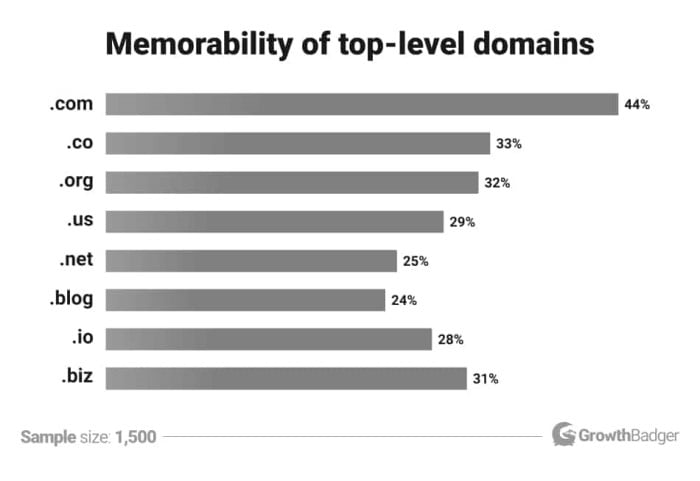
The lower memorability score could end in sending people to the wrong site.
But, you can avoid this by buying the .com version in addition to the.org.
It will protect your brand because no one else can buy the .com, and you can set up a redirect to your .org site.
When to Use .net Domain Extension
The .net domain extension is another option for businesses, but it’s not a great fit for everyone.
The .net stands for network, and the extension is for:
- internet service providers
- network services
- online technology companies
- database providers
If your business has nothing to do with tech, it usually won’t be the best option.
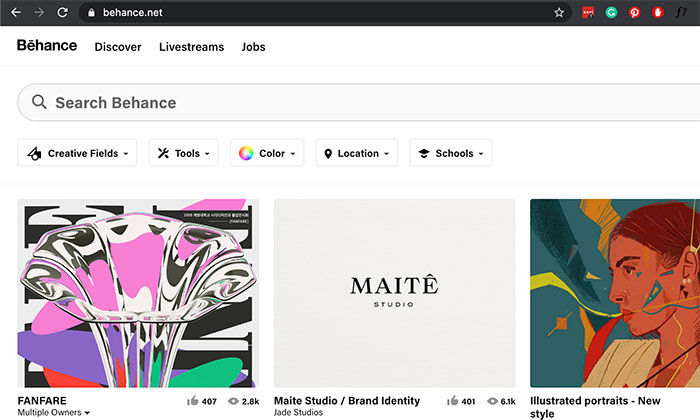
An excellent example of an exception to the rule is behance.net.
The website is an online design community and has nothing to do with providing internet or database services.
However, it works for their brand because it is a network for designers and clients to find each other.
From an SEO point of view, the .net is better than most other lesser-known extensions if you’re in the tech industry or work for another brand .net fits with.
It’s been around long enough for people to remember it, and it’s considered trustworthy and authoritative.
How to Buy a .com, .org. ,or .net TLD
Ready to buy a domain name?
Fortunately, it’s usually a straightforward process.
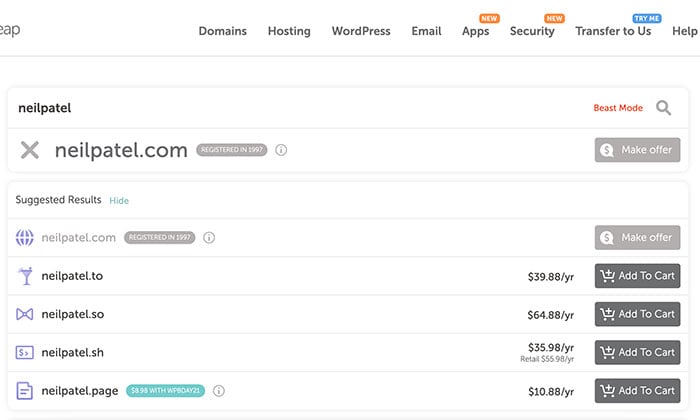
Two of my favorite domain registrars are Bluehost and Namecheap.
Both sites are easy and straightforward to use, though they serve different purposes.
Bluehost provides hosting and other services, while Namecheap is strictly for buying domains.
You can buy common TLDs such as .com, .net and .org as well as alternative domain extensions like .io, .so, .new, etc.
How Does Your Top-Level Domain Affect SEO?
Besides branding, choosing a TLD has an impact on your SEO.
Here are the main things you need to consider when deciding on a TLD domain.
Public Perception and Spam
Unfortunately, some TLDs are associated with nefarious online behavior.
If you use them, Google might assume your site isn’t safe, and you’ll never make it to the top of search results.
According to Spamhaus, these are the TLDs with the spam worst reputations:
- .date
- .surf
- .cam
- .bar
- .icu
Besides search engine rankings, using an alternative domain extension can affect your click-through rate (CTR).
For example, if your target audience is unfamiliar with the TLD, they might not view your site as safe, and you won’t get traffic.
In the same study from GrowthBadger, these were the TLDs that have the lowest trustworthiness, factoring in things other than spam:
.blog.io.biz
Using an Industry-Specific TLD
Depending on your industry, using an industry-specific TLD could boost your SEO.
For example, several start-ups use the TLD of .tech or .io. Other options include using .food for a food blog or .travel for a tour operator.
Using an industry-specific TLD tells Google and people what your site is all about, which can help improve your rankings and CTR.
Examples of sites using industry TLDs:
- visitdurban.travel
- voodoo.io
- nothing.tech
Yes, we know we just said .io had a low trustworthiness rating.
This is because many folks simply don’t know what it refers to, which is understandable.
This TLD is a play on I/O, meaning input/output in computer science terms, so it follows that tech (particularly gaming) companies would use it.
Geotargeting
Is your business tied to a specific location?
You might get an SEO boost by using geotargeting in your TLD.
It signals to Google that your site serves a particular country or city, and it could make your pages visible to people searching from those locations.
You can also use TLD geotargeting if you have a business that operates in multiple countries worldwide.
For example, Amazon has:
- amazon.com (USA)
- amazon.co.uk (United Kingdom)
- amazon.nl (Netherlands)
- amazon.de (Germany)
- amazon.fr (France)
Conclusion
A top-level domain is an integral part of your website’s structure.
Before you buy one, take the time to look at the different TLD options and select the best one to represent your business online.
If you need to change your TLD or domain name later, you can.
But, you’ll need to 301 redirect the old domain and every page to the new one, and it can take up to six months for your traffic to recover.
It’s much easier to start your website on the right foot than have to go through a site migration process, hindering your bottom line and SEO content marketing efforts.
Which top-level domain will you choose for your business?
Source: feedproxy.google.com

Best Domain Registrar
But with thousands of options to choose from, analysis paralysis takes over. I’ve used countless domain registrars over the course of my online career, and I’ve narrowed things down to my top five recommendations.
The best domain registrars are affordable, easy to use, and secure.
Disclosure: This content is reader-supported, which means if you click on some of our links that we may earn a commission.
But with thousands of options to choose from, analysis paralysis takes over.
From privacy and security to configuration and DNS management, it’s understandable to feel confused or unsure.
However, there’s good news.
I’ve used countless domain registrars over the course of my online career, and I’ve narrowed things down to my top five recommendations.
You’ll be in good hands if you choose one of these registrars.
In this article, I cover how to choose the best domain registrar, the different places to get a domain, and the only companies I highly recommend to anyone interested in creating a new website for their business.
Let’s get started!
The Top 5 Options for Domain Registration:
- Domain.com – Best for long-term registrations
- Bluehost – Best for bundling with web hosting
- NameSilo – Best for buying domains in bulk
- Google Domains – Best for Google integrations
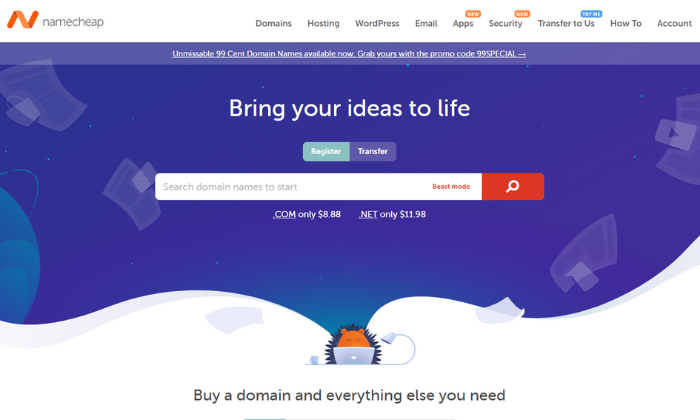
- Namecheap – Cheapest domain registrar
How to choose the best domain registrar for you?
Deciding on a domain registrar can feel impossible, especially with so many options to choose from.
But knowing what to look for helps narrow things down.
And while I stand behind each of my top recommendations, I want to share the criteria I considered when making this list.
Feel free to use it as you go through the process of deciding which domain registrar is right for you.
Registration period and renewal rates

Most domain registrars offer promotional pricing for your initial contract term. Some limit your initial contract term to one or two years, while others may give you five to ten years.
So if you’re looking to save money, your best bet is to opt for the longest registration period available.
This is also a great way to ensure no one else can buy it, since you don’t have to remember to renew it every year.
- Domain.com offers a five-year registration period, so I highly recommend it.
- However, Namecheap offers ten years, so it’s also a great option.
Number of domains
It’s common for large and small companies alike to buy multiple domain names, including:
- Common misspellings of their original name
- Various domain extensions
- And similar domain names
Why? To make sure no one else can buy a similar name or intentional misspelling to steal their traffic.
It also ensures your website is easy to find, even if someone doesn’t know how to spell it or what extension you’re using.
And while it’s a good idea, it’s not necessary, especially if you’re just starting out.
If you’re interested in buying 50+ domains, NameSilo is your best option.
However, if you need less than that (or just one), Domain.com is my #1 recommendation.
Furthermore, if you need web hosting as well, Bluehost offers one domain name free for the first year.
So, this is an excellent option if you need a single domain name and web hosting for a new website.
Domain management
Domain names may feel like a “set it and forget it” type of thing. But in reality, they aren’t.
They require ongoing management, including renewals, security, and accessibility.
Different domain registrars may handle domain management differently, so it’s crucial to understand how things work with the company you choose.
For example, most registrars offer auto-renew services, meaning you don’t have to manually renew your domain registration every year.
This is essential for keeping your website accessible, even during your renewal period.
Alternatively, you may need to terminate your domain. So, you need to understand the guidelines for doing so with the domain registrar you choose.
Furthermore, you may have to manually connect your domain or verify different services using DNS management (it’s a lot easier than it sounds).
So make sure the domain registrar you choose gives you unlimited access to your DNS records.
WHOIS Privacy

Domain name registration involves providing your personal details to the domain registrar.
However, doing so means your information is now part of the public record.
But the good news is it doesn’t have to be, thanks to WHOIS protection.
This privacy service masks private information, like your email, address, phone number, and more. So, it’s not accessible to scammers, hackers, or anyone looking for your information online.
Some registrars charge for this service, while others offer it for free.
But I highly recommend you use it, regardless of the registrar you choose.
Unless you’re registering your domain with your company’s address, phone number, etc. This information is already public so it won’t hurt to have it attached to your domain.
Note:
- Domain.com charges $8.99/year, and Bluehost charges $11.88/year for this.
- But Namecheap, NameSilo, and Google Domains offer privacy for free.
Domain transfers

If you want to change domain registrars in the future, you have to do a domain transfer.
Some registrars make this free and easy, while others charge for it.
So, make sure you read through your registrar’s transfer policy before making any final decisions.
It’s important to choose a company you can count on, even when you’re transferring to a different service.
Otherwise, the transfer can cause unwanted downtime or accessibility issues for your website.
Domain name extensions
While .com is the most common domain extension, there are others including .org, .net, .co, .tech, and more.
Plus, there are country-specific extensions, too.
If you want a .com, you’re safe choosing any of the registrars on this list.
However, if you’re looking for a different extension, you need to search around to find a registrar that offers what you want.
The different types of domain registrars
There are several different places you can buy a domain name.
However, I highly recommend going through a domain registrar or with your web hosting provider.
Domain registrars
Domain registrars handle the tech side of assigning IP addresses to domain names and reserving domain names as well.
With that said, you manage and maintain your domain name after you purchase it from the domain registrar.
Bundled with web hosting
If you need web hosting, you can get a free domain name from Bluehost for the first year.
Resellers

Domain resellers are exactly what they sound like.
They resell domain names in partnership with domain registrars, but resellers typically charge extra so they can make money, too.
Furthermore, they usually don’t have dedicated support.
This is why I don’t recommend buying through a reseller.
All of the recommendations on this list are domain registrars or web hosting companies.
However, you can check ICANN for a complete list of accredited domain registrars.
If a company isn’t on the list, they’re probably a reseller.
Top Options for Domain Registration:
#1 – Domain.com — The best for long-term registrations
Domain.com powers more than 1.2 million websites around the world.
With a beginner-friendly interface, and the ability to buy as many domain names as you want, it’s my #1 recommendation.
It’s also great for long-term registrations because you can register your domain for up to five years at a time.
This means you don’t have to worry about renewing it every year and you can pay for everything in advance (no annual payments).
Every domain comes with:
- Transfer Lock Security – TLSA free SSL certificate
- Email and URL forwarding
- Complete DNS control
- 24/7/365 customer support
- An extensive knowledge base
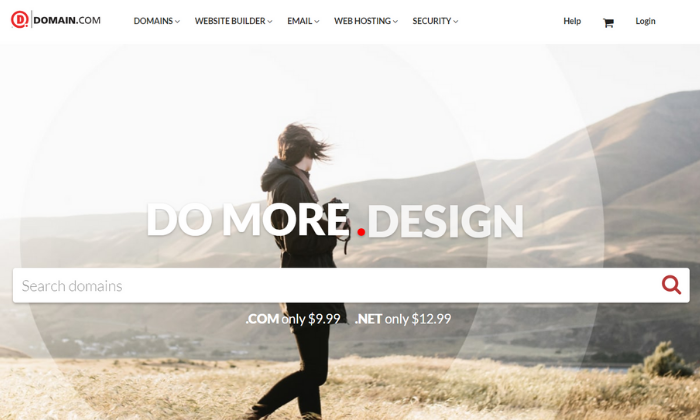
Furthermore, Domain.com is extremely affordable. You can expect to pay $9.99 per year for .com domains for your initial contract period.
And they renew at $13.99 per year after that.
They also offer hundreds of different domain extensions including .blog, .co, .net, and .org plus some you’ve probably never heard of.
However, keep in mind you have to pay an extra $8.99/year for privacy and protection.
Domain.com also offers several upsells throughout the process including G Suite and web hosting.
But you can skip these and buy them separately if you end up needing them.
#2 – Bluehost — The best for bundling with web hosting
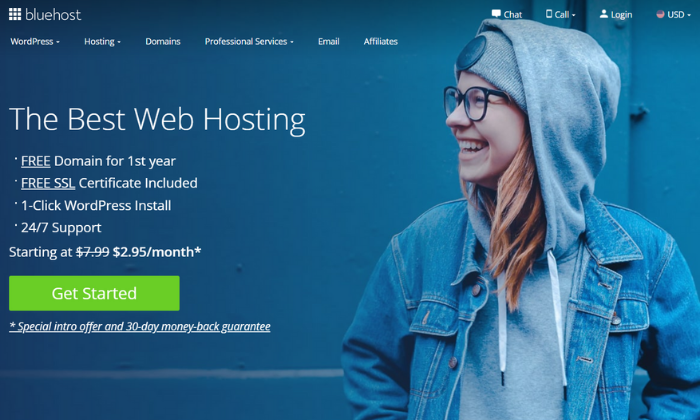
Bluehost is my #1 web hosting recommendation. And you also get a free domain name for the first year when you bundle the two together.
So, if you’re starting a brand new website, Bluehost is an excellent choice.
However, if you want to buy more than one domain name, I highly recommend using a domain registrar, like NameSilo, instead.
Bluehost domains are more expensive than other options on this list, so it only makes sense if you need one domain with web hosting.
All domain registrations come with standard features, including:
- Intuitive domain management dashboard
- Free SSL certificate
- Auto-renewals
- Domain locking
- Complete DNS control
- 24/7 expert support
- Self-service knowledge base
After the first year, your .com domain name renews at $12.99 per year.
And you have to pay an additional $11.99 per year ($0.99 per month) to mask your private information.
Bluehost also offers a Microsoft 365 upsell, but you can skip this and purchase it separately if you end up needing it later on.
#3 – NameSilo — The best for buying in bulk
If you’re interested in buying numerous domain names to cover similar names, common misspellings, or alternative extensions, NameSilo is the best choice.
They offer bulk order discounts if you buy more than 50 domains in a single order.
However, if you need a single domain name (or fewer than ten), I recommend going with Domain.com instead.
It’s a bit more expensive but it’s easier to use.
Every domain you purchase automatically comes with:
- Free privacy protection for life
- DNS management tools
- Email and domain forwarding
- Domain defender protection
- Locking/unlocking capability
- Monetized parking page
- 24/7 customer support
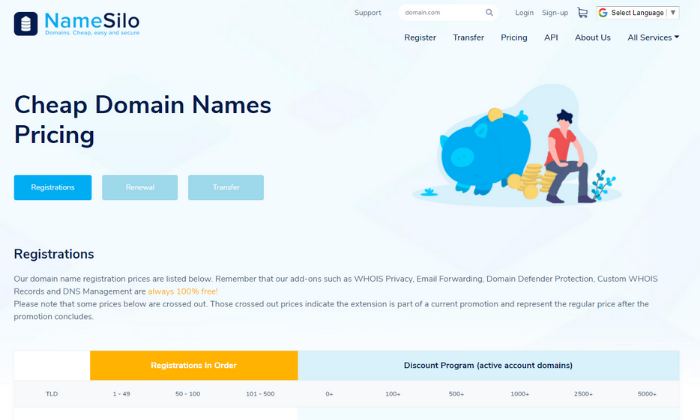
For 1 – 49 domain names, each .com is $8.99 per year ($0.10 more than Namecheap).
However, that price stays the same when it’s time for renewal, rather than jumping up a few dollars more per year.
For 50 – 100 names, each one is $8.89 per year.
With steeper discounts at higher volumes. So, the more you buy, the more money you can save.
And these discounted rates apply at renewal time as long as you have the same number of active domains in your account.
Lastly, don’t forget to say “yes” to WHOIS privacy protection at checkout.
It’s free but you have to opt in to use it.
#4 – Google Domains — The best for Google integrations
If you’re familiar with the Google interface, Google Domains is comfortable and familiar.
Plus, they also make it a breeze to integrate your domain with other Google tools, like G Suite, Google Analytics, and Google Search Console.
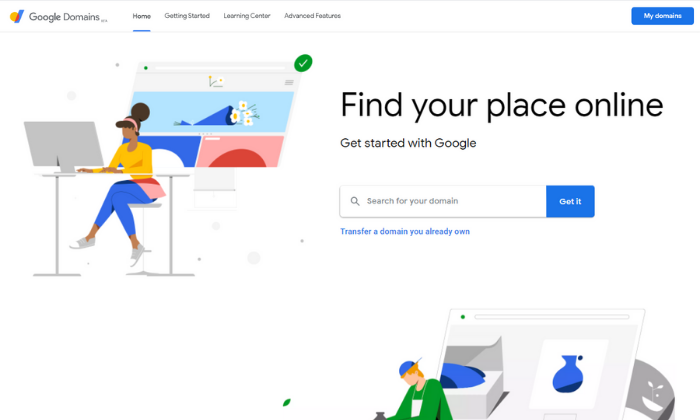
Furthermore, Google Domains is a smart choice if you only need 1 – 10 domain names and appreciate the simplicity of the Google platform.
However, if you need more than that, there are cheaper alternatives for buying domain names in bulk (like NameSilo).
With absolutely no upsells, it’s hard to beat the streamlined checkout process.
And every domain name includes:
- Free privacy protection (unlike Domain.com and Bluehost)
- Email forwarding services
- Easy access to add-on services
- Domain sharing2-step verification
- Cloud DNSDNS exporting
- 24/7 customer support
At $12.99 per year, Google domains are affordable and in line with the other domain registrars on this list.
However, you get privacy protection for free as an added value.
#5 – Namecheap — The cheapest domain registrar
Although the price is a small factor, if you’re looking for the most affordable domain registrar for a single domain, you should choose Namecheap.
They’re a reputable domain registrar currently managing more than 10 million domain names.
Their straightforward and intuitive interface also makes buying a domain name a breeze. It takes less than a few minutes and you don’t have to worry about countless upsells or distractions.
With that said, there are a few upsells you can skip, including web hosting, private email, G Suite, and EasyWP. You don’t need any of these from your domain registrar.
You can (and should) buy these separately if you end up needing them down the road.
However, every domain registration includes:
- Free privacy protection
- Domain name security
- 24/7 live chat support
- Extensive knowledge base
- Full DNS access
Prices start at $8.88 per year for .com domains. Plus, you get free privacy protection and you can register for up to ten years in advance.
This is an excellent way to save a few dollars and avoid the hassle of renewing every year.
Keep in mind that your domain name renews at $12.98 per year after your initial contract.
Summary
At the end of the day, the registrar you choose doesn’t really matter (as long as you go with one of these recommendations).
What’s important is getting the domain name and extension you want at a reasonable price with the protection and security you need.
With that said, Domain.com is great for most users and Bluehost offers a free domain for the first year if you need web hosting services as well.
However, both charge extra for privacy protection.
On the other hand,
- NameSilo, Google Domains, and Namecheap offer this protection for free.
- NameSilo is excellent if you need hundreds of domains.
- Google Domains makes sense if you’re comfortable with the Google interface (and sharing more info with Google).
- And Namecheap is the most affordable registrar for .com domains.
So, regardless of what you need, your new domain name is just a few clicks away.
Which domain registrars have you tried in the past? And how was your experience?
The post, Best Domain Registrar appeared first on Neil Patel.
Source: feedproxy.google.com