
Tag Archives for " chat "

Best Live Chat Software
Every website needs to have live chat, but with dozens of different live chat solutions available, which should you pick? Let’s break down the top products, how they’re different, and how to decide on which one will deliver the most value to your business.
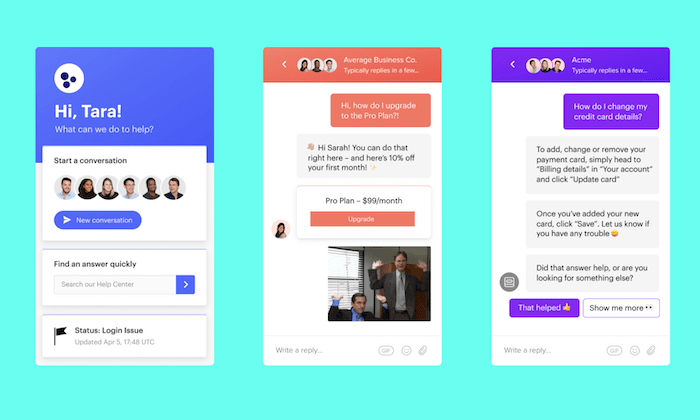
Disclosure: This content is reader-supported, which means if you click on some of our links that we may earn a commission.
Live chat has quickly become an integral part of customer service.
When a customer or website visitor has a question, complaint, or needs some other type of assistance, they expect to reach your brand via live chat.
In addition to the improved customer experience, live chat is also more efficient for your support team. Service reps can’t field more than one phone call simultaneously, but they can handle multiple live chat conversations at the same time.
Overall, live chat is fast, effective, and more cost-efficient than any other type of customer communication. In terms of consumer preferences, it ranks higher than a phone, email, and social media.
Every website needs to have live chat, but with dozens of different live chat solutions available, which should you pick?
Let’s break down the top products, how they’re different, and how to decide on which one will deliver the most value to your business.
The Top 7 Options For Live Chat Software
- JivoChat — Best cross-platform live chat software
- LiveChat — Most versatile live chat software
- Smartsupp — Best for monitoring visitor behavior
- Pure Chat — Best live chat features
- Intercom — Best for lead qualifications
- Acquire — Best chatbot features
- Zendesk — Best for customer engagement
How to Choose the Best Live Chat Software For You
As you’re comparing different live chat options, there are certain feature sets and considerations to keep in mind. These factors will impact customer experience, employee productivity, and the total price.
Let’s take a look at each of the major factors in detail so that you can accurately judge which live chat software is going to be the best fit.
Number of Agents
How big is your support team?
There’s a big difference between businesses with 5, 50, and 500 agents. Most plans will have some limitations on how many support reps can access the software. Other plans will have minimum seat requirements as well.
It’s also important for you to look down the road as your company grows. Is it easy to add new agents to your plan at scale?
Make sure you’re not locked into a plan that restricts your scalability.
Use Cases
Why exactly are you in the market for live chat software?
Sure, there are plenty of general-purpose options out there. But some software is designed to accommodate specific needs and goals.
For example, there is live chat software for lead qualification, live chat software for customer engagement, and live chat software for customer support.
These are just a few of many examples that should be taken into consideration.
Omnichannel Support
Are you connecting with your customers via text or phone?
If you’ve got customers reaching out to your brand on different channels, you want to make sure that the software seamlessly integrates with those other systems.
For example, you could potentially manage conversations from your website and conversations from Facebook Messenger within the same live chat software.
Your service reps can handle everything from a single dashboard, instead of switching screens and being forced to use different platforms.
This is going to make your reps’ lives easier and streamline the customer’s experience.
The more channels that can connect to your live chat software, the more opportunities agents will have to use it.
Automation
Automation is arguably the most crucial and desirable feature of live chat software. It speeds up service requests significantly, and it’s a cost-effective way to provide assistance 24/7/365.
Chatbots don’t take lunch breaks or sick days. They work nights, weekends, and holidays.
So if a website visitor has a question at 2:00 AM on a Saturday, it can potentially be resolved with a self-service chatbot.
For businesses with multiple departments, chatbots and live chat software can automatically route messages to the right representative.
Questions about returns would be sent directly to a support rep, while questions about new products would be routed to a sales rep.
Extras and Bonus Features
Aside from the core live chat software tools, each software will offer additional features with different plans.
Not all of these will be a deal-breaker, but it’s helpful to have if you’re going to take advantage of these offerings.
I’m referring to features like CRM software integrations, chat history, custom widgets, admin monitoring, helpdesk features, HIPAA-compliance, calendar integrations, appointment scheduling, etc.
Depending on your needs, a feature like HIPAA-compliance might be extremely important.
If communications with your customers are subject to regulations, be sure to find a live chat option that satisfies those requirements.
The Different Types of Live Chat Software
At its core, live chat software is essentially real-time messaging on a website between a visitor and brand representative from a chatbox on the corner of the page.
But within this broad classification, live chat can be segmented into three main categories.
Chatbots
Chatbots use AI technology and automation to solve problems. In many cases, customer inquiries can be resolved without any human interaction if you add chatbots to your website.
It’s also common for sites to use chatbots initially, before ultimately routing the conversation to a support representative. Chatbots can help qualify the visitor and ultimately get the inquiry resolved faster.
Chatbots typically won’t come standard with basic live chat software plans. These are usually offered as an add-on. Don’t let the price of chatbots scare you away from using them. Over the long-term, it’s much cheaper to use bots than paying for human labor.
Live Chat For Sales
There are lots of great sales-specific live chat solutions out there. This type of live chat software will include built-in CRM tools (or integrate with the CRM you’re already using), lead qualification features, and customer engagement tools.
Your sales agents will have a much easier time closing leads if you’re leveraging live chat software built for sales.
Customer Support Software
Live chat is a common component of helpdesk software. Lots of customer service software on the market will have features for things like ticket support and team collaboration, but the best ones will also include live chat.
Not every live chat software is built specifically for customer support. So if this is the primary feature that you’re looking for, make sure you choose a solution with those helpdesk features and support tools.
Examples of Live Chat Software
#1 – JivoChat Review — Best Cross-platform Live Chat Software
JivoChat is branded as an all-in-one business messaging solution. It allows you to communicate with customers via phone, email, social, and of course, live chat—all from a single platform.
It seamlessly integrates with popular tools and services that you’re already using, like Slack, Weebly, WordPress, Wix, Pipedrive, Zapier, Shopify, and more.
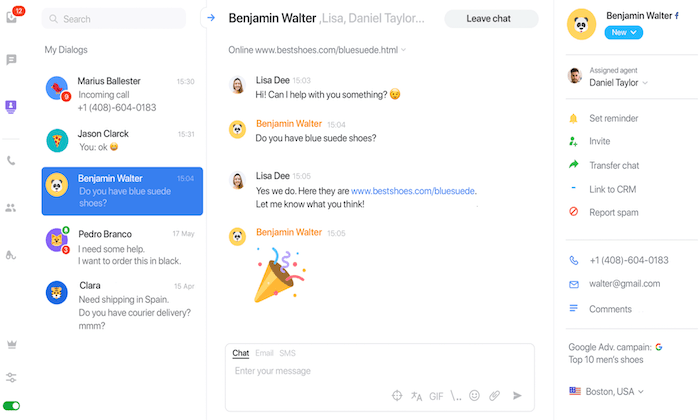
More than 284,000 websites worldwide rely on JivoChat for their live chat needs, making it one of the most popular solutions on the market today. Here are a quick overview and explanation of why the software is so popular:
- Compatible with Facebook, WhatsApp, Apple Business Chat, Telegram, Email, etc.
- All customer communication is managed from a single window
- The live chat widget works on every device, browser, and operating system
- It’s customizable and has the ability to be translated into 20 different languages
- Automatic proactive messages based on custom triggers
- CRM integrations and visitor’s information (like location and click source)
- Chat logs and reports between customers and agents
JivoChat offers unlimited chats and websites on every plan, including the free version.
The software and its basic features are free for your first five agents. Pricing starts at $13 per month per agent, which gives you access to all of JivoChat’s features. Try it free for 14 days.
#2 – LiveChat Review — Most Versatile Live Chat Software
With a brand name like LiveChat, it’s no surprise to see this software rank so high on my list. This tool is trusted by 30,000+ businesses in over 150 countries, including names like PayPal, McDonald’s, Adobe, and Mercedes-Benz.
The software is used for online chat, multichannel support, lead generation, online surveys, in-app support, net promoter score, and more—making it one of the most versatile solutions on the market today.
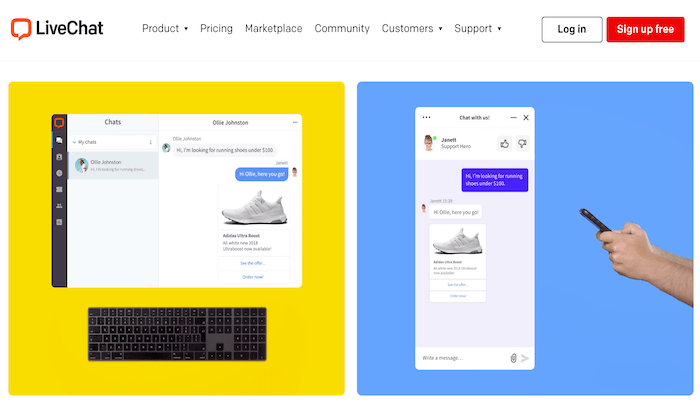
Here’s a brief overview of the features, benefits, and noteworthy highlights of LiveChat:
- Add product cards to live chat conversations
- Use custom forms and AI chatbots to qualify your leads
- Automatically track sales and KPIs to monitor the effectiveness
- Automatic agent routing
- Automatic ticket creation
Segment visitors based on their behavior on your site170+ integrations (Dropbox, BigCommerce, MailChimp, Shopify, Salesforce, etc.)
LiveChat is easy to use and set up as well. Plans start at $16 per agent per month, and you can try it free for 14 days; no credit card required.
#3 – Smartsupp Review — Best for Monitoring Visitor Behavior
Smartsupp is another live chat software with omnichannel capabilities. The solution is used by over 425,000 websites.
It’s a great way to increase customer loyalty, drive conversions, and improve engagement with live chat and bots.
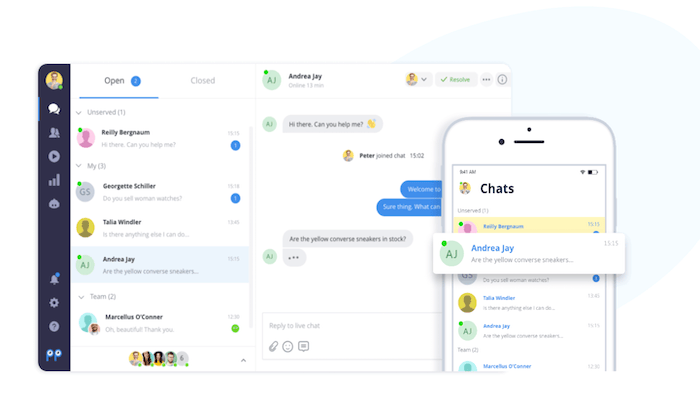
Smartsupp has one of the most unique features of all live chat software on the market today. It has built-in video recordings that give your agents a deeper understanding of how each visitor is moving around on your site.
This gives you agents the ability to discover where people are getting lost, so they can provide better support.
You’ll also benefit from top features like:
- Out-of-the-box integrations and APIs
- Analytics and customer satisfaction ratings
- Create personalized automated messages with smart rules
- Communicate with customers while on the go from Smartsupp’s mobile app
- Web dashboard with analytics about customers
- Customize the look and colors of the chat box
- Add personalized photos to support agent names in the chat widget
For smaller websites with basic needs, Smartsupp is free forever for your first three agents. Paid plans start at $10 per month.
You can try Smartsupp today by creating a free account.
#4 – Pure Chat Review — Best Live Chat Features
Pure Chat is an excellent live chat solution for small and medium-sized teams.
Compared to other solutions on the market today, Pure Chat is one of the most feature-rich live chat tools that you’ll come across. Even better, all of these features are included with every plan.
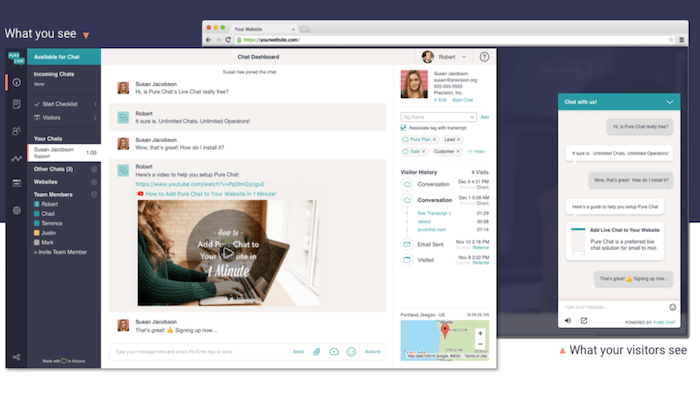
Let’s take a closer look at Pure Chat’s extensive feature list:
- Unlimited chats
- Advanced widget customization
- Security roles (for admins, operators, power users)
- Chat notifications
- Canned responsesFile transfers
- Trigger-based actions
- Real-time analytics and visitor tracking
There are two different Pure Chat plans for you to choose from—Growth and Pro. These start at $39 and $79 per month, respectively.
The Growth plan comes with four users, and the Pro plan comes with ten. Additional users cost extra.
For most businesses, I’d recommend the Pro plan.
It gives you the ability to remove Pure Chat’s branding from your widget, and you can use it on an unlimited number of websites.
Try either of these Pure Chat plans free for 30 days to access all of the features.
#5 – Intercom — Best for Lead Qualifications
Intercom is branded as a “conversational relationship platform.” It’s a clever way to say it helps you build customer relationships through messaging and live chat.
The software is trusted by 30,000+ companies across the globe, including Microsoft, IBM, Udemy, and Sotheby’s.
What makes Intercom so great? Let’s take a closer look at the software highlights:
- Boost site conversions with targeted messages, bots, and real-time chat
- Onboard, activate, and re-engage customers with outbound communication
- Proactive support tools and self-help features
- Manage customer interactions across all channels from a single dashboard
- 250+ integrations out-of-the-box and APIs for custom integrations
The software starts at $39 per month for basic live chat and outbound messaging features.
To take advantage of automation and managing lead qualifications at scale, I recommend the Accelerate plan. It starts at $499 per month and includes ten seats. This comes with awesome features like custom bots, team inboxes, and more.
Try Intercom for free with a 14-day trial.
#6 – Acquire — Best chatbot features
Acquire isn’t the most popular live chat software on the market today. But it’s still trusted by large organizations like Lexus, Audi, the US Air Force, Discover, and more.
It’s an all-in-one solution for omnichannel support, knowledge base, video chat, VoIP phone, and more.
For those of you looking to add the most advanced chatbots to your website, Acquire is my top recommendation.
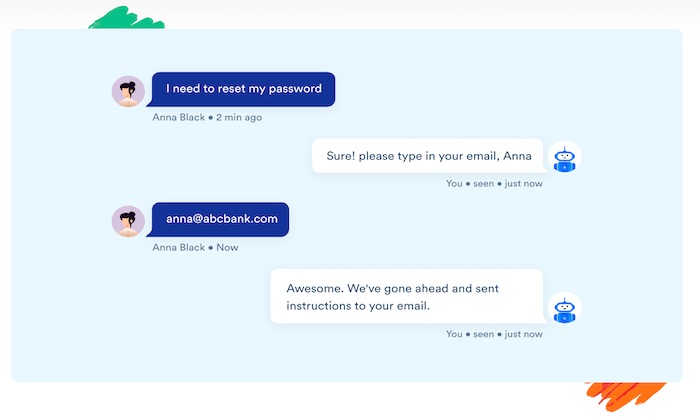
Let’s take a closer look at what makes Acquire stand out from the crowd:
- Automate routine questions with AI chatbotsSync your knowledge base articles with chatbots
- Route chats to human agents when bots can’t provide a solution
- No coding needed or developers required to deploy botsManage all email, social, live chat, and other channels from a single inboxTeam collaboration tools
- Co-browsing software for troubleshooting with on-page markups
- Video chat with customers
Another reason why I like Acquire is that the company provides exceptional customer support. It’s a growing brand, but their team is still available to accommodate your needs, 24/7.
Pricing is not available online. Contact the Acquire sales team for more information.
#7 – Zendesk — Best for Customer Engagement
Zendesk is a versatile live chat software trusted by 200,000+ businesses worldwide. They have solutions for sales, support, and customer engagement.
One of the reasons why Zendesk ranks so high on my list is because of its simplicity. The software is easy to use, and you can deploy it within hours of signing up.
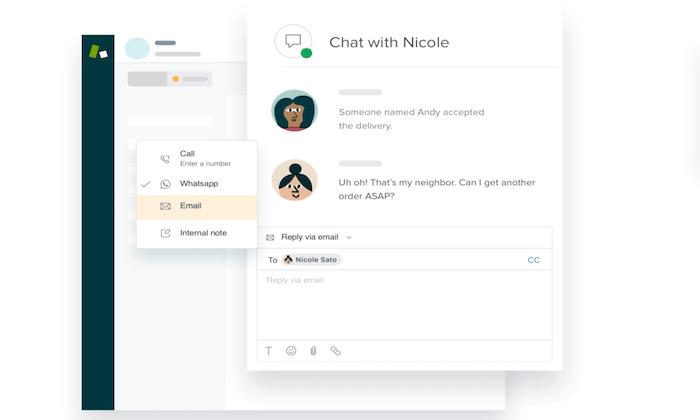
Zendesk is used by some big names and industry leaders, like Shopify, Slack, Uber, Venmo, and more. Here are some of the top reasons why I recommend it:
- Reach out to customers with proactive engagement before they land on your site
- Powerful analytics customer satisfaction, agent performance, and other KPIs
- Omnichannel support with email, social, phone, and live chat
- Self-service and knowledge base tools in 40+ languages
- AI suggestions and machine learning from context clues
Zendesk Chat starts at $14 per agent per month.
But I recommend the Zendesk Support Suite. This package comes with features for chat, support, messaging, and voice, starting at $89 per month. It’s also worth noting that Zendesk has a Sales Suite to consider as well.
Try any Zendesk plan free for 30 days.
Summary
There are lots of great live chat solutions available. But the seven recommended in this guide are definitely my favorite.
Which one is the best option for your website?
Be sure to follow the methodology I outlined earlier in this guide. This will make it much easier for you to narrow down your options.
The post Best Live Chat Software appeared first on Neil Patel.
Source: neilpatel.com

Best Customer Service Software
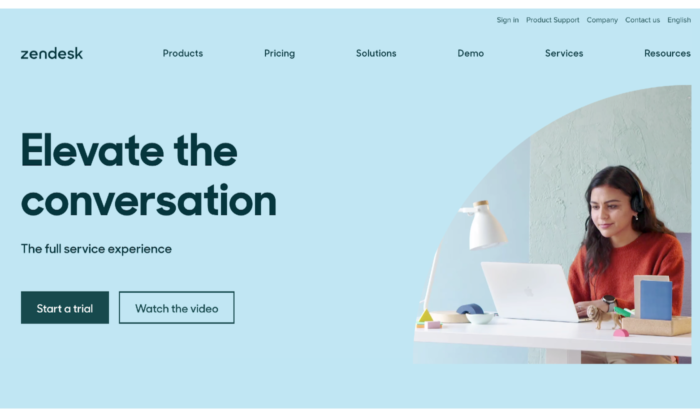
When your human team has trouble managing your customer service needs with sticky notes and cluttered inboxes, you need a new solution. Customer service software lets you keep all of your tasks in the right baskets without losing track of anything.
It also boosts your customer satisfaction and lightens your agents’ load.
Disclosure: This content is reader-supported, which means if you click on some of our links that we may earn a commission.
These customer service software options will help you organize your company, whether you’re a startup or a seasoned business owner.
The Top 7 Options for Customer Service Software
- Hubspot’s Service Hub—Best for Free Software and Deals
- Zendesk—Best for a Complete Support Suite
- Groove—Best for Small Businesses and Startups
- TeamSupport—Best for B2B Support
- LiveAgent—Best for Live Chat Service
- Salesforce Service Cloud—Best for Remote and On-Site Support
- Freshdesk—Best for a Streamlined System
How to Choose the Best Customer Service Software for You
Customer service software isn’t one size fits all. Choosing the right customer service software means considering your customer’s needs and what the software offers your business.
Features Offered
Do you mainly do customer support over live chat? Are your agents constantly fielding phone calls? Do you need software to connect with agents in the field?
When you get the right features in your software, you boost your team’s ability to create positive customer relationships and increase customer satisfaction. Getting the wrong features can be just as bad as having no software at all.
Customer Preference
Consider which support channels fit your customer’s needs. Offering call support alone to a Millennial or Gen Z audience will probably create some unhappy customers since both of these groups prefer live chat and social media.
Knowing your customers saves you money and helps streamline your customer service process.
Your Current Customer Support System
Your new software should focus on improving your current customer service practices. If you have a dedicated customer service team, make sure your software supports them, too.
If multiple people have their fingers in the customer service pie, purchase a system that clearly defines each person’s role, and prevents overlap.
All-in-One vs. Specialized Systems
Some systems offer several services for your customers, but sometimes you don’t need them all. If you provide online-only support, you don’t need the frills of a phone, video, and other options. So don’t buy them.
All-in-one systems encompass different types of software, including:
Customer relationship management (CRM):
CRMs focus on sales and interacting with people to bring them in as customers and retain them long-term.
Customer experience management (CEM):
CEMs deal with the customer’s experience throughout their buying journey, from marketing to purchasing to customer service. In other words, you want them to leave positive reviews and become repeat customers.
Marketing automation software (MAS):
MAS systems concentrate on marketing efforts, communicating information about products and services, and generating leads.
The type of software you get depends on your business and customer needs, so choose carefully.
The Different Types of Customer Service Software
Different types of customer service software fulfill various purposes and conform to specific customer needs.
There are three basic types of customer service software.
1. Helpdesk
Helpdesk software functions pretty much as its name suggests. It keeps track of everything in one convenient location and can automate processes like ticketing and store canned replies, so you don’t have to retype the same response to all those customers asking the same question.
Helpdesk software lets agents juggle different customer service actions in one place, so they have easy access to everything when they need it.
2. Customer Relationship Management (CRM)
CRM software gives you a more comprehensive view of customer service and related information. It builds a database for sales purposes and helps customer service agents manage various accounts differently depending on customer needs and habits.
CRMs are usually more comprehensive than helpdesk software. They’re also more marketing-focused than other customer service software and tools. If you don’t need too many bells and whistles, opt for something simpler.
3. Live Chat
Live chat sticks to online modes of customer service. It lets your reps respond quickly and conveniently to customer questions.
This type of software doesn’t offer anything as broad as CRM or even helpdesk software, but that doesn’t mean it can’t serve you well. I’d recommend it for any business that values efficiency and a streamlined approach.
Examples of Customer Service Software
1. Hubspot’s Service Hub—Best Free Software and Deals
Hubspot doesn’t just offer marketing services. Hubspot’s Service Hub gives you all the tools you need to organize your services.
The best part is that you can get a free version of this software without worrying about it expiring. Most other software companies give you less than a month to try theirs. With Hubspot, you might not need to pay at all to get what you need.
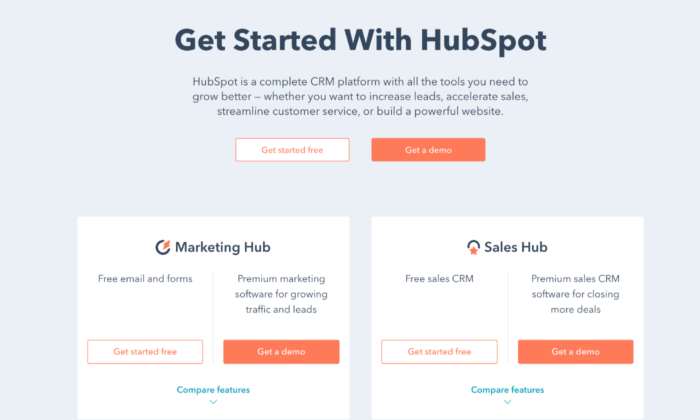
Hubspot makes it easy for your team to communicate with a conversations inbox and team email, so everyone stays on the same page. It even has email templates, so agents don’t have to waste time crafting the same email over and over.
Live chat and chatbots save time and work to help customers in a way that’s convenient for you and your team. You can also connect the software with others from Hubspot, like their sales software and CRM.
If you need more than what the free plan offers, you can buy this software in three tiers:
Starter: $40 per monthProfessional: $320 per monthEnterprise: $1,200 per month
Each tier offers different features and supports two, five, and ten users, respectively. The Starter package comes with meeting scheduling, agent productivity reports, calling, and canned snippets, so agents don’t need to repeat themselves for each customer.
With the Professional and Enterprise packages, you can get everything from automation, pipelines, and custom reporting to a knowledge base, hierarchical teams, and integration with Slack. While each tier has a significant price jump, the features that come with them make the cost worth it if your team needs the additional support.
Pros
- Integrates with other Hubspot software
- Established and popular brand
- Offers more free software
Cons
- Costly for the features and tiers offered
- A limited number of users
2. Zendesk—Best for a Support Suite
One of the most established customer support software options available, Zendesk offers a whole support suite to give you all the tools you need to click with customers.
It offers convenience with live chat and messaging, so you give customers a personalized experience. You can also connect Zendesk to your social channels without managing a ton of different platforms.
With a ticketing system that includes tracking, solving, and a priority system, Zendesk creates agent efficiency. Tickets don’t get buried in anyone’s inbox, and you know the status at any given time.
The software’s integrated voice system allows you to makes each customer’s voice experience unique. You can create a new phone number or use an existing one, so your call center works for you.
Zendesk offers solutions for businesses of all sizes with solutions like:
- Answer Bot—An AI bot that suggests articles to help customers
- Zendesk Guide—A smart knowledge base to help you find resources
- Zendesk Gather—A forum for customers to connect with each other
You can get five software levels for smaller businesses, ranging from $5 to $199 per agent per month, including Essential, Team, Professional, Enterprise, and Elite.
Larger businesses will benefit most from the Professional Support Suite and Enterprise Support Suite.
With these options, you get omnichannel support, social messaging, and dashboards, and reports. Reporting and analytics are vital to know how your agents connect with customers and your customers’ satisfaction with their experience.
Plus, with the Enterprise Support Suite, you have access to special features like multi-band support and 24/7 support for your agents if anything goes wrong. You also get a chat widget, roles and permissions, and content cues. The higher the tier, the more convenient Zendesk makes the customer service experience for everyone.
Pros
- Many self-service options
- Complete support suite
- Can integrate social media with software
Cons
Not many options for larger businesses
3. Groove—Best for Small Businesses and Startups
Groove is newer than many of the options here, but don’t walk away from it just yet. Its modern, intuitive design has boosted its popularity fast.
Groove is designed to learn quickly, so you don’t have to take time out of your day to figure it out, giving your customer support team the ability to get up and running quickly. After all, the whole purpose of customer support software is to streamline your operations.
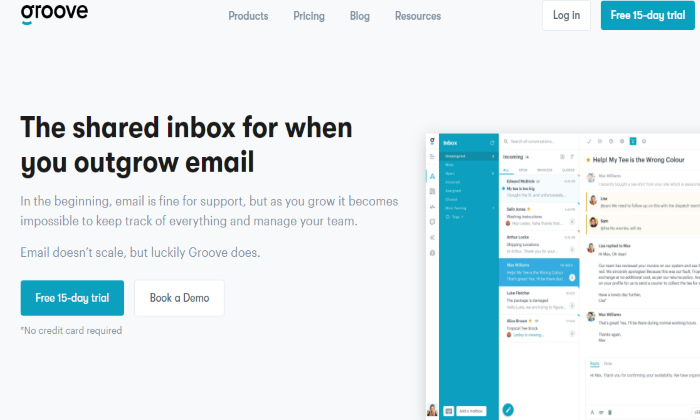
This software doesn’t have tiers. Instead, you pay for the core software, which includes:
RulesTaggingCanned repliesCustom foldersConversationsPerformanceCustomer reportsMobile compatibilityIntegration for almost any app
Because you pay for only the basic package, you can customize it however you want. Small businesses won’t get overwhelmed with a million options, but that does mean you have to think a little harder about how you want to set it up. Once you do, you can make it easy and intuitive for your agents to get in the groove. You can also try a free 15-day trial of Groove to test it out.
Pros
- Intuitive interface
- Works well for small businesses
- CustomizableIntegrates with most apps
Cons
- The basic package has fewer features
- Takes more setup
4. TeamSupport—Best for B2B Support
Built for B2B customer support, TeamSupport lets you tailor your service options to business owners. You can group users into organizations, so you know who is part of which team and track common issues between businesses.
The Product Section feature allows you to put customers who use the same products together, so agents spend less time searching and more time resolving issues. With the Customer Distress Index, you can see how agents have helped customers and their satisfaction with their experience.
The Water Cooler brings agents together to communicate internally to resolve issues, but TeamSupport also has customer self-service options. The software only offers two price tiers, but they are cheaper than most other software.
The Support Desk version costs $50 per agent per month, and it lets you assign, track, and manage customer support requests using help desk operations. You can also customize and automate tasks to provide excellent end-user customer support.
The Enterprise package only costs a little more at $65 per agent per month. It works well for software and technology companies, allowing you to track products, support issues, and product defects, ideal for B2B customer service.
Pros
- Used by industry leaders
- Cheaper than many other options
- Great for B2B customer support
Cons
- Only two-tier options
- Less adaptable for B2C support
5. LiveAgent—Best for Live Chat-Based Customer Service
LiveAgent is an award-winning customer service software that has been recognized for its B2B- and SaaS-friendly service and live chat interface. This helpdesk software focuses mainly on remote work.
LiveAgent includes a universal inbox and automated ticketing, so agents get assigned tickets and can also see what everyone else is working on. It eliminates overlap and uses gamification to improve existing customer service practices.
With a live chat and call center, your agents have the tools to respond to customers when they need help. Unlike other customer service software, LiveAgent also offers video calling support, rather than just phone and live chat. Unfortunately, its interface isn’t as intuitive as others on this list.
Your agents get the support they need with 24/7 customer support for all four of its packages:
FreeTicket: $15 per agent per monthTicket+Chat: $29 per agent per monthAll-Inclusive: $39 per agent per month
With a 7-day ticket history, the Free package gives you one email address, a live chat button, and a phone number. It also offers basic reports, a knowledge base, and ticket options like merging, splitting, exporting, and mass actions. For a free package, it’s reasonably comprehensive.
The Ticket package upgrades you to unlimited ticket history and email ticketing, plus advanced reporting. You also get templates and canned answers, along with gamification to streamline the customer experience.
Ticket+Chat gives you all the features of Ticket, plus unlimited live chat, chat invitations, and chat satisfaction surveys. You can also keep track of who looks at your website with the real-time visitor monitor.
The All-Inclusive package does seem to give you everything you could possibly want in the customer service software. You’ll have all the features of Ticket+Chat, plus unlimited call center support, video call, and call routing and transfers. Essentially, any calling feature missing from the lower tiers you can find in this one, along with social account connectivity.
You can add specific features for an additional cost with every tier, such as an additional knowledge base or time tracking. The same applies to connecting social accounts, which can cost anywhere from $5 to $39 each per month.
Pros
- Great for remote support
- Offers video calling options
- Many tiers and features
- Low cost
Cons
- Clunky interface
6. Salesforce Service Cloud—Best for Remote and On-Site Support
Many well-known companies use Salesforce Service Cloud to boost their customer connection.
It’s designed for field service so that you can answer customer questions anytime, anywhere. You can even tailor your software to your company’s location, which helps local businesses.
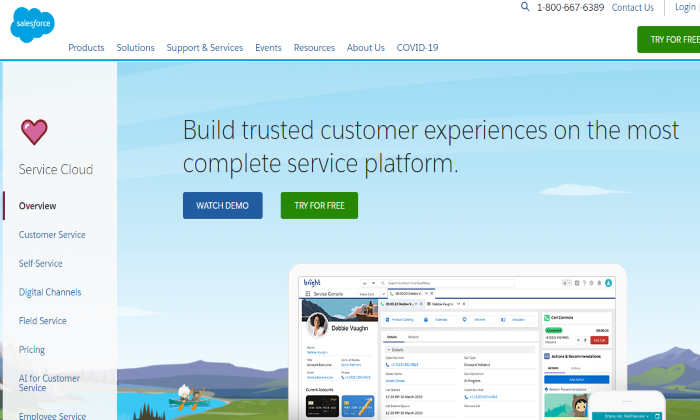
Salesforce Service Cloud uses AI, chat, voice, and field service to help agents customize their customer’s experience. As the #1 CRM, Salesforce focuses on all aspects of the customer experience, so agents can keep up with customer needs with less effort.
The product has four tiers:
- Essentials: $25 per user per month
- Professional: $75 per user per month
- Enterprise: $150 per user per month
- Unlimited: $300 per user per month
The downside to this product is that the price sometimes more than doubles when you jump tiers without offering too many more features. With Essentials, you get case management, service console apps, a knowledge base, and phone integration.
While that might be worth the money for you, the only additional features you get with the Professional software are service contracts and entitlements. From there, Enterprise gives you web services API, and with Unlimited, you get 24/7 support and configuration settings.
Essentially, each tier only gives you one more feature. Whether you spend the money on them depends on how badly you need them. Nonetheless, Salesforce is a widely-known and trusted software, and many of your employees have likely used it before, which will cut down on the learning curve.
Pros
- Excellent for field support
- Most flexible software available
- Has more AI options than other software
Cons
- High prices for a few features
- No 24/7 support for tiers below Unlimited
7. Freshdesk—Best for a Streamlined System
Freshdesk can help you streamline any inbox disaster. Alternatively, if your current customer service software looks more like a virtual maze, Freshdesk makes it easy to switch.
Freshdesk’s ticketing system comes with a team inbox, including agent collision detection. Its collaboration feature uses Team Huddle so agents can discuss tickets and share ownership when the project is too big for one person. Plus, with Omniroute, you can auto-assign customer service tasks to agents based on their bandwidth.
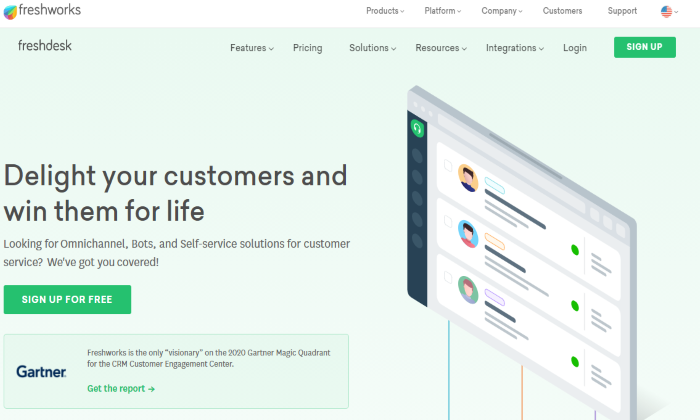
With multichannel support, advanced and custom reports, and field service management, you can cater to customers no matter where you are.
Freshdesk even helps customers help themselves with a forum, chatbot, help widget, and other features to guide customers before they reach out to you. These self-service features will help your customer service streamline even further and provide helpful resources.
You can get the Sprout package of this software free, but you can also get four other tiers:
- Blossom: $15 per agent per month annuallyGarden: $35 per agent per month annually
- Estate: $49 per agent per month annuallyForest: $99 per agent per month annually
The Sprout package already gives you unlimited users along with email and social ticketing, ticket dispatch, and ticket trend reports. You also get a knowledge base, so no one stays out of the loop.
Once you upgrade, the Blossom package includes automation, collision detection, SLA management, and more. The Garden level comes with a multilingual knowledge base to enhance your ability to help customers. You also get performance reports, time tracking, and custom apps to personalize the customer service experience.
In the Estate package, this software gets serious about keeping your information together. With custom reports, dashboards, and roles, the software practically manages itself.
You can even take advantage of versioning in the knowledge base, customer segments, service for multiple products, and dynamic ticket forms that include as much detail as you want your customers to give when they have a problem.
You don’t get any more high-tech than the Forest tier. From an audit log and agent scripts to auto-triage and an article suggester, the software helps agents and gives customers resources to help themselves. Forest even lets you maintain HIPAA compliance when you use it, and you can use up to 5000 Freddy sessions per month when you use live chat.
Pros
- Low cost
- Can choose to pay monthly or annually
- Versatile
- Lots of features at all tiers
Cons
- It May appear overwhelming with so many features
Summary
The right customer service software can make or break a business. That’s why you should evaluate every option and how it will work for your company’s specific needs.
Whether you need a CRM or just a live chat option, you can find customer service software in this list that is right for you and customize it to fit your business.
The post Best Customer Service Software appeared first on Neil Patel.
Source: feedproxy.google.com